Chatwoot is a free, open source customer support & success project written in Ruby and released under a custom open-source licence. It has 36,913 GitHub stars, 8,958 forks and 1,377 open issues, and was last pushed 3 hours ago. On this registry it ranks #1 of 17 tracked projects in Customer Support & Success, and is listed as an open source replacement for 2 paid products, with 5 head-to-head comparisons available. It gained 175 stars over the last 6 tracked days.

Chatwoot — Omnichannel customer support with a built-in AI assistant

What is Chatwoot?

Chatwoot is a Ruby-based, open-source, self-hosted customer support platform that consolidates live chat, email, and social messaging into one omnichannel inbox, positioned as an open alternative to Intercom, Twilio, Zendesk, and Salesforce Service Cloud.

What it is

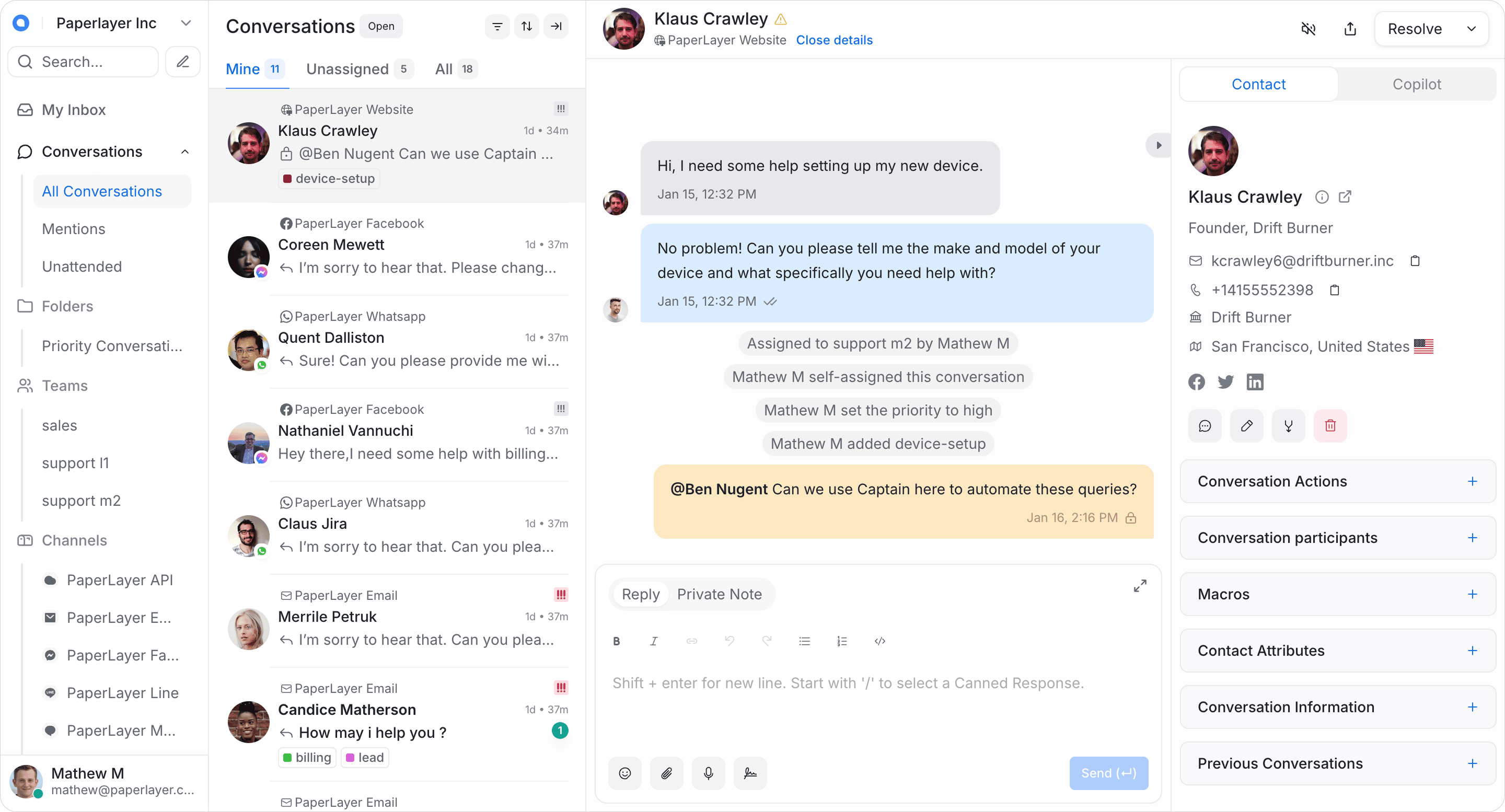
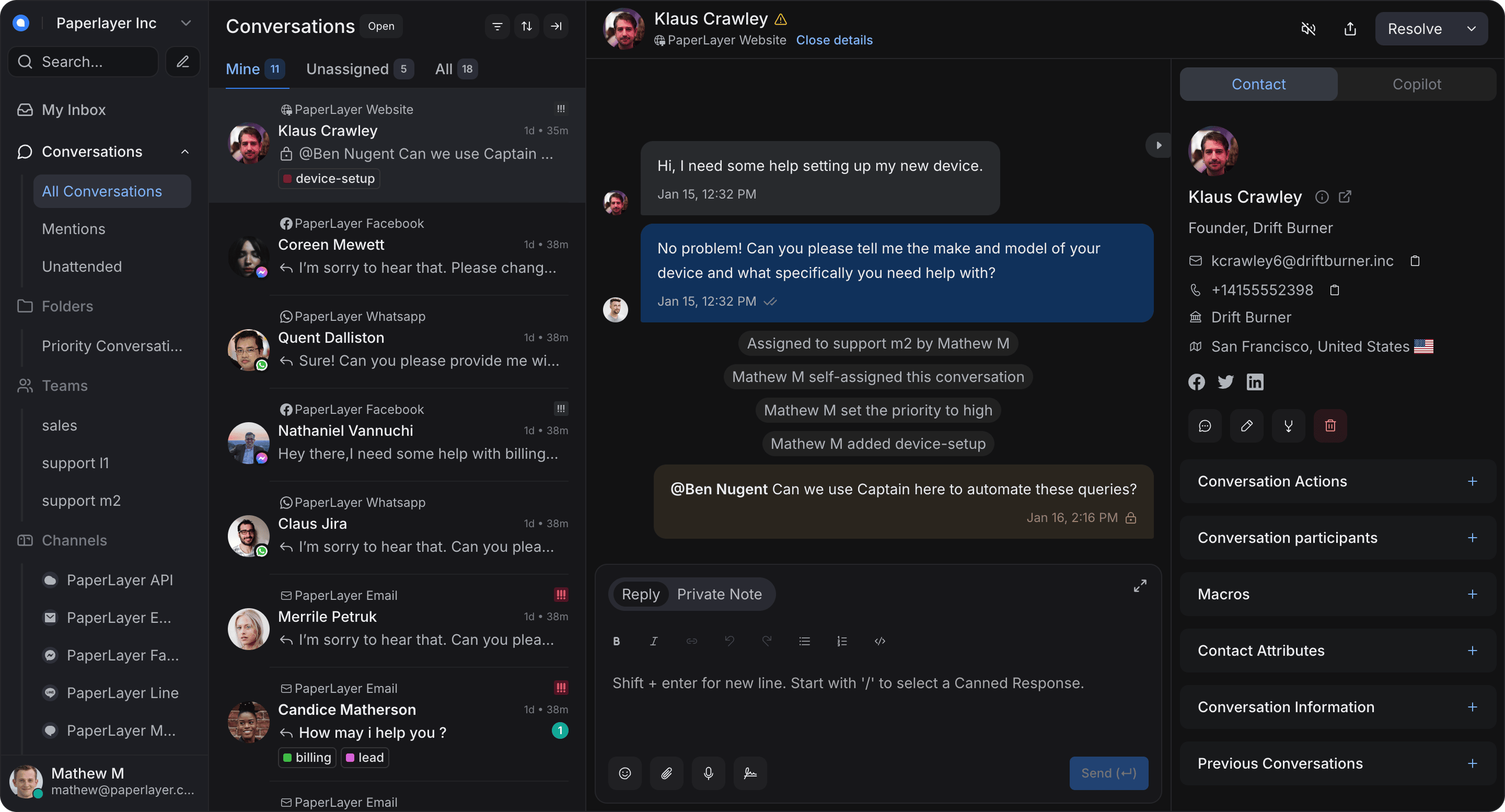
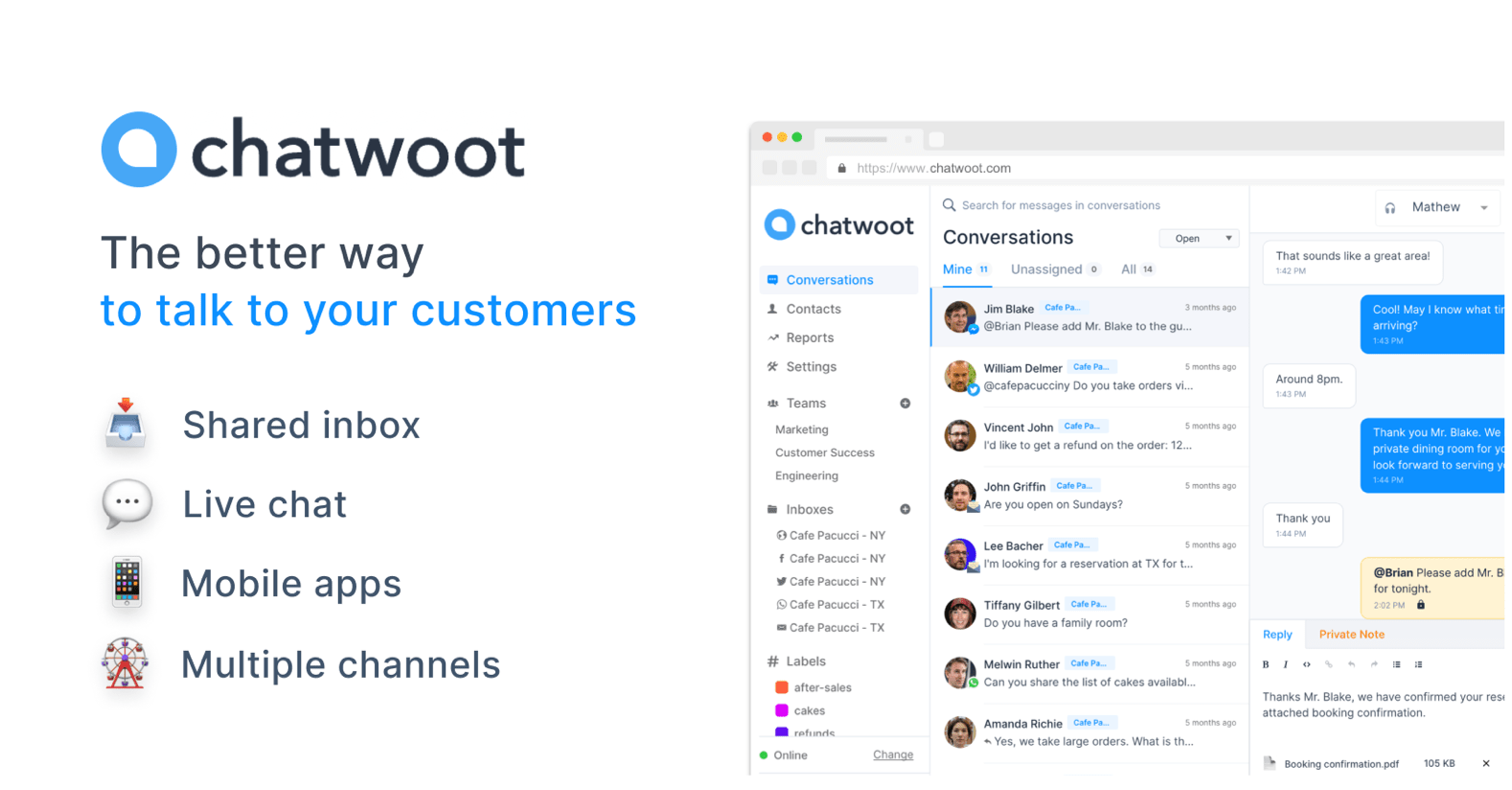
Chatwoot is the modern, open-source, self-hosted customer support platform, built for scale and flexibility. It gives businesses full control over their customer data while providing tools to manage conversations across channels: live chat on a website, email, Facebook, Instagram, Twitter, WhatsApp, Telegram, Line, and SMS. It ships with Captain, Chatwoot's AI agent for support, which answers common queries automatically so that agents can concentrate on complex conversations.

The concrete problem it solves is ownership of the support stack. Teams that would otherwise run Intercom, Twilio, Zendesk, or Salesforce Service Cloud must hand customer conversation data to a vendor and accept that vendor's pricing and roadmap. Chatwoot replaces that SaaS support desk with software the operator hosts and controls, keeping the inbox, automation, help content, and reporting on infrastructure the operator owns. The project lives in the Ruby ecosystem, and its topic list names ActionCable for realtime delivery, a chat widget, a dashboard, JavaScript, Docker and Docker images, and Heroku as a deployment target.

Key capabilities

  • A single omnichannel inbox that centralizes live chat, email, Facebook, Instagram, Twitter, WhatsApp, Telegram, Line, and SMS conversations.
  • Captain, the built-in AI agent that automates responses to common queries and reduces agent workload.
  • A Help Center Portal for publishing help articles, FAQs, and guides so customers can self-serve.
  • Collaboration tooling including private notes, @mentions, labels, canned responses, keyboard shortcuts, a Command Bar, auto-assignment, business hours and auto-responders, and agent capacity management.
  • Contact management with profiles, interaction history, segments, notes, campaigns, custom attributes, and pre-chat forms.
  • Integrations with Slack, Dialogflow, Dashboard Apps, Shopify, Google Translate, and Linear tickets.
  • Reporting that includes Live View, conversation, agent, inbox, label and team reports, CSAT reports, and downloadable reports.

Who uses it and how

  • Support teams that consolidate website live chat, email, and messaging channels such as WhatsApp, Telegram, Line, and SMS into one inbox rather than several tools.
  • Teams that keep conversations inside Slack using the Slack integration, and teams that resolve Shopify order questions without leaving the support desk.
  • Multi-lingual support organizations using multi-lingual support and Google Translate for realtime translation of incoming customer messages.
  • Small teams that deploy through the Heroku one-click button, and operators who prefer a Docker or Docker image based self-hosted install.
  • Support managers who need operational visibility through Live View, CSAT, and downloadable reports.

Getting started

The README documents Heroku one-click deploy through a template button, followed by configuration of the environment variables described at chatwoot.com/docs/environment-variables. Detailed documentation lives at chatwoot.com/help-center, and repository topics also list docker and docker-image for self-hosted installs.

How it compares

Against Intercom, Twilio, Zendesk, and Salesforce Service Cloud, Chatwoot is the open-source, self-hosted option: the operator runs the software and retains control of customer data rather than renting a closed platform. That changes the cost model from per-seat or per-conversation vendor pricing to infrastructure and operational effort the team absorbs itself. The trade is that licensing terms, upgrades, and uptime become the operator's responsibility instead of the vendor's.

When to use it — and when not to

A self-hoster must set the environment variables correctly, and the README itself warns that breakages can occur when they are wrong; stable deployments should use master or v1.x.x tags rather than the develop branch, which is the git-flow base branch. The repository reports a NOASSERTION licence, so the exact terms need checking in the repository before commercial use, and a large open issue count means self-hosters should expect to track upstream fixes. Teams that want a fully managed service with vendor support, or that require a clearly stated standard open-source licence, should look elsewhere first.

project readme (upstream, from github) — read inline

Chatwoot

The modern customer support platform, an open-source alternative to Intercom, Zendesk, Salesforce Service Cloud etc.


CircleCI Badge Docker Pull Badge Docker Build Badge Commits-per-month Discord uptime response time Artifact HUB

Deploy Deploy to DO


Chatwoot is the modern, open-source, and self-hosted customer support platform designed to help businesses deliver exceptional customer support experience. Built for scale and flexibility, Chatwoot gives you full control over your customer data while providing powerful tools to manage conversations across channels.

✨ Captain – AI Agent for Support

Supercharge your support with Captain, Chatwoot’s AI agent. Captain helps automate responses, handle common queries, and reduce agent workload—ensuring customers get instant, accurate answers. With Captain, your team can focus on complex conversations while routine questions are resolved automatically. Read more about Captain here.

💬 Omnichannel Support Desk

Chatwoot centralizes all customer conversations into one powerful inbox, no matter where your customers reach out from. It supports live chat on your website, email, Facebook, Instagram, Twitter, WhatsApp, Telegram, Line, SMS etc.

📚 Help center portal

Publish help articles, FAQs, and guides through the built-in Help Center Portal. Enable customers to find answers on their own, reduce repetitive queries, and keep your support team focused on more complex issues.

🗂️ Other features

Collaboration & Productivity
  • Private Notes and @mentions for internal team discussions.
  • Labels to organize and categorize conversations.
  • Keyboard Shortcuts and a Command Bar for quick navigation.
  • Canned Responses to reply faster to frequently asked questions.
  • Auto-Assignment to route conversations based on agent availability.
  • Multi-lingual Support to serve customers in multiple languages.
  • Custom Views and Filters for better inbox organization.
  • Business Hours and Auto-Responders to manage response expectations.
  • Teams and Automation tools for scaling support workflows.
  • Agent Capacity Management to balance workload across the team.
Customer Data & Segmentation
  • Contact Management with profiles and interaction history.
  • Contact Segments and Notes for targeted communication.
  • Campaigns to proactively engage customers.
  • Custom Attributes for storing additional customer data.
  • Pre-Chat Forms to collect user information before starting conversations.
Integrations
  • Slack Integration to manage conversations directly from Slack.
  • Dialogflow Integration for chatbot automation.
  • Dashboard Apps to embed internal tools within Chatwoot.
  • Shopify Integration to view and manage customer orders right within Chatwoot.
  • Use Google Translate to translate messages from your customers in realtime.
  • Create and manage Linear tickets within Chatwoot.
Reports & Insights
  • Live View of ongoing conversations for real-time monitoring.
  • Conversation, Agent, Inbox, Label, and Team Reports for operational visibility.
  • CSAT Reports to measure customer satisfaction.
  • Downloadable Reports for offline analysis and reporting.

Documentation

Detailed documentation is available at chatwoot.com/help-center.

Translation process

The translation process for Chatwoot web and mobile app is managed at https://translate.chatwoot.com using Crowdin. Please read the translation guide for contributing to Chatwoot.

Branching model

We use the git-flow branching model. The base branch is develop. If you are looking for a stable version, please use the master or tags labelled as v1.x.x.

Deployment

Heroku one-click deploy

Deploying Chatwoot to Heroku is a breeze. It's as simple as clicking this button:

Deploy

Follow this link to understand setting the correct environment variables for the app to work with all the features. There might be breakages if you do not set the relevant environment variables.

DigitalOcean 1-Click Kubernetes deployment

Chatwoot now supports 1-Click deployment to DigitalOcean as a kubernetes app.

Deploy to DO

Other deployment options

For other supported options, checkout our deployment page.

Security

Looking to report a vulnerability? Please refer our SECURITY.md file.

Community

If you need help or just want to hang out, come, say hi on our Discord server.

Contributors

Thanks goes to all these wonderful people:
Chatwoot © 2017-2026, Chatwoot Inc - Released under the MIT License.

Frequently asked questions

Is Chatwoot free to use?

Chatwoot is open source. There is no licence fee and no seat count — you can self-host it or, where the project offers one, pay a vendor for a managed version instead.

What does Chatwoot do?

Omnichannel customer support with a built-in AI assistant

What is Chatwoot written in?

Chatwoot is primarily written in Ruby. Its source is publicly available at https://github.com/chatwoot/chatwoot, and it has 36,913 GitHub stars.

What is a good open source alternative to Intercom?

Chatwoot is one of the open source options listed as an alternative to Intercom, Twilio. Compare licences, stars and activity side by side on the Chatwoot profile.