bytedesk is a free, open source customer support & success project written in Java and released under AGPL-3.0. It has 500 GitHub stars, 141 forks and 0 open issues, and was last pushed 20 hours ago. On this registry it ranks #16 of 18 tracked projects in Customer Support & Success, with 5 head-to-head comparisons available.

What is bytedesk?

Bytedesk is an open-source, AI-powered omnichannel customer service and team messaging platform written in Java, aimed at organizations that want to self-host their own live chat, ticketing, and internal IM stack.

What it is

Bytedesk is a Java-based "Chat as a Service" platform that combines team instant messaging with customer service tooling, delivered as a single self-hostable product under the AGPL-3.0 licence. It bundles several modules in one codebase: TeamIM with multi-level organizational structure, role and permission management; a customer service module supporting multiple channels, multiple routing strategies, detailed assessment indicators, and a seating workbench; a knowledge base covering internal docs, a help center, and FAQ; ticket management with SLA management, statistics and reports; an AI agent module; workflows built from forms, processes, and ticket processes; Voice of Customer feedback and surveys; and a call center and video customer service layer.

The concrete problem it addresses is the fragmentation of customer communication across channels and tools. Inbound conversations arriving over different channels are routed into one agent workbench with configurable routing strategies and assessment indicators, while tickets, SLA tracking, knowledge base content, and AI answers live in the same system rather than in separate vendors. It replaces Slack for internal team messaging and Zendesk, Intercom, HubSpot, Ada, Decagon, and Sierra for support and AI live-chat, according to its own project description.

Key capabilities

  • The AI Agent module can chat with Ollama, DeepSeek, and ZhipuAI models, answer from the knowledge base using RAG, perform function calling, and use MCP.
  • The call center plugin is built on FreeSwitch and supports incoming call pop-up screens, automatic allocation, call recording, and data statistics, integrating voice with text services.
  • The video customer service plugin uses WebRTC for high-definition video calls, one-click video conversations, and screen sharing.
  • Ticketing provides ticket management, ticket SLA management, and ticket statistics and reports.
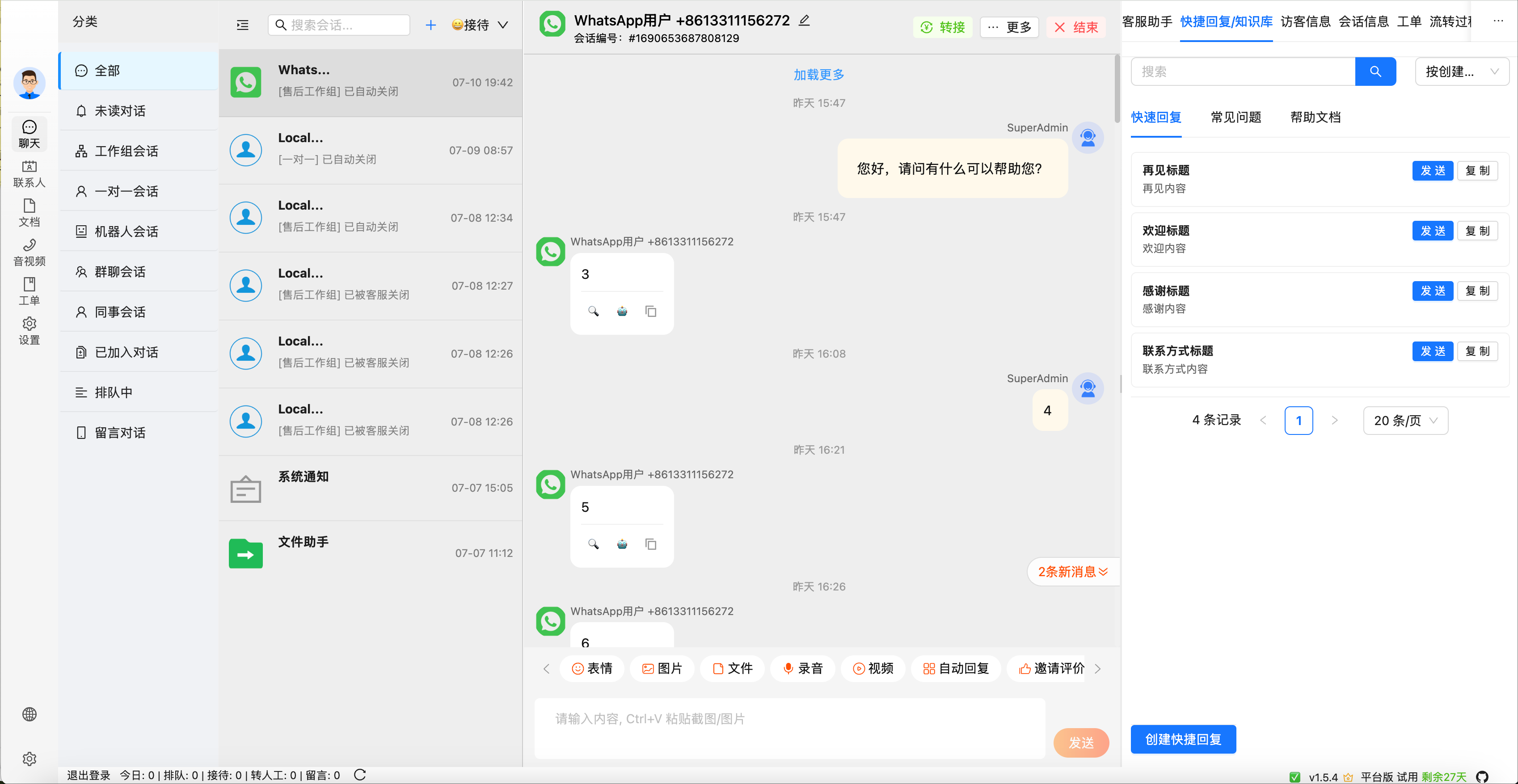
  • Customer service supports multiple channels, multiple routing strategies, detailed assessment indicators, and a seating workbench.
  • TeamIM provides multi-level organizational structure, role management, and permission management.
  • The open platform exposes RESTful API interfaces and multi-language SDK toolkits for third-party integration.

Who uses it and how

  • Teams that want internal IM and customer support in one deployment, since TeamIM and customer service ship as modules of the same product.
  • Support organizations routing conversations from multiple channels through configurable routing strategies onto a seating workbench.
  • Companies that need SLA-tracked ticket handling alongside statistics and reports for support volume.
  • Organizations that want on-premises AI answers from their own documents via RAG, with local or hosted model backends such as Ollama, DeepSeek, or ZhipuAI.
  • Businesses pairing voice and video into the service flow, using the FreeSwitch call center plugin and the WebRTC video plugin for demonstrations and screen sharing.

Getting started

Clone bytedesk-docker-compose, copy .env.example to .env, and run ./start.sh to start redis, elasticsearch, MySQL, Artemis, and the bytedesk app image, then open http://127.0.0.1:9003/ with the default account [email protected] / admin.

How it compares

Bytedesk positions itself as an alternative to Slack and to Zendesk, Intercom, HubSpot, Ada, Decagon, and Sierra, replacing both the internal messaging and the customer support/AI live-chat sides of that stack in one AGPL-3.0 codebase you run yourself. Among the customer support and helpdesk topics registered alongside it — including helpdesk, livechat, omnichannel, chatbot, chat-widget, and RAG — it is the project covering team IM, ticketing, voice, and video as well as chat.

When to use it — and when not to

Self-hosting means operating the full middleware the Docker setup expects: redis, elasticsearch, a database (MySQL, PostgreSQL, or Oracle), a message queue (Artemis or RabbitMQ), and the bytedesk application image, with the middleware and all startup keywords distinguishing local development from quick verification. It is a poor fit for teams unwilling to run that stack or bound to a managed vendor's support obligations, and the licence file is AGPL-3.0, which matters if you intend to modify and distribute it.

project readme (upstream, from github) — read inline

Bytedesk - Chat as a Service

AI powered Omnichannel customer service With Team IM

Language: English | 中文 | Demo

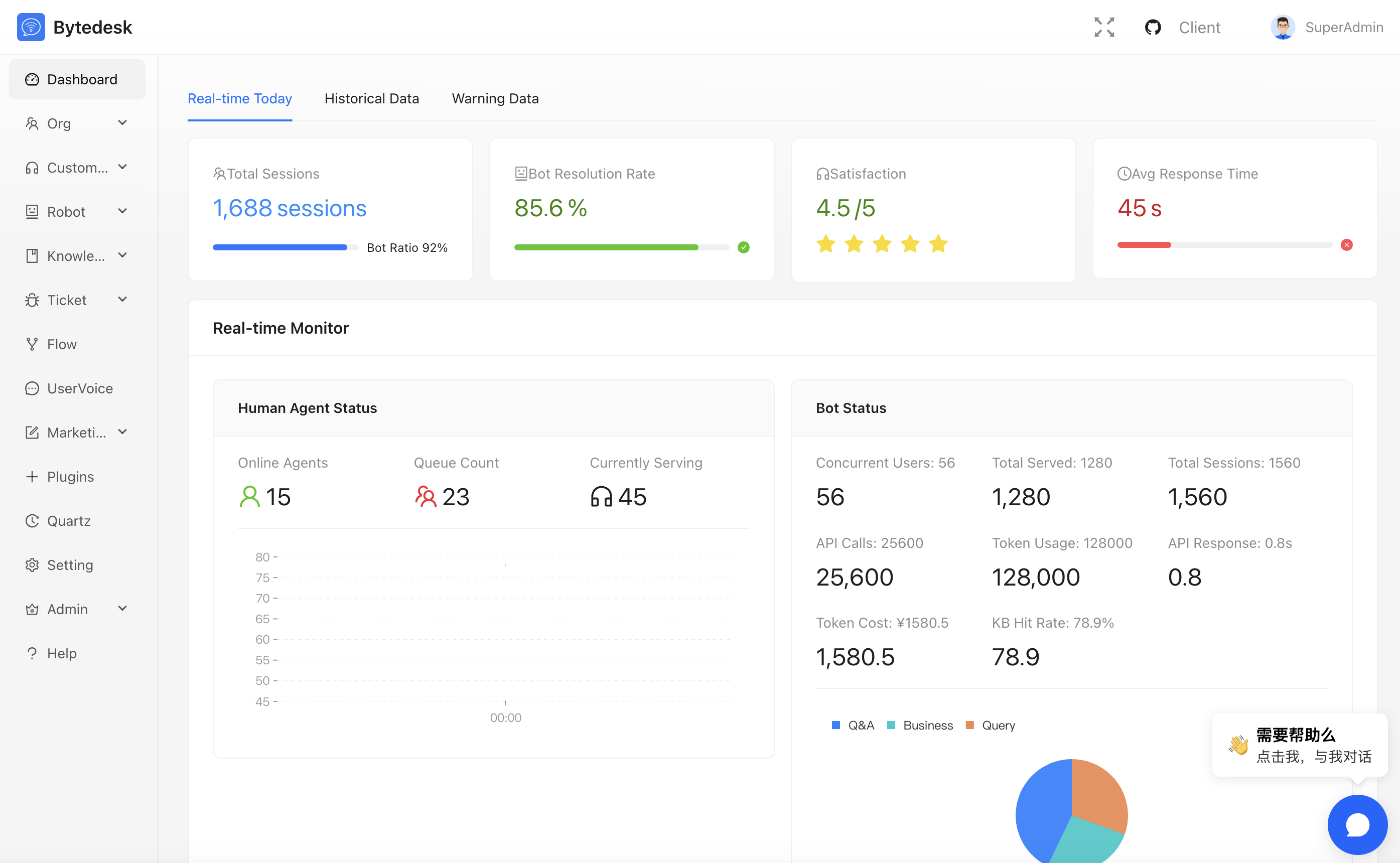
Admin Dashboard

statistics

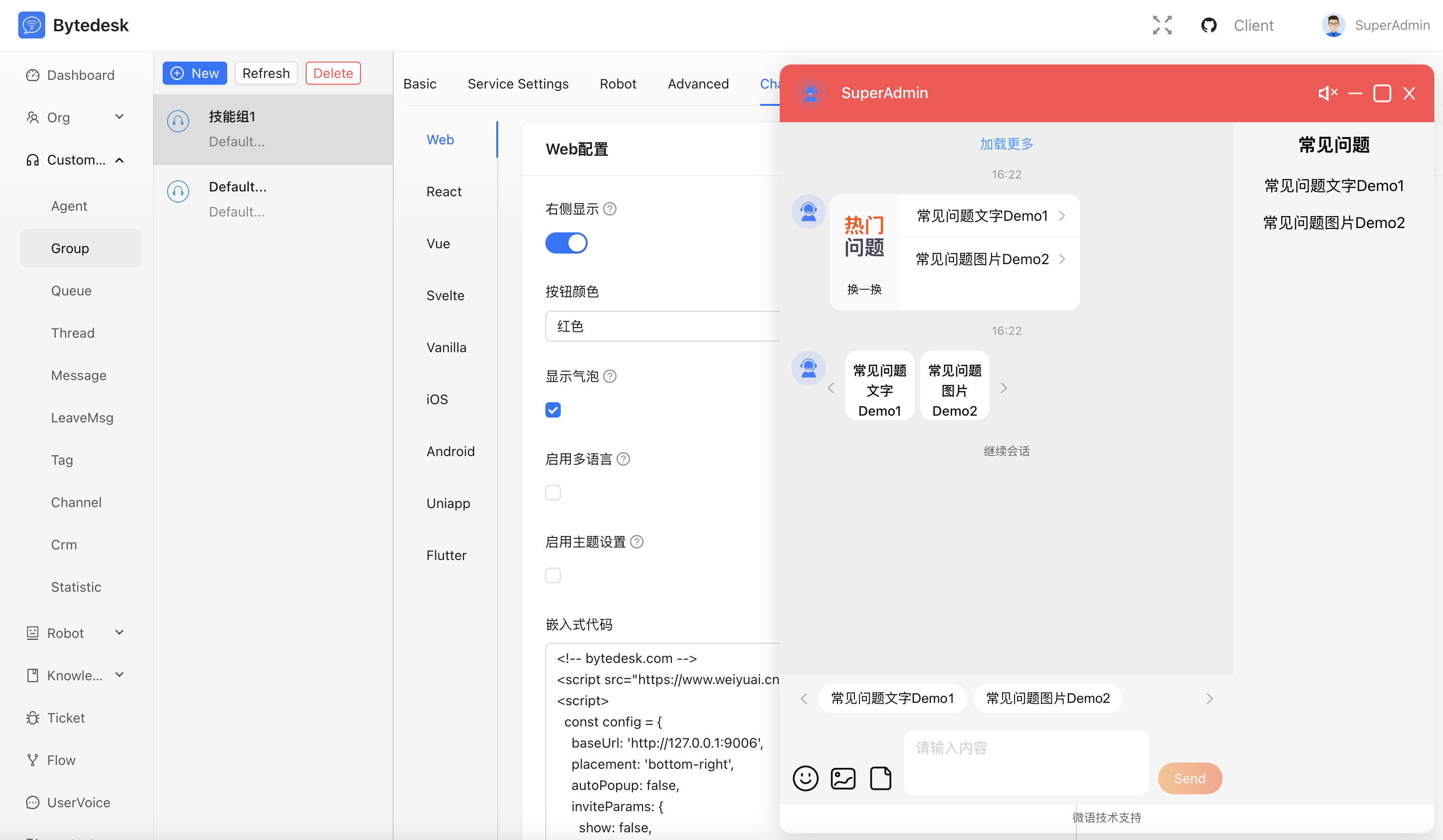
Admin Chat

chat

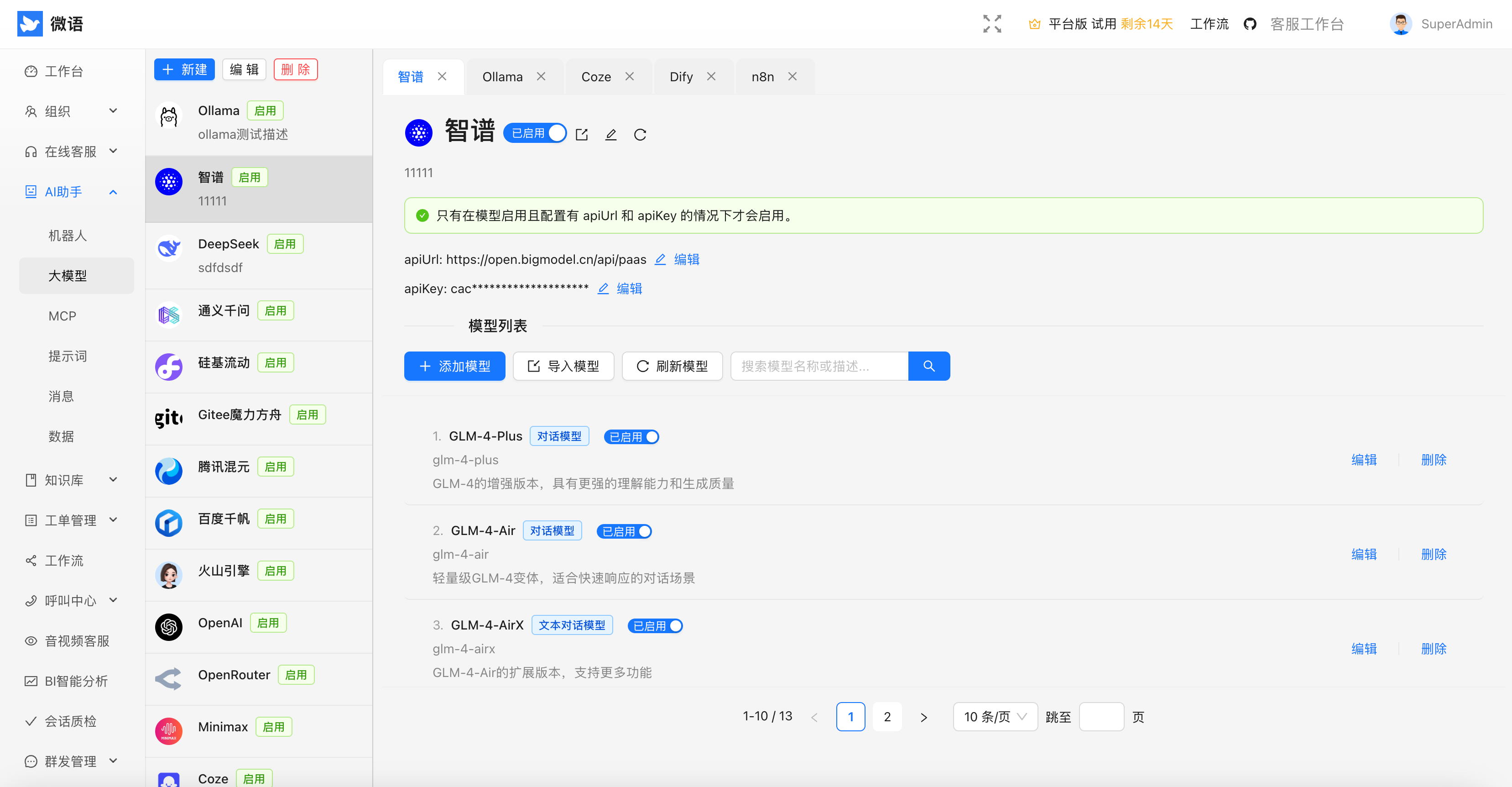
Admin LLM+Agent

llm_agent

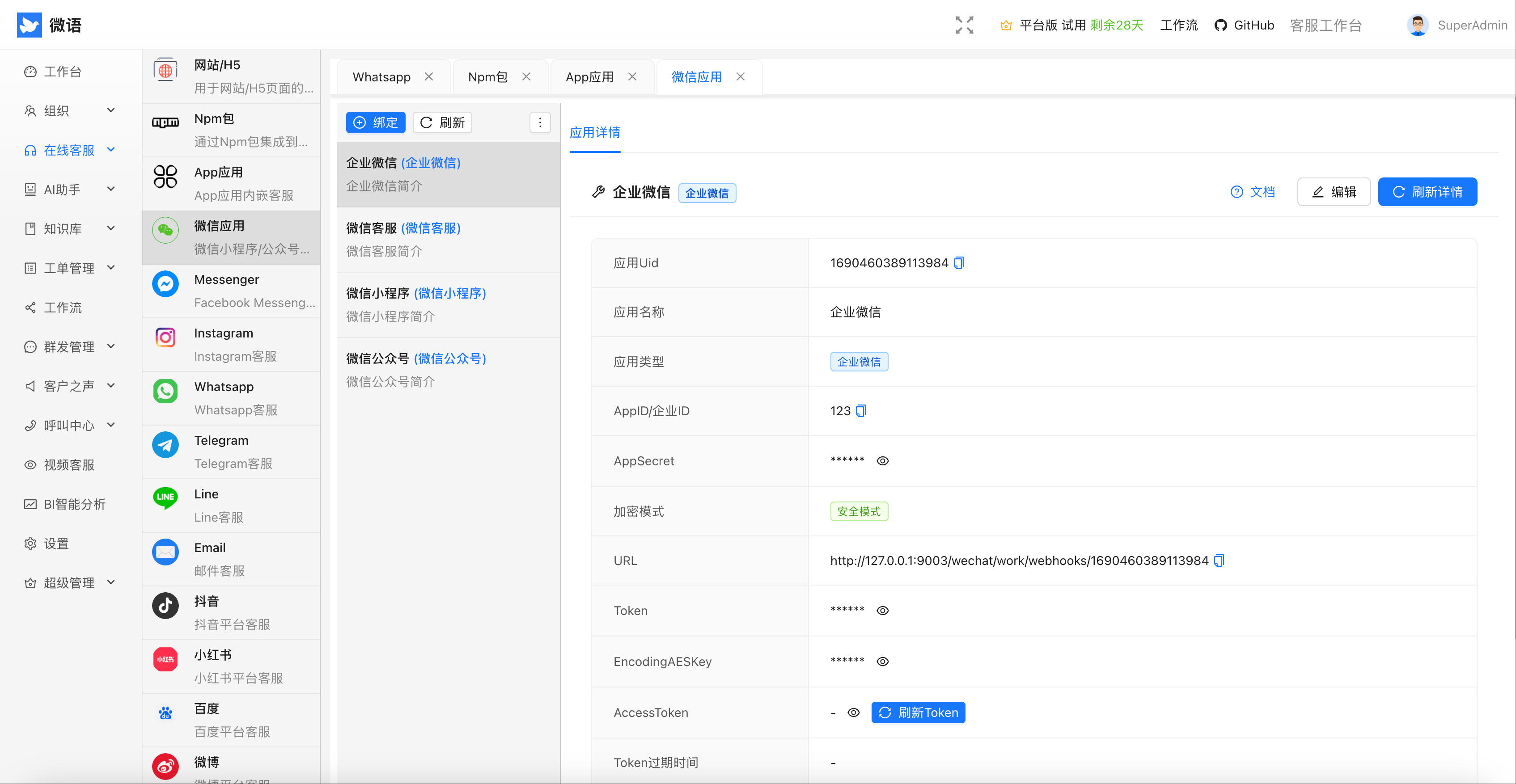
Admin Channel

channel

Agent

agent

Introduction

TeamIM

  • Multi-level organizational structure
  • Role management
  • Permission management
  • ...

Customer Service

  • Support multiple channels
  • multiple routing strategies, and detailed assessment indicators
  • Seating workbench
  • ...

Knowledge Base

  • Internal Docs
  • HelpCenter
  • FAQ

Ticket

  • Ticket management
  • Ticket SLA management
  • Ticket statistics and reports
  • ...

AI Agent

  • Chat with Ollama/DeepSeek/ZhipuAI/...
  • Chat with Knowledge base(RAG)
  • Function calling
  • Mcp

workflow

  • form
  • process
  • ticket process
  • ...

Voice Of Customer

  • feedback
  • survey
  • ...

Call Center

  • Professional call platform based on FreeSwitch
  • Supports incoming call pop-up screens, automatic allocation, and call recording
  • Data statistics, seamless integration of voice and text services

Video Customer Service

  • High-definition video calls based on WebRTC technology
  • Supports one-click video conversations and screen sharing
  • Suitable for service scenarios requiring intuitive demonstrations

Open Platform

  • Provides complete RESTful API interfaces and SDK toolKits
  • Supports seamless integration with third-party systems for data interoperability
  • Multi-language SDK support to simplify development and integration processes

Quick Start

Option 1: Docker Compose Only (Quick Verification)

If you only want to quickly start and verify the project with Docker, without downloading the full source code, just clone the standalone deployment repository bytedesk-docker-compose:

git clone https://github.com/Bytedesk/bytedesk-docker-compose.git
cd bytedesk-docker-compose
# create .env
cp .env.example .env
# default startup (MySQL + Artemis, middleware + bytedesk app image)
./start.sh

Note: all (the default) starts the middleware plus the bytedesk app image — i.e. redis + elasticsearch + MySQL + Artemis + bytedesk — which is what you want for quick verification. middleware only starts the middleware (redis + elasticsearch + the selected DB + MQ, no bytedesk image) and is intended for local development running bytedesk from source code. See deploy/docker/readme.md for the full keyword reference.

The bytedesk-docker-compose repository contains exactly the same content as the deploy/docker folder of this repository and is kept in sync. It lets you start and verify the project by downloading only the Docker image configuration files, without cloning the entire monorepo.

Option 2: Full Repository

git clone https://github.com/Bytedesk/bytedesk.git
cd bytedesk/deploy/docker
# create .env
cp .env.example .env
# default startup (MySQL + Artemis + standard, middleware only)
./start.sh mysql artemis standard middleware

For more startup/stop combinations (PostgreSQL, Oracle, RabbitMQ, noai, webrtc, call, full stack), see docker readme (also available in the bytedesk-docker-compose repository).

# Please replace 127.0.0.1 with your server IP
Access address: http://127.0.0.1:9003/
Default account: [email protected]
Default password: admin

Project Structure

Monorepo powered by Maven (root pom.xml) with multiple modules and deploy assets.

bytedesk/
├─ channels/           # Channel integrations (douyin, shop, social, wechat)
├─ demos/              # Example projects and sample code
├─ deploy/             # Deployment assets: docker, k8s, server configs
├─ enterprise/         # Enterprise features (ai, call, core, kbase, service, ticket)
├─ images/             # Images used in docs and UI previews
├─ jmeter/             # Performance tests and scripts
├─ logs/               # Runtime logs (local/dev)
├─ modules/            # Core product modules (TeamIM, Service, KBase, Ticket, AI, ...)
├─ plugins/            # Optional plugins (freeswitch, webrtc, open platform)
├─ projects/           # Custom projects or extensions
├─ starter/            # Starters/entry points

architecture

Open Source Client

Open Source Demo + SDK

Project Description Forks Stars
iOS iOS GitHub forks GitHub Repo stars
Android Android GitHub forks GitHub Repo stars
Flutter Flutter GitHub forks GitHub Repo stars
UniApp Uniapp GitHub forks GitHub Repo stars
Web Vue/React/Angular/Next.js/JQuery/... GitHub forks GitHub Repo stars
Wordpress Wordpress GitHub forks GitHub Repo stars
Woocommerce woocommerce GitHub forks GitHub Repo stars

Links

License

Copyright (c) 2013-2025 微语 Bytedesk.com, All rights reserved.

Licensed under GNU AFFERO GENERAL PUBLIC LICENSE(AGPL v3) (the "License"); you may not use this file except in compliance with the License. You may obtain a copy of the License at

Unless required by applicable law or agreed to in writing, software distributed under the License is distributed on an "AS IS" BASIS, WITHOUT WARRANTIES OR CONDITIONS OF ANY KIND, either express or implied. See the License for the specific language governing permissions and limitations under the License.

Terms of Use

  • Allowed Uses: Can be used for commercial purposes, but prohibited from resale without prior permission
  • Prohibited Uses: Strictly prohibited for use in illegal and non-compliant businesses including trojans, viruses, pornography, gambling, fraud, and other illegal activities
  • Disclaimer: This software does not guarantee any form of legal liability. Users are responsible for their own usage risks

Frequently asked questions

Is bytedesk free to use?

bytedesk is open source under the AGPL-3.0 licence. There is no licence fee and no seat count — you can self-host it or, where the project offers one, pay a vendor for a managed version instead.

What does bytedesk do?

Open Souce IM with AI powered live-chat, email, ticket support, omni-channel customer service,alternative to slack + zendesk/intercom/hubspot/ada/decagon/sierra

What is bytedesk written in?

bytedesk is primarily written in Java. Its source is publicly available at https://github.com/Bytedesk/bytedesk, and it has 500 GitHub stars.