
Foldergram
Local-only photo and video gallery for folders, with an Instagram-inspired browsing pattern.





Live Demo • Features • Installation • Configuration • Tech Stack • Contributing
Try the public demo: foldergram.intentdeep.com
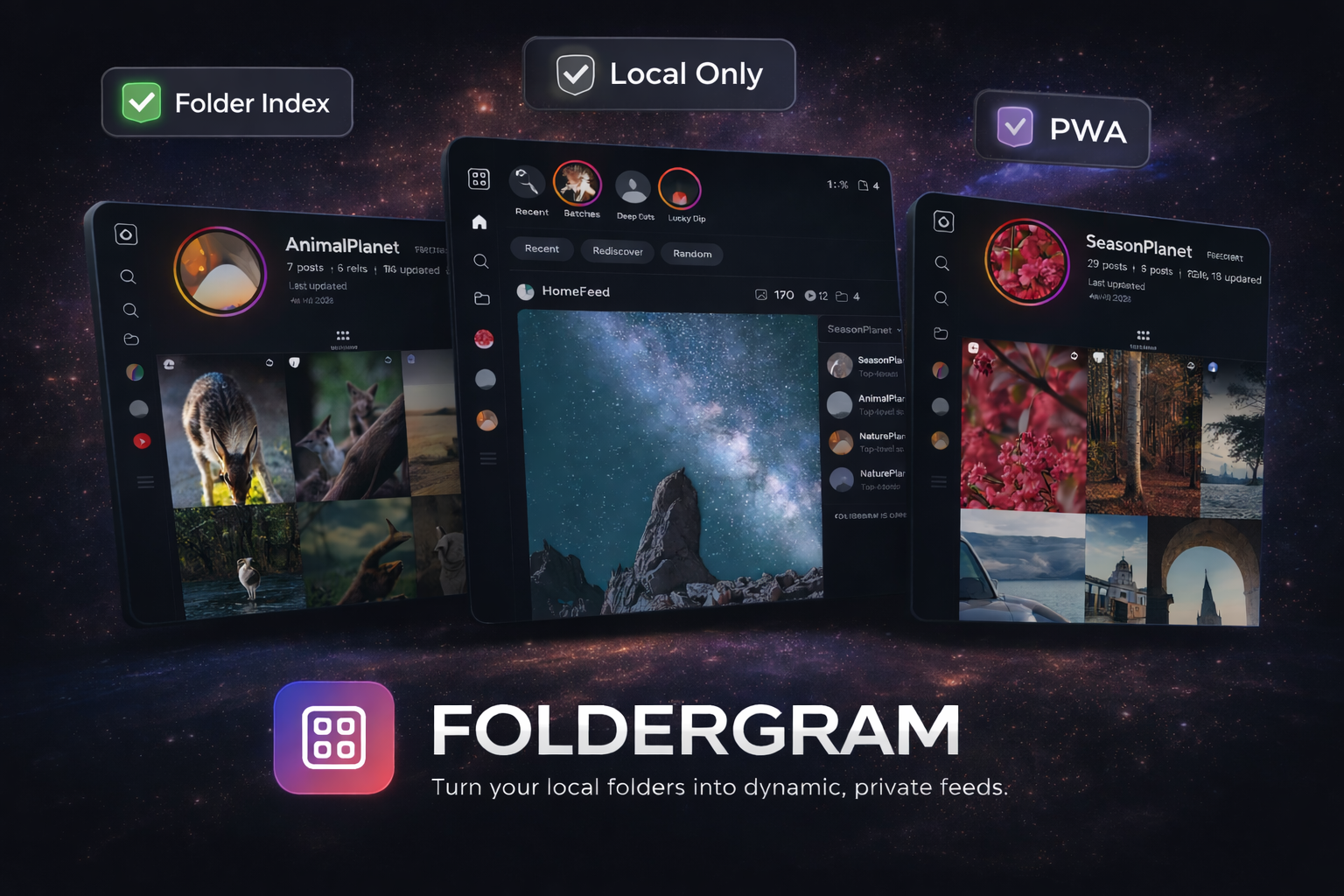
Foldergram is a self-hosted web application that turns your local folders into a beautiful, instagram-style feed and profile. It turns your local folder to app folders (profiles), and serves a lightning-fast Progressive Web App (PWA).
Foldergram indexes supported media from a configured GALLERY_ROOT, stores metadata in SQLite, generates thumbnails and previews, and serves a fast feed-style web app for local browsing. Derivatives can be generated during scans or lazily on first request, and image detail pages can be configured to use generated previews or originals. The current app includes Home, Reels, Explore, Library, Likes, Moments or Highlights, App Folder pages, post detail views, original-media download controls, delete actions, scan controls, and rebuild tools.
Generated derivatives are now stored under stable asset-key shards instead of mirroring source folders. Existing libraries stay readable during upgrade, then migrate in place on the next full scan. During that upgrade, Foldergram keeps stored paths pointed at files that already exist, repairs surviving legacy derivatives where possible, and lets later folder moves preserve the same indexed media identity and reuse existing thumbnails/previews. Scan status distinguishes discovery, derivative migration, and derivative generation so long-running maintenance work can report the right kind of progress for each phase.
Features
- Instagram-Inspired UI: Enjoy a familiar feed layout, dedicated app folders (profiles), and a media viewer.
- Home feed with
Recent,Rediscover, andRandommodes. - A dedicated
/reelsroute with a video-only queue. Settings can default it toRecommended,Recent, orRandom. - A top rail that shows
Momentswhen capture-date coverage is strong, orHighlightswhen it is not. - Library browsing with App Folder search, sorting, and delete actions.
- App Folder pages with a posts grid and a folder-specific
Reelstab when videos exist. - Shared likes in SQLite for signed-in admin/viewer sessions, plus browser-local favorites in public mode.
- Image and video support with configurable eager or lazy derivative generation for fast browsing.
- Original-media download controls on home feed cards, post detail, and stories, alongside open-original actions.
- Optional role-based local access with admin, viewer, and public browse modes.
- Settings split into
General Settingsfor Home/Reels defaults, language selection, stories and carousel folder modes, and excluded folders, plusScan & Libraryfor scan and rebuild actions. - Phase-aware scan progress for first indexing, derivative migration, and rebuilds.
- A web app manifest plus production service worker registration.
- A debounced filesystem watcher in development mode only.
- No multi-user accounts, cloud sync, uploads, comments, messaging, notifications, or remote APIs.
How It Works
Foldergram maps directly to your filesystem:
- App Folders: Any non-hidden folder under
GALLERY_ROOTthat directly contains supported media becomes one indexed App Folder. In reserved carousel mode, a folder also qualifies when itscarousels/directory has an immediate child containing supported media directly. - Posts: Each supported image or video directly inside an App Folder becomes one indexed post. Media in
AppFolder/carousels/Post name/is grouped into a carousel post in reserved mode. - Nested folders stay separate: Nested local folders are not merged into their parent App Folder. If a nested folder directly contains supported media, it becomes its own App Folder with parent folder name in the route (e.g. /folder/parent-nested).
- Root files are ignored: Files placed directly in
GALLERY_ROOTare ignored.
Runtime reads come from SQLite and generated derivatives, not from live filesystem scans on every request.
Supported Formats
- Images:
.jpg,.jpeg,.png,.webp,.gif,.avif - Videos:
.mp4,.mov,.m4v,.webm,.mkv
Animated image files keep animation in the post viewer preview and home feed cards. Folder/profile grids and other thumbnail surfaces remain static. Static AVIF files stay on the normal image pipeline; animated AVIF image sequences generate static WebP thumbnails and animated WebP previews.
For source installs, video support and animated AVIF image-sequence processing require ffmpeg and ffprobe. The Docker image installs them inside the container.
Installation
🐳 The Easy Way (Docker - Recommended)
This is the recommended path for most users. It uses the pre-built GitHub Container Registry (GHCR) image.
- Create a folder for Foldergram and move into it:
mkdir foldergram
cd foldergram
- Download the Compose file:
wget -O docker-compose.yml https://raw.githubusercontent.com/foldergram/foldergram/main/docker-compose.yml
- Create your first gallery folder:
mkdir -p data/gallery/example-album
- Move a few photos or videos into
data/gallery/example-album/to create your first indexed App Folder. - Start the container:
docker compose up -d
Container startup runs pending SQLite migrations automatically before the app opens the library database.
- Open
http://localhost:4141.
In Docker, Foldergram runs in production mode and the app inside the container listens on 4141. If you need a different host port, change the left side of 4141:4141 in docker-compose.yml.
For the default Docker Compose setup, the container uses the image's built-in
production defaults plus the mounted ./data/... volumes. The source-install
.env file is not read inside the container unless you wire that in yourself.
The shipped Compose file includes IMAGE_DETAIL_SOURCE: preview and
DERIVATIVE_MODE: eager.
If you want lazy derivatives or original-backed image detail pages in Docker,
edit those values in docker-compose.yml before starting the container.
If you want Docker to skip unwanted source folders from the first scan, add
GALLERY_EXCLUDED_FOLDERS under the Compose environment: block. For example:
GALLERY_EXCLUDED_FOLDERS: "@eaDir,thumbnails,Archive/cache"
For an optional read-only public demo in Docker, add PUBLIC_DEMO_MODE: "1"
under the Compose environment: block. If the browser-visible origin differs
from the upstream Node host, also set CSRF_TRUSTED_ORIGINS to that public
origin.
If You Already Cloned This Repository
The repository includes:
docker-compose.ymlfor the GHCR imagedocker-compose.local.ymlas a local-build override
To build locally from source instead of pulling from GHCR, run:
docker compose -f docker-compose.yml -f docker-compose.local.yml up -d --build
This command uses the same runtime settings and volumes, but builds the image locally from the repository Dockerfile.
Run from Source
Note: This repository is set up as a workspace.
pnpmis preferred for the best development experience, but standardnpmis also supported if you prefer the default Node toolchain.
Requirements:
- Node.js 22
npmorpnpmffmpegandffprobeif you want video support or animated AVIF image-sequence processing outside Docker
- Clone the repository:
git clone https://github.com/foldergram/foldergram.git
cd foldergram
- Create your local env file:
cp .env.example .env
- Install dependencies:
pnpm install
# or
npm install
- Start the development workspace:
pnpm dev
# or
npm run dev
pnpm dev, pnpm dev:server, and pnpm start now run versioned SQLite
migrations automatically before the server boots. Use pnpm migrate if you
want to apply pending migrations without starting the app.
On the first start after upgrading from an older supported Foldergram release, the app automatically baselines the existing SQLite database and then applies later ordered migrations on future upgrades.
Development ports:
- Client: prefers
http://localhost:4141and automatically uses the next free port up to4144 - API:
http://localhost:4140 - Docs:
http://localhost:4145
The Vite client stays within the reserved 4141-4144 range in development, so it can move off 4141 without colliding with the API or docs ports.
If you only want part of the workspace, use:
pnpm dev:serverpnpm dev:clientpnpm dev:docs
For a production build from source:
pnpm build
pnpm start
# or
npm run build
npm start
Then open http://localhost:4141.
Configuration
Default paths come from .env.example:
data/
  ├─ gallery/       # Original source media
  ├─ db/
  │   └─ gallery.sqlite
  ├─ thumbnails/    # Generated thumbnails and poster images, sharded by asset key
  └─ previews/      # Generated previews, sharded by asset key
GALLERY_ROOT only needs read access. DB_DIR, THUMBNAILS_DIR, and
PREVIEWS_DIR must be writable. /scan-errors is created on
demand and must be writable when skip mode produces scan reports.
| Variable | Default | Description |
|---|---|---|
NODE_ENV |
development |
Runtime mode. |
SERVER_PORT |
4141 |
Production Express port. |
DEV_SERVER_PORT |
4140 |
Express server port during pnpm dev. |
DEV_CLIENT_PORT |
4141 |
Base Vite client port during pnpm dev. The client may use up to 4144. |
DATA_ROOT |
./data |
Root directory for app-managed storage. |
GALLERY_ROOT |
./data/gallery |
Root directory scanned for App Folders. |
GALLERY_EXCLUDED_FOLDERS |
empty | Comma-separated folder exclusion rules such as @eaDir,Archive/cache. |
DB_DIR |
./data/db |
SQLite database directory. Startup migrations target /gallery.sqlite. |
THUMBNAILS_DIR |
./data/thumbnails |
Generated thumbnail output directory. |
PREVIEWS_DIR |
./data/previews |
Generated preview output directory. |
IMAGE_DETAIL_SOURCE |
preview |
For image detail pages, use generated previews or stream originals. |
DERIVATIVE_MODE |
eager |
Generate derivatives during scans or lazily on first request. |
LOG_VERBOSE |
0 |
Truthy values are 1, true, yes, and on. |
SCAN_MEDIA_ERROR_MODE |
skip |
Use skip to report supported-media failures and continue, or fail. |
SCAN_DISCOVERY_CONCURRENCY |
4 |
Folder discovery concurrency. |
SCAN_DERIVATIVE_CONCURRENCY |
4 |
Derivative generation concurrency. |
PUBLIC_DEMO_MODE |
0 |
When enabled, all API mutations become read-only and return 403. |
CSRF_TRUSTED_ORIGINS |
empty | Comma-separated extra browser origins allowed for mutating API requests. |
DATA_ROOT is the base path for the app's local storage layout. If you set
only DATA_ROOT, Foldergram will default the other storage paths to
/gallery, /db, /thumbnails, and
/previews. Set GALLERY_ROOT, DB_DIR, THUMBNAILS_DIR, or
PREVIEWS_DIR separately only when you need a non-standard layout.
Per-run full scan error reports are written under /scan-errors/
when a scan records supported-media failures.
Docker uses the fixed internal container port 4141, and other production
runtimes continue to use SERVER_PORT, which defaults to 4141 in the Docker
image.
For the default Docker Compose setup, runtime variables are defined in
docker-compose.yml. The source-install .env file is
not read directly by the container.
Excluded Folders
- Use
GALLERY_EXCLUDED_FOLDERSto skip unwanted source folders during discovery and rescans. - Rules without a slash match a folder name anywhere in the gallery tree, such as
@eaDirorthumbnails. - Rules with a slash match one exact relative folder path beneath
GALLERY_ROOT, such asArchive/cache. - The Settings sidebar separates app-wide preferences into
General Settings. That section includes the instant language selector plus saved app-language default, stories and carousel folder modes, Home/Reels defaults, and the excluded-folder editor. General Settingscan add or remove custom exclusion rules at runtime. Env-backed rules stay read-only there and still require a restart to change.- After changing excluded folders, stories mode, or carousel mode in
General Settings, follow the action shown inScan & Libraryso indexed folders and posts are classified correctly. Run a full scan normally; use the index rebuild when the gallery location requires one.
Detail Media and Derivative Timing
IMAGE_DETAIL_SOURCE=previewkeeps image detail pages on generated previews.IMAGE_DETAIL_SOURCE=originalmakes image detail pages stream/api/originals/:id.DERIVATIVE_MODE=eagergenerates thumbnails and previews during scans.DERIVATIVE_MODE=lazyindexes metadata during scans, then generates missing files the first time/thumbnails/...or/previews/...is requested and caches them on disk.SCAN_MEDIA_ERROR_MODE=skipreports supported image and video processing failures, skips those files, and lets the scan finish ascompleted_with_errors.SCAN_MEDIA_ERROR_MODE=failpreserves fail-fast behavior for those same scan-time media errors.- When a scan records skipped media failures, Foldergram stores a short sample in SQLite, writes the full per-run report under
/scan-errors/, and shows that report path in the admin Settings view.
These flags are independent:
- feed cards, folder grids, avatars, and other list surfaces still use generated derivatives
IMAGE_DETAIL_SOURCEaffects images only; videos still default to preview playbackRebuild Library Indexrefreshes the SQLite-backed index; in lazy mode it does not pre-generate missing derivativesRegenerate Thumbnailsremains a manual thumbnail and video-poster rebuild only; it does not rebuild previews
Access Protection
Access protection is configured from the Settings page, not from .env.
The current implementation supports:
adminsessions with full accessviewersessions with shared likes but no Settings, Trash, scans, rebuilds, or delete actionsanonymouspublic sessions with browse-only access and browser-local favoritesviewer_access_mode=offfor admin-only accessviewer_access_mode=passwordfor a separate viewer passwordviewer_access_mode=publicfor anonymous browsing plus admin unlock fromMore
Foldergram stores one-way password hashes plus signed session metadata in SQLite. In public mode, anyone who can reach the app can browse immediately, favorites stay in the current browser only, and admins can elevate back into full access from More with the admin password.
Public Demo Deployments
To run Foldergram as a public read-only demo, set the following in .env:
NODE_ENV=production
PUBLIC_DEMO_MODE=1
CSRF_TRUSTED_ORIGINS=https://foldergram.intentdeep.com
PUBLIC_DEMO_MODE=1 blocks every POST, PUT, PATCH, and DELETE request
under /api, including future routes. CSRF_TRUSTED_ORIGINS is
only needed when the browser-visible origin differs from the upstream Node host seen by Express, such as behind a reverse proxy or HTTPS terminator.
Tech Stack
Backend
- Node.js 22 + Express 5 + TypeScript
- SQLite via
node:sqlite - Sharp for image derivatives
- FFmpeg and FFprobe for video processing
- Chokidar for the development watcher
- Zod for runtime validation
Frontend
- Vue 3
- Vite
- Vue I18n
- Vue Router 4
- Pinia
- UnoCSS
Workspace
pnpmmonorepo
Localization
Client translations live under client/src/locales/.
en.jsonis the canonical source locale and the first place new UI copy should be added.es.jsonandzh.jsonare the shipped Spanish and Chinese translations for the client.client/src/locales/index.tswires locale resolution and the Vue I18n runtime.pnpm --filter @foldergram/client testincludes a locale validation test that checks locale keys againsten.json.
Scripts
pnpm devpnpm dev:serverpnpm dev:clientpnpm dev:docspnpm buildpnpm migratepnpm startpnpm testpnpm rescan
Contributing
Foldergram welcomes small, clearly aligned pull requests for bug fixes, documentation, tests, and focused polish.
Before working on major features, architectural changes, or changes to core behavior such as scanning, indexing, routing, auth or access flow, and storage strategy, open an issue or discussion first. Pull requests for large changes that were not discussed in advance will not be accepted.
See CONTRIBUTING.md for the full contribution policy, local setup notes, branch naming guidance, and pull request expectations.
Carousel posts
Foldergram supports one post containing 2–20 ordered images, animated images, and videos. Put each post in AppFolder/carousels/Post name/; filename order controls its slides and the first item is its cover. A carousel counts as one post, has one caption, and its videos are excluded from Reels. The index stores visible posts separately from physical media through posts and post_items.
See Posts with Multiple Photos or Videos for the complete source tree, edge cases, settings, and troubleshooting guide.