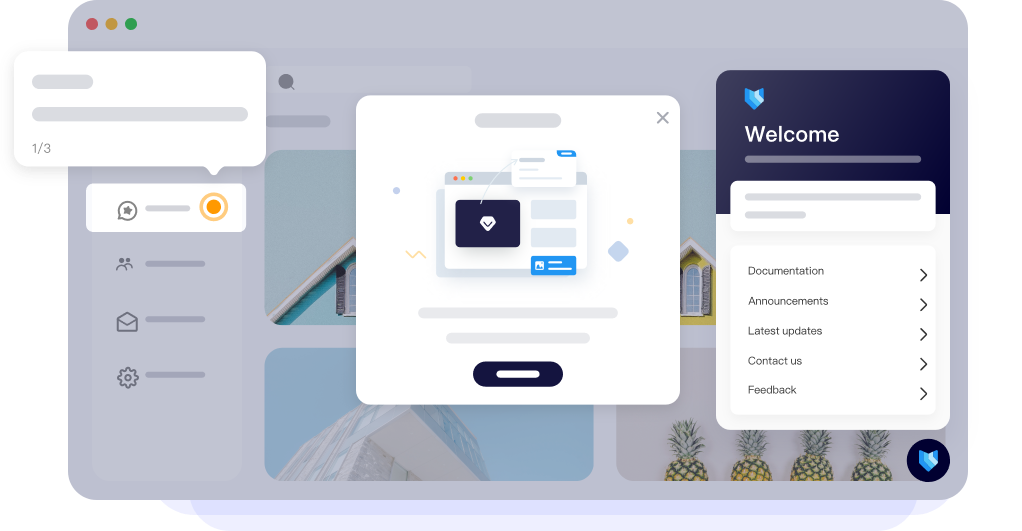

Usertour is an open-source user onboarding platform. It allows you to create in-app product tours, checklists, and surveys in minutes—effortlessly and with full control.
Website | Documentation | Blog | Twitter | Discord



Quick Start
Self-deploy with Docker
Deploy your own feature-rich, unlimited version of Usertour using Docker.
To start deployment:
cp .env.example .env # make sure all required envs are properly set
docker compose up -d
Visit http://localhost:8011 to start using Usertour.
View details in Self-hosting.
One Click Deployment

Local Development
View details in CONTRIBUTING.
✨ Build Your Onboarding with AI
Usertour ships a built-in MCP server: connect an AI assistant like Claude Code, Cursor or Codex, describe the experience you want, and it builds production-ready onboarding directly in your project — reading your app's design system to match the styling, and even wiring up the SDK on its own if it isn't installed yet.
Point any MCP client at the endpoint — it discovers the authorization flow on its own:
https://mcp.usertour.io/mcp
Using Claude Code? The plugin wires the MCP connection and the authoring skills in one:
/plugin marketplace add usertour/skills
/plugin install usertour@usertour
Per-client steps for Cursor, Codex, VS Code, ChatGPT and more: MCP connection guide.
Self-hosting? Use your own instance's URL instead — it's shown in Settings → MCP (for the Claude Code plugin, export it before launching):
export USERTOUR_MCP_URL="https://<your-usertour-host>/mcp"
Below: real prompts and the unedited results. Full walkthrough with every prompt — including AI-driven analytics — in Build Your Onboarding with AI.
🪄 "Build an onboarding flow for the Create Task feature"
Using Usertour, build a user onboarding flow for the Create Task feature.

Requirements:
1. The visual theme must match the website's existing design.
2. The flow must be production-ready and suitable for launch.
3. Every step should provide genuine value to users. Avoid adding steps
   simply for the sake of having a flow—the experience should help users
   understand and successfully use the feature.
📋 "Create a product feedback survey"
Create a survey to collect user feedback about the product's different
features, including:

* Feature ratings
* Overall satisfaction
* Usability feedback
* Suggestions for improvement
* Open-ended comments

The survey should be thoughtfully structured and suitable for production use.
🎬 "A modal that plays this YouTube video"
Create a one-step flow containing a modal that displays this YouTube video:

https://www.youtube.com/watch?v=ZIaOBAjvc38

Add supporting copy based on the theme:

Sam Altman: "Never a Better Time to Do a Startup"

The copy should briefly introduce the video, explain why it is relevant,
and encourage users to watch it.
Features
Usertour makes it easy to design in-app product tours, checklists, launchers, and surveys, enabling anyone to craft effective onboarding experiences. Our team is dedicated to consistently improving Usertour with frequent updates that include new features, bug fixes, and performance enhancements.
Easy Onboarding: Build Flows Fast with Simple Integration and Smart Targeting
- 🌐 Compatible with all frameworks: If your app runs in a browser, it seamlessly integrates with Usertour.
- 📄 Supports multi-page apps: Whether it's a single-page application or spans across multiple pages, Usertour fits perfectly.
- 🎯 Advanced user targeting: Define custom user attributes and track events to segment and engage your audience effectively.
Built for professional workflows with version control and environments
- 🛠️ Multiple environments supported: Manage environments like Production and Staging within a single Usertour account.
- 🔄 Version tracking: Monitor every change in your flows, including who made adjustments and when.
Fully customizable appearance
- 🎨 Tailor your design: Adjust text, button colors, font family, and size to match your branding.
- 🖌️ Support for multiple themes: Create unique themes for different flows, offering flexibility for varied use cases.
Gain actionable insights with powerful analytics
- 📊 Performance metrics: Track the effectiveness of your flows with detailed data on views and completion rates.
- 🚨 Identify problem areas: Pinpoint steps causing user confusion or drop-offs and address the issues seamlessly.
How to Use?
- Cloud
- We've deployed a Usertour Cloud version that allows zero-configuration usage, offering all capabilities of the self-hosted version. Visit https://www.usertour.io/ to get started.
- Self-hosting Usertour Community Edition
- Get started quickly with our Self-hosting Guide to run Usertour in your environment. For more detailed references and in-depth instructions, please refer to our documentation.
- Usertour for enterprise / organizations
- Please contact us at support@usertour.io for private deployment solutions.
Contributing Guidelines
| Bug Reports | Feature Requests | Issues/Discussions | Usertour Community |
|---|---|---|---|
| Create Bug Report | Submit Feature Request | View GitHub Discussions | Visit Usertour Community |
| Something isn't working as expected | Ideas for new features or improvements | Discuss and raise questions | A place to ask questions, learn, and connect with others |
Calling all developers, testers, tech writers and more! Contributions of all types are more than welcome, please feel free to browse our GitHub issues to show us what you can do.
For bug reports, feature requests, and other suggestions, you can also create a new issue and choose the most appropriate template to provide feedback.
If you have any questions, feel free to reach out to us. One of the best places to get more information and learn is the Usertour Community, where you can connect with other like-minded individuals.
Community and Contact
- GitHub Discussion: Best for sharing feedback and asking questions.
- GitHub Issues: Best for reporting bugs and suggesting features when using Usertour. Please refer to our contribution guidelines.
- Discord: Best for sharing your applications and interacting with the community.
- X(Twitter): Best for sharing your applications and staying connected with the community.
Security Issues
To protect your privacy, please avoid posting security-related issues on GitHub. Instead, send your questions to support@usertour.io, and we will provide you with a more detailed response.
Credits
Some icons are provided by Remix Icon (https://remixicon.com), licensed under the Apache License.
License
Community code is licensed under the MIT license. See LICENSE.
Enterprise-licensed code for self-hosted Business and Enterprise plans is governed by LICENSE.enterprise.