rclone-manager is a free, open source file management & sync project written in TypeScript and released under GPL-3.0. It has 1,132 GitHub stars, 54 forks and 25 open issues, and was last pushed 17 hours ago. On this registry it ranks #34 of 36 tracked projects in File Management & Sync, with 5 head-to-head comparisons available.

What is rclone-manager?

RClone Manager is a cross-platform, GPL-3.0 licensed graphical application for managing Rclone remotes, built for people who want the capabilities of the Rclone command-line tool without working exclusively in a terminal.

What it is

RClone Manager is a desktop application written in TypeScript and built with Angular 22 and Tauri, with Rust components beneath the interface. It lives in the Productivity & Utilities / File Management & Sync category and provides a complete graphical environment for remote storage: a built-in file manager called Nautilus, an inline file viewer, mount and serve controls, job monitoring, and a node-based workflow builder. It runs on Linux, Windows, macOS, and Android (in beta), with ARM support, and it is distributed under the GPL-3.0 licence. The repository shows 1,132 stars, 54 forks, and 25 open issues, with the most recent push on 23 September 2026, and documentation is published through the project's homepage and wiki.

The concrete problem it solves is the command line itself. Rclone is a powerful tool, but operating it means composing commands, managing configuration by hand, and reading transfer progress as terminal output, which is awkward for anyone who needs to browse, move, rename, or preview remote files interactively. RClone Manager uses Rclone as its backbone and replaces that text-driven interaction with a desktop environment: users browse and edit remote files visually, preview videos, images, PDFs, audio, and text inline, and watch transfers happen in real time. It does not replace Rclone — it wraps it, and it targets the same remotes: Dropbox, Google Drive, OneDrive, S3, and any other backend Rclone supports, including FUSE mounts.

Key capabilities

  • A built-in Nautilus file manager for browsing, editing, moving, copying, renaming, and deleting remote files.
  • An inline file viewer with previews for videos, images, PDFs, audio, and text.
  • Visual Workflows that design multi-step cloud pipelines on an interactive node-based canvas, triggered by cron schedules or folder watchers, with instant alert notifications.
  • Quick Runs that trigger one-click cloud operations and custom CLI flag presets from a status-aware card grid.
  • Mount and serve management covering WebDAV, SFTP, HTTP, and FTP.
  • A Job Watcher providing real-time transfer monitoring and bandwidth control.
  • A Headless Mode that runs the application as a web server on a VPS or NAS, documented in headless/README.md.

Who uses it and how

  • Desktop users on Linux who install through the AUR package rclone-manager or rclone-manager-git, Flathub, or direct .deb, .rpm, .AppImage, and portable tar.gz downloads.
  • macOS users installing the rclone-manager cask through the Zarestia-Dev Homebrew tap, or downloading a build directly.
  • NAS and VPS operators who run Headless Mode as a web server rather than a desktop client, which also aligns with the project's published Docker image topic.
  • Individuals and teams maintaining multi-provider storage across Dropbox, Google Drive, OneDrive, and S3, who need both interactive file management and scheduled pipelines.
  • Translators and contributors, since the interface ships in ten languages and the project links to Crowdin for additional translations.

Getting started

Installation is through a package manager or a standalone binary from the Releases page: yay -S rclone-manager or flatpak install io.github.zarestia_dev.rclone-manager on Linux, and brew tap Zarestia-Dev/zarestia && brew install --cask rclone-manager on macOS. For server deployments, the headless variant documented in headless/README.md runs the same application as a web server.

How it compares

The facts name no commercial alternatives, and the only comparable tool they identify is Rclone itself. RClone Manager therefore fits as a graphical layer above the Rclone CLI rather than a substitute for it: everything it does is ultimately executed by Rclone, and anything Rclone supports remains available through it. No competing GUI for Rclone is named in the facts, so on that axis it stands alone in this registry.

When to use it — and when not to

Choose it if a graphical file manager, inline previews, and visual workflow automation are worth more to you than a purely scripted workflow, and if you are comfortable installing through a package manager or running a headless web server on a VPS or NAS. Anyone who prefers to automate entirely through the Rclone CLI and its configuration files gains little from a desktop front end, and the Android build is explicitly labelled beta, so it should not be relied on as a primary mobile client yet. The GPL-3.0 licence is also a real consideration if you intend to build a derivative product on top of it.

project readme (upstream, from github) — read inline

RClone Manager

🇺🇸 English🇹🇷 Türkçe🇨🇳 简体中文🇹🇼 繁體中文🇫🇷 Français🇪🇸 Español🇧🇷 Português-Brasil🇷🇺 Русский🇯🇵 日本語Help to translateCrowdin

A powerful, cross-platform GUI for managing Rclone remotes with style and ease.
Built with Angular 22 + Tauri · Linux • Windows • macOS • Android (Beta) • ARM Support


Architecture Specification

Documentation Latest Release Downloads License Stars Crowdin Status


Overview

RClone Manager simplifies remote file management and synchronization. Using Rclone as its backbone, it offers a desktop environment with a built-in file manager (Nautilus) to transfer, mount, and serve remote files effortlessly.

  • 📂 Nautilus File Manager: Browse, edit, move, copy, rename, and delete remote files.
  • 👁️ File Viewer: Inline previews for videos, images, PDFs, audio, and text.
  • Visual Workflows: Design and automate multi-step cloud pipelines with an interactive node-based canvas, cron triggers, folder watchers, and instant alert notifications.
  • 🚀 Quick Runs: Trigger one-click cloud operations and custom CLI flag presets directly from a status-aware card grid.
  • ⚙️ Mount & Serve: Easy mount controls and serve management (WebDAV, SFTP, HTTP, FTP).
  • 🔄 Job Watcher: Real-time transfer monitoring and bandwidth control.
  • 🌐 Headless Mode: Check out RClone Manager Headless to run as a web server on VPS/NAS!

Screenshots
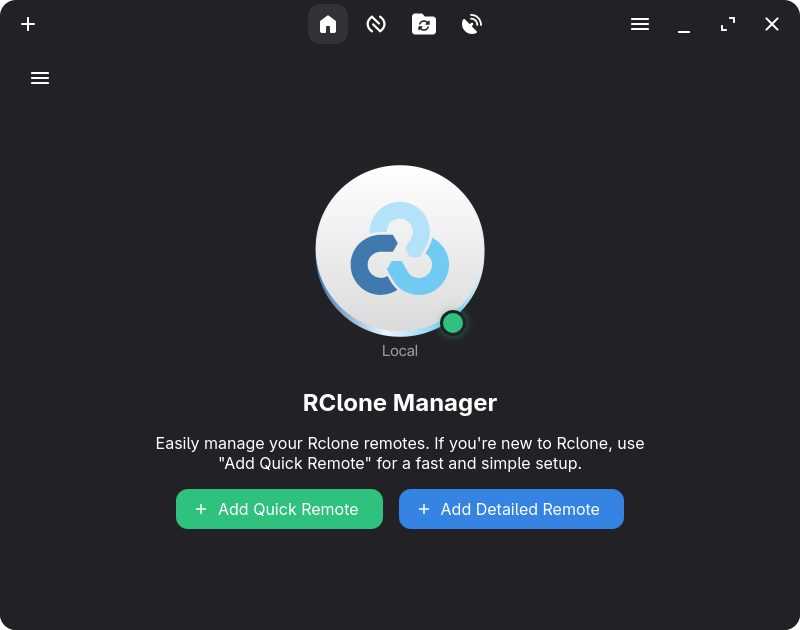

Dashboard - Quick Runs, Mounts & remote overview at a glance
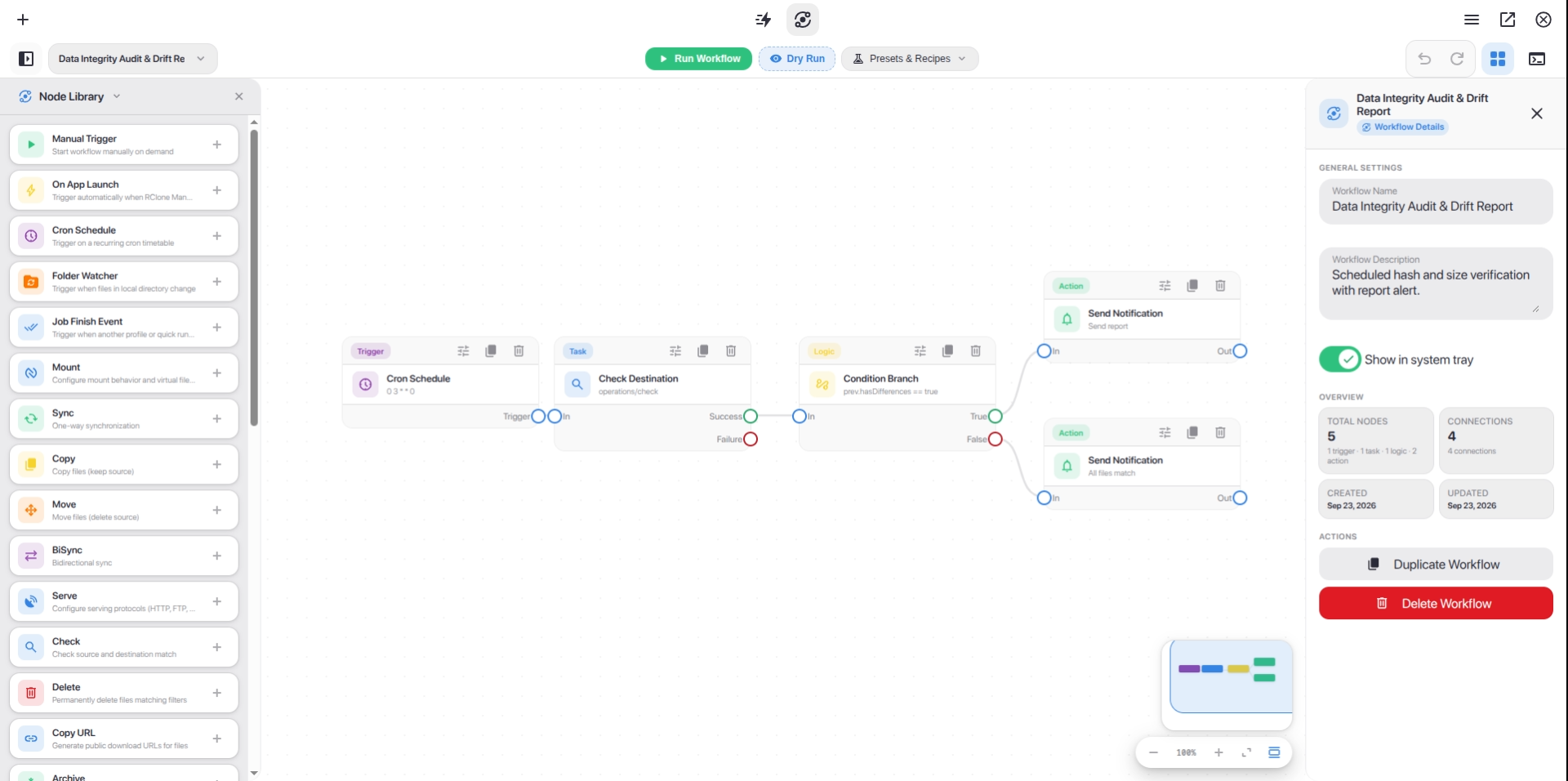

Workflow Builder - Design and automate multi-step cloud pipelines on an interactive node canvas
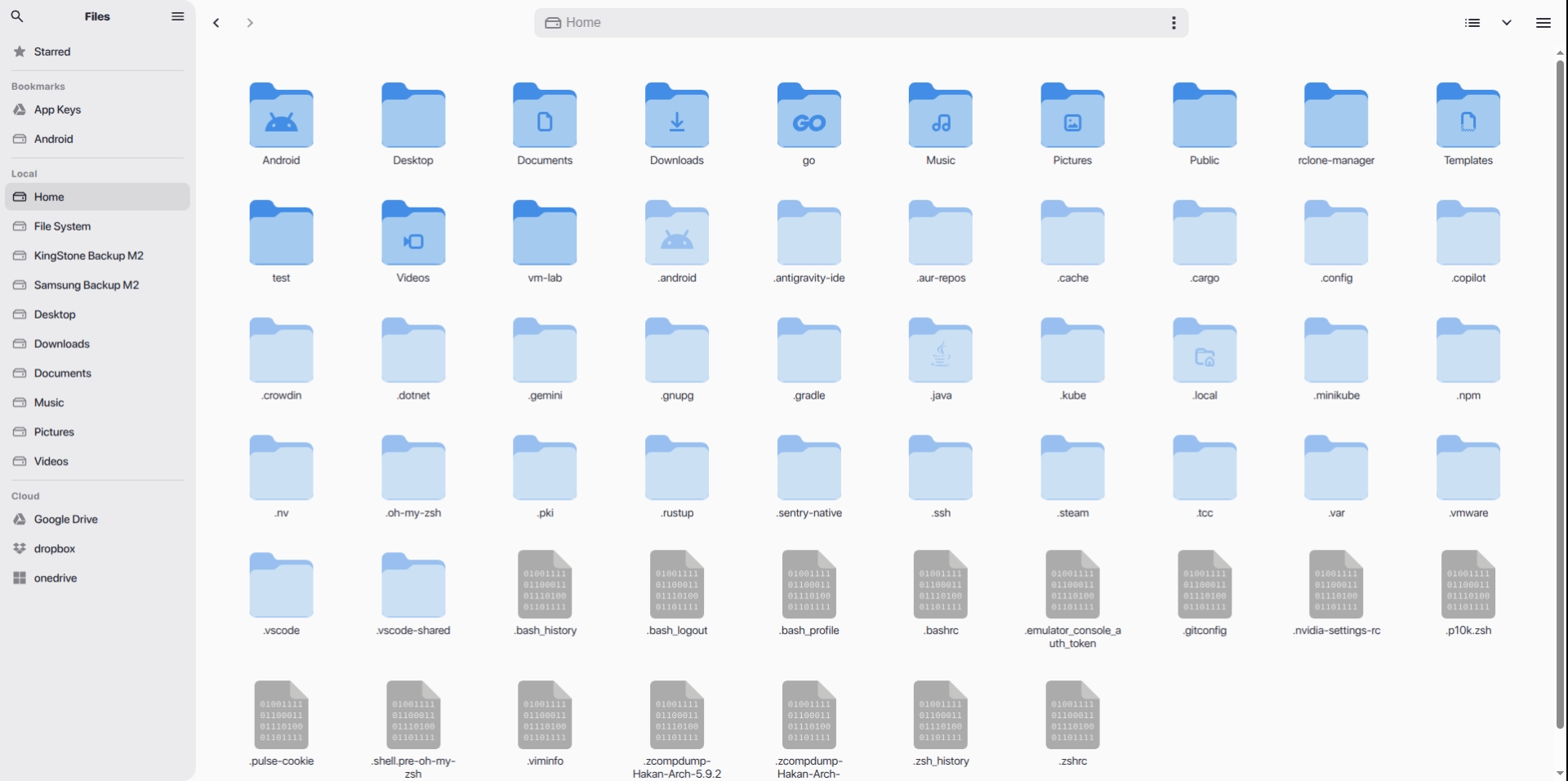

Nautilus - Browse, transfer, and manage files across all your remotes

📖 Want to see more? Check out the Wiki Gallery for all features.


Installation & Downloads

Install RClone Manager using your preferred package manager, or download standalone binaries directly from the Releases page.

Linux

Source Version Install Command / Download
AUR AUR Version yay -S rclone-manager
AUR (Git) AUR Version yay -S rclone-manager-git
Flathub Flathub flatpak install io.github.zarestia_dev.rclone-manager
Direct Download GitHub Release Latest Releases (.deb, .rpm, .AppImage, Portable tar.gz)

📚 Guide: Wiki: Installation - Linux (troubleshooting Flatpak, snapshots, etc.)

macOS

Source Version Install Command / Download
Homebrew Homebrew Version brew tap Zarestia-Dev/zarestia && brew trust zarestia-dev/zarestia && brew install --cask rclone-manager
Direct Download GitHub Release DMG Installer

📚 Guide: Wiki: Installation - macOS (macFUSE & Gatekeeper fixes)

Windows

Source Version Install Command / Download
Winget Winget Version winget install RClone-Manager.rclone-manager
Chocolatey Chocolatey Version choco install rclone-manager
Scoop Scoop Version scoop bucket add extras && scoop install rclone-manager
Direct Download GitHub Release Installer / Portable EXE

📚 Guide: Wiki: Installation - Windows (WinFsp mounting requirements & SmartScreen)

Android (Beta)

Source Version Install Command / Download
Direct Download GitHub Release APK Downloads (arm64-v8a, armeabi-v7a, x86_64, x86)

📚 Guide: Wiki: Android Support (Beta) (Go engine / librclone details & setup)

🛠️ System Requirements: Mounting drives requires WinFsp (Windows), macFUSE (macOS), or FUSE3 (Linux). Rclone itself is downloaded automatically if missing. See Wiki: System Requirements.


Development & Support


Contributing

We welcome contributions of all forms!


License & Support

  • License: Licensed under the GNU GPLv3 – free to use, modify, and distribute.
  • Support: If you like this project, please consider leaving a ⭐ on GitHub!

Made with ❤️ by the Zarestia Dev Team
Powered by Rclone | Built with Angular & Tauri

Frequently asked questions

Is rclone-manager free to use?

rclone-manager is open source under the GPL-3.0 licence. There is no licence fee and no seat count — you can self-host it or, where the project offers one, pay a vendor for a managed version instead.

What does rclone-manager do?

RClone Manager is a cross-platform GUI application designed to help users manage Rclone remotes efficiently.

What is rclone-manager written in?

rclone-manager is primarily written in TypeScript. Its source is publicly available at https://github.com/Zarestia-Dev/rclone-manager, and it has 1,132 GitHub stars.