Pho is a serverless photo gallery and synchronization application, written in Dart with Flutter and an embedded Go backend, that lets people browse the photos on their phone and incrementally back them up to network storage they already own, and it is aimed at Android and iOS users who want to replace the built-in gallery app.
What it is
Pho is a serverless application for viewing and synchronizing photos to cloud storage, licensed under GPL-3.0 and filed in this registry under Miscellaneous / Photo & Video Editors. The interface is built with Flutter, while a Go server is embedded into the app binary through gomobile bind and reached over gRPC. The README states the goal directly: to replace the gallery application that ships on the phone and to synchronize photos to network storage, doing little more than viewing and syncing and attempting to do it well. This repository ships an Android APK; the roadmap records iOS and Chinese language support as complete and a desktop client as not yet started.
The problem it addresses is library ownership. Built-in galleries keep photos on the handset or push them toward a vendor cloud, and a home NAS full of SMB, WebDAV, or NFS shares is normally reachable only through file managers that are poor at browsing images. Pho connects to those existing shares and keeps the layout simple: photos are written under their original filenames beneath a time-based tree such as YYYY/MM/DD, with generated thumbnails in a .thumbnail directory at the root that mirrors the source structure. Because nothing lives in a proprietary database, the README notes that the backup can be used in other ways at any time without depending on the app.
Key capabilities
- Viewing of local photos and of photos already stored on the network share, from a single client.
- Incremental synchronization of photos to the cloud target, together with background periodic synchronization.
- No database and no server-side component, leaving the network share as the only store of record.
- Support for Samba (SMB), WebDAV, and NFS, with Aliyun Drive, OneDrive, Google Drive, and Google Photos listed as not yet implemented.
- A predictable layout on disk: original filenames inside
YYYY/MM/DD folders and thumbnails under .thumbnail at matching relative paths.
- Image and video handling, including zoom in and zoom out on pictures and upload and browsing of video files.
- Per-platform build targets for the embedded Go backend —
make server-aar, make server-ios, make server-linux, and make server-windows — followed by make apk or make ipa.
Who uses it and how
- Homelab and NAS owners who already export a share over SMB, WebDAV, or NFS: the app points at that endpoint, so no additional server, container, or database has to be operated.
- Android users replacing the stock gallery app with the APK from the GitHub releases page, which carries the viewing and synchronization features for SMB, WebDAV, and NFS only.
- People who want an exit path, since a remote layout of plain date folders and original filenames can be read by any other tool.
- Contributors building from source, who need Flutter 3.41.4, Dart 3.11.1, Go 1.25, JDK 17, Android SDK compileSdk 36, the NDK, protoc, and gomobile, plus Docker for the
make test storage containers.
Getting started
The open-source edition is installed by downloading the Android APK from the GitHub releases page. Building from source follows the README's make targets, and make server-aar must be run before flutter run or the embedded Go server will not start.
How it compares
In this registry Pho is filed as a Google Photos alternative, but the comparison the README draws is with the gallery app that ships on the phone, with the difference that photos live on the user's own SMB, WebDAV, or NFS share rather than in a vendor's cloud. Readers who need AES-128-CFB or AES-256-GCM encrypted uploads, parallel upload tuning, sync filters, selectable YYYY/MM/DD or YYYYMMDD layouts, custom theme colours, or Baidu Netdisk support are directed to the paid Pro edition on the App Store and Google Play; this repository is the GPL-3.0 build with SMB, WebDAV, and NFS only.
When to use it — and when not to
A self-hoster must supply the storage, because an SMB, WebDAV, or NFS endpoint reachable from the phone is a prerequisite for an app that deliberately carries no server or database of its own, and source builds additionally require the full Flutter, Go, and Android toolchain. Anyone who needs encryption, parallel uploads, filters, configurable directory layouts, theme colours, or Baidu Netdisk should not pick this repository, and neither should iOS users, since it distributes only an Android APK and points Apple and Play Store users to the Pro edition. The remaining caveats are maintenance bandwidth and scope: a single developer handles 55 open issues, the desktop client is still unchecked on the roadmap, and this is the reduced open-source edition rather than the complete product.
project readme (upstream, from github) — read inline

Pho - 一个用于查看和上传照片的无服务端应用

中文 | English
安装
开源版(仅 Android APK):
- 下载 APK — 仅含 SMB / WebDAV / NFS,无 Pro 功能
Pro 版(含全部功能,需付费):
开源仓库仅提供 APK 下载。iOS 用户请前往 App Store、Android 用户请前往 Google Play 下载 Pro 版(支持免费试用基础功能后购买 Pro)。
介绍
该应用的目的是替代手机上的自带相册应用,并且能够将照片同步到网络储存.
功能简单,只是用于查看照片以及同步照片到网络储存.试图做到优秀的体验.
功能
- 本地照片查看
- 云端照片查看
- 增量同步照片到云端
- 后台定期同步
- 无数据库,无服务端
- 以时间组织云端存储的目录结构
支持的网络储存
与 Pro 版本差异
本仓库为 Pho 开源版,仅包含核心的照片查看与同步功能.以下功能仅在 Pro 版本中提供(未开源):
- AES 加密上传(支持 AES-128-CFB 与 AES-256-GCM,加密视频支持 Range 播放)
- 并行上传调优(多文件并发上传)
- 文件筛选器(按类型/日期等条件过滤同步)
- 目录结构配置(可选
YYYY/MM/DD 或 YYYYMMDD 组织方式)
- 主题色自定义
- 百度网盘支持
开源版仅支持 Samba / WebDAV / NFS 三种网络储存.
Pro 版在 App Store 和 Google Play 提供: App Store / Google Play
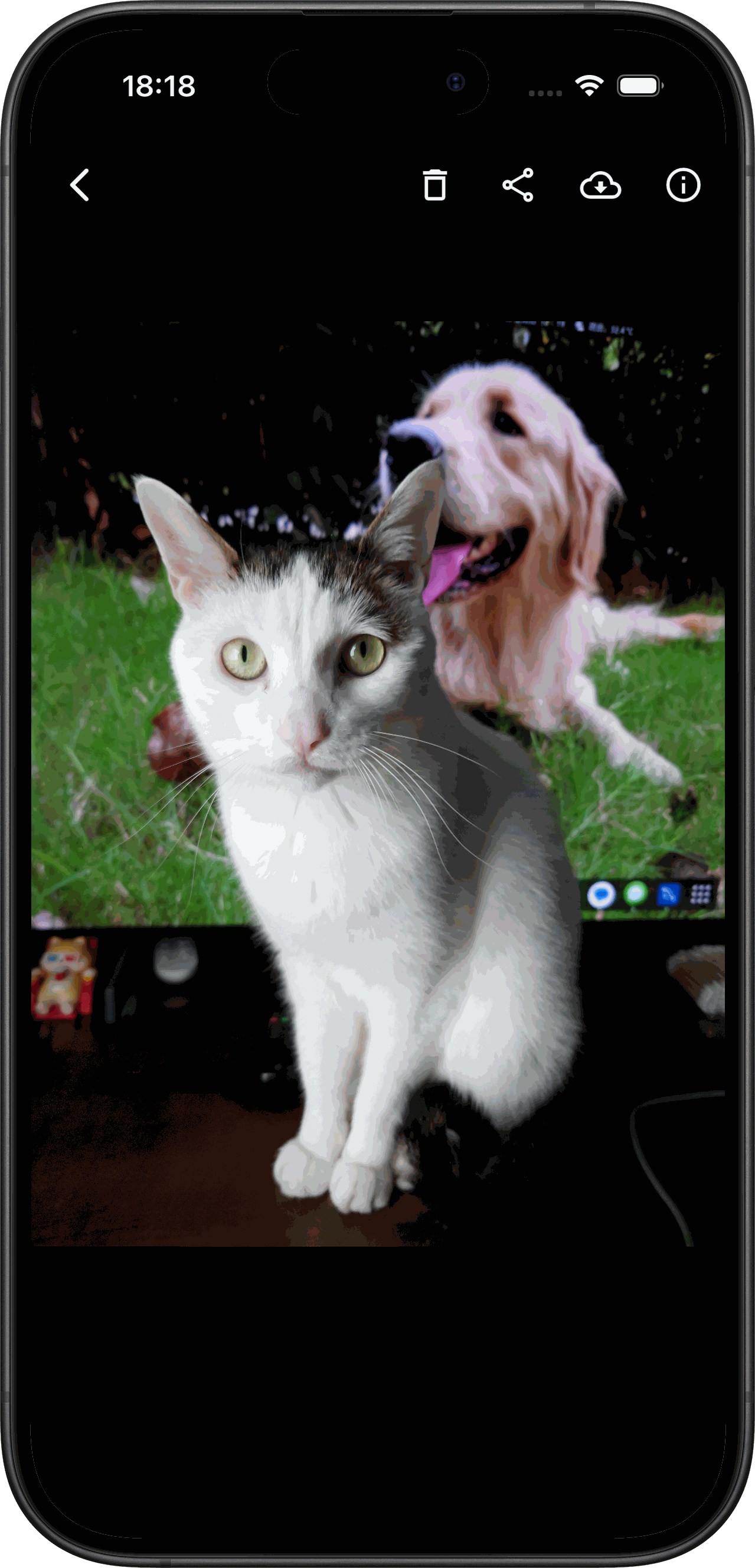
Screenshots
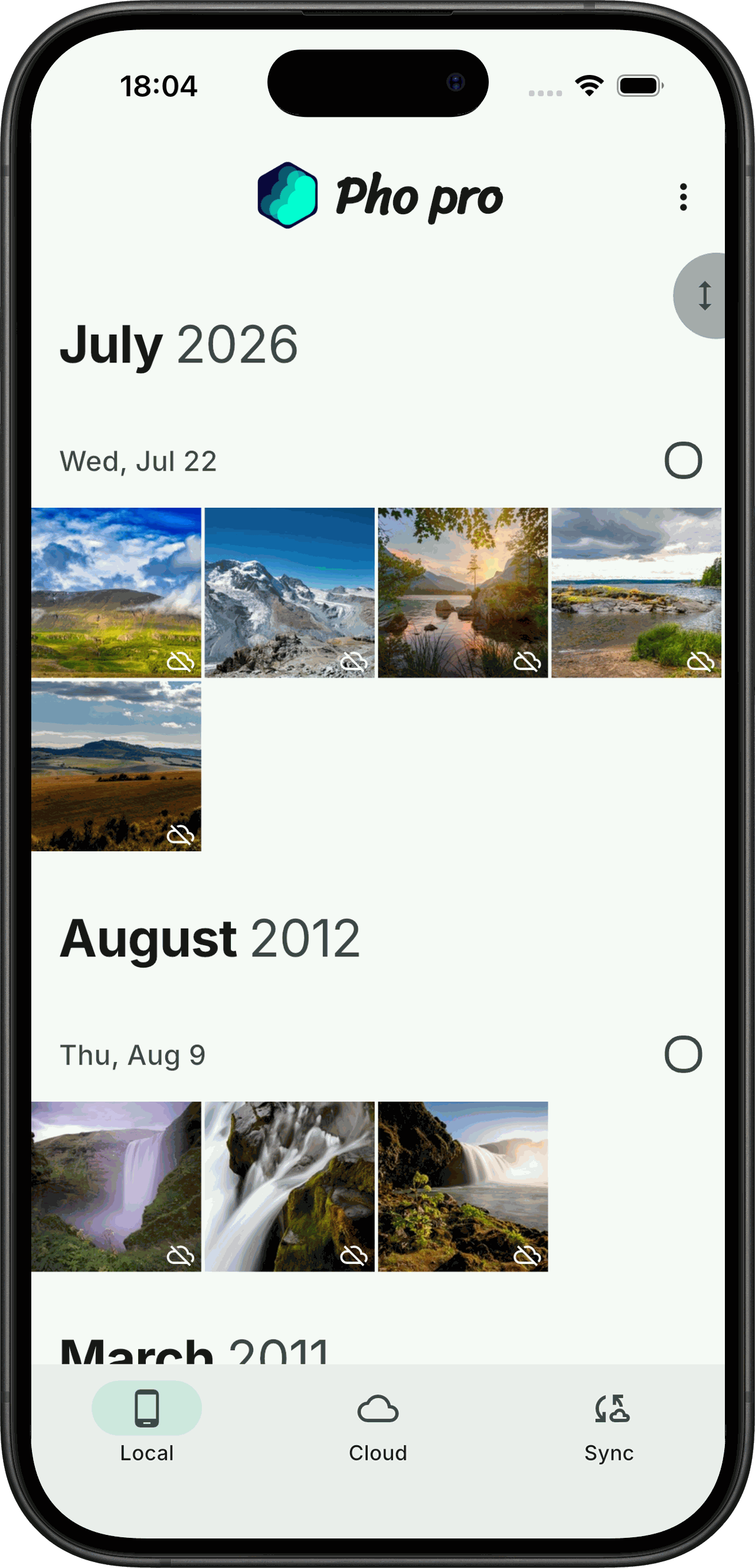
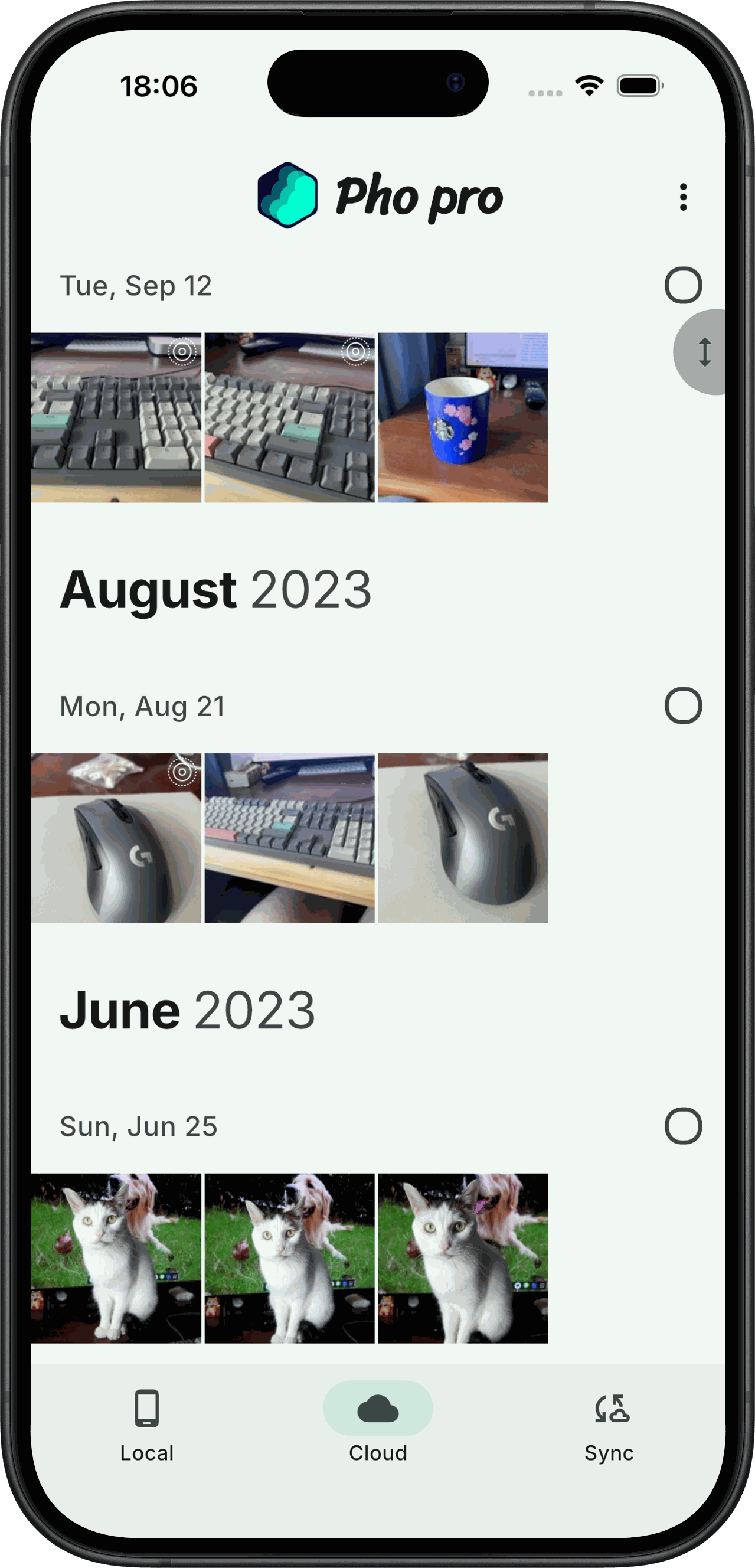
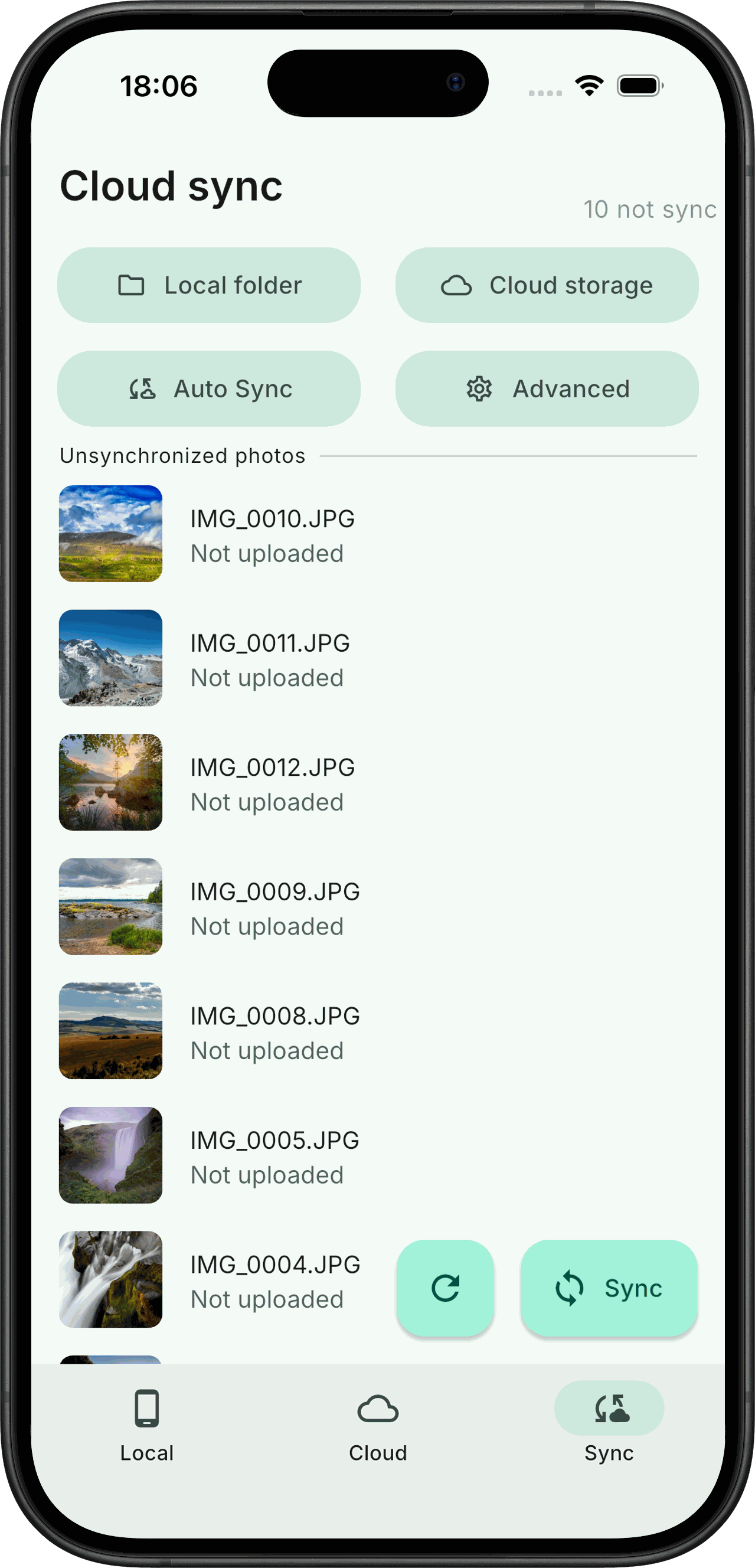
roadmap
构建
环境要求
构建步骤
# 1. 生成 protobuf 代码 (Go + Dart stubs)
make prebuild      # 安装 protoc 插件
make protobuf

# 2. 构建嵌入式 Go 服务端
make server-aar     # Android: android/app/libs/server.aar (需 gomobile)
make server-ios     # iOS: ios/Frameworks/RUN.xcframework
make server-linux   # Linux: linux/lib/run.so
make server-windows # Windows: windows/lib/run.dll

# 3. 构建 Flutter 应用
make apk           # Android APK
make ipa           # iOS IPA

# 4. 运行测试 (需要 Docker 用于 SMB/WebDAV/NFS 测试容器)
make test
注: flutter run 不会自动构建 android/app/libs/server.aar,需先执行 make server-aar,否则 Go 服务端无法启动.
Contribute
感谢各位的积极反馈
给本项目提需求的还不少,但是我一个人精力有限,如果你有兴趣,欢迎加入.
可以在issue中回复沟通,帮忙一起做一些功能,提出你的pull request.
文件储存逻辑
本着尽可能简单的逻辑来储存文件,以时间为目录结构,以文件名为文件名储存源文件.在根目录创建一个.thumbnail目录来储存生成的缩略图,缩略图的目录结构与源文件相同.
你可以随时以其他形式利用你备份上去的照片,而不用依赖此app.
目录结构示意图:
├── 2022
│   ├── 07
│   │   ├── 02
│   │   │   ├── 20220702_100940.JPG
│   │   │   ├── 20220702_111416.JPG
│   │   │   └── 20220702_111508.JPG
│   │   └── 03
│   │       ├── 20220703_101923.DNG
│   │       ├── 20220703_112336.DNG
│   │       └── 20220703_112338.DNG
├── 2023
│   └── 01
│       └── 03
│           ├── 20230103_112348.JPG
│           ├── 20230103_124634.JPG
│           └── 20230103_124918.DNG
└── .thumbnail
     └── 2022
         └── 07
             ├── 02
             │   ├── 20220702_100940.JPG
             │   ├── 20220702_111416.JPG
             │   └── 20220702_111508.JPG
             └── 03
                 ├── 20220703_101923.DNG
                 ├── 20220703_112336.DNG
                 └── 20220703_112338.DNG
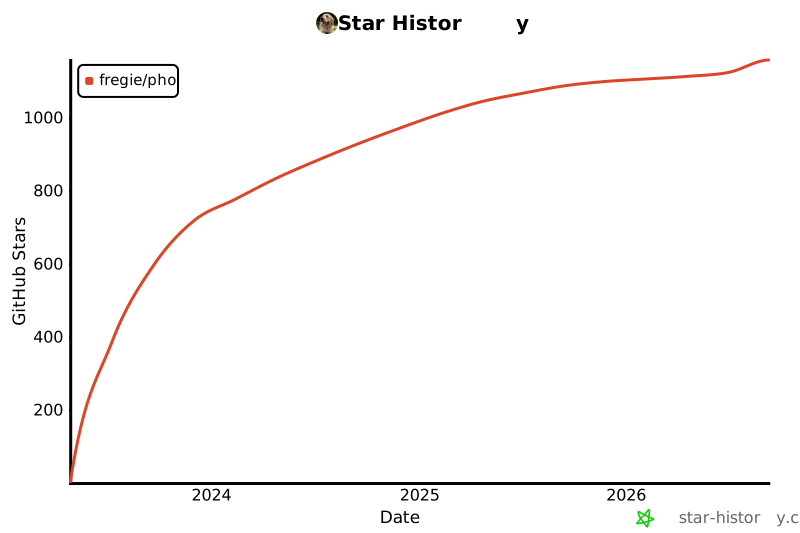
Star History