Xplorer is a cross-platform, AI-integrated desktop file manager built as a Tauri 2 application with a Rust backend and a React frontend, aimed at developers, researchers, students, and power users who want more from their files than the manager their operating system ships with.
What it is
Xplorer is a desktop file manager for Windows, macOS, and Linux, distributed as a Tauri 2 app with a Rust backend for file operations and a React 18 frontend for the interface. It is developed in the open under the AGPL-3.0 licence, and the repository currently shows 5,674 stars, 379 forks, and 49 open issues, with the latest push dated 25 June 2026. The project lives in the Tauri ecosystem and describes itself as a ground-up rethink of a category of software that has barely changed in decades, bundling AI chat, Git integration, an extension marketplace, and a themeable interface into a single application. The version documented on the next branch is a full rewrite that introduces a new extension system.
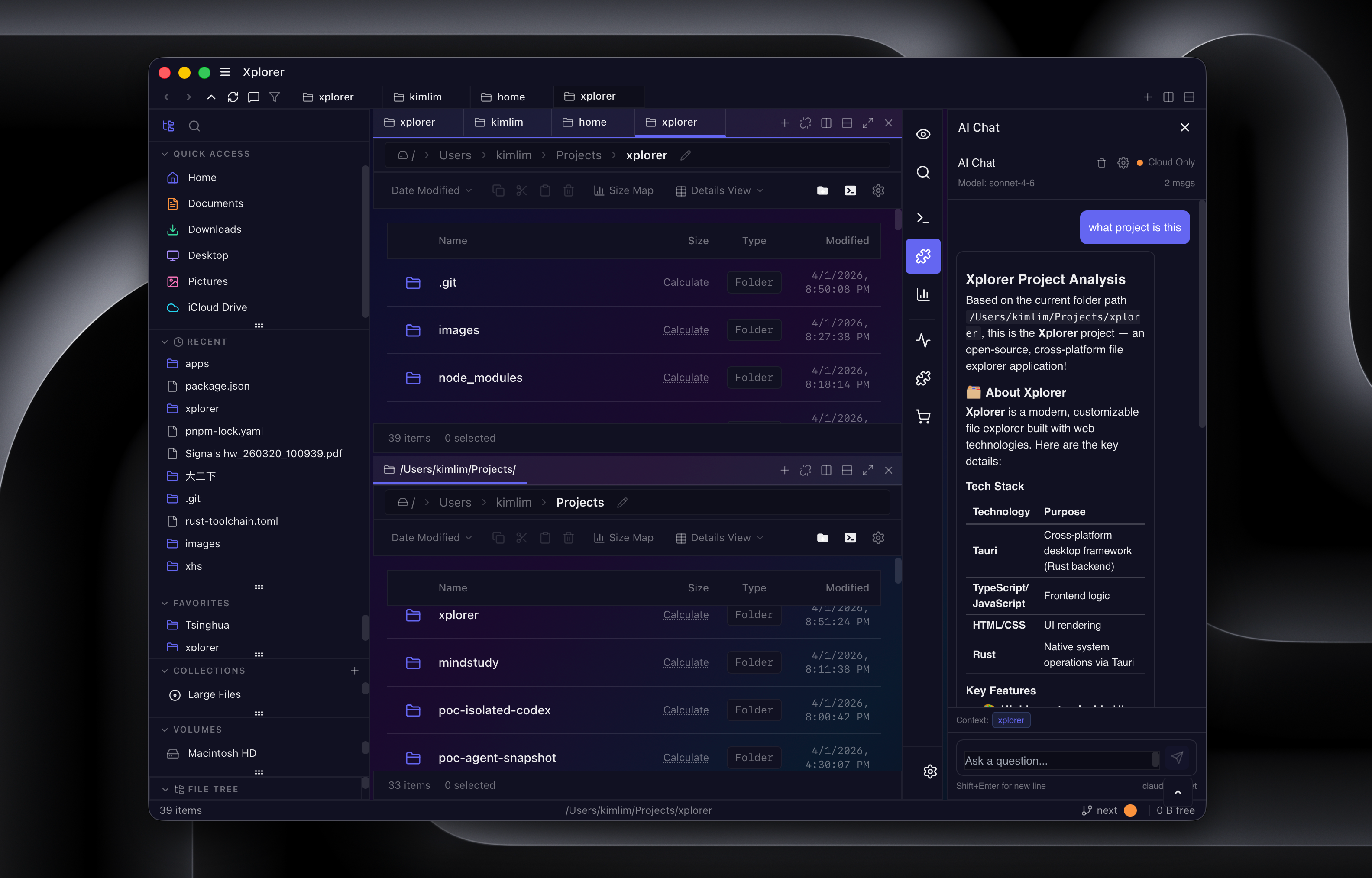
The concrete problem it solves is fragmentation: file browsing, archiving, terminal access, version control, and document preview normally require several separate applications. Xplorer replaces that collection of single-purpose tools with one window, offering multi-tab browsing and split panes so a user can inspect files, run commands, review a diff, and preview a document side by side. It also replaces filename-only searching with natural-language, fuzzy, and semantic search, and replaces static OS themes with selectable themes such as Tokyo Night, Dracula, Nord, Cyberpunk, and Ocean Deep.
Key capabilities
- Cross-platform file management on Windows, macOS, and Linux with six view modes: Grid, List, Details, Column, Gallery, and Tree.
- Hardware-accelerated file operations using memory-mapped I/O and parallel chunked transfers.
- Archive support for ZIP, TAR, GZ, BZ2, and XZ, including password-protected archives.
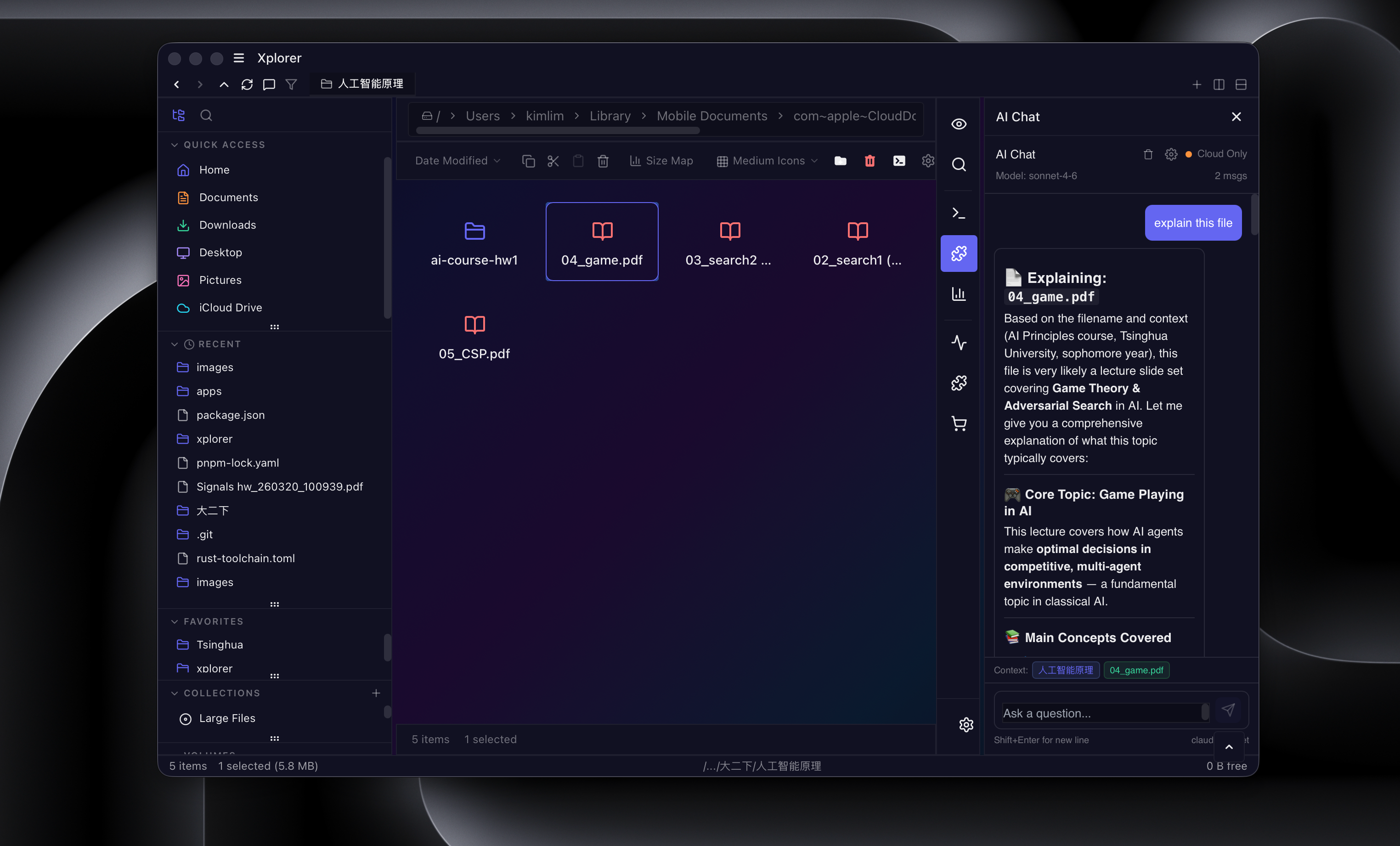
- AI integration that connects to OpenAI, Anthropic, Google, DeepSeek, Mistral, or Ollama through an API, providing AI chat with file context, agentic file operations, and smart categorisation.
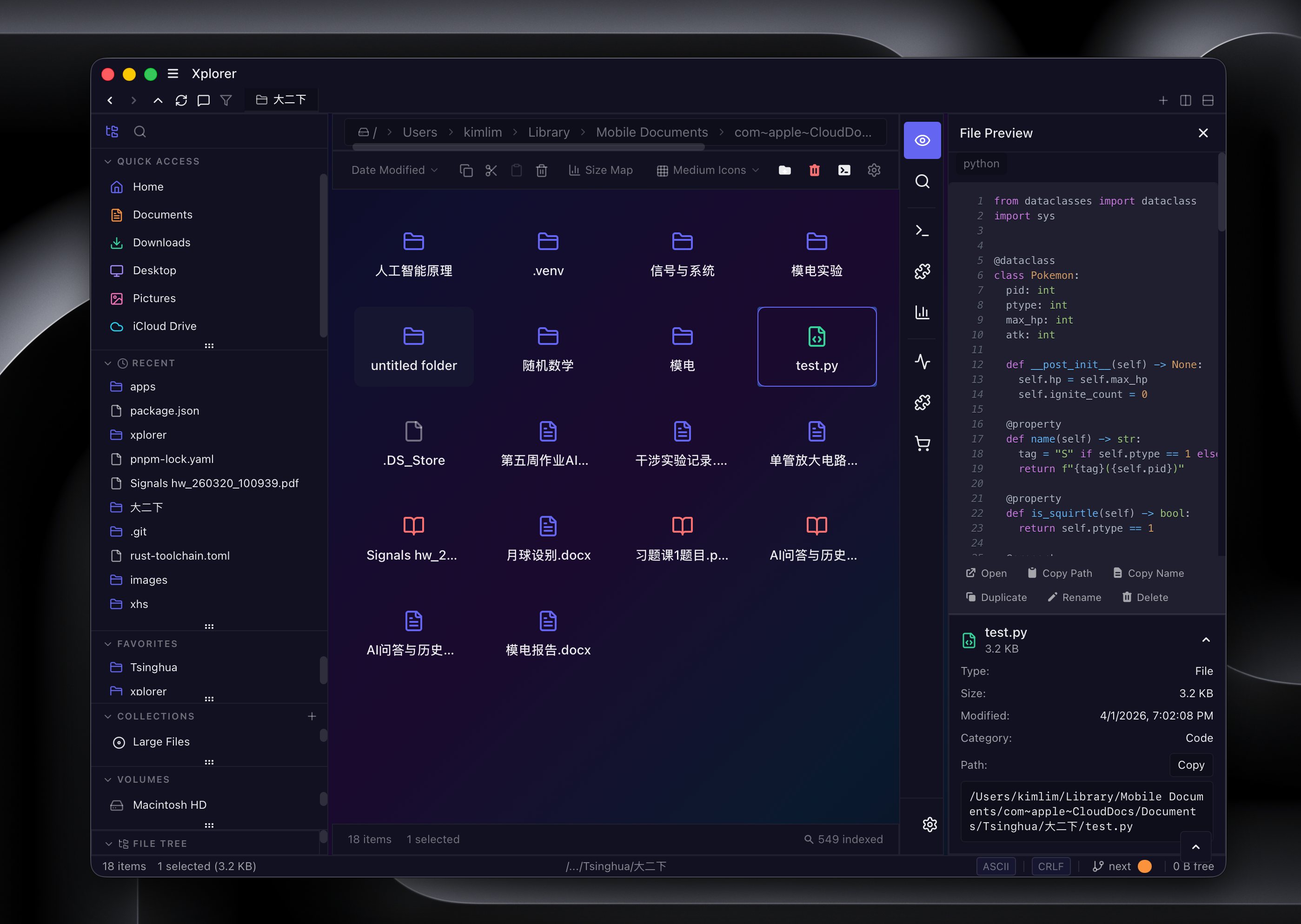
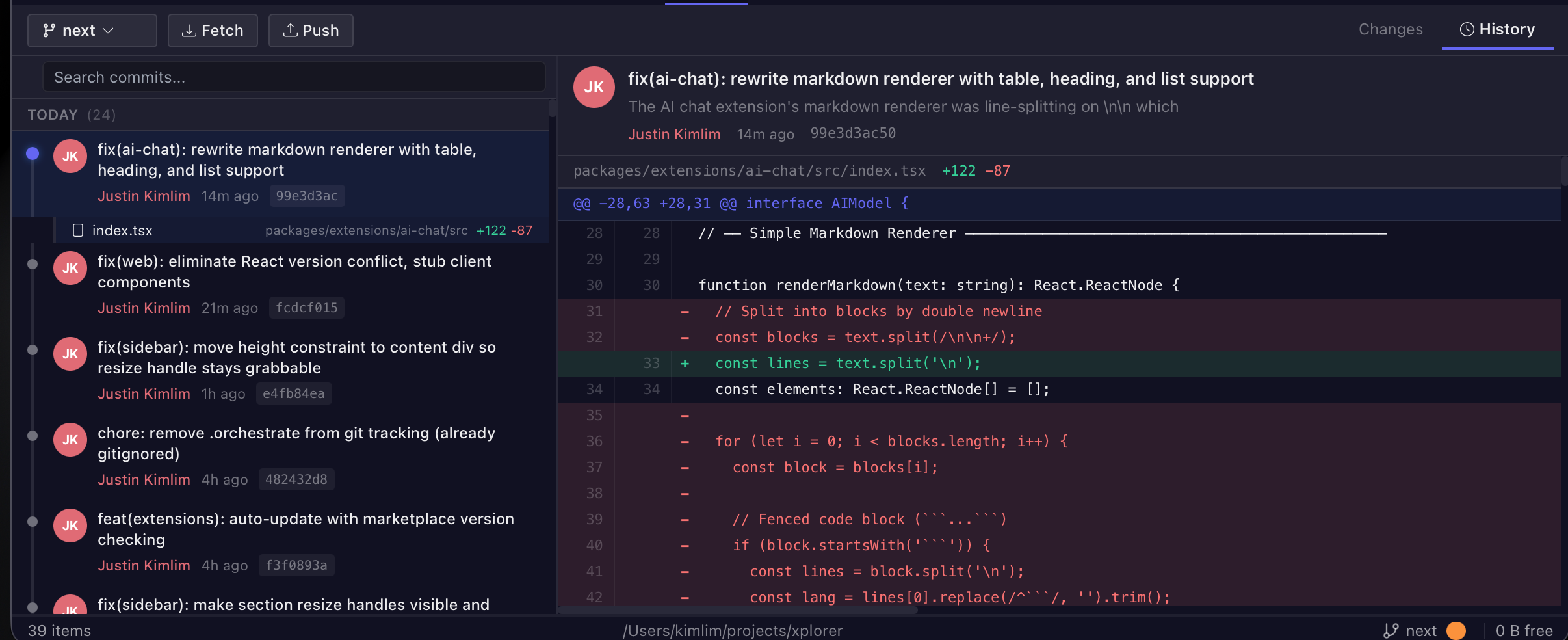
- Developer tooling: full Git integration for branches, staging, commits, diffs, blame, and stash; an integrated terminal with SSH remote browsing; and previews for syntax-highlighted code, Markdown, PDF, Word, spreadsheets, audio, and video.
- Extensibility through an extension marketplace at xplorer.space, with extensions including Git UI, SSH manager, Docker, Google Drive, a code editor, an image editor, and a file hasher, all running in a sandboxed runtime with a public SDK.
- Personalisation through a command palette, configurable keyboard shortcuts, vim keybindings, per-folder view settings, split panes, and session persistence.
Who uses it and how
- Developers use split-pane browsing alongside Git status, an integrated terminal, and a code editor to stage commits, view diffs, and manage branches without leaving the file manager.
- Researchers and students use the AI chat, which understands file contents, to ask questions about documents, obtain summaries, and search by meaning rather than by filename.
- Power users rely on the command palette, vim keybindings, custom keyboard shortcuts, per-folder view settings, and bulk file operations.
- Extension authors build and publish against the sandboxed runtime and public SDK; the repository carries the Hacktoberfest topic and 379 forks, indicating an active contributor base.
Getting started
Desktop users download the latest release for their platform from the Releases page: .msi or .exe on Windows, .dmg on macOS, and .deb or .AppImage on Linux. Development requires Node.js 20+, pnpm 10+, and a stable Rust toolchain, after which the workflow is git clone of the next branch, pnpm install, and pnpm dev:app.
How it compares
No comparable or paid products are named in the facts provided for this entry, so Xplorer stands alone in this registry rather than being positioned against a specific alternative. Readers looking for a direct feature-by-feature comparison will need to evaluate it against their own shortlist.
When to use it — and when not to
The README states plainly that the next branch is not yet production-ready, so anyone who needs a dependable daily driver should wait or use a stable release channel. Self-hosting the full stack is not trivial: running everything including the marketplace web server requires local PostgreSQL via pnpm run marketplace:db, and the AI features depend on credentials for a third-party provider such as OpenAI, Anthropic, or Ollama. The AGPL-3.0 licence and the truncated build instructions visible in the README are further reasons to check the documentation site before committing to an integration.
project readme (upstream, from github) — read inline

Xplorer
A modern, AI-powered file manager built with Rust and React.
Cross-platform. AI-integrated. Extensible. One app for all your files.




Website | Documentation | Discussions
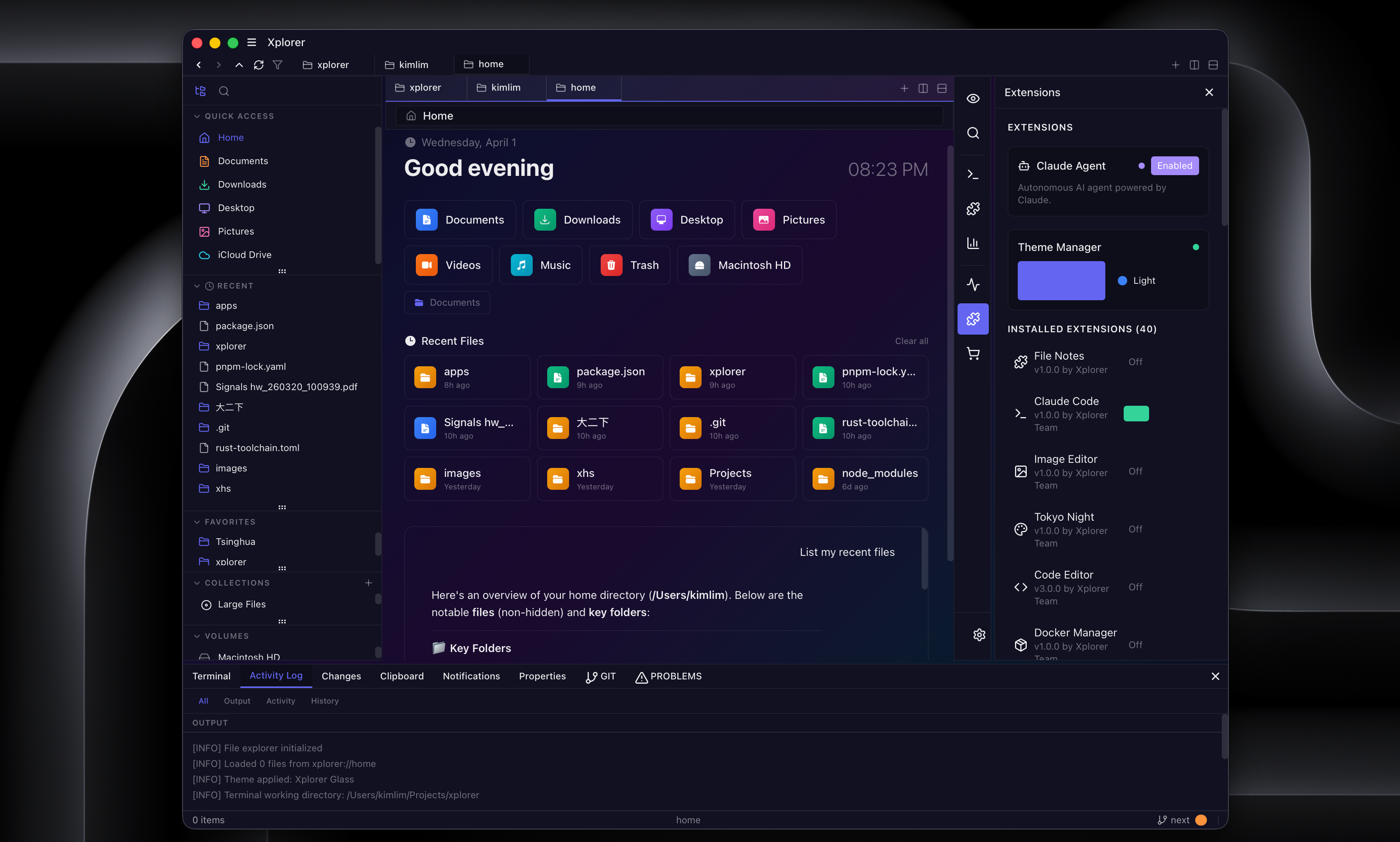
Why Xplorer?
Most file managers haven't changed in decades. Xplorer is a ground-up rethink: a Tauri 2 desktop app with a Rust backend for speed and a React frontend for flexibility. It ships with AI chat, Git integration, an extension marketplace, and themeable UI out of the box.
Note: This is the next branch -- a full rewrite using Tauri 2, React 18, and a new extension system. Not yet production-ready, but actively developed. Feedback welcome!
Features
Use Cases
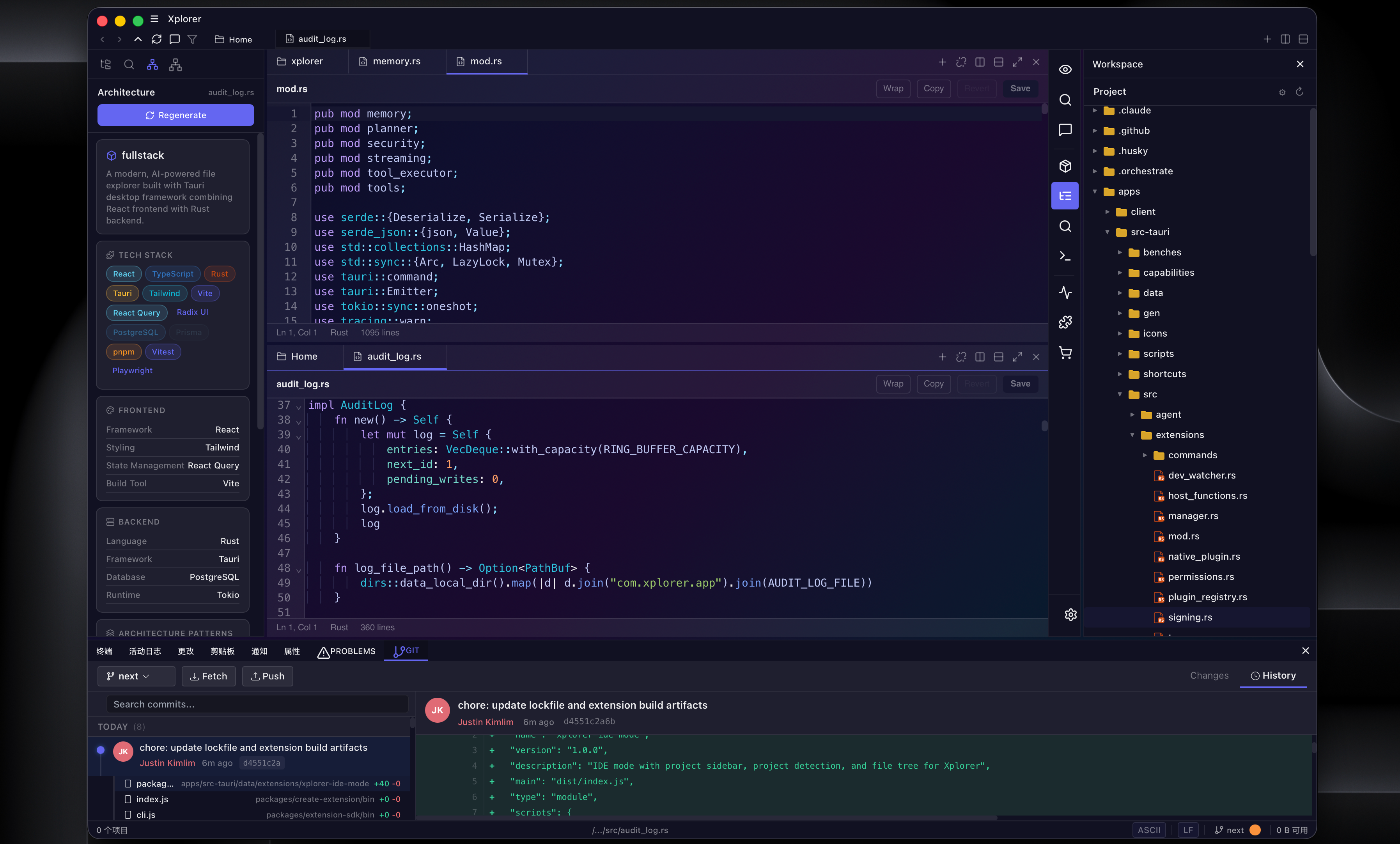
For Developers
Split-pane file browsing with integrated Git status, terminal, and code editor. Stage commits, view diffs, and manage branches without leaving the file manager.
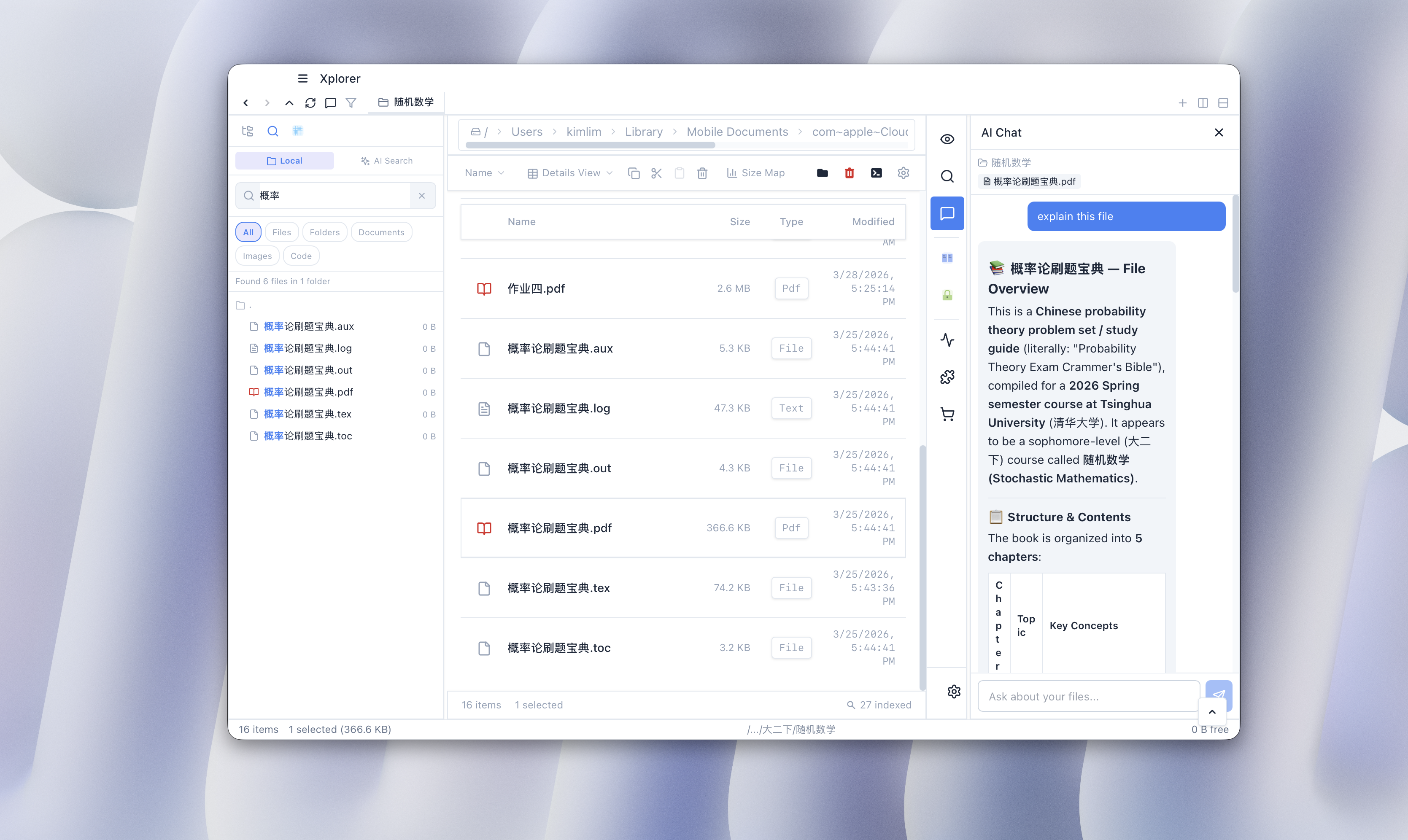
For Researchers and Students
AI chat that understands your files. Ask questions about documents, get summaries, and search by meaning — not just filename.
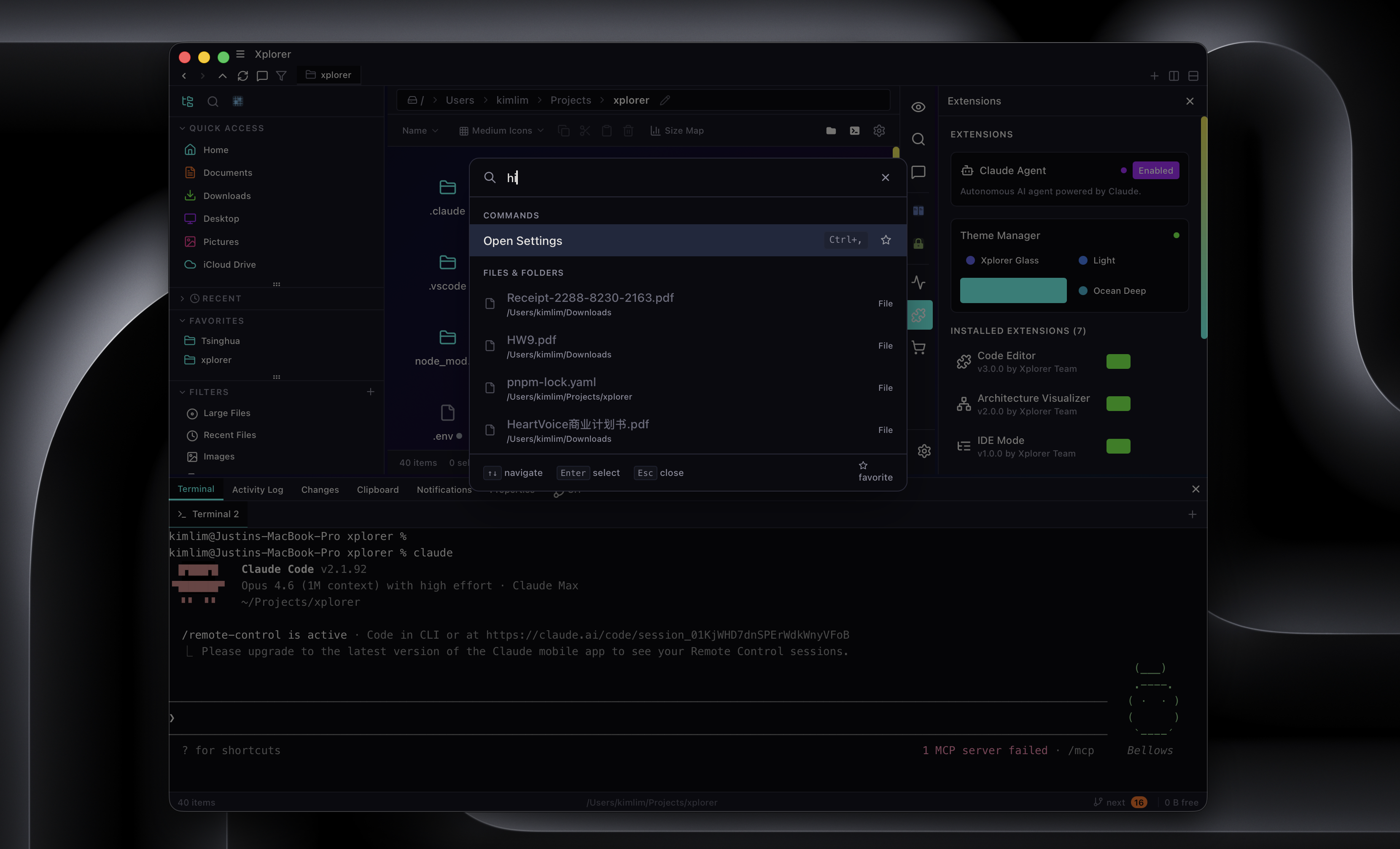
For Power Users
Command palette, vim keybindings, custom keyboard shortcuts, and per-folder view settings. Six view modes, smart search with filters, and bulk file operations.
Screenshots
Installation
Download the latest release for your platform from the Releases page.
Getting Started (Development)
Prerequisites
- Node.js 20+
- pnpm 10+
- Rust (latest stable via rustup)
Setup
git clone https://github.com/kimlimjustin/xplorer.git -b next
cd xplorer
pnpm install
pnpm dev:app
This starts the React frontend and Tauri backend. The app window will open automatically.
To run the full stack including the marketplace web server, use pnpm dev (requires local PostgreSQL via pnpm run marketplace:db).
Build and Test
pnpm build              # Production build
pnpm test               # Frontend unit tests (Vitest)
pnpm run test:tauri      # Rust backend tests
Architecture
xplorer/
├── apps/
│   ├── client/           # React 18 + TypeScript + Vite frontend
│   ├── src-tauri/        # Rust backend (Tauri 2, Tokio, Rayon)
│   └── web/              # Next.js marketplace (Prisma, Stripe)
├── packages/
│   ├── sdk/              # @xplorer/sdk — internal service layer
│   ├── extension-sdk/    # @xplorer/extension-sdk — public extension API
│   ├── create-extension/ # CLI scaffolder for new extensions
│   └── extensions/       # Built-in extension packages
├── e2e/                  # Playwright end-to-end tests
├── infra/                # Docker Compose (PostgreSQL)
└── scripts/              # Extension signing utilities
Contributing
Contributions are welcome! See CONTRIBUTING.md for setup and guidelines.
License
AGPL-3.0