Web-Maker is an MIT-licensed, offline frontend code editor and playground for HTML, CSS and JavaScript experiments that runs entirely on the user's own system, and it is aimed at frontend developers who want CodePen-style quick prototyping without a network connection.
What it is
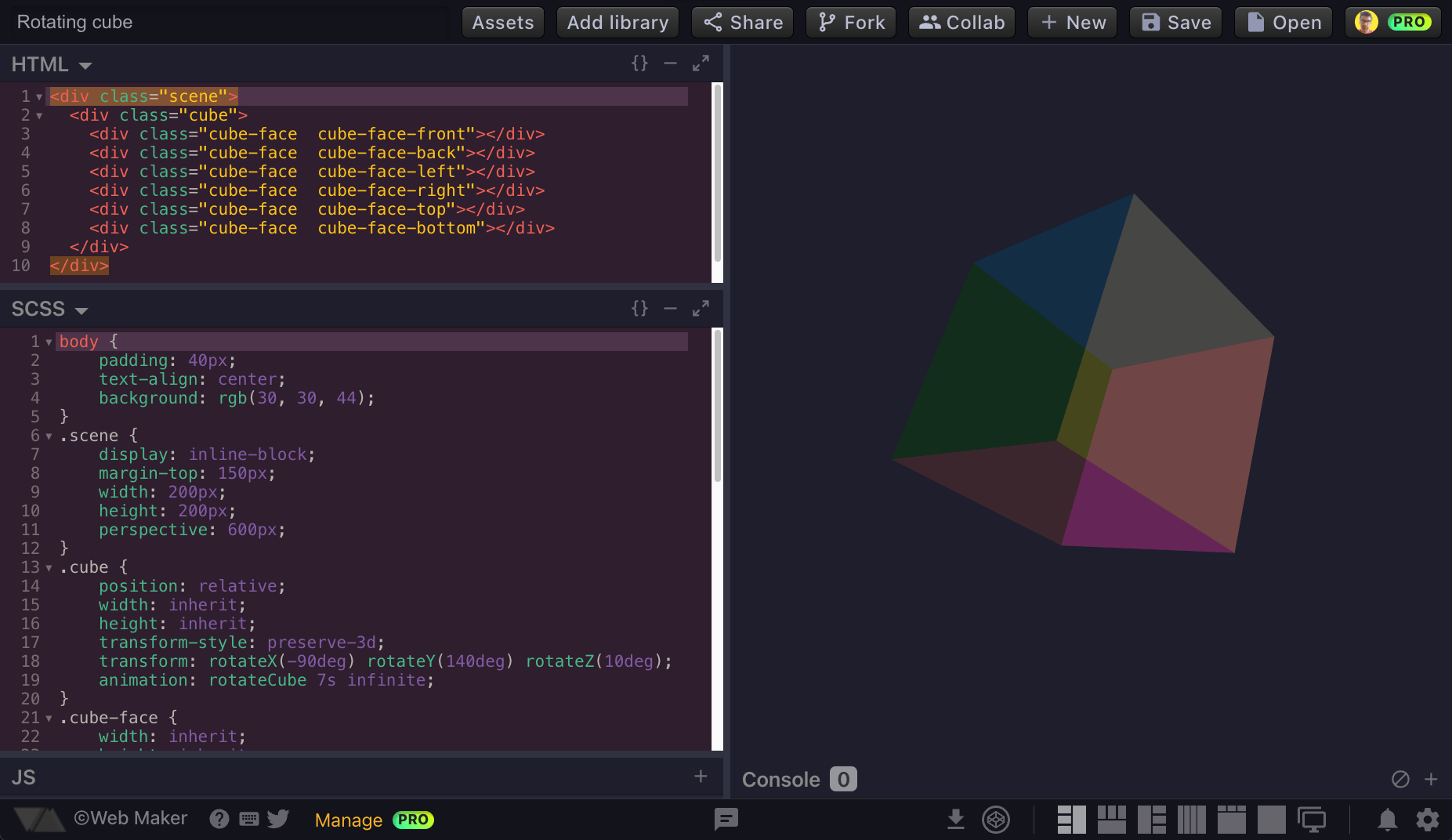
Web-Maker is a JavaScript-based, browser-hosted frontend playground: an editor in which a developer writes HTML, CSS and JavaScript and sees the result immediately. It is offered in two forms, as an open web app at webmaker.app/create/ and as a Chrome extension, and it can also be opened as a new tab inside Chrome. The project carries the MIT licence, is copyright Kushagra Gour, and is deployed on the Netlify platform. It appears in this registry under Developer Tools / Frameworks & Platforms and is tagged with chrome-extension, chrome-tabs, code-editor, offline, playground and web.
The concrete problem it solves is that online playgrounds require connectivity, an account and a round trip to a remote service before any code can be written. Web-Maker replaces the hosted playground model by running entirely on the local system, so it keeps working offline and responds faster than a network-hosted editor. It is positioned explicitly as an alternative to CodePen and JSFiddle, and it even provides an "Edit in CodePen" path when a creation needs to move to that hosted service.
Key capabilities
- Preprocessor support across all three languages: HTML via Pug and Markdown, CSS via SCSS, LESS, Stylus and Atomic CSS, and JavaScript via ES6, TypeScript and CoffeeScript.
- Two editing layouts: a quick three-pane mode for fast experiments and a Files mode for longer work.
- An inbuilt console for inspecting output without leaving the editor.
- A multi-player collaboration mode for shared editing sessions.
- Asset hosting with both local and cloud storage options.
- Save and load of creations, an auto-save feature, and import and export of all creations at any time.
- Code auto-completion, easy addition of popular JavaScript and CSS libraries, multiple editor themes, configurable settings, and font options that allow any system font.
Who uses it and how
- Frontend developers who sketch small HTML, CSS and JavaScript experiments and need them to keep running when the network is unavailable.
- Chrome users who treat the extension as a new-tab editor, which is the workflow the chrome-tabs and chrome-extension topics describe.
- Small groups running multi-player collaboration sessions for paired or shared experimentation.
- Developers using preprocessors such as SCSS, LESS, Stylus, Pug, TypeScript or CoffeeScript who want those languages without standing up a local build pipeline.
- People who need portable experiments, saving a creation as an HTML file, exporting everything, or handing a snippet onward to CodePen.
Getting started
Open the web app at https://webmaker.app/create/, which the README recommends as the version with more features, or install the Chrome extension from the Chrome Web Store (extension ID lkfkkhfhhdkiemehlpkgjeojomhpccnh) if a new-tab editor is wanted.
How it compares
The similar tools named in the facts are CodePen and JSFiddle, both hosted playground services, while Web-Maker runs completely on the user's system, works offline and is distributed under the MIT licence. That gives it a different cost and ownership profile: the source is open and the editing experience does not depend on a remote account or connection, and creations can be exported at any time. Interoperation is retained rather than replaced, since a creation can be edited in CodePen when that hosted environment is the better fit.
When to use it — and when not to
There is no database, storage service or SMTP server to operate here, because the editor runs client-side and the hosted deployment amounts to static assets on Netlify, so a self-hoster mainly serves the site or ships the extension. Some features are Chrome-extension only, including opening in a new tab and capturing a preview screenshot, so users on other browsers lose that parity. It is a playground for web experiments rather than an environment for full application development, and the repository currently carries 120 open issues, which is worth weighing if a stable, closely maintained tool is required.
project readme (upstream, from github) — read inline
Web-Maker 🕸🛠
Web-Maker is an offline playground for your web experiments. Something like CodePen or JSFiddle, but much more faster and works offline because it runs completely on your system.
Open Web App (Recommended: More features. More fun!)
or
Features
- Supports Preprocessors: HTML (Pug & Markdown), CSS (SCSS, LESS & Stylus, Atomic CSS) & JavaScript (ES6, TypeScript & CoffeeScript)
- Works offline
- Quick creation (3-panemode) & good-old Files mode
- Inbuilt Console
- Multi-player collab mode
- Asset hosting (Local and Cloud storage)
- Save and load your creations
- Auto-save feature
- Code auto-completion
- Easy addition of popular JS & CSS libraries
- Import & Export all creations anytime, anywhere
- Multiple editor themes & other configurable settings
- Font options + use any system font!
- Very easily accessible. Simply open a new tab in Chrome! (in chrome extension only)
- Multiple layouts to choose from
- Capture preview screenshot (in Chrome extension only)
- Save as HTML file
- Edit in CodePen
Follow @webmakerApp for updates or tweet out feature requests and suggestions.
Support Web Maker
Hi! I am Kushagra Gour. Web Maker is a free and open-source project. To keep myself motivated for working on such open-source and free side projects, I have launched a Patreon campaign. Your pledge, no matter how small, will act as an appreciation towards my work and keep me going forward making Web Maker more awesome🔥.

Support with $ETH - 0x39989c0E53cfdcF6792e09d7573c65E911e774bA
If not that, you can support by simply sharing about how much you love 💖 @webmakerapp.
Sponsors

Web Maker stays stable as rock with every release, thanks to the sponsored testing on the awesome

Deployed on the superfast Netlify platform.
License
MIT Licensed
Copyright (c) 2016-2026 Kushagra Gour, webmaker.app