Sequential Workflow Designer



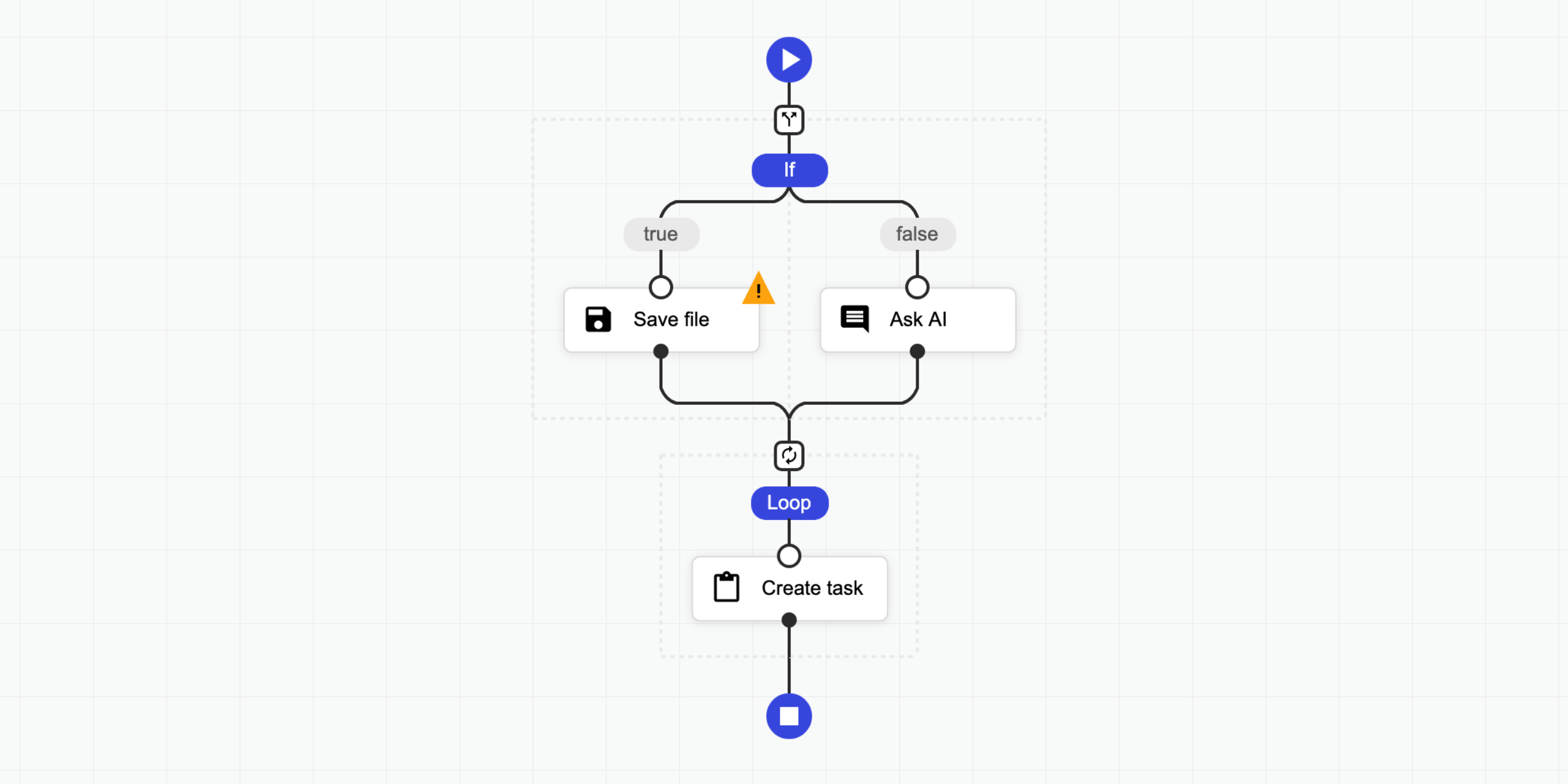
A sequential workflow designer with no external dependencies for web applications. It is written in pure TypeScript and uses SVG for rendering. This designer is not associated with any workflow engine; it is fully generic. You can use it to create any kind of application, from graphical programming languages to workflow builders.
Features:
- No external dependencies
- Fully generic and configurable
- Supports light, dark, and soft themes, with easy customization
- Compatible with modern browsers and mobile devices
- Definitions are stored as JSON
- Supports Angular, React and Svelte.
📝 Check the documentation for more details.
🤩 Don't miss the pro version.
👀 Examples
- ⏩ Live Testing
- 💥 Triggers
- ❎ Fullscreen
- 🌅 Image Filter
- 🔴 Particles
- 🌍 Internationalization
- ⛅ Light Dark
- 🤖 Code Generator
- 🌻 Rendering Test
- 🚄 Stress Test
- 🚪 Editing Restrictions
- 📜 Scrollable Page
- 🌵 Multi-Conditional Switch
- 🌀 Auto-Select
- 🔄 Step Changes Detection
- Angular Demo
- React Demo
- Svelte Demo
Pro:
- 🤩 Pro Components
- 🍬 Custom Theme Flat
- 🌹 Custom Step Types
- 📺 Popup Editor
- 🔽 Collapsible Region
- 💼 Copy Paste
- 👈 Goto
- 📁 Folders
- ⭕ Wheel Mode
- 💠 Grid
- 🐭 Minimal Root Component
- 🦁 External UI Components
- 👋 Custom Dragged Component
- 🔰 Badges
- 🎩 Custom Viewport
- 👊 Double Click
- 🛎 Clickable Placeholder
- 📮 Conditional Placeholders
- React Pro Demo
- Angular Pro Demo
👩💻 Integrations
- ⛽ Sequential Workflow Editor - Powerful step editor builder. Don't write step editors manually, build them.
- 🚚 Sequential Workflow Machine - Workflow engine for browser and NodeJS apps, powered by the xstate library.
🚀 Installation
To use the designer, add the JS/TS and CSS files to your project.
NPM
Install this package with the NPM command:
npm i sequential-workflow-designer
To import the package:
import { Designer } from 'sequential-workflow-designer';
If you use css-loader or similar, you can add CSS files to your bundle:
import 'sequential-workflow-designer/css/designer.css';
import 'sequential-workflow-designer/css/designer-light.css';
import 'sequential-workflow-designer/css/designer-soft.css';
import 'sequential-workflow-designer/css/designer-dark.css';
To create the designer, write the code below:
// ...
Designer.create(placeholder, definition, configuration);
CDN
Add the code below to the head section of your HTML document.
<head>
  ...
  <link href="https://cdn.jsdelivr.net/npm/sequential-workflow-designer@0.40.2/css/designer.css" rel="stylesheet" />
  <link href="https://cdn.jsdelivr.net/npm/sequential-workflow-designer@0.40.2/css/designer-light.css" rel="stylesheet" />
  <link href="https://cdn.jsdelivr.net/npm/sequential-workflow-designer@0.40.2/css/designer-dark.css" rel="stylesheet" />
  <script src="https://cdn.jsdelivr.net/npm/sequential-workflow-designer@0.40.2/dist/index.umd.js"></script>
</head>
Create the designer with:
sequentialWorkflowDesigner.Designer.create(placeholder, definition, configuration);
🎬 Usage
Check the examples directory.
import { Designer } from 'sequential-workflow-designer';

const placeholder = document.getElementById('placeholder');

const definition = {
  properties: {
    myProperty: 'my-value',
    // root properties...
  },
  sequence: [
    // steps...
  ],
};

const configuration = {
  theme: 'light', // optional, default: 'light'
  isReadonly: false, // optional, default: false
  undoStackSize: 10, // optional, default: 0 - disabled, 1+ - enabled

  steps: {
    // all properties in this section are optional

    iconUrlProvider: (componentType, type) => {
      return `icon-${componentType}-${type}.svg`;
    },

    isDraggable: (step, parentSequence) => {
      return step.name !== 'y';
    },
    isDeletable: (step, parentSequence) => {
      return step.properties['isDeletable'];
    },
    isDuplicable: (step, parentSequence) => {
      return true;
    },
    canInsertStep: (step, targetSequence, targetIndex) => {
      return targetSequence.length < 5;
    },
    canMoveStep: (sourceSequence, step, targetSequence, targetIndex) => {
      return !step.properties['isLocked'];
    },
    canDeleteStep: (step, parentSequence) => {
      return step.name !== 'x';
    },
  },

  validator: {
    // all validators are optional

    step: (step, parentSequence, definition) => {
      return /^[a-z]+$/.test(step.name);
    },
    root: definition => {
      return definition.properties['memory'] > 256;
    },
  },

  toolbox: {
    isCollapsed: false,
    groups: [
      {
        name: 'Files',
        steps: [
          // steps for the toolbox group
        ],
      },
      {
        name: 'Notification',
        steps: [
          // steps for the toolbox group
        ],
      },
    ],
  },

  editors: {
    isCollapsed: false,
    rootEditorProvider: (definition, rootContext, isReadonly) => {
      const editor = document.createElement('div');
      // ...
      return editor;
    },
    stepEditorProvider: (step, stepContext, definition, isReadonly) => {
      const editor = document.createElement('div');
      // ...
      return editor;
    },
  },

  controlBar: true,
  contextMenu: true,
};

const designer = Designer.create(placeholder, definition, configuration);
designer.onDefinitionChanged.subscribe(event => {
  // ...
});
You can hide default UI components by setting the corresponding configuration property to false.
const configuration = {
  toolbox: false,
  editors: false,
  controlBar: false,
  contextMenu: false,
  // ...
};
💡 License
This project is released under the MIT license.