R2 Web is a lightweight, browser-native file manager for Cloudflare R2 buckets that runs entirely in the browser and calls the R2 S3 API directly, intended for anyone who needs a fast, cross-platform way to browse, upload, organise and share objects without installing a desktop client or learning a command-line tool.
What it is
R2 Web is a Web-native file manager for Cloudflare R2 storage, written in JavaScript and released under the MIT licence. The whole application is a static site built on native Web APIs with no framework and no build step: the src directory in the repository is itself the deployment artifact, which keeps it small enough to audit, modify and self-host. Every operation travels from the browser straight to the R2 S3 API, so neither files nor credentials pass through a third-party backend.
It fills the gap between Cloudflare's own console and heavier alternatives. The Cloudflare console is adequate for basic operations but inefficient when browsing, moving, renaming or temporarily uploading large numbers of files; desktop clients require an installation; and a CLI is not suitable for everyone. R2 Web offers an interface that is ready whenever it is needed, works across platforms, and concentrates on file management — paginated directory browsing, lazy-loaded thumbnails, previews, sorting and batch operations — rather than on administration.
Key capabilities
- Pure client-side direct connection to the R2 S3 API, with credentials held only in the browser's
localStorage and no relay server in the path.
- Multipart uploads of up to 1 TiB per file with automatic chunking, concurrent uploads, pause and resume, live speed and size progress, and conflict handling.
- Filename templates using
[name], [ext], [hash:N], date, timestamp, UUID and directory placeholders, for example images/[date:YYYY/MM/DD]/[uuid].[ext] or backup/[timestamp]-[name].[ext].
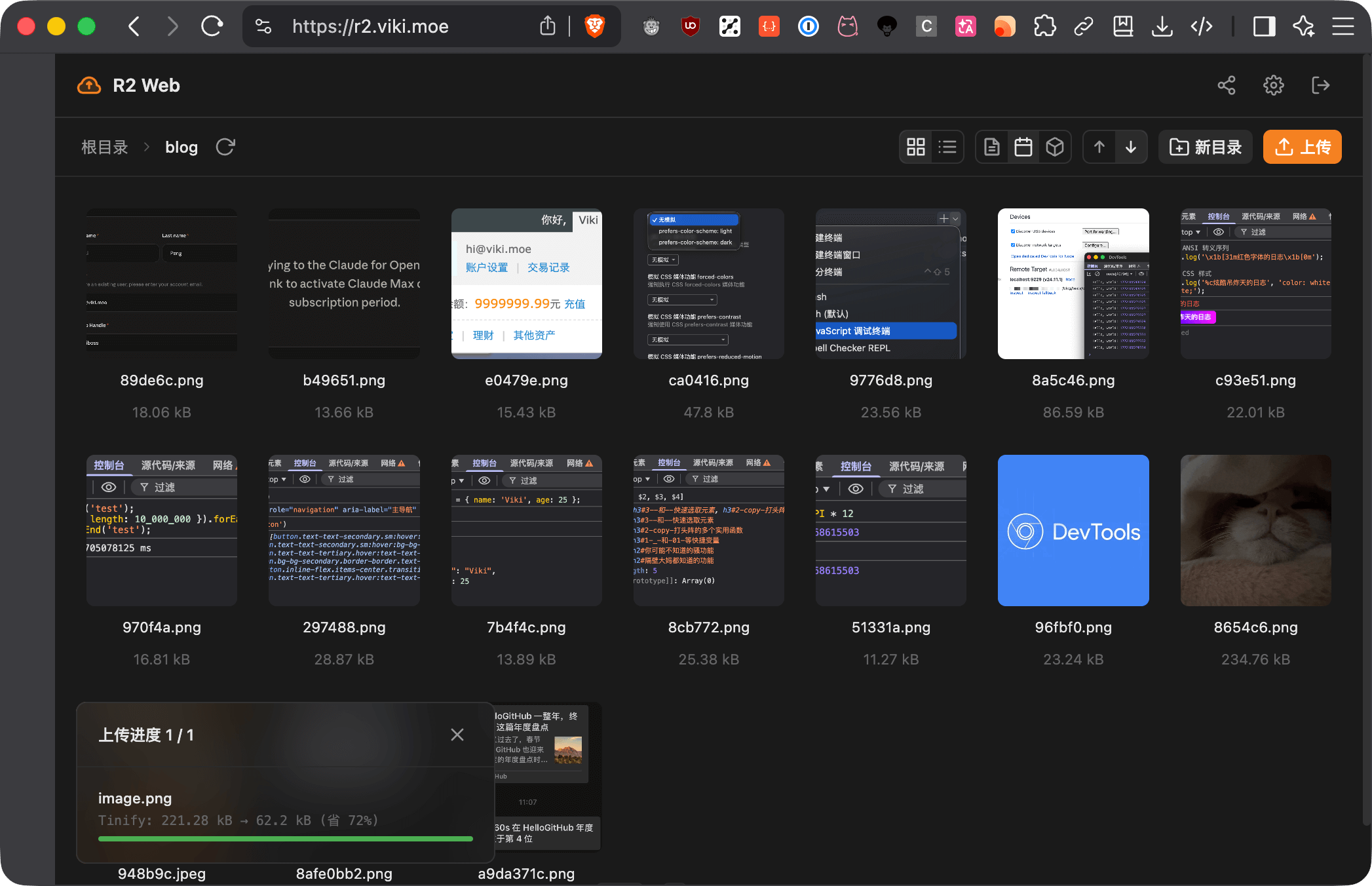
- Local image compression for JPEG, PNG, WebP and AVIF through WebAssembly inside the browser, with Tinify available as an alternative that sends images to the Tinify service.
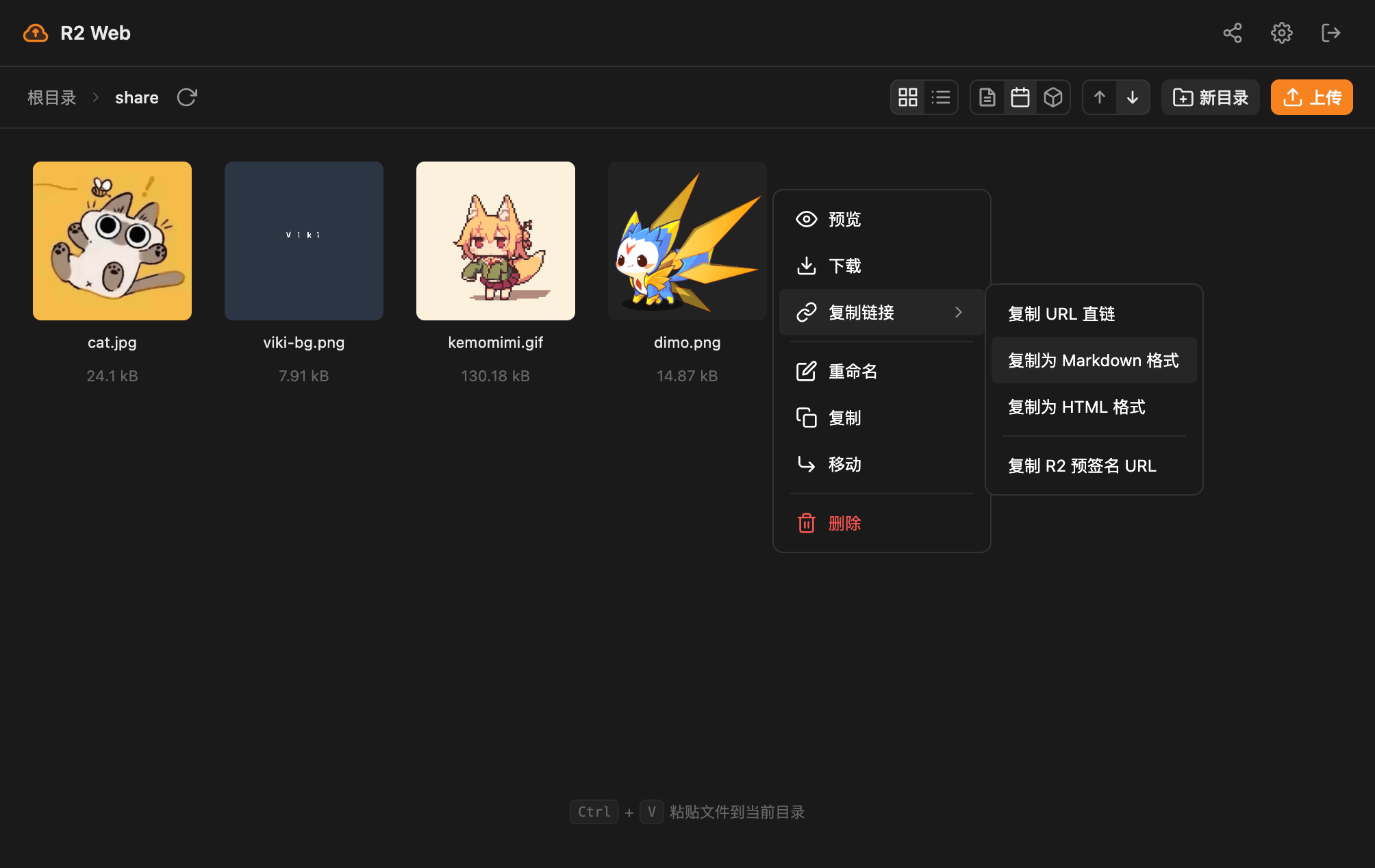
- Previews for images, video, audio and text, plus shareable links as a direct URL, QR code, Markdown or HTML.
- Directory management covering paginated listings, name/date/size sorting, batch selection, copy, move, rename and recursive delete.
- Zero-build deployment from
src, with PWA support, light and dark themes, and zh / zh_TW / en / ja localisation.
Who uses it and how
- Image-hosting workflows, where drag-and-drop or paste uploads combine with filename templates, local compression and one-click Markdown or HTML link copying.
- Routine bucket housekeeping at a scale the Cloudflare console handles poorly: sorting through many objects, then moving, renaming or recursively deleting them in batches.
- Self-hosters who fork or clone the repository and publish the
src directory as a static site on Vercel, Netlify or Cloudflare Pages.
- Users who prefer no deployment at all, using the hosted instance at r2.viki.moe after configuring bucket CORS.
- People synchronising settings between devices through a generated configuration link or QR code, which the README warns contains the R2 credentials and must be passed only over trusted channels.
Getting started
Configure a CORS policy on the R2 bucket that allows GET, POST, PUT, DELETE and HEAD and exposes the ETag header, then open the hosted instance at r2.viki.moe and enter the Account ID, Access Key ID, Secret Access Key and Bucket Name from an R2 API token scoped to that bucket. Alternatively, deploy the src directory as a static site to Vercel, Netlify or Cloudflare Pages, or serve it locally with npx serve src, and add the resulting domain to AllowedOrigins.
How it compares
The README positions R2 Web alongside, rather than against, the tools already used for R2: the Cloudflare console, the official SDK, CLIs and rclone. It is the graphical, install-free option among them, while the README states plainly that it does not replace complex permission management, automation scripts or API integrations.
When to use it — and when not to
There is no server-side component to operate — no database, object store of its own or SMTP — but a self-hoster must still publish static files and maintain a correct CORS policy that allows POST, PUT and DELETE and exposes ETag, without which multipart uploads fail. Credentials live in localStorage and each configuration targets a single bucket, so a bucket-scoped, least-privilege API token is essential, and configuration share links should be treated as secrets. Anyone who needs role-based access control, scheduled scripting or programmatic API integration should stay with the Cloudflare console, the official SDK, a CLI or rclone.
project readme (upstream, from github) — read inline
中文 | English
R2 Web
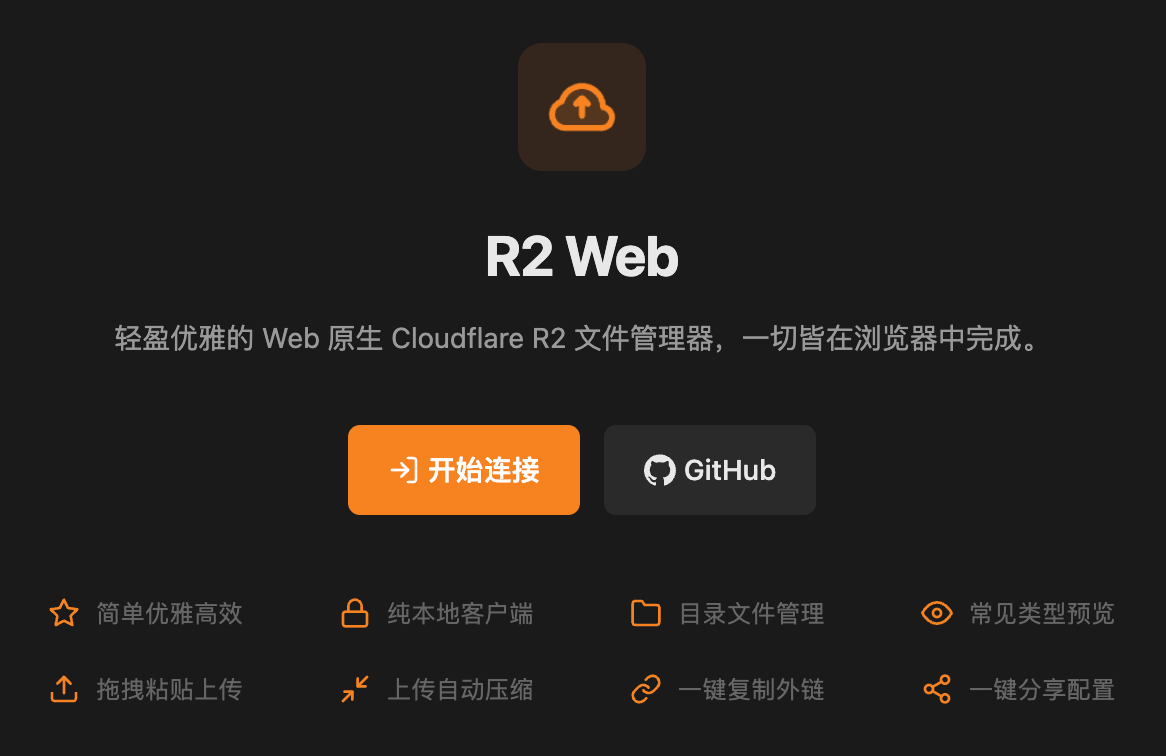
📁 轻盈优雅的 Web 原生 Cloudflare R2 文件管理器,一切皆在浏览器中完成。

本项目曾被 《科技爱好者周刊(第 387 期)》 和 《HelloGitHub(第 123 期)》 推荐。
在线使用
按 快速开始 配置 R2 CORS,然后访问 r2.viki.moe。凭证只保存在浏览器本地。
为什么做 R2 Web?
Cloudflare 控制台适合基础操作,但大量文件的浏览、移动、重命名和临时上传并不高效;桌面客户端需要安装,CLI 又不适合所有人。R2 Web 希望补上一个随开随用、跨平台且专注 R2 的管理界面。
差异化优势
R2 Web 不替代复杂权限管理、自动化脚本或 API 集成;这些场景建议使用 Cloudflare 控制台、官方 SDK、CLI 或 rclone。
功能速览
界面截图
快速开始
1. 配置 R2 桶 CORS
在 Cloudflare 控制台进入 R2 → 存储桶 → 设置 → CORS 策略:
[
  {
    "AllowedOrigins": ["https://r2.viki.moe"],
    "AllowedMethods": ["GET", "POST", "PUT", "DELETE", "HEAD"],
    "AllowedHeaders": ["*"],
    "ExposeHeaders": ["ETag"],
    "MaxAgeSeconds": 86400
  }
]
私有部署时,将 AllowedOrigins 替换为自己的域名。ETag 是完成分片上传所必需的响应头。
2. 创建并填写凭证
创建权限限定到目标 bucket 的 R2 API Token,在 r2.viki.moe 填写 Account ID、Access Key ID、Secret Access Key 和 Bucket Name。
3. 开始管理
拖拽、粘贴或点击上传;右键文件可预览、复制链接、移动、重命名或删除。作为图床使用时,建议启用文件名模板和图片压缩。
私有部署
R2 Web 是静态站点,部署仓库中的 src 目录即可。
部署完成后,请将新域名加入 R2 CORS 的 AllowedOrigins。
常用配置
文件名模板
[name]_[hash:6].[ext] — 原文件名 + 内容哈希images/[date:YYYY/MM/DD]/[uuid].[ext] — 按日期组织目录backup/[timestamp]-[name].[ext] — 时间戳备份文件名
配置分享
可以生成配置分享链接或二维码,在设备间快速同步设置。
[!CAUTION]
分享内容包含 R2 访问凭证。仅通过可信渠道传递,不要发布到公开平台。
本地开发
git clone https://github.com/vikiboss/r2-web.git
cd r2-web
pnpm install

npx serve src
# 或
python3 -m http.server 5500 --directory src
项目不需要构建;依赖主要用于浏览器 Import Maps 和本地类型检查。开发约定见 AGENTS.md。
FAQ
凭证安全吗? 凭证仅存储在浏览器 localStorage,请求直接发送到 R2。仍建议使用限定 bucket 和最小权限的 API Token。
支持哪些浏览器? 支持最新版 Chrome、Edge、Firefox 和 Safari,不支持 IE。
图片压缩在哪里进行? 本地模式使用 WebAssembly 在浏览器内完成;选择 Tinify 时,图片会发送到 Tinify 服务。
为什么上传失败? 检查凭证、bucket 权限和 CORS。分片上传要求允许 POST / PUT / DELETE 并暴露 ETag;单文件不能超过 1 TiB。
反馈
License
MIT License
