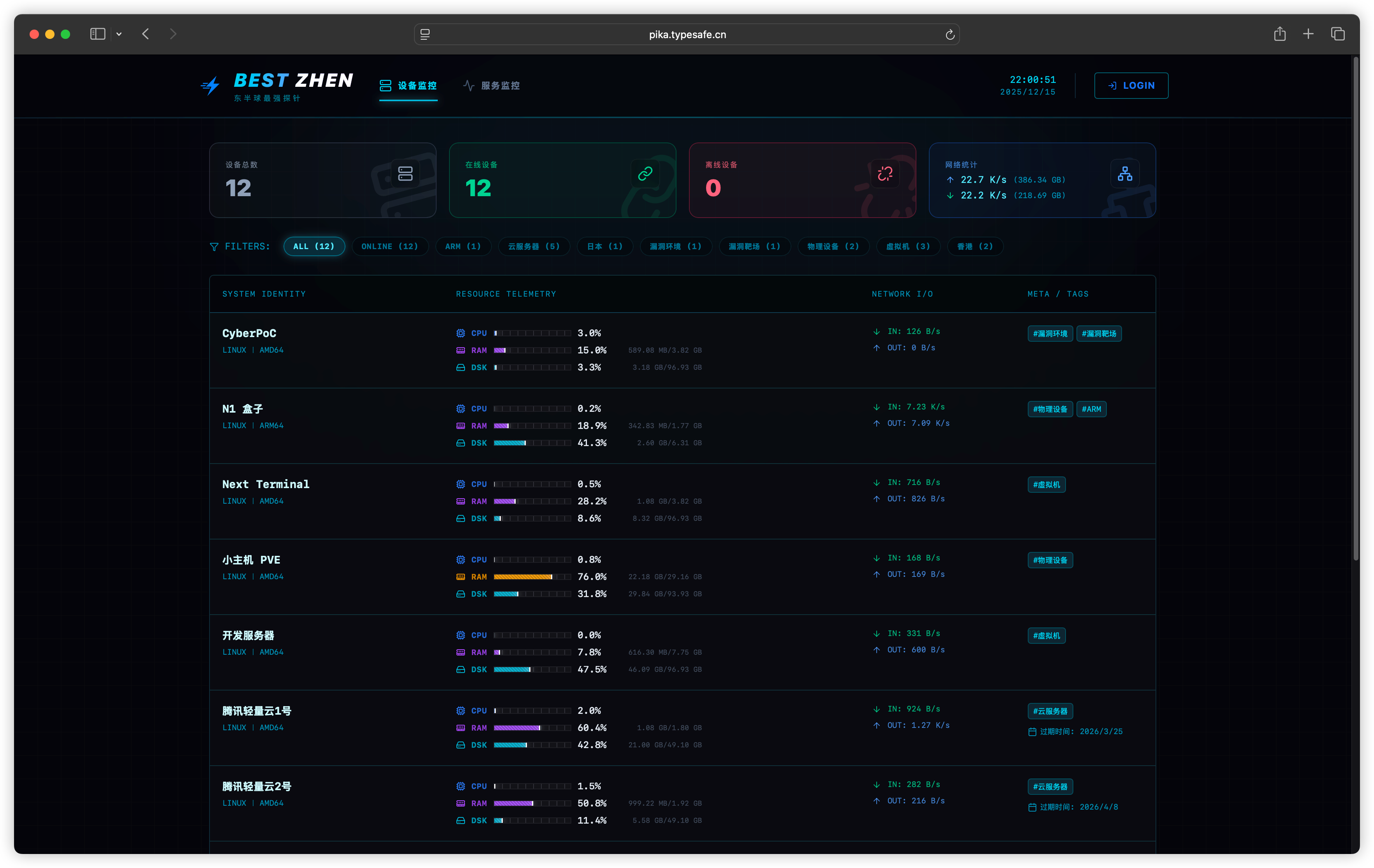
Pika is a lightweight probe monitoring system written in Go that gives operators real-time infrastructure metrics alongside security auditing and tamper protection in one self-hosted package.
What it is
Pika is a monitoring system in which lightweight agents, called probes, run on the hosts you want to watch and push their measurements to a central server over WebSocket. The server keeps two kinds of state: VictoriaMetrics holds the time-series data, while PostgreSQL or SQLite stores the business data such as configuration, assets, and audit history. The project is written in Go 1.21+, is released under the Apache-2.0 licence, and deploys as a Docker Compose stack.
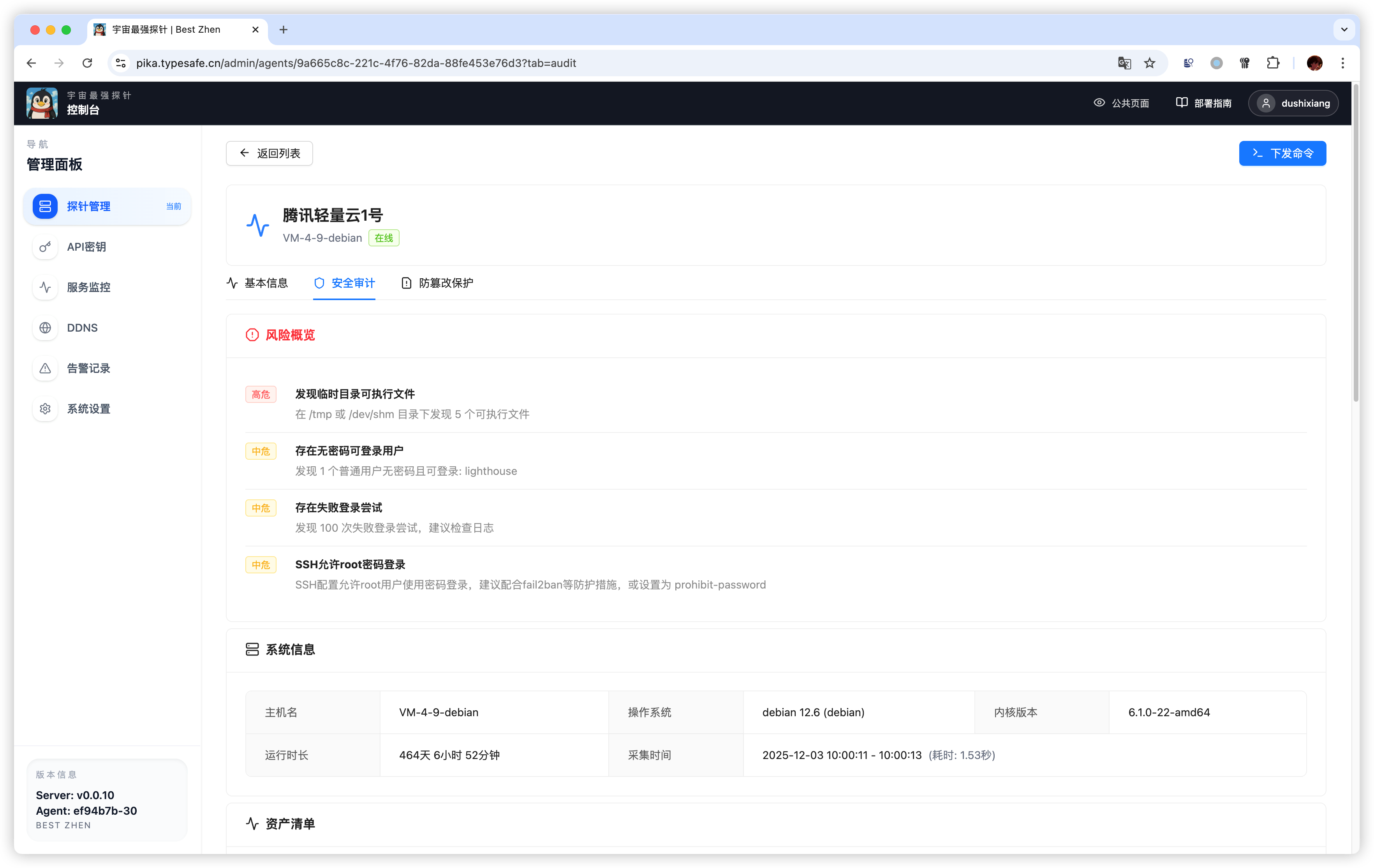
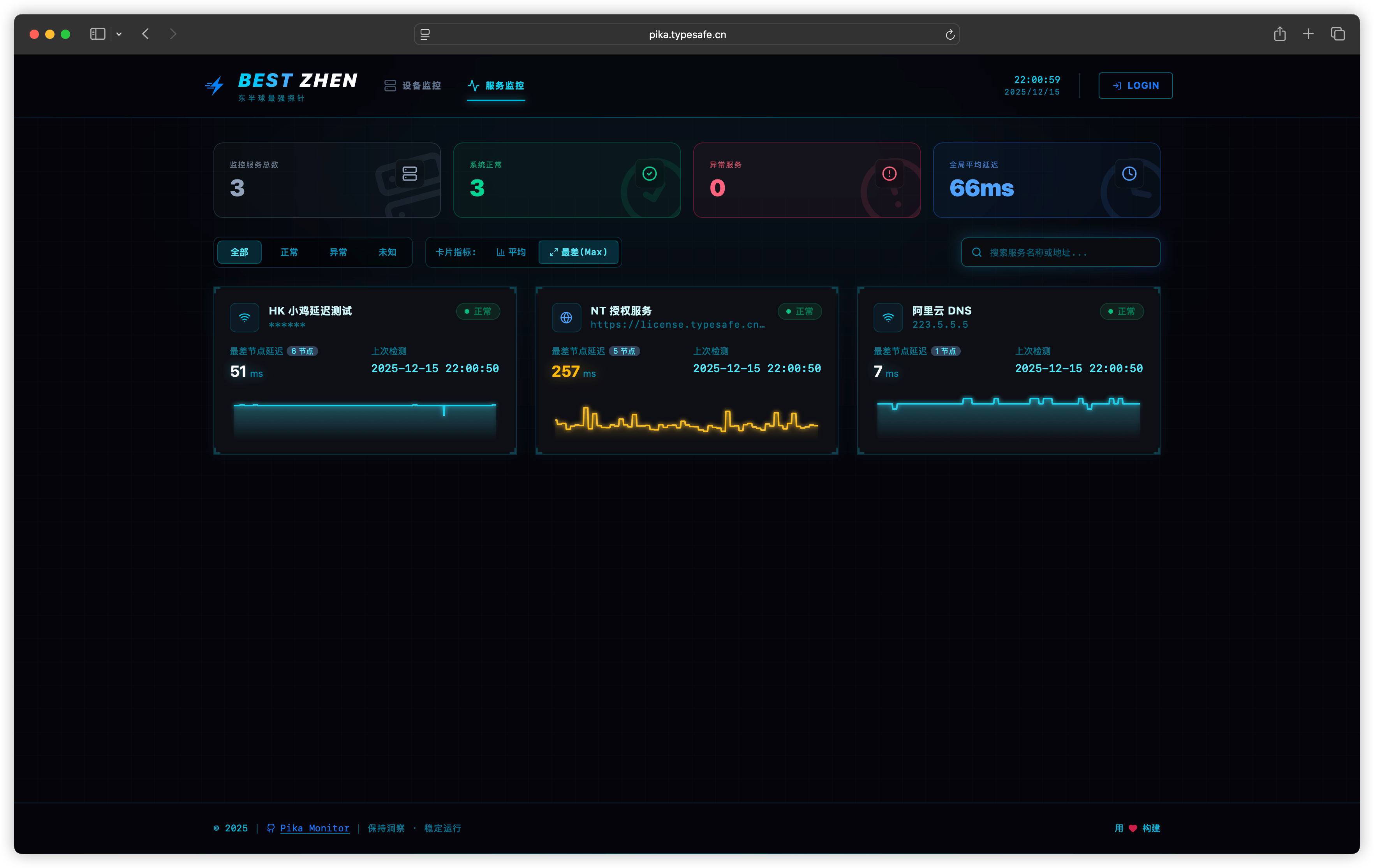
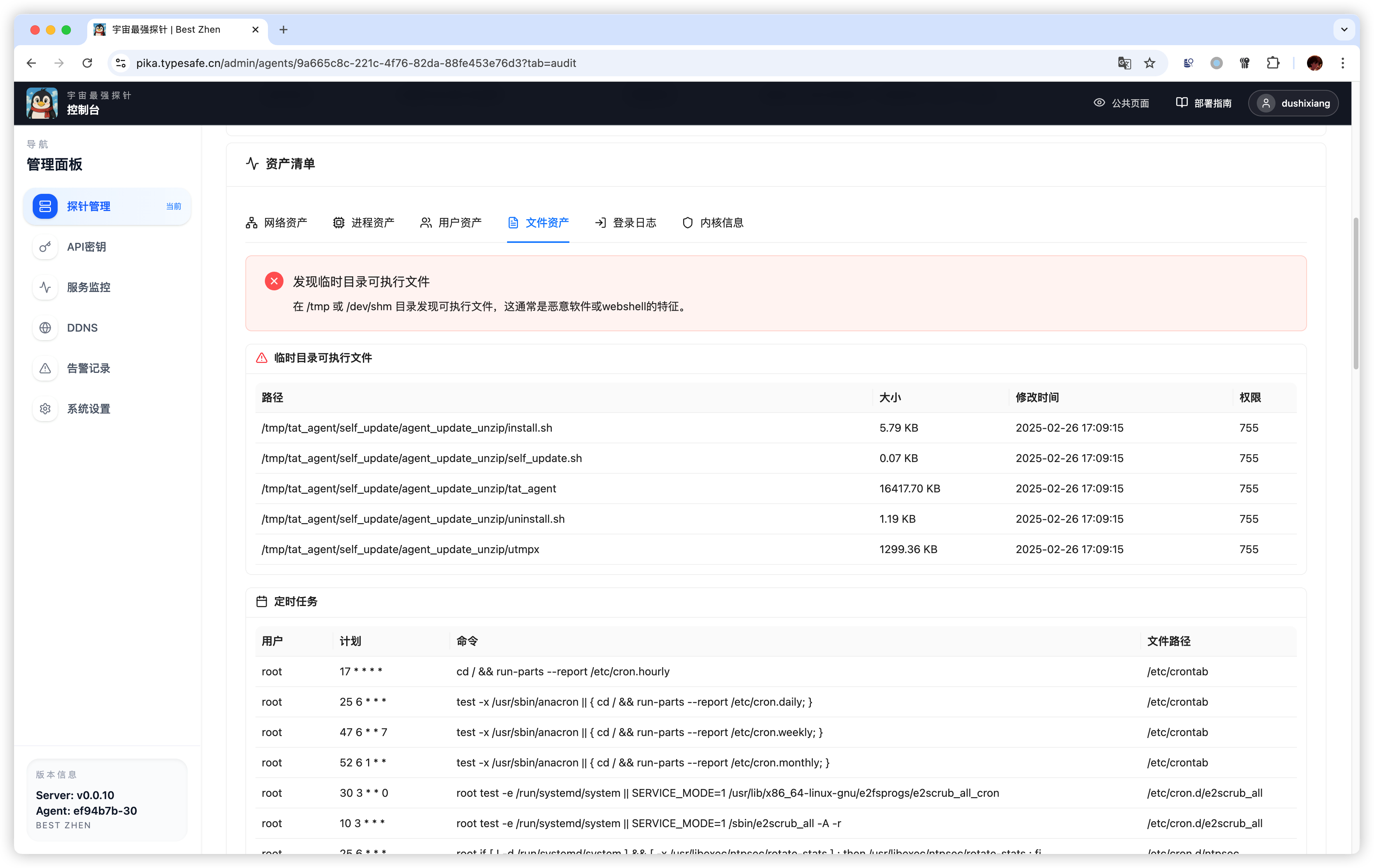
The concrete problem it addresses is the split between ordinary infrastructure monitoring and incident response. Rather than running one tool for uptime checks and another for security baselines, Pika combines real-time CPU, memory, disk, network, GPU, and temperature metrics with HTTP(S), TCP, and ICMP service checks that include certificate expiry detection. It adds Linux incident response and baseline checks on top, including asset inventory, risk grading at Critical, High, Medium, and Low levels, and audit history, so security risks surface early alongside performance data.
Key capabilities
- Collects real-time CPU, memory, disk, network, GPU, and temperature metrics with multi-range history, stored in VictoriaMetrics.
- Runs service checks over HTTP(S), TCP, and ICMP, including detection of expiring TLS certificates.
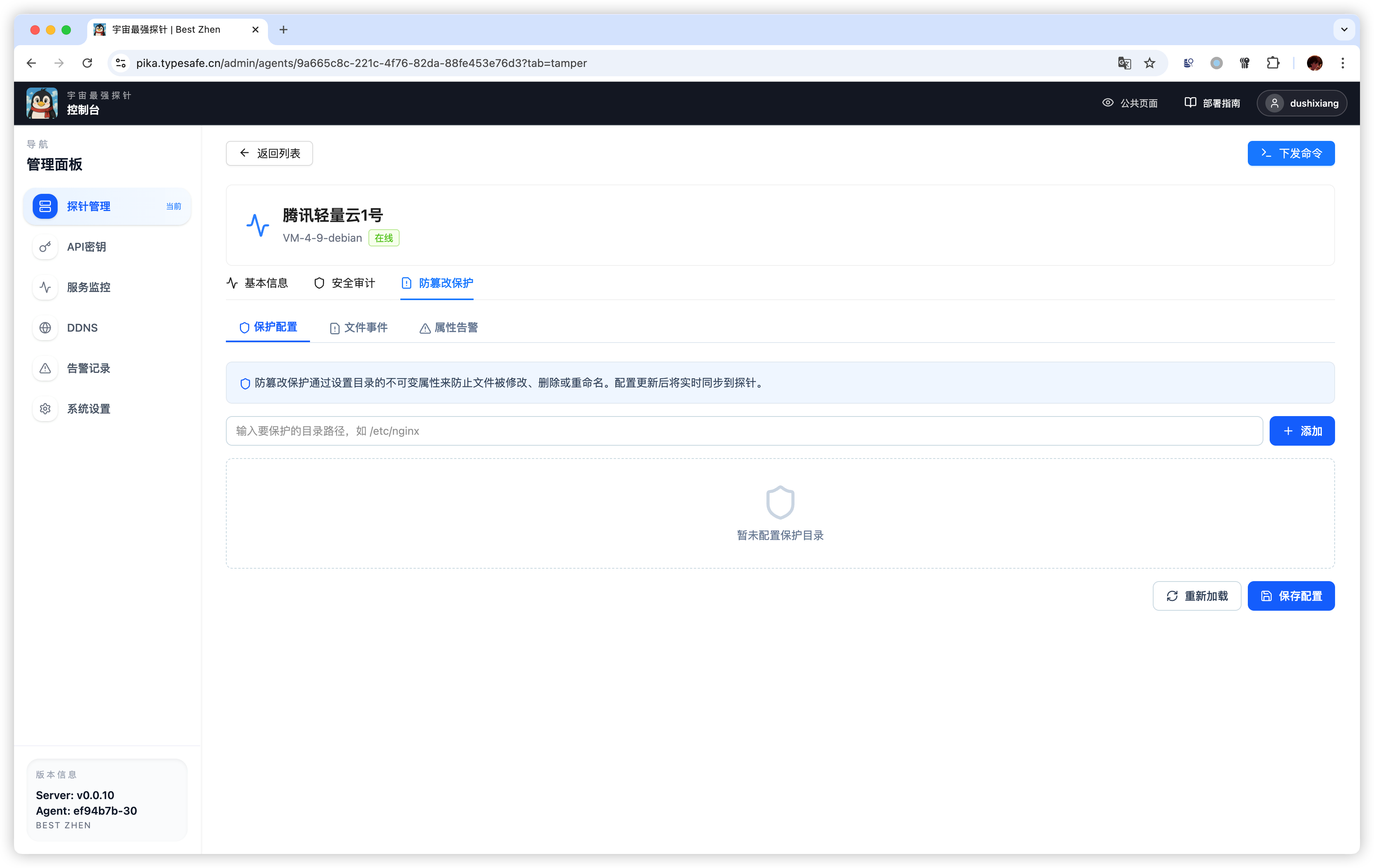
- Provides tamper protection through fsnotify watching, immutable attribute patrolling, and alerting when files change unexpectedly.
- Performs security audits covering asset inventory, risk grading (Critical/High/Medium/Low), and a retained audit history.
- Supports authentication via Basic Auth with bcrypt, OIDC, and GitHub OAuth.
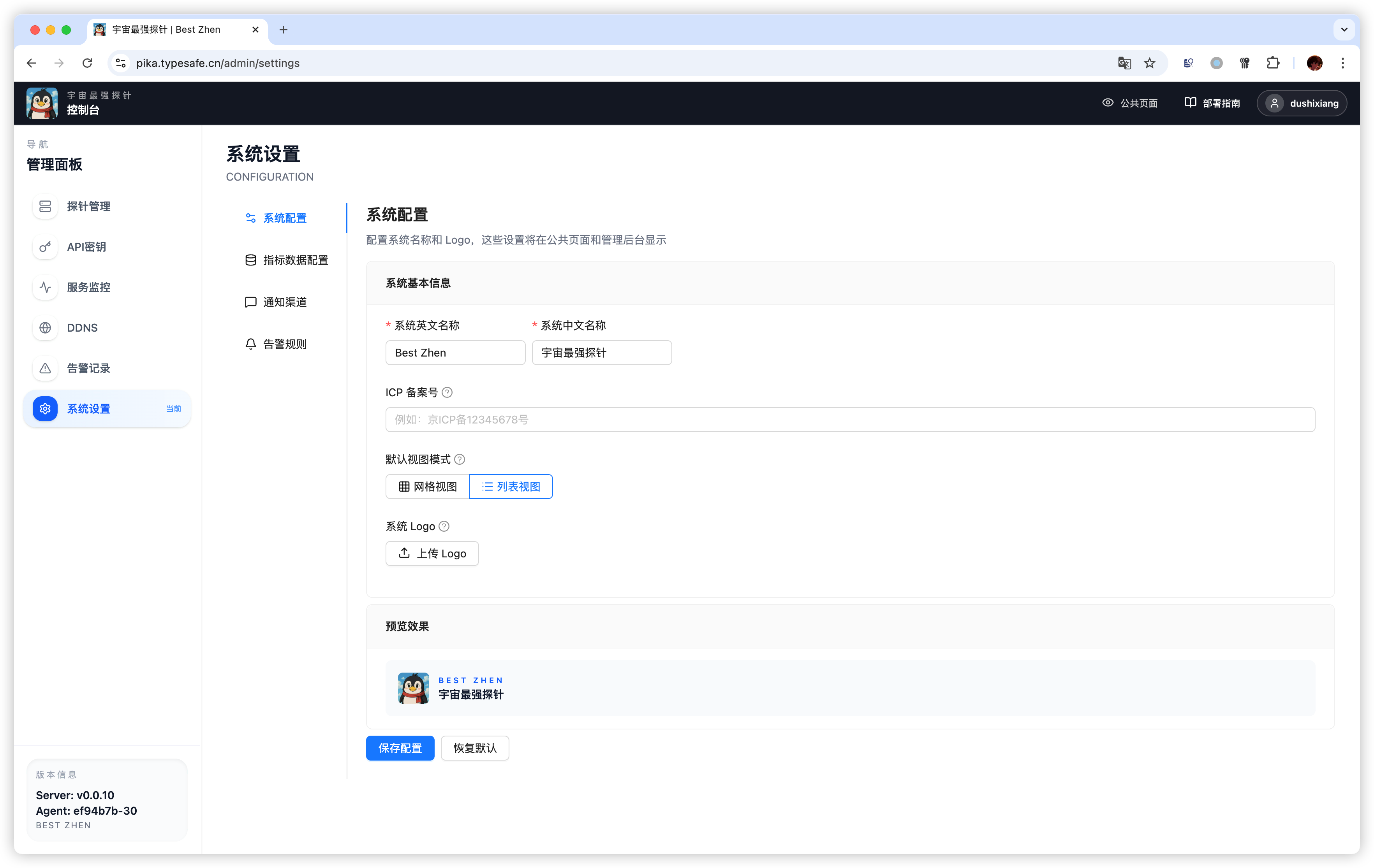
- Ships screenshots and a features document covering its public, security, and tamper views.
- Offers one-command deployment through Docker Compose with a choice of SQLite or PostgreSQL as the business datastore.
Who uses it and how
- Operators who want a single self-hosted stack for both service availability checks and host security baselines, rather than separate monitoring and response tooling.
- Teams running mixed hosts where GPU and temperature readings matter, such as machines under sustained compute load.
- Administrators who need tamper alerting on critical files, using fsnotify watches and immutable attribute patrols to catch unauthorized changes.
- Environments choosing between a minimal SQLite deployment and a PostgreSQL deployment depending on scale, with configuration edited in
config.yaml before first start.
- Security-minded users who authenticate through an existing identity provider using OIDC or GitHub OAuth rather than local credentials alone.
Getting started
Download docker-compose.sqlite.yml with curl, fetch the matching config.sqlite.yaml as config.yaml, change the JWT secret and admin password, then run docker compose -f docker-compose.sqlite.yml up -d and open http://localhost:8080. The PostgreSQL path uses docker-compose.postgresql.yml and config.postgresql.yaml in the same way, and requires Docker 20.10+ with Docker Compose 1.29+ or docker compose v2.
How it compares
No comparable or competing products are named in the available facts, so Pika stands alone in this registry.
When to use it — and when not
A self-hoster must run the Docker Compose stack and operate either SQLite or PostgreSQL alongside VictoriaMetrics, plus a reverse proxy and credentials, and must remember to change the JWT secret, database password, and the default admin / admin123 administrator account before exposing the service. The project is a good fit for someone who wants metrics, service checks, and security auditing from one agent, but it should not be chosen as a general-purpose APM or log platform, since the facts describe metric, check, and audit data only. The documentation available here is fairly brief — four short docs and a features page — so anyone needing extensive operational guidance should verify it meets their requirements first.