mm-wiki is a free, open source document management & e-signatures project written in Go and released under MIT. It has 3,774 GitHub stars, 849 forks and 175 open issues, and was last pushed 6 months ago. On this registry it ranks #8 of 18 tracked projects in Document Management & E-Signatures, with 5 head-to-head comparisons available.

What is mm-wiki?

What it is

MM-Wiki open-source Go wiki. It lives in self-hosted team knowledge sharing and document management ecosystem. It helps teams build enterprise Wiki and internal documentation platform. It is MIT licensed. Topics connect it to Confluence and DokuWiki. It provides spaces, documents, roles, search, attachments, Markdown editing.

MM-Wiki solves scattered team knowledge. It gives one place for documents, sharing, access control, and change notification. It is lightweight to deploy as binary or Docker. It targets business software category, with document management focus. It supports simple team collaboration around shared pages.

Key capabilities

  • Markdown writing, attachment upload, and full-text search for documents.
  • Spaces group documents by department or team, with independent docs and configurable access levels.
  • Custom roles and permission management control what users can do.
  • External login integration supports authentication through systems such as LDAP.
  • Email notification sends change updates to users who follow document.
  • Document sharing and download allow access to pages and Markdown source files.
  • Release binaries and install UI make deployment simple without manual setup steps.

Who uses it and how

  • Teams run MM-Wiki as Wiki for documents and knowledge sharing.
  • Departments use spaces to keep team documents separate and assign access levels.
  • Admins install binary on Linux or Windows, run install UI, then start mm-wiki --conf conf/mm-wiki.conf.
  • Docker users prepare MySQL, import docs/databases/table.sql and docs/databases/data.sql, mount config and data, run eahom/mm-wiki:v0.1.7.
  • Teams behind nginx use reverse proxy to expose Wiki on port 80 with static files served by nginx.

Getting started

Download platform binary from releases, run install UI on default port 8090, then start mm-wiki --conf conf/mm-wiki.conf; Windows users run install.exe, then mm-wiki.exe --conf conf/mm-wiki.conf. Docker option uses eahom/mm-wiki:v0.1.7 with MySQL config, mounted conf and data directories, and optional nginx reverse proxy.

When to use it — and when not to

Use MM-Wiki when teams want simple self-hosted Wiki with Markdown, spaces, roles, search, and LDAP. Do not use it when active maintenance is required, because maintainer notes recent years had low maintenance, current version remains paused, and UI and tech stack need complete refactor. Self-hosting requires operating MySQL, configuring email notification, managing data storage, config files, and optional reverse proxy; Docker deployment also needs database preparation and image version v0.1.7. Compared with Confluence, MM-Wiki is MIT licensed and self-hosted, but README notes UI and tech stack need complete refactor. Repository shows 175 open issues.

project readme (upstream, from github) — read inline

brand

首先非常感谢大家的使用,每次看到大家的留言,感到很惭愧,最近几年没有太多精力维护,另外当初在新功能迭代的时候发现 UI 和技术栈都需要彻底的重构,所以就保持在了当前版本未继续更新。后续我决定开始计划全新版本的开发,也希望大家共同参与起来。我在5年前做这个 wiki 的初衷也是期望成为国内免费开源的最好用的wiki系统,期望可以做成和 confluence 一样伟大的产品吧。

MM-Wiki 是一个轻量级的企业知识分享与团队协同软件,可用于快速构建企业 Wiki 和团队知识分享平台。部署方便,使用简单,帮助团队构建一个信息共享、文档管理的协作环境。

stable build license platforms download_count release

特点

  • 部署方便,基于 golang 编写,只需要下载对于平台下二进制文件执行即可。
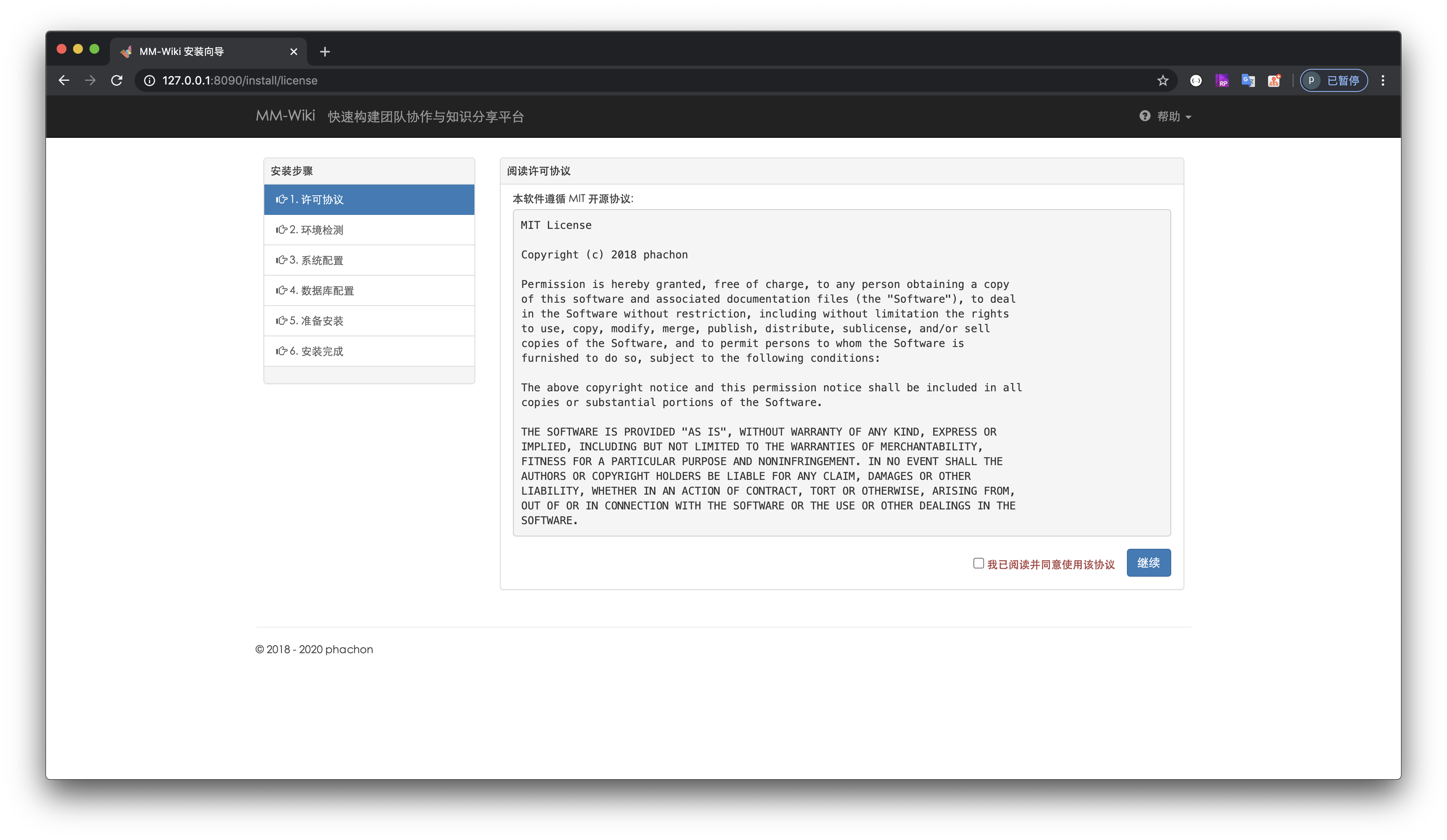
  • 快速安装程序, 提供方便的安装界面程序,无需任何手动操作。
  • 独立的空间,空间是一组文档的集合,一般为公司部门或者团队,空间下的文档相互独立。空间可根据需求设置空间访问级别。
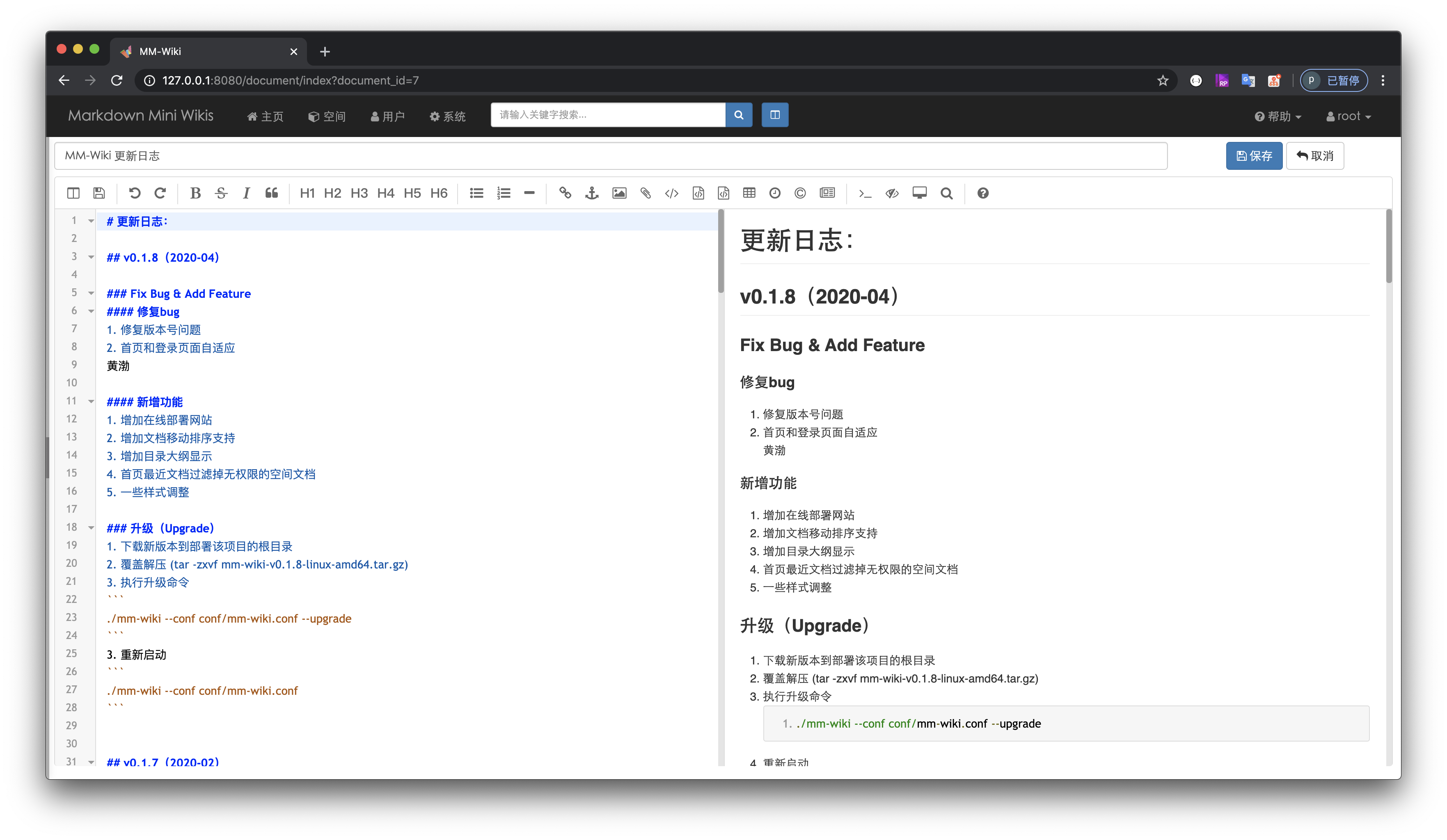
  • 支持 markdown 语法写作,支持附件上传。
  • 完善的系统权限管理,系统可以自定义角色,并为不同角色授予不同的权限。
  • 集成统一登录,本系统支持通过外部系统认证用户, 比如与公司的 LDAP 登录融合。具体请看登录认证功能。
  • 邮件通知功能,当开启邮件通知,文档更改会通知所有关注该文档的用户。
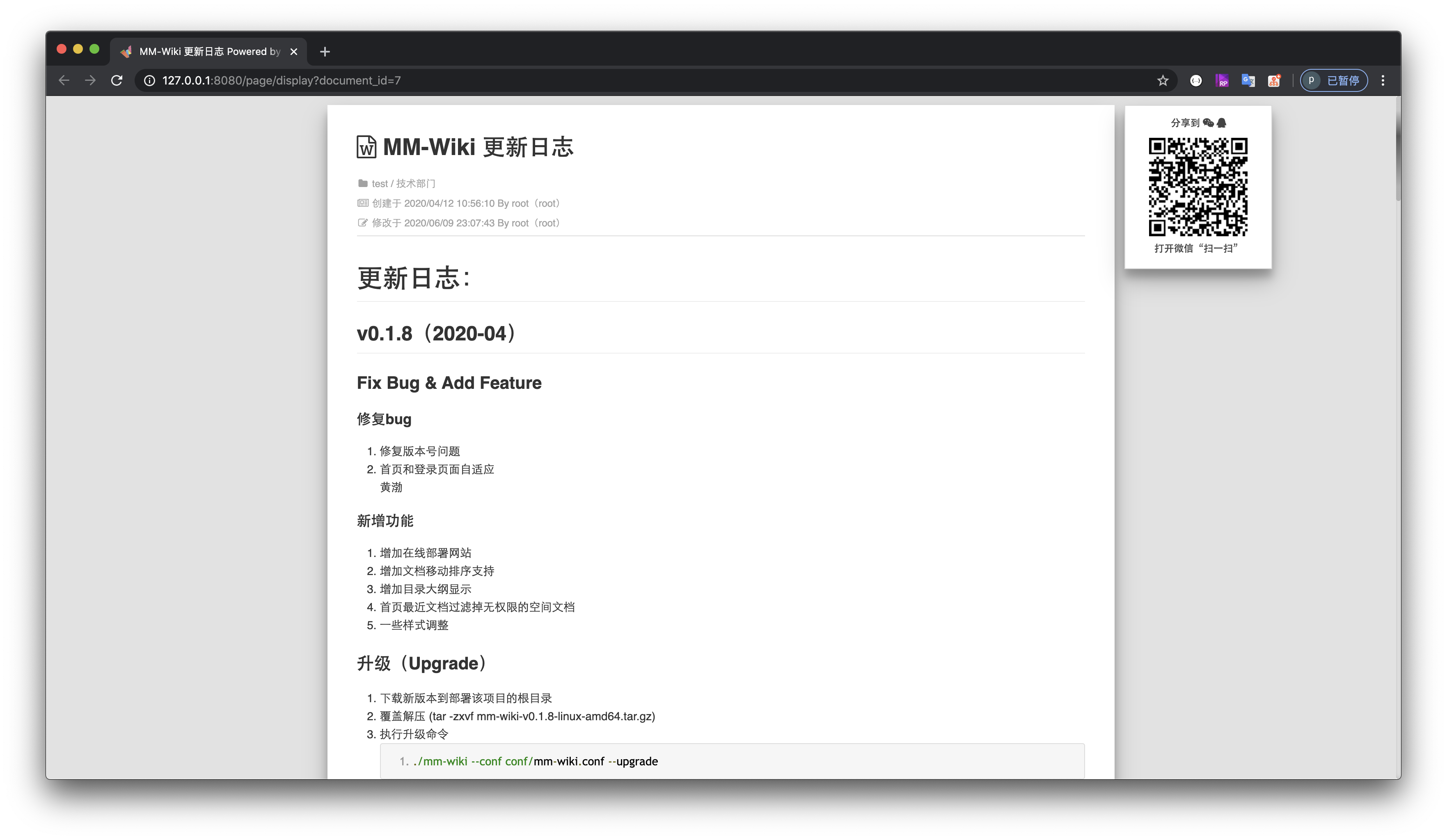
  • 文档具有分享和下载功能,目前只支持下载 MarkDown 源文件。
  • 支持文档全文搜索

在线快速了解

安装

1. 自助安装

打开 https://github.com/phachon/mm-wiki/releases 找到对应平台的版本下载编译好的压缩包

  • Linux 平台

    # 创建目录
    $ mkdir mm_wiki
    $ cd mm_wiki
    # 以 linux amd64 为例,下载最新版本压缩包
    # https://github.com/phachon/mm-wiki/releases 自行下载 wget http://
    # 解压到当前目录
    $ tar -zxvf mm-wiki-linux-amd64.tar.gz
    # 进入程序安装目录
    $ cd install
    # 执行安装程序,默认端口为 8090,指定其他端口加参数 --port=8087
    $ ./install
    # 浏览器访问 http://ip:8090 进入安装界面,完成安装配置
    # Ctrl + C 停止 install 程序, 启动 MM-Wiki 系统
    $ cd ..
    $ ./mm-wiki --conf conf/mm-wiki.conf
    # 浏览器访问你监听的 ip 和端口
    # 开始 MM-Wiki 的使用之旅吧!
    
  • Windows 平台

    # 以 windows amd64 为例,下载最新版本压缩包
    # https://github.com/phachon/mm-wiki/releases 自行下载
    # 手动解压到当前目录
    # 进入 install 目录
    # 双击点开 install.exe 文件
    # 浏览器访问 http://ip:8090 进入安装界面,完成安装配置
    # 关闭刚刚点开的 install 窗口
    # 使用 windows 命令行工具(cmd.exe)进入程序根目录
    $ 执行 mm-wiki.exe --conf conf/mm-wiki.conf
    # 浏览器访问你监听的 ip 和端口
    # 开始 MM-Wiki 的使用之旅吧!
    
  • Docker 部署

    # 数据库准备
    # 导入docs/databases/data.sql和docs/databases/table.sql(注:需取消注释data.sql中第一条管理用户插入语句)
    
    # 两种部署方式可用
    # DockerHub(推荐)
    # 从DockerHub下载v0.1.7版本
    # 新增配置文件,数据存放目录以及Mysql数据库配置在mm-wiki.conf配置文件中设置
    # 挂载配置文件及数据存放目录,启动端口为8080
    # docker run -d -p 8080:8081 -v /data/mm-wiki/conf/:/opt/mm-wiki/conf/ -v /data/mm-wiki/data:/data/mm-wiki/data/ --name mm-wiki eahom/mm-wiki:v0.1.7
    
    # 本地构建最新代码
    # 构建项目镜像
    # docker build -t mm-wiki-image .
    # 新增配置文件,数据存放目录以及Mysql数据库配置在mm-wiki.conf配置文件中设置
    # 挂载配置文件及数据存放目录,启动端口为8080
    # docker run -d -p 8080:8081 -v /data/mm-wiki/conf/:/opt/mm-wiki/conf/ -v /data/mm-wiki/data/:/data/mm-wiki/data/ --name mm-wiki mm-wiki-image
    

2. 如果需要,可用 nginx 配置反向代理

upstream frontends {
    server 127.0.0.1:8088; # MM-Wiki 监听的ip:port
}
server {
    listen      80;
    server_name wiki.intra.xxxxx.com www.wiki.intra.xxxxx.com;
    location / {
        proxy_pass_header Server;
        proxy_set_header Host $http_host;
        proxy_redirect off;
        proxy_set_header X-Real-IP $remote_addr;
        proxy_set_header X-Scheme $scheme;
        proxy_pass http://frontends;
    }
    # 静态资源交由nginx管理
    location /static {
        root        /www/mm-wiki; # MM-Wiki 的根目录
        expires     1d;
        add_header  Cache-Control public;
        access_log  off;
    }
}

系统预览

1 安装

install

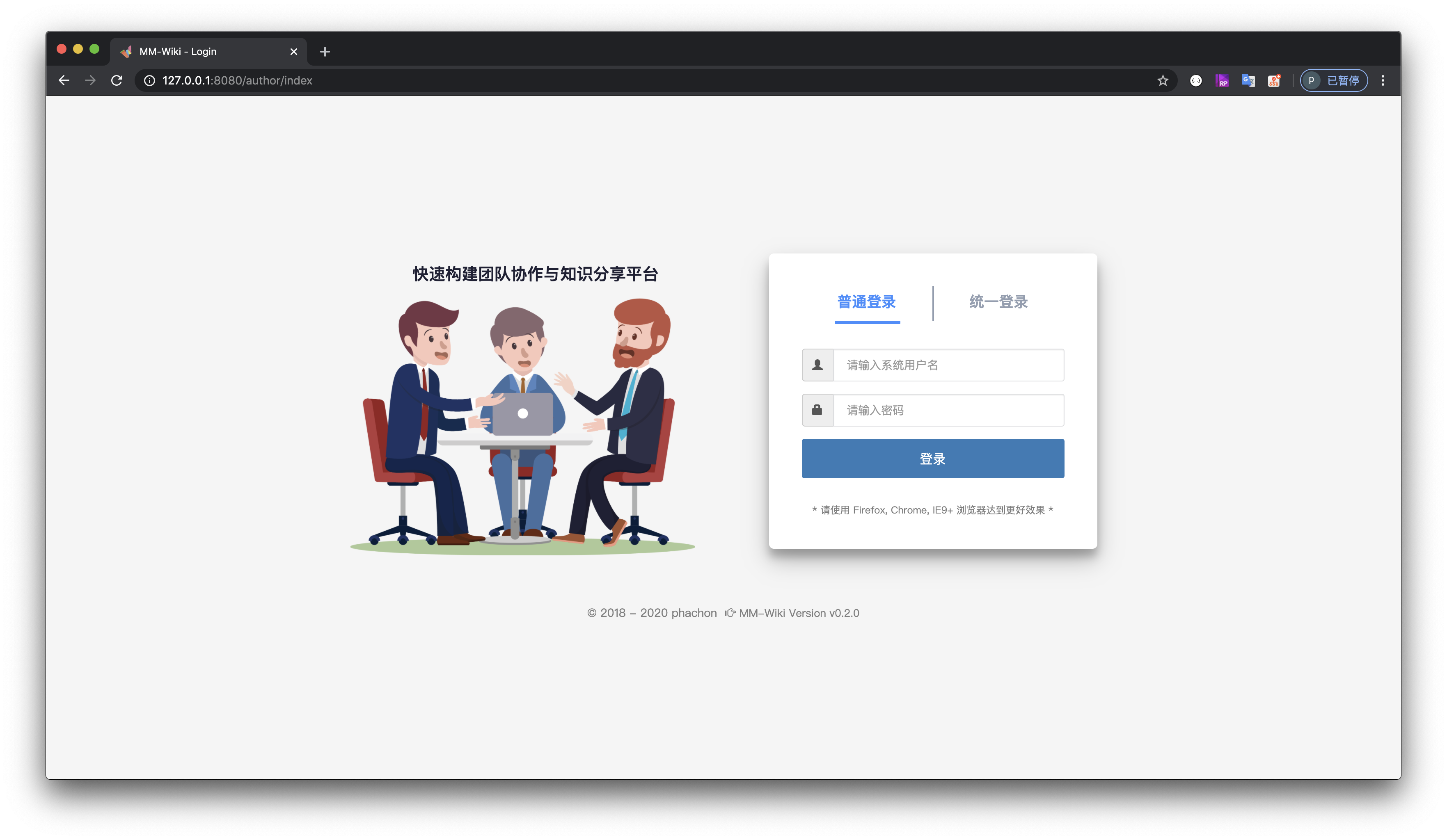
2 登录

login

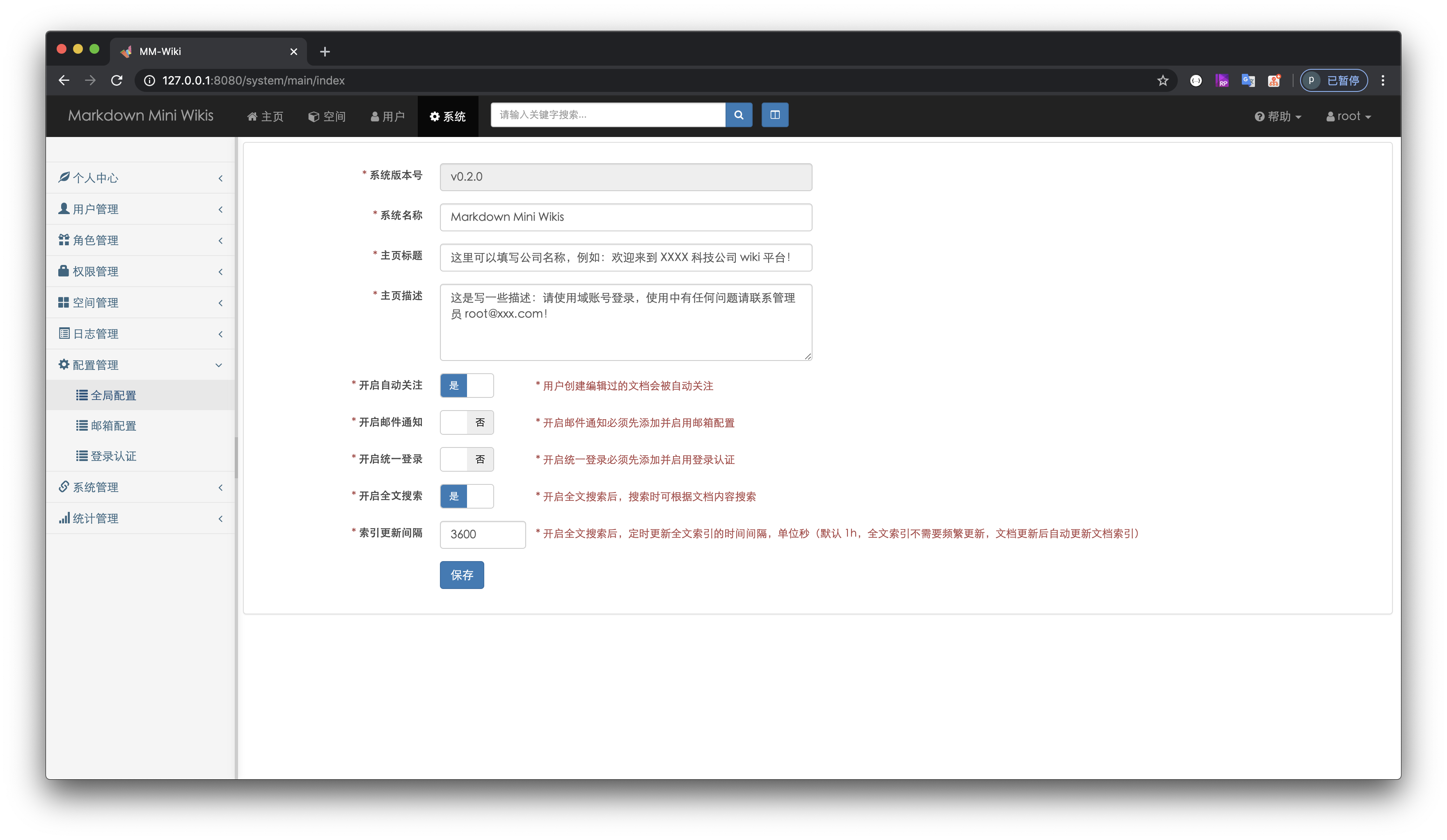
3 系统

system

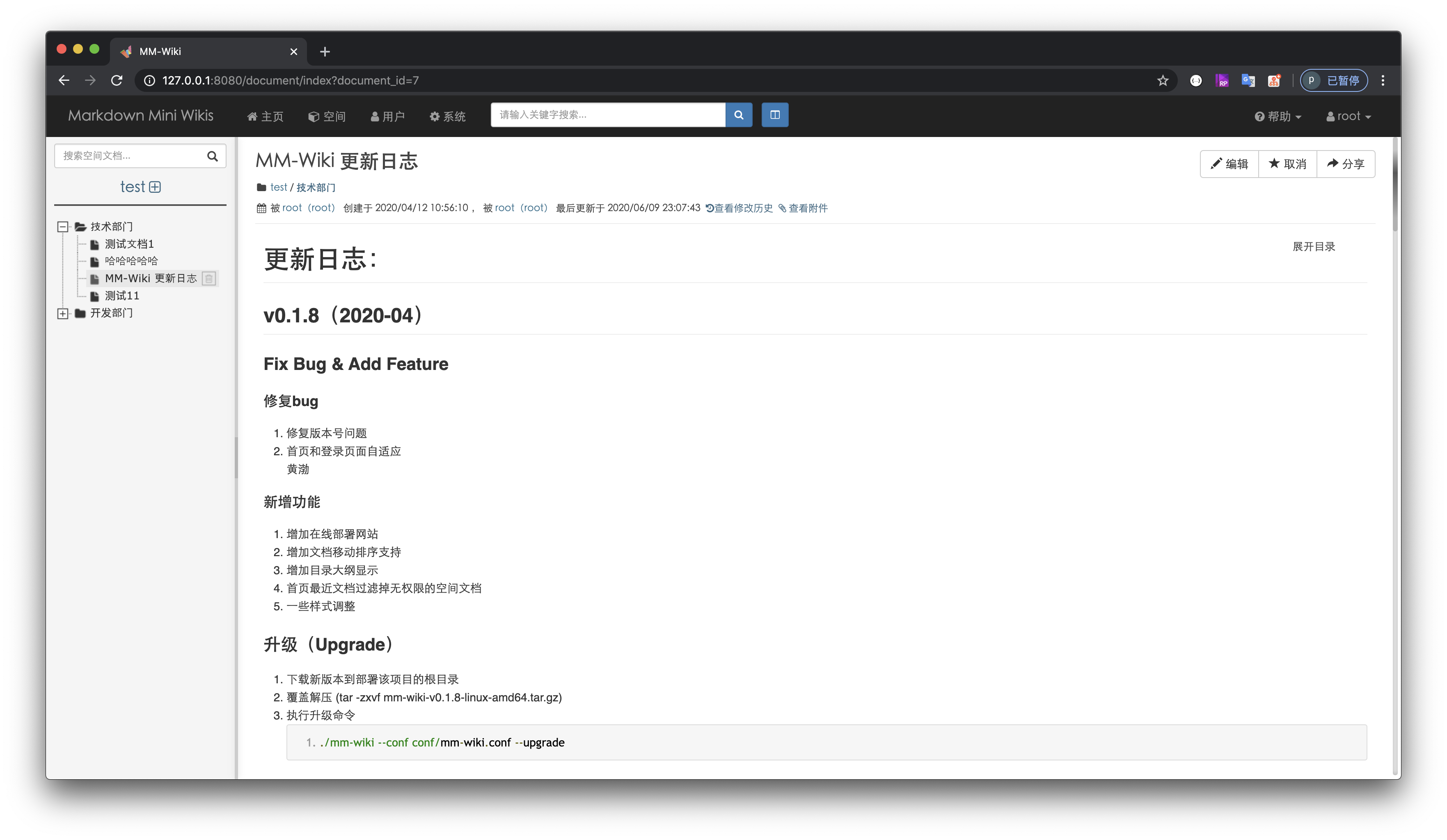
4 空间文档

space

5 编辑文档

edit

6 文档分享

share

使用的一些插件

MM-Wiki 是站在巨人的肩膀上开发的一款软件,是因为系统中使用了非常多优秀的插件,非常感谢这些插件的作者们:

二次开发

环境要求:go 1.8

$ git clone https://github.com/phachon/mm-wiki.git
$ cd mm-wiki
$ go build ./

如果你想为 mm-wiki 贡献代码,请加开发者交流群:922827699

贡献者列表

支持

请作者喝杯茶吧!

反馈

  • 官方 QQ 交流群:853467682
  • 如果您喜欢该项目,请 Star.
  • 如果在使用过程中有任何问题, 请提交 Issue.
  • 如果您发现并解决了bug,请提交 Pull Request.
  • 如果您想二次开发,欢迎 Fork.
  • 如果你想交个朋友,欢迎发邮件给 [email protected].

License

MIT

谢谢

Create By phachon

Frequently asked questions

Is mm-wiki free to use?

mm-wiki is open source under the MIT licence. There is no licence fee and no seat count — you can self-host it or, where the project offers one, pay a vendor for a managed version instead.

What does mm-wiki do?

MM-Wiki 一个轻量级的企业知识分享与团队协同软件,可用于快速构建企业 Wiki 和团队知识分享平台。部署方便,使用简单,帮助团队构建一个信息共享、文档管理的协作环境。

What is mm-wiki written in?

mm-wiki is primarily written in Go. Its source is publicly available at https://github.com/phachon/mm-wiki, and it has 3,774 GitHub stars.