Lua.sh is an open-source, self-hostable URL shortener built on Laravel, Vue 3, and Inertia.js, aimed at individuals and teams who want branded, trackable links running on infrastructure they control.
What it is
Lua.sh is a link management application written in PHP on the Laravel framework, with a Vue 3 and TailwindCSS front end joined by Inertia.js and MySQL as the relational database. It lives in the Laravel/PHP ecosystem and is distributed under the AGPL-3.0 licence. Its purpose is to let an operator create and manage a professional URL shortening service of their own.
The concrete thing it replaces is the hosted shortener account. Instead of renting a shortening service and routing every click through a third party, an operator deploys Lua.sh and issues links from domains they own. That matters when links carry a brand, when click data is sensitive, or when analytics must stay inside the organisation. Custom domains, custom slugs, per-link expiration, and a permission model for team usage are all built in, so one install can serve either a single person with a few hundred links or a team publishing through several branded hostnames.
Key capabilities
- Shortens long URLs through an administrative interface, with memorable custom slugs in place of generated codes and optional per-link expiration dates.
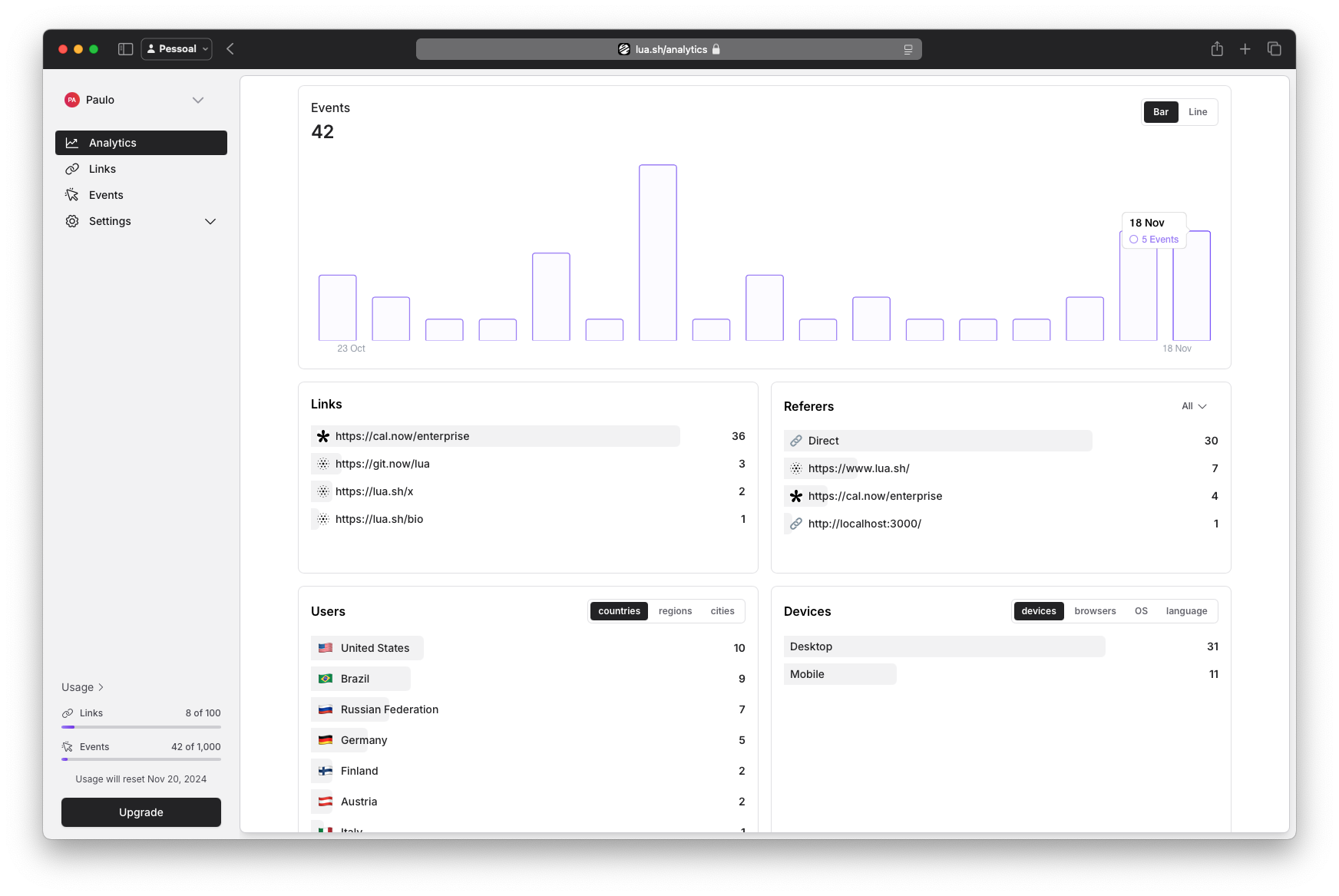
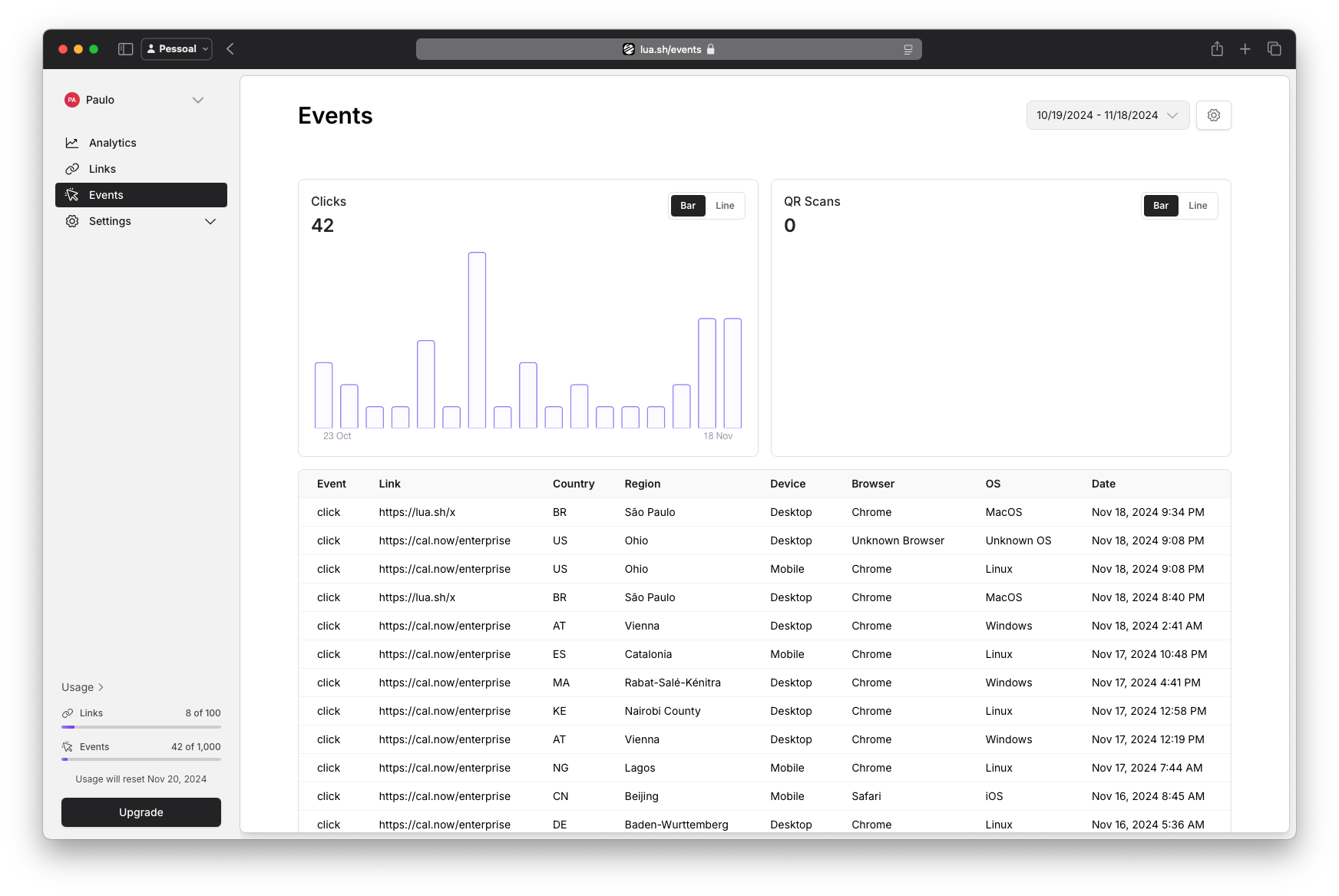
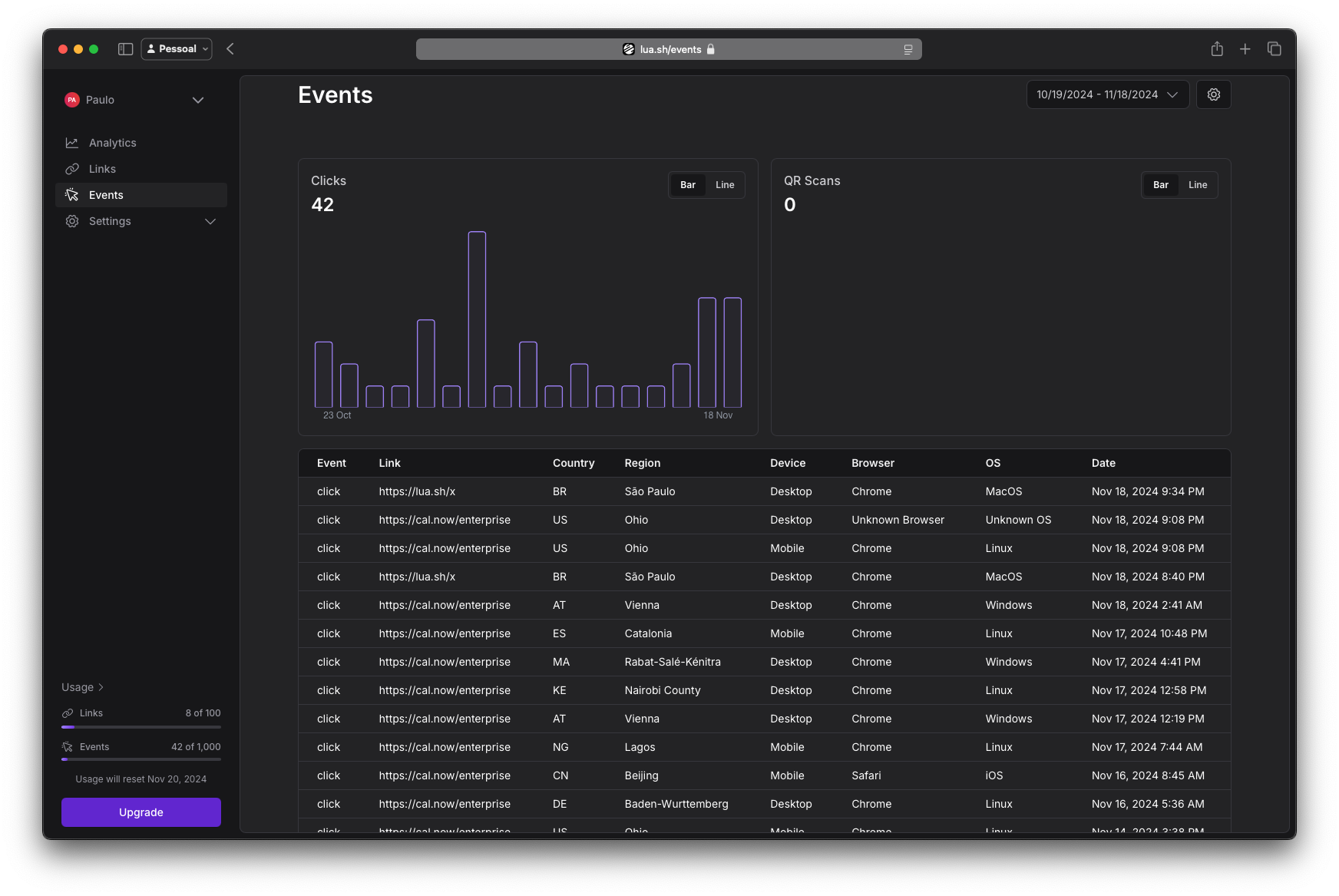
- Detailed analytics dashboard covering clicks, referers, devices, and geolocation, with a dark mode variant of the event views.
- Custom domain management, so shortened links are issued from branded hostnames rather than a shared shortener domain.
- Authentication and authorization with a permission model designed for team-based usage.
- Built-in CSRF protection, rate limiting, and HTTPS support.
- MCP server mounted at
/mcp and authenticated with OAuth, connected from Settings → Authentication; a connection can only act on the workspace it was authorised from.
- Optional integrations that remain off until credentials are set: Google sign-in (
GOOGLE_CLIENT_ID, GOOGLE_CLIENT_SECRET), GitHub sign-in (GITHUB_CLIENT_ID, GITHUB_CLIENT_SECRET), and PostHog analytics (POSTHOG_ENABLED=true, POSTHOG_API_KEY).
Who uses it and how
- Individuals who want branded, trackable links under a domain they own instead of a generic shortener address.
- Businesses scaling link creation across analytics and multiple custom domains.
- Teams that share a single install and its link inventory through the permission model.
- Self-hosters following the Self Hosting guide, or developers running the Local Development guide, on their own Laravel and MySQL environment.
- Assistant and tooling workflows connecting through the MCP server at
/mcp, scoped to the workspace they were authorised from.
Getting started
Install from source with composer install and npm install, then cp .env.example .env, php artisan key:generate, php artisan passport:keys, php artisan migrate --seed, and npm run dev. The seeders create plans and the Passport personal access client that API keys are issued from, and are idempotent, so php artisan db:seed is safe to re-run on deploy. A hosted option exists at lua.sh, where premium domains are cloud only.
How it compares
The facts name no paid products this project replaces and no comparable shortcuts in this registry. Lua.sh stands alone here on that basis.
When to use it — and when not to
A self-hoster must operate a PHP/Laravel application backed by MySQL, generate Passport signing keys, and run migrations and seeders; the README documents no Docker image or compose file, so the deployment has to be assembled by hand. Anyone without the appetite to run and upgrade a Laravel stack, or who needs a managed service with premium domains included, should not pick it. The notable constraint is that the sleek domains advertised are cloud only, so self-hosters must bring their own domain for branded links.
project readme (upstream, from github) — read inline
lua.sh - Scalable & Open-Source URL Shortener
lua.sh is a next-generation, scalable, and open-source URL shortener built with the modern stack of Laravel, Vue 3, and Inertia.js. Designed to be fast, flexible, and developer-friendly, lua.sh empowers you to create and manage your own professional URL shortening service with ease.
Whether you're an individual looking for branded, trackable links or a business aiming to scale with advanced analytics and custom domains, lua.sh is your perfect solution. It’s lightweight, fully customizable, and ready to grow with your needs.
🌟 Features
- 🌐 Shorten URLs: Quickly shorten long URLs with an intuitive interface.
- 📊 Detailed Analytics: Track clicks, referers, devices, geolocation, and more with a comprehensive dashboard.
- ⚡ Custom Domains: Add and manage custom domains to create branded URLs.
- 🔗 Custom URL Slugs: Personalize your links with memorable, custom slugs.
- 📱 Responsive Design: Enjoy a mobile-friendly front end built with Vue 3 and TailwindCSS.
- 🔒 Authentication & Authorization: Protect the service with secure authentication and manage permissions for team-based usage.
- 💡 Link Expiration & Management: Set expiration dates for links and manage them effortlessly.
- 🔐 Secure by Design: Includes built-in CSRF protection, rate-limiting, and HTTPS support.
🛠️ Tech Stack
Backend
- Laravel: A robust PHP framework designed for high-performance, scalable applications.
- MySQL: Reliable relational database for storing and managing data.
Frontend
- Vue 3: A progressive, reactive JavaScript framework for creating modern interfaces.
- Inertia.js: Seamlessly integrates server-side rendering with single-page app features.
- TailwindCSS: Utility-first CSS framework for designing clean and responsive UIs.
Middleware
- Inertia.js: Combines Laravel and Vue into a smooth SPA-like experience.
Images
Dark Mode is also available
🚀 Getting Started
composer install
npm install

cp .env.example .env
php artisan key:generate

# OAuth signing keys for the API and the MCP server. These are gitignored,
# so every environment generates its own — without them the api guard
# rejects every token.
php artisan passport:keys

php artisan migrate --seed

npm run dev
The seeders create the plans and the Passport personal access client that
API keys are issued from. Both are idempotent, so php artisan db:seed is
safe to re-run on deploy.
Optional integrations
Each of these stays off until its credentials are set, so a self-hosted
install only shows what it can actually use:
MCP server
The app ships an MCP server at /mcp, authenticated with OAuth. Connect an
assistant from Settings → Authentication, where the server URL and the
current connections are listed. A connection can only act on the workspace
it was authorised from.
🌟 Premium Domains - Cloud Only
lua.sh provide you access to an array of sleek and memorable domains for your shortened URLs:
- 🔗 lua.sh: The default, clean, and professional option.
For self-hosting or local development, please check the Self Hosting or Local Development guides.
Contributors ✨
💎 Sponsors
A big thanks to our sponsors and partners who make Lua possible. If you're interested in sponsoring Lua and supporting the project, please check out our profile on GitHub sponsors ❤️
mercantive.com • changelogfy.com


