invisible_dots is a free, open source ai interaction & interfaces project written in TypeScript and released under MIT. It has 31,817 GitHub stars, 4,695 forks and 0 open issues, and was last pushed 5 hours ago. On this registry it ranks #22 of 144 tracked projects in AI Interaction & Interfaces, with 5 head-to-head comparisons available.

What is invisible_dots?

invisible_dots is an open-source, self-hosted alternative to OpenAI Dots and Grok Bot that gives you your own AI agent running on a private, hardware-virtualised computer with an anti-detect browser.

What it is

invisible_dots is a TypeScript project built on Node 24+ and Go 1.25+ that provisions a personal computer for each agent you create — called a Dot — in the form of a hardware-accelerated QEMU virtual machine running a Linux desktop with a persistent disk. The VM sleeps when idle and wakes when a message, task or automation arrives, so the agent has a real filesystem at ~/workspace and ~/documents rather than a transient chat context. It lives in the AI interaction and browser-automation space, and it exists to replace OpenAI Dots and Grok Bot as a self-hosted option you run on your own machine.

The concrete problem it solves is twofold. First, many jobs need a computer and a person's judgement sustained over a long session: opening a site, logging in with a stored identity, downloading invoices, and reporting back. Second, ordinary automated browsers are frequently blocked, so each Dot is given a browser that is not blocked — invisible_playwright_mcp, a Firefox build patched in C++ with the fingerprint set inside the engine itself, with each browser identity keeping its own cookies and logins.

Key capabilities

  • Each Dot runs in its own hardware-accelerated VM with a Linux desktop and a persistent disk that sleeps when idle and wakes for the next message, task or automation.
  • The browser is invisible_playwright_mcp, Firefox patched in C++ with the fingerprint set inside the engine, and separate identities such as research or shopping retain independent cookies and logins.
  • A Dot writes its own notes and how-tos into its home folder, as Claude Code does, and reads them again on the next task.
  • Every tool belongs to a permission of allow, ask or deny; an ask waits in your Inbox, survives a restart, and executes the call only once.
  • A task queue carries priorities and start times alongside recurring jobs, for which the Dot's computer is started on time.
  • You can reach a Dot through the Web UI, the command line, an HTTP API with live events, Telegram, and WhatsApp as an opt-in.
  • Durability across crashes: a restart or a kill -9 keeps every message and task you saw accepted, and a tool call cut short is never run twice.

Who uses it and how

  • A user asks for sustained browser work, for example: open a browser identity called research, visit a URL, and report the page's title and its first sentence, leaving the browser open.
  • A traveller schedules a recurring job that checks one-way fares from Milan to Lisbon for the next two weeks each morning, writes them to ~/workspace/fares.csv, and reports the cheapest day.
  • An administrator logs in with the shopping identity to download the month's invoices to ~/documents, with the Dot remembering where the invoices page is.
  • A self-hoster installs it on Windows via PowerShell or on Ubuntu 24.04, pastes an OpenRouter key at http://127.0.0.2:3000, and operates the resulting VMs locally.
  • Someone who is away from a desk drives the same Dot from a phone through Telegram or WhatsApp while watching approvals in the Inbox.

Getting started

Clone https://github.com/feder-cr/invisible_dots, then run npm ci, npm run build --workspace @invisible-dots/cli, node apps/cli/dist/invisible-dots.mjs setup --all and node apps/cli/dist/invisible-dots.mjs server, and open http://127.0.0.2:3000 to paste your OpenRouter key and create your first Dot.

How it compares

Its memory model follows Claude Code, writing notes and how-tos to a home folder and rereading them, while the underlying engine is a fork of nanobot from HKUDS with the browser layer split out into invisible_playwright_mcp, invisible_playwright and invisible_core. Everything runs under an MIT licence on your own hardware, and third-party components are itemised in THIRD_PARTY_NOTICES.md.

When to use it — and when not to

You must operate the stack yourself: Node 24+, Go 1.25+, Git, an OpenRouter key, QEMU with the accelerator enabled (KVM or the Windows Hypervisor Platform), and hardware virtualization on x86-64, which rules out ARM hosts, and you should not pick it if you need a managed service or a vendor-guaranteed browser-compliance policy. The project is provided as-is with no warranties and to be used at your own risk, and because it is designed to be undetectable by anti-bot systems, its use depends on the terms of the sites it visits.

project readme (upstream, from github) — read inline

Open-source, self-hosted alternative to OpenAI Dots, Grok Bot. Built to be undetectable by anti-bot systems.

Quickstart

You need Node 24+, Go 1.25+, Git and hardware virtualization (x86-64), plus an OpenRouter key.

Windows (PowerShell):

winget install -e --id OpenJS.NodeJS.LTS; winget install -e --id GoLang.Go; winget install -e --id Git.Git
git clone https://github.com/feder-cr/invisible_dots; cd invisible_dots
npm ci; npm run build --workspace @invisible-dots/cli
node apps/cli/dist/invisible-dots.mjs setup --all
node apps/cli/dist/invisible-dots.mjs server

Linux (Ubuntu 24.04):

curl -fsSL https://deb.nodesource.com/setup_24.x | sudo -E bash - && sudo apt-get install -y nodejs git && sudo snap install go --classic
git clone https://github.com/feder-cr/invisible_dots && cd invisible_dots
npm ci && npm run build --workspace @invisible-dots/cli
node apps/cli/dist/invisible-dots.mjs setup --all
node apps/cli/dist/invisible-dots.mjs server

setup --all installs QEMU and turns on the accelerator (KVM, or the Windows Hypervisor Platform), then builds or downloads the Dot's images; run it again after a restart and it carries on. Then open http://127.0.0.2:3000, paste your OpenRouter key and create your first Dot. Every step and its failure modes: the guide's quickstart.

What to ask a Dot

Anything that needs a computer and a person's judgement, for as long as it takes:

Open a browser identity called research, go to https://example.com and tell me the page's title and its first sentence. Leave the browser open.

Every morning, check one-way fares from Milan to Lisbon for the next two weeks, write them to ~/workspace/fares.csv and tell me the cheapest day.

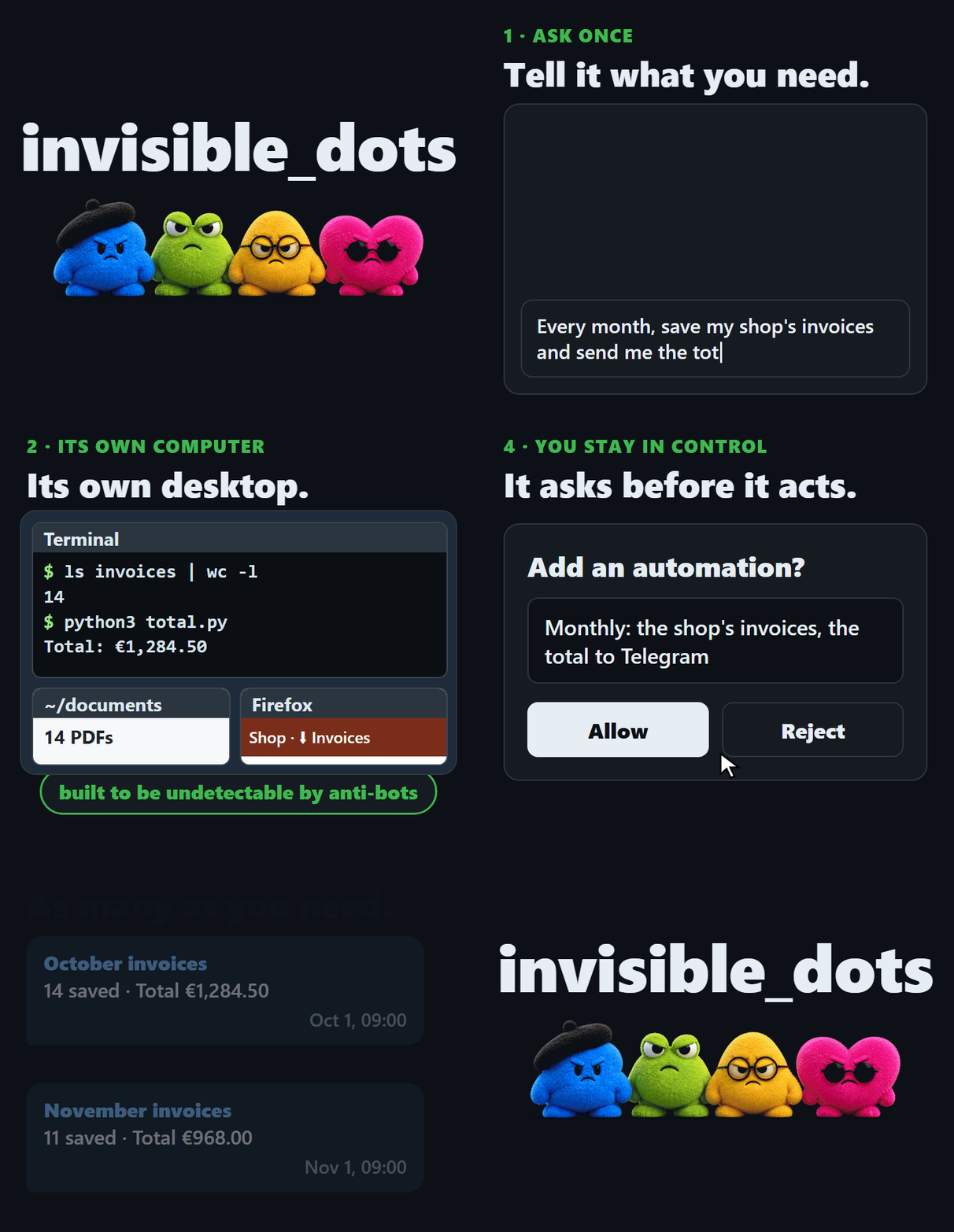
Log in to the shop with the shopping identity, download this month's invoices to ~/documents, and remember where the invoices page is for next time.

What a Dot has

A computer of its own A hardware-accelerated VM with a Linux desktop and a persistent disk. It sleeps when idle and wakes for the next message, task or automation.
A browser that is not blocked invisible_playwright_mcp: Firefox patched in C++, the fingerprint set inside the engine. Each identity keeps its own cookies and logins.
Memory and skills It writes its own notes and how-tos in its home folder, as Claude Code does, and reads them on the next task.
Permissions you set Every tool belongs to a permission: allow, ask or deny. An ask waits in your Inbox, survives a restart and runs the call once.
Tasks and automations A queue with priorities and start times, and its own recurring jobs, for which its computer is started on time.
Many ways to reach it Web UI, command line, HTTP API with live events, Telegram, and WhatsApp as an opt-in.
Nothing lost on a crash A restart or a kill -9 keeps every message and task you saw accepted, and a tool call cut short is never run twice.

Documentation

Related projects

The pieces of this one. A Dot's browser is invisible_playwright_mcp, on invisible_playwright and invisible_core; the engine is a fork of nanobot.

License

MIT, see LICENSE. Third-party components and their licenses: THIRD_PARTY_NOTICES.md.

Disclaimer

This project is provided as-is, with no warranties. Use it at your own risk and in compliance with the laws of your jurisdiction. A Dot acts with your accounts and from your connection: respect the terms of the sites it visits and their robots.txt.


tests license: MIT status: alpha hosts: Linux and Windows

Built by Federico Elia

Frequently asked questions

Is invisible_dots free to use?

invisible_dots is open source under the MIT licence. There is no licence fee and no seat count — you can self-host it or, where the project offers one, pay a vendor for a managed version instead.

What does invisible_dots do?

Open-source, self-hosted alternative to OpenAI Dots, Grok Bot. Built to be undetectable by anti-bot systems.

What is invisible_dots written in?

invisible_dots is primarily written in TypeScript. Its source is publicly available at https://github.com/feder-cr/invisible_dots, and it has 31,817 GitHub stars.
