
Image Toolbox








🗺️ Project Overview
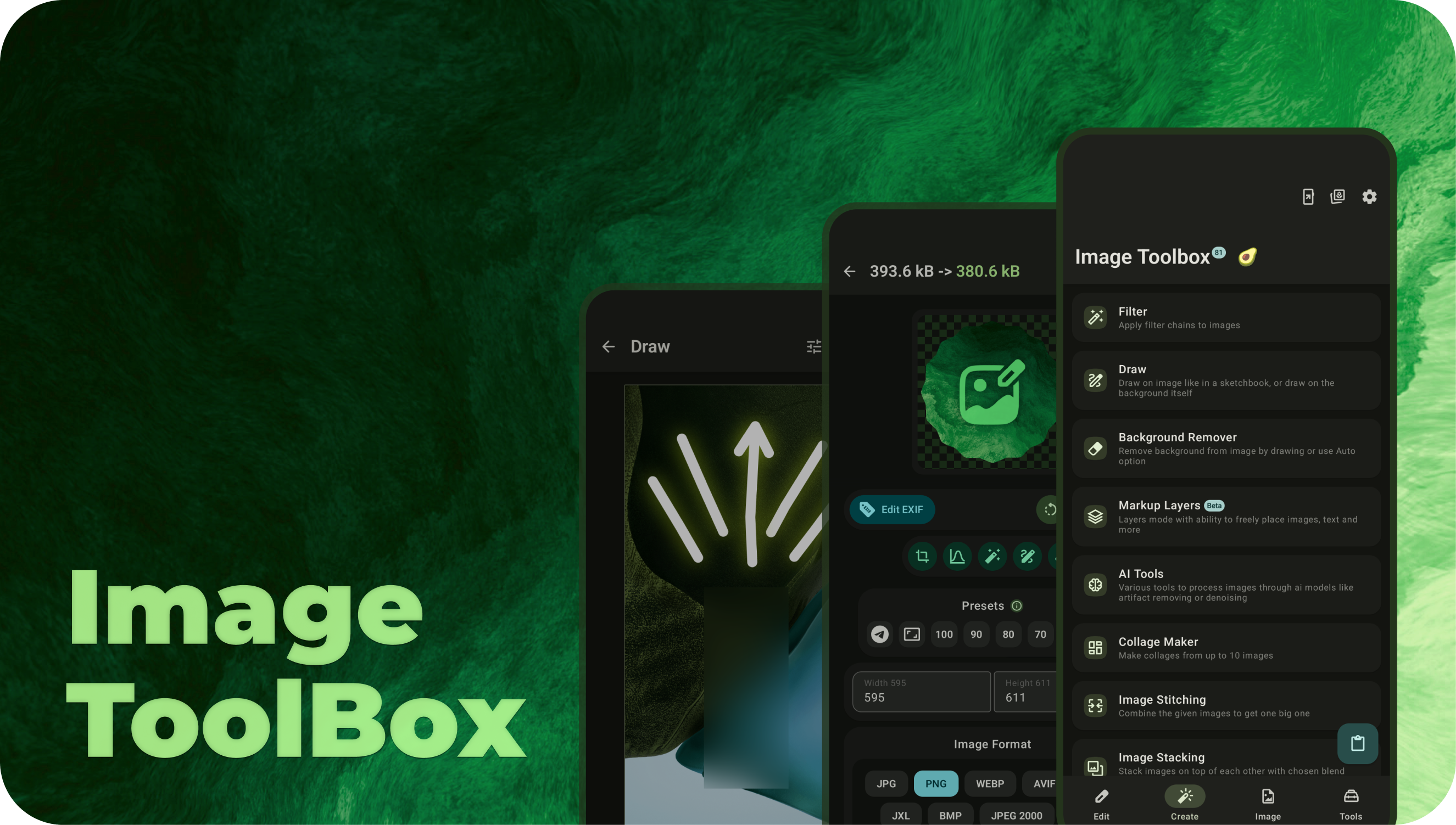
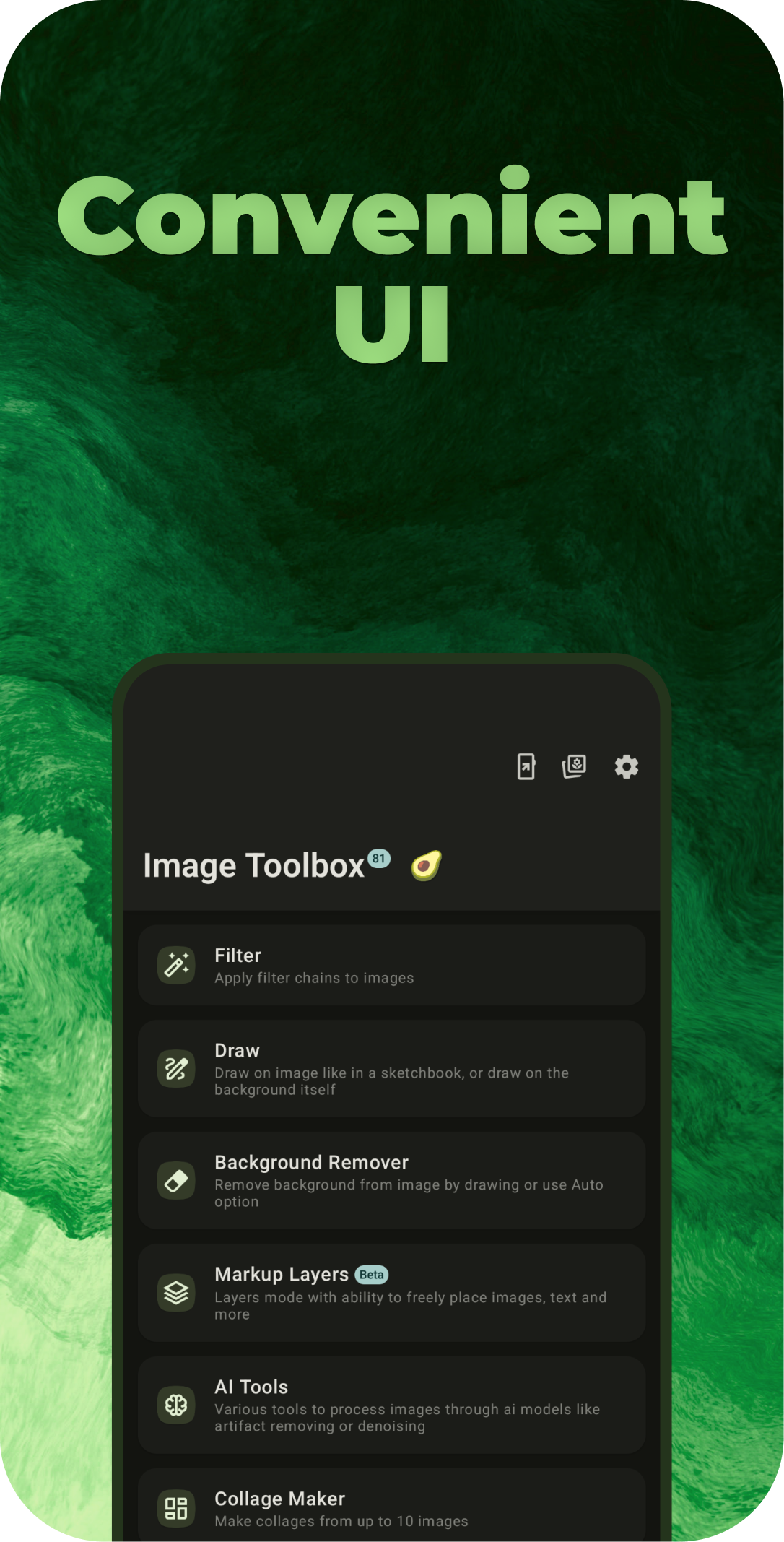
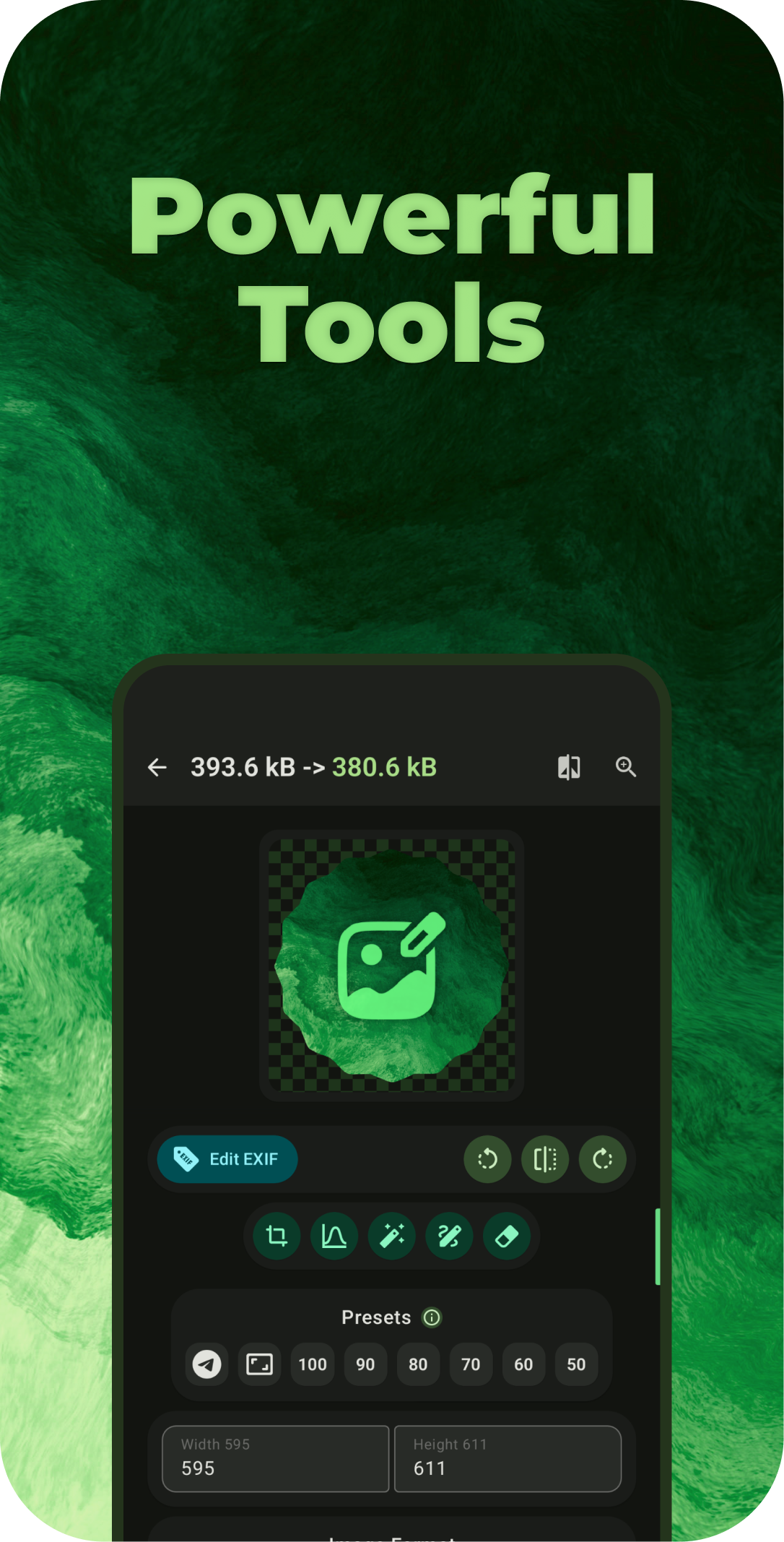
ImageToolbox is a versatile image editing tool designed for efficient photo manipulation. It allows users to crop, apply filters, edit EXIF data, erase backgrounds, and even enhance images with AI. Ideal for both photographers and developers, the tool offers a simple interface with powerful capabilities.

📔 Wiki
Check out Image Toolbox Wiki for FAQ and useful info
✈️ Telegram Links


☕ Buy me a coffee
This application is completely free, but if you want to support the project development, you can send a donation to the crypto wallets below
 https://boosty.to/t8rin |
 UQDMePBU-FaxwaIME8p7h2spRITeRxvtCPegtKefeV5v-sN1 |
|---|
📲 Download
Go to the Releases and the download latest apk or click one of the badges below.





💻 Installation Instructions
- Clone the repository:
git clone https://github.com/yourusername/ImageToolbox.git - Install dependencies using your preferred package manager (e.g., Gradle).
- Build the project: bash ./gradlew build
- Run the application: bash ./gradlew run
⚔️ FOSS vs MARKET
| Feature | FOSS | Market |
|---|---|---|
| QR Scanner | Zxing | MlKit |
| Auto Background Remover | ONNX | MlKit |
| Document Scanner | OpenCV | MlKit |
| RAR Decryption | :x: | Junrar |
| Analytics | :x: | :white_check_mark: |
| Crashlytics | :x: | :white_check_mark: |
| Other Google deps | :x: | :white_check_mark: |
| All Other Features | :white_check_mark: | :white_check_mark: |
✨ Features
- Batch processing
- Applying filter chains (500+ various filters)
Available filters
- [x] Saturation
- [x] Contrast
- [x] Brightness
- [x] Exposure
- [x] RGB
- [x] Hue
- [x] White Balance
- [x] Monochrome
- [x] Black and White
- [x] False Color
- [x] Sharpen
- [x] Gamma
- [x] Highlights and Shadows
- [x] Haze
- [x] Sepia Tone
- [x] Color Inversion
- [x] Solarize
- [x] Vibrance
- [x] Luminance Threshold
- [x] Pixellate
- [x] Halftone
- [x] Crosshatch
- [x] Sobel Edge Detection
- [x] Sketch Filter
- [x] Toon Filter
- [x] SmoothToon Filter
- [x] CGA Colorspace Filter
- [x] Posterize
- [x] Convolution 3x3
- [x] Emboss Filter
- [x] Laplacian
- [x] Kuwahara Filter
- [x] Vignette
- [x] Gaussian Blur
- [x] Box Blur
- [x] Stack Blur
- [x] Fast Blur
- [x] Bilaterial Blur
- [x] Zoom Blur
- [x] Median Blur
- [x] Pixelation
- [x] Enhanced Pixelation
- [x] Stroke Pixelation
- [x] Circle Pixelation
- [x] Enhanced Circle Pixelation
- [x] Diamond Pixelation
- [x] Enhanced Diamond Pixelation
- [x] Swirl Distortion
- [x] Bulge Distortion
- [x] Sphere Refraction
- [x] Glass Sphere Refraction
- [x] Dilation
- [x] Non Maximum Suppression
- [x] Opacity
- [x] Weak Pixel Inclusion Filter
- [x] Color Matrix 4x4
- [x] Lookup
- [x] Color Replacement
- [x] Color Removance
- [x] Bayer Two Dithering
- [x] Bayer Three Dithering
- [x] Bayer Four Dithering
- [x] Bayer Eight Dithering
- [x] Floyd Steinberg Dithering
- [x] Jarvis Judice Ninke Dithering
- [x] Sierra Dithering
- [x] Two Row Sierra Dithering
- [x] Sierra Lite Dithering
- [x] Atkinson Dithering
- [x] Stucki Dithering
- [x] Burkes Dithering
- [x] False Floyd Steinberg Dithering
- [x] Left To Right Dithering
- [x] Random Dithering
- [x] Simple Threshold Dithering
- [x] Quantizier
- [x] Glitch Effect
- [x] Enhanced Glitch Effect
- [x] Anaglyph
- [x] Noise
- [x] Tent Blur
- [x] Side Fade
- [x] Erode
- [x] Anisotropic Diffusion
- [x] Horizontal Wind Stagger
- [x] Fast Bilaterial Blur
- [x] Poisson Blur
- [x] Logarithmic Tone Mapping
- [x] Aces Filmic Tone Mapping
- [x] Crystallize
- [x] Fractal Glass
- [x] Marble
- [x] Oil
- [x] Water Effect
- [x] Hable Filmic Tone Mapping
- [x] Aces Hill Tone Mapping
- [x] Hejl Burgess Tone Mapping
- [x] Perlin Distortion
- [x] Grayscale
- [x] Dehaze
- [x] Color Matrix 3x3
- [x] Achromatomaly
- [x] Achromatopsia
- [x] Browni
- [x] CodaChrome
- [x] Cool
- [x] Deutaromaly
- [x] Deuteranopia
- [x] Night Vision
- [x] Polaroid
- [x] Protanopia
- [x] Protonomaly
- [x] Tritanopia
- [x] Tritonomaly
- [x] Vintage
- [x] Warm
- [x] Grain
- [x] Unsharp
- [x] Pastel
- [x] Orange Haze
- [x] Pink Dream
- [x] Golden Hour
- [x] Hot Summer
- [x] Purple Mist
- [x] Sunrise
- [x] Colorful Swirl
- [x] Soft Spring Light
- [x] Autumn Tones
- [x] Lavender Dream
- [x] Cyberpunk
- [x] Lemonade Light
- [x] Spectral Fire
- [x] Night Magic
- [x] Fantasy Landscape
- [x] Color Explosion
- [x] Electric Gradient
- [x] Caramel Darkness
- [x] Futuristic Gradient
- [x] Green Sun
- [x] Rainbow World
- [x] Deep Purple
- [x] Space Portal
- [x] Red Swirl
- [x] Digital Code
- [x] Bokeh
- [x] Neon
- [x] Old Tv
- [x] Shuffle Blur
- [x] Mobius
- [x] Uchimura
- [x] Aldridge
- [x] Drago
- [x] Color Anomaly
- [x] Quantizier
- [x] Ring Blur
- [x] Cross Blur
- [x] Circle Blur
- [x] Star Blur
- [x] Motion Blur
- [x] Fast Gaussian Blur 2D
- [x] Fast Gaussian Blur 3D
- [x] Fast Gaussian Blur 4D
- [x] Equalize Histogram
- [x] Equalize Histogram HSV
- [x] Equalize Histogram Pixelation
- [x] Equalize Histogram Adaptive
- [x] Equalize Histogram Adaptive LUV
- [x] Equalize Histogram Adaptive LAB
- [x] Equalize Histogram Adaptive HSV
- [x] Equalize Histogram Adaptive HSL
- [x] Clahe
- [x] Clahe LUV
- [x] Clahe LAB
- [x] Clahe HSL
- [x] Clahe HSV
- [x] Crop To Content
- [x] Linear Box Blur
- [x] Linear Tent Blur
- [x] Linear Gaussian Box Blur
- [x] Linear Stack Blur
- [x] Gaussian Box Blur
- [x] Linear Fast Gaussian Next
- [x] LinearFast Gaussian
- [x] Linear Gaussian
- [x] Low Poly
- [x] Sand Painting
- [x] Palette Transfer
- [x] Enhanced Oil
- [x] Simple Old TV
- [x] HDR
- [x] Simple Sketch
- [x] Gotham
- [x] Color Poster
- [x] Tri Tone
- [x] Clahe Oklch
- [x] Clahe Jzazbz
- [x] Clahe Oklab
- [x] Yililoma Dithering
- [x] Clustered 2x2 Dithering
- [x] Clustered 4x4 Dithering
- [x] Clustered8x8 Dithering
- [x] Polka Dot
- [x] LUT 512\*512
- [x] Amatorka
- [x] Miss Etikate
- [x] Soft Elegance
- [x] Soft Elegance Variant
- [x] Bleach Bypass
- [x] Candlelight
- [x] Drop Blues
- [x] Edgy Amber
- [x] Fall Colors
- [x] Film Stock 50
- [x] Foggy Night
- [x] Kodak
- [x] Palette Transfer Variant
- [x] 3D LUT (.cube / .CUBE)
- [x] Pop Art
- [x] Celluloid
- [x] Coffee
- [x] Golden Forest
- [x] Greenish
- [x] Retro Yellow
- [x] Auto Crop
- [x] Opening
- [x] Closing
- [x] Morphological Gradient
- [x] Top Hat
- [x] Black Hat
- [x] Enhanced Zoom Blur
- [x] Simple Sobel
- [x] Simple Laplacian
- [x] Auto Red Eyes remover
- [x] Tone Curves
- [x] Mirror
- [x] Kaleidoscope
- [x] Channel Mix
- [x] Color Halftone
- [x] Contour
- [x] Voronoi Crystallize
- [x] Despeckle
- [x] Diffuse
- [x] DoG
- [x] Equalize
- [x] Glow
- [x] Offset
- [x] Pinch
- [x] Pointillize
- [x] Polar Coordinates
- [x] Reduce Noise
- [x] Simple Solarize
- [x] Weave
- [x] Twirl
- [x] Rubber Stamp
- [x] Smear
- [x] Sphere Lens Distortion
- [x] Arc
- [x] Sparkle
- [x] ASCII
- [x] Moire
- [x] Autumn
- [x] Bone
- [x] Jet
- [x] Winter
- [x] Rainbow
- [x] Ocean
- [x] Summer
- [x] Spring
- [x] Cool Variant
- [x] Hsv
- [x] Pink
- [x] Hot
- [x] Parula
- [x] Magma
- [x] Inferno
- [x] Plasma
- [x] Viridis
- [x] Cividis
- [x] Twilight
- [x] Twilight Shifted
- [x] Deskew
- [x] Auto Perspective
- [x] Crop Or Perspective
- [x] Turbo
- [x] Deep Green
- [x] Lens Correction
- [x] Seam Carving
- [x] Error Level Analysis
- [x] Luminance Gradient
- [x] Average Distance
- [x] Copy Move Detection
- [x] Simple Weave Pixelization
- [x] Staggered Pixelization
- [x] Cross Pixelization
- [x] Micro Macro Pixelization
- [x] Orbital Pixelization
- [x] Vortex Pixelization
- [x] Pulse Grid Pixelization
- [x] Nucleus Pixelization
- [x] Radial Weave Pixelization
- [x] Border Frame
- [x] Glitch Variant
- [x] VHS
- [x] Block Glitch
- [x] Crt Curvature
- [x] Pixel Melt
- [x] Bloom
- [x] Distortion
- [x] VHS NTSC
- [x] Expand Image
- [x] Shader
- [x] Torn Edge
- [x] Drop Shadow
- [x] Flare
- [x] Distort Perspective
- [x] Java Look And Feel
- [x] Shear
- [x] Water Drop
- [x] High Pass
- [x] Color Mask
- [x] Adaptive Blur
- [x] Chrome
- [x] Dissolve
- [x] Feedback
- [x] Lens Blur
- [x] Levels
- [x] Light Effects
- [x] Rays
- [x] Ripple
- [x] Auto White Balance
- [x] Alpha Sharpen
- [x] Analog Damage
- [x] Blurred Frame
- [x] Breaks
- 3D Blocks
- Brushify
- Charcoal
- Chessboard Overlay
- Chromatic Aberrations
- Cinematic Dream
- Circle Abstraction
- Circle Transform
- Color Abstraction
- Conformal Map
- Cracks
- Crease
- CRT Phosphors
- CRT Scanlines
- Cube Frame
- Cubism
- Cutout
- Deblur
- Details Equalizer
- Dice Mosaic
- Diffusion Tensors
- Dirty
- Doodle
- Dream Painting
- Droste
- Ellipsionism
- Engrave
- Equirectangular Projection
- Faded Array
- Felt Pen
- Filaments
- Flip And Rotate Blocks
- Flower
- Fractalize
- Freaky Details
- Frosted Glass
- Fuzzy Frame
- Ghost
- GMIC
- Gold Meinel Sharpen
- Graphic Novel
- Hope Poster
- Huffman Glitch
- Ink Wash
- Isophotes
- JPEG Artifacts
- Light Patch
- Linify
- Local Orientation
- Lomo
- Lylejk Painting
- Magic Details
- Make Seamless
- Marker Drawing
- Mess With Bits
- Mighty Details
- Mineral Mosaic
- Ministeck
- Mirror Frame
- Mirrored Array
- Multiscale Sharpen
- Offset Stripes
- Old Movie Stripes
- Old School 8-Bit
- Painting
- Painting Frame
- Pencil Portrait
- Pixel Sort
- Poincare Disk
- Pop Shadows
- Poster Edges
- Puzzle
- Quadtree
- Rain And Snow
- Random Color Array
- Random Patch Array
- Random Shade Stripes
- Rebuild From Similar Blocks
- Relief Light
- Retinex
- Richardson Lucy Sharpen
- Rodilius
- Rounded Frame
- Shadow Patch
- Shapeism
- Sharp Abstract
- Shuffle Patches
- Skeleton
- Smooth Abstract
- Smooth Frame
- Smooth Skin
- Square To Circle
- Stained Glass
- Stereographic Projection
- Streak
- Stringify
- Super Pixels
- Taquin
- Tileable Rotation
- Tunnel
- Vector Painting
- Warp By Intensity
- Water Reflection
- Color Balance
- Color Overlay
- Native Stack Blur
- Radial Tilt Shift
- Linear Tilt Shift
- Convex
- Canny
- Displacement
- Unpurple
- Unstrip
- Banding Denoise
- DCP Dehaze
- Hessian Sharpen
- Whiten Sharpen
- Hough Sketch
- Warhol
- Descreen
- Denoise Smooth
- Clean Text
- Fill Holes
- Remove Scratches
- Remove Hot Pixels
- Texture Sharpen
- Polaroid Frame
- Pen Drawing
- Old Photograph
- Retro Fade
- 60's Cinema
- Metallic Look
- Zone System
- Buffer Error
- Freaky B&W
- Dodge Sketch
- Posterized Dithering
- Hedcut
- Distort Lens
- Power Twirl
- Random Deformations
- Shock Waves
- Row Shifter
- Polar Transform
- Fish-Eye
- Boost Chromaticity
- Equalize Light
- Equalize Shadow
- Light Glow
- Color Temperature
- Temperature Balance
- Selective Desaturation
- Graduated Color Accent
- HSL Adjustment
- Specific Saturation
- Channel Processing
- HSV Equalizer
- Target Color Spot
- Black and White Film
- Local Contrast Enhancement
- Local Variance Normalization
- Gradient Sharpen
- Tone Sharpen
- Constrained Sharpen
- Highlight Synthesis
- Desaturate Norm
- Saturation Equalizer
- Dynamic Contrast
- Tone Enhance
- Broken Cells
- Broken Glass
- Circular Mirror
- Column Streak
- Concentric Circle Breaks
- Concentric Square Breaks
- Gallium
- Glass Hex Tiles
- Glass Rect Tiles
- Glass Triangle Tiles
- Grid Sine Distortion 2
- Helix Waves
- Hex Kaleidoscope
- Inline Breaks
- Inversion Fractal
- Logarithmic Spiral
- Progressive Scaling
- Quicksilver
- Radial Interpolate
- Radial Shimmer
- Radial Streak
- Random Color Dispersion
- Random Kaleidoscope Grid
- Rubidium
- Smooth Kaleidoscope
- Spiral Arms
- Spiral Breaks
- Spiral Droste
- Square Fresnel
- Square Spiral Droste
- Streak Circles
- Streak Expand
- Tiled Streak
- Hue Shift Bands
- Hue Shift Fan
- Hue Shift Tunnel
- Bokeh Lights
- Fireworks
- Custom Filters Creation by Template filters
- You can create filter from any filter chain
- Share created filters by QR code
- Scan filters from the app to get them on your device
- Native fractal generation with 75 2D and 3D fractal types
- Texture generation with more than 170 presets
Available textures
- Brushed Metal
- Caustics
- Cellular
- Checkerboard
- FBM
- Marble
- Plasma
- Quilt
- Wood
- Brick
- Camouflage
- Cell
- Cloud
- Crack
- Fabric
- Foliage
- Honeycomb
- Ice
- Lava
- Nebula
- Paper
- Rust
- Sand
- Smoke
- Stone
- Terrain
- Topography
- Water Ripple
- Advanced Wood
- Grass
- Dirt
- Leather
- Concrete
- Asphalt
- Moss
- Fire
- Aurora
- Oil slick
- Watercolor
- Abstract flow
- Opal
- Damascus Steel
- Lightning
- Velvet
- Ink Marbling
- Holographic Foil
- Bioluminescence
- Cosmic Vortex
- Lava Lamp
- Event Horizon
- Fractal Bloom
- Chromatic Tunnel
- Eclipse Corona
- Strange Attractor
- Ferrofluid Crown
- Supernova
- Iris
- Peacock Feather
- Nautilus Shell
- Ringed Planet
* Geode / Agate
* Prismatic Light
* Stained Glass
* Kelp Forest
* Frost Fern
* Liquid Crystal
* Dragon Scales
* Firefly Swarm
* Mycelium
* Kintsugi
* Carbon Fiber
* Circuit Board
* Soap Film
* Moiré Guilloché
* Snake Skin
* Terrazzo
* Galaxy Filaments
* Volcanic Obsidian
* Motherboard Heatmap
* Microscopic Diatoms
* Reaction Diffusion
* Coral Growth
* Slime Mold
* Dendritic Crystal
* Electric Arc Field
* Cloud Chamber
* Turbulent Ink
* Cellular Embryo
* Neural Garden
* Magnetic Field
* River Delta
* Lichen Colony
* Bacterial Culture
* Fluid Vorticity
* Crystal Growth
* Galactic Web
* Veined Leaf
* Porous Sponge
* Rain on Glass
* Ember Field
* Quantum Foam
* Chladni Plate
* Cymatic Rosette
* Lichtenberg Figure
* Quasicrystal
* Mandelbrot
* Burning Ship
* Julia Set
* Kaleidoscope Crystal
* Spectral Prism
* Topological Knot
* X-Ray Botanical
* Chromatophore
* Biomechanical Tissue
* Gilded Filigree
* Ancient Runes
* Solar Granulation
* Lunar Ejecta
* Ocean Currents
* Ink Wash Mountains
* Neon City
* Phyllotaxis Bloom
* Sierpiński Triangle
* Apollonian Gasket
* Hyperbolic Tiling
* Möbius Weave
* Rorschach Inkblot
* Seismic Interference
* Rayleigh–Bénard Convection
* Origami Facets
* Fiber Optic Bundle
* Organic Fibers
* Reaction Diffusion
* Truchet
- Bent rows
- Circle ripple illusion
- Circle spiral
- Circuit pattern
- City skyline
- Cross stitch
- Diamonds illusion
- Generated waves
- Hatch
- Hex cubes
- Light array
- Loops
- Moire interference
- Plaid
- Random triangles
- Rosaces
- Rosette
- Scintillating grid
- Smooth hatch
- Square looper
- Square ripple illusion
- Square spiral
- Test chart
- Truchet arcs
- Voronoi gems
- Voronoi hatch
- Winter landscape
- XOR pattern
- 3D Cube
- 3D Sphere
- 3D Torus
- 3D Truchet Pipes
- 3D Truchet Rings
- Cube Octahedron
- Cube Spheres
- Cube Stair
- Emptied Cube
- Gyro Rings
- Infinite Cylinders
- Infinite Spheroids
- Infinite Structure
- Möbius Torus
- Torus Gem
- Photomosaic creation
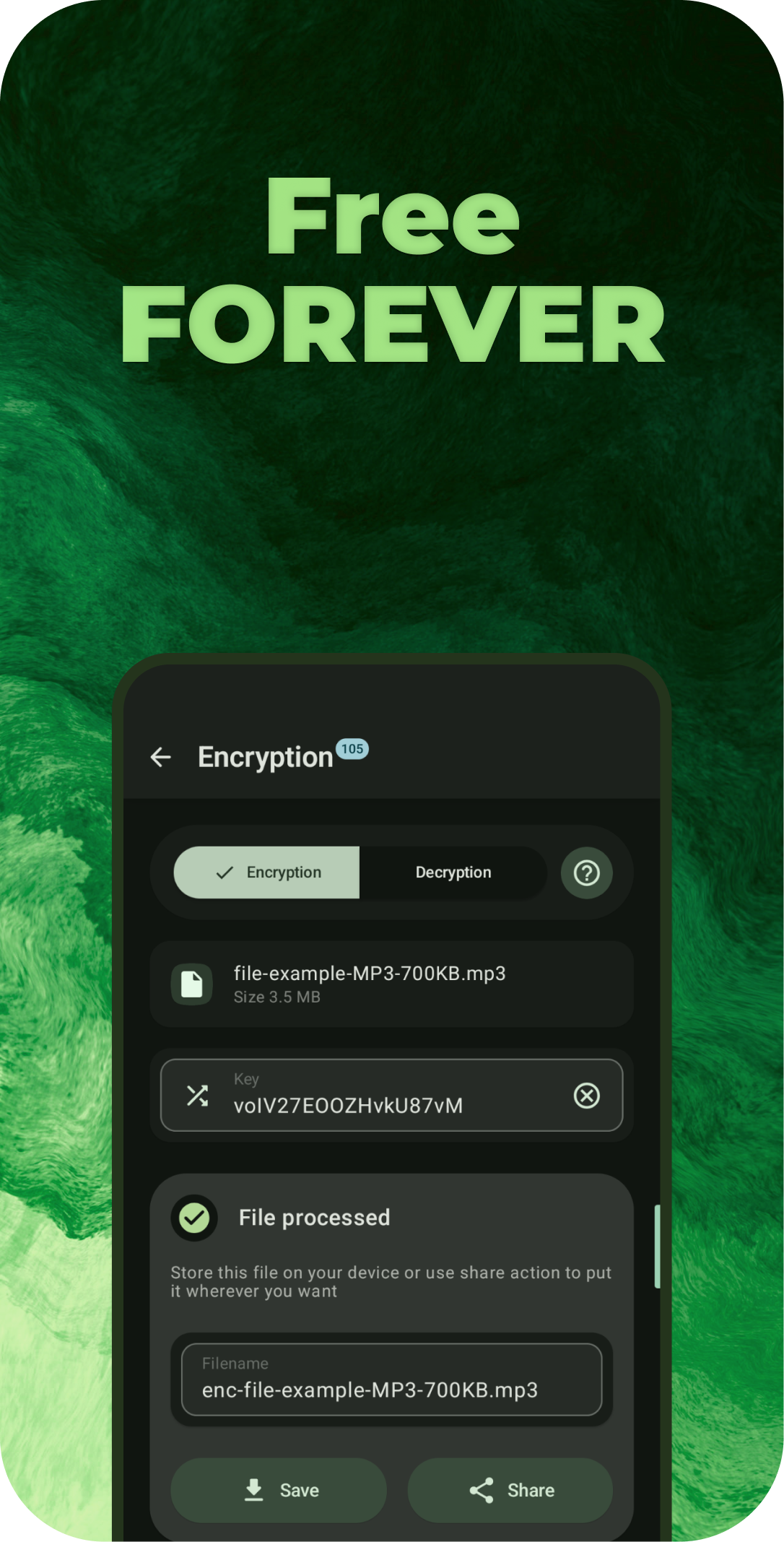
- Files encryption and decryption with 100+ different algorithms available
- Adding Stickers and Text (Markup Layers Mode)
- Extract Text From Images (OCR)
- 120+ languages
- 3 Type of data: Fast, Standard, Best
- Segmentation Mode Selection
- Engine Mode Selection
- Custom Tesseract options entering
- Multiple languages at the same time
- Reading from batch of images to file
- Placing in EXIF metadata of batch images
- Creating searchable PDF with recognized text behind images
- Tesseract or PaddleOCR (v5/v6)
- EXIF metadata editing/deleting
- Loading images from internet
- Image Stitching
- Image Stacking
- Image Splitting
- Background Removal
- By drawing
- Automatically
- MlKit
- U2NetP
- U2Net
- RMBG
- InSPyReNet
- BiRefNet
- ISNet
- YOLO
- MODNet
- Watermarking
- Repeating Text
- Image
- Stamp
- Timestamp
- Digital (Steganography)
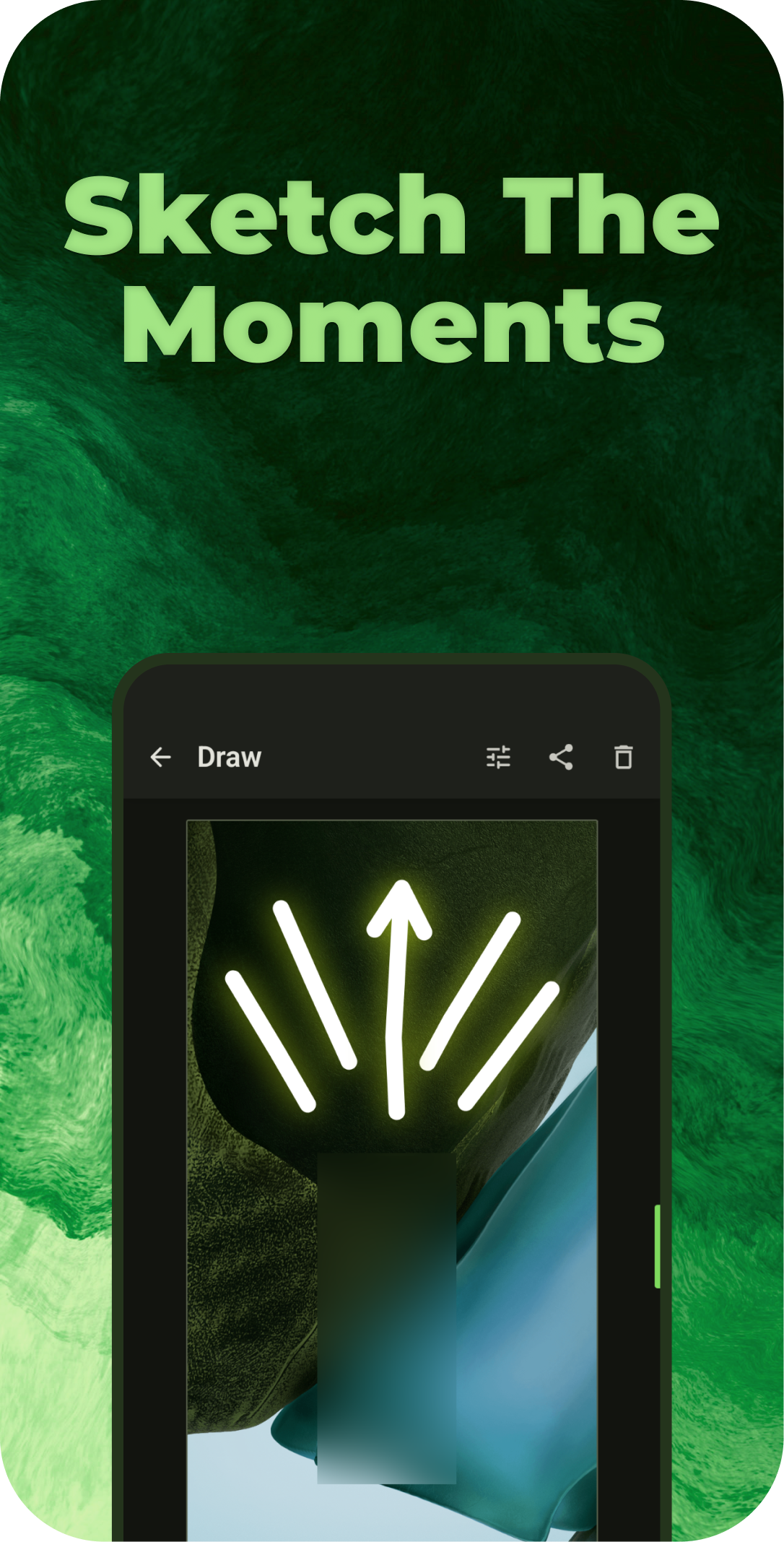
- Drawing on Image/Background
- Pen
- Flood Fil
- Spray
- Neon
- Highlighter
- Warp (Move, Grow, Shrink, Swirl, Mix)
- Privacy Blur
- Pixelation Paint
- Text
- Image Brush
- Filter Brush
- Spot Healing (with ability to download AI model for generative inpainting)
- Pointing Arrow
- Line
- Double Pointing Arrow
- Line Pointing Arrow
- Double Line Pointing Arrow
- Outlined Rect
- Outlined Oval
- Outlined Triangle
- Outlined Polygon
- Outlined Star
- Rect
- Oval
- Triangle
- Polygon
- Star
- Lasso
- Line Style
- Dashed
- Dot Dashed
- Zigzag
- Stamped
- Image Resizing
- Width changing
- Height changing
- Adaptive resize
- Resize retaining aspect ratio
- Resize by given limits
- Center Crop with
- Background color changing
- Background blur drawing
- Different Scaling Algorithms
Available methods
  - Bilinear
  - Nearest Neighbour
  - Cubic
  - Mitchell-Netravalli
  - Catmull-Rom
  - Hermite
  - B-Spline
  - Hann
  - Bicubic
  - Hamming
  - Hanning
  - Blackman
  - Welch
  - Quadric
  - Gaussian
  - Sphinx
  - Bartlett
  - Robidoux
  - Robidoux Sharp
  - Spline 16
  - Spline 36
  - Spline 64
  - Kaiser
  - Bartlett-Hann
  - Box
  - Bohman
  - Lanczos 2
  - Lanczos 3
  - Lanczos 4
  - Lanczos 2 Jinc
  - Lanczos 3 Jinc
  - Lanczos 4 Jinc
  - Ewa Hanning
  - Ewa Robidoux
  - Ewa Blackman
  - Ewa Quadric
  - Ewa Robidoux Sharp
  - Ewa Lanczos 3 Jinc
  - Ginseng
  - Ginseng EWA
  - Lanczos Sharp EWA
  - Lanczos 4 Sharpest EWA
  - Lanczos Soft EWA
  - Haasn Soft
  - Lagrange 2
  - Lagrange 3
  - Lanczos 6
  - Lanczos 6 Jinc
  - Magic Kernel
  - Magic Kernel Sharp 2013
  - Magic Kernel Sharp 2021

  </details>

- Different Scale Color Spaces
    - Linear
    - sRGB
    - LAB
    - LUV
    - Sigmoidal
    - XYZ
    - F32 Gamma 2.2
    - F32 Gamma 2.8
    - F32 Rec.709
    - F32 sRGB
    - LCH
    - Oklab sRGB
    - Oklab Rec.709
    - Oklab Gamma 2.2
    - Oklab Gamma 2.8
    - Jzazbz sRGB
    - Jzazbz Rec.709
    - Jzazbz Gamma 2.2
    - Jzazbz Gamma 2.8
- GIF conversion
- GIF to images
- Images to GIF
- GIF to APNG
- GIF to WEBP
- Merge multiple GIFs into one animation
- WEBP conversion
- WEBP to images
- Images to WEBP
- WEBP to GIF
- WEBP to APNG
- WEBP to JXL
- Merge multiple WEBPs into one animation
- APNG conversion
- APNG to images
- Images to APNG
- APNG to GIF
- APNG to WEBP
- Merge multiple APNGs into one animation
- JXL transcoding
- JXL to JPEG
- JPEG to JXL
- Animated JXL conversion
- Images to JXL
- JXL to Images
- APNG to JXL
- GIF to JXL
- JXL to GIF
- JXL to APNG
- JXL to WEBP
- Merge multiple JXLs into one animation
- PDF tools
- PDF to images
- Images to PDF
- PDF previewing
- Merge
- Split
- Rotate
- Rearrange
- Page Numbering
- Watermark
- Signature
- Compress
- Grayscale
- Repair
- Protect
- Unlock
- Metadata
- Remove Pages
- Crop
- Flatten
- Extract Images
- Zip PDF
- Print PDF
- PDF to Text (OCR)
- Remove Annotations
- Contact Sheet
- Compare
- Resize
- Sanitize
- Document Scanning
- AI tools (100+ ready to use models available)
- Upscale
- Remove BG
- DeJPEG
- DeNoise
- Colorize
- Artifacts
- Enhance
- Anime
- Scans
- Style Transfer
- AI detection
- Depth (14 models and 13 depth-aware effects)
- Depth maps, masks and cutouts
- Lens and background blur
- Portrait focus and cinematic depth grading
- Relighting, fog, normals, stereo and depth edges
- Barcodes
- Scanning
- Creating & Parsing common types
- Plain
- Url
- WiFi
- Geolocation
- Phone
- SMS
- Contact (vCard)
- Calendar event
- Exporting and sharing as raster images or SVG
- 13 formats available
- QR CODE
- AZTEC
- CODABAR
- CODE 39
- CODE 93
- CODE 128
- DATA MATRIX
- EAN 8
- EAN 13
- ITF
- PDF 417
- UPC A
- UPC E
- Collage Creation
- From 1 to 20 images
- More than 310 various collage layouts
- Image Shrinking
- Quality compressing
- Preset shrinking
- Reducing size by given weight (in KB)
- Cropping
- Regular crop
- Free rotation crop
- Free corners crop (can be used as Perspective Correction)
- Crop by aspect ratio
- Saving custom aspect ratios
- Crop with shape mask
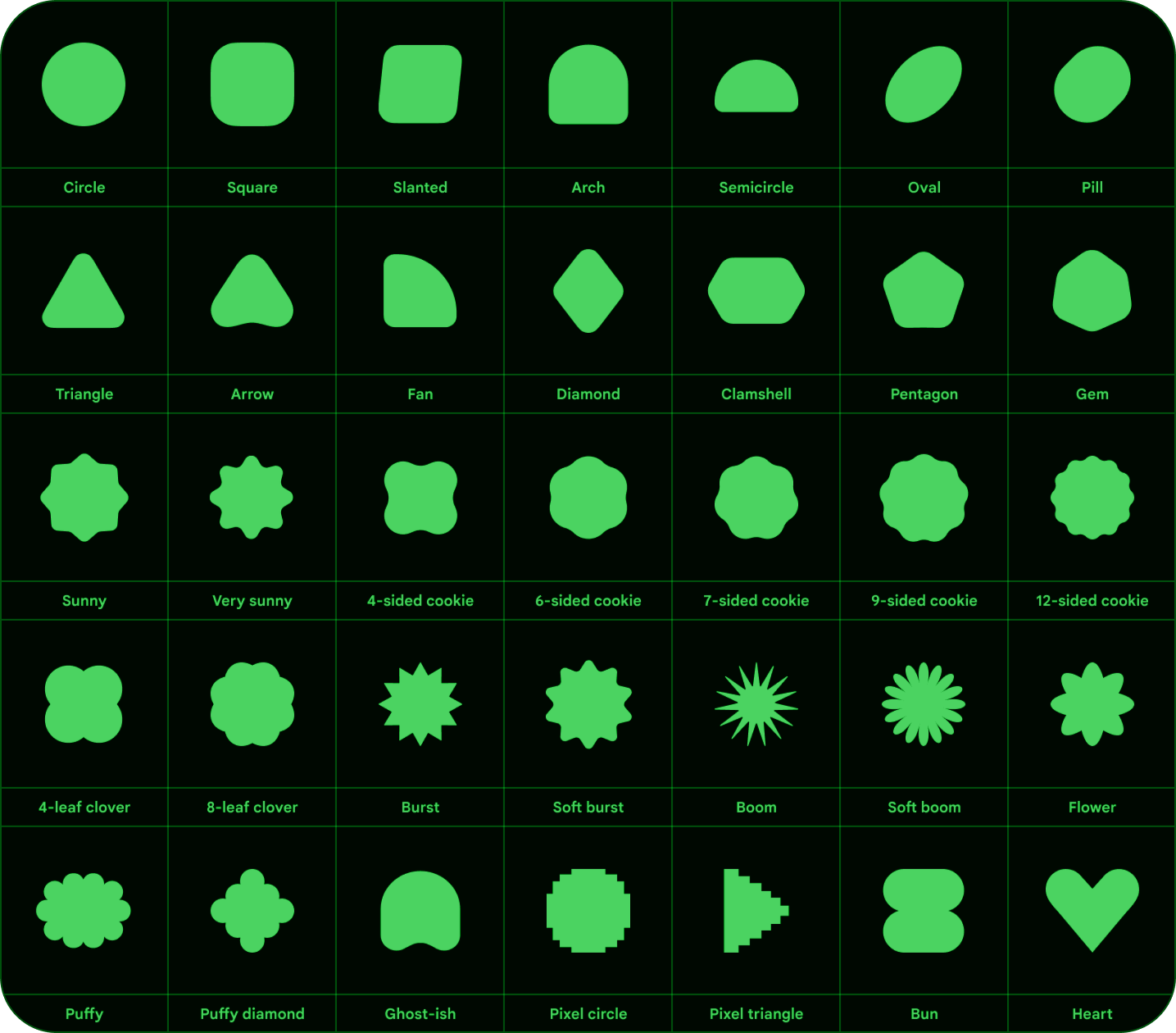
List of shapes
    - Rounded Corners
    - Cut Corners
    - Oval
    - Squircle
    - Octagon
    - Rounded Pentagon
    - Clover
    - Material Star
    - Kotlin Logo
    - Small Material Star
    - Heart
    - Shuriken
    - Explosion
    - Bookmark
    - Pill
    - Burger
    - Shield
    - Droplet
    - Arrow
    - Egg
    - Map
    - Enhanced Heart
    - Star
    - Image Mask
    - <details>
Additional Shapes
</details>
</details>
- Image Cutting (can be used as batch crop)
- Tracing raster images to SVG
- Format Conversion
- HEIF
- HEIC
- VVC
- AVIF (AV1/AV2)
- WEBP
- JPEG
- JPG
- PNG Lossless
- PNG Lossy
- OxiPNG
- ImageQuant
- MozJpeg
- Jpegli
- JXL
- JP2
- J2K
- TIFF
- TIF
- QOI
- ICO with 16, 32, 48, 64, 128 and 256 px images in one file
- SVG, RAW, PSD, GIF to static raster images
- Telegram sticker PNG format
- Files to Zip
- Comparing images
- Slide
- Toggle Tap
- Transparency
- Side By Side
- Pixel By Pixel (7 Methods)
- SSIM
- AE
- MAE
- NCC
- PSNR
- RMSE
- Color Utils
- Palette generation
- Material You Scheme
- Simple Colors
- Import/Export palette across 41 format
- ACB
- ACO
- ACT
- Android Xml
- ASE
- Basic Xml
- Corel Painter
- Corel Draw
- Scribus Xml
- Corel Palette
- CSV
- DCP
- Gimp
- Hex Rgba
- Image
- Json
- Open Office
- Paint Net
- Paint Shop Pro
- Rgba
- Rgb
- Riff
- Sketch
- SKP
- SVG
- Swift
- Kotlin
- Corel Draw V3
- CLF
- Swatches
- Autodesk Color Book
- Simple Palette
- Swatchbooker
- Afpalette
- Xara
- Koffice
- KPL
- HPL
- Skencil
- Vga 24Bit
- Vga 18Bit
- Picking color from image
- Gradient creation (Mesh gradients too)
- Overlaying image with gradient
- Mixing
- Conversion
- Harmonies
- Shading
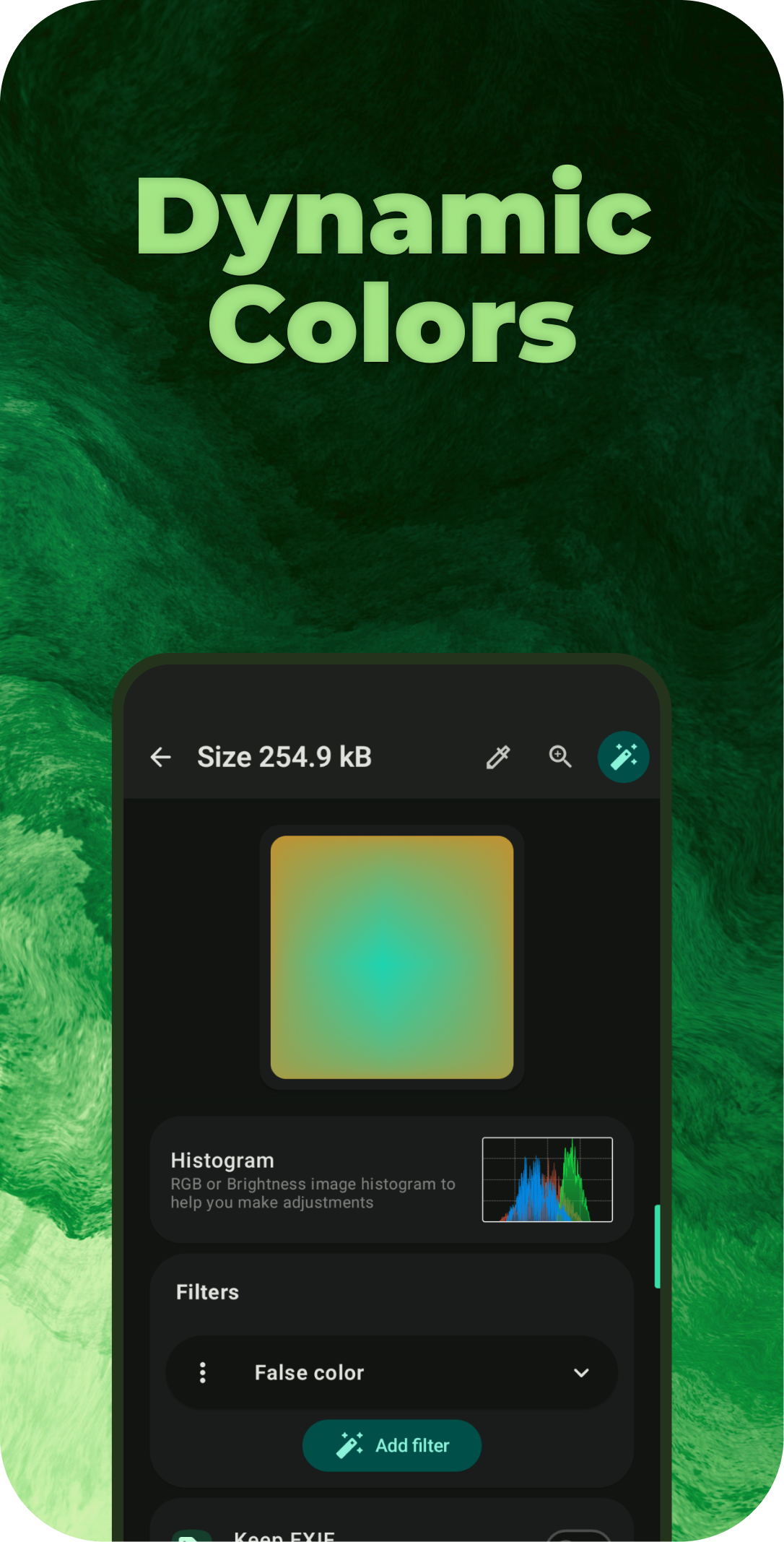
- Tone Curves applying with previewing stats of image using Wavefrom, Vector scopes or Histogram
- RGB
- CMYK
- Lab
- Hue vs Sat
- Hue vs Hue
- Hue vs Luma
- Luma vs Sat
- Luma vs Hue
- Sat vs Sat
- Color Wheels
- Palette generation
- Color Library with more than 33k different colors
- Histograms
- RGB
- Brightness
- Camera Like RGB
- Image source selection
- Embedded picker, system photo picker, gallery, file picker and camera
- Selecting all images from a folder
- Shader Studio
- Creating, editing and validating custom fragment shaders with GLSL syntax highlighting
- Live preview with configurable shader parameters
- Importing, exporting, sharing and managing shader presets
- Code Preview Generator
- Turn source code into polished, shareable images with syntax highlighting for 190+ languages
- Choose from 256 syntax themes and 30 gradient backgrounds, or use custom colors and transparency
- Customize canvas spacing, rounded corners, rotation, window controls, line numbers and card shadow
- Archive Tools
- Stream archives directly from source files to the selected destination without loading the whole archive into memory
- Create archives in 32 format and container combinations
- ZIP: Store, Deflate, BZIP2, LZMA, XZ and ZSTD
- 7Z: Copy, Deflate, BZIP2, LZMA1, LZMA2 and PPMd
- Single-file compression: GZIP, BZIP2, XZ, ZSTD, LZ4, LZIP, LZMA, Brotli and Compress
.Z - TAR: restricted PAX, PAX, GNU, USTAR and V7, plus GZIP, BZIP2, XZ, ZSTD, LZ4, LZIP,
LZMA, Brotli and Compress
.Zfilters - CPIO: NEWC, ODC, Binary and PWB; AR: BSD and GNU; ISO 9660
- Password protection for ZIP (Store and Deflate) and 7Z (Copy, Deflate, BZIP2 and LZMA2)
- Password-aware extraction for ZIP, 7Z and RAR/CBR, including encrypted RAR headers
- Safe extraction with path validation, entry and unpacked-size limits, optional subfolders, preserved directory structure and hidden-file filtering
- Comic archive support for CBR, CBZ, CB7 and CBT, including direct conversion to PDF
- Additional Features
- Base64 Decode/Encode
- Rotating
- Flipping
- Perlin Noise Generation
- Previewing SVG, DNG, PSD, DJVU and almost all types of images
- Saving to any specific folder
- Saving beside original files or deleting originals after a successful export
- Long press on save to choose one time output folder
- Reusable export profiles for Single Edit and Resize & Convert
- 61 built-in profiles for web publishing and popular social platforms
Available built-in export profiles
      - **Web:** Optimized (up to 1920 px), Thumbnail (up to 640 px)
      - **Instagram:** Square Post (1080×1080), Portrait Post (1080×1440), Landscape Post (
        1080×566), Story (1080×1920), Reel Cover (1080×1920), Profile Picture (320×320)
      - **Facebook:** Landscape Post (1200×630), Square Post (1080×1080), Story (1080×1920),
        Page Cover (851×315), Event Cover (1920×1005), Profile Picture (320×320)
      - **X:** Landscape Post (1600×900), Square Post (1080×1080), Portrait Post (1080×1350),
        Header (1500×500), Profile Picture (400×400)
      - **YouTube:** Video Thumbnail (3840×2160), Channel Banner (2560×1440), Channel
        Picture (800×800), Community Post (1200×1200)
      - **TikTok:** Portrait Post (1080×1920), Landscape Post (1200×628), Square Post (
        640×640), Profile Picture (200×200)
      - **Threads:** Square Post (1080×1080), Portrait Post (1080×1440), Landscape Post (
        1080×566)
      - **Bluesky:** Landscape Post (1200×675), Square Post (1080×1080), Portrait Post (
        1080×1350)
      - **LinkedIn:** Landscape Post (1200×627), Portrait Post (1080×1350), Profile Cover (
        1584×396), Article Cover (1920×1080), Company Page Cover (4200×700), Profile Picture (
        400×400)
      - **Pinterest:** Portrait Pin (1000×1500), Square Pin (1000×1000), Full-screen Pin (
        1080×1920)
      - **VK:** Community Cover (1590×400), Profile Picture (500×500)
      - **Reddit:** Community Banner (1080×128), Community Icon (300×300)
      - **Snapchat:** Single Image Ad (720×1280), Story Ad (720×1560)
      - **Behance:** Project Cover (808×632), Project Image (up to 1400 px), Lightbox Image (
        up to 2800 px)
    - **GitHub:** Repository Social Preview (1280×640)
    - **Telegram:** Sticker (512×512), Custom Emoji (100×100)
    - **Discord:** Profile Banner (680×240), Server Banner (960×540), Invite Splash (
      1920×1080), Avatar (512×512)
    - **Twitch:** Profile Banner (1200×480), Video Thumbnail (1280×720), Profile Picture (
      256×256)

      </details>

- Undo and redo history in editing tools
- Randomizing output filename
- Using image cheksum as filename
- Checksum Tools with ability to calculate and compare hashes
- 64 different hashing algorithms
- Audio files Album Cover export
- Embedded media picker
- Wallpapers Export
- Ascii Art
- Batch rename by pattern with live preview and configurable date, sequence and extension handling
- Duplicate Finder
    - Exact copy and visually similar image detection with adjustable sensitivity
    - Keep recommendations by quality, file size, date or selection order
- Android Quick Settings tiles for common tools and screenshot actions
- Searchable in-app Help & Tips
- App usage statistics and logs viewer
And More!
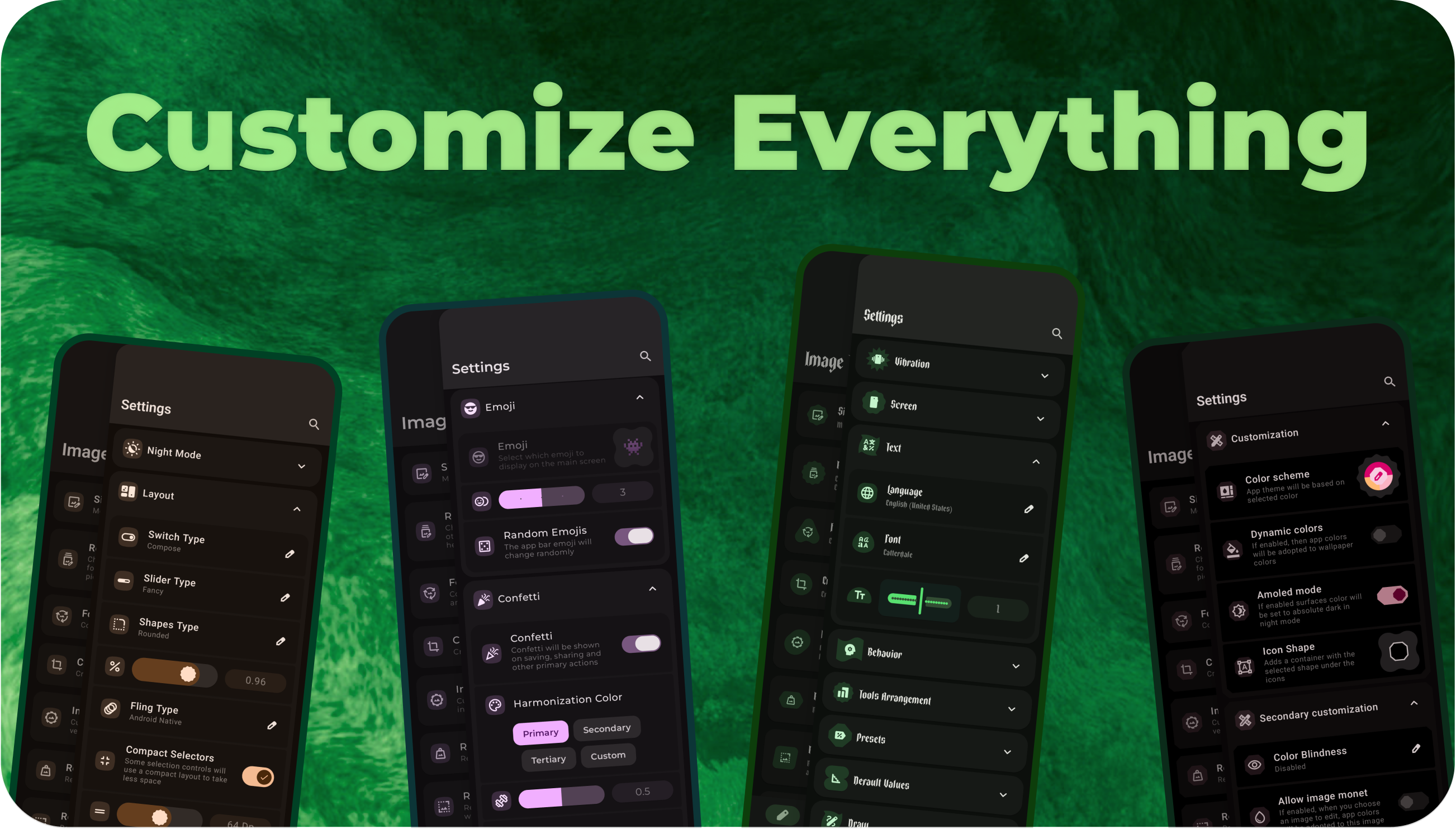
🌟 UI tweaks
- Selecting Emoji for top app bar
- Ability to use Pixel like switch instead of Material You
- Secure Mode for app
- Maximum brightness for selected screens
- In app language changing
- Enabling or Disabling confetti
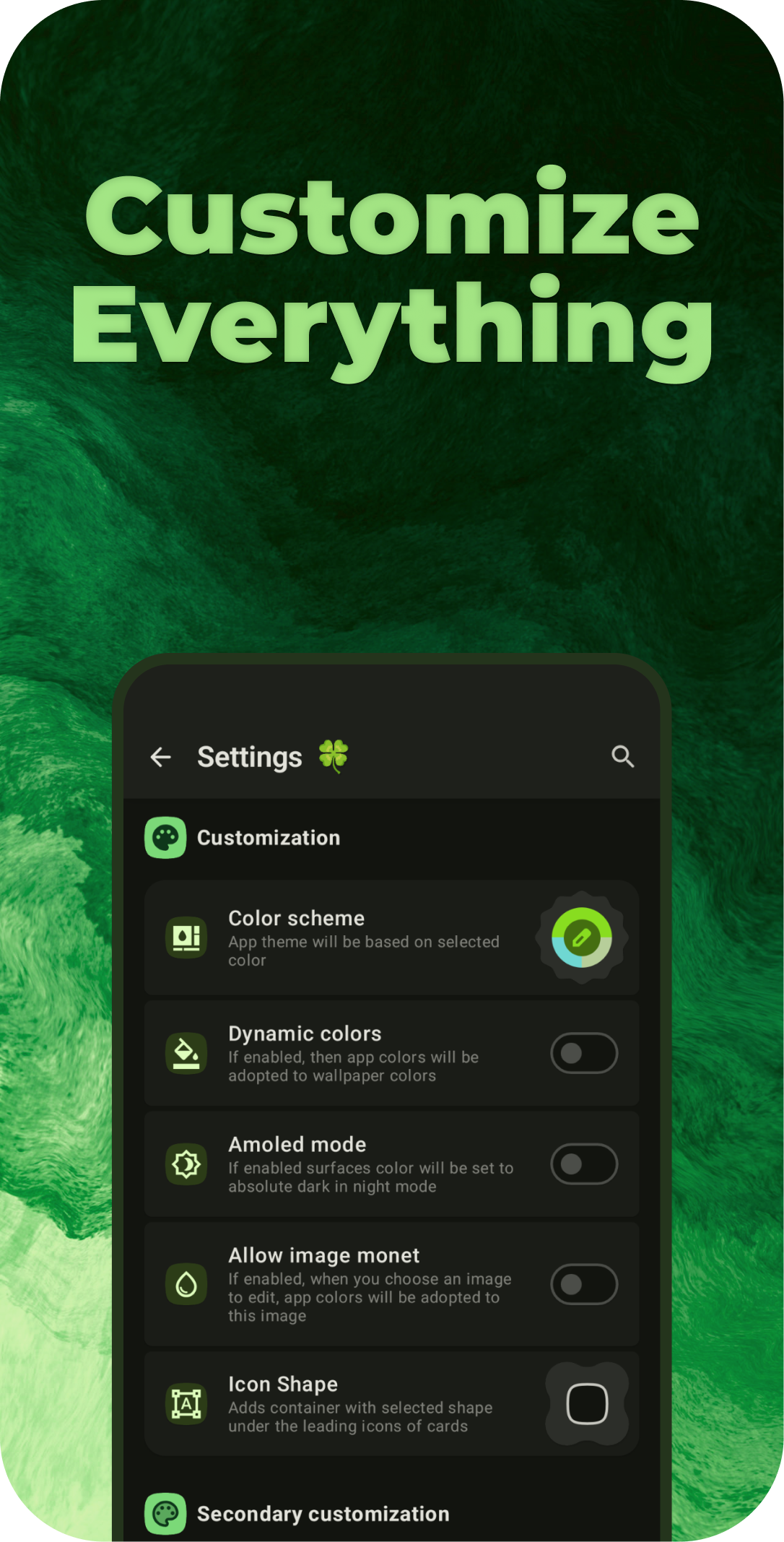
- Custom app color scheme
- Different palette styles
- Predefined schemes
- Color inversion
- Contrast adjusting
- Controlling borders thickness
- Enabling and disabling each existing shadow
- Haptics controls
- Light/Dark mode
- AMOLED mode
- Monet implementation (Dynamic colors) even for Android versions less than 12 by Dynamic Theme
- Image based color scheme
- Icons Background shape selection
- Rounded Corners
- Cut Corners
- Oval
- Squircle
- Octagon
- Rounded Pentagon
- Clover
- Material Star
- Small Material Star
- Heart
- Enhanced Heart
- Custom fonts
Preinstalled fonts
- Montserrat
- Comfortaa
- Caveat
- Handjet
- Jura
- Podkova
- Tektur
- YsabeauSC
- DejaVu
- BadScript
- RuslanDisplay
- Catterdale
- FRM32
- Tokeely Brookings
- Nunito
- Nothing
- WOPR Tweaked
- Alegreya Sans
- Minecraft Gnu
- Granite Fixed
- Nokia Pixel
- Ztivalia
- Axotrel
- Lcd Octagon
- Lcd Moving
- Unisource
- Ability to import any font (OTF/TTF) to further use
- In app font scale changing
- Changing between options list and grouped view
- Tool search, favorites and recently used tools
- Confetti Type selection
- Default
- Festive
- Explode
- Rain
- Side
- Corners
- ImageToolbox
- Switch Type selection:
- Material You
- Compose
- Pixel
- Fluent
- Cupertino
- Liquid Glass
- HyperOS
- Slider Type Selection:
- Fancy
- Material You
- Material
- HyperOS
- Shapes Type Selection with size adjustment:
- Rounded
- Cut
- Squircle
- Smooth
- Main screen layout customization
(Yes, the app supports dynamic coloring based on wallpapers for every android version)
📚 Tech stack & Open-source libraries
Minimum SDK level 24
Kotlin based
Image Toolbox Libs - set of essential libraries for Image Toolbox.
Dynamic Theme - library, which allows you to easily implement custom color theming.
Modal Sheet - modal bottom sheet that follows M3 guidelines.
Coroutines for asynchronous work.
Flow to emit values from data layer reactively.
Decompose - KMP lifecycle-aware business logic components (aka BLoCs) with routing (navigation) and pluggable UI
Hilt for dependency injection.
Coil for loading images.
Konfetti to establish beautiful particle system.
Jetpack
Compose - Modern Declarative UI style framework based on composable functions.
Material You Kit - Material 3 powerful UI components.
Data Store - Store data asynchronously, consistently, and transactionally.
GPU Image for creating and applying filters to the images.
DeJpeg for start of AI tools
AVIF Coder and JXL Coder libraries which provide avif, heic, heif and jxl support.
Aire and Trickle for creating and applying filters to the images on CPU using native cpp code.
📐 App Architecture
See Modules Graph at ARCHITECTURE.md
🌐 Translation
You can help translate Image Toolbox into your language on Hosted Weblate


❤️ Find this repository useful?
Support it by joining stargazers for this
repository. :star:
And follow me for my next creations! 🤩
⭐ Star History
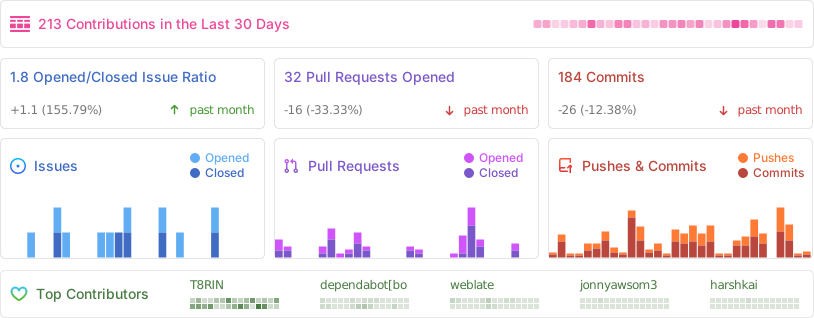
📢 Contributors
🔒 Signing Certificate Hashes
SHA-256: 20d7689de0874f00015ea3e31fa067c15c03457d362d41d5e793db3a864fa534
SHA-1: d69eacb30eeae804e8b72d2384c3c616b1906785
MD5: db6f6b76c503d31099e4754e676353cf
For more info, see wiki
⚖️ License
Designed and developed by 2023 T8RIN

    Licensed under the Apache License, Version 2.0 (the "License");you may not use this file except in compliance with the License.You may obtain a copy of the License at

    http://www.apache.org/licenses/LICENSE-2.0

    Unless required by applicable law or agreed to in writing, softwaredistributed under the License is distributed on an "AS IS" BASIS,WITHOUT WARRANTIES OR CONDITIONS OF ANY KIND, either express or implied.See the License for the specific language governing permissions andlimitations under the License.