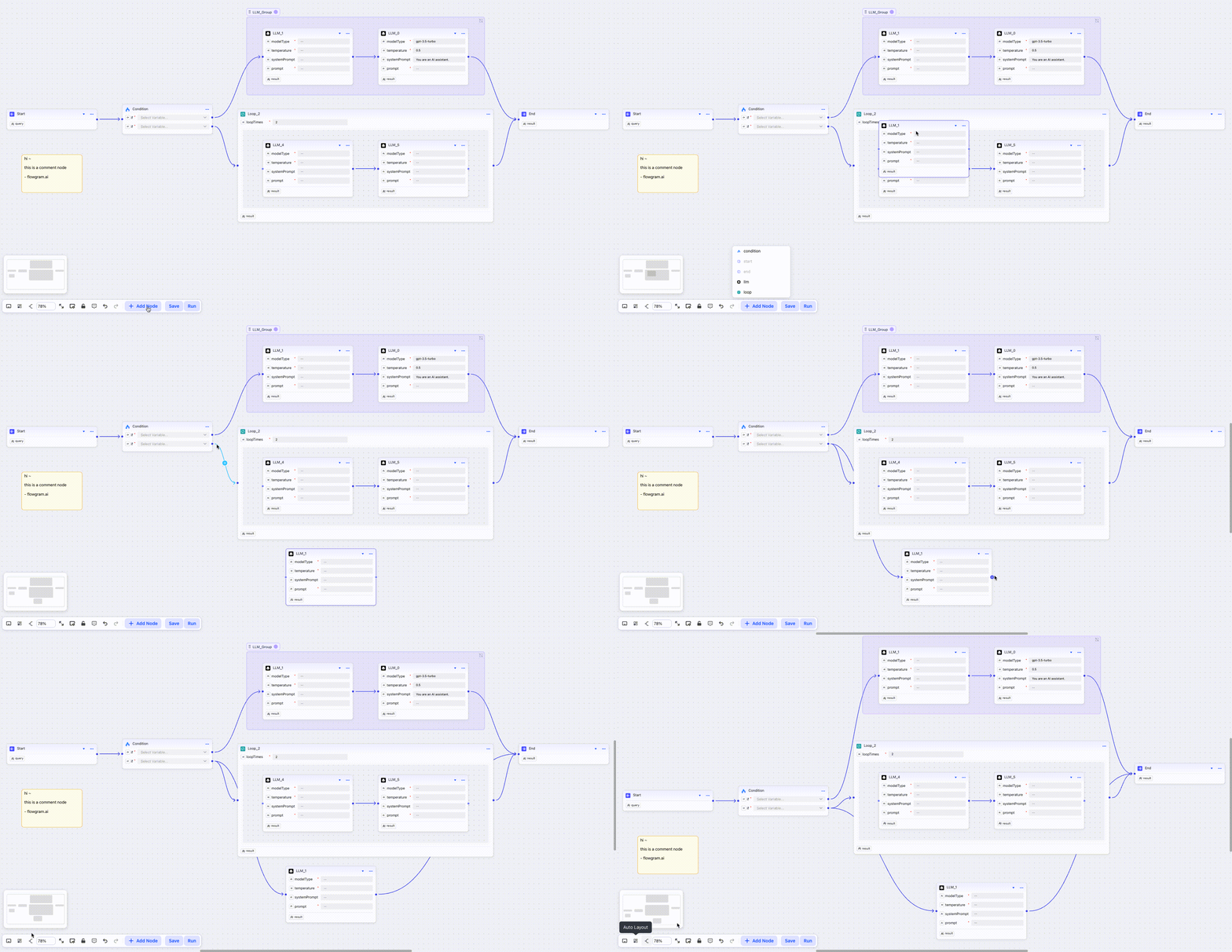
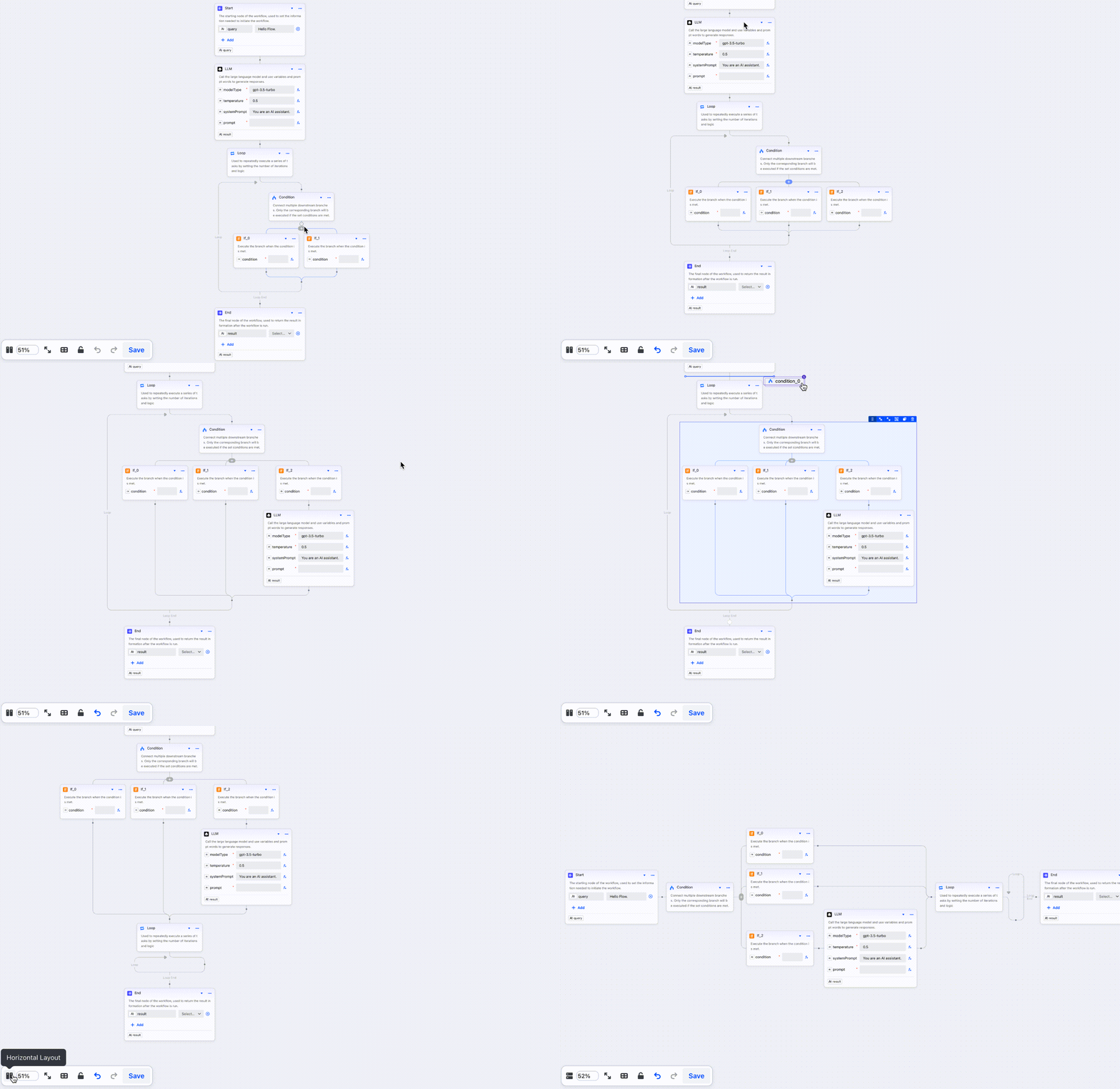
FlowGram is an MIT-licensed TypeScript framework and toolkit that gives developers a free or fixed layout canvas, a node configuration form engine, a variable scope chain, and ready-to-use materials such as LLM, Condition, and Code Editor nodes so they can build their own AI workflow platforms faster and simpler.
What it is
FlowGram is a composable, visual, easy-to-integrate and extensible workflow development framework, published under the MIT license by ByteDance and maintained in the bytedance/flowgram.ai repository in TypeScript. It lives in the JavaScript and TypeScript ecosystem, ships as npm packages such as @flowgram.ai/editor, and is distributed as a library rather than as an application. The README is explicit on this point: FlowGram is not a ready-made workflow platform, it is the framework and toolkit used to build one. The project carries 8,454 stars, 769 forks and 110 open issues, with its most recent push on 1 September 2026, and it is documented in English, Chinese, Spanish, Russian, Portuguese, German and Japanese.
The concrete problem it solves is the repeated, undifferentiated work of standing up a node-based editor for an AI or automation product. Anyone building a flow builder normally has to write the canvas, the drag-and-drop interaction model, the schema-driven form that configures each node, the type system that tracks which variables are visible at which point in the graph, and the handful of nodes everybody expects. FlowGram supplies those parts as a framework with demos, replacing the ad-hoc editor layers and one-off node configuration UIs that teams otherwise write from scratch for each new workflow product.
Key capabilities
- Free Layout Canvas places nodes anywhere on the canvas and connects them with free-form lines, in contrast to the Fixed Layout Canvas, which snaps nodes to specified positions and supports compound nodes such as branches and loops.
- The form engine manages CRUD operations on node data and provides rendering, validation, side effects, linkage, and error capturing, which together simplify building node configuration panels.
- The variable engine enforces scope constraints, exposes variable structure inspection, and performs type inference so that data flow inside the workflow stays manageable.
- Built-in materials ship ready to use: LLM, Condition, and Code Editor, alongside the canvas and form components.
- Templates are scaffolded through
npx @flowgram.ai/create-app@latest, including the recommended Free Layout Demo starter.
- The reference demo wires a real graph: iterate a list of cities, fetch weather over HTTP, parse temperatures in a Code node, generate outfit suggestions with an LLM, gate results through a Condition, aggregate across the loop, and let an Advisor LLM choose the most comfortable city before an End node.
- Repository topics classify it under
ai, automation, data-flow, diagram, flow, flowchart, graph, integration-framework, no-code, and node-based-ui.
Who uses it and how
- Product teams building AI workflow platforms or internal automation builders who need an editor layer without writing one, since the framework supplies canvas, form, variables and materials as composable pieces.
- Developers prototyping agent-style pipelines, using the loop, HTTP, Code, LLM, Condition and aggregation pattern shown in the reference demo as a starting shape.
- Teams that want to try the stack before committing, using the same demo running in CodeSandbox or StackBlitz.
- Front-end engineers already in the TypeScript ecosystem, who can consume the packages through npm and scaffold a project with no custom build assumptions beyond a standard Node toolchain.
- Groups needing non-English documentation, with README translations in Chinese, Spanish, Russian, Portuguese, German and Japanese.
Getting started
Run npx @flowgram.ai/create-app@latest, choosing the Free Layout Demo template, then cd demo-free-layout, npm install and npm start, and open http://localhost:3000.
How it compares
The registry's topics place it beside node-based and no-code automation tooling such as Coze, but the README refuses the comparison that would make it a product: FlowGram is the framework and toolkit, not the workflow platform. Teams evaluating it should read it as the layer underneath such products rather than as an alternative to a finished service.
When to use it — and when not to
Choose it when the goal is to build and own a workflow editor, since the canvas, form, variable and materials layers arrive as MIT-licensed TypeScript you can extend. Teams that need a turnkey product with hosting, execution, accounts and billing should not pick it, because the framework stops at the editing surface and leaves platform concerns to the adopter. The honest caveats are that the framework is young enough to carry 110 open issues and that it has no built-in runtime, so the adopter supplies whatever actually executes the graphs their users draw.
project readme (upstream, from github) — read inline






FlowGram|Workflow development framework
English | 中文 | Español | Русский | Português | Deutsch | 日本語
FlowGram is a composable, visual, easy-to-integrate, and extensible workflow development framework & toolkit.
Our goal is to help developers build AI workflow platforms faster and simpler.
FlowGram comes with a suite of built-in tools for workflow development: flow canvas, node configuration form, variable scope chain, and ready-to-use materials (LLM, Condition, Code Editor etc). It’s not a ready-made workflow platform; it’s the framework and toolkit to build yours.
Learn more at FlowGram.AI 🌐
🎬 Demo
Open in CodeSandbox 🌐 or StackBlitz 🌐
In this demo, we iterate through a list of cities, fetch real-time weather via HTTP, parse temperatures with a Code node, generate outfit suggestions with an LLM, gate by a Condition, aggregate results across the loop, and finally use an Advisor LLM to pick the most comfortable city before sending the result to the End node.
🚀 Quick Start
- Create a new FlowGram project:
npx @flowgram.ai/create-app@latest
We recommend choosing the Free Layout Demo ⭐️ template.
- Start the project:
cd demo-free-layout
npm install
npm start
- Open http://localhost:3000 in your browser.
✨ Features
📖 Documentation
You can find the FlowGram documentation on the website.
The documentation is divided into several sections:
🙌 Contributors
🌍 Adoption
- Coze Studio is an all-in-one AI agent development tool. Providing the latest large models and tools, various development modes and frameworks, Coze Studio offers the most convenient AI agent development environment, from development to deployment.
- NNDeploy is a workflow-based multi-platform ai deployment tool.
- Certimate is an open-source SSL certificate management tool that helps you automatically apply for and deploy SSL certificates with a visual workflow. It is one of the ACME client options listed in the official documentation of Let's Encrypt.
📬 Contact us