





FileGator - Powerful Multi-User File Manager
FileGator is a free, open-source, self-hosted web application for managing files and folders.
You can manage files inside your local repository folder (on your server's hard drive) or connect to other storage adapters (see below).
FileGator has multi-user support so you can have admins and other users managing files with different access permissions, roles and home folders.
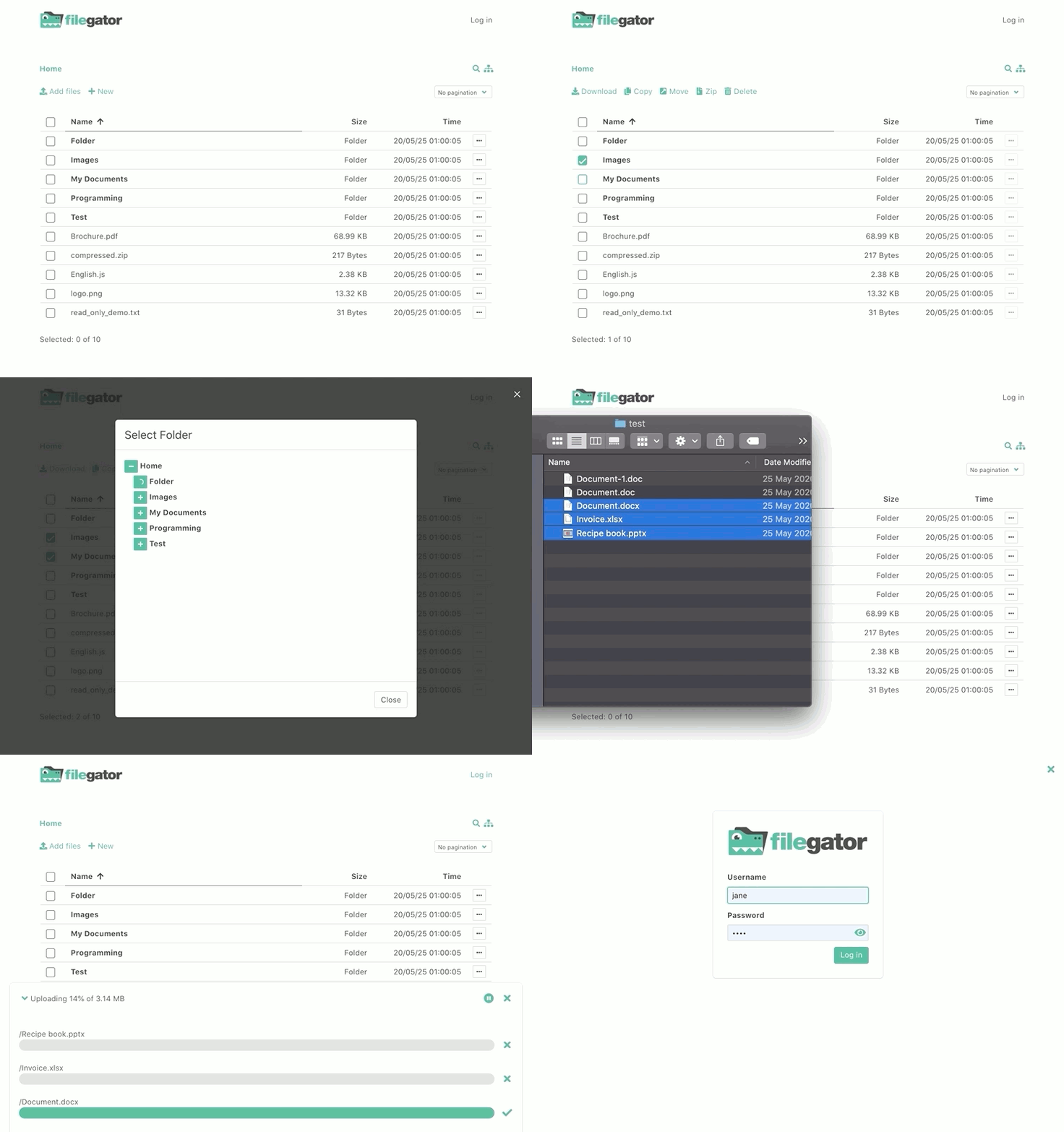
All basic file operations are supported: copy, move, rename, edit, create, delete, preview, zip, unzip, download, upload.
If allowed, users can download multiple files or folders at once.
File upload supports drag&drop, progress bar, pause and resume. Upload is chunked so you should be able to upload large files regardless of your server configuration.
Sponsors & Backers
FileGator is a free, open-source project. It's an independent project with its ongoing development made possible entirely thanks to the support by these awesome backers and sponsors:

|

|

|

|
Typical use cases
- share a folder with colleagues, your team, friends or family
- give students access to upload their work
- allow workers to upload field data / docs / images
- use as cloud backup
- manage cdn with multiple people
- use as ftp/sftp replacement
- manage s3 or other 3rd party cloud storage
- use to quickly zip and download remote files
Documentation
Check out the official documentation on how to download, install and use FileGator.
Features & Goals
- Multiple storage adapters (Local, FTP, Amazon S3, Dropbox, DO Spaces, Azure Blob and many others via Flysystem)
- Multiple auth adapters with roles and permissions (Store users in json file, database or use WordPress)
- Multiple session adapters (Native File, Pdo, Redis, MongoDB, Memcached and others via Symfony)
- Single page front-end (built with Vuejs, Bulma and Buefy)
- Chunked uploads (built with Resumable.js)
- Zip and bulk download support
- Highly extensible, decoupled and tested code
- No database required
Limitations
- Symlinks are not supported by the underlying Flysystem
- File ownership is not supported (chown)
- Too many files in the same directory can negatively impact performance
Docker
Check out the official docker image with instructions on how to use it
Docker quick start:
docker run --rm -p 8080:8080 filegator/filegator
visit: http://127.0.0.1:8080 login as admin/admin123
Other installation methods
Sponsored or community-contributed installation methods for various platforms:
- One-click deployment provided by Hostinger. No technical setup or manual server configuration is required.
- Deploy with Easypanel, a self-hosted Docker deployment platform.
Please note that this section may contain affiliate links. We may earn a commission at no extra cost to you, which helps support FileGator and its development.
Show your support
Please ⭐️ this repository if this project helped you!
Security
If you discover a security vulnerability, please report it privately via GitHub Security Advisories instead of using the public issue tracker:
https://github.com/filegator/filegator/security/advisories
License
Copyright (c) 2019 Milos Stojanovic.
This project is MIT licensed.