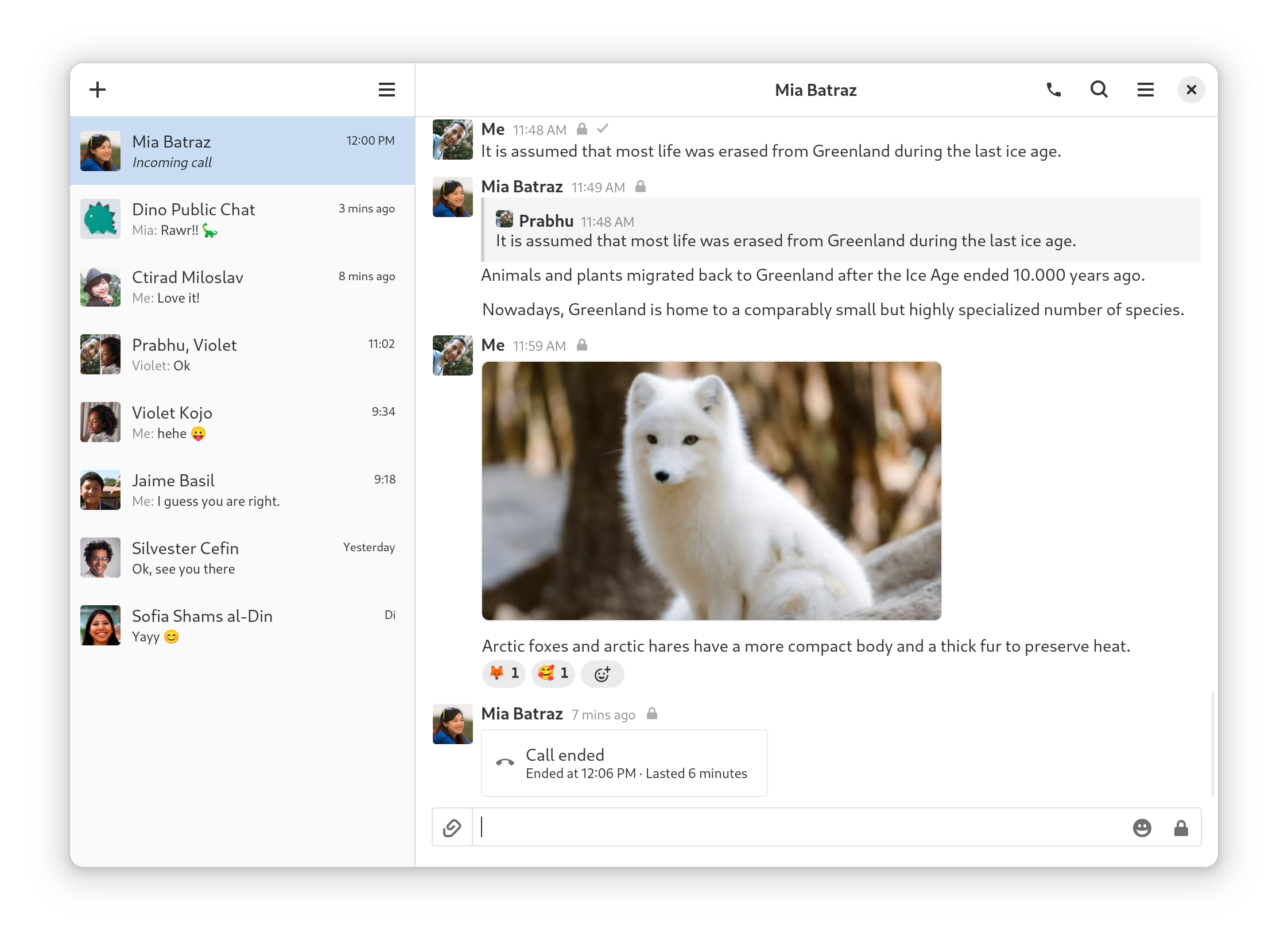
Dino is a modern XMPP ("Jabber") chat client for the Linux desktop, built with GTK and Vala, and it is aimed at Linux users who want a native desktop messenger for calls, encryption, file transfers, and group chats on the open XMPP network.
What it is
Dino is an XMPP messaging application written in Vala and built on GTK, distributed under the GNU General Public License version 3.0 or later, with copyright held by Dino contributors from 2016 through 2025. It lives in the XMPP ecosystem — the federated messaging protocol historically known as Jabber — and it is a client rather than a server, so it connects to existing XMPP accounts and services rather than providing the messaging infrastructure itself. The project's topic list places it firmly in desktop chat territory: xmpp, xmpp-client, jabber, jabber-client, gtk, gtk4, linux-desktop, messenger, vala, and xml.
The concrete problem Dino solves is the absence of a capable, current, toolkit-native XMPP desktop client on Linux. README states it "supports calls, encryption, file transfers, group chats and more," and the topic list backs that up with jingle, voip, p2p, omemo, and groupchat entries. The facts provided do not name a specific commercial or legacy XMPP client that Dino is stated to replace; what is documented is that Dino is the XMPP client in this registry entry, occupying the desktop-client layer of the stack rather than the server or gateway layer.
Key capabilities
- Text messaging over XMPP, with XML as the underlying protocol format (
xml, xmpp topics).
- Voice and video calling through the Jingle signalling extension (
jingle, voip topics).
- OMEMO end-to-end encryption (
omemo topic).
- File transfers between contacts (
file transfers per README).
- Group chats (
groupchat topic).
- Peer-to-peer connection support (
p2p topic).
- Native Linux desktop client built on GTK, including GTK4, written in Vala (
gtk, gtk4, linux-desktop, vala topics).
Who uses it and how
- Linux desktop users who already hold XMPP accounts and want a graphical client rather than a terminal-based one.
- People who need end-to-end encryption for one-to-one and group conversations, using the OMEMO support that README and topics both list.
- Users who need audio or video calls rather than text alone, relying on the Jingle and VoIP capabilities.
- Users who must send files directly to a contact inside the chat client, using the file transfer feature.
- Contributors and translators: README points to issues labelled
good first issue, asks that bigger changes be discussed in the channel first, links a debugging wiki page to consult before filing bugs, and links a translations wiki page. Project scale is substantial for a desktop client — 2,489 stars, 281 forks, and 684 open issues — and a donation page exists at the project site.
Getting started
README directs users first to prebuilt packages listed on the project wiki's Distribution-Packages page. To build from source, install the dependencies from the wiki's Build page, then run meson setup build, meson compile -C build, and start the client with build/main/dino.
How it compares
The facts provided do not name any paid products that Dino replaces, and they do not name any similar tools. On the evidence given, Dino stands alone in this registry as the XMPP desktop client entry. Its licence is the GNU General Public License version 3.0 or later, and the project itself is free software with no cost model described.
When to use it — and when not to
Pick Dino if a GTK-based XMPP client on Linux matches the desktop environment and the required features are calls, OMEMO encryption, group chats, and file transfers. Be aware that a client needs an XMPP account and server to connect to, and the provided facts do not cover server operation, so anyone without XMPP infrastructure must arrange it separately. Two honest caveats: 684 open issues indicate a large outstanding backlog, and the README offers no packaged release beyond wiki links, so installing from source means resolving the dependency list before the meson build steps will work.