






About?
cryptgeon is a secure, open source sharing note or file service inspired by PrivNote. It includes a server, a web page and a CLI client.
🌍 If you want to translate the project feel free to reach out to me.
Live Service / Demo
Web
Check out the live service / demo and see for yourself cryptgeon.org
CLI
npx cryptgeon send text "This is a secret note"
For more documentation about the CLI see the readme.
Raycast Extension
There is an official Raycast extension.
Features
- send text or files
- server cannot decrypt contents due to client side encryption
- view or time constraints
- in memory, no persistence
- obligatory dark mode support
How does it work?
each note has a generated id (256bit) and key 256(bit). The
id
is used to save & retrieve the note. the note is then encrypted with XChaCha20-Poly1305 on the
client side with the key and then sent to the server. data is stored in memory and
never persisted to disk. the server never sees the encryption key and cannot decrypt the contents
of the notes even if it tried to.
View counts are guaranteed with one running instance of cryptgeon. Multiple instances connected to the same cache instance can run into race conditions, where a note might be retrieved more than the view count allows.
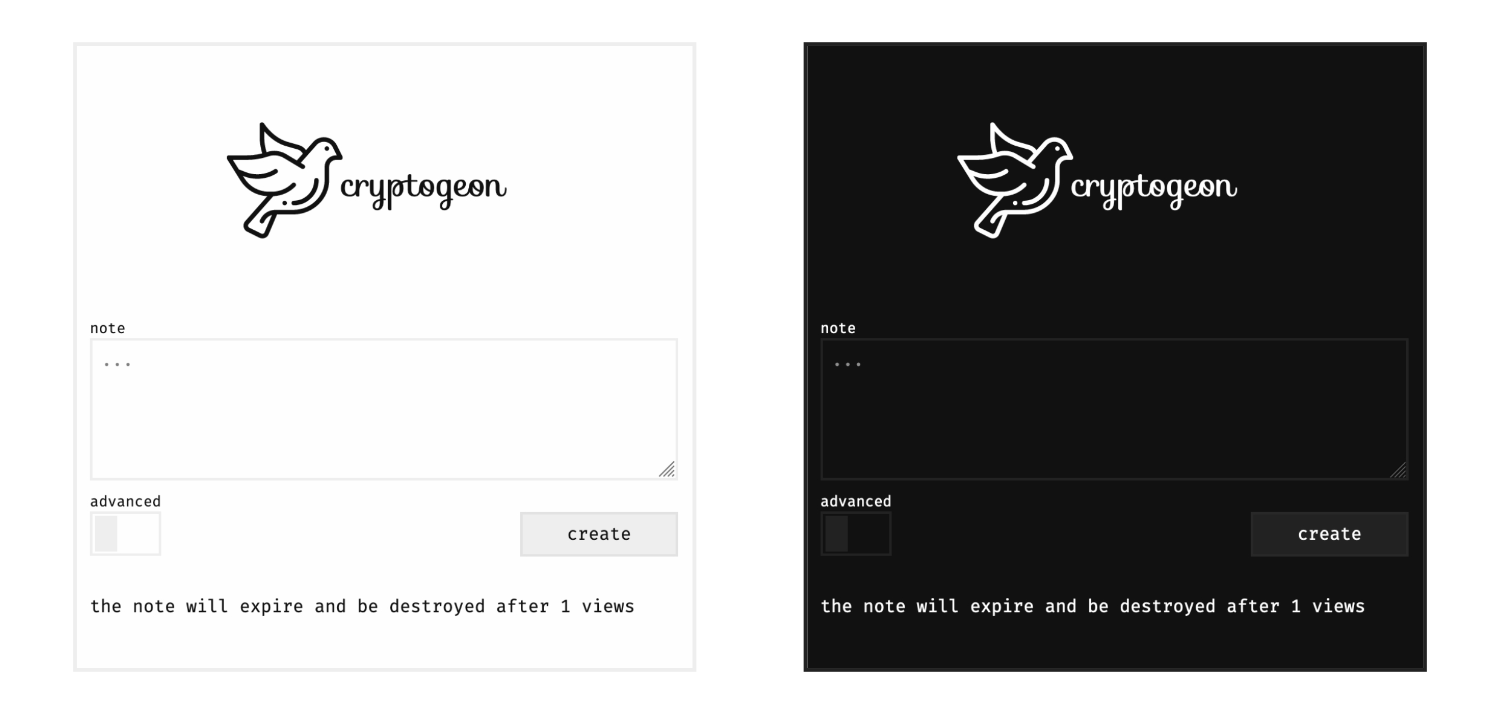
Screenshot
Environment Variables
| Variable | Default | Description |
|---|---|---|
CACHE |
redis://cache/ |
Cache URL (valkey or redis) to connect to. According to format |
SIZE_LIMIT |
1 KiB |
Max size for body. Accepted values according to byte-unit. 512 MiB is the maximum allowed. Payloads are raw bytes (msgpack + cipher), so the frontend shows the full limit. |
MAX_VIEWS |
100 |
Maximal number of views. |
MAX_EXPIRATION |
360 |
Maximal expiration in minutes. |
ALLOW_ADVANCED |
true |
Allow custom configuration. If set to false all notes will be one view only. |
ALLOW_FILES |
true |
Allow uploading files. If set to false, users will only be allowed to create text notes. |
ID_LENGTH |
32 |
Set the size of the note id in bytes. By default this is 32 bytes. This is useful for reducing link size. This setting does not affect encryption strength. |
CACHE_PREFIX |
"" |
Optional prefix for all cache keys. Useful when sharing a cache instance with other apps via ACL namespaces. |
EXTRA_SIZE_LIMIT |
512 |
Maximum size in bytes of the opaque extra payload (e.g. key derivation params) stored on the note metadata. |
VERBOSITY |
warn |
Verbosity level for the backend. Possible values are: error, warn, info, debug, trace |
THEME_IMAGE |
"" |
Custom image for replacing the logo. Must be publicly reachable |
THEME_TEXT |
"" |
Custom text for replacing the description below the logo |
THEME_PAGE_TITLE |
"" |
Custom text the page title |
THEME_FAVICON |
"" |
Custom url for the favicon. Must be publicly reachable |
THEME_NEW_NOTE_NOTICE |
true |
Show the message about how notes are stored in the memory and may be evicted after creating a new note. Defaults to true. |
THEME_HOME_LINK |
true |
Show the /home link in the footer. Defaults to true. |
IMPRINT_URL |
"" |
Custom url for an Imprint hosted somewhere else. Must be publicly reachable. Takes precedence above IMPRINT_HTML. |
IMPRINT_HTML |
"" |
Alternative to IMPRINT_URL, this can be used to specify the HTML code to show on /imprint. Only IMPRINT_HTML or IMPRINT_URL should be specified, not both. |
Deployment
ℹ️
httpsis required otherwise browsers will not support the cryptographic functions.
ℹ️ There is a health endpoint available at
/healthz. It returns either 200 or 503.
Docker
Docker is the easiest way. There is the official image here.
# docker-compose.yml

services:
  cache:
    image: valkey/valkey:7-alpine
    # This is required to stay in RAM only.
    command: valkey-server --save "" --appendonly no
    # Set a size limit. See link below on how to customise.
    # https://valkey.io/docs/latest/operate/rs/databases/memory-performance/eviction-policy/
    # --maxmemory 1gb --maxmemory-policy allkeys-lrulpine
    # This prevents the creation of an anonymous volume.
    tmpfs:
      - /data

  app:
    image: cupcakearmy/cryptgeon:v3
    depends_on:
      - cache
    environment:
      # Size limit for a single note.
      SIZE_LIMIT: 4 MiB
    ports:
      - 80:8000

    # Optional health checks
    # healthcheck:
    #   test: ["CMD", "curl", "--fail", "http://127.0.0.1:8000/healthz"]
    #   interval: 1m
    #   timeout: 3s
    #   retries: 2
    #   start_period: 5s
NGINX Proxy
See the examples/nginx folder. There an example with a simple proxy, and one with https. You need to specify the server names and certificates.
Traefik 2
See the examples/traefik folder.
Scratch
See the examples/scratch folder. There you'll find a guide how to setup a server and install cryptgeon from scratch.
Synology
There is a guide you can follow.
YouTube Guides
- English by Webnestify
- English by DB Tech Previous Video
- German by ApfelCast
Written Guides
- French by zarevskaya
- Italian by @nicfab
- English by @nicfab
Contributing
See CONTRIBUTING.md.
Security
Please refer to the security section here.
Usage of LLMs
Starting from V3, I used LLMs heavily to implement my own ideas. This means that the direction and architecture choices are human. A lot of the implementation that derives from that, is automated with an LLM.
Attributions
- Test data:
- Text for tests Nietzsche Ipsum
- AES Paper
- Unsplash Pictures
- Loading animation by Nikhil Krishnan
- Icons made by freepik from www.flaticon.com