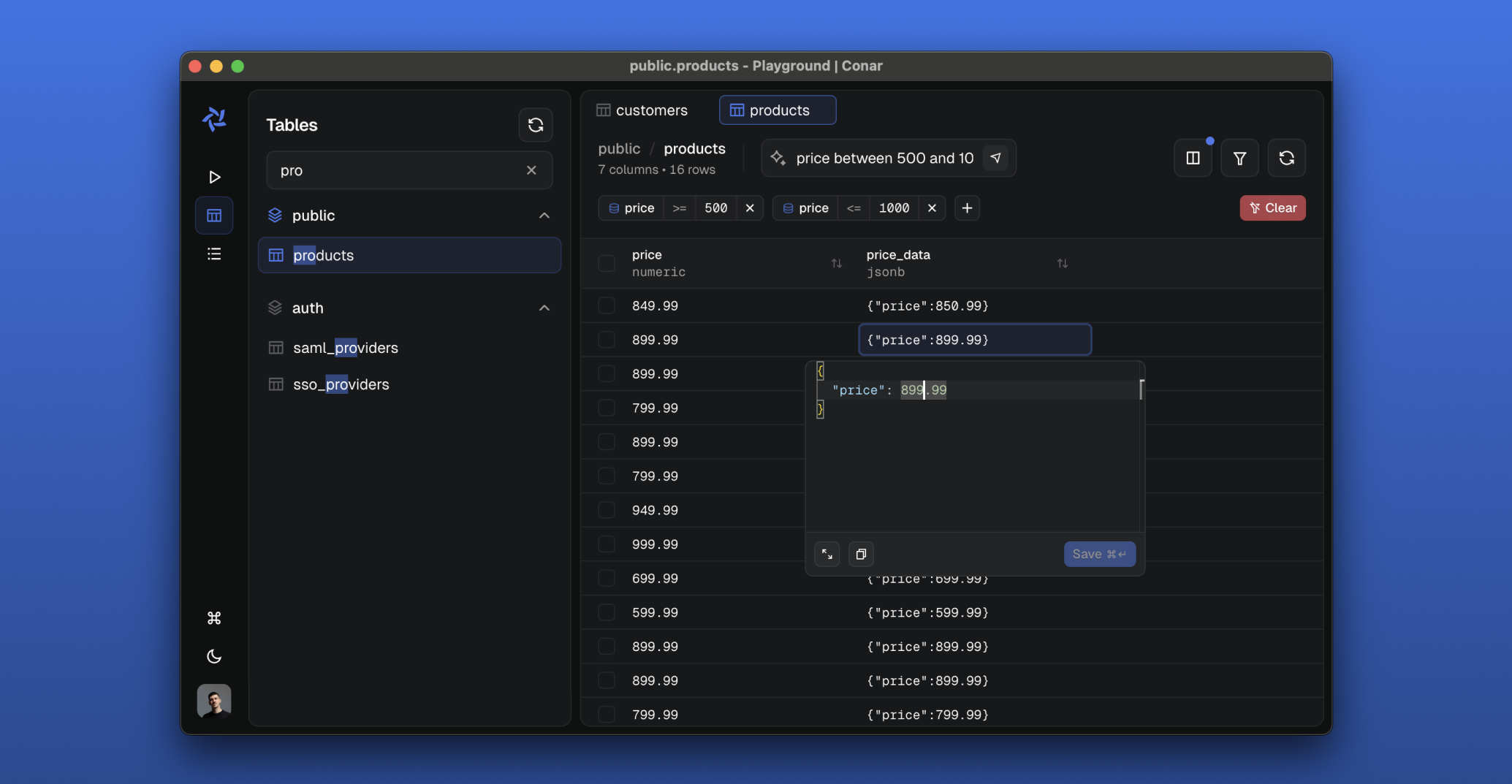
Conar is a free, open source databases project written in TypeScript and released under AGPL-3.0. It has 1,445 GitHub stars, 105 forks and 46 open issues, and was last pushed 41 hours ago. On this registry it ranks #74 of 81 tracked projects in Databases, with 5 head-to-head comparisons available. It gained 3 stars over the last 6 tracked days.

What is Conar?

What it is

Conar is an AI-powered open-source database management project built for PostgreSQL, MySQL, MSSQL, and Clickhouse, with support for other databases indicated as coming in the future. It lives in the TypeScript and AGPL-3.0 database management ecosystem, categorized under Infrastructure & Operations / Databases. It addresses the friction of working with multiple database systems while needing help writing and optimizing SQL queries. The README describes storing connections securely in the project’s cloud and asking AI to assist with SQL. It also describes encrypted connection strings and password protection, which aims to reduce the risk of handling database credentials and query logic manually across different engines.

Key capabilities

  • Conar supports PostgreSQL, MySQL, MSSQL, and Clickhouse as current database targets, with SQLite and MongoDB listed as coming soon.
  • Conar provides AI-powered SQL assistance for writing and optimizing queries, using the Vercel AI SDK with Anthropic.
  • Conar allows users to change the AI model, which is listed under AI-Powered Features.
  • Conar stores connection strings with encryption and supports password protection, as described in the Secure & Open section.
  • Conar uses Drizzle ORM for database migrations and schema preparation, as shown in the development setup.
  • Conar includes an optional agent-browser workflow that can drive the running app for agents and manual debugging.

Who uses it and how

  • Developers can use it as a local or cloud-assisted database interface for PostgreSQL, MySQL, MSSQL, or Clickhouse connections and AI-assisted SQL help.
  • Teams can run it from source by installing dependencies with pnpm, starting Postgres and Redis with Docker or hosted instances, running migrations, and launching development servers.
  • Agents can interact with the running application through agent-browser commands such as open, snapshot, click, and console, or through another browser automation tool.
  • Users can validate behavior through unit tests and end-to-end tests, after starting the required test server.

Getting started

The local setup uses pnpm install, an optional global npm install -g agent-browser, Docker for Postgres and Redis or hosted instances, and then pnpm run drizzle:migrate and pnpm run dev. The README also mentions a hosted cloud option for storing connections and an agent-browser package for browser automation.

When to use it — and when not to

Conar fits users who want an open-source, AI-assisted database interface and can manage Postgres, Redis, migrations, and local development services themselves. It may not fit users who want to avoid setup, because the README describes source-based development setup and backing services that must be reachable. Its zero-year repository age, zero listed contributors, and 46 open issues indicate that the project is still forming and should be evaluated carefully before production use.

project readme (upstream, from github) — read inline

Tamery Logo Tamery.app

image

Tamery is an AI-powered open-source project that simplifies database interactions. Built for PostgreSQL, MySQL, MSSQL, Clickhouse with support for other databases coming in the near future. Store your connections securely in our cloud and ask AI to help you write and optimize SQL queries.

Download Tamery

Features

  • 🔐 Secure & Open

    • Open-source codebase
    • Encrypted connection strings
    • Password protection
  • 💾 Multi-Database Support

    • PostgreSQL
    • MySQL
    • MSSQL
    • Clickhouse
    • Sqlite (coming soon)
    • MongoDB (coming soon)
  • 🤖 AI-Powered Features

    • Intelligent SQL assistance
    • Ability to change AI model
    • More coming soon..

Stack

  • React with TypeScript
  • Electron
  • TailwindCSS and shadcn/ui
  • Vite
  • TanStack Start/Router/Query/Form/Virtual
  • Arktype
  • Bun
  • Hono
  • oRPC
  • Drizzle ORM
  • Better Auth
  • Vercel AI SDK with Anthropic
  • Railway
  • PostHog
  • Resend
  • ToDesktop
  • Stripe

Development Setup

  • 📦 Package Installation

    pnpm install
    
  • 🌐 Browser Automation (recommended)

    agent-browser drives the running app for agents and manual debugging. Install it globally, once per machine:

    npm install -g agent-browser && agent-browser install
    

    It is not a project dependency — agents call its CLI directly (agent-browser open , snapshot, click, console); without it, any other browser automation can be used instead.

  • 🐳 Start Backing Services

    Postgres and Redis must be reachable from apps/api/.env (copy .env.example). Either point it at hosted instances, or start local ones with Docker (https://docs.docker.com/get-docker/):

    pnpm run docker:start
    
  • 🗄️ Prepare Database

    This will run database migrations to set up the required tables and schema.

    pnpm run drizzle:migrate
    
  • 🚀 Run the Project

    This opens a package picker (all packages pre-selected — press Enter to accept) and starts the selected development servers through portless (HTTPS on .local.tamery.app domains):

    pnpm run dev
    

    Pass -a to skip the prompt and start everything. To run a subset, deselect the rest in the picker, or cd into a single app's directory (e.g. apps/api) and run pnpm run dev.

Testing

  • Unit Tests
    pnpm run test
    

Before running E2E tests, make sure to start the test server: pnpm run test:start

  • E2E Tests
    pnpm run test:e2e
    

Built with ❤️

Frequently asked questions

Is Conar free to use?

Conar is open source under the AGPL-3.0 licence. There is no licence fee and no seat count — you can self-host it or, where the project offers one, pay a vendor for a managed version instead.

What does Conar do?

AI-powered PostgreSQL management made simple

What is Conar written in?

Conar is primarily written in TypeScript. Its source is publicly available at https://github.com/wannabespace/conar, and it has 1,445 GitHub stars.