chatGPTBox is a free, open source browsers & extensions project written in JavaScript and released under MIT. It has 10,755 GitHub stars, 874 forks and 211 open issues, and was last pushed 30 hours ago. On this registry it ranks #37 of 65 tracked projects in Browsers & Extensions, with 5 head-to-head comparisons available.

What is chatGPTBox?

chatGPTBox is a free, MIT-licensed browser extension that puts deep ChatGPT and multi-model AI integration into Chrome, Edge, Firefox, Safari, and Android, aimed at people who want assistant features on any page rather than in a separate tab.

What it is

chatGPTBox is a JavaScript browser extension that embeds AI chat and page-aware assistance directly into the browsing experience. It runs across Chrome, Edge, Firefox, Safari, and Android, and it ships with a minified size of roughly 390 kB. The project is published under the MIT licence, and its README states plainly that it is "completely for free." It organizes its work around a small set of interaction surfaces: a dialog callable on any page, a right-click summarization action, and a standalone conversation page.

The concrete thing it replaces is the workflow of copying text out of a web page, switching to a separate chat tab or the provider's own website, and pasting it back. Instead of that round trip, chatGPTBox lets the user invoke a chat box over whatever page is open, or send the current page to a summarizer from the context menu. It also replaces dependence on a single provider: rather than being tied to one vendor's web interface, it supports multiple APIs, including the Web API for Free and Plus users, GPT-3.5, GPT-4, Claude, New Bing, Moonshot, self-hosted models, and Azure. It lives in the same space as other assistant extensions, but this registry lists no direct counterpart.

Key capabilities

  • Summon the chat dialog on any page with the keyboard shortcut Ctrl + B.
  • Summarize the current page from the right-click menu with Alt + B.
  • Open an independent conversation page with Ctrl + Shift + H.
  • Connect multiple APIs: the Web API for Free and Plus users, GPT-3.5, GPT-4, Claude, New Bing, Moonshot, self-hosted endpoints, and Azure.
  • Use a Custom Model mode to point the extension at OpenAI-compatible endpoints, including setups built with litellm, one-api, Ollama, or OpenRouter.
  • Run on mobile devices in addition to desktop browsers.
  • Read the source to audit network behavior: the README suggests searching the code for fetch( and XMLHttpRequest( to enumerate every network call.

Who uses it and how

  • Individual users on desktop browsers install it from the Chrome Web Store, Microsoft Edge Add-ons, or Firefox Add-ons, and use the keyboard shortcuts for in-page chat and summarization.
  • Android users install it through the Android build described in the project wiki, giving them the same assistant surface on mobile.
  • Privacy-conscious users rely on the manual-activation default, under which the extension does not transmit prompts or page content unless an AI-powered feature is triggered, as noted in issue #407.
  • Users who already run local or self-hosted inference point the Custom Model mode at Ollama, or at a proxy such as litellm or one-api that converts other LLM APIs into OpenAI format.
  • Contributors work against the repository's Development & Contributing wiki, the verify-configs workflow, and the pr-tests coverage pipeline.

Getting started

Install the extension from the Chrome Web Store, the Microsoft Edge Add-ons store, Firefox Add-ons, or the Safari and Android builds linked from the project wiki. The repository also lists a GitHub install path.

How it compares

This registry provides no list of paid products that chatGPTBox replaces, so no direct comparison against commercial alternatives can be made from the available facts. On the evidence given, it stands alone in this registry.

When to use it — and when not to

chatGPTBox is a client-side extension, so there is no database, storage layer, or SMTP service for a self-hoster to operate; the operational burden is limited to supplying API access, either through a provider or through a self-hosted endpoint reached via Custom Model mode. Anyone who wants a managed service with vendor support, or who needs a guarantee of which model answers a request, should look elsewhere. Worth noting before adopting: the README excerpt is largely installation and feature badges rather than structured documentation, and the repository carries 211 open issues.

project readme (upstream, from github) — read inline

ChatGPTBox

Deep ChatGPT integrations in your browser, completely for free.

license release size verify coverage

English   |   Indonesia   |   简体中文   |   日本語   |   Türkçe

Install

Chrome Edge Firefox Safari Android GitHub

Guide   |   Preview   |   Development & Contributing   |   Video Demonstration   |   Credits

News

  • This extension does not collect your data. You can verify it by conducting a global search for fetch( and XMLHttpRequest( in the code to find all network request calls. The amount of code is not much, so it's easy to do that.

  • This tool will not transmit prompts or page content to the configured AI service unless an AI-powered feature is triggered. By default, the extension must be activated manually. (issue #407)

  • You can use projects like https://github.com/BerriAI/litellm / https://github.com/songquanpeng/one-api to convert LLM APIs into OpenAI format and use them in conjunction with ChatGPTBox's Custom Model mode

  • You can also use Ollama / https://openrouter.ai/docs#models with ChatGPTBox's Custom Model mode

✨ Features

  • 🌈 Call up the chat dialog box on any page at any time. (Ctrl+B)
  • 📱 Support for mobile devices.
  • 📓 Summarize any page with right-click menu. (Alt+B)
  • 📖 Independent conversation page. (Ctrl+Shift+H)
  • 🔗 Support for multiple APIs (Web API for Free and Plus users, GPT-3.5, GPT-4, Claude, New Bing, Moonshot, Self-Hosted, Azure etc.).
  • 📦 Integrations with various commonly used websites (Reddit, Quora, YouTube, GitHub, GitLab, StackOverflow, Zhihu, Bilibili). (Inspired by wimdenherder)
  • 🔍 Integration to all mainstream search engines, and custom queries to support additional sites.
  • 🧰 Selection tool and right-click menu to perform various tasks, such as translation, summarization, polishing, sentiment analysis, paragraph division, code explanation and queries.
  • 🗂️ Static cards support floating chat boxes for multi-branch conversations.
  • 🖨️ Easily save your complete chat records or copy them partially.
  • 🎨 Powerful rendering support, whether for code highlighting or complex mathematical formulas.
  • 🌍 Language preference support.
  • 📝 Custom API address support.
  • ⚙️ All site adaptations and selection tools (bubble) can be freely switched on or off, allowing you to disable modules you don't need.
  • 💡 Selection tools and site adaptations are easy to develop and extend. See the Development & Contributing section.
  • 😉 Chat to improve the answer quality.

Preview

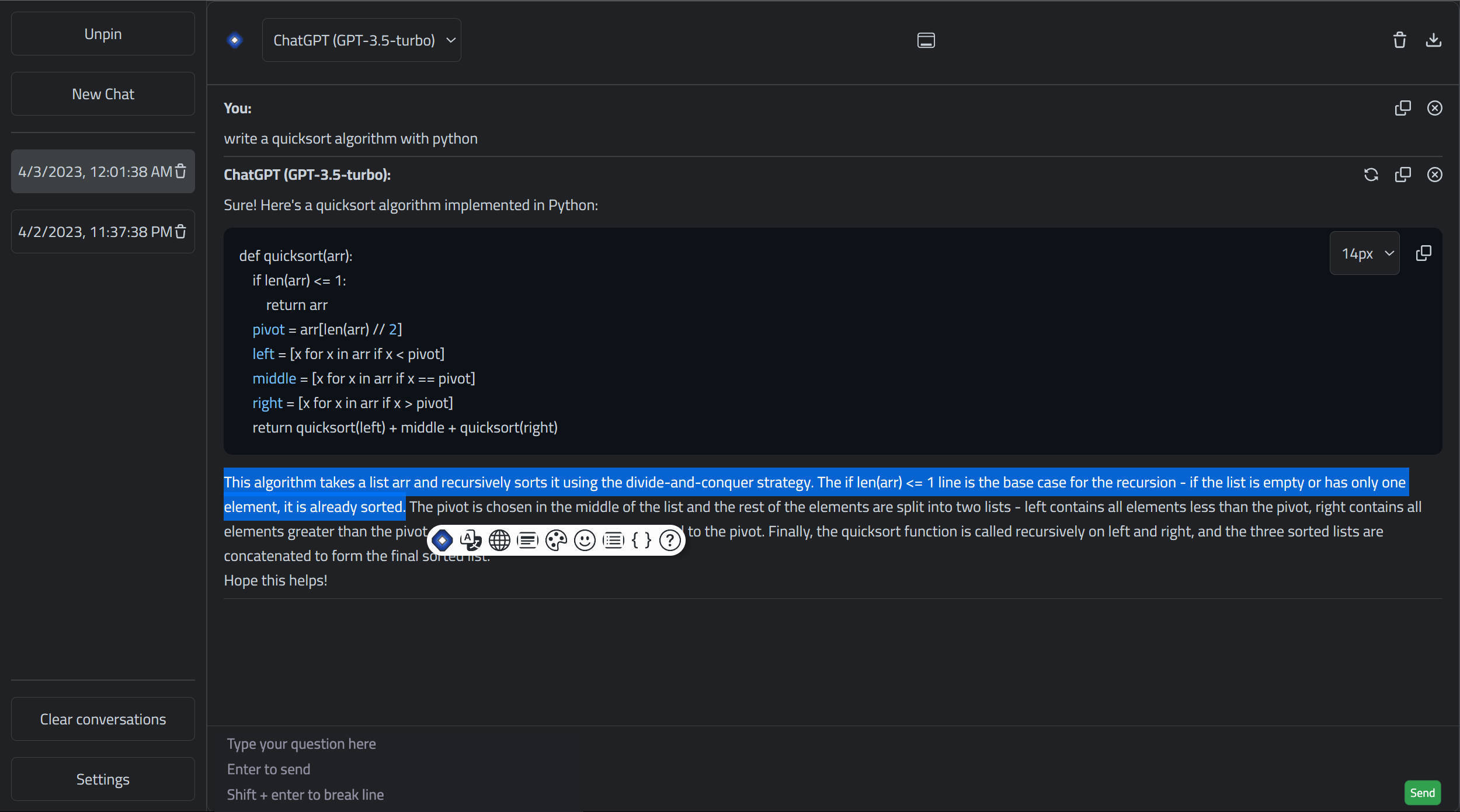
Search Engine Integration, Floating Windows, Conversation Branches
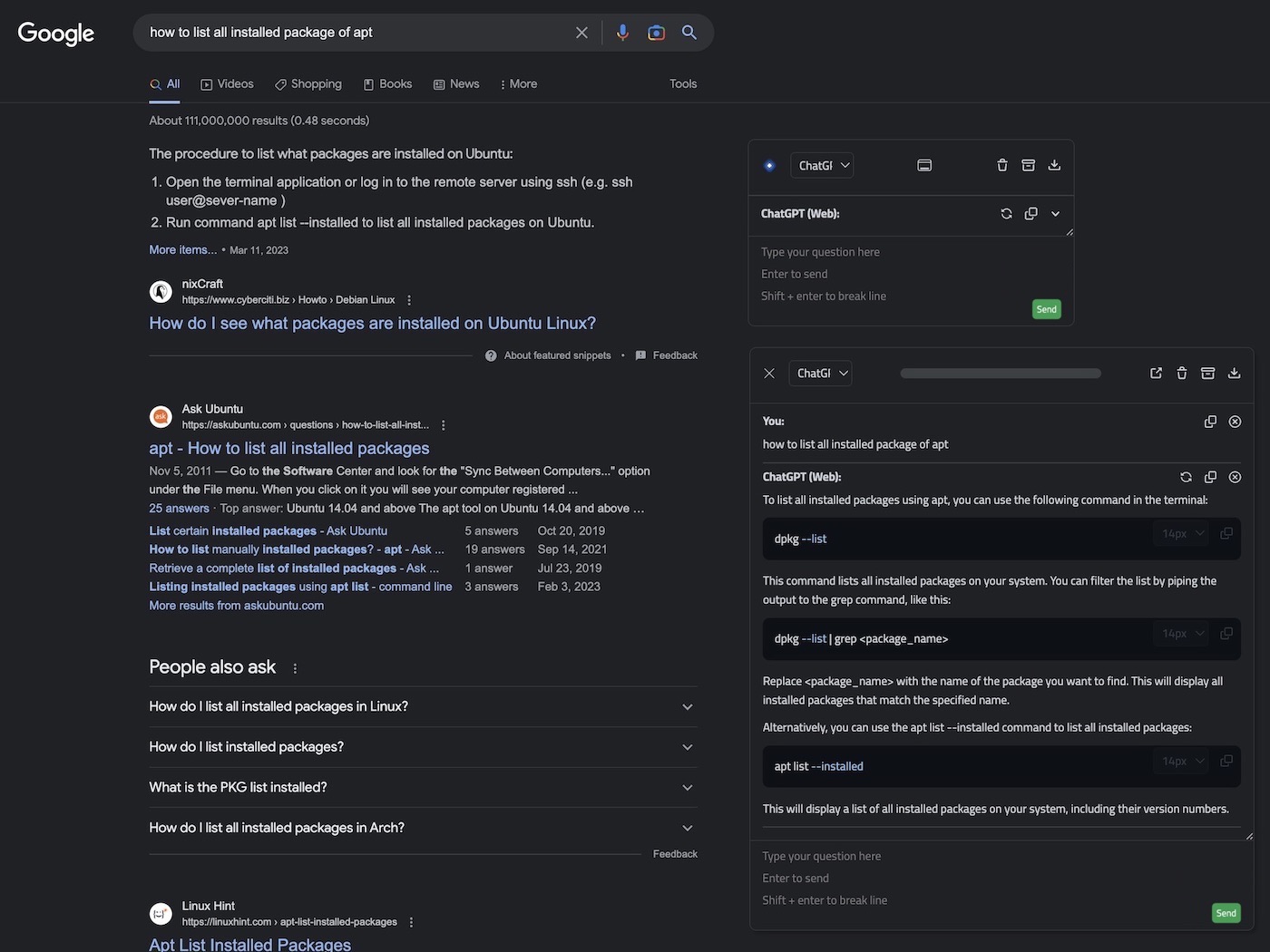
preview_google_floatingwindow_conversationbranch

Integration with Commonly Used Websites, Selection Tools
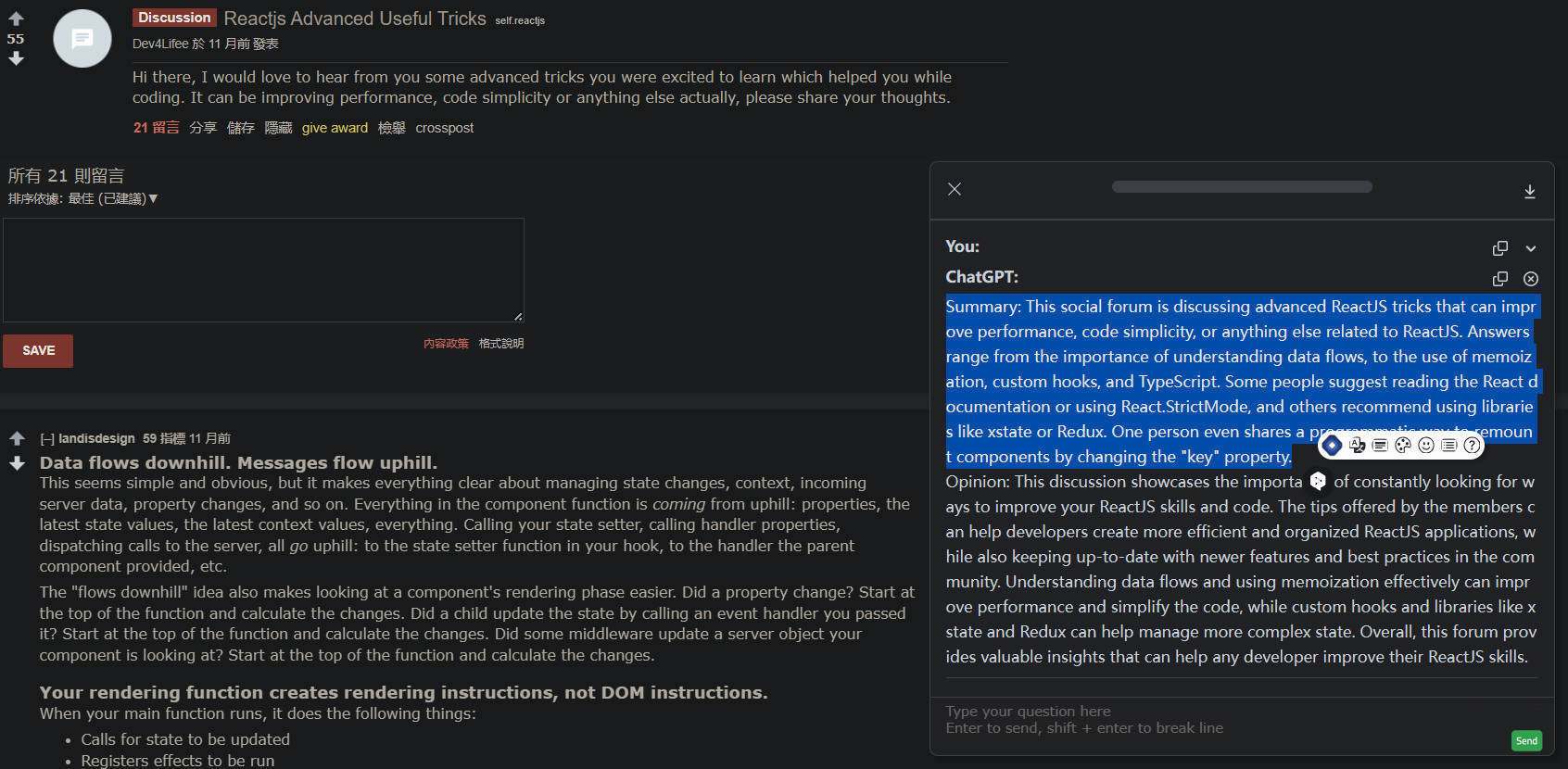
preview_reddit_selectiontools

Independent Conversation Page

preview_independentpanel

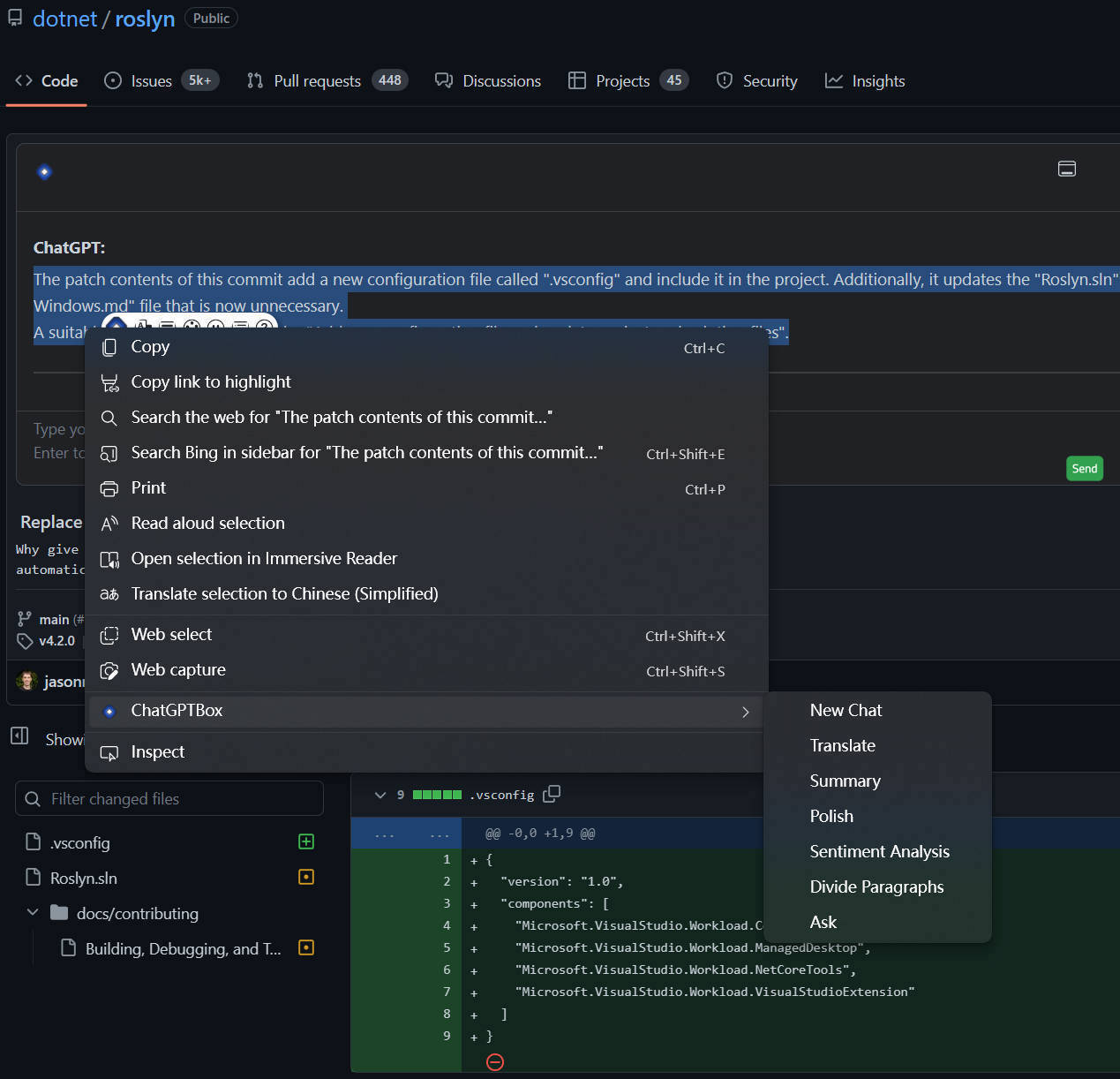
Git Analysis, Right Click Menu

preview_github_rightclickmenu

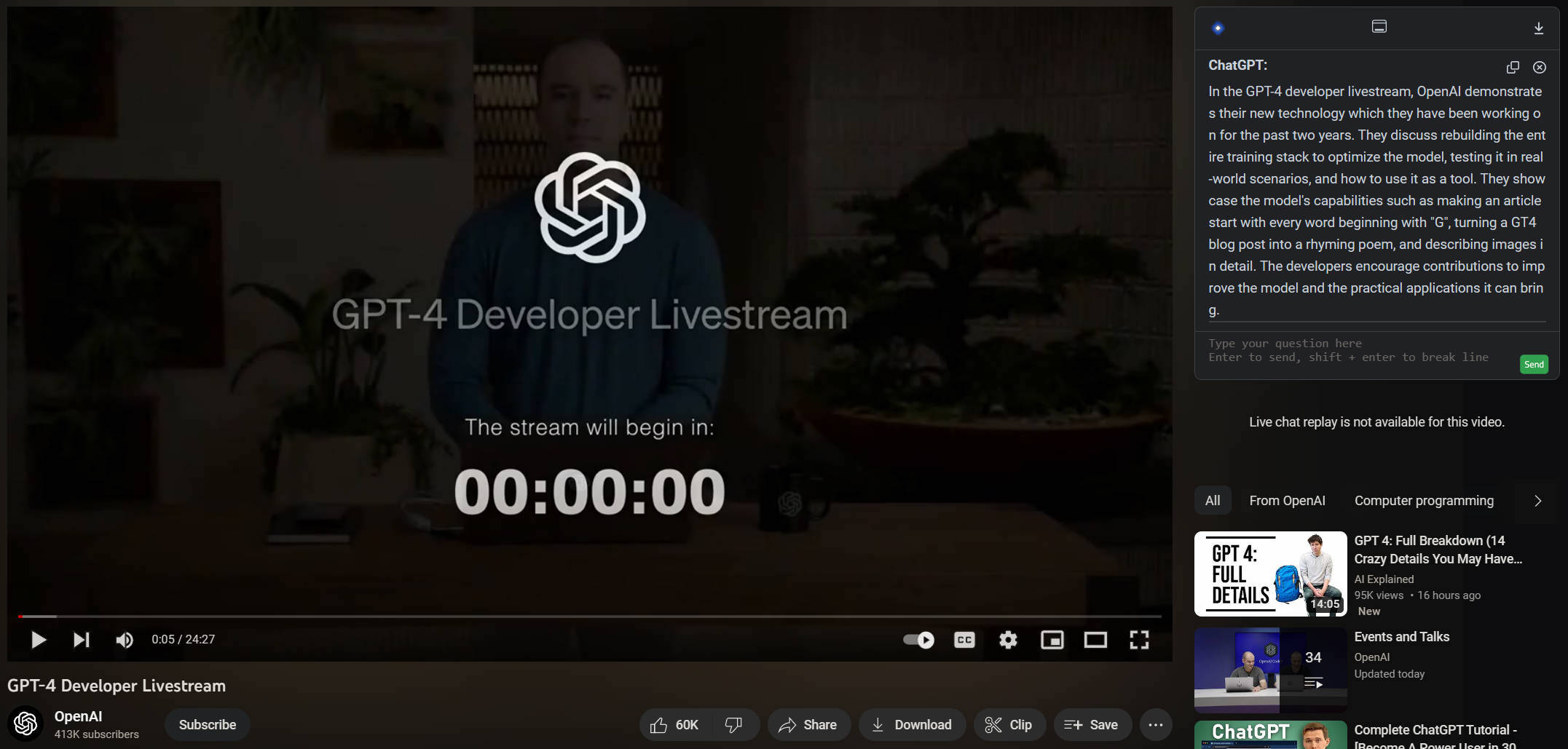
Video Summary

preview_youtube

Mobile Support

image

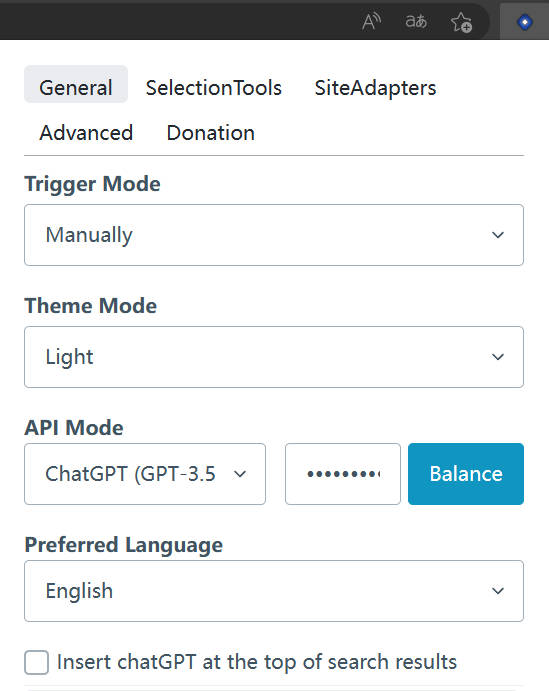
Settings

preview_settings

Credits

This project is based on one of my other repositories, josStorer/chatGPT-search-engine-extension

josStorer/chatGPT-search-engine-extension is forked from wong2/chat-gpt-google-extension (I learned a lot from that) and detached since 14 December of 2022

wong2/chat-gpt-google-extension is inspired by ZohaibAhmed/ChatGPT-Google (upstream-c54528b)

Frequently asked questions

Is chatGPTBox free to use?

chatGPTBox is open source under the MIT licence. There is no licence fee and no seat count — you can self-host it or, where the project offers one, pay a vendor for a managed version instead.

What does chatGPTBox do?

Integrating ChatGPT into your browser deeply, everything you need is here

What is chatGPTBox written in?

chatGPTBox is primarily written in JavaScript. Its source is publicly available at https://github.com/ChatGPTBox-dev/chatGPTBox, and it has 10,755 GitHub stars.