Zen is a free, open source data security & privacy project written in Go and released under MIT. It has 4,225 GitHub stars, 143 forks and 14 open issues, and was last pushed 20 days ago. On this registry it ranks #8 of 14 tracked projects in Data Security & Privacy, with 5 head-to-head comparisons available.

What is Zen?

What it is

Zen is an open-source desktop application written in Go for Windows, macOS, and Linux under the MIT license. It operates as a system-wide ad-blocker and privacy guard, so it applies to traffic from applications on the machine rather than only to browser tabs. It lives in the desktop security and privacy ecosystem, where users want filtering without browser extensions.

The problem Zen addresses is that browser-based ad blocking does not cover all desktop traffic. Ads, tracking scripts, malware, and unwanted content can appear in desktop applications and operating system components. Zen creates a local proxy that intercepts HTTP requests from all applications and blocks requests matching its filters. For HTTPS traffic, the first run prompts the installation of a locally generated root certificate, which is required to intercept and modify encrypted requests.

Key capabilities

  • Zen runs as a Go-based desktop application with a graphical interface on Windows, macOS, and Linux.
  • It sets up a system-wide proxy that intercepts HTTP requests from all applications, not only browser tabs.
  • It blocks ads, tracking scripts, malware, and other unwanted content based on filter rules.
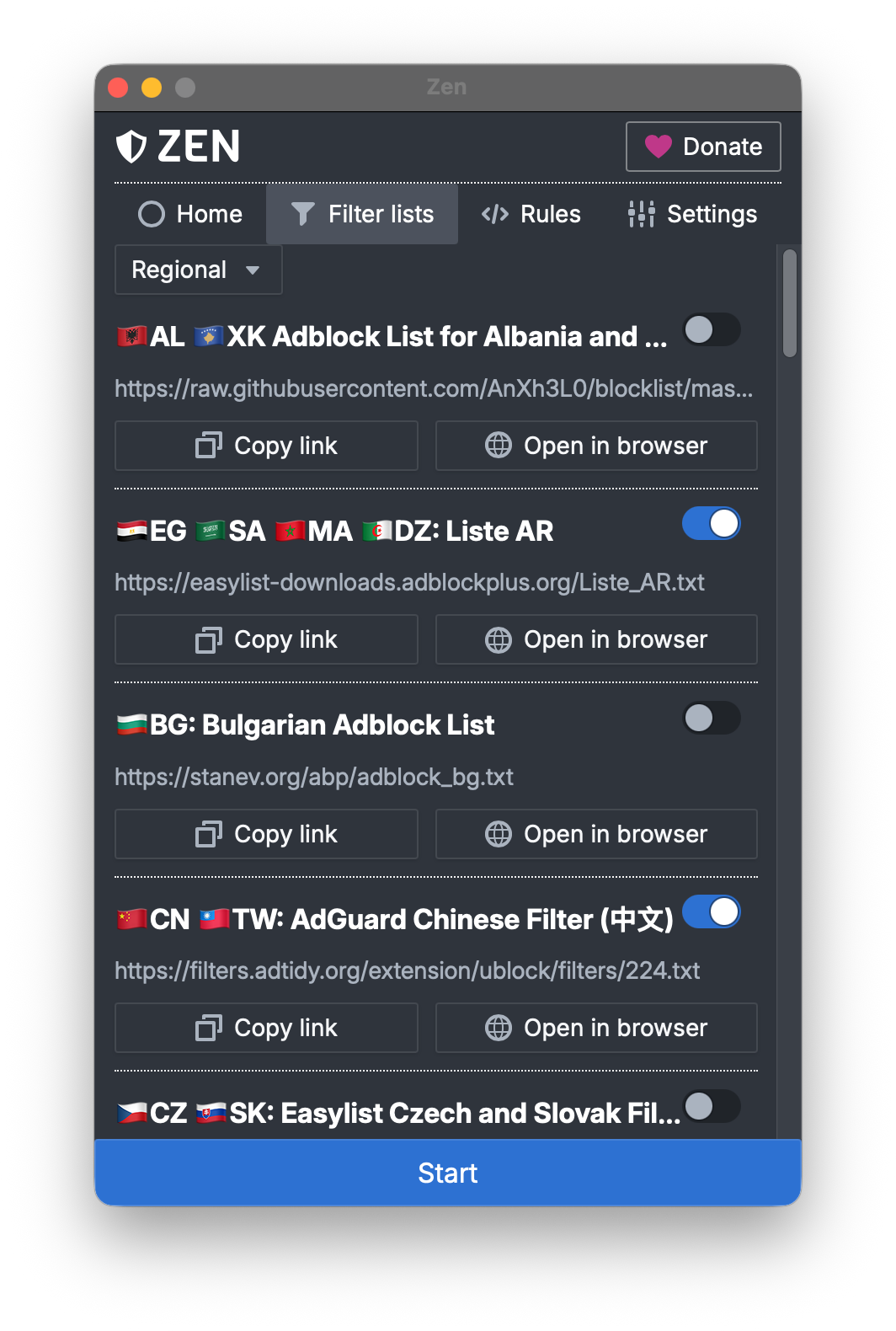
  • It includes pre-installed filters and supports custom hosts files and EasyList-style filters.
  • It can protect against trackers embedded in desktop applications and operating system components.
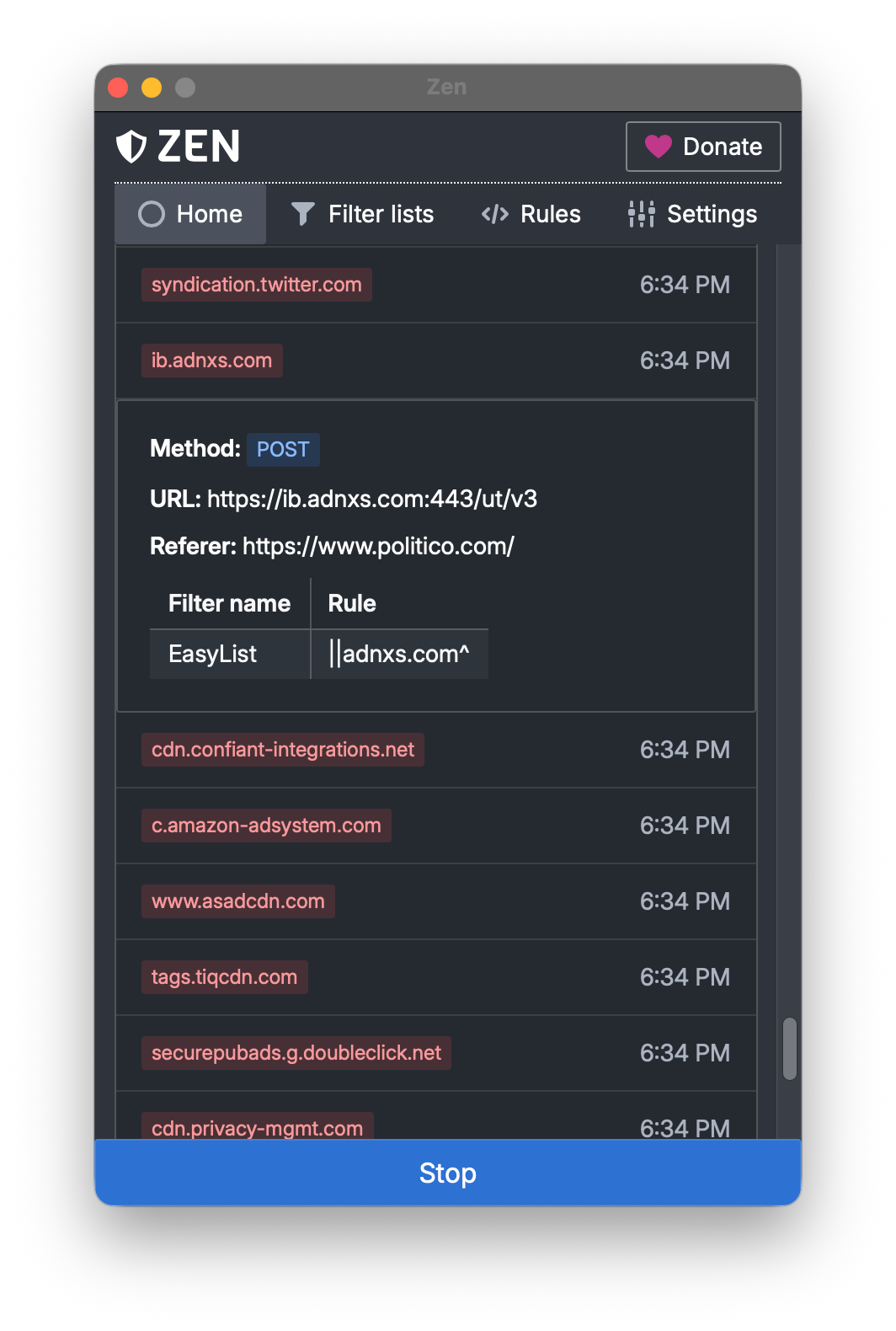
  • It provides request history and filter list management, as shown by the README screenshot labels.
  • It requires a locally generated root certificate to intercept and modify HTTPS requests.

Who uses it and how

  • Windows users install Zen through x64 or ARM64 installers, portable archives, or Winget, then run it to apply filtering.
  • macOS users install Zen through Intel or Apple Silicon installers, portable archives, or Homebrew, then use it across desktop applications.
  • Linux users install Zen through a shell install script, portable archives, or the AUR package, with automatic proxy configuration currently supported on GNOME- and KDE-based desktop environments.
  • Users add hosts files or EasyList-style filters through the filter list manager.
  • Users inspect the request history to see what the proxy intercepted.

Getting started

Users install Zen from GitHub release installers or portable archives, with Winget on Windows, Homebrew on macOS, and a shell install script or AUR package on Linux. On the first run, the application prompts for a locally generated root certificate so it can intercept HTTPS traffic.

When to use it — and when not to

Zen is useful when you need an open-source, local, system-wide privacy filter for desktop applications instead of relying only on browser extensions. Avoid it if you cannot accept a locally installed root certificate, if you need automatic proxy setup outside GNOME or KDE on Linux, or if you need a hosted deployment, because the README lists no server, database, SMTP, hosted option, or paid product it replaces, and the repository age is 0 years.

project readme (upstream, from github) — read inline

Zen's Blue Shield Logo

Zen: Your Comprehensive Ad-Blocker and Privacy Guard

There is, simply, no way, to ignore privacy. Because a citizenry’s freedoms are interdependent, to surrender your own privacy is really to surrender everyone’s.

Edward Snowden, Permanent Record

GitHub License GitHub release GitHub download counter

WebsiteMastodonBlueskyDiscordDocumentation

Zen is an open-source system-wide ad-blocker and privacy guard for Windows, macOS, and Linux. It works by setting up a proxy that intercepts HTTP requests from all applications, and blocks those serving ads, tracking scripts that monitor your behavior, malware, and other unwanted content. By operating at the system level, Zen can protect against threats that browser extensions cannot, such as trackers embedded in desktop applications and operating system components. Zen comes with many pre-installed filters, but also allows you to easily add hosts files and EasyList-style filters, enabling you to tailor your protection to your specific needs.

Downloads

During the first run, Zen will prompt you to install a root certificate. This is required for Zen to be able to intercept and modify HTTPS requests. This certificate is generated locally and never leaves your device. For details on how this works and the steps we take to secure it, see our security architecture.

Windows

Unsure which version to download? Click on 'Start' and type 'View processor info'. The 'System type' field under 'Device specifications' will tell you which one you need.

Winget

Zen is available via Winget (Windows Package Manager). To install, run:

winget install ZenPrivacy.ZenDesktop

macOS

Unsure which version to download? Learn at Apple's website.

🍺 Homebrew

Zen is available via Homebrew for both Intel and Apple Silicon. To install it, run:

brew install --cask zen-privacy

Linux

Zen has an install script that covers most Linux distributions. To install, run:

curl -fsSL https://raw.githubusercontent.com/irbis-sh/zen-desktop/master/install.sh | sh

To uninstall, run:

curl -fsSL https://raw.githubusercontent.com/irbis-sh/zen-desktop/master/install.sh | sh -s -- --uninstall

Other installation methods:

On Linux, automatic proxy configuration is currently only supported on GNOME- and KDE-based desktop environments.

Screenshots

Request history Filter list manager
Request history shows all requests blocked by Zen. Each request can be inspected to see which filter and rule blocked it. Zen comes with many pre-installed filters. You can also add your own by providing a URL to a hosts file or an EasyList-style filter.
  </td>
  </td>
</tr>

Development

Follow the getting started guide to begin working on Zen development. If you have any questions, feel free to ask in the Discussions.

Contributing

Zen needs your help! You can report bugs, suggest and implement features, improve the codebase, or help translate Zen into your language. Please refer to the Contributing Guidelines for more information.

Special Thanks

Zen exists thanks to the support of many incredible people and organizations, including:

  • Our contributors
Avatars of all GitHub contributors to Zen
  • Our sponsors
Avatars of all backers of Zen on Open Collective

License

This project is licensed under the MIT License. Some code and assets included with Zen are licensed under different terms. For more information, see the COPYING file.

Frequently asked questions

Is Zen free to use?

Zen is open source under the MIT licence. There is no licence fee and no seat count — you can self-host it or, where the project offers one, pay a vendor for a managed version instead.

What does Zen do?

System-wide ad-blocking and privacy protection, no extensions needed

What is Zen written in?

Zen is primarily written in Go. Its source is publicly available at https://github.com/irbis-sh/zen-desktop, and it has 4,225 GitHub stars.