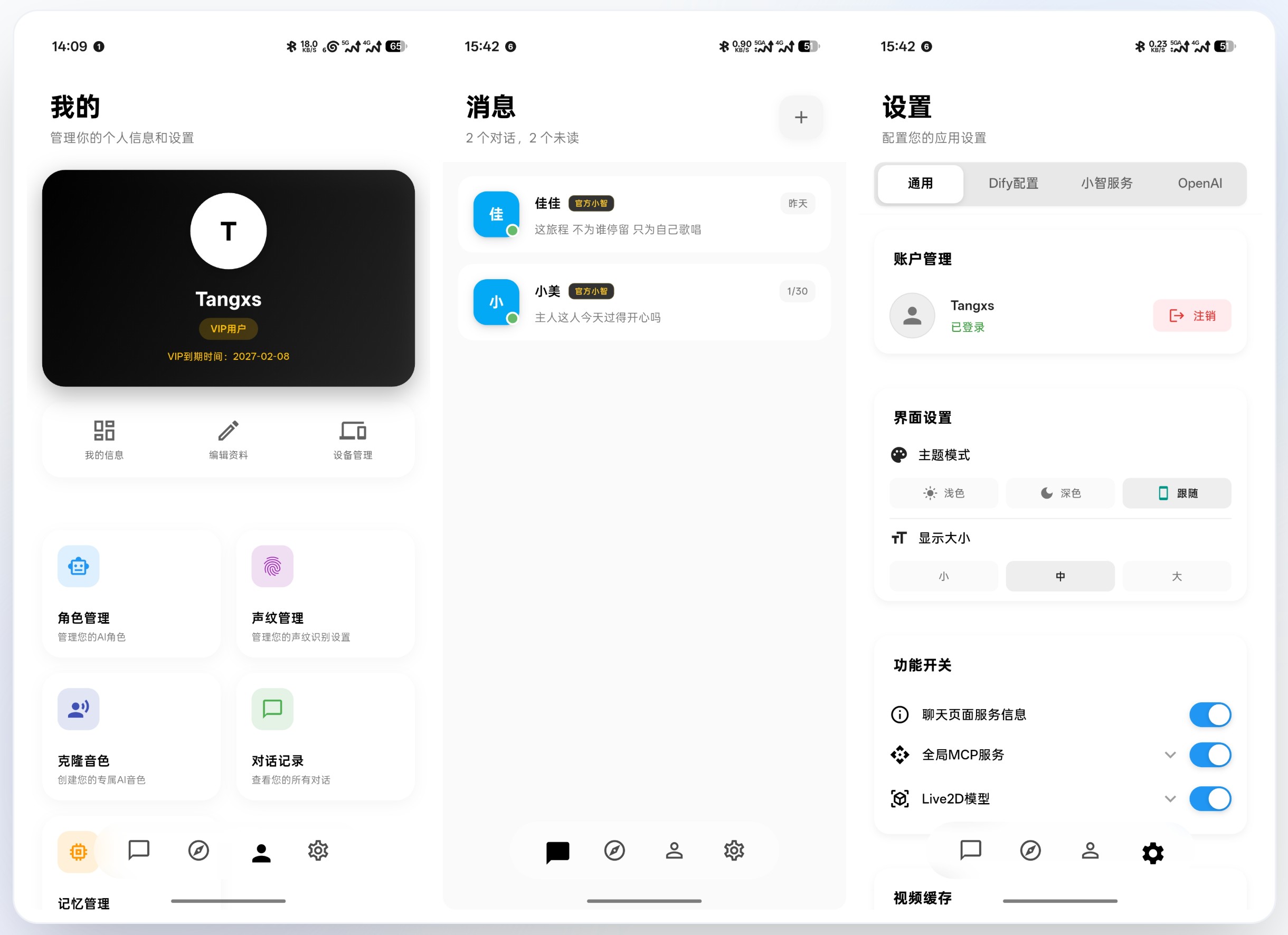
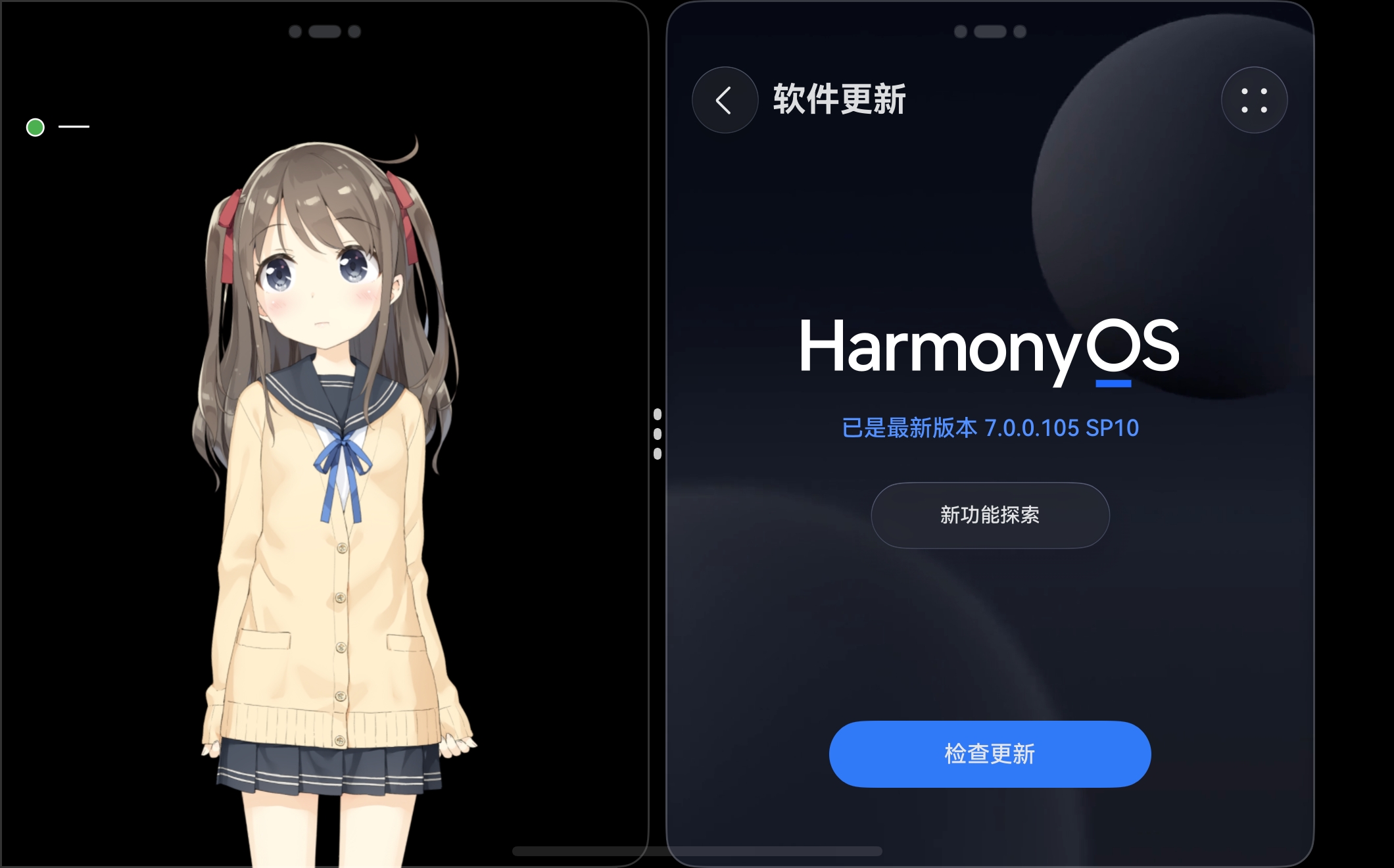
xiaozhi-android-client is a Flutter client for the xiaozhi-server ecosystem that puts real-time voice conversation and text chat in front of Android, iOS, HarmonyOS, Web, Windows, macOS and Linux users, and it is aimed at developers, AI-hardware makers and self-hosters who already run or plan to run a xiaozhi backend.
What it is
The project is an Apache-2.0 licensed Dart and Flutter application that connects to xiaozhi-server, the voice-assistant backend, and exposes it through a conversational interface. It ships as two product lines. The first is V1, a native client built separately for Android and HarmonyOS NEXT, with no webview wrapper, aimed at AI terminals, AI hardware, foldable phones and devices with a secondary screen. The second is V3, a Flutter codebase that targets Android, iOS, HarmonyOS, Web, Windows, macOS and Linux from a single source tree, and which can be compiled to a HAP package for HarmonyOS.
The concrete problem it solves is the lack of a usable front end for a self-hosted xiaozhi assistant. Instead of building a chat client from scratch, a user pairs this app with a xiaozhi-server instance and immediately gets voice interaction with interruption handling, text dialogue, agent management, device management and voiceprint enrollment. It replaces the ad hoc, single-platform client that most self-hosters of a voice assistant would otherwise have to write themselves; in this registry no directly comparable client project is listed.
Key capabilities
- Real-time voice conversation over WebSocket (
WS) and over MQTT-UDP for long-lived connections, with voice interruption so the user can cut in while the assistant is speaking.
- Echo cancellation implemented for Flutter on both iOS and Android.
MCP_Client support, allowing MCP tools and interface data to be wired in and customized.- Multiple xiaozhi services and multiple agents addable to one chat list, with memory kept separate per assistant and interoperation with hardware endpoints.
- OpenAI-backed features: thinking mode, web-assisted search through the OpenAI interface, response-speed timing, simple HTML code preview, and playback of video returned by the model.
- Live2D model support with model switching and user-supplied models; the V1 native line also renders 3D models that react with singing, dancing and emotional expression.
- Account and data screens covering membership expiry, conversation counts, bound devices, voiceprint counts, quota usage, recent active devices, conversation history and memory.
- IoT control for invoking phone functions such as navigation and music playback, plus Dify support for sending images.
Who uses it and how
- Hardware builders producing AI desktop terminals, AI speakers, AI study machines or companion devices, who use the V1 native Android and HarmonyOS builds for low startup cost and low power draw.
- HarmonyOS developers who need a client that compiles to a HAP package and runs on HarmonyOS NEXT, including foldable and secondary-screen form factors.
- Users running several assistants at once, who add multiple xiaozhi services to the list and keep each assistant's memory distinct.
- Multi-platform desktop and web users who want the same client on Android, iOS, HarmonyOS, Web, Windows, macOS and Linux.
- Teams that treat the client as an AI terminal control surface, combining voice dialogue with IoT calls into device functions.
Getting started
No package-manager install or published Docker image is documented; the README states that users can self-package APK, iOS, Web, PC and HarmonyOS HAP builds from the project sources using Flutter. Project information and builds are published through https://jtai.lhht.cc.
How it compares
The facts do not list paid products this project replaces, and the similar names that do appear — Dify and OpenAI — are integrated services rather than rival clients. On that basis it stands alone in this registry, with no peer client named for comparison on licence, hosting model or cost.
When to use it — and when not
A self-hoster must operate a xiaozhi-server backend that speaks WS or MQTT-UDP, and the fullest feature set is described as being deeply adapted to the project's own commercial server. The V1 native clients are bundled only with the paid commercial version, so anyone unwilling to buy that edition gets the Flutter client alone and none of the native or 3D-model work. The excerpt is also a commercial feature catalogue rather than a build guide: it lists capabilities in checklists but gives no install command, no environment setup and no release binaries, so expect to supply your own Flutter toolchain, signing and HarmonyOS packaging.