WWDC is a free, open source frameworks & platforms project written in Swift and released under BSD-2-Clause. It has 8,742 GitHub stars, 767 forks and 23 open issues, and was last pushed 4 months ago. On this registry it ranks #47 of 113 tracked projects in Frameworks & Platforms, with 5 head-to-head comparisons available.

What is WWDC?

WWDC is an unofficial, open-source macOS app for Apple developers who want to watch conference sessions, follow the live schedule, and take searchable notes without leaving their Mac.

What it is

WWDC is a Swift application for macOS, released under the BSD-2-Clause licence, that gathers Apple's conference video content into a single native desktop client. It lets you watch the Keynote and Platforms State of the Union live, follow every session video released during WWDC week, and revisit footage from previous years, along with other video content found on Apple's website or the Apple Developer app. The project publishes its own homepage at https://wwdc.io and distributes releases through its GitHub releases page.

The problem it solves is that WWDC content is otherwise scattered across Apple's website and separate apps, with no easy way to track viewing progress, annotate specific moments, or search across sessions. The app replaces that scattered workflow with a unified library where unfinished videos, favorites, and live events appear in one place, and where transcripts and bookmarks make the material referenceable later when you try out the technologies discussed.

Key capabilities

  • The Explore tab shows an overview of the latest content, unfinished videos, recently favorited videos, and any special events currently live.
  • The Schedule tab shows each day's schedule for the current WWDC edition and lets you watch live streams for the Keynote and other sessions.
  • Session transcripts are searchable, available in multiple languages, and let you jump directly to a specific point in the video.
  • Playback runs at 0.5x, 1x, 1.25x, 1.5x, 1.75x, 2x and custom speeds, with fullscreen and native picture-in-picture support.
  • Clip Sharing exports a short segment of up to 5 minutes from a session's video for sharing conference snippets.
  • Bookmarks create an annotated reference point at a moment in a video, and bookmark annotations are included when searching.
  • iCloud sync, enabled in preferences, syncs favorites, bookmarks, and session progress across your Macs.

Who uses it and how

  • Apple developers watch the Keynote and Platforms State of the Union live during WWDC week and then work through released session videos at custom playback speeds.
  • Attendees and remote viewers follow the day-by-day Schedule tab to catch live streams of sessions throughout the week.
  • Engineers take bookmarks with annotations at specific points in a video and later search those notes when implementing new technologies from the sessions.
  • Content sharers export clips of up to 5 minutes and share universal session links that open in the app on a Mac with it installed, or in the Apple Developer app on iOS.
  • Multi-Mac users enable iCloud sync so their favorites, bookmarks, and viewing progress stay current across machines.

Getting started

Download the latest release directly from the releases page at https://github.com/insidegui/WWDC/releases/latest, or visit the project homepage at https://wwdc.io. The app uses Sparkle for automatic updates once installed.

How it compares

The project stands alone in this registry: no comparable tools are named in the facts available for this listing.

When to use it — and when not to

Because it relies on Realm for data storage and caching, CloudKitCodable for sync, Siesta for networking, and Sparkle for updates, a contributor working on the app operates that stack rather than a service of their own, and the project notes that its Realm fork swaps a target for a binaryTarget, which may cause trouble in the future. It is written in Swift for macOS only, so developers who primarily work on iOS or other platforms will not find a native client here, and with 23 open issues and an ongoing fork of a core dependency, expect some rough edges rather than a polished commercial product.

project readme (upstream, from github) — read inline

The unofficial WWDC app for macOS

Enjoy WWDC from the comfort of your Mac with the unofficial WWDC app for macOS.

Watch the Keynote and Platforms State of the Union live, as well as the videos for all sessions released during WWDC week and other video content you can find on Apple's website or Developer app.

Keep track of the videos you’d like to watch or the ones you’ve already watched and take notes that you can reference later when trying out new technologies you learned about in the sessions.

⬇️ If you just want to download the latest release, go to the releases page.

Explore

The Explore tab shows an overview of the latest content available, the videos you haven’t finished watching yet, recently favorited videos, as well as any special events that are currently live.

Schedule

The Schedule tab shows the schedule for each day in the current edition of WWDC and allows you to watch live streams for the Keynote and other sessions throughout the week.

Videos

Watch this year’s videos as they’re released and access videos from previous years. You can also read transcripts of sessions and easily jump to a specific point in the relevant video. Transcripts are also searchable and available in multiple languages.
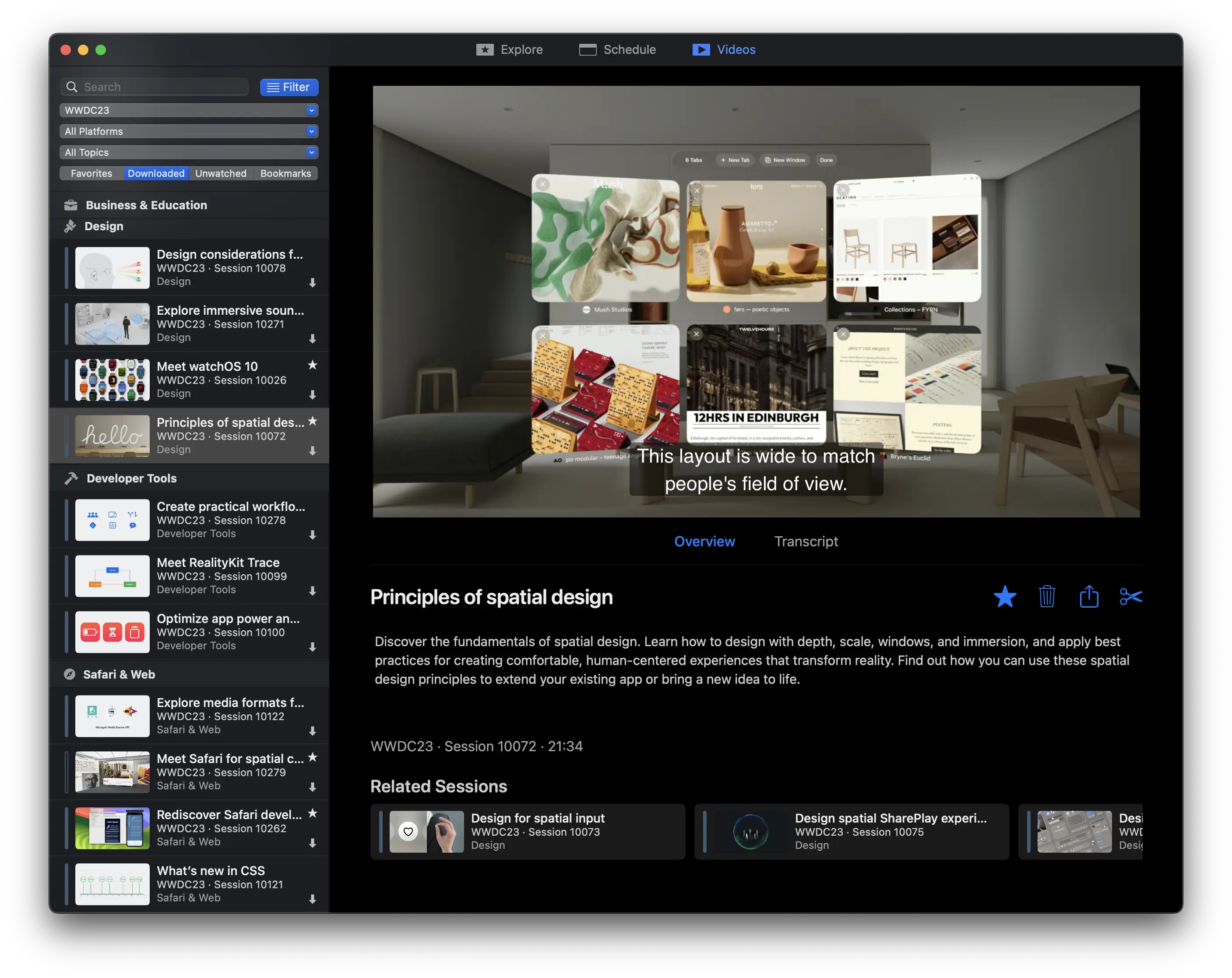
videos

Features

  • Watch videos in 0.5x, 1x, 1.25x, 1.5x, 1.75x, 2x and custom speeds
  • Fullscreen and native picture-in-picture support
  • Navigate video contents easily with the help of transcripts

Clip Sharing

Clip Sharing allows you to share a short segment (up to 5 minutes) from a session’s video. This is a great feature for quickly sharing snippets of content from the conference.
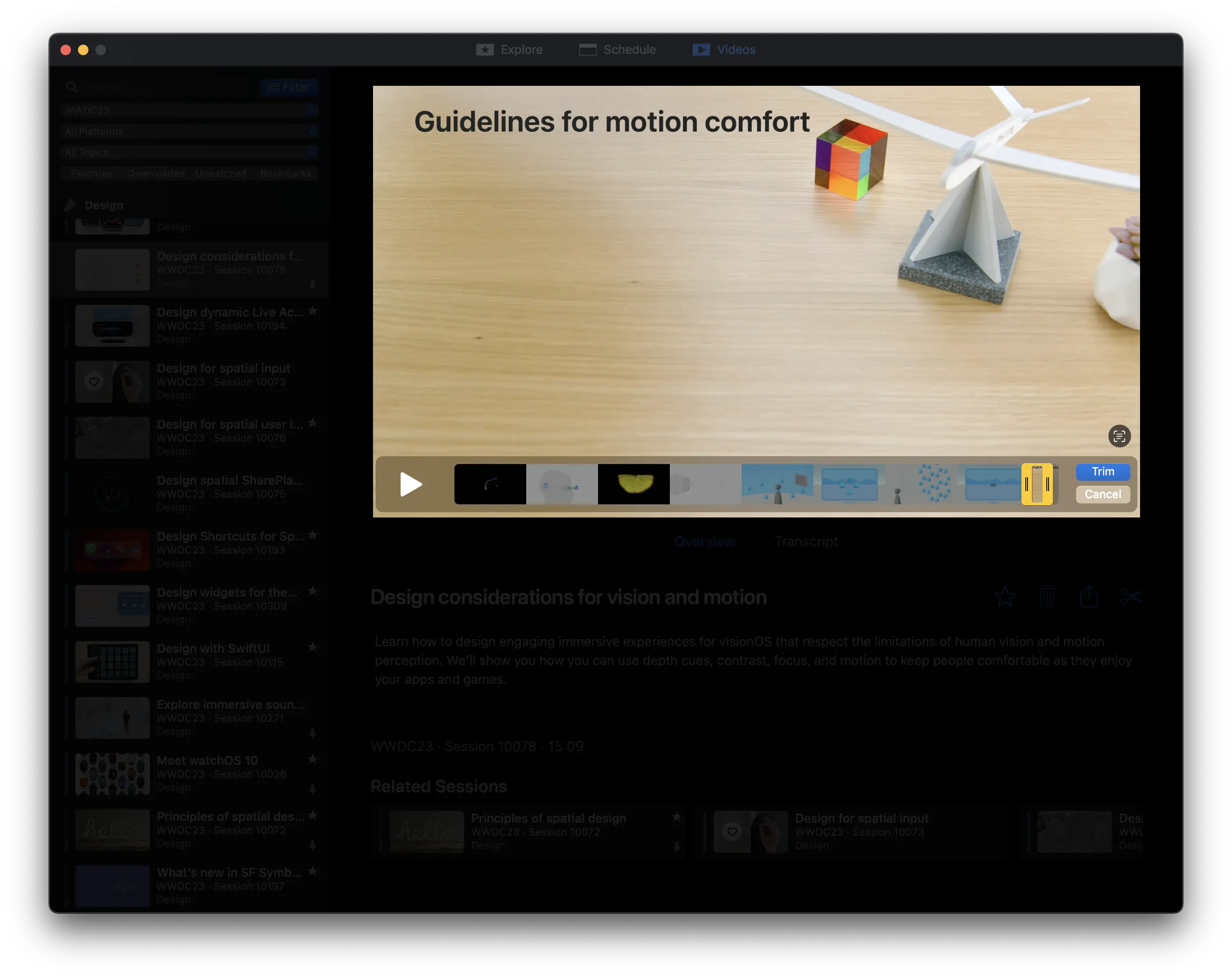
clipsharing

Bookmarks

Have you ever found yourself watching a WWDC session and wishing you could take notes at a specific point in the video to refer back to later on? This is now possible with bookmarks.

With bookmarks, you can create a reference point within a video and add an annotation to it. Your bookmark annotations can also be considered while using the search, so it’s easier than ever to find the content you've bookmarked before.
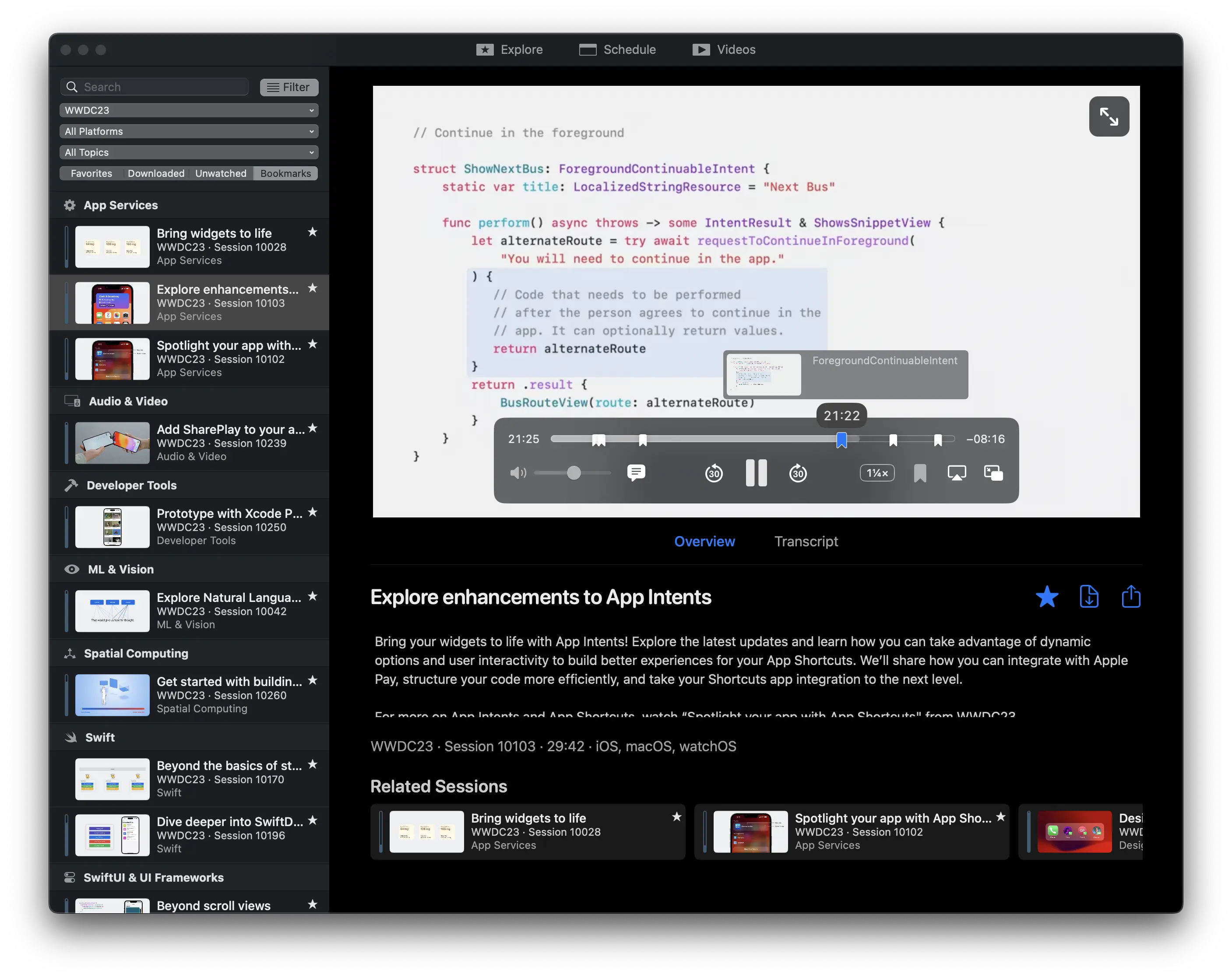
bookmarks

iCloud Sync

Enable the iCloud sync feature in preferences and your favorites, bookmarks and progress in sessions will be synced across your Macs.

Sharing

You can easily share links to sessions or videos by using the share button. The links shared are universal links that redirect to Apple’s developer website, so if they’re opened on a Mac which has the app installed, they will open in the app. The links are also compatible with iOS devices using the Apple Developer app.

Nerdy bits 🤓

Code of Conduct

We expect all of our contributors to help uphold the values set out in our code of conduct. We fundamentally believe this will help us build a better community, and with it a better app.

Contributing

Please read the contribution guidelines before opening an issue or pull request.

External libraries

A number of third-party libraries are used by the app:

  • Realm: data storage and caching
    • Note: We have a fork that swaps a target for a binaryTarget. If this causes trouble in the future, consider switching back to the "normal" realm-swift. @SeeAlso: PR 732
  • Sparkle: automatic updates
  • CloudKitCodable: sync support
  • Siesta: networking

Internal libraries

  • ConfCore is the core of the app that deals with Apple's WWDC API, data storage, caching, syncing and transcripts (everything that has to do with data, basically)
  • ConfUIFoundation contains shared color, font definitions and other useful extensions used by the main app target and PlayerUI
  • PlayerUI contains the UI components for the video player and some general-purpose UI components used throughout the app

Building the app

Building requires Xcode 16 or later.

Clone this branch and before opening the project, run ./bootstrap.sh to setup the environment. The script will ask for your Apple Developer team ID in order to configure the project. There's no need to change any code signing settings in Xcode. The bootstrap script will also install swiftlint for you using brew if you don’t have it yet.

Since the app uses CloudKit, when you build it yourself, all CloudKit-related functionality will be disabled.

Always use the WWDC scheme when building (the one that doesn't mention iCloud in its name).
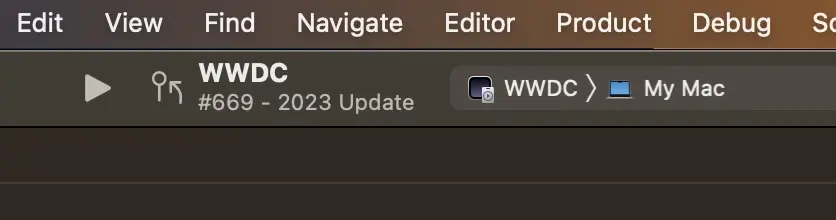
schedule

Clearing app data during development

If you need to clear the app’s preferences and stored data during development, you can run ./cleardata.sh or ./cleardebugdata.sh (if using -WWDCUseDebugStorage YES) in the project folder. This will delete all of your preferences and data like favorites, bookmarks and progress in videos, so be careful.

Frequently asked questions

Is WWDC free to use?

WWDC is open source under the BSD-2-Clause licence. There is no licence fee and no seat count — you can self-host it or, where the project offers one, pay a vendor for a managed version instead.

What does WWDC do?

The unofficial WWDC app for macOS

What is WWDC written in?

WWDC is primarily written in Swift. Its source is publicly available at https://github.com/insidegui/WWDC, and it has 8,742 GitHub stars.