

Website · Live demo · Product Hunt
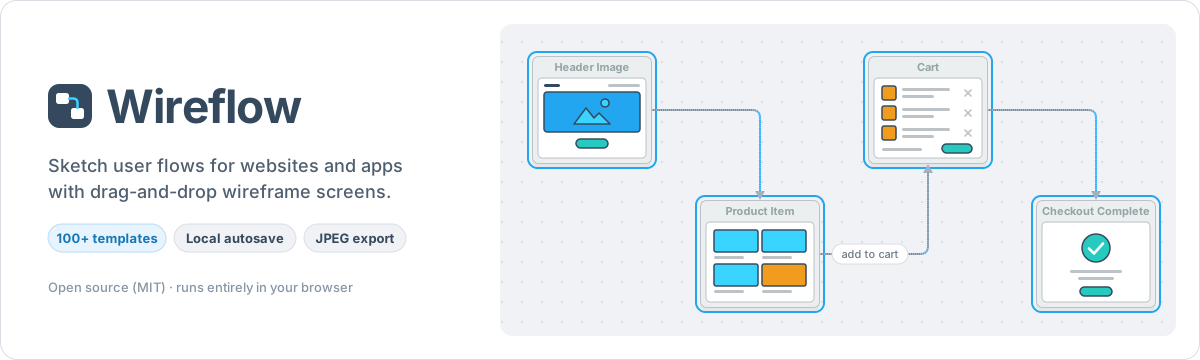
Wireflow is a free, open-source tool for sketching user flows. Drag wireframe screens onto a canvas, connect them, and export the result as an image. It runs entirely in the browser: no account, no backend.
Made by The Vanila Team and Automatio AI.
Features
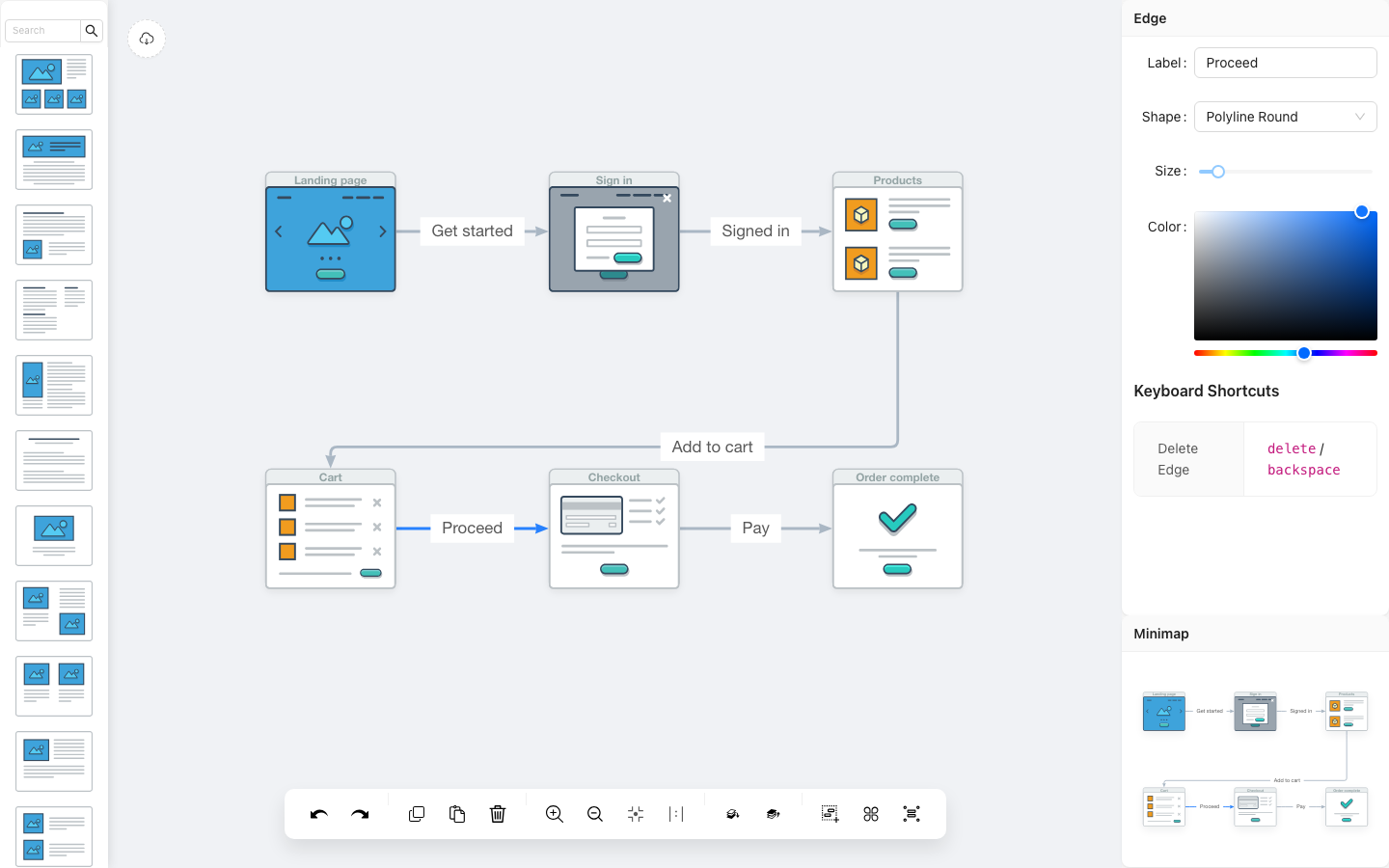
- 100+ screen templates in ten categories (Article, Blog, E-Commerce, Features, Gallery, Header, Misc, Multimedia, Sign in, Socials), with search in the sidebar.
- Drag and drop templates onto a zoomable canvas.
- Connect screens with edges. Each edge has its own label, shape (smooth, polyline, rounded polyline), width, and color.
- Edit nodes: rename them, and show or hide the header with a shortcut.
- Organize: multi-select, group and ungroup, bring to front and send to back.
- Edit history: undo, redo, copy, paste, and delete.
- Navigate: zoom in and out, fit to screen, actual size, and a minimap.
- Export the canvas to a JPEG with one click.
- Autosave: every change is saved to your browser's
localStorage.
How it works
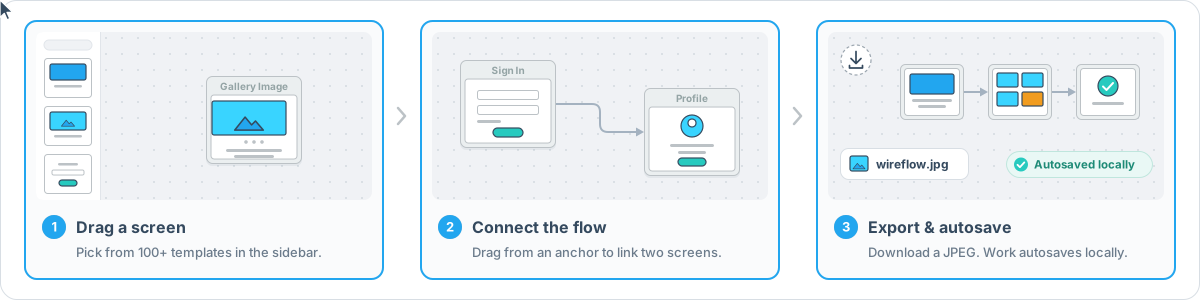
- Drag a screen. Pick a template from the left sidebar and drop it on the canvas.
- Connect the flow. Hover a screen to show its anchor points, then drag from an anchor to another screen. Select a node, edge, or group to edit it in the right-hand panel.
- Export. Click the round button in the top-left corner of the canvas to download
wireflow.jpg. You don't need to save; the diagram is stored in your browser as you work.
Quick start
Requirements:
- Node.js 20.19+ or 22.12+. Node 24 LTS is recommended.
- pnpm. The version is pinned in
package.json. Runcorepack enable(Corepack ships with Node 24) to use it automatically, or follow the pnpm installation guide.
git clone https://github.com/vanila-io/wireflow.git
cd wireflow
corepack enable
pnpm install
pnpm dev
Then open http://localhost:5173.
Scripts
| Command | What it does |
|---|---|
pnpm dev |
Start the Vite dev server at http://localhost:5173 |
pnpm build |
Create a production build in build/ |
pnpm preview |
Serve the production build at http://localhost:4173 |
pnpm lint |
Lint the project with ESLint |
pnpm test |
Run the Vitest unit tests (src/**/*.test.{js,jsx}) |
pnpm test:e2e |
Run the Playwright end-to-end tests in e2e/ |
Testing
pnpm test                                  # unit tests (Vitest)

pnpm exec playwright install chromium      # first run only: download the test browser
pnpm test:e2e                              # end-to-end tests (Playwright, Chromium)
Unit tests are *.test.js / *.test.jsx files under src/. The end-to-end specs live in e2e/ and are configured in playwright.config.js. pnpm test:e2e builds the app and serves it on port 4179 by itself, so you don't need a running dev server (the port must be free).
Docker
docker compose up -d --build
Then open http://localhost:8083. The image builds the app in a Node 24 stage and serves the static build/ output with nginx. Stop it with docker compose down.
Keyboard shortcuts
| Shortcut | Action |
|---|---|
| Ctrl + = | Zoom in |
| Ctrl + - | Zoom out |
| Ctrl + H | Hide the header of the selected node |
| Ctrl + K | Show the header of the selected node |
| Delete / Backspace | Delete the selection |
Data and privacy
- Your diagram is saved automatically to your browser's
localStorage(keydata) on every change. Nothing is sent to a server, and there are no accounts or analytics. - The diagram only exists in the browser where you made it. Clearing site data deletes it, and you can't move the editable diagram to another browser yet. JPEG export saves an image of the canvas, not an editable file.
- The toolbar icon font is loaded from Alibaba's iconfont CDN (
at.alicdn.com).
Tech stack
React 19 · Vite 8 · Ant Design 6 · GGEditor 2 (built on G6) · html-to-image · react-colorful · Vitest · Playwright · ESLint
Project structure
.
├── docs/                 README images (animated SVGs, screenshot)
├── e2e/                  Playwright end-to-end specs
├── public/               static files copied as-is (icons, manifest, Netlify _redirects)
├── src/
│   ├── assets/images/    wireframe screen templates (SVG), one folder per category
│   ├── components/       canvas, sidebar, toolbar, detail panel, minimap, export button
│   ├── containers/       app layout and custom node shapes
│   └── utils/            localStorage persistence helpers
├── index.html            Vite entry page
├── vite.config.js        Vite + Vitest config (build output: build/)
├── playwright.config.js  Playwright config
├── eslint.config.js      ESLint flat config
├── Dockerfile            Node 24 build stage + nginx runtime
└── docker-compose.yml    serves the app on port 8083
Contributing
Contributions are welcome. Bug reports and ideas go in GitHub issues.
Fork the repository and create a branch for your change.
Install dependencies with
pnpm installand make your change.Run the checks locally:
pnpm lint && pnpm test && pnpm test:e2eOpen a pull request that explains what changed and why. Include a screenshot for UI changes.
Around the web
- Wireflow website
- Product Hunt page
- Open Hub analysis of the code
- Original call for contributors (Meteor forums)
- Slack invite (older invite link, may have expired)
Credits
Contributors
This project exists thanks to everyone who contributes.

Backers
Thank you to all our backers! Become a backer

Sponsors
Support this project by becoming a sponsor. Your logo will show up here with a link to your website. Become a sponsor