
WebUI v2.5.0-beta.4




Use any web browser or WebView as GUI, with your preferred language in the backend and modern web technologies in the frontend, all in a lightweight portable library.
Ask AI Any Question About the WebUI
WebUI GPT - C/C++
Download
Contents
- Features
- Showcase
- UI & The Web Technologies
- Documentation
- Build
- Examples
- Wrappers
- Supported Web Browsers
- License
Documentation
Features
- Portable (Only needs a web browser at runtime, WebView is optional)
- Single header file
- Lightweight (Few Kb library) & Small memory footprint
- Fast binary WebSocket communication protocol
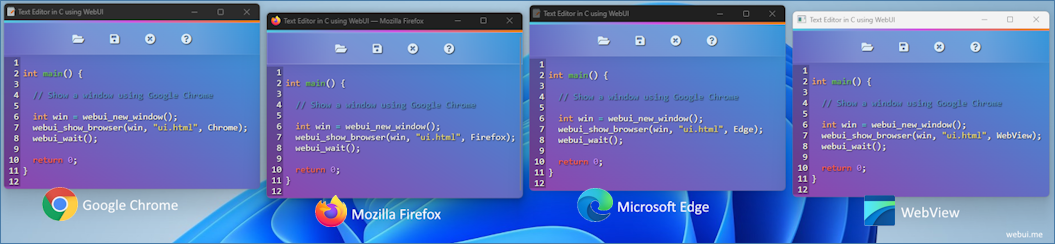
- Multi-platform & Multi-Browser
- Uses private profile for safety
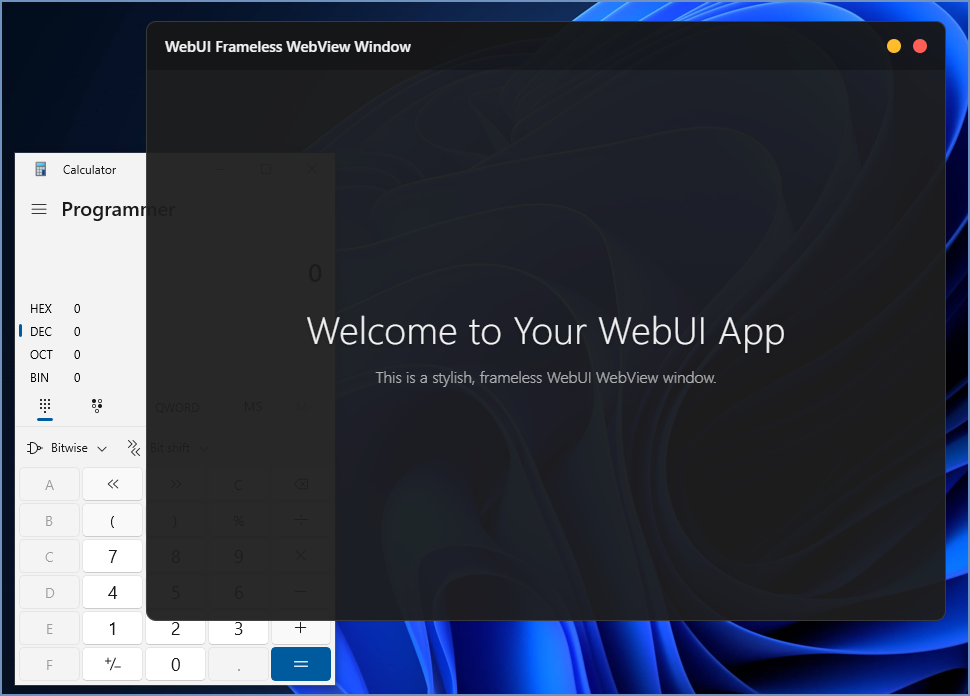
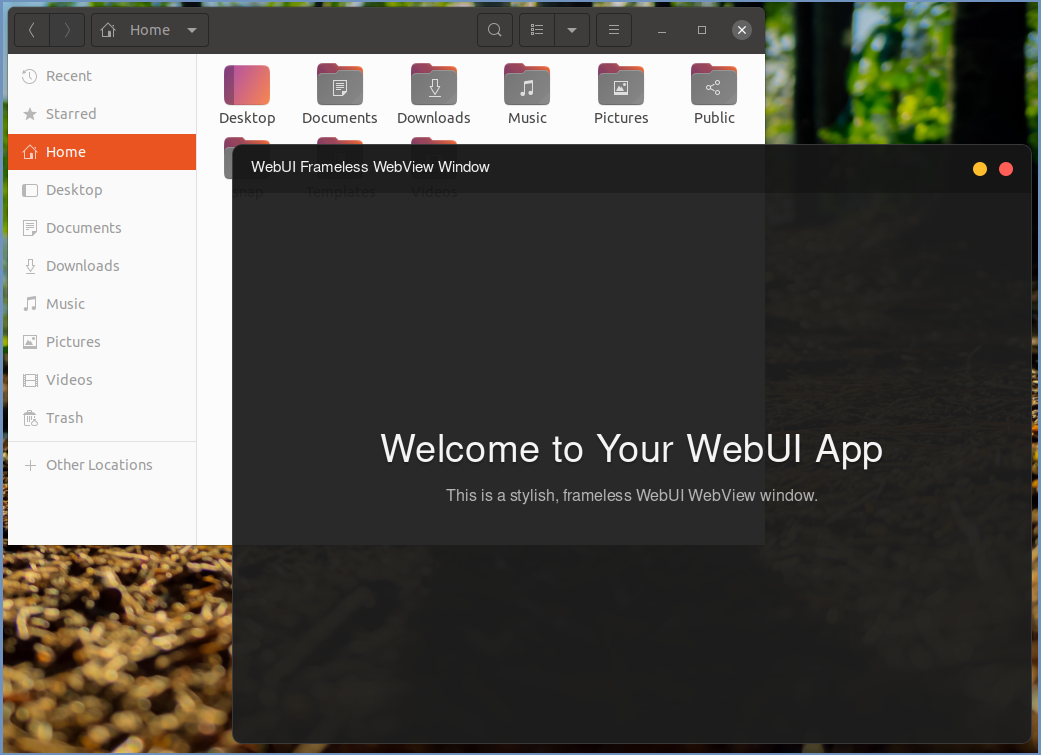
- Cross-platform WebView (Optional)
UI & The Web Technologies
Borislav Stanimirov discusses using HTML5 in the web browser as GUI at the C++ Conference 2019 (YouTube).
Web application UI design is not just about how a product looks but how it works. Using web technologies in your UI makes your product modern and professional, And a well-designed web application will help you make a solid first impression on potential customers. Great web application design also assists you in nurturing leads and increasing conversions. In addition, it makes navigating and using your web app easier for your users.
Why Use Web Browsers?
Today's web browsers have everything a modern UI needs. Web browsers are very sophisticated and optimized. Therefore, using it as a GUI will be an excellent choice. While old legacy GUI lib is complex and outdated, a WebView-based app is still an option. However, a WebView needs a huge SDK to build and many dependencies to run, and it can only provide some features like a real web browser. That is why WebUI uses real web browsers to give you full features of comprehensive web technologies while keeping your software lightweight and portable.
How Does it Work?
Think of WebUI like a WebView controller, but instead of embedding the WebView controller in your program, which makes the final program big in size, and non-portable as it needs the WebView runtimes. Instead, by using WebUI, you use a tiny static/dynamic library to run any installed web browser and use it as GUI, which makes your program small, fast, and portable. All it needs is a web browser.
Runtime Dependencies Comparison
| GUI | Windows Dependencies | Linux Dependencies | macOS Dependencies |
|---|---|---|---|
| Tauri | WebView2 | GTK/WebKitGTK | WKWebView, WebKit |
| Qt | Qt bundles | Qt bundles, libxcb, libxkbcommon... | Qt bundles |
| Electron | Embedded Chromium + Node.js | Embedded Chromium + Node.js | Embedded Chromium + Node.js |
| NW.js | Embedded Chromium + Node.js | Embedded Chromium + Node.js | Embedded Chromium + Node.js |
| WebUI | Only A Web Browser | Only A Web Browser | Only A Web Browser |
Build WebUI Library
Windows
| Compiler | Command |
|---|---|
| GCC | mingw32-make |
| MSVC | nmake |
Windows SSL/TLS (Optional)
Download and install the OpenSSL pre-compiled binaries for Windows:
- MSVC: x64 OpenSSL v3.3.1 or 32Bit. See the Wiki list for more info.
- MinGW: Curl for Windows with OpenSSL
# GCC
mingw32-make WEBUI_USE_TLS=1 WEBUI_TLS_INCLUDE="C:\curl-xxx-xxx-mingw\curl-xxx-xxx-mingw\include" WEBUI_TLS_LIB="C:\curl-xxx-xxx-mingw\curl-xxx-xxx-mingw\lib"

# MSVC
nmake WEBUI_USE_TLS=1 WEBUI_TLS_INCLUDE="C:\Program Files\OpenSSL-xxx\include" WEBUI_TLS_LIB="C:\Program Files\OpenSSL-xxx\lib"
Linux
| Compiler | Command |
|---|---|
| GCC | make |
| Clang | make CC=clang |
Linux SSL/TLS (Optional)
sudo apt update
sudo apt install libssl-dev

# GCC
make WEBUI_USE_TLS=1

# Clang
make WEBUI_USE_TLS=1 CC=clang
macOS
| Compiler | Command |
|---|---|
| Default | make |
macOS SSL/TLS (Optional)
brew install openssl
make WEBUI_USE_TLS=1
Minimal WebUI Application
C
#include "webui.h"

int main() {
  size_t my_window = webui_new_window();
  webui_show(my_window, " Hello World ! ");
  webui_wait();
  return 0;
}
C++
#include "webui.hpp"
#include

int main() {
  webui::window my_window;
  my_window.show(" C++ Hello World ! ");
  webui::wait();
  return 0;
}
More C/C++ Examples
Other Languages
Build WebUI Application
Windows
| Compiler | Type | Command |
|---|---|---|
| GCC | Static | gcc -Os -Wl,-subsystem=windows my_application.c -I"_PATH_TO_WEBUI_INCLUDE_" -L"_PATH_TO_WEBUI_LIB_" -lwebui-2-static -lws2_32 -Wall -luser32 -static -lole32 -lstdc++ -luuid -o my_application.exe |
| GCC | Dynamic | gcc -Wl,-subsystem=windows my_application.c -I"_PATH_TO_WEBUI_INCLUDE_" -L"_PATH_TO_WEBUI_LIB_" "webui-2.dll" -lws2_32 -Wall -luser32 -lole32 -o -lstdc++ -luuid my_application.exe |
| MSVC | Static | cl my_application.c /I"_PATH_TO_WEBUI_INCLUDE_" /link /LIBPATH:"_PATH_TO_WEBUI_LIB_" /SUBSYSTEM:WINDOWS webui-2-static.lib user32.lib Advapi32.lib Shell32.lib Ole32.lib /OUT:my_application.exe |
| MSVC | Dynamic | cl my_application.c /I"_PATH_TO_WEBUI_INCLUDE_" /link /LIBPATH:"_PATH_TO_WEBUI_LIB_" /SUBSYSTEM:WINDOWS webui-2.lib user32.lib Advapi32.lib Shell32.lib Ole32.lib /OUT:my_application.exe |
Windows With SSL/TLS (Optional)
| Compiler | Type | Command |
|---|---|---|
| GCC | Static | gcc -Os -Wl,-subsystem=windows my_application.c -I"_PATH_TO_WEBUI_INCLUDE_" -L"_PATH_TO_WEBUI_LIB_" -lwebui-2-secure-static -lws2_32 -Wall -luser32 -static -lole32 -lstdc++ -luuid -o my_application.exe |
| GCC | Dynamic | gcc -Wl,-subsystem=windows my_application.c -I"_PATH_TO_WEBUI_INCLUDE_" -L"_PATH_TO_WEBUI_LIB_" "webui-2-secure.dll" -lws2_32 -Wall -luser32 -lole32 -lstdc++ -luuid -o my_application.exe |
| MSVC | Static | cl my_application.c /I"_PATH_TO_WEBUI_INCLUDE_" /link /LIBPATH:"_PATH_TO_WEBUI_LIB_" /SUBSYSTEM:WINDOWS webui-2-secure-static.lib user32.lib Advapi32.lib Shell32.lib Ole32.lib /OUT:my_application.exe |
| MSVC | Dynamic | cl my_application.c /I"_PATH_TO_WEBUI_INCLUDE_" /link /LIBPATH:"_PATH_TO_WEBUI_LIB_" /SUBSYSTEM:WINDOWS webui-2-secure.lib user32.lib Advapi32.lib Shell32.lib Ole32.lib /OUT:my_application.exe |
Linux
| Compiler | Type | Command |
|---|---|---|
| GCC | Static | gcc -Os my_application.c -I"_PATH_TO_WEBUI_INCLUDE_" -L"_PATH_TO_WEBUI_LIB_" -lwebui-2-static -lpthread -lm -ldl -o my_application |
| GCC | Dynamic | gcc my_application.c -I"_PATH_TO_WEBUI_INCLUDE_" -L"_PATH_TO_WEBUI_LIB_" -lwebui-2 -lpthread -lm -ldl -o my_application |
| Clang | Static | clang -Os my_application.c -I"_PATH_TO_WEBUI_INCLUDE_" -L"_PATH_TO_WEBUI_LIB_" -lwebui-2-static -lpthread -lm -ldl -o my_application |
| Clang | Dynamic | clang my_application.c -I"_PATH_TO_WEBUI_INCLUDE_" -L"_PATH_TO_WEBUI_LIB_" -lwebui-2 -lpthread -lm -ldl -o my_application |
Linux With SSL/TLS (Optional)
| Compiler | Type | Command |
|---|---|---|
| GCC | Static | gcc -Os my_application.c -I"_PATH_TO_WEBUI_INCLUDE_" -L"_PATH_TO_WEBUI_LIB_" -lwebui-2-secure-static -lpthread -lm -ldl -o my_application |
| GCC | Dynamic | gcc my_application.c -I"_PATH_TO_WEBUI_INCLUDE_" -L"_PATH_TO_WEBUI_LIB_" -lwebui-2-secure -lpthread -lm -ldl -o my_application |
| Clang | Static | clang -Os my_application.c -I"_PATH_TO_WEBUI_INCLUDE_" -L"_PATH_TO_WEBUI_LIB_" -lwebui-2-secure-static -lpthread -lm -ldl -o my_application |
| Clang | Dynamic | clang my_application.c -I"_PATH_TO_WEBUI_INCLUDE_" -L"_PATH_TO_WEBUI_LIB_" -lwebui-2-secure -lpthread -lm -ldl -o my_application |
macOS
| Compiler | Type | Command |
|---|---|---|
| Clang | Static | clang -Os my_application.c -I"_PATH_TO_WEBUI_INCLUDE_" -L"_PATH_TO_WEBUI_LIB_" -lwebui-2-static -lpthread -lm -framework Cocoa -framework WebKit -o my_application |
| Clang | Dynamic | clang my_application.c -I"_PATH_TO_WEBUI_INCLUDE_" -L"_PATH_TO_WEBUI_LIB_" -lwebui-2 -lpthread -lm -framework Cocoa -framework WebKit -o my_application |
macOS With SSL/TLS (Optional)
| Compiler | Type | Command |
|---|---|---|
| Clang | Static | clang -Os my_application.c -I"_PATH_TO_WEBUI_INCLUDE_" -L"_PATH_TO_WEBUI_LIB_" -lwebui-2-secure-static -lpthread -lm -framework Cocoa -framework WebKit -o my_application |
| Clang | Dynamic | clang my_application.c -I"_PATH_TO_WEBUI_INCLUDE_" -L"_PATH_TO_WEBUI_LIB_" -lwebui-2-secure -lpthread -lm -framework Cocoa -framework WebKit -o my_application |
Wrappers
| Language | v2.5.0 API | Link |
|---|---|---|
| Python | ✔️ | Python-WebUI |
| Go | ✔️ | Go-WebUI |
| Zig | ✔️ | Zig-WebUI |
| Nim | ✔️ | Nim-WebUI |
| V | ✔️ | V-WebUI |
| Rust | ✔️ | Rust-WebUI |
| TS / JS (Deno) | ✔️ | Deno-WebUI |
| TS / JS (Bun) | ✔️ | Bun-WebUI |
| Swift | ✔️ | Swift-WebUI |
| Odin | ✔️ | Odin-WebUI |
| Pascal | ✔️ | Pascal-WebUI |
| Purebasic | ✔️ | Purebasic-WebUI |
| - | - | - |
| C# | ✔️ | CS-WebUI |
| C# | not complete | WebUI4CSharp |
| FSharp-WebUI | ✔️ | FSharp-WebUI |
| Common Lisp | not complete | cl-webui |
| Delphi | not complete | WebUI4Delphi |
| WebUI.NET | not complete | WebUI.NET |
| QuickJS | not complete | QuickUI |
| PHP | not complete | PHPWebUiComposer |
Supported Web Browsers
| Browser | Windows | macOS | Linux |
|---|---|---|---|
| Mozilla Firefox | ✔️ | ✔️ | ✔️ |
| Google Chrome | ✔️ | ✔️ | ✔️ |
| Microsoft Edge | ✔️ | ✔️ | ✔️ |
| Chromium | ✔️ | ✔️ | ✔️ |
| Yandex | ✔️ | ✔️ | ✔️ |
| Brave | ✔️ | ✔️ | ✔️ |
| Vivaldi | ✔️ | ✔️ | ✔️ |
| Epic | ✔️ | ✔️ | not available |
| Apple Safari | not available | coming soon | not available |
| Opera | coming soon | coming soon | coming soon |
Supported WebView (Optional)
| WebView | Status |
|---|---|
| Windows WebView2 | ✔️ |
| Linux GTK WebView | ✔️ |
| macOS WKWebView | ✔️ |
License
Licensed under MIT License.