vifm is a free, open source file management & sync project written in C and released under GPL-2.0. It has 3,279 GitHub stars, 146 forks and 146 open issues, and was last pushed 23 days ago. On this registry it ranks #32 of 49 tracked projects in File Management & Sync, with 5 head-to-head comparisons available.

What is vifm?

Vifm is a curses-based, Vim-like file manager for the terminal that gives people who already use Vim complete keyboard control over their files without having to learn a new set of commands.

What it is

Vifm is a file manager with a curses interface that provides a Vim-like environment for managing objects within file systems, extended with some useful ideas from mutt. It is written in C, licensed under GPL-2.0, and lives in the terminal-based, console-application world built on ncurses; the project describes itself as cross-platform and is catalogued under Productivity and Utilities, in the File Management and Sync category. The resemblance to Vim is not limited to keybindings: Vifm also adopts Vim's modes, options, registers, commands and "other things you might already like in Vim." Just as Vim tries to adhere to the Unix philosophy, Vifm offers a set of means for customizing the program to one's own liking rather than working solutions that are set in stone, although the builtin functionality is intended to be enough for most use cases. The current documented version is 0.15.

The problem it solves is one of vocabulary and context switching. Someone who edits text in Vim still has to reach for a separate file manager with a completely foreign command set in order to move, rename or organise files. Vifm removes that second vocabulary: file management happens inside a modal, keyboard-driven environment whose conventions a Vim user already knows, so the same registers, commands and options carry over into working with the file system.

Key capabilities

  • A Vim-like environment covering modes, options, registers and commands, not merely Vim-like keybindings.
  • A curses interface implemented in C, distributed across Linux distributions, the BSDs and macOS.
  • Image preview through the vifmimg repository, which uses Überzug to display images in the terminal.
  • Sixel image preview through a dedicated repository for Sixel-capable terminals, plus thu.sh for Sixel or Kitty terminals.
  • Extras maintained alongside the core: a Vim plugin, maintained colorschemes with colorscheme previews, and devicons and favicons.
  • Configuration examples, including a vifmrc file and a piece of .bashrc; the sample configuration is opened with :edit $MYVIFMRC.
  • An AppImage binary from the latest release, for Linux distributions that do not package Vifm or ship an outdated version, which is downloaded, marked executable and saved as ~/.local/bin/vifm.

Who uses it and how

  • Vim users who want complete keyboard control over their files without learning a new command set, and who are willing to understand the program's Vim-like nature.
  • Users across Alpine, Arch, Debian, Fedora, FreeBSD, Gentoo, Guix, Linuxbrew, NetBSD, Nix, OpenBSD, OpenSUSE, Slackware and macOS, installing through each platform's native package manager.
  • People on Linux distributions with no Vifm package or an outdated one, who run the AppImage on a system younger than 10 years with a FUSE-capable kernel.
  • Users in Sixel-capable or Kitty terminals who want inline image previews while browsing.
  • Operators who follow the read-only, very low traffic vifm-announce news mailing list, ask usage questions on the Q&A site, and file bugs and feature requests through GitHub, SourceForge or email.

Getting started

Install through the package manager native to the platform, for example apt install vifm, pacman -S vifm, dnf install vifm or brew install vifm, or fall back to the AppImage from the latest release. A good first step is skimming the cheatsheet for Normal mode, reading the basic usage sections on the wiki, and running :edit $MYVIFMRC to look at the sample configuration.

How it compares

The facts name no other file manager as a comparable tool, so within this registry Vifm stands alone. Its stated lineage runs to Vim, from which it takes modes, options, registers and commands, and to mutt, from which it borrows useful ideas, and it shares Vim's adherence to the Unix philosophy of supplying means for customization instead of fixed solutions.

When to use it — and when not to

Vifm is a terminal application, so it presupposes a curses-capable terminal, and the AppImage route additionally presupposes a FUSE-capable kernel; on AppImage builds before v0.15, helpers such as vifm-pause, used by :!!, are not accessible. It is a poor fit for anyone who does not already understand Vim's modal nature, since the README states plainly that how well Vifm serves you depends on how well you understand it, and for anyone who wants a graphical file manager. Prospective adopters should also note that the README is largely a pointer to external resources rather than a self-contained manual, and that issue reporting is split across GitHub, SourceForge and email, with 146 open issues recorded on GitHub.

project readme (upstream, from github) — read inline

Vifm – Vim-like file manager


      

Vifm is a curses based Vim-like file manager extended with some useful ideas from mutt. If you use Vim, Vifm gives you complete keyboard control over your files without having to learn a new set of commands. It goes not just about Vim-like keybindings, but also about modes, options, registers, commands and other things you might already like in Vim.

Just like Vim, Vifm tries to adhere to the Unix philosophy. So instead of working solutions which are set in stone user is provided with a set of means for customization of Vifm to one's likings. Though builtin functionality should be enough for most of use cases.

Version 0.15. This file last updated on 17 June 2026.

Resources and Contacts

Usage Link
Website
Wiki
Q & A

Communication

Reason Channel
Bugs & Feature Requests GitHub, SourceForge or via email
Preferred place for asking usage questions Posting on the Q&A site
Read-only and very low traffic news mailing list vifm-announce

Other resources

Usage Where to find
Repositories GitHub and SourceForge
Vim Plugin Repository
Colorschemes (maintained) Repository and colorscheme-previews
Configuration example vifmrc and a piece of .bashrc
Devicons/favicons [1], [2]
vifmimg (image preview) Repository (using Überzug to display the images)
sixel image preview Repository (for Sixel-capable terminals)
thu.sh (image preview) Repository (Sixel or Kitty)

Screenshots

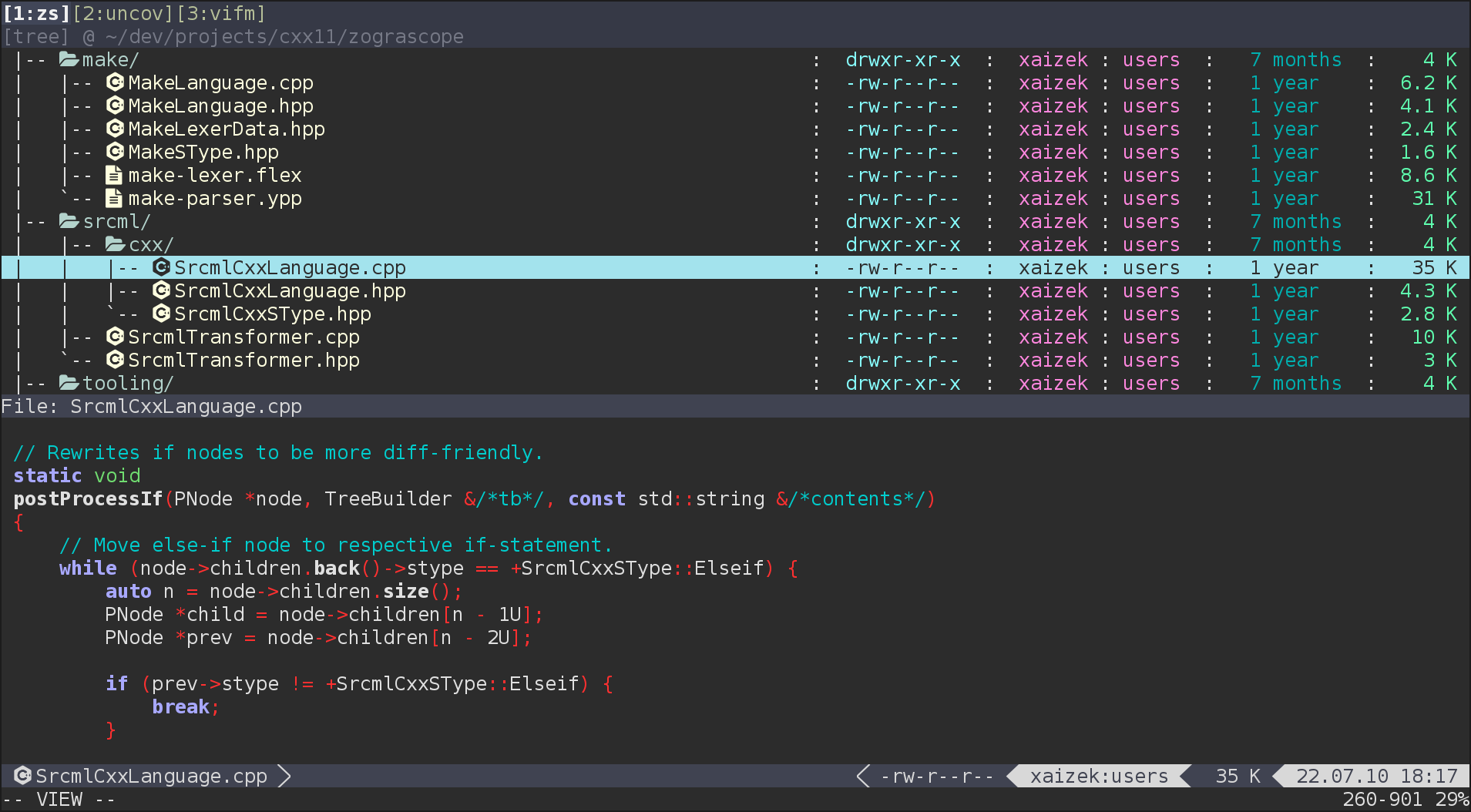
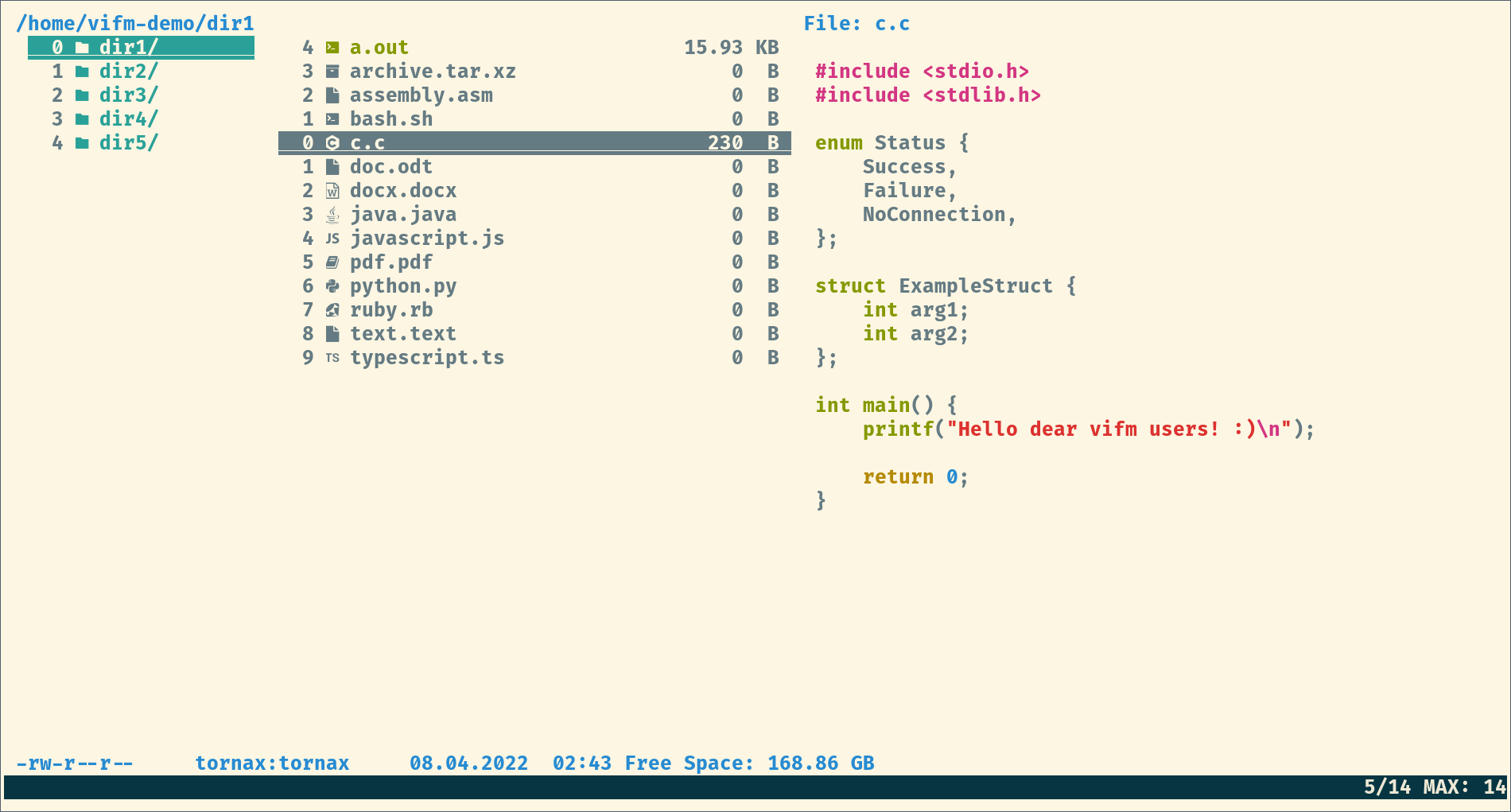
Screenshot Screenshot

More screenshots are here.

Getting Started

A good idea for quick start might be skimming over cheatsheet for the main mode (that is Normal mode), reading some sections on basic usage on the wiki and looking at sample configuration file (run :edit $MYVIFMRC).

How well Vifm will serve you in part depends on how well you understand its Vim-like nature. The following posts are highly recommended reads to help you improve with that:

Installation

Below are some suggestions on how Vifm can be installed in various environments using methods most native to them.

OS, distribution or package manager Installation command
Alpine apk add vifm
Arch and derivatives (e.g., Manjaro) pacman -S vifm
Debian and derivatives (e.g., Ubuntu) apt install vifm
Fedora and derivatives (e.g., Rocky, Qubes OS, RHEL) dnf install vifm or yum install vifm
FreeBSD pkg install vifm
Gentoo emerge vifm
Guix guix package -i vifm
Linuxbrew brew install vifm
NetBSD pkg_add vifm or pkgin install vifm
Nix nix-env -i vifm
OpenBSD pkg_add vifm
OpenSUSE zypper install vifm
Slackware sbopkg -i vifm
macOS brew install vifm or port install vifm

AppImage

In case of a Linux distribution which doesn't package Vifm or which offers an outdated version, an AppImage binary can be used to avoid compiling from sources. This method of installation requires downloading an .AppImage file on a system younger than 10 years with a FUSE-capable kernel and marking that file as executable.

As a convenience, here are commands that download AppImage binary for the latest release and save it as ~/.local/bin/vifm (thanks to @benelan, see GitHub#975). Note that helpers like vifm-pause (used by :!!) aren't accessible in AppImage before v0.15.

curl + sed
curl -Lso ~/.local/bin/vifm \
    "https://github.com/vifm/vifm/releases/latest/download/vifm-v$(
        curl -Ls "https://api.github.com/repos/vifm/vifm/releases/latest" |
        sed -nE '/"tag_name":/s/.*"v*([^"]+)".*/\1/p'
    )-x86_64.AppImage" && chmod +x ~/.local/bin/vifm
wget + jq
wget -qO ~/.local/bin/vifm "$(
        wget -qO - "https://api.github.com/repos/vifm/vifm/releases/latest" |
        jq -r '.assets[] | select(.name|endswith(".AppImage")) | .browser_download_url'
    )" && chmod +x ~/.local/bin/vifm

License

GNU General Public License, version 2 or later.

Frequently asked questions

Is vifm free to use?

vifm is open source under the GPL-2.0 licence. There is no licence fee and no seat count — you can self-host it or, where the project offers one, pay a vendor for a managed version instead.

What does vifm do?

Vifm is a file manager with curses interface, which provides Vim-like environment for managing objects within file systems, extended with some useful ideas from

What is vifm written in?

vifm is primarily written in C. Its source is publicly available at https://github.com/vifm/vifm, and it has 3,279 GitHub stars.