UI-Lovelace-Minimalist is a theme-like dashboard package for Home Assistant users who want a pre-built, minimalist Lovelace interface without designing cards themselves.
What it is
UI-Lovelace-Minimalist is a collection of dashboard components for Home Assistant, distributed through HACS and described by its own authors as a "theme" in quotation marks — it is less a colour scheme than a complete set of ready-made Lovelace cards, chips, popups and templates that you apply to your Home Assistant dashboard. The project packages the original SmartHomeUI design work by tben into something that can be installed and updated as a normal repository, and it relies on the custom-cards button-card for much of its technical behaviour.
The concrete problem it solves is the effort of hand-writing Lovelace card YAML for every entity on a smart-home dashboard. Instead of building each card individually, a user picks from a bundled library: the current version ships 20 different cards, seven chips, and further templates, plus a growing set of custom_cards that are documented separately with screenshots and code examples. The documentation itself lives in an extensive Wiki rather than the README, covering Download, Installation, Configuration, Cards, Chips, Popups, Custom-Cards and a Card Style Guide.
Key capabilities
- Ships 20 different card templates and seven chips bundled into a single download, alongside other templates.
- Provides a documented
custom_cards library, including custom_card_bar_card, with pictures, code examples and additional information.
- Includes popups and card styling conventions covered by a dedicated Card Style Guide and Docs Style Guide in the Wiki.
- Is installable and updatable as a repository through HACS, with separate guides for download, installation, configuration and upgrading from a previous version.
- Builds on the
button-card from the custom-cards organisation, so card behaviour is driven by that project's templating.
- Covers the full workflow in its Wiki: Setup, Usage and Development sections, with a developer corner for contributors.
- Ships under the MIT licence and is written primarily in JavaScript.
Who uses it and how
- Home Assistant users who run a Lovelace dashboard and want a complete minimalist look without writing card YAML for each entity.
- HACS users who install and update the package through the Home Assistant Community Store rather than manual file copying.
- Dashboard builders who mix bundled cards with the documented
custom_cards library to extend the interface as their entity count grows.
- Contributors who work in the project's developer corner, following the Card Style Guide and Docs Style Guide when adding templates, and who coordinate through the project's Discord server or GitHub Discussions.
Getting started
Install the repository through HACS in Home Assistant and then follow the Wiki's Download, Installation and Configuration guides to add the bundled cards and templates to your dashboard.
How it compares
The project positions itself against hand-built Lovelace dashboards and against the raw button-card templates it derives from: rather than writing and maintaining button-card YAML yourself, you consume a curated, documented set of cards, chips and popups that the maintainers refactor and keep consistent. Its scope is narrower than a general dashboard framework — it contributes templates styled on tben's SmartHomeUI design rather than a new rendering engine.
When to use it — and when not
You must be running Home Assistant and comfortable installing a HACS repository, configuring Lovelace, and reading an external Wiki rather than a self-contained README, since the README defers almost all detail to the documentation site. Potential adopters should note the project's own notice that it is looking for new maintainers — the current maintainers are no longer actively working on it and have warned that the project and its Discord server may be shut down without fresh leadership — so the 38 open issues and long-term upkeep are real considerations; anyone unwilling to operate community support themselves, or who needs a guaranteed support path, should weigh that risk before committing a dashboard to it.
project readme (upstream, from github) — read inline
UI-Lovelace-Minimalist


[!IMPORTANT]
Looking for New Maintainers!
This project is in need of new maintainers! The current maintainers are no longer actively working on it, and without fresh leadership, we may be forced to shut down the project and its associated Discord server.
If you're passionate about this project and would like to take over its development and community management, we’d love to hear from you!
Thank you for considering helping keep this project alive and thriving! 🙌
It's kind of hard to explain what this is, so let's call it a "theme" (in quotation marks). But one thing is for sure, it is very nice! Taking the exceptional work of tben as a basis, this repository is aimed to ease installation and maintenance of his wonderful work. You can use this interpretation of a SmartHomeUI more or less like a theme in HomeAssistant.
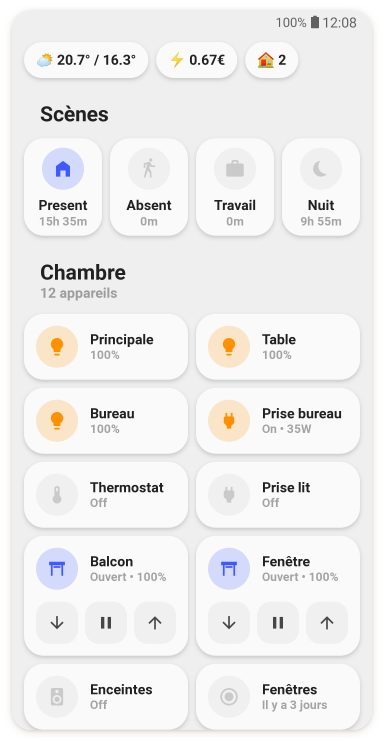
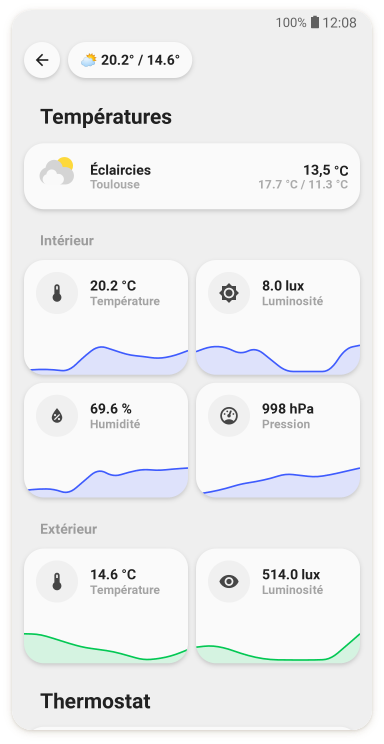
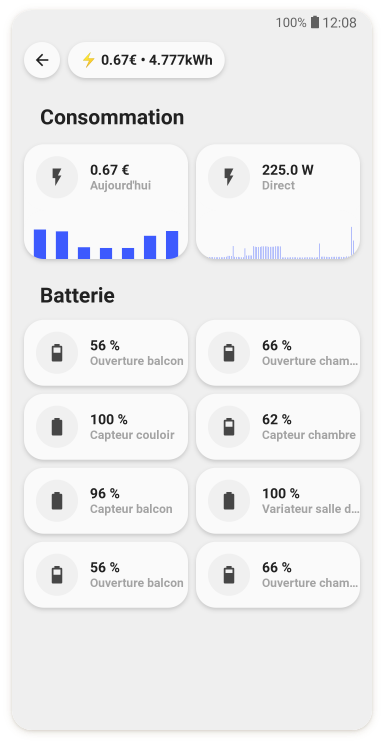
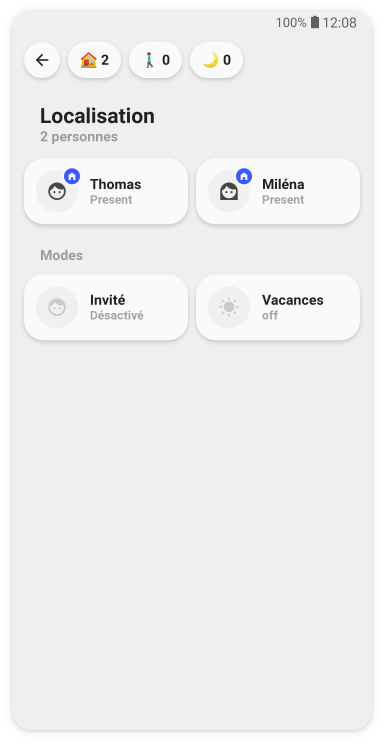
Wiki for documentation
We have setup an extensive Wiki for our documentation. It is more comfortable for you to read and for us to handle, than this file and gives our documentation the right framework to grow.
Take a look here: https://ui-lovelace-minimalist.github.io/UI/
Table of content from the WIKI
Installation and update
We can offer you in-depth instructions for installation, as well as for future updates or from a previous version. Check our WIKI for more info:
List of templates
The actual version of this "theme" has 20 different cards, seven chips and other templates bundled into the download. We're sorry, but the list wouldn't fit into this readme. Please see this page, where you can find an extensive list of templates with code examples, screenshots and explanation.
Custom cards
The same goes for our custom_cards. As the number grows, the list would be to big for this readme, so we provide you with an overview page with pictures, code examples and additional information. Find the list here.
Credits & Contributors
- This design was made by tben
- A lot of inspiration is taken from 7ahang’s work found on Behance.
- Contributions from others in the HomeAssistant forum thread, you can find it here.
- The technical part is realised mostly by taking advantage of the great work RomRaider did with his button-card.
- Code refactor, cleanup and maintenance by schumijo and paddy0174 & CM000n.
- dwainscheeren for his inspiration to deliver themes via HACS.
- Wiki by paddy0174.
- Special thanks to clemalex and schumijofor contributing their cards to the main repository.
- stokkie90 for implementing most of the HACS functionalities.
- wilbiev for maintaining the code and all improvements.
- And of course all the others who cannot be named here due to space limitations.
❤️ Thank you so much for helping to keep this UI awesome
Contributions
This is a living project and all input is very welcome! If you configured and designed a card, that you would like to share, please feel free to do so! We are happy to include your contribution so others can use it as well!
This project uses pre-commit for consistent and clean code. If possible, please make sure that you also use pre-commit for local development before creating a pull request.