
Open-Source Analytics Infrastructure
Documentation ·
Website ·
Slack Community ·
Demo
🌊 What is Trench?
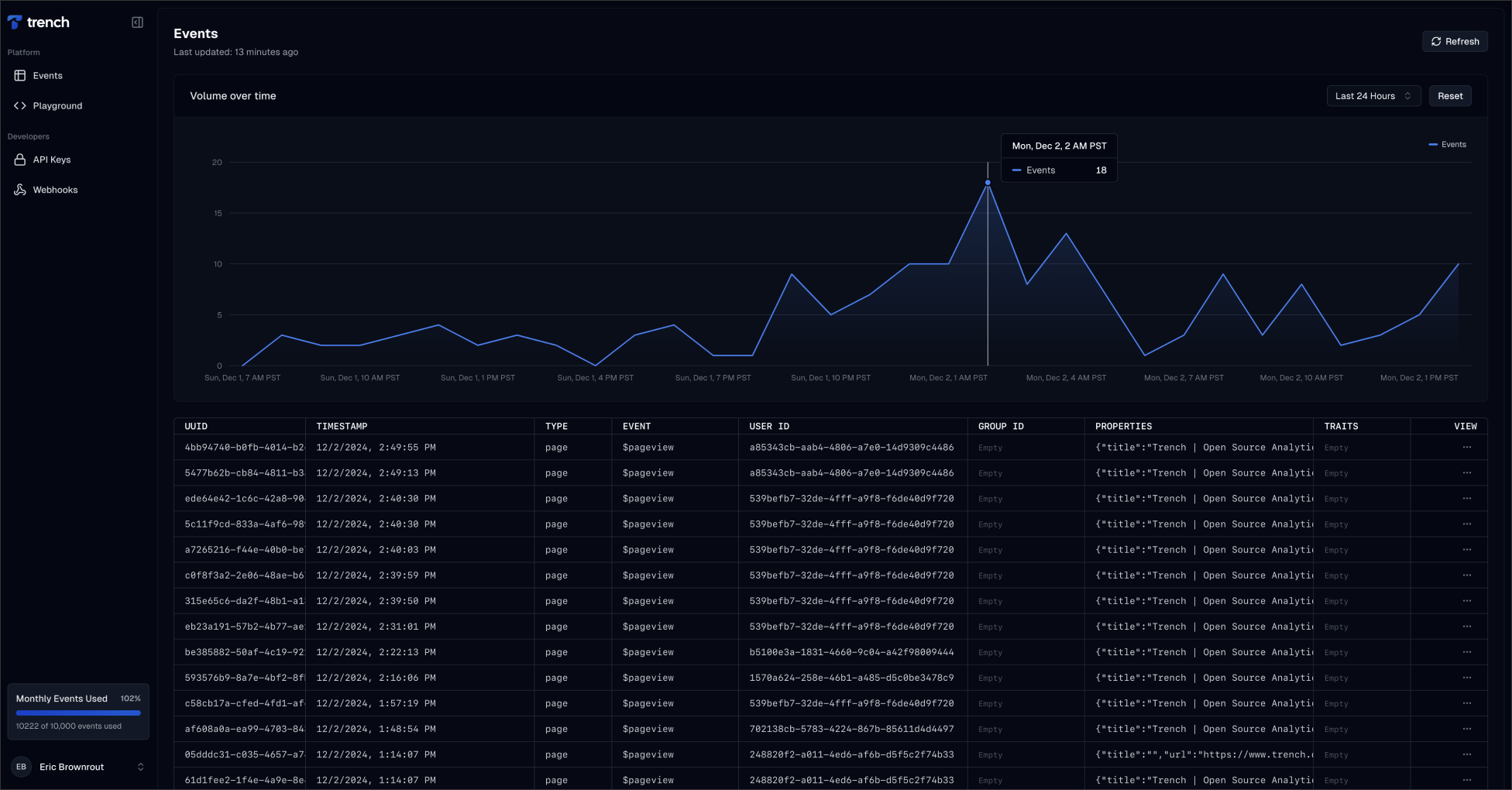
Trench is an event tracking system built on top of Apache Kafka and ClickHouse. It can handle large event volumes and provides real-time analytics. Trench is no-cookie, GDPR, and PECR compliant. Users have full control to access, rectify, or delete their data.
Our team built Trench to scale up the real-time event tracking pipeline at Frigade.
⭐ Features
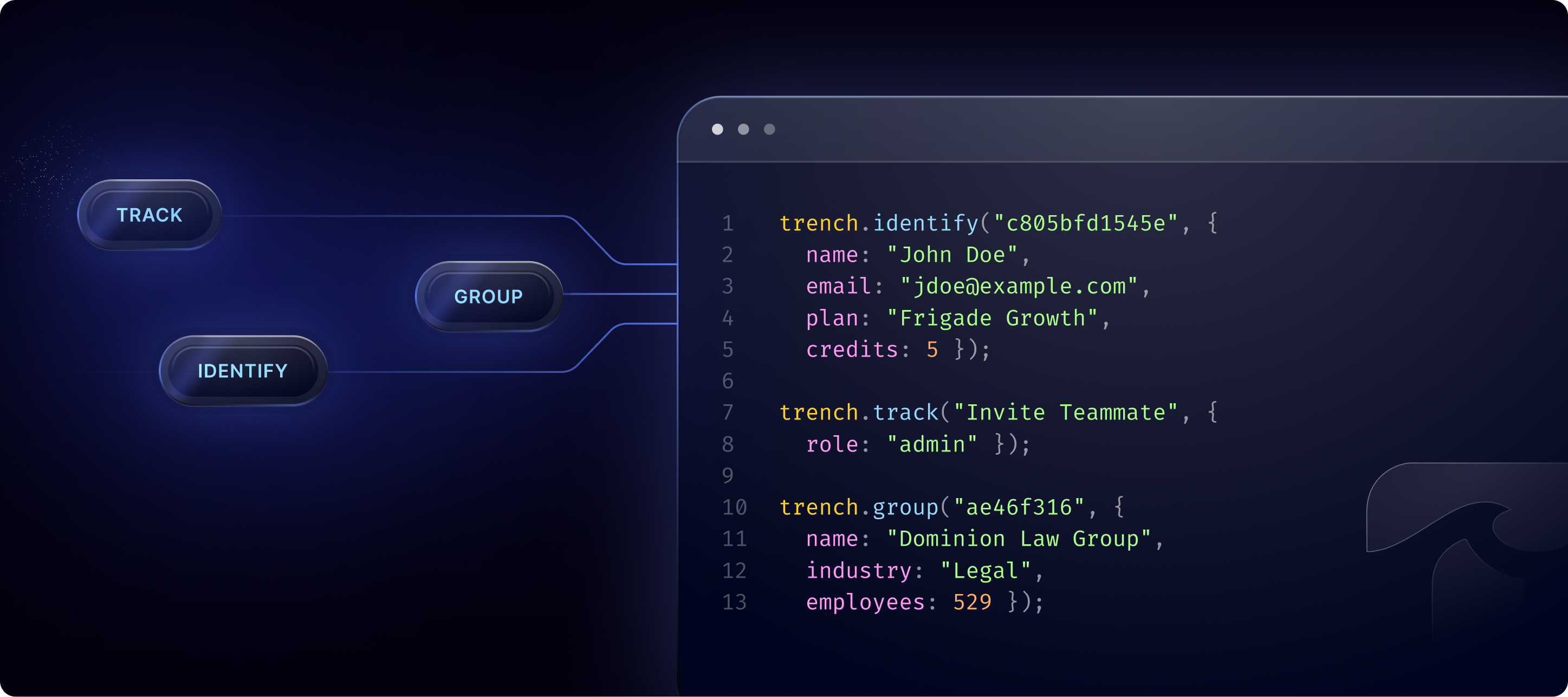
- 🤝 Compliant with the Segment API (Track, Group, Identify)
- 🐳 Deploy quickly with a single production-ready Docker image
- 💻 Process thousands of events per second on a single node
- ⚡ Query data in real-time
- 🔗 Connect data to other destinations with webhooks
- 👥 Open-source and MIT Licensed
🖥️ Demo
Live demo: https://demo.trench.dev
Video demo:
Watch the following demo to see how you can build a basic version of Google Analytics using Trench and Grafana.
https://github.com/user-attachments/assets/e3f64590-6e7e-41b9-b425-7adb5a1e19b1
🚀 Quickstart
Trench has two methods of deployment:
- Trench Self-Hosted: An open-source version to deploy and manage Trench on your own infrastructure.
- Trench Cloud: A fully-managed serverless solution with zero ops, autoscaling, and 99.99% SLAs.
1. Trench Self-Hosted 💻
Follow our self-hosting instructions below and in our quickstart guide to begin using Trench Self-Hosted.
If you have questions or need assistance, you can join our Slack group for support.
Quickstart
Deploy Trench Dev Server: The only prerequisite for Trench is a system that has Docker and Docker Compose installed see installation guide. We recommend having at least 4GB of RAM and 4 CPU cores for optimal performance if you're running a production environment.
After installing Docker, you can start the local development server by running the following commands:
git clone https://github.com/frigadehq/trench.git
cd trench/apps/trench
cp .env.example .env
docker-compose -f docker-compose.yml -f docker-compose.dev.yml up --build --force-recreate --renew-anon-volumes
The above command will start the Trench server that includes a local ClickHouse and Kafka instance on
http://localhost:4000. You can open this URL in your browser and you should see the messageTrench server is running. You shouldupdate the.envfile to change any of the configuration options.Send a sample event: You can find and update the default public and private API key in the
.envfile. Using your public API key, you can send a sample event to Trench as such:curl -i -X POST \ -H "Authorization:Bearer public-d613be4e-di03-4b02-9058-70aa4j04ff28" \ -H "Content-Type:application/json" \ -d \ '{ "events": [ { "userId": "550e8400-e29b-41d4-a716-446655440000", "type": "track", "event": "ConnectedAccount", "properties": { "totalAccounts": 4, "country": "Denmark" }, }] }' \ 'http://localhost:4000/events'Querying events: You can query events using the
/eventsendpoint (see API reference for more details).You can also query events directly from your local Trench server. For example, to query events of type
ConnectedAccount, you can use the following URL:curl -i -X GET \ -H "Authorization: Bearer private-d613be4e-di03-4b02-9058-70aa4j04ff28" \ 'http://localhost:4000/events?event=ConnectedAccount'This will return a JSON response with the event that was just sent:
{
  "results": [
    {
      "uuid": "25f7c712-dd86-4db0-89a8-d07d11b73e57",
      "type": "track",
      "event": "ConnectedAccount",
      "userId": "550e8400-e29b-41d4-a716-446655440000",
      "properties": {
        "totalAccounts": 4,
        "country": "Denmark"
      },
      "timestamp": "2024-10-22T19:34:56.000Z",
      "parsedAt": "2024-10-22T19:34:59.530Z"
    }
  ],
  "limit": 1000,
  "offset": 0,
  "total": 1
}
Execute raw SQL queries: Use the queries endpoint to analyze your data. Example:
curl -i -X POST \
   -H "Authorization:Bearer public-d613be4e-di03-4b02-9058-70aa4j04ff28" \
   -H "Content-Type:application/json" \
   -d \
'{
  "queries": [
    "SELECT COUNT(*) FROM events WHERE user"
  ]
}' \
 'http://localhost:4000/queries'
Sample query result:
{
  "results": [
    {
      "count": 5
    }
  ],
  "limit": 0,
  "offset": 0,
  "total": 1
}
Kafka authentication
Trench supports connecting to Kafka clusters that require SASL and/or SSL. Configure via the following environment variables (all optional):
KAFKA_SSL_ENABLED: Enable SSL/TLS when connecting to brokers. Values:true/false(default:false).KAFKA_SSL_REJECT_UNAUTHORIZED: Whether to verify broker certificates. Values:true/false(default:true). Set tofalsewhen using self-signed certs in development.KAFKA_SSL_CA: CA certificate contents (PEM). Use when brokers use a custom CA.KAFKA_SSL_CERT: Client certificate contents (PEM) if mutual TLS is required.KAFKA_SSL_KEY: Client private key (PEM) if mutual TLS is required.KAFKA_SASL_MECHANISM: One ofplain,scram-sha-256, orscram-sha-512.KAFKA_SASL_USERNAME: SASL username (required whenKAFKA_SASL_MECHANISMis set).KAFKA_SASL_PASSWORD: SASL password (required whenKAFKA_SASL_MECHANISMis set).
Notes:
- For SSL cert variables, provide the PEM content directly (including header/footer) or mount files and load into env before starting.
- When using Bitnami Kafka images locally, the default
docker-compose.ymluses PLAINTEXT; set the appropriate broker listeners and advertise SSL/SASL endpoints in your Kafka deployment if required. - Kafka authentication for ClickHouse should be configured in ClickHouse server configuration files, not in SQL migrations.
ClickHouse Kafka Authentication
For ClickHouse to connect to authenticated Kafka clusters, you need to configure authentication in ClickHouse server configuration files.
2. Trench Cloud ☁️
If you don't want to selfhost, you can get started with Trench in a few minutes via:
🔗 Links
Kafka Authentication Examples
Trench supports Kafka authentication with SASL and SSL. Here are examples of how to configure both Node.js KafkaJS client and ClickHouse for authenticated Kafka connections.
Quick Start:
- SASL-only:
docker compose -f docker-compose.sasl.yml up -d --build - SSL+SASL: Generate certs first with
./scripts/generate-kafka-certs.sh, then run the compose file
SASL-Only Authentication
# Run with SASL authentication (no SSL)
docker compose -f docker-compose.sasl.yml up -d --build
This setup uses:
- Node.js KafkaJS:
KAFKA_SASL_MECHANISM=PLAIN,KAFKA_SASL_USERNAME=kafka_user,KAFKA_SASL_PASSWORD=kafka_password - ClickHouse: Pre-configured with
clickhouse-kafka-auth-config-example/clickhouse-sasl.xmlfor Kafka authentication - Kafka: SASL_PLAINTEXT listener on port 9095
SSL+SASL Authentication
# Step 1: Generate SSL certificates
./scripts/generate-kafka-certs.sh

# Step 2: Set environment variables for SSL certificates
export KAFKA_SSL_CA=$(cat ./certs/ca.pem)
export KAFKA_SSL_CERT=$(cat ./certs/client.pem)
export KAFKA_SSL_KEY=$(cat ./certs/client-key.pem)

# Step 3: Run with both SSL and SASL authentication
docker compose -f docker-compose.ssl-sasl.yml up -d --build
This setup uses:
- Node.js KafkaJS: SSL+SASL authentication via environment variables
- ClickHouse: Pre-configured with
clickhouse-kafka-auth-config-example/clickhouse-ssl-sasl.xmlfor Kafka authentication - Kafka: SASL_SSL listener on port 9095 with SSL certificates
📚 Authors
Trench is a project built by Frigade.
📄 License
MIT License