



Features • Quick Start • Installation • Architecture • Jobs • Tasks • Configuration • REST API • Web UI • Extend
Tork is a highly-scalable, general-purpose workflow engine. It lets you define jobs consisting of multiple tasks, each running inside its own container. You can run Tork on a single machine (standalone mode) or set it up in a distributed environment with multiple workers.
Features
- REST API – Submit jobs, query status, cancel/restart
- Horizontally scalable – Add workers to handle more tasks
- Task isolation – Tasks run in containers for isolation, idempotency, and resource limits
- Automatic recovery – Tasks are recovered if a worker crashes
- Stand-alone and distributed – Run all-in-one or distributed with Coordinator + Workers
- Retry failed tasks – Configurable retry (up to 10 attempts)
- Middleware – HTTP, Job, Task, Node middleware for auth, logging, metrics
- No single point of failure – Stateless, leaderless coordinators
- Task timeout – Timeout per task
- Full-text search – Search jobs via the API
- Runtime agnostic – Docker, Podman, Shell
- Webhooks – Notify on job/task state changes
- Pre/Post tasks – Pre/Post tasks for setup/teardown
- Expression language – Expressions for conditionals and dynamic values
- Conditional tasks – Run tasks based on
ifconditions - Parallel tasks – Parallel Task
- Each task – Each Task for looping
- Subjob task – Sub-Job Task
- Task priority – Priority (0–9)
- Secrets – Secrets with auto-redaction
- Scheduled jobs – Scheduled jobs with cron
- Web UI – Tork Web for viewing and submitting jobs
Quick Start
Requirements
Set up PostgreSQL
Start a PostgreSQL container:
Note: For production, consider a managed PostgreSQL service for better reliability and maintenance.
docker run -d \
  --name tork-postgres \
  -p 5432:5432 \
  -e POSTGRES_PASSWORD=tork \
  -e POSTGRES_USER=tork \
  -e PGDATA=/var/lib/postgresql/data/pgdata \
  -e POSTGRES_DB=tork postgres:15.3
Run the migration to create the database schema:
TORK_DATASTORE_TYPE=postgres ./tork migration
Hello World
Start Tork in standalone mode:
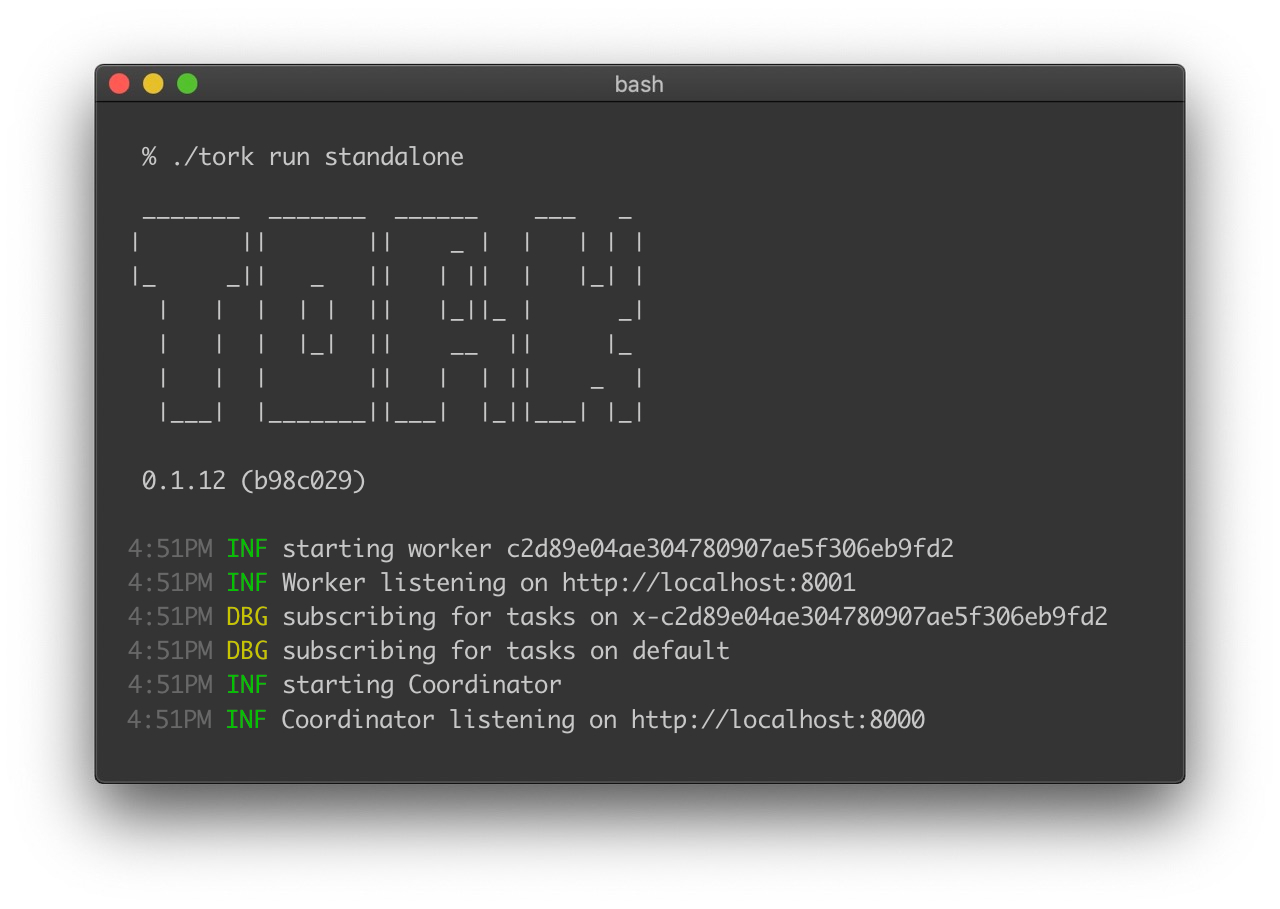
./tork run standalone
Create hello.yaml:
# hello.yaml
---
name: hello job
tasks:
  - name: say hello
    image: ubuntu:mantic
    run: |
      echo -n hello world
  - name: say goodbye
    image: alpine:latest
    run: |
      echo -n bye world
Submit the job:
JOB_ID=$(curl -s -X POST --data-binary @hello.yaml \
  -H "Content-type: text/yaml" http://localhost:8000/jobs | jq -r .id)
Check status:
curl -s http://localhost:8000/jobs/$JOB_ID
{
  "id": "ed0dba93d262492b8cf26e6c1c4f1c98",
  "state": "COMPLETED",
  ...
}
Running in distributed mode
In distributed mode, the Coordinator schedules work and Workers execute tasks. A message broker (e.g. RabbitMQ) moves tasks between them.
Start RabbitMQ:
docker run \
  -d -p 5672:5672 -p 15672:15672 \
  --name=tork-rabbitmq \
  rabbitmq:3-management
Note: For production, consider a dedicated RabbitMQ service.
Run the coordinator:
TORK_DATASTORE_TYPE=postgres TORK_BROKER_TYPE=rabbitmq ./tork run coordinator
Run one or more workers:
TORK_BROKER_TYPE=rabbitmq ./tork run worker
Submit the same job as before; the coordinator and workers will process it.
Adding external storage
Tasks are ephemeral; container filesystems are lost when a task ends. To share data between tasks, use an external store (e.g. MinIO/S3).
Start MinIO:
docker run --name=tork-minio \
  -d -p 9000:9000 -p 9001:9001 \
  -e MINIO_ROOT_USER=minioadmin \
  -e MINIO_ROOT_PASSWORD=minioadmin \
  minio/minio server /data \
  --console-address ":9001"
Example job with two tasks (write to MinIO, then read back):
name: stateful example
inputs:
  minio_endpoint: http://host.docker.internal:9000
secrets:
  minio_user: minioadmin
  minio_password: minioadmin
tasks:
  - name: write data to object store
    image: amazon/aws-cli:latest
    env:
      AWS_ACCESS_KEY_ID: "{{ secrets.minio_user }}"
      AWS_SECRET_ACCESS_KEY: "{{ secrets.minio_password }}"
      AWS_ENDPOINT_URL: "{{ inputs.minio_endpoint }}"
      AWS_DEFAULT_REGION: us-east-1
    run: |
      echo "Hello from Tork!" > /tmp/data.txt
      aws s3 mb s3://mybucket
      aws s3 cp /tmp/data.txt s3://mybucket/data.txt

  - name: read data from object store
    image: amazon/aws-cli:latest
    env:
      AWS_ACCESS_KEY_ID: "{{ secrets.minio_user }}"
      AWS_SECRET_ACCESS_KEY: "{{ secrets.minio_password }}"
      AWS_ENDPOINT_URL: "{{ inputs.minio_endpoint }}"
      AWS_DEFAULT_REGION: us-east-1
    run: |
      aws s3 cp s3://mybucket/data.txt /tmp/retrieved.txt
      echo "Contents of retrieved file:"
      cat /tmp/retrieved.txt
Installation
Download the Tork binary for your system from the releases page.
Create a directory and unpack:
mkdir ~/tork
cd ~/tork
tar xzvf ~/Downloads/tork_0.1.66_darwin_arm64.tgz
./tork
You should see the Tork banner and help. On macOS you may need to allow the binary in Security & Privacy settings.
PostgreSQL and migration
See Quick Start – Set up PostgreSQL and run:
TORK_DATASTORE_TYPE=postgres ./tork migration
Standalone mode
./tork run standalone
Distributed mode
Configure the broker (e.g. in config.toml):
# config.toml
[broker]
type = "rabbitmq"

[broker.rabbitmq]
url = "amqp://guest:guest@localhost:5672/"
Start RabbitMQ, then:
./tork run coordinator
./tork run worker
Queues
Tasks go to the default queue unless overridden. Workers subscribe to queues; you can run multiple consumers per queue:
# config.toml
[worker.queues]
default = 5
video = 2

[broker]
type = "rabbitmq"
Route a task to a specific queue:
name: transcode a video
tasks:
  - name: transcode video
    queue: video
    image: jrottenberg/ffmpeg:3.4-alpine
    run: |
      ffmpeg -i https://example.com/some/video.mov output.mp4
Architecture
A workflow is a job: a series of tasks (steps) run in order. Jobs are usually defined in YAML:
---
name: hello job
tasks:
  - name: say hello
    image: ubuntu:mantic
    run: echo -n hello world
  - name: say goodbye
    image: ubuntu:mantic
    run: echo -n bye world
Components:
- Coordinator – Tracks jobs, dispatches work to workers, handles retries and failures. Stateless and leaderless; does not run tasks.
- Worker – Runs tasks via a runtime (usually Docker).
- Broker – Routes messages between Coordinator and Workers.
- Datastore – Persists job and task state.
- Runtime – Execution environment for tasks (Docker, Podman, Shell).
Jobs
A job is a list of tasks executed in order.
Simple example
name: hello job
tasks:
  - name: say hello
    var: task1
    image: ubuntu:mantic
    run: |
      echo -n hello world > $TORK_OUTPUT
  - name: say goodbye
    image: ubuntu:mantic
    run: |
      echo -n bye world
Submit:
curl -s -X POST --data-binary @job.yaml \
  -H "Content-type: text/yaml" \
  http://localhost:8000/jobs
Inputs
name: mov to mp4
inputs:
  source: https://example.com/path/to/video.mov
tasks:
  - name: convert the video to mp4
    image: jrottenberg/ffmpeg:3.4-alpine
    env:
      SOURCE_URL: '{{ inputs.source }}'
    run: |
      ffmpeg -i $SOURCE_URL /tmp/output.mp4
Secrets
Use the secrets block for sensitive values (redacted in API responses):
name: my job
secrets:
  api_key: 1111-1111-1111-1111
tasks:
  - name: my task
    image: alpine:latest
    run: curl -X POST -H "API_KEY: $API_KEY" http://example.com
    env:
      API_KEY: '{{secrets.api_key}}'
Defaults
Set defaults for all tasks:
name: my job
defaults:
  retry:
    limit: 2
  limits:
    cpus: 1
    memory: 500m
  timeout: 10m
  queue: highcpu
  priority: 3
tasks:
  - name: my task
    image: alpine:latest
    run: echo hello world
Auto Delete
name: my job
autoDelete:
  after: 6h
tasks:
  - name: my task
    image: alpine:latest
    run: echo hello world
Webhooks
name: my job
webhooks:
  - url: http://example.com/my/webhook
    event: job.StateChange   # or task.StateChange
    headers:
      my-header: somevalue
    if: "{{ job.State == 'COMPLETED' }}"
tasks:
  - name: my task
    image: alpine:latest
    run: echo hello world
Permissions
name: my job
permissions:
  - role: some-role
  - user: someuser
tasks:
  - name: my task
    image: alpine:latest
    run: echo hello world
Scheduled jobs
Use cron syntax:
name: scheduled job test
schedule:
  cron: "0/5 * * * *"   # every 5 minutes
tasks:
  - name: my first task
    image: alpine:3.18.3
    run: echo -n hello world
Submit to the scheduler:
curl -s -X POST --data-binary @job.yaml \
  -H "Content-type: text/yaml" \
  http://localhost:8000/scheduled-jobs | jq .
Tasks
A task is the unit of execution. With the Docker runtime, each task runs in a container. The image property sets the Docker image; run is the script to execute.
Basic task
name: hello job
tasks:
  - name: say hello
    var: task1
    image: ubuntu:mantic
    run: |
      echo -n hello world > $TORK_OUTPUT
Private registries
name: private registry job
tasks:
  - name: populate a variable
    image: myregistry.com/my_image:latest
    registry:
      username: user
      password: mypassword
    run: echo "do work"
Or use a Docker config file on the host and set TORK_RUNTIME_DOCKER_CONFIG.
Queue
Use the queue property to send a task to a specific queue (e.g. highcpu).
Output and variables
Write to $TORK_OUTPUT and set var to store the result in the job context for later tasks:
name: output and variables job
tasks:
  - name: populate a variable
    var: task1
    image: ubuntu:mantic
    run: echo -n "world" > "$TORK_OUTPUT"
  - name: say hello
    image: ubuntu:mantic
    env:
      NAME: '{{ tasks.task1 }}'
    run: echo -n hello $NAME
Expressions
Tork uses the expr language for expressions. Context namespaces: inputs, secrets, tasks, job.
Conditional execution with if:
name: conditional job
inputs:
  run: 'true'
tasks:
  - name: say something
    if: "{{ inputs.run == 'true' }}"
    image: ubuntu:mantic
    run: echo "this runs only when inputs.run is 'true'"
Using inputs in env:
name: message job
inputs:
  message: hello world
tasks:
  - name: print message
    image: ubuntu:mantic
    env:
      MESSAGE: '{{ inputs.message }}'
    run: echo -n $MESSAGE
Using previous task output:
name: task output job
tasks:
  - name: produce output
    var: someOutput
    image: ubuntu:mantic
    run: echo -n result > $TORK_OUTPUT
  - name: consume output
    image: ubuntu:mantic
    env:
      OUTPUT: '{{ tasks.someOutput }}'
    run: echo -n $OUTPUT
Environment variables
name: env job
tasks:
  - name: print a message
    image: ubuntu:mantic
    env:
      INTRO: hello world
      OUTRO: bye world
    run: |
      echo $INTRO
      echo $OUTRO
Secrets
Use the job’s secrets and reference with {{secrets.name}} in env. Tork redacts secrets from logs—avoid printing them intentionally.
Files
Create files in the task working directory:
name: files job
tasks:
  - name: Get the post
    image: python:3
    files:
      script.py: |
        import requests
        response = requests.get("https://jsonplaceholder.typicode.com/posts/1")
        print(response.json()['title'])
    run: |
      pip install requests
      python script.py > $TORK_OUTPUT
Parallel Task
name: parallel job
tasks:
  - name: a parallel task
    parallel:
      tasks:
        - name: sleep two seconds
          image: ubuntu:mantic
          run: sleep 2
        - name: sleep one second
          image: ubuntu:mantic
          run: sleep 1
        - name: sleep three seconds
          image: ubuntu:mantic
          run: sleep 3
Each Task
Run a task for each item in a list (with optional concurrency):
name: each job
tasks:
  - name: sample each task
    each:
      list: '{{ sequence(1,5) }}'
      concurrency: 3
      task:
        name: output item
        image: ubuntu:mantic
        env:
          ITEM: '{{ item.value }}'
          INDEX: '{{ item.index }}'
        run: echo -n HELLO $ITEM at $INDEX
Sub-Job Task
A task can start another job; the parent task completes or fails with the sub-job:
name: subjob job
tasks:
  - name: a task that starts a sub-job
    subjob:
      name: my sub job
      tasks:
        - name: hello sub task
          image: ubuntu:mantic
          run: echo start of sub-job
        - name: bye task
          image: ubuntu:mantic
          run: echo end of sub-job
Use detached: true to fire-and-forget.
Mounts
- volume – Docker volume (removed when the task ends).
- bind – Host path mounted into the container.
- tmpfs – In-memory (Linux).
Example with a volume shared between pre and the main task:
name: mounts job
tasks:
  - name: convert the first 5 seconds of a video
    image: jrottenberg/ffmpeg:3.4-alpine
    run: ffmpeg -i /tmp/my_video.mov -t 5 /tmp/output.mp4
    mounts:
      - type: volume
        target: /tmp
    pre:
      - name: download the remote file
        image: alpine:3.18.3
        run: wget http://example.com/my_video.mov -O /tmp/my_video.mov
Pre/Post Tasks
pre and post run on the same worker as the main task and share its mounts/networks. A failure in pre/post fails the whole task.
Retry
Set limit (1–10) to retry a failed task that many times:
name: retry job
tasks:
  - name: my task
    image: alpine:latest
    run: echo hello world
    retry:
      limit: 5
Priority
Values 0–9 (9 highest). Set per task or in job defaults.priority.
Limits
name: limits job
tasks:
  - name: my task
    image: alpine:latest
    run: echo hello world
    limits:
      cpus: .5
      memory: 10m
Timeout
name: timeout job
tasks:
  - name: my task
    image: ubuntu:mantic
    timeout: 5s
    run: sleep 30   # will fail after 5s
GPUs
With the Docker runtime, use Docker’s --gpus via the gpus property (e.g. gpus: all).
Tags and workdir
name: tags and workdir job
tasks:
  - name: my task
    image: alpine:latest
    run: echo hello world
    tags:
      - some-tag
    workdir: /workspace
Configuration
Tork can be configured with a config.toml file or environment variables. Config file locations (in order): current directory, ~/tork/config.toml, /etc/tork/config.toml. Override with TORK_CONFIG:
TORK_CONFIG=myconfig.toml ./tork run standalone
Environment variables: TORK_ + property path with dots replaced by underscores (e.g. TORK_LOGGING_LEVEL=warn).
Example config.toml
[cli]
banner.mode = "console"   # off | console | log

[client]
endpoint = "http://localhost:8000"

[logging]
level = "debug"   # debug | info | warn | error
format = "pretty" # pretty | json

[broker]
type = "inmemory"   # inmemory | rabbitmq

[broker.rabbitmq]
url = "amqp://guest:guest@localhost:5672/"
consumer.timeout = "30m"
management.url = ""
durable.queues = false

[datastore]
type = "postgres"

[datastore.retention]
logs.duration = "168h"
jobs.duration = "8760h"

[datastore.postgres]
dsn = "host=localhost user=tork password=tork dbname=tork port=5432 sslmode=disable"

[coordinator]
address = "localhost:8000"
name = "Coordinator"

[coordinator.api]
endpoints.health = true
endpoints.jobs = true
endpoints.tasks = true
endpoints.nodes = true
endpoints.queues = true
endpoints.metrics = true
endpoints.users = true

[coordinator.queues]
completed = 1
error = 1
pending = 1
started = 1
heartbeat = 1
jobs = 1

[middleware.web.cors]
enabled = false
origins = "*"
methods = "*"
credentials = false
headers = "*"

[middleware.web.basicauth]
enabled = false

[middleware.web.keyauth]
enabled = false
key = ""

[middleware.web]
bodylimit = "500K"

[middleware.web.ratelimit]
enabled = false
rps = 20

[middleware.web.logger]
enabled = true
level = "DEBUG"
skip = ["GET /health"]

[middleware.job.redact]
enabled = false

[middleware.task.hostenv]
vars = []

[worker]
address = "localhost:8001"
name = "Worker"

[worker.queues]
default = 1

[worker.limits]
cpus = ""
memory = ""
timeout = ""

[mounts.bind]
allowed = false
sources = []

[mounts.temp]
dir = "/tmp"

[runtime]
type = "docker"   # docker | podman | shell

[runtime.shell]
cmd = ["bash", "-c"]
uid = ""
gid = ""

[runtime.docker]
config = ""
privileged = false

[runtime.podman]
privileged = false
Runtime
Tork supports multiple runtimes for running tasks:
- Docker – Default; one container per task, best isolation.
- Podman – Docker alternative, daemonless.
- Shell – Runs the task script as a process on the host. Use with caution; consider setting
uid/gidto limit permissions.
Config:
[runtime]
type = "docker"   # or "podman" or "shell"
Or TORK_RUNTIME_TYPE=docker. Mounts (volume, bind, tmpfs) are supported for Docker and Podman.
REST API
Base URL: http://localhost:8000 (or your coordinator address).
Health check
GET /health
{ "status": "UP" }
List jobs
GET /jobs?page=1&size=10&q=<search>
Query params: page, size (1–20), q (full-text search).
Get job
GET /jobs/<JOB_ID>
GET /jobs/<JOB_ID>?full=false
By default, returns the full job (definition, execution tasks, context, etc.). Pass full=false to return a lightweight JobSummary — useful for status polling on large jobs.
Get job execution
GET /jobs/<JOB_ID>/execution?page=1&size=25
Returns a paginated list of execution tasks as TaskSummary objects. Query params:
page– page number (default:1)size– page size (default:25, max:100)sort–asc(default, matches full job execution order) ordesc(most recently started first)
Submit a job
POST /jobs
Content-Type: text/yaml
Body: job YAML. Or Content-Type: application/json with JSON job definition.
Cancel job
PUT /jobs/<JOB_ID>/cancel
Restart job
PUT /jobs/<JOB_ID>/restart
List nodes
GET /nodes
Returns active coordinator and worker nodes.
List queues
GET /queues
Returns broker queues with size, subscribers, unacked counts.
Web UI
Tork Web is a web UI for Tork: list jobs, cancel/restart, submit jobs, view execution history and task logs, and inspect nodes and queues.
Run with Docker:
docker run -it --rm --name=tork-web -p 3000:3000 \
  -e BACKEND_URL=http://my.tork.host:8000 \
  runabol/tork-web
Extending Tork
Tork can be used as a library and extended with custom endpoints, middleware, brokers, datastores, and mounters.
Use Tork as a library
go mod init github.com/example/tork-plus
go get github.com/runabol/tork
package main

import (
	"fmt"
	"os"
	"github.com/runabol/tork/cli"
	"github.com/runabol/tork/conf"
)

func main() {
	if err := conf.LoadConfig(); err != nil {
		fmt.Println(err)
		os.Exit(1)
	}
	if err := cli.New().Run(); err != nil {
		fmt.Println(err)
		os.Exit(1)
	}
}
Run with go run main.go run standalone (and your config).
Custom endpoint
engine.RegisterEndpoint(http.MethodGet, "/myendpoint", func(c middleware.Context) error {
	return c.String(http.StatusOK, "Hello")
})
Middleware
- HTTP – Wrap API requests (e.g. logging, auth). Use
engine.RegisterWebMiddleware(mw). - Job – Intercept job state changes. Use
engine.RegisterJobMiddleware(mw). - Task – Intercept task state changes. Use
engine.RegisterTaskMiddleware(mw). - Node – Intercept heartbeats. Use
engine.RegisterNodeMiddleware(mw).
Built-in middleware (see Configuration): CORS, Basic Auth, Key Auth, Rate Limit, Redact, Request Logger, Webhook, Host Env.
Custom broker
Implement mq.Broker and register:
engine.RegisterBrokerProvider("mymq", func() (mq.Broker, error) {
	return myBroker, nil
})
Then in config: [broker] type = "mymq" and [broker.mymq] ....
Custom datastore
Implement datastore.Datastore and register:
engine.RegisterDatastoreProvider("mydb", func() (datastore.Datastore, error) {
	return myDatastore, nil
})
Config: [datastore] type = "mydb" and [datastore.mydb] ....
Custom mounter
For custom mount types, implement runtime.Mounter and register with engine.RegisterMounter(runtime.Docker, "mymounter", mounter).
More: Arbitrary Code Execution Demo.
Examples and tutorials
- examples/ – Job definitions for resize, video transcoding, CI, etc.
- Resizing images – Use ImageMagick and an each task to resize to multiple resolutions; see examples/resize_image.yaml.
- Video transcoding – Split video into chunks, transcode in parallel, stitch; see examples/split_and_stitch.yaml.
- CI with Kaniko – Clone repo and build/push Docker images with Kaniko; use a pre task to clone and a main task to build.
License
Copyright (c) 2023-present Arik Cohen. Tork is free and open-source software licensed under the MIT License.