Tolgee
An open-source localization platform
developers enjoy working with
🤫 Happy with Tolgee? Please review us on G2 🙏

An open-source alternative to Crowdin, Phrase, or Lokalise












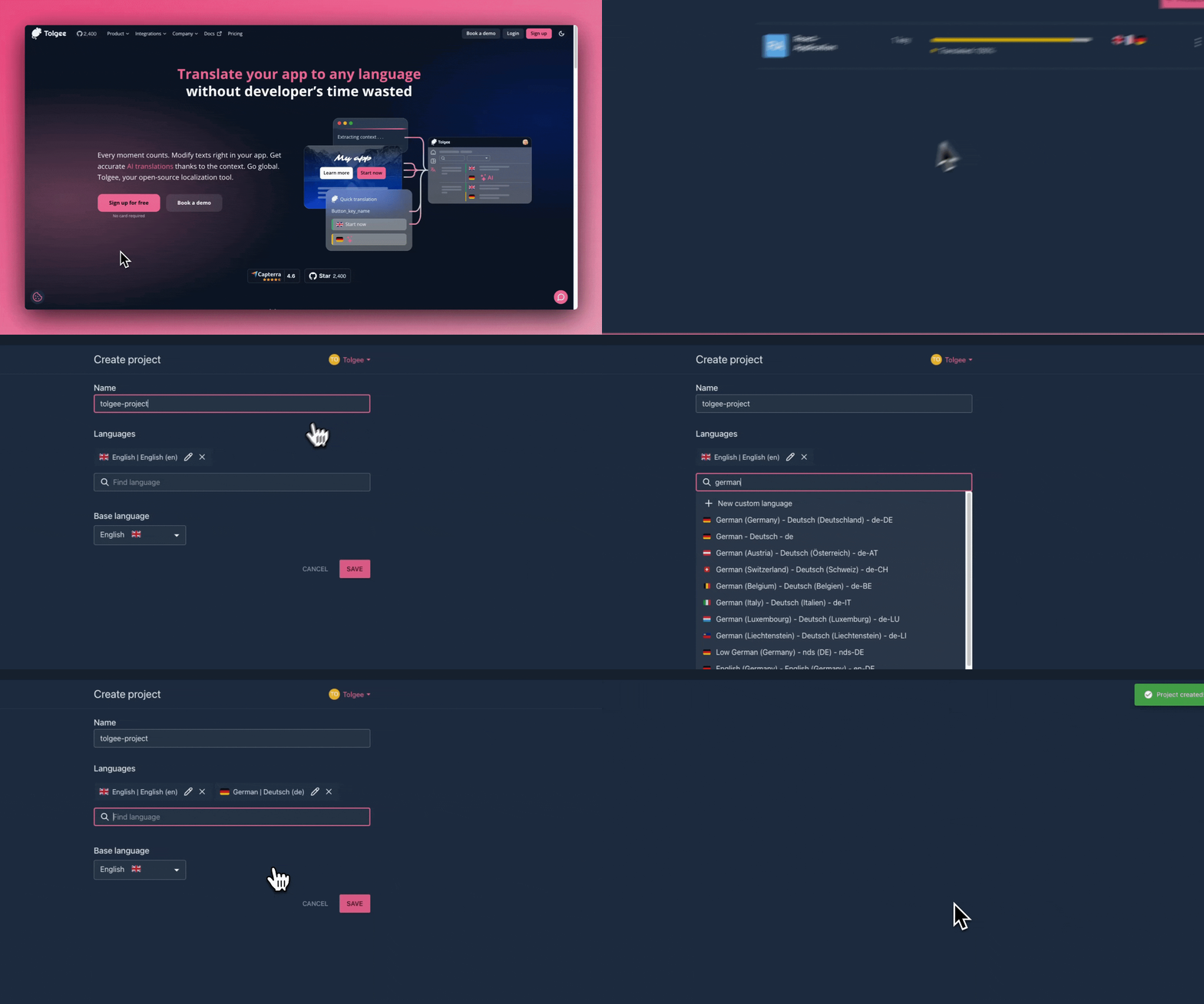
Why use Tolgee?
It saves you valuable time that would otherwise be spent on localization tasks while ensuring your software is flawlessly translated.
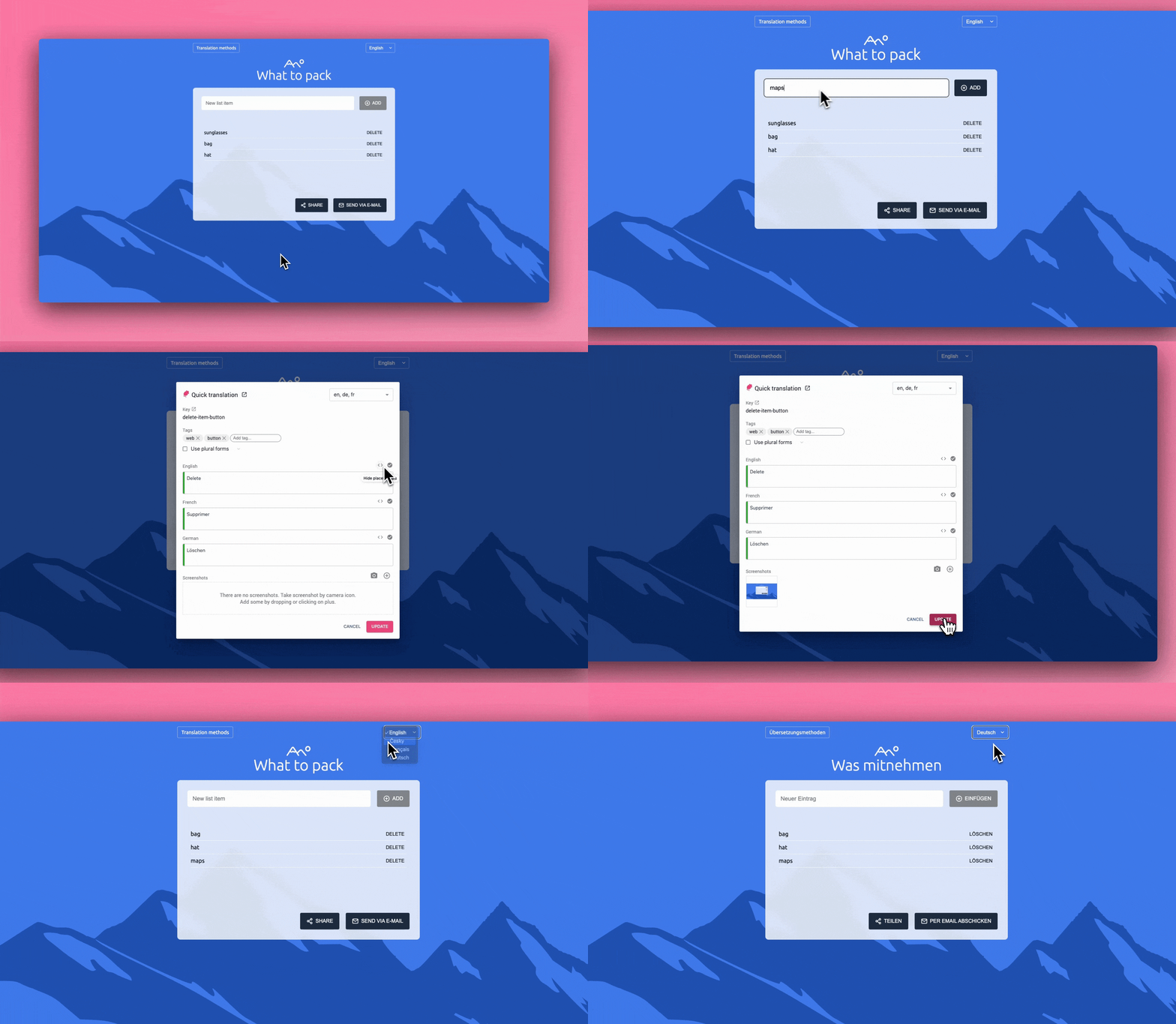
In context translating & One click screenshots
Easily add translations to your code and edit them directly within your app using the Tolgee i18n tool. Simply hold the ALT/Option key and click on an element to open a dialog where you can modify your strings effortlessly—no need to navigate through bulky .json/.po/.whatever files. Plus, in-context translation works seamlessly even in the production environment.
Just one click—that’s all it takes to capture a screenshot of your application with highlighted phrases for translation. Simply hold ALT + click on a string, then hit the camera button. Boom! Your screenshot is instantly generated.
Translating on production
In-context translation works seamlessly even in the production environment of your deployed app. With the Tolgee Tools Chrome plugin, simply enter your API key and start translating—no coding skills required. This makes it easy for anyone to contribute to your app’s translations effortlessly.
True integrations
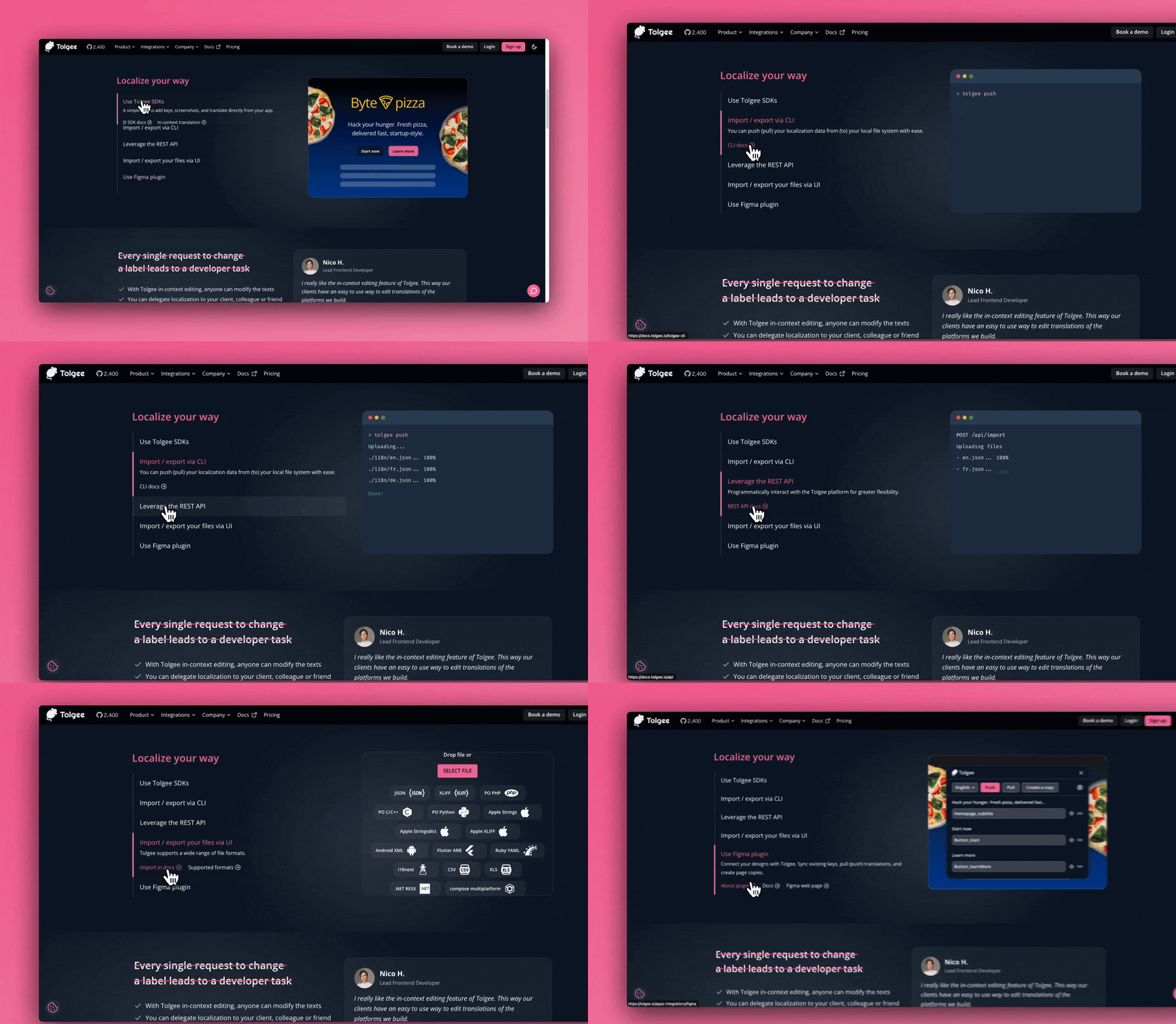
Tolgee isn't just another localization platform that simply syncs your local data with a backend. Instead, it seamlessly integrates into your app through powerful SDKs, providing a truly embedded translation experience.
Machine translation
We support DeepL, Google Translate, AWS Translate, and Azure Translator—simply choose your preferred services in the settings. With machine translation, the localization process becomes significantly faster, allowing translators to leverage AI-powered suggestions for more efficient and accurate translations.
AI translator
Conventional machine translation sees one string at a time. The AI translator sees the situation around it: screenshots of the phrase in your app, the key and project descriptions, your language notes, matches from the translation memory, and Tolgee Context, which the SDK gathers from how keys are actually laid out in your application.
The result is that ambiguous strings stop being a coin flip. A bare "Open" can be a button, a status or a menu item, and the AI translator picks based on where it appears—then tells you which reading it went with, so a reviewer can disagree at a glance.
You can shape it further by describing your project and languages, or by editing the translation prompt directly. Read more.
Translation memory
Tolgee automatically suggests translations based on those you've previously used in the project, ensuring consistency across similar phrases.
Translation memory suggestions include the similarity percentage, the key, and the original text of the translated string, making it easy to maintain accuracy and coherence.
Auto translation
When enabled, Tolgee instantly translates new keys using translation memory or machine translation services, ensuring your strings are translated immediately upon creation. Simply choose whether to use translation memory and select your preferred machine translation service for seamless automation.
Activity log
Easily track who modified, reviewed, or commented on phrases in your project—all with complete clarity.
Comment on translations
If something seems off, let others know what you'd change. You can leave comments on any translation directly within the Tolgee platform.
Translation history
Easily track changes to specific translations of a particular key in a specific language. If something's amiss, you'll know exactly where to point the finger!
MCP Server
Tolgee exposes an MCP (Model Context Protocol) server that lets AI coding assistants manage translations directly — search keys, create and update translations, manage languages, trigger machine translation, and more — all without leaving your editor. See DEVELOPMENT.md for setup instructions.
Documentation
The docs cover all aspects of using Tolgee. Some highlights include:
- Get Started. Sign up, Create a project, follow a guide, have fun!
- JavaScript SDK. Play around and Let us know what you think #FeedbackWanted ❤️
- Tolgee CLI. Make your life easier while using Tolgee
- Integrations. Name it and we have it.
- Junie Guidelines. Guidelines for new contributors and junior developers.
Getting Started 🚀
- Sign up at app.tolgee.io or access your self-hosted instance
- Create a project
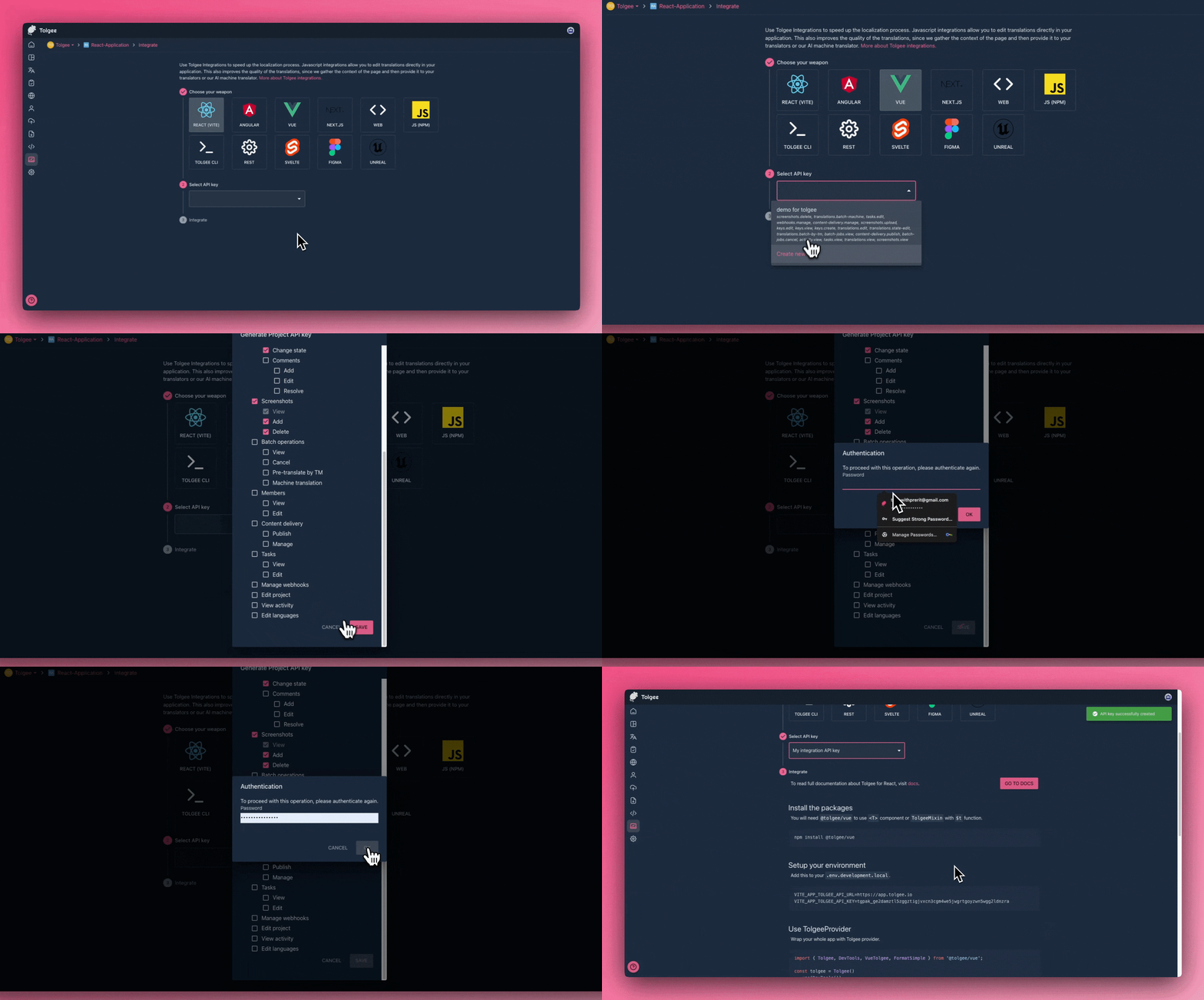
- Follow a guide in the integration section of your project
- Have fun!
Report a Bug
For filing bugs, suggesting improvements, or requesting new features, please open an issue.
How to contribute
You wanna contribute? Great to hear that! You can start right away!
Contributors
Let us know what you think! #FeedbackWanted ❤️