
STRIDE GPT is an AI-powered threat modelling tool that leverages Large Language Models (LLMs) to generate threat models and attack trees for a given application based on the STRIDE methodology. Users provide application details, such as the application type, authentication methods, and whether the application is internet-facing or processes sensitive data. The model then generates its output based on the provided information.
Table of Contents
- Support the Project
- Features
- Enterprise Deployment
- Talk at Open Security Summit
- Changelog
- Installation
- Repository layout
- Usage
- Sample output
- Security Best Practices
- Contributing
- License
Support the Project
If you find STRIDE GPT useful, please consider supporting the project:
- ⭐ Star the repository on GitHub to help more people discover the tool
- ☕ Buy me a coffee to support continued development and maintenance

Features
- Agentic codebase analysis: Point the CLI at a codebase and get an autonomous, deep STRIDE threat model — the agent plans, explores, and synthesizes findings across subsystems
- CLI and interactive REPL: Full-featured terminal experience with tab completion, history, and real-time progress — no browser required
- Simple and user-friendly Streamlit web interface
- Generates threat models based on the STRIDE methodology
- Agentic AI support: Specialized threat modeling for agentic AI systems with OWASP Top 10 for Agentic Applications (ASI) integration
- Generative AI support: Threat modeling for GenAI applications with OWASP LLM Top 10 integration
- MITRE ATT&CK & ATLAS mapping: Threats are annotated with standardized adversary technique IDs (MITRE ATT&CK Enterprise for traditional infrastructure attacks, ATLAS for ML/LLM-specific attacks) — surfaced as columns in markdown, linked pills in HTML, and
mitre_attackproperties in SARIF - Architectural pattern detection: Automatically detects RAG pipelines, multi-agent systems, code execution environments, tool ecosystems, and more from application descriptions (inspired by CSA MAESTRO)
- Embedded draw.io diagram editor: Create and edit architecture diagrams directly in STRIDE-GPT using the integrated diagrams.net editor — no external tool needed. Diagrams are parsed as XML to extract components, connections, and trust boundaries, providing significantly richer context for threat model generation than image analysis alone. The existing image upload workflow is unchanged. By default the editor loads from the hosted
embed.diagrams.net; for self-hosted or air-gapped deployments, point it at your own draw.io via theSTRIDE_GPT_DRAWIO_URLenvironment variable - Multi-modal: Use architecture diagrams, flowcharts, etc. as inputs for threat modelling across all supported vision-capable models
- Data Flow Diagrams: Generate DFDs from your application description (or parse an uploaded DFD image), edit the Mermaid source live, and feed the confirmed diagram back into the Threat Model and Attack Tree prompts as the authoritative system model. CLI
/analyzealso emits a system-level DFD alongside its findings - Generates attack trees to enumerate possible attack paths
- Suggests possible mitigations for identified threats
- Supports DREAD risk scoring for identified threats
- Generates Gherkin test cases based on identified threats
- GitHub repository analysis for comprehensive threat modelling (including GitHub Enterprise support)
- Multiple output formats: Markdown, JSON, SARIF (imports into GitHub, GitLab, Azure DevOps, IDEs), and a self-contained HTML view for sharing with stakeholders
- Advanced reasoning model support (OpenAI GPT-5.4/5.5 series, Anthropic Claude 4.6/4.8 with Extended Thinking, Google Gemini 3, Mistral Magistral series)
- Comprehensive LLM provider support via LiteLLM: OpenAI, Anthropic, Google AI, Mistral, Groq, DeepSeek, plus local hosting via LM Studio Server
- No data storage; application details are not saved
- Available as a Docker container image for easy deployment
- Environment variable support for secure configuration
Enterprise Deployment
Want to customize STRIDE-GPT for your organization? Check out our comprehensive Operationalization Guide to learn how to:
- 🎯 Inject organizational security controls and standards
- 📋 Customize threat models with your compliance requirements
- 🔧 Fork and deploy STRIDE-GPT internally
- 📊 Get context-aware, actionable threat models specific to your environment
The guide includes step-by-step instructions, code examples, and deployment patterns for organizations looking to scale AI-powered threat modeling across their teams.
Talk at Open Security Summit
In January 2024 I gave a talk about STRIDE GPT at the Open Security Summit. During the talk, I discussed the project's inception, its core functionalities, recent updates, and some future plans. You can watch the full presentation below:
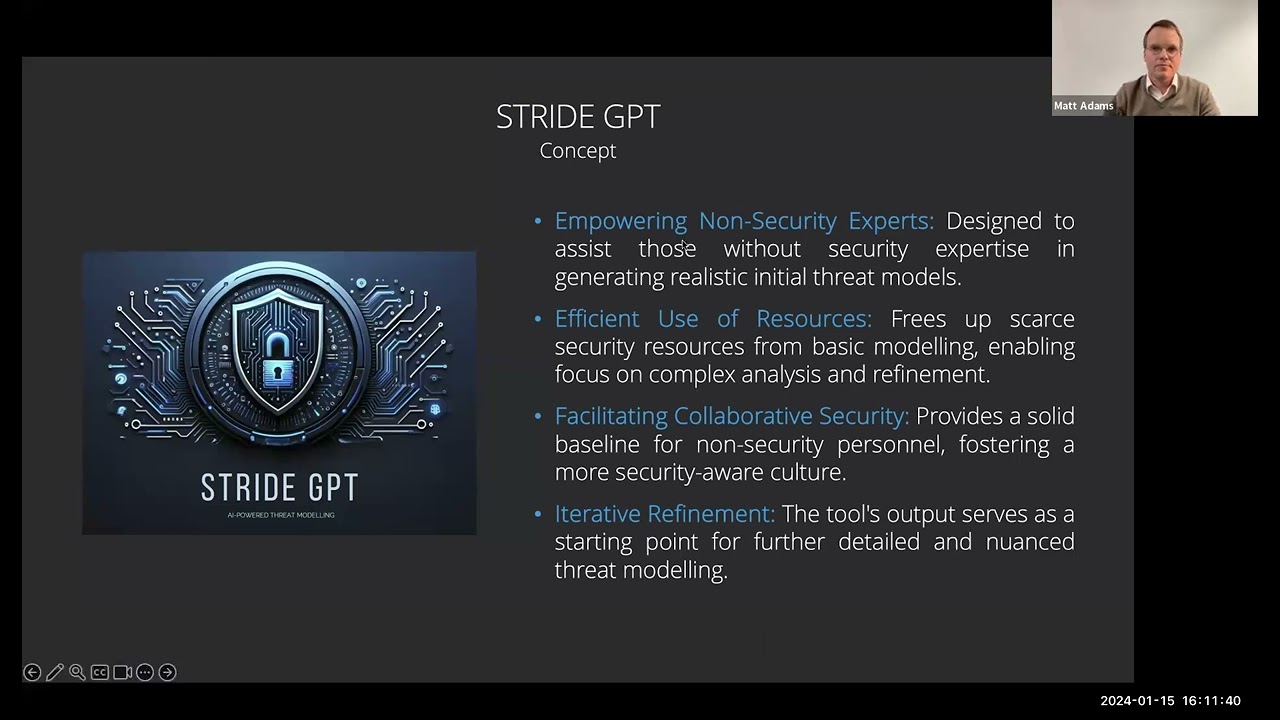
This video is an excellent resource for anyone interested in understanding how STRIDE GPT works and how it can be used to improve threat modelling.
Changelog
Version 0.19 (latest)
--versionflag (#161):stride-gpt --versionnow prints the installed version and exits, and the interactive TUI banner shows the running version so you can confirm what you're on at a glance.- Dependency management consolidated onto uv (closes #155):
uv.lockis now the single source of truth for every dependency. The duplicatedrequirements.txtfiles are retired; the Docker UI image and the security-scan workflow install fromuv.lockviauv export, so what ships and what gets scanned can no longer drift from what's locked. No change forpip install stride-gptusers. - Documentation: Added a sample threat-model markdown output (#151) and an interactive REPL cheat sheet (#163) to the README.
Version 0.18
- Embedded draw.io diagram editor (#132, #138): The Streamlit Threat Model tab now embeds the diagrams.net editor so you can sketch an architecture diagram in-app; on save the diagram XML is parsed (components, connections, trust boundaries) and folded into the threat-model prompt. GitHub analysis, image upload, the diagram editor, and an AI-assisted guided builder are unified into one tabbed "describe your application" section over a single description canvas, so the optional inputs no longer crowd out the primary description field. The guided builder now calls the selected model to draft a description and suggest missing security-relevant details, replacing the previous static template and coverage checks. For self-hosted or air-gapped deployments the editor host is configurable via
STRIDE_GPT_DRAWIO_URL(defaults toembed.diagrams.net), the iframepostMessageorigin is scoped to it, and untrusted diagram XML is parsed withdefusedxml. - DeepSeek provider support (closes #133): DeepSeek is now a first-class model provider in both the CLI setup wizard and the Streamlit UI, offering
deepseek-v4-proanddeepseek-v4-flash. Calls route through LiteLLM's nativedeepseek/integration (hosted endpoint, no custom base URL needed); set your key viaDEEPSEEK_API_KEY. - Data Flow Diagram support (closes #56): New "Data Flow Diagram" tab in the Streamlit UI generates DFDs from the application description, parses uploaded DFD images via vision-capable models, and renders an editable Mermaid source pane with a live preview. Ticking "Use this DFD for the threat model" stores the confirmed diagram in session state and splices it into subsequent Threat Model and Attack Tree prompts as the authoritative system model — closing the description → DFD → review → refined threat model loop the issue asks for. The CLI's
/analyzeagent also produces a system-level DFD after synthesis, rendered as a Mermaid block in the markdown report, carried in the JSONdata_flow_diagramfield, and shown in the HTML view via a CDN-loaded Mermaid runtime. DFD generation is wrapped so a bad diagram never fails a good report. - Graceful GitHub repo analysis errors (closes #92): The Streamlit UI now catches GitHub API failures during repository analysis instead of surfacing a raw stack trace, with actionable messages for 404 (including fine-grained PAT scoping, which 404s even public repos), 401, 403/rate-limit, and network errors. Repo URLs are normalised (trailing
/and.gitsuffix stripped) before parsing so.../repo/and.../repo.gitno longer 404 spuriously. - Structured intermediates alongside reports (closes #122): When
-ois passed to/analyzeor/quick, JSON siblings are written next to the report —.plan.json(theAnalysisPlan),.findings.json(subsystem findings, cross-cutting threats, and the data flow diagram), and.run.json(aRunManifestrecording models, config hash, version, timing, which reference cards actually loaded, and arun_summarymarking whether the run completed or a call cap truncated it). Manifests exclude API keys and endpoints and redact filesystem paths, so they're safe to commit or attach to a ticket. The-fformat flag governs only the report artefact; siblings are always JSON. - Comma-separated MITRE ATT&CK recovery (closes #134): When a worker model returns
MITRE_ATTACKas a comma-separated string (e.g."T1190, T1059, AML.T0053") instead of the canonical list shape, the technique IDs are now recovered rather than dropped. Previously the markdown/HTML reports showed the "MITRE ATT&CK" column but left every cell blank, and the SARIF export lost the IDs entirely. All renderers (markdown, HTML pills, SARIF) and the column-visibility check now route through a single normaliser, and free-form prose that isn't a technique ID is filtered out so the column never fills with false positives. - 0.18.1 patch (closes #159): Fixed LM Studio calls failing with
The api_key client option must be setwhen no cloud provider key was present in the environment. LM Studio routes through LiteLLM'sopenai/prefix, and the OpenAI SDK refuses to build a client without a key even whenapi_basepoints at localhost, so the CLI now passes a placeholder for providers that don't authenticate. Relatedly, the worker tier's last-resort environment scan no longer applies to those providers: a configuredANTHROPIC_API_KEYorOPENAI_API_KEYwas previously sent to whatever hostapi_basenamed, which both masked this bug and put a real key on the wire. If you use LM Studio and have such a key set, it is no longer transmitted to your endpoint.
Version 0.17
- MITRE ATT&CK and ATLAS integration (closes #36): Threats emitted by
/analyzeand/quickcan now carry standardized adversary technique IDs from MITRE ATT&CK Enterprise (v17.1) and MITRE ATLAS (2026.05). Two new progressive-disclosure reference cards (mitre_enterprise,mitre_atlas) instruct the agent to use only the catalogued IDs and names, eliminating ID hallucination. Cards are regenerated from upstream STIX/YAML viascripts/refresh_mitre_cards.pyrather than written from model recall. Techniques render as aMITRE ATT&CKcolumn in markdown tables, clickable sky-tinted pills in HTML, andproperties.mitre_attackarrays in SARIF. - HTML report companion:
/analyzeand/quicknow emit a self-contained browser-viewable HTML report alongside the markdown / JSON / SARIF outputs, suitable for sharing with stakeholders. - Anthropic Claude Opus 4.8: Added support for
claude-opus-4-8, Anthropic's newest frontier-tier model, alongside the existing Opus 4.7. Either can be selected as the architect or worker model. - UI image consolidation: The dual-namespace Docker setup (
mrwadams/stridegpt-ui) is gone; the Streamlit web UI now lives atmrwadams/stridegptonly. CLI users shouldpip install stride-gptrather than pulling a container. - Dependency hygiene: Dropped the unused
mistralaipackage (Mistral access already flows through LiteLLM). Refreshed thepython:3.12-slimbase for the UI image and droppedcurl, clearing 21 medium/high CVE alerts across PRs #113–#115. - Code quality cleanup: Cleared CodeQL note alerts (unused imports, bare
except, dead code) (#116).
Version 0.16
- Standalone CLI: First release of STRIDE-GPT as a
pip install stride-gptCLI, separated from the legacy Streamlit web UI. Two main commands:/analyze(autonomous agentic codebase analysis with a planner, per-subsystem tool-using agent loops, and a cross-cutting synthesis pass) and/quick(single-shot threat model from a written application description). - Progressive-disclosure reference cards:
genai(OWASP LLM Top 10),agentic(OWASP ASI Top 10), andinsider_threatcards self-describe via YAML frontmatter; the agent discovers them vialist_referencesand pulls bodies viaload_reference. - Two-tier model routing: Architect + worker model split for cost-efficient analysis, with frontier-class models reserved for planning and synthesis.
- Interactive REPL: Full-featured terminal experience with tab completion, history, real-time progress, and a status line.
- Multi-format output: Markdown, JSON, and SARIF (imports into GitHub, GitLab, Azure DevOps, IDEs).
- 0.16.1 patch: Raised the LiteLLM logger to ERROR in
stride_gpt/__init__.pyso the Bedrock/SageMaker pre-load warnings don't appear on fresh installs that lackbotocore.
Click to view release notes for earlier versions (0.15 and older).
Version 0.15
Agentic AI Application Support: Added comprehensive support for threat modeling agentic AI systems with OWASP Top 10 for Agentic Applications (ASI01-ASI10) integration. Simply select "Agentic AI application" and describe your system - the LLM automatically detects architectural patterns and applies relevant threat categories. Each ASI risk is mapped to the appropriate STRIDE category for consistent threat analysis.
Generative AI Application Support: Added support for threat modeling GenAI applications with OWASP LLM Top 10 (LLM01-LLM10) integration. Select "Generative AI application" and describe your system to receive tailored LLM-specific threat analysis. Agentic AI applications include both LLM and ASI risk categories for comprehensive coverage.
MAESTRO-Inspired Architectural Pattern Detection: Enhanced agentic threat analysis with automatic detection of architectural patterns from application descriptions, inspired by the Cloud Security Alliance MAESTRO framework. The LLM now identifies and applies pattern-specific threats for:
- RAG/Retrieval Systems: Vector store poisoning, embedding manipulation, cross-tenant leakage
- Multi-Agent Systems: Agent impersonation, inter-agent message tampering, cascading compromises
- Code Execution Environments: Sandbox escape, container breakout, malicious code generation
- Tool/MCP Ecosystems: Rogue tool providers, supply chain attacks, confused deputy vulnerabilities
- Persistent Memory: Memory poisoning, cross-session leakage, state manipulation
- Autonomous Operations: Rogue agent persistence, human oversight bypass, runaway loops
Cross-Layer Threat Analysis: Threat models now include cross-component attack chains that show how compromise in one architectural layer can enable attacks on others (e.g., RAG poisoning → agent goal hijack → tool misuse → data exfiltration).
Enhanced Improvement Suggestions: For agentic applications, improvement suggestions now prompt for specific architectural details such as agent framework, inter-agent communication protocols, sandbox mechanisms, and circuit breaker implementations.
OpenAI Model Updates: Updated to GPT-5.2 series models (gpt-5.2, gpt-5.2-pro, gpt-5-mini, gpt-5-nano, gpt-5, gpt-4.1). Removed deprecated models (gpt-4o, gpt-4o-mini, o3, o3-mini, o4-mini).
Anthropic Claude 4.5 Models: Updated to Claude 4.5 series (claude-sonnet-4-5, claude-haiku-4-5, claude-opus-4-5). Added "Enable Extended Thinking" checkbox for enhanced reasoning capabilities on any Claude model. Increased max tokens to 32k (standard) and 48k (thinking mode).
Google Gemini 3 Preview: Added Gemini 3 preview models (gemini-3-pro-preview, gemini-3-flash-preview) alongside Gemini 2.5 models. Extended thinking mode support to Gemini 3 models.
Mistral Model Updates: Updated to latest versioned Mistral models including Mistral Large 3, Medium 3.1, Small 3.2, Ministral 3 (8B/14B), and Magistral 1.2 (Medium/Small).
New Project Logo: Refreshed branding with a cleaner, minimal shield + neural network design.
Bug Fix: Fixed issue where threat model output would disappear after clicking the download button.
Version 0.14.1
- Security Infrastructure: Added comprehensive automated security scanning and hardening including:
- GitHub Actions workflows for Bandit (Python security), CodeQL (vulnerability detection), pip-audit (dependency scanning), Safety (package vulnerabilities), Gitleaks (secret detection), and Trivy (Docker image scanning)
- SECURITY.md with vulnerability reporting process (48-hour acknowledgment SLA) and security best practices
- Enhanced Docker configuration with security hardening, resource limits, and production-ready docker-compose.yml
- Dependabot configuration for automated weekly dependency updates
- Production-ready secrets management guidance (Docker Swarm secrets, cloud secret managers)
- Enterprise Operationalization Guide: Added comprehensive guide for customizing STRIDE-GPT with organizational context including security controls, compliance requirements, approved technology stacks, and deployment patterns for enterprise use.
Version 0.14
- GPT-5 Series Support: Added comprehensive support for OpenAI's GPT-5 series models (gpt-5, gpt-5-mini, gpt-5-nano) across all threat modeling features. These advanced reasoning models provide enhanced analytical capabilities with proper token allocation for both internal reasoning and output generation.
- Anthropic Claude 4 Integration: Added support for Anthropic's latest Claude 4 models (claude-opus-4-1-20250805, claude-opus-4-20250514, and claude-sonnet-4-20250514) with enhanced capabilities.
- GitHub Enterprise Support: Added support for GitHub Enterprise repositories. The tool now automatically detects and configures the appropriate API endpoint based on the repository URL, making it easy to analyze repositories hosted on private GitHub Enterprise instances. (Thanks to @danielpops for the contribution!)
- Enhanced Reasoning Model Integration: Updated parameter handling to use
max_completion_tokensinstead of deprecatedmax_tokensfor GPT-5 and other OpenAI reasoning models, ensuring compatibility with OpenAI's latest API requirements. - Improved DREAD Assessment Display: Removed truncation limits in DREAD assessment scenario descriptions, allowing users to view complete threat scenarios in the risk assessment table instead of abbreviated "..." versions.
- Security Updates: Updated dependencies to address security vulnerabilities identified by Snyk, including updates to anyio, zipp, tornado, requests, and urllib3.
- Mistral Model Updates: Added support for Mistral's latest models including Magistral Medium/Small (reasoning models), Mistral Medium, and Ministral 8B.
- Groq Model Updates: Updated Groq model selection with OpenAI GPT-OSS models (120B, 20B), maintained Llama 3.3 70B and 3.1 8B, kept DeepSeek R1, and added Moonshot Kimi K2 and Qwen3 32B.
- Google Gemini 2.5 GA Update: Updated to use the General Availability versions of Gemini 2.5 models (Pro, Flash, Flash Lite) replacing the previous preview versions.
- Support the Project: Added a "Buy me a coffee" button in the sidebar to allow users to support the continued development and maintenance of STRIDE GPT.
Version 0.13
- New OpenAI Models: Added support for OpenAI's latest models: gpt-4.1, o3, and o4-mini while maintaining support for o3-mini. These reasoning models provide detailed analytical capabilities.
- Migrated to New Google GenAI SDK: Completely migrated to the new Google GenAI SDK, removing all dependency on the deprecated Google Generative AI library. Refactored Gemini (Google AI) model integration across all modules for improved consistency and performance.
- Enhanced Reasoning Model Support: Expanded the reasoning framework to work with all of OpenAI's reasoning models (o1, o3, o3-mini, o4-mini) across all threat modeling features, including threat model generation, attack trees, mitigations, and DREAD assessments.
- Increased Token Limits: Updated token limits for new models to take advantage of their expanded contexts, particularly for gpt-4.1 which supports 1 million tokens and o4-mini which supports 200K tokens.
- Enhanced Multi-Modal Support: Image upload and analysis now works with more models, including Gemini 2.5, Claude 3, and Claude 4 models. Expanded support for analyzing various image formats across all vision-capable models.
- Updated to Latest Gemini Preview Models: Transitioned to use the latest versions of Gemini preview models for improved performance and capabilities.
Version 0.12
- Claude 3.7 Integration: Added comprehensive support for Anthropic's Claude 3.7 models across all threat modeling features, including the innovative "thinking mode" that provides more detailed reasoning during analysis.
- Improved GitHub Repository Analysis: Significantly enhanced the GitHub repository analysis feature with intelligent file selection, better programming language support, and progress tracking during analysis.
- GPT-4.5 Preview Support: Added support for OpenAI's GPT-4.5 preview model with improved model selection guidance and descriptions.
- Performance Optimizations: Improved overall application performance with better token usage tracking and warning systems for approaching token limits.
Version 0.11
- LM Studio Server Support: Added support for using LM Studio Server as a model provider, allowing users to run their own local LLMs with OpenAI-compatible API endpoints.
- Google Gemini Attack Tree Support: Added support for generating attack trees using Google Gemini models, expanding the available options for users.
- New Model Support: Added support for reasoning models (OpenAI's o1 and o3-mini, DeepSeek R1 via Groq API) and Google's newly released Gemini 2.0 Flash for faster inference.
- Enhanced Attack Tree Generation: Improved attack tree generation with robust JSON parsing and Mermaid diagram conversion, making the output more reliable and visually appealing.
- Dynamic Model Discovery: Added automatic model discovery for LM Studio Server, allowing users to select from available models in their local instances.
- Improved Threat Model Generation: Enhanced the guidance and prompts for threat model generation to produce more comprehensive and actionable results.
- Structured Output Support: Enhanced JSON output handling across all model providers to ensure reliable threat model and DREAD assessment generation.
- UI Enhancements: Updated the user interface to accommodate new model configurations and improved warning messages for local LLM limitations.
Version 0.10
- GitHub Repository Analysis: STRIDE GPT now supports automatic analysis of GitHub repositories. Users can provide a GitHub repository URL, and the tool will analyse the README and key files to generate a more comprehensive threat model.
- Environment Variable Support: Added support for loading API keys and other configuration from environment variables, improving security and ease of deployment.
- Improved Error Handling: Enhanced error handling and retry mechanisms for API calls to improve reliability.
- UI Enhancements: Updated the user interface to accommodate new features and improve overall user experience.
Version 0.9
Release highlights:
- Mistral Client v1.0: STRIDE GPT now uses v1.0 of the Mistral Client, which resolves the breaking changes introduced in the latest version of the Mistral API. This ensures that STRIDE GPT users can continue to leverage the Mistral API for threat modelling tasks.
Version 0.8.1
This release added support for the following models:
GPT4o mini: I've added support for OpenAI's recently released GPT4o mini model. GPT4o mini is a cost-efficient small model that still provides high-quality responses for threat modelling tasks.
Gemini 1.5 Pro (stable): Users can now choose from either the stable or preview versions of the Gemini 1.5 Pro model.
Version 0.8
Release highlights:
DREAD Risk Scoring: STRIDE GPT now supports DREAD risk scoring, allowing users to assign risk scores to identified threats based on the DREAD model. This feature provides a more comprehensive threat assessment and helps prioritise mitigation efforts.
Gherkin Test Cases: Users can now generate Gherkin test cases based on the identified threats. This feature helps bridge the gap between threat modelling and testing, ensuring that security considerations are integrated into the testing process.
UI Enhancements: I've refreshed the user interface making it easier to navigate and interact with the application and its features.
Version 0.7
Release highlights:
- Multi-Modal Threat Modelling: STRIDE GPT now supports multi-modal threat modelling using OpenAI's GPT-4o and GPT-4-Turbo models. Users can provide an image of an architecture diagram, flowchart, or other visual representations of their application to enhance the threat modelling process.
- Google AI Integration: I've added support for Gemini 1.5 Pro via the Google AI API. Please note that Gemini doesn't consistently generate JSON output so you may need to retry some requests. In addition, Attack Trees can't be generated using Google AI models because of Google's safety restrictions.
- Refactored Codebase: I've refactored some parts of the codebase to improve maintainability and readability. This should make it easier to add new features and enhancements in future releases.
- Bug Fixes: Minor bug fixes and error handling improvements.
Version 0.6
Release highlights:
Mistral API Integration: Users can now choose to use LLMs provided by Mistral AI to generate threat models, attack trees and mitigation suggestions. This provides an alternative to OpenAI's GPT models, offering greater flexibility and choice for users.
Refined Prompts: With more people using STRIDE GPT for work, I've updated the threat model prompt templates to encourage the LLMs to generate more comprehensive outputs. Users should now see multiple threats identified within each STRIDE category.
Public Roadmap: I've created a public roadmap to provide visibility into upcoming features and improvements.
UI Enhancements: I've made some minor updates to the UI to accommodate the new Mistral API integration and improve the overall user experience.
Version 0.5
Release highlights:
- Docker Container Image: To make it easier to deploy STRIDE GPT on public and private clouds, the tool is now available as a Docker container image on Docker Hub.
Version 0.4
Release highlights:
- Integration of New GPT Models: The application now supports the latest "gpt-4-1106-preview" and "gpt-3.5-turbo-1106" models, offering advanced capabilities and more accurate responses for threat modelling and attack tree generation.
- Direct OpenAI API Calls: STRIDE GPT now makes direct calls to the OpenAI API in order to take advantage of the recently introduced JSON Mode. This should greatly reduce the reduce the likelihood of syntax errors when generating threat models.
- Refined Attack Tree Generation: The process for generating attack trees has been overhauled to be more reliable, minimising syntax errors when generating Mermaid diagrams and improving the overall quality of the visualisations.
- New Logo and Color Scheme: A refreshed colour scheme and new logo (generated by DALL·E 3).
- Continued Bug Fixes and Performance Improvements: I've made a small number of additional updates to address existing bugs and optimise the application for better performance, ensuring a smoother and more efficient user experience.
Version 0.3
Release highlights:
- Threat Mitigations: STRIDE GPT can now suggest potential mitigations for the threats identified in the threat modelling phase. This helps users develop strategies to prevent or minimise the impact of the identified threats.
- Downloadable Output: Users can now download the generated threat model, attack tree, and mitigations as Markdown files directly from the application. This makes it easy to share and document the generated outputs.
- Improved User Interface: I've further refined the user interface to provide a smoother and more intuitive user experience. The application layout has been optimised for better readability and usability.
- Updated GPT Models: STRIDE GPT now supports the latest 0613 versions of the GPT-3.5-turbo and GPT-4 models. These updated models provide improved performance and increased control over the generated output.
- Bug Fixes and Performance Enhancements: I've addressed several bugs and made performance improvements to ensure a more stable and responsive application.
Version 0.2
Release highlights:
- Attack Tree Generation: In addition to generating threat models, STRIDE GPT can now generate attack trees for your applications based on the provided details. This helps users better understand potential attack paths for their applications.
- Attack Tree Visualisation: This is an experimental feature that allows users to visualise the generated attack tree directly in the app using Mermaid.js. This provides a more interactive experience within the STRIDE GPT interface.
- GPT-4 Model Support: STRIDE GPT now supports the use of OpenAI's GPT-4 model, provided the user has access to the GPT-4 API. This allows users to leverage the latest advancements in GPT technology to generate more accurate and comprehensive threat models and attack trees.
- Improved Layout and Organisation: I've restructured the app layout to make it easier to navigate and use. Key sections, such as Threat Model and Attack Tree, are now organised into collapsible sections for a cleaner and more intuitive user experience.
Version 0.1
Initial release of the application.
Installation
Option 1: pip (CLI only)
pip install stride-gpt
This installs the stride-gpt command. The CLI and the Streamlit web UI are now distinct products — pip install stride-gpt gives you the lean CLI with no Streamlit footprint. To run the web UI from source, see Option 2 below.
Option 2: From source
Clone the repo:
git clone https://github.com/mrwadams/stride-gpt.git
cd stride-gpt
Install with uv (recommended —
uv.lockis the single source of truth for dependencies):# CLI plus the Streamlit web UI deps uv syncOr install just the CLI with pip:
pip install -e .(Optional) Set up environment variables:
cp .env.example .envEdit
.envto add your API keys — or configure them later by runningstride-gptand using the/configcommand in the interactive REPL, or via the Streamlit UI.
Option 3: Docker (web UI)
The Streamlit web UI ships as a Docker image:
docker pull mrwadams/stridegpt:latest
For the CLI, use pip install stride-gpt — there's no separate CLI image. If you need a sandboxed CLI, roll your own from a minimal Python base image.
Repository layout
STRIDE-GPT is organised as a small monorepo: one shared Python library, one or more apps that consume it.
stride-gpt/
├── stride_gpt/    # shared library + Python CLI (core, agent loop, prompts, schemas, models)
├── apps/
│   └── web/       # Streamlit web UI
├── tests/         # pytest suite
└── pyproject.toml # single project file; web UI deps live in the `web` dependency-group
The apps/ directory is the slot for additional deployable frontends — for example, a future Node/TypeScript CLI would live alongside apps/web/. The Python CLI itself stays in stride_gpt/cli.py because it's tightly coupled to the shared library.
Usage
CLI
Agentic codebase analysis — the agent autonomously explores a codebase, plans its analysis, and produces a STRIDE threat model:
# Analyze the current directory
stride-gpt analyze .

# Specify a model and auto-approve the analysis plan
stride-gpt analyze ./my-app --worker-model anthropic/claude-sonnet-4-6 -y

# Export as JSON, SARIF, or browser-viewable HTML
stride-gpt analyze . -o report.json -f json    # also writes report.html alongside
stride-gpt analyze . -o report.sarif -f sarif
stride-gpt analyze . -o report.html -f html
Every analysis also auto-saves a JSON and an HTML companion to
~/.stride-gpt/reports/analyze/, so the browser-viewable view is always one click away even when you run without-o.
Note on cost: Agentic analysis is thorough — the agent makes many LLM calls and reads many files as it explores. Token usage and cost scale with codebase size and your chosen model, and a full run on a large repository against a frontier model can be expensive. Set spending limits in your provider dashboard before running, and consider faster/cheaper models for first passes.
Quick single-shot mode — generate a threat model from a text description (like the Streamlit UI, but in the terminal):
# Read description from a file
stride-gpt quick -i app-description.txt

# Pipe from stdin
echo "A web API that processes payments..." | stride-gpt quick
Interactive REPL — launch an interactive session with tab completion and history:
stride-gpt
Inside the REPL, type /help to see available commands and flags. The version is shown under the ASCII banner at startup. See the Interactive REPL cheat sheet below for the full command and shortcut reference.
Interactive REPL cheat sheet
Launch the REPL with stride-gpt (no arguments), then use these commands and shortcuts.
Commands — type a slash command at the prompt:
| Command | What it does |
|---|---|
/analyze [path] |
Analyze a codebase for STRIDE threats (a bare directory path works too) |
/quick |
Quick threat model from a text description |
/reports |
List previous analysis reports (/reports views one) |
/config |
View or change settings (model, provider, API keys) |
/help |
Show available commands, flags, and examples |
/quit |
Exit (aliases: /exit, /q) |
/analyze, /quick, and /reports accept flags: -o/--output , -f/--format , -y/--yes, and -i/--input (/quick). Type /help for the full list.
Keyboard shortcuts:
| Key | Action |
|---|---|
Tab |
Complete slash commands and file paths |
↑ / ↓ |
Scroll through command history |
→ / End |
Accept the greyed-out history suggestion |
Ctrl+L |
Clear the screen and scrollback |
Ctrl+C / Ctrl+D |
Exit the REPL |
Check the installed version:
stride-gpt --version # prints e.g. "stride-gpt 0.19.0" and exits
Common flags:
| Flag | Description |
|---|---|
--version |
Print the installed version (stride-gpt ) and exit |
-o, --output |
Save report to a file |
-f, --format |
Output format: markdown (default), json, sarif, html |
-i, --input |
Read the app description from a file (quick only) |
-y, --yes |
Auto-approve the analysis plan (analyze only) |
--worker-model |
Default-tier model handling the bulk of calls (e.g. anthropic/claude-sonnet-4-6). Uses saved config if omitted. |
--architect-model |
Stronger model for planning/synthesis (e.g. openai/gpt-5.4). Uses saved config if omitted. |
--no-architect |
Skip the architect tier for this run; the worker handles every call. |
--app-type |
Override the planner's detected app type (analyze only): auto (default), web, genai, agentic. |
--max-llm-calls |
Cap total LLM calls across both tiers (analyze only; 0 = unlimited). A subsystem that reaches the cap gets one final round to report what it found, so a run can exceed it by one call per such subsystem. |
--max-tool-calls |
Cap code exploration (analyze only; 0 = unlimited). Reporting a threat doesn't spend it, so a subsystem that finds more threats doesn't leave less exploration for the next one. |
Each tier also accepts --worker-api-key / --worker-api-base / --worker-max-tokens (and the --architect-* equivalents). Run stride-gpt analyze --help or stride-gpt quick --help for the complete list.
Structured intermediates — when -o is used, three JSON siblings are written alongside the report so the run can be audited or consumed by downstream tools:
| File | Contents |
|---|---|
.plan.json |
The AnalysisPlan the architect produced — subsystems, focus areas, detected app type (analyze only). |
.findings.json |
Per-subsystem SubsystemFinding list, cross-cutting threats, and the system-level data flow diagram (analyze only). |
.run.json |
A RunManifest — models, prompt + config hash, references the agent actually loaded, git SHA, version, timing. Emitted for both analyze and quick. |
The format flag (-f) controls the report artefact only; the siblings are always JSON. File paths in the manifest and findings are redacted (./… when under the working directory, ~/… when under $HOME) so a manifest is safe to share. The auto-archive at ~/.stride-gpt/reports/{analyze,quick}/ is unaffected — siblings are only emitted when you pass -o.
View previous reports:
stride-gpt reports        # List recent reports
stride-gpt reports 1      # View report #1
stride-gpt reports 1 -o r.json -f json  # Export a report
Streamlit Web UI
The web UI is a separate app from the CLI. Launch it with:
streamlit run apps/web/main.py
Open the provided URL in your browser and follow the on-screen steps.
Docker
docker run -p 8501:8501 --env-file .env mrwadams/stridegpt
Sample output
Every stride-gpt analyze and stride-gpt quick run emits a markdown report by default (with JSON, SARIF, and a self-contained HTML view available via -f). The markdown groups threats by subsystem in STRIDE tables, adds a cross-cutting section for threats that span components, and closes with a run summary. Optional columns (OWASP LLM/ASI, Insider Category, MITRE ATT&CK, Evidence) appear only when a run populates them.
Threats from analyze cite the code they came from. The agent quotes a snippet, the snippet is matched against the file on disk, and the matched line range is recorded — so the Evidence column shows app/auth/jwt.py:14-19, the HTML report shows the quoted code, and each SARIF result points at those exact lines rather than at the subsystem's file list. A snippet that can't be found is marked unverified rather than dropped, so you can see what the model claimed and judge it.
Below is the markdown from a run against a fictional payments API, so you can see the shape of the output before running the tool. It is a real render from the report engine, not a mock-up.
Sample markdown threat model (click to expand)
# STRIDE Threat Model: acme-payments-api

> Generated by STRIDE-GPT on 2026-07-16T09:42:00Z

## Overview

A Python FastAPI service that accepts card payments, stores customer profiles in PostgreSQL, and calls a third-party payment processor. Authentication is handled by JWT bearer tokens issued by an internal auth service; the API is internet-facing behind an API gateway.

## Data Flow Diagram

```mermaid
flowchart LR
    Client[Client App] -->|HTTPS + JWT| Gateway[API Gateway]
    Gateway --> API[Payments API]
    API -->|SQL| DB[(PostgreSQL)]
    API -->|HTTPS| Processor[Payment Processor]
```


### Authentication & Authorization

#### Files Analyzed

- `app/auth/jwt.py`
- `app/auth/dependencies.py`

#### Threats

| Threat Type | Scenario | Potential Impact | MITRE ATT&CK | Evidence |
|-------------|----------|------------------|--------------|----------|
| Spoofing | An attacker forges a JWT using a weak or leaked signing secret to impersonate another customer. | Full account takeover and unauthorized access to stored payment methods. | T1550.001 (Application Access Token) | app/auth/jwt.py:14-19 |
| Elevation of Privilege | A standard user calls an admin-only refund endpoint that only checks authentication, not role. | Unauthorized refunds and financial loss. | T1068 (Exploitation for Privilege Escalation) | app/auth/dependencies.py:31-38 |

#### Recommendations

- Enforce role checks on every privileged route via a shared dependency, not per-handler logic.
- Rotate and store the JWT signing secret in a managed secrets store rather than an env file.

### Payments & Data Storage

#### Files Analyzed

- `app/payments/routes.py`
- `app/db/models.py`

#### Threats

| Threat Type | Scenario | Potential Impact | MITRE ATT&CK | Evidence |
|-------------|----------|------------------|--------------|----------|
| Information Disclosure | Full card numbers are logged in request debug logs when a payment fails. | PCI-DSS violation and exposure of cardholder data to anyone with log access. | T1552.001 (Credentials In Files) | app/payments/routes.py:88-91 |
| Tampering | The payment amount is taken from a client-supplied field and not re-validated server-side against the order. | A user pays less than the order total by editing the request body. |  | app/payments/routes.py:42-44 |

#### Recommendations

- Redact PANs before logging and route logs through a PCI-scoped sink.
- Derive the charge amount from the server-side order record, never the request body.

### Cross-Cutting Threats

| Threat Type | Scenario | Potential Impact | MITRE ATT&CK | Affected Subsystems |
|-------------|----------|------------------|--------------|---------------------|
| Denial of Service | No rate limiting on the payment endpoint lets an attacker exhaust the processor quota and DB connections. | Legitimate payments fail during the attack; possible processor throttling. | T1499 (Endpoint Denial of Service) | Authentication & Authorization, Payments & Data Storage |

### Summary

- **Total threats identified**: 5
- **Subsystems analyzed**: 2
- **Cross-cutting threats**: 1
- **LLM calls**: 34
- **Tool calls**: 58
- **Architect model**: OpenAI API/gpt-5.4
- **Worker model**: Anthropic API/claude-sonnet-4-6
stride-gpt quick produces the same table shape from a written description, collapsed into a single Application subsystem instead of per-subsystem findings.
Security Best Practices
STRIDE GPT is designed for local, single-user deployment. When using the tool:
Protecting Your API Keys
Your API keys are sensitive credentials that can incur charges on your account.
✅ DO:
- Enter API keys through the UI (they stay in your browser session)
- Use .env file for convenience on your personal machine
- Set spending limits in your LLM provider dashboard
- Regularly review your API usage and costs
- Clear session when using on shared computers
❌ DON'T:
- Commit .env files to version control (already in .gitignore)
- Share screenshots with API keys visible
- Run STRIDE GPT on untrusted/compromised systems
- Share your API keys with others
- Ignore unexpected API charges
Data Privacy Considerations
When you generate threat models, STRIDE GPT sends data to your chosen LLM provider:
- Application details (type, authentication methods, architecture)
- System architecture descriptions
- Uploaded architecture diagrams/images
- Generated threat models and mitigations
What this means:
- OpenAI, Anthropic, Google, etc. may log this data per their privacy policies
- Consider using generic/fictional system details for demonstrations
- Review your LLM provider's data retention and privacy policies
- For sensitive systems, consider:
- Using local models (LM Studio)
- Using providers with stricter privacy guarantees
- Sanitizing system descriptions before input
For Team/Organization Deployments
If deploying STRIDE GPT for multiple users (not the default use case):
- Add authentication/authorization (not included by default)
- Use a secrets management service for API keys
- Deploy behind VPN or internal network
- Review the SECURITY.md document for additional considerations
- Consider data residency and compliance requirements
- Implement appropriate access controls for generated threat models
Dependency Security
We maintain dependencies and monitor for vulnerabilities:
- Dependencies are updated regularly via Dependabot
- Automated security scanning runs on every commit
- Security advisories are tracked in GitHub Security tab
- Run
pip-auditto check for known vulnerabilities locally
See SECURITY.md for comprehensive security information including automated security scanning, vulnerability reporting, and secure development practices.
Reporting Security Issues
Found a security issue? Please report it responsibly:
- Create a security advisory via GitHub's private vulnerability reporting
- Don't post security issues publicly
- We'll acknowledge within 48 hours
- Fixes will be prioritized and released quickly
Contributing
Pull requests are welcome. For major changes, please open an issue first to discuss what you would like to change.