spritefusion-pixel-snapper is a free, open source photo & video editors project written in Rust and released under MIT. It has 3,248 GitHub stars, 205 forks and 0 open issues, and was last pushed 3 months ago. On this registry it ranks #36 of 58 tracked projects in Photo & Video Editors, with 5 head-to-head comparisons available.

What is spritefusion-pixel-snapper?

Sprite Fusion Pixel Snapper is an MIT-licensed Rust command-line tool and WebAssembly library that snaps pixels onto a perfect grid and quantizes colors to a strict palette, built for game developers and pixel artists who need clean, consistent, scalable 2D assets from AI-generated or procedurally produced art.

What it is

Sprite Fusion Pixel Snapper is a focused image-processing project written in Rust and released under the MIT licence. It sits in the game-development and pixel-art corner of the ecosystem, filed in this registry under Miscellaneous / Photo & Video Editors, and its README describes it as a tool to snap pixels to a perfect grid, designed to fix messy and inconsistent pixel art generated by AI. It is distributed as a command-line tool installed through Homebrew or Cargo, an online version at spritefusion.com/pixel-snapper, a desktop edition, and a WebAssembly module for JavaScript projects. The README notes that it is a Sprite Fusion project, and that Sprite Fusion itself generates pixel art sprites and animations for game development.

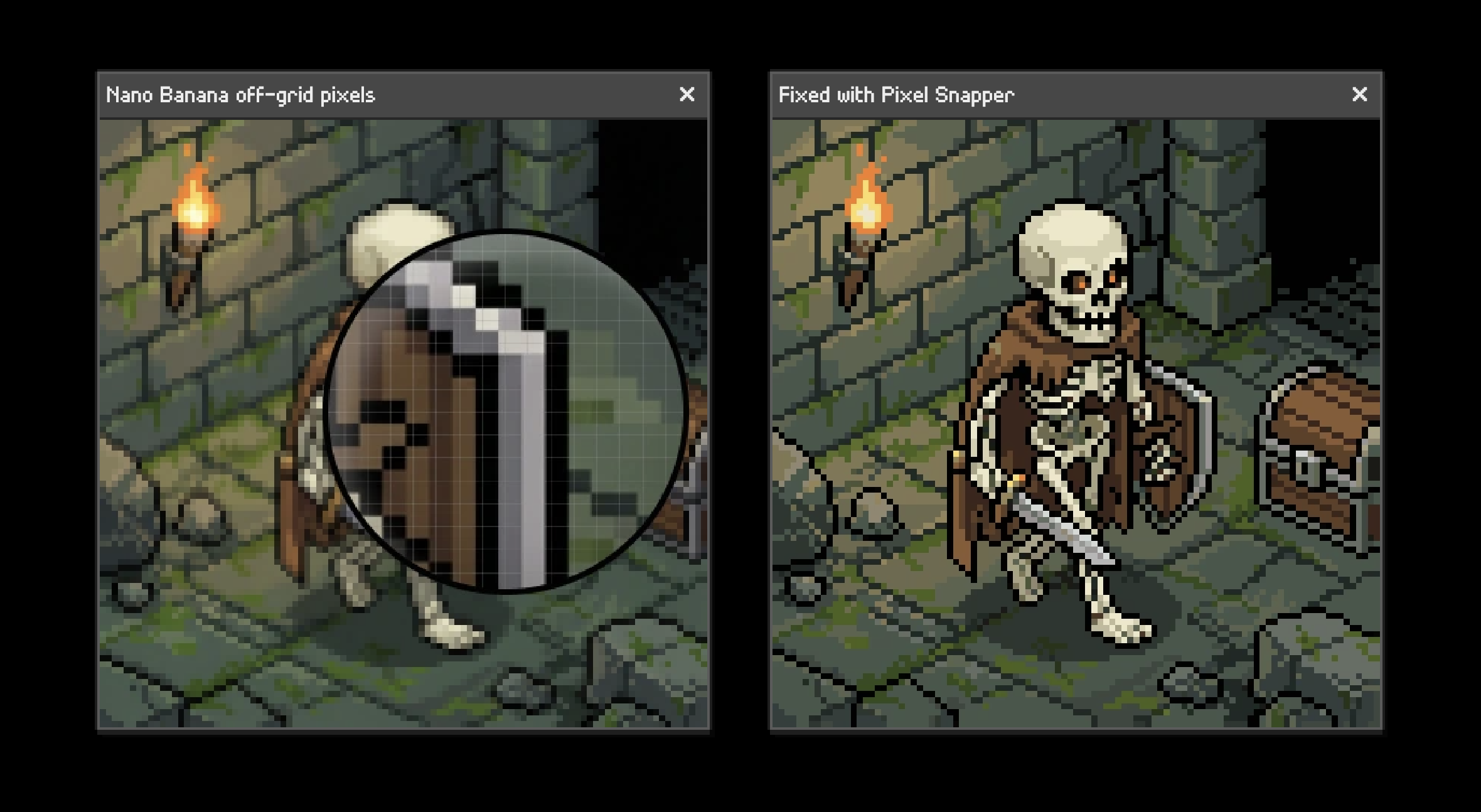
The problem it solves is specific. Current AI image models cannot understand grid-based pixel art: pixels end up inconsistent in size and position, the grid resolution drifts over the course of an image, and colors are not tied to a strict palette. Pixel Snapper replaces that raw output as a source of production-ready pixel art by snapping pixels to a perfect grid, keeping the grid resolution consistent and scalable to pixel resolution, and tying colors to a strict, quantized palette, or to a custom palette supplied by the user. It preserves as much detail as possible, including dithering.

Key capabilities

  • Runs as a standalone native binary invoked as spritefusion-pixel-snapper [INPUT] [OUTPUT] [COLOR_COUNT], where the color count defaults to 16.
  • Processes a directory as a batch, for example spritefusion-pixel-snapper sprites/batch_inputs sprites/batch_outputs 16.
  • Overrides the auto-detected pixel size with --pixel-size , which must be between 1 and half the smallest image dimension.
  • Constrains output colors with --palette, taking comma-separated six-digit hex colors such as --palette "0d2b45,203c56,544e68,8d697a".
  • Accepts PNG and JPEG input and writes PNG output.
  • Builds as a WebAssembly module with wasm-pack build --target web --out-dir pkg --release, exposing process_image(inputBytes, kColors?, pixelSizeOverride?, paletteHex?) to JavaScript.
  • Compiles from source with cargo build --release, producing the binary at target/release/spritefusion-pixel-snapper.

Who users are and how they work

  • Game developers working with AI-generated pixel art that must be snapped to a grid before it can be used in a project.
  • Artists and developers producing procedural 2D art that does not fit a grid, such as tilemaps or isometric maps.
  • Teams that need 2D game assets and 3D textures to be perfectly scalable without losing dithering detail.
  • Web tool developers who build the WASM module and call process_image from a JavaScript project.
  • Pipeline builders who install the CLI with brew or cargo and run it over whole sprite directories in a single command.

Getting started

Install the command-line tool with brew install Hugo-Dz/tap/spritefusion-pixel-snapper or cargo install spritefusion-pixel-snapper, then run it against an image or directory, for example spritefusion-pixel-snapper input.png output.png 16. An online version and a desktop edition are also available from the project homepage.

How it compares

No list of paid or proprietary products that this project replaces is provided, and no comparable tool is named alongside it, so within this registry it stands alone. The only related project named in the facts is Sprite Fusion, the pixel art generator for which Pixel Snapper acts as a companion.

When to use it — and when not to

Because Pixel Snapper ships as a standalone native binary, a WASM module or a hosted page, there is no database, object storage or SMTP service for a self-hoster to operate. It is not the right choice for anyone who must preserve an image's original, unquantized colors or its existing, non-grid-aligned detail, since the default output is forced onto a grid and quantized to a 16-color palette, and --pixel-size is capped at half the smallest image dimension. It is also a deliberately narrow tool: it corrects grid alignment, grid resolution and palette, not every artifact an AI image model might produce, and the README documents the CLI and WASM build far more thoroughly than the desktop edition.

project readme (upstream, from github) — read inline

Sprite Fusion Pixel Snapper

A tool to snap pixels to a perfect grid. Designed to fix messy and inconsistent pixel art generated by AI.
Why ?

Current AI image models can't understand grid-based pixel art.

  • Pixel are inconsistent in size and position.
  • The grid resolution can drift over time.
  • Colors are not tied to a strict palette.

With Pixel Snapper:

  • ✅ Pixel are snapped to a perfect grid.
  • ✅ The grid resolution is consistent and can be scaled to pixel resolution.
  • ✅ Colors are tied to a strict, quantized palette. You can also use a custom palette.

Perfect for

  • AI generated pixel art that needs to be snapped to a grid.
  • Procedural 2D art that doesn't fit a grid like tilemaps or isometric maps.
  • 2D game assets and 3D textures that need to be perfectly scalable.
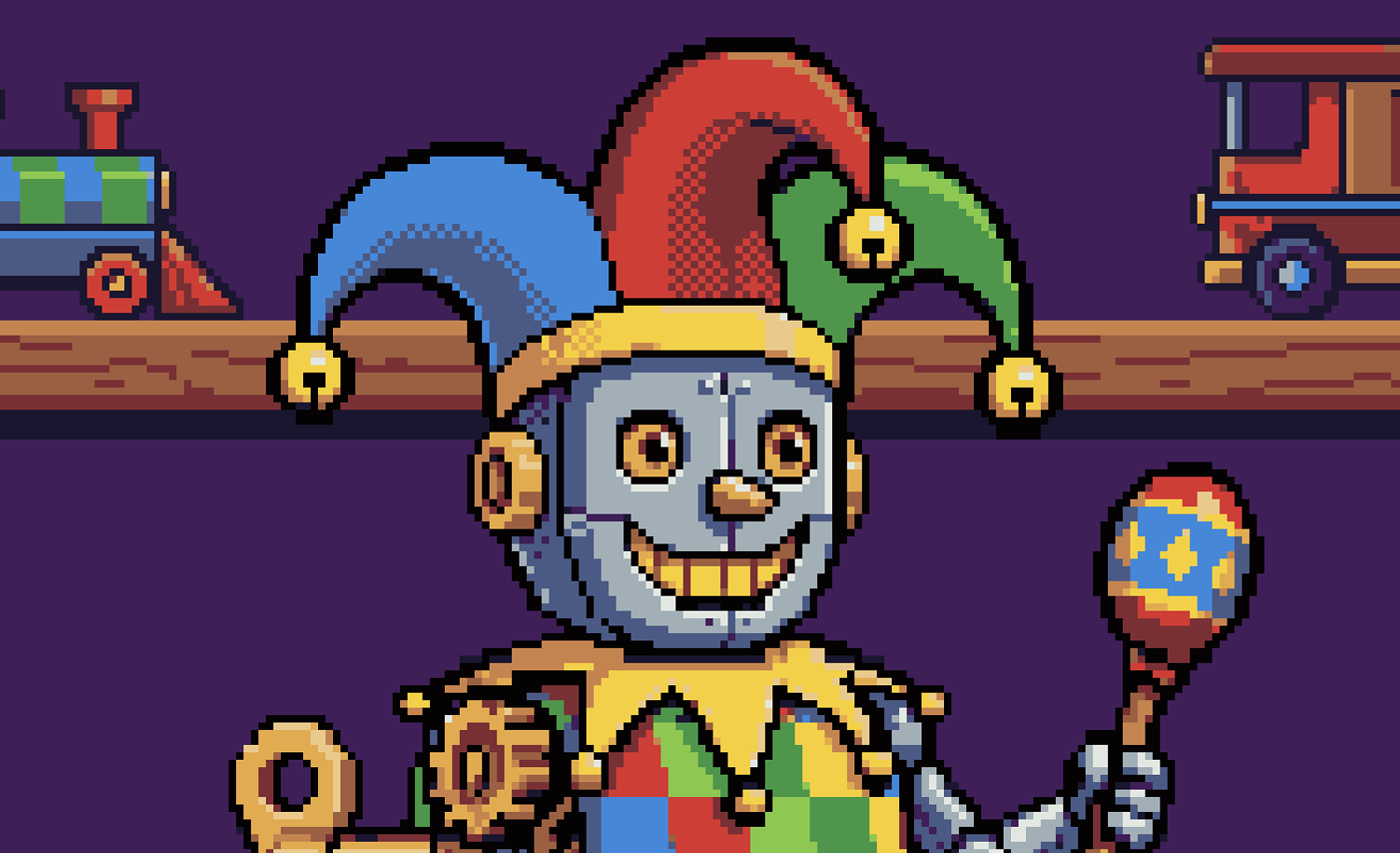
Pixel Snapper preserves as much details as possible like dithering.


💻 CLI

Brew

brew install Hugo-Dz/tap/spritefusion-pixel-snapper

Cargo

Installation with Cargo requires Rust. Once installed, the CLI runs as a standalone native binary.

cargo install spritefusion-pixel-snapper

Usage

spritefusion-pixel-snapper <INPUT> <OUTPUT> [COLOR_COUNT] [OPTIONS]
  • ``: A PNG/JPEG image, or a directory for batch processing.
  • ``: An output PNG, or a different output directory for a batch.
  • [COLOR_COUNT]: Number of palette colors. Defaults to 16.
  • --pixel-size : Overrides the auto-detected pixel size. The value must be between 1 and half the smallest image dimension.
  • --palette : Constrains the output to comma-separated six-digit hex colors.

Examples:

# Quantize the image to a 16-color palette
spritefusion-pixel-snapper input.png output.png 16

# Process a directory as a batch
spritefusion-pixel-snapper sprites/batch_inputs sprites/batch_outputs 16

# Override the auto-detected pixel size
spritefusion-pixel-snapper input.png output.png --pixel-size 8
spritefusion-pixel-snapper sprites/batch_inputs sprites/batch_outputs 16 --pixel-size 8

# Use a fixed color palette
spritefusion-pixel-snapper input.png output.png --palette "0d2b45,203c56,544e68,8d697a,d08159,ffaa5e,ffd4a3,ffecd6"
spritefusion-pixel-snapper sprites/batch_inputs sprites/batch_outputs --palette "0d2b45,203c56,544e68,8d697a"

Run spritefusion-pixel-snapper --help to see every option.

Build from source

git clone https://github.com/Hugo-Dz/spritefusion-pixel-snapper.git
cd spritefusion-pixel-snapper
cargo build --release

The binary will be available at target/release/spritefusion-pixel-snapper.

🌐 Web (WASM)

git clone https://github.com/Hugo-Dz/spritefusion-pixel-snapper.git
cd spritefusion-pixel-snapper

Build the WASM module:

wasm-pack build --target web --out-dir pkg --release

Then use the WASM module in your project:

import init, { process_image } from "./pkg/spritefusion_pixel_snapper.js";

await init();

// process_image(inputBytes, kColors?, pixelSizeOverride?, paletteHex?)
const outputBytes = process_image(inputBytes, 16);

// With a custom palette
const recoloredBytes = process_image(inputBytes, null, null, "0f0f1b,ffecd6,ff4d6d,29adff");

Pass null for any optional argument you want to leave on its default behavior.

Acknowledgments

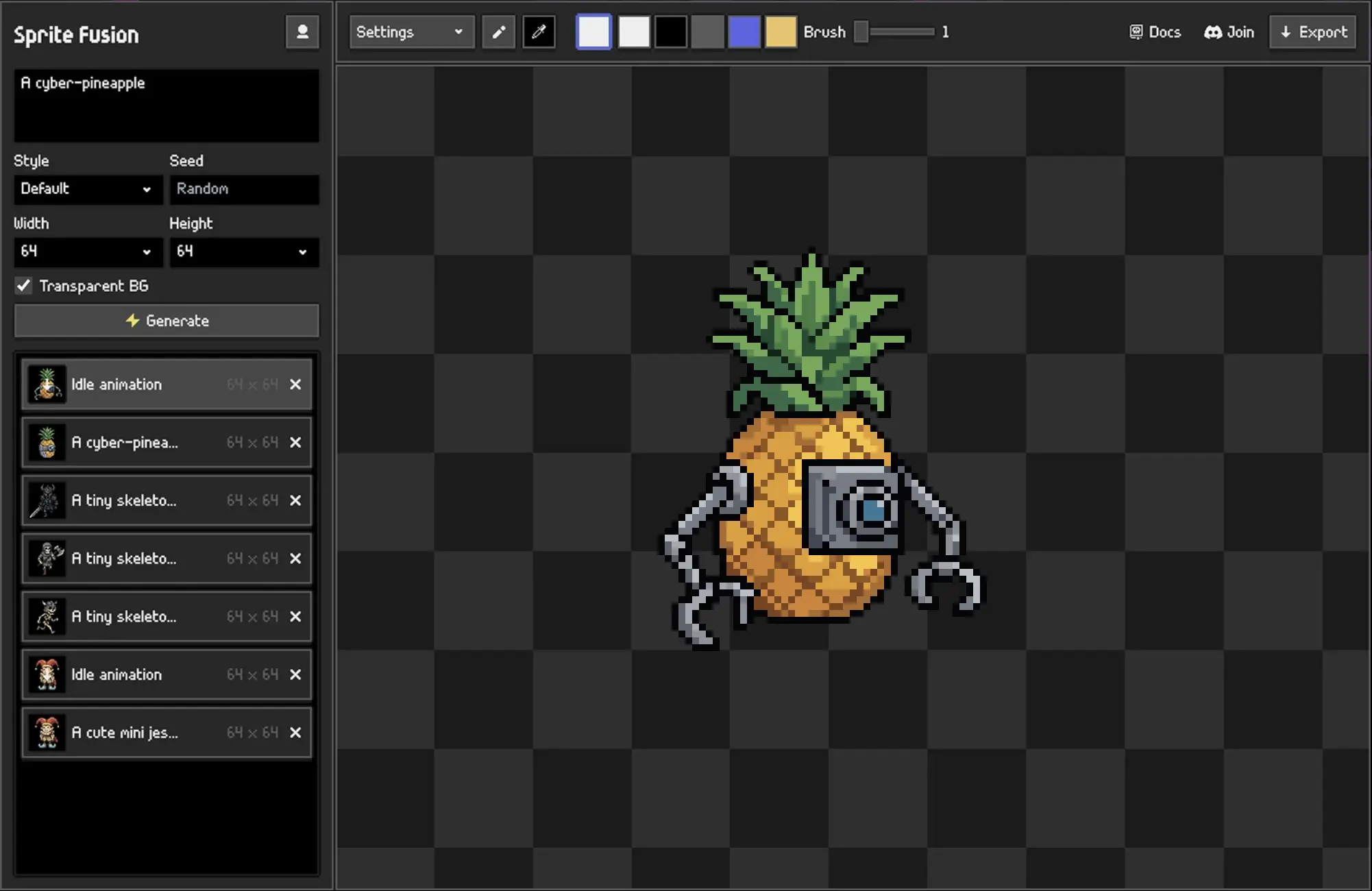
Pixel Snapper is a Sprite Fusion project. Sprite Fusion is a tool to generate TRUE pixel art sprites and animations for game development.
License

MIT License Hugo Duprez

Frequently asked questions

Is spritefusion-pixel-snapper free to use?

spritefusion-pixel-snapper is open source under the MIT licence. There is no licence fee and no seat count — you can self-host it or, where the project offers one, pay a vendor for a managed version instead.

What does spritefusion-pixel-snapper do?

A tool to snap pixels to a perfect grid. Designed to fix messy and inconsistent pixel art generated by AI.

What is spritefusion-pixel-snapper written in?

spritefusion-pixel-snapper is primarily written in Rust. Its source is publicly available at https://github.com/Hugo-Dz/spritefusion-pixel-snapper, and it has 3,248 GitHub stars.