UDEMY COURSE WITH DISCOUNTED - Step by Step Development of this Repository -> https://www.udemy.com/course/microservices-architecture-and-implementation-on-dotnet/?couponCode=MARC26
See the overall picture of implementations on microservices with .net tools on real-world e-commerce microservices project;
There is a couple of microservices which implemented e-commerce modules over Catalog, Basket, Discount and Ordering microservices with NoSQL (DocumentDb, Redis) and Relational databases (PostgreSQL, Sql Server) with communicating over RabbitMQ Event Driven Communication and using Yarp API Gateway.
Check Explanation of this Repository on Medium
Whats Including In This Repository
We have implemented below features over the run-aspnetcore-microservices repository.
Catalog microservice which includes;
- ASP.NET Core Minimal APIs and latest features of .NET8 and C# 12
- Vertical Slice Architecture implementation with Feature folders and single .cs file includes different classes in one file
- CQRS implementation using MediatR library
- CQRS Validation Pipeline Behaviors with MediatR and FluentValidation
- Use Marten library for .NET Transactional Document DB on PostgreSQL
- Use Carter for Minimal API endpoint definition
- Cross-cutting concerns Logging, Global Exception Handling and Health Checks
Basket microservice which includes;
- ASP.NET 8 Web API application, Following REST API principles, CRUD
- Using Redis as a Distributed Cache over basketdb
- Implements Proxy, Decorator and Cache-aside patterns
- Consume Discount Grpc Service for inter-service sync communication to calculate product final price
- Publish BasketCheckout Queue with using MassTransit and RabbitMQ
Discount microservice which includes;
- ASP.NET Grpc Server application
- Build a Highly Performant inter-service gRPC Communication with Basket Microservice
- Exposing Grpc Services with creating Protobuf messages
- Entity Framework Core ORM — SQLite Data Provider and Migrations to simplify data access and ensure high performance
- SQLite database connection and containerization
Microservices Communication
- Sync inter-service gRPC Communication
- Async Microservices Communication with RabbitMQ Message-Broker Service
- Using RabbitMQ Publish/Subscribe Topic Exchange Model
- Using MassTransit for abstraction over RabbitMQ Message-Broker system
- Publishing BasketCheckout event queue from Basket microservices and Subscribing this event from Ordering microservices
- Create RabbitMQ EventBus.Messages library and add references Microservices
Ordering Microservice
- Implementing DDD, CQRS, and Clean Architecture with using Best Practices
- Developing CQRS with using MediatR, FluentValidation and Mapster packages
- Consuming RabbitMQ BasketCheckout event queue with using MassTransit-RabbitMQ Configuration
- SqlServer database connection and containerization
- Using Entity Framework Core ORM and auto migrate to SqlServer when application startup
Yarp API Gateway Microservice
- Develop API Gateways with Yarp Reverse Proxy applying Gateway Routing Pattern
- Yarp Reverse Proxy Configuration; Route, Cluster, Path, Transform, Destinations
- Rate Limiting with FixedWindowLimiter on Yarp Reverse Proxy Configuration
WebUI ShoppingApp Microservice
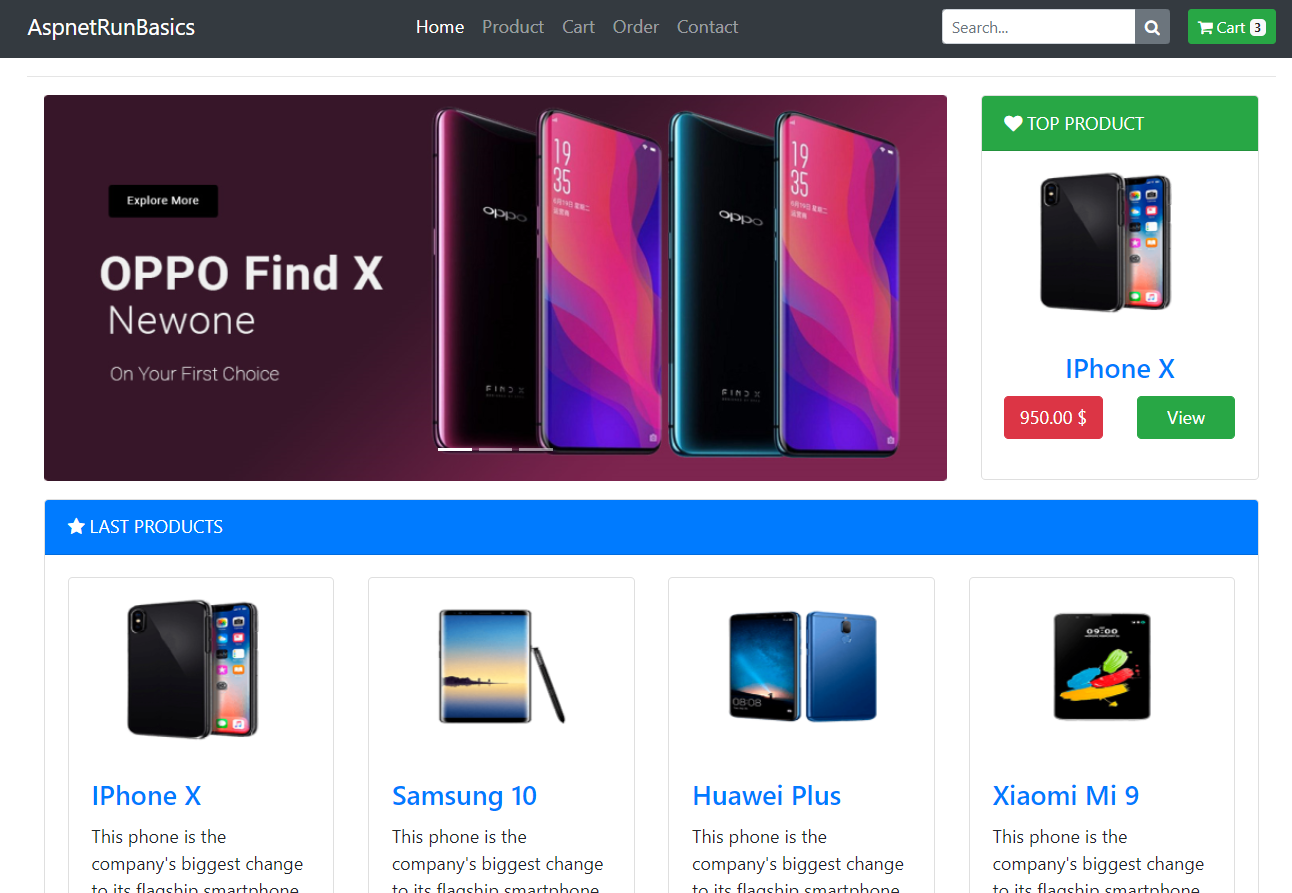
- ASP.NET Core Web Application with Bootstrap 4 and Razor template
- Call Yarp APIs with Refit HttpClientFactory
Docker Compose establishment with all microservices on docker;
- Containerization of microservices
- Containerization of databases
- Override Environment variables
Run The Project
You will need the following tools:
Installing
Follow these steps to get your development environment set up: (Before Run Start the Docker Desktop)
- Clone the repository
- Once Docker for Windows is installed, go to the Settings > Advanced option, from the Docker icon in the system tray, to configure the minimum amount of memory and CPU like so:
- Memory: 4 GB
- CPU: 2
- At the root directory of solution, select docker-compose and Set a startup project. Run docker-compose without debugging on visual studio. Or you can go to root directory which include docker-compose.yml files, run below command:
docker-compose -f docker-compose.yml -f docker-compose.override.yml up -d
Wait for docker compose all microservices. That’s it! (some microservices need extra time to work so please wait if not worked in first shut)
Launch Shopping Web UI -> https://localhost:6065 in your browser to view index page. You can use Web project in order to call microservices over Yarp API Gateway. When you checkout the basket you can follow queue record on RabbitMQ dashboard.
Authors
- Mehmet Ozkaya - Initial work - mehmetozkaya
See also the list of contributors who participated in this project. Check also gihtub page of repository.