Reef is a free, MIT-licensed macOS window manager that binds applications to number keys and gives each app its own Alt-Tab-style switcher, aimed at Mac users who want to refocus any window of any app from the keyboard instead of hunting through the Dock or Mission Control.
What it is
Reef is an open-source window switcher for macOS 14.6 (Sonoma) and later, written in Swift and released under the MIT licence. It lives in the macOS productivity and system-utility space, in the same family as yabai, AeroSpace, Rectangle, and AltTab for macOS. The project is developed at github.com/gouwsxander/Reef, has around 603 stars and 31 forks, and ships through a website download at GetReef.app as well as GitHub Releases. Configuration and daily use happen almost entirely through the menu bar and the keyboard. The name comes from the starting sounds of "refocus" and "reframe", and from the idea that a coral reef supports a diverse ecosystem, in the same way Reef supports a workspace.
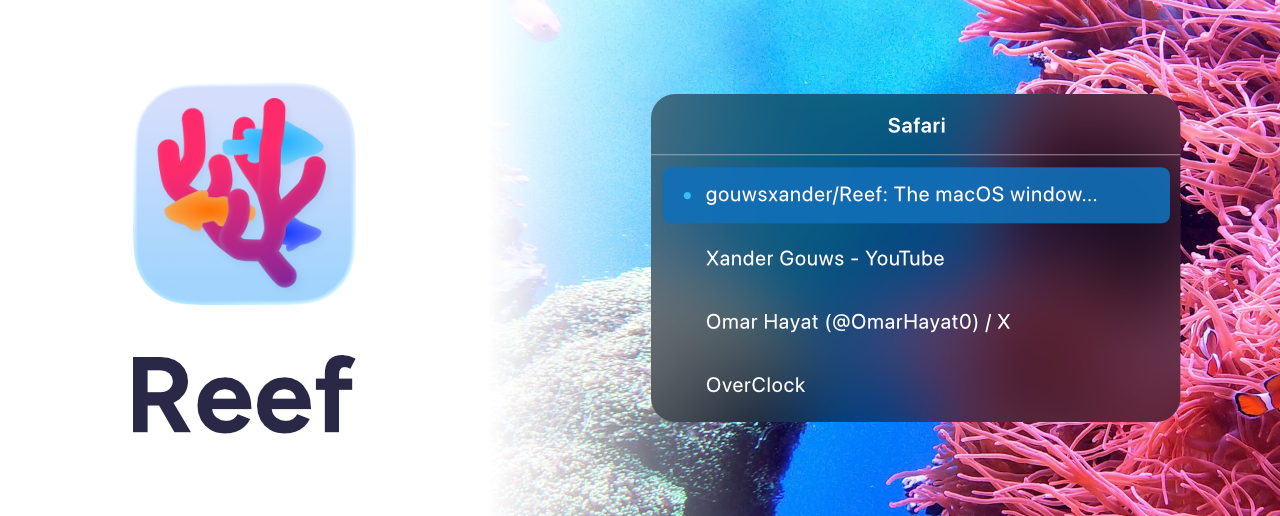
The concrete problem it solves is window selection. macOS ships one global application switcher, which is poor at moving between several windows of the same application, and it offers no persistent way to remember which app lives on which key. Reef replaces that guesswork by letting a user bind applications to the number keys and then recall them deterministically. Holding Control and pressing a bound number opens a panel listing every window of that application, and repeated presses of the same number move the selection. Releasing Control switches to the chosen window. In effect, every application gets its own Alt-Tab, and switching stays scoped to the current macOS space.
Key capabilities
- Bind any application to a number key to refocus any window belonging to that application.
- Create multiple profiles so different sets of bindings can be kept apart, such as a "Coding" profile for an editor, browser, and terminal, or a "Browsing" profile for a browser, messaging app, and music client.
- Switch profiles from the menu bar or by binding them to number keys and pressing
Ctrl + Option + [0-9].
- Bind applications directly by selecting the target and pressing
Ctrl + Option + Shift, or through Preferences → Profiles in the menu bar.
- Cycle windows of a bound app by holding Control, pressing the bound number to open the window panel, pressing the number repeatedly to select a window, and releasing Control to switch.
- Customize the modifiers used for switching applications, switching profiles, and binding applications in Reef Preferences → Shortcuts.
- Pair with Rectangle, where Rectangle positions and rearranges windows and Reef refocuses them.
Who uses it and how
- Developers who keep an editor, browser, and terminal open at once can bind each to a number key under a dedicated profile and jump straight to the right window.
- Users who work across several macOS spaces can rely on window switching that is intentionally scoped to the current space rather than leaking across every display.
- Keyboard-first users can run binding, profile management, and switching without leaving the keyboard, using the menu bar only for occasional preference changes.
- Anyone already using Rectangle for window layout can add Reef for refocusing, since the two tools cover separate halves of window management.
Getting started
Download the latest release from GetReef.app or GitHub Releases, unzip the file, and drag Reef.app into the Applications folder. macOS 14.6 or later is required; the version can be checked under the Apple menu → About This Mac.
How it compares
Reef sits alongside yabai, AeroSpace, Rectangle, and AltTab for macOS in the same corner of the ecosystem, but its focus is narrower than a tiling window manager: it does not arrange or resize windows, and it leaves that work to tools such as Rectangle. AltTab offers a broad, application-wide switcher, while Reef instead gives each individual application its own scoped switcher reached through number-key bindings. It is free and pay-what-you-want, with the website link used as the route for supporting development.
When to use it — and when not to
Reef suits macOS 14.6 or later users who want fast, predictable, keyboard-driven refocusing and are content to configure bindings and profiles themselves. It is not the right choice for anyone who needs window tiling or layout control, since that is explicitly left to companion tools, or for users on older macOS versions or other operating systems. Prospective contributors should note that pull requests are welcome but the maintainers state that they cannot guarantee they will get to them, and that a large part of the practical documentation lives in the README and the website rather than in a separate manual.
project readme (upstream, from github) — read inline
Reef
The macOS window manager that gives every app its own Alt-Tab.
Download for macOS · GitHub Releases (Requires macOS 14.6+)
How we made Reef (YouTube)
Key Features
Reef lets you bind applications to number keys and cycle through their windows with an Alt-Tab-like interface.
We built Reef because we wanted a fast and simple window switcher for macOS.
- Bind applications to number keys to refocus to any window for that app
- Assign profiles for different sets of bindings
- Do your binding and profile management through the keyboard
- Customizable keyboard shortcuts
Usage
Binding
You should start by binding different applications to the number keys. You can do this:
- through Preferences → Profiles (accessed through the menu bar), or
- by selecting the application of your choice and then pressing Ctrl + Option + Shift.
Profiles
You can also set your bindings up in different profiles.
For example, you may want two profiles:
- "Coding": Which binds your favourite editor, browser, and terminal
- "Browsing": Which binds your favourite web browser, messaging app, and music client
You can switch between profiles:
- using the menu bar, or
- by binding them to the number keys, and then pressing Ctrl + Option + [0-9].
Switching applications
Suppose you're in your coding profile, and have your editor bound to 0.
To switch between apps and windows:
- Hold Control and press 0 to open a panel showing each of your editor's windows.
- Press 0 multiple times to select the specific window you want.
- Release Control to switch to the selected window.
In this way, Reef gives every app its own 'Alt-Tab'.
Note that window switching is scoped to your current macOS space.
Customization
You can customize the modifiers for switching applications and profiles, and for binding different applications in Reef Preferences → Shortcuts.
Reef also pairs well with Rectangle:
- Rectangle positions & re-arranges your windows
- Reef re-focuses your windows
Installation
Download the latest release on our website or GitHub
Simply:
- Download the
.zip and unzip the file.
- Drag
Reef.app into your Applications folder.
Reef is free/pay-what-you-want. Use the link on our website to support us.
Compatibility
Reef is compatible with macOS 14.6 (Sonoma) and onwards.
You can find your macOS version from the → About This Mac page.
Development
Please share issues and feedback via the GitHub issues page.
Feel free to submit pull requests, though we can't guarantee that we'll get to them.
FAQ
Why is it called "Reef"?
The name comes from the starting sounds of the words "refocus" and "reframe". And, like a coral reef supports a diverse ecosystem, Reef supports your workspace—helping you navigate between windows quickly and easily.
Related Projects