






RapidRAW
A beautiful, non-destructive, and GPU-accelerated RAW image editor built with performance in mind.
RapidRAW is a modern, high-performance alternative to Adobe Lightroom®. It delivers a simple, beautiful editing experience in a lightweight package for Windows, macOS, Linux, and Android.
I started developing this project as a personal challenge when I was 18. My goal was to create a high-performance tool for my own photography workflow while deepening my understanding of React, WGSL and Rust.

Download RapidRAWGet the latest release for Windows, macOS, Linux, and Android. Packaged and ready to run. Download Latest Version → |

Read the DocsLearn how RapidRAW works with step-by-step tutorials, from adjustments to masking. View Tutorials & Docs → |
For Who Is This?
RapidRAW is for photographers who love to edit their photos in a clean, fast, and simple workflow. It prioritizes speed, a beautiful user interface, and powerful tools that let you achieve your creative color vision quickly.Recent Changes
- 2026-10-24: Rewrote dehaze with edge-aware haze estimation, added dual-illuminant RAW color matrices and gamut compression, improved denoise in shadows and highlights, and added arrow key grid navigation in the library
- 2026-10-23: Redesigned data management as a storage page with cache limits, rewrote noise reduction and sharpening, and fixed AI hangs on macOS
- 2026-10-22: Added split and side-by-side before/after compare modes, a global job tracker, AI face and text masks, new sky and foreground models, and non-destructive BM3D denoise
- 2026-10-21: Added GPU acceleration for AI models via DirectML and CoreML, and a background AI job queue that regenerates AI masks, depth maps and denoise on paste
- 2026-10-20: Added Immich integration thanks to @cl1x, non-destructive negative conversion, auto adjust strength levels, and color-preserving highlight reconstruction
- 2026-10-19: Optimized memory usage, GPU shaders and the preview pipeline for faster thumbnails, editing and exports
- 2026-10-18: Added non-destructive AI denoise with disk caching and seamless tile blending, updated Lensfun database, and optimized Linux RAW preview pipelines
- 2026-10-17: Added movable on-canvas center controls for vignette and centré adjustments, touch multi-selection mode for Android, and cleaned default-only sidecar file handling
- 2026-10-16: Parallelized RAW post-processing and pixel format conversion for faster image rendering
- 2026-10-15: Added auto-straighten powered by horizon and line segment detection, and added DPI settings for print exports
Expand further
- 2026-10-13: Added individual visibility toggles to every adjustment tool in the editor panel
- 2026-10-12: Added optional RAW baseline exposure and highlight preservation compensation
- 2026-10-11: Embed keywords, ratings, and color labels as standard XMP metadata during export, alongside improved RAW EXIF writing
- 2026-10-10: Added
{original_filename_number}token support to library batch renaming - 2026-10-07: Added 3D Relight effect with surface normal generation and on-canvas aiming shapes, alongside new Atmospheric Fog adjustment and staged preview caches
- 2026-10-06: Added AI-free mode, rewritten whites adjustment, and improved shadow and highlight recovery with mid-scale detail reinjection
- 2026-10-05: Implemented log-space guided filter for edge-aware adjustments and integrated cloud API
- 2026-10-04: Added Kelvin white balance mode with area sampling, fine adjust mode for curves, pick/reject quick filters, and improved export presets
- 2026-10-03: Embed sRGB ICC profiles in exports, calculate HSL hue in perceptual color space & improve lens EXIF detection
- 2026-10-02: Added Dutch language support and improved continuous RAW magenta highlight correction
- 2026-09-29: Optimize GPU texture uploads to reduce memory overhead and avoid unnecessary buffer copies
- 2026-09-28: Added Tool Focus mode to isolate and expand only active adjustment tools
- 2026-09-27: Tone curves now display inactive channels as colored overlay curves and reference markers
- 2026-09-25: Streamline adjustment panel customization and improve default tool visibility
- 2026-09-23: Added borders and aspect ratio padding to export options, plus reorderable and collapsible adjustment sections
- 2026-09-22: Added Apple RAW 9 decoding/denoising support and custom savable crop aspect ratios
- 2026-09-21: Implemented cancellable AI tasks with real-time UI tracking and backend preparation for cloud inpainting
- 2026-09-20: Center-anchored crop resizing when holding Ctrl/Cmd on crop handles
- 2026-09-19: Added center mark composition guide overlay to the crop tool
- 2026-09-17: Rewrite vibrance & local contrast preserving highlights adjustment
- 2026-09-16: Add highlights color reconstruction & improve exposure shader
- 2026-09-14: Add neutral grey canvas toggle
- 2026-09-13: Improve RAW highlight recovery and color clipping
- 2026-09-12: Add Ctrl crop pan/zoom and optimize preview transform caching
- 2026-09-09: Add masonry thumbnail layout mode
- 2026-09-09: Add back and forward navigation history for library
- 2026-09-06: Support exporting to original folder with subfolder
- 2026-09-03: Rewrite Wayland/Nvidia workaround
- 2026-09-02: Refactor crop panel & integrate transform/lens correction directly into main canvas
- 2026-09-01: Implemented guided perspective correction thanks to @hogar1977
- 2026-09-01: Add context menu option to auto apply lens correction
- 2026-08-31: New edge-aware filter for ai masks, improved sharpening & mobile UI improvements
- 2026-08-29: Improved EXIF metadata processing during export
- 2026-08-29: Implement folder-level EXIF caching and prevent redundant adjustment saves
- 2026-08-28: Categorize mask creation panel
- 2026-08-27: Split thumbnail resolution settings into separate grid and editor preview sizes
- 2026-08-26: Introduced a retouch tool to effortlessly smooth skin
- 2026-08-25: Added a liquify tool to reshape and warp parts of an image
- 2026-08-24: New global shift+drag straighten shortcut & improved auto-crop calculation
- 2026-08-20: Add drag & drop image move system to quickly organize library
- 2026-08-19: Restored side panels on tablets
- 2026-08-17: Integrated built-in analog film emulations powered by Spektrafilm, featuring a scene-referred V-Log color pipeline in the WGSL shader
- 2026-08-16: Added native Camera Tethering with real-time Live View, exposure controls, ghost overlay, and direct library ingestion (macOS & Linux)
- 2026-08-16: Added Focus Stacking to merge multi-focus brackets into a single sharp image
- 2026-08-14: Export now preserves and writes full EXIF metadata
- 2026-08-13: Replaced local contrast sharpening with a high-quality multi-scale filter
- 2026-08-11: Added automatic canvas cropping for generative AI inpainting workflows
- 2026-08-07: Updated Lensfun database for latest camera bodies and lenses
- 2026-08-06: Added customizable keyboard shortcuts and visibility toggles for left, right, and bottom panels
- 2026-08-05: Added Catalan language support and folder tree shortcut
- 2026-08-03: Added support for image-based LUTs (.png, .jpg, .jpeg, .tiff) and batch importing multiple presets
- 2026-08-01: Implemented customizable workspace layout system with drag & drop panels
- 2026-07-31: Enabled White Balance color picker tool for the WGPU renderer
- 2026-07-29: Added Cmd/Ctrl+L keyboard shortcut to quickly copy image file paths to the clipboard
- 2026-07-26: Added AI Lens Blur (Bokeh) for realistic depth-of-field background blurring
- 2026-07-25: Added headless CLI batch export supporting custom JSON adjustments
- 2026-07-24: Added Ctrl/Cmd+F search shortcut and optimized library & scope performance
- 2026-07-23: Significantly improved HDD thumbnail loading and resolved Linux NVIDIA crash issues
- 2026-07-22: Calibrated JPEG XL (JXL) export quality curves
- 2026-07-20: Made automatic adjustment synchronization optional for multi-selections
- 2026-07-19: Introduced new Culling View (up to 6 images side-by-side) with star ratings and metadata
- 2026-07-16: Enhanced crop tool with area preservation and crop-centered rotation
- 2026-07-15: Fixed Canon multi-exposure WB, reduced export RAM usage, and added settings shortcut
- 2026-07-14: Improved EXIF lens metadata extraction and fixed crop scaling bugs
- 2026-07-12: Added layout-aware keybinds, adjusted black levels, and fixed patch offsets on transformed images
- 2026-07-11: Added new local Clone and Heal cleanup tools with highly optimized, parallelized processing. Also fixed Android back-button navigation and resolved an issue causing freezes with iCloud
- 2026-07-08: Improved thumbnail loading speeds using native file transfers and updated core rendering engines for better overall performance and compatibility
- 2026-07-06: Fixed copying adjustments directly from the filmstrip, resolved AI model and LUT download issues on Android, and fixed several Windows-specific bugs (including offscreen windows and folder exports)
- 2026-07-05: Implemented advanced HDR deghosting with new grayscale image alignment and warping mechanics to prevent visual artifacts during HDR merges
- 2026-07-03: Added "Open With" external editor support and implemented a fallback to embedded previews for undecodable or unsupported RAW files
- 2026-06-29: Completely reworked the shadows and blacks adjustments, and introduced a new LUT preview panel with hover-to-test functionality, easy importing, and removal support
- 2026-06-25: Implemented folder sorting, reliable image/album counts, and fixed folder expansion race conditions
- 2026-06-20: Added quick filters to the bottom bar and integrated global hue shifts into the copy-paste system
- 2026-06-18: New preset intensity slider
- 2026-06-14: Added Korean translation support and integrated the global hue slider
- 2026-06-12: Refined and standardized Traditional Chinese translations
- 2026-06-10: Completed i18next configuration and added Traditional Chinese locale support
- 2026-06-08: Resolved infinite indexing loops, brightness bugs, and general compiler warnings
- 2026-06-07: Fixed copy-pasting, improved library performance & eight new languages
- 2026-06-01: Improved thumbnail performance, polished metadata panel & non-blocking exif reading
- 2026-05-30: Implemented reliable edited status, sorting & filtering options
- 2026-05-29: Refactor exporting to be resource aware
- 2026-05-27: Added German language
- 2026-05-26: Converted all components to support full internalization (multilingual / i18n support)
- 2026-05-25: Implemented dynamic high-resolution rendering for the canvas UI and added copy/pasting of lens correction parameters
- 2026-05-24: Added advanced library filtering capabilities (queries)
- 2026-05-20: Introduced a dedicated EXIF data overlay display directly inside the library and list views
- 2026-05-18: Added global image preprocessing settings, numpad support for customizable keyboard shortcuts, and updated the "Grey" theme color variables
- 2026-05-16: Initial backend implementation of the cloud service functionality alongside a preview worker backpressure mechanism for better handling of high-quality live previews
- 2026-05-15: Added the ability to assign custom icons to individual folders in the library tree
- 2026-05-14: Expanded the library architecture to support multi-root folders and introduced a custom album system
- 2026-05-11: Improved brush tool
- 2026-05-05: Major refactor to zustand...
- 2026-05-04: Added EXIF editing to the metadata panel, accumulating shader execution order, and improved UI responsiveness with triple buffering
- 2026-05-03: Introduced a "focus mode" for distraction-free editing and enhanced filmic exposure. Batch editing now correctly respects copy/paste settings
- 2026-05-01: Implemented manual noise reduction with separate controls for luma and color. Optimized the thumbnail generation and request system for better performance
- 2026-04-30: Major backend refactoring for improved stability and performance. Fixed key issues with cropping, including preserving position when changing aspect ratios
- 2026-04-29: Added a tonemapper override option and significantly improved the UI on vertical/mobile screens
- 2026-04-27: Implemented parametric curves tool and introduced thumbnail workers to speed up library browsing
- 2026-04-24: Overhauled the controls system, adding a dedicated settings section for fully customizable keyboard shortcuts
- 2026-04-22: Improved auto-adjustment logic, fixed lens correction on Android, and added an import button for mobile devices
- 2026-04-21: Signed Android APKs, added canvas shortcuts to keybinds, added reset adjustments confirm submenu, and fixed WGPU renderer bugs
- 2026-04-20: Added style/tool preset mode, improved auto-adjustments via thumbnail caching, and optimized WGPU renderer with custom transform wrapper
- 2026-04-19: Added brightness to auto-adjust and replicated pixelated rendering logic in WGPU display
- 2026-04-18: Implemented direct WGPU renderer and fixed macOS GPU context initialization
- 2026-04-17: Added comprehensive touch support for masks, curves, sliders, and scrolling
- 2026-04-16: Presets and copy/paste settings now support masks and crops; added mask intersect mode
- 2026-04-15: Native rotation slider, mask duplication improvements, and Android AI mask fixes
- 2026-04-14: Implemented
.rrexifformat to keep EXIF when denoising/stitching and added batch denoising - 2026-04-13: Added option to preserve folder structure when batch exporting and removed mask limit
- 2026-04-12: Implemented option to keep export file timestamps from EXIF capture date
- 2026-04-11: Added flow mask controls/rasterization and dynamic gradient sliders for color grading wheels
- 2026-04-10: Improved downscaling algorithm, optimized zoom handling, and implemented global UI text layout upgrades
- 2026-04-09: Fixed Linux touchpad pinch zoom scaling and optimized Masks/AI panel space efficiency
- 2026-04-08: Redesigned color grading wheels for a minimalistic, consistent look
- 2026-04-07: Added AVIF export support and fixed adjustment race conditions on fast image switching
- 2026-04-04: Fixed filmstrip additive multi-range selection
- 2026-04-02: Added Android URI support and Android file management integration
- 2026-04-01: Added depth masking with depth anything v2 & improved ROI rendering performance
- 2026-03-30: LaMa inpainting for lightweight local content-aware fill and object removal
- 2026-03-26: Performance improvements & new flat list mode for library
- 2026-03-25: Optimize folder loading & tree fetching
- 2026-03-23: Generate thumbnails only for visible viewport items
- 2026-03-22: Dependency migrations and other bug fixes
- 2026-03-21: Colored sliders for temperature and tint
- 2026-03-18: Implemented AI NIND denoising
- 2026-03-16: LRU cache for instant image loading
- 2026-03-15: Improved high quality subject mask models, various UI improvements and shader improvements
- 2026-03-14: New image analytics panel which can display vectorscopes, waveforms, parades & histograms
- 2026-03-13: JPEG XL, WebP, and additional format support, including the ability to export LUTs
- 2026-03-12: Added parametric color & luminance masks
- 2026-03-10: Implement region of interest rendering to improve performance when zooming in
- 2026-03-07: Batch negative conversion & various shader improvements
- 2026-03-06: Performance optimizations and UI cleanup
- 2026-03-05: Initial draw support for linear & radial masks
- 2026-03-04: Real-time mask overlay rendering & pixel perfect zooming
- 2026-03-03: Instant image rendering & real-time histogram update
- 2026-03-02: Remember last export settings & lens correction auto cropping
- 2026-03-01: Optimized pixelated interpolation at maximum zoom level
- 2026-02-27: Refactored fullscreen handling, smooth and integrated fullscreen viewer
- 2026-02-24: Improved tonal adjustments using detail masks, remember zoom level & faster fullscreen preview
- 2026-02-23: Custom AI tag lists, clear button for tag settings & improved window state restoration
- 2026-02-23: Improved RAW processing, incorrect thumbnail crop scaling & improved mask handles
- 2026-02-21: XMP metadata read/sync
- 2026-02-20: Main window size/position persistence, right-click history dropdown & new library organization panel
- 2026-02-19: Exponential zoom scaling, right-click to delete curve points & selected image count display
- 2026-02-18: Added a setting for Linear RAW mode for advanced processing & improved right panel switcher
- 2026-02-17: Display RAW image counts in the folder tree & improved folder reading performance
- 2026-02-16: New composition guide overlays for cropping
- 2026-02-16: Added the ability to export masks as separate images
- 2026-02-13: Optimized live previews, instant metadata loading and new jpeg encoder
- 2026-02-13: Added ability to merge multiple bracketed images to a HDR
- 2026-02-12: Straight brush mask lines using shift click and enhanced Lensfun DB parsing
- 2026-02-10: Improved image loading performance
- 2026-02-06: Refactored negative conversion logic using characteristic curves.
- 2026-02-04: Global tooltips & major UI polish
- 2026-02-03: New creative effects: Glow, Halation & Lens Flares
- 2026-01-31: Accurate color noise reduction for RAW images & improved image loading
- 2026-01-30: Enhanced Lensfun DB parsing and improved lens matching logic
- 2026-01-29: Add cross-channel copy/paste & flat-line clipping logic for curves
- 2026-01-26: Favorite lens saving, improved rotation controls (finer grid), better local contrast adjustments
- 2026-01-25: Filmstrip performance boost, improved sorting, lens distortion fixes for AI masks & crop
- 2026-01-24: Added automatic lens, TCA & vignette correction using lensfun
- 2026-01-22: Improved and centralized EXIF data handling for greater accuracy and support
- 2026-01-21: Inpainting now works correctly on images with geometry transformations
- 2026-01-20: Export preset management for saving export settings
- 2026-01-19: Preload library for faster startup & automatic geometry transformation helper lines
- 2026-01-18: Implement image geometry transformation utils
- 2026-01-17: Refactor AI panel to correctly work with the new masking system
- 2026-01-16: Major masking system overhaul with drag & drop, per-mask opacity/invert & UI improvements
- 2026-01-13: New python middleware client for external generative AI integration (ComfyUI)
- 2026-01-12: Created a RapidRAW community discord server
- 2026-01-11: Separate preview worker, optional high-quality live previews & mask/ai patch caching
- 2026-01-10: Enhanced EXIF UI, optimized color wheels/curves & rawler update
- 2026-01-09: Live previews for all adjustments & masks with optimized GPU processing
- 2026-01-05: Collage maker upgrade (drag & drop, zoom, ratio options)
- 2026-01-05: 'Prefer RAW' filter option added to library
- 2026-01-05: Support for uppercase file extensions
- 2026-01-05: Flush thumbnail cache on folder switch
- 2025-12-27: Fix LUT banding issues with improved sampling
- 2025-12-26: AI masking stability improvements under load
- 2025-12-23: Metadata card in toolbar & context menu export
- 2025-12-23: Monochromatic grain & white balance picker improvements
- 2025-12-22: BM3D Denoising with comparison slider
- 2025-12-20: Batch export stability improvements & RAM optimization
- 2025-12-14: Exposure slider added to masking tools
- 2025-12-14: Improved delete workflow
- 2025-12-08: Improved mask eraser tool behavior & ORT v2 migration
- 2025-12-07: Write EXIF metadata to file
- 2025-12-07: Color picker for white balance
- 2025-11-30: HSL luminance artifacts fix
- 2025-11-29: Improved mask stacking & many bug fixes
- 2025-11-28: QOI support
- 2025-11-25: Update rawler
- 2025-11-23: Recursive library view to display images from all subfolders
- 2025-11-22: DNG loader improvements
- 2025-11-18: Improved vibrancy adjustment
- 2025-11-15: Virtual copies & library improvements
- 2025-11-14: Open-with-file cross plattform compatibilty & single instance lock
- 2025-11-13: Rewritten tagging system to support pill-like image tagging
- 2025-11-10: Improved folder tree with search functionality
- 2025-11-08: Added EXR file format support
- 2025-11-XX: Improving AgX
- 2025-11-02: Optimize image loading & add processing engine settings
- 2025-10-31: Expose highlights compression point to user & improve keybinds detection
- 2025-10-28: Copy paste settings & brightness adjustment
- 2025-10-XX: Working on tonemapping - ongoing...
- 2025-10-24: Getting AgX right isn't as easy as it seems :=)
- 2025-10-22: AgX tone mapping
- 2025-10-19: Whole image mask component & organize mask components better
- 2025-10-19: You can now apply presets to masks & improved auto adjustments
- 2025-10-17: New centré adjustment, rawler now as a submodule & improved logger
- 2025-10-15: Ability to pin folders, improved session handling & smooth library thumbnail updating
- 2025-10-11: Realistic, complex & non-dulling exposure & highlights slider
- 2025-10-11: Smooth filmstrip thumbnail updates
- 2025-10-07: New watermarking support
- 2025-10-06: Improve crop quality by transforming before scaling
- 2025-10-XX: Many small improvements - ongoing...
- 2025-09-27: Sort library by exif metadata & release cleanup / bug fixes
- 2025-09-26: Collage maker to create unique collages with many different layouts, spacing & border radius
- 2025-09-23: Color calibration tool to adjust RGB primaries & adjustments visibility settings
- 2025-09-22: Issue template & CI/CD improvements
- 2025-09-20: Universal presets importer, prioritize dGPU & improved local contrast tools (sharpness, clarity etc.)
- 2025-09-17: Automatic image culling (duplicate & blur detection)
- 2025-09-14: Grid previews in community panel & improved ComfyUi workflow
- 2025-09-12: New community presets panel to share & showcase presets
- 2025-09-10: Extended generative AI roadmap & started building RapidRAW website
- 2025-09-09: Many shader improvements & bug fixes, invert tint slider
- 2025-09-06: New update notifier that alerts users when a new version becomes available
- 2025-09-04: Added toggleable clipping warnings (blue = shadows, red = highlights)
- 2025-09-02: Transition to Rust 2024 & Cache image on GPU
- 2025-08-31: Cancel thumbnail generation on folder change & optimized ai patch saving
- 2025-08-30: Optimize ComfyUI image transfer & speed
- 2025-08-28: Chromatic aberration correction & Shader improvements
- 2025-08-26: User customisable ComfyUI workflow selection
- 2025-08-25: Make LUTs parser more robust (support more advanced formats)
- 2025-08-24: Improved keyboard shortcuts
- 2025-08-23: Estimate file size before exporting
- 2025-08-21: Added LUTs (.cube, .3dl, .png, .jpg, .jpeg, .tiff) support
- 2025-08-16: Fast AI sky masks
- 2025-08-15: Show full resolution image when zooming in
- 2025-08-15: Implement Tauri's IPC as a replacement for the slow Base64 image transfer
- 2025-08-12: Relative zoom indicator
- 2025-08-11: TypeScript cleanup & many bug fixes
- 2025-08-09: Local inpainting without the need for ComfyUI, ability to change thumbnail aspect ratio
- 2025-08-09: Frontend refactored to TypeScript thanks to @varjolintu
- 2025-08-08: New onnxruntime download strategy & the base for local inpainting
- 2025-08-05: Improved HSL cascading, UI & animation improvements, ability to grow & shrink / feather AI masks
- 2025-08-03: New high performance, seamless image panorama stitcher (without any dependencies on OpenCV)
- 2025-08-02: Added an image straightening tool and improved crop & rotation functionality (especially on portrait images)
- 2025-08-02: A new dedicated image importer, ability to rename and batch rename files, improved dark theme, and other fixes
- 2025-07-31: Ability to tag & filter images by color labels, refactored image right clicking
- 2025-07-31: Reimplemented the functionality of GPU processing (GPU cropping, etc.) -> No longer dependent on TEXTURE_BINDING_ARRAY
- 2025-07-29: Refactored generative AI foundation, many small fixes
- 2025-07-27: Automatic AI image tagging, overall mask transparency setting per mask
- 2025-07-25: Fuji RAF X-Trans sensor support (new x-trans demosaicing algo)
- 2025-07-24: Auto crop when cropping an image (to prevent black borders), added drag & drop sort abilty to presets panel
- 2025-07-22: Significant improvements to the shader: More accurate exposure slider, better tone mapper (simplified ACES)
- 2025-07-21: Remember scroll position when going into the editing section
- 2025-07-20: Ability to add presets to folders, export preset folders etc, preset animations
- 2025-07-20: Tutorials on how to use RapidRAW
- 2025-07-19: Initial color negative conversion implementation, shader improvements
- 2025-07-19: New color wheels, persistent collapsed / expanded state for UI elements
- 2025-07-19: Fixed banding & purple artefacts on RAW images, better color noise reduction, show exposure in stops
- 2025-07-18: Smooth zoom slider, new adaptive editor theme setting
- 2025-07-18: New export functionality: Export with metadata, GPS metadata remover, batch export file naming scheme using tags
- 2025-07-18: Ability to delete the associated RAW/JPEG in right click delete operations
- 2025-07-17: Small bug fixes
- 2025-07-13: Native looking titlebar and ability to input precise number into sliders
- 2025-07-13: Huge update to masks: You can now add multiple masks to a mask containers, subtract / add / combine masks etc.
- 2025-07-12: Improved curves tool, more shader improvements, improved handling of very large files
- 2025-07-11: More accurate shader, reorganized main library preferences dropdown, smoother histogram, more realistic film grain
- 2025-07-11: Added a HUD-like waveform overlay toggle to display specific channel waveforms (w-key)
- 2025-07-10: Rewritten batch export system and async thumbnail generation (makes the loading of large folders a lot more fluid)
- 2025-07-10: Window transparency can now be toggled in the settings, thanks to @andrewazores
- 2025-07-08: Ability to toggle the visibility of individual adjustments sections
- 2025-07-08: Fixed top-left zoom bug, corrected scale behavior in crop panel, keep default original aspect ratio
- 2025-07-08: Added image rating filter and redesigned the metadata panel with improved layout, clearer sections, and an embedded GPS map
- 2025-07-07: Improved generative AI features and updated AI Roadmap
- 2025-07-06: Initial generative AI integration with ComfyUI - for more details, checkout the AI Roadmap
- 2025-07-05: Ability to overwrite preset with current settings
- 2025-07-04: High speed and precise cache to significantly accelerate large image editing
- 2025-07-04: Greatly improved shader with better dehaze, more accurate curves etc
- 2025-07-04: Predefined 90° clockwise rotation and ability to flip images
- 2025-07-03: Switched from rawloader to rawler to support a wider range of RAW formats
- 2025-07-02: AI-powered foreground / background masking
- 2025-06-30: AI-powered subject masking
- 2025-06-30: Precompiled Linux builds
- 2025-06-29: New 5:4 aspect ratio, new low contrast grey theme and more cameras support (DJI Mavic lineup)
- 2025-06-28: Release cleanup, CI/CD improvements and minor fixes
- 2025-06-27: Initial release. For more information about the earlier progress, look at the Initial Development Log
Table of Contents
- Showcase & Edits
- The Idea
- Key Features
- Supported Formats, Lenses & Languages
- Current Priorities
- AI Strategy
- Initial Development Log
- Getting Started
- Camera Tethering
- Command Line Interface (CLI)
- Companion Apps & Ecosystem
- System Requirements
- Contributing
- Special Thanks
- Support the Project
- License & Philosophy
Showcase & Edits
Watch RapidRAW in action:
https://github.com/user-attachments/assets/4b9b932a-b18c-49d3-849f-e44d3bef0d12
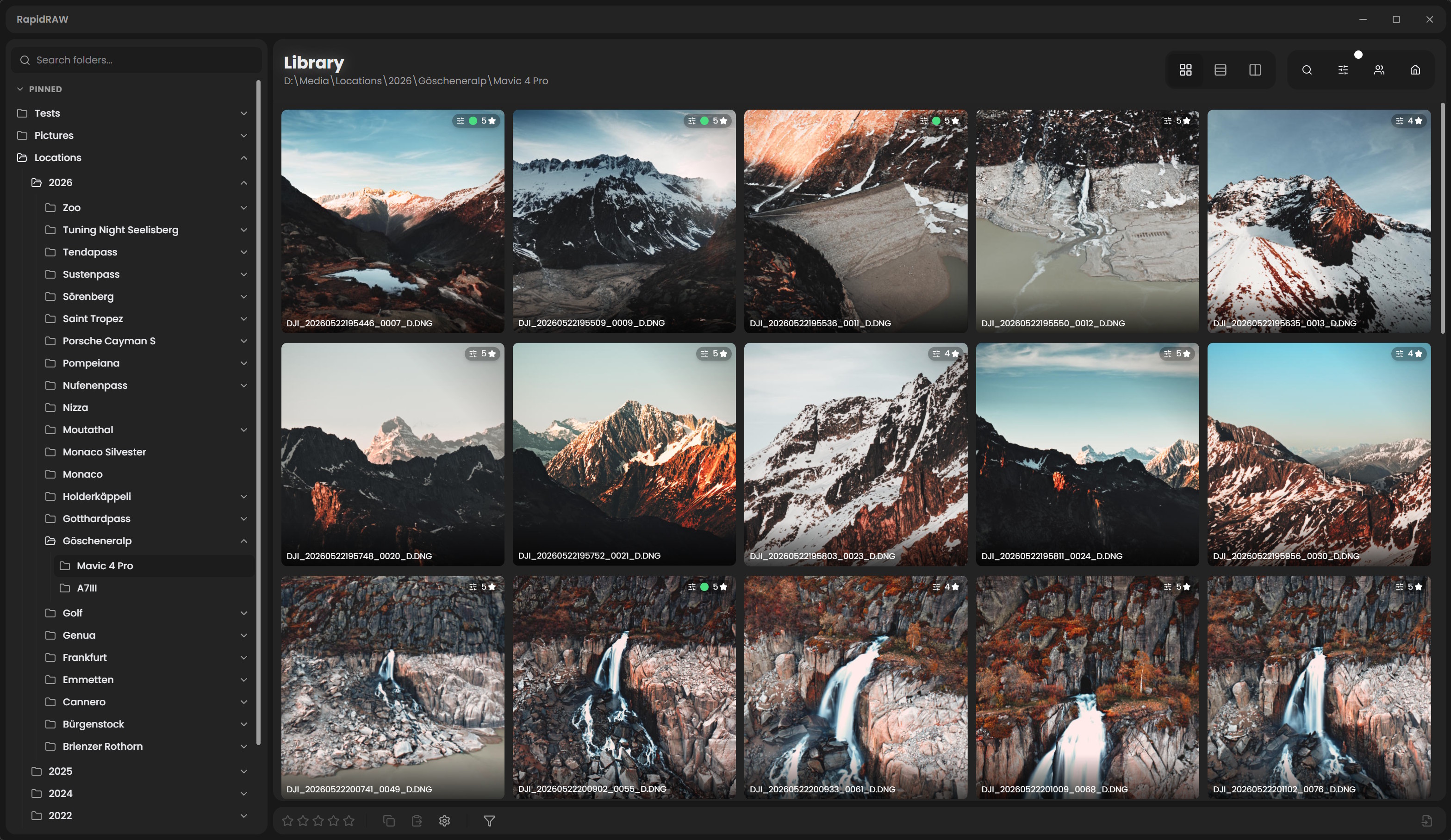
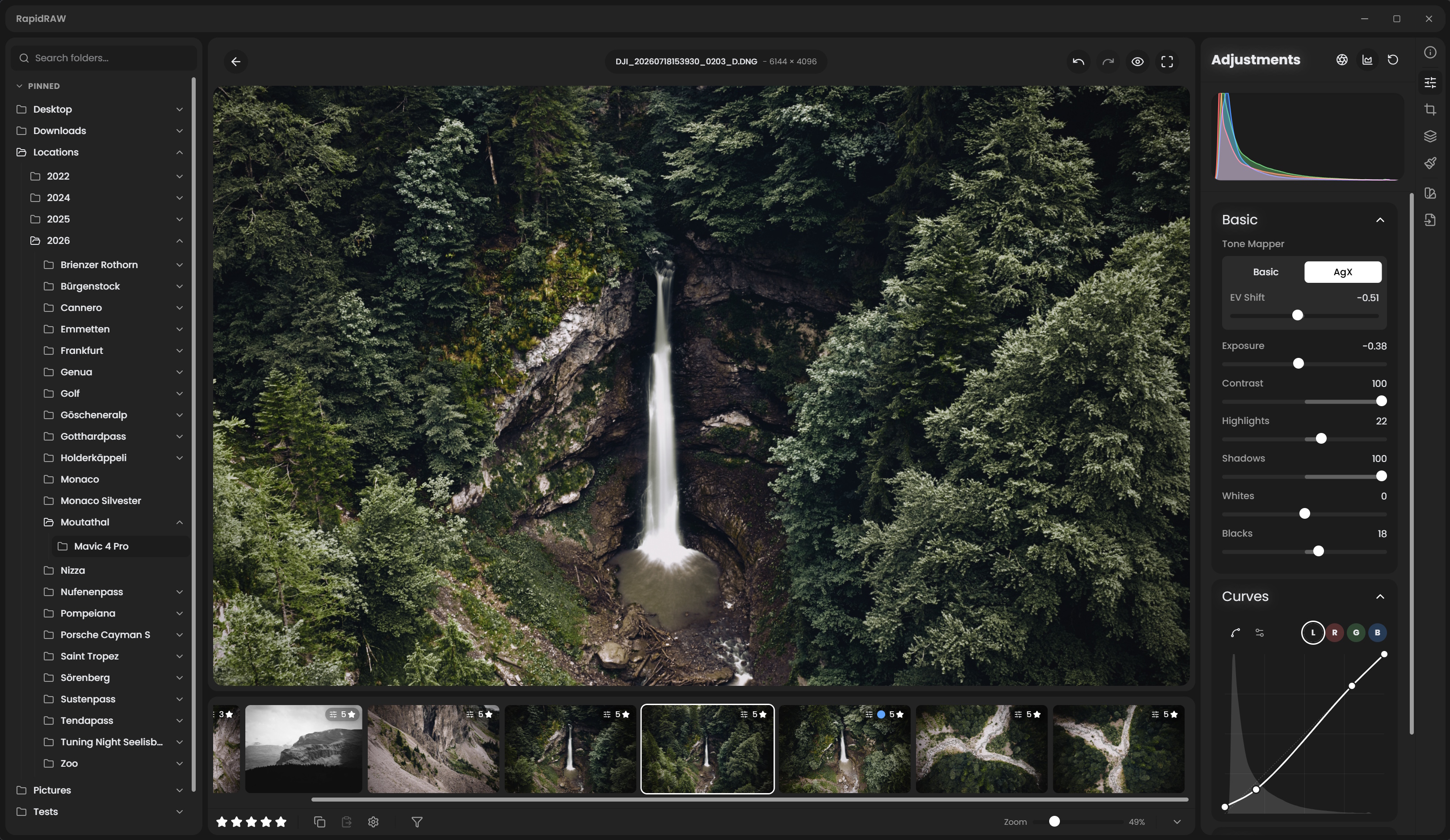
Library & Culling View |
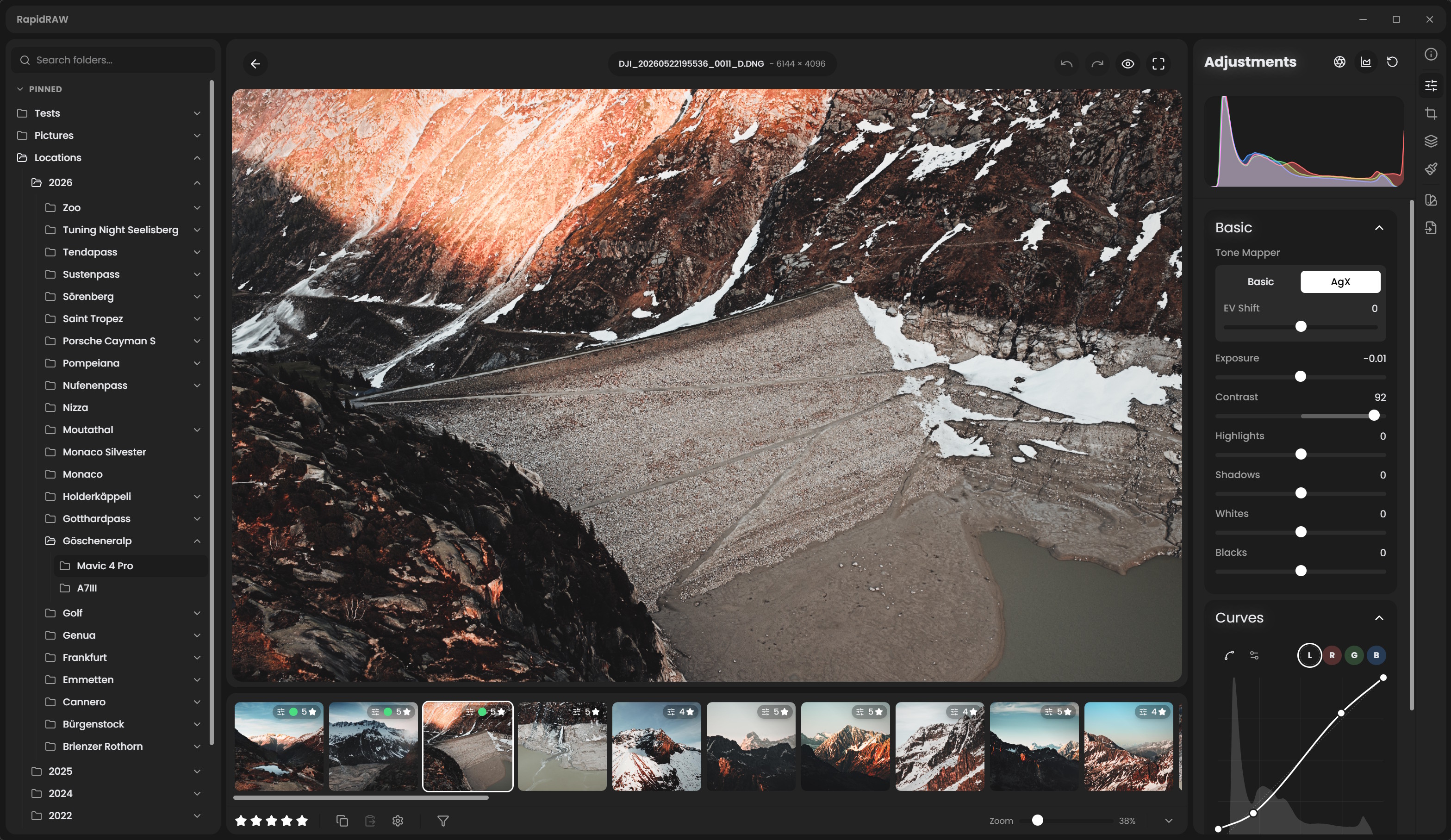
Editor View |
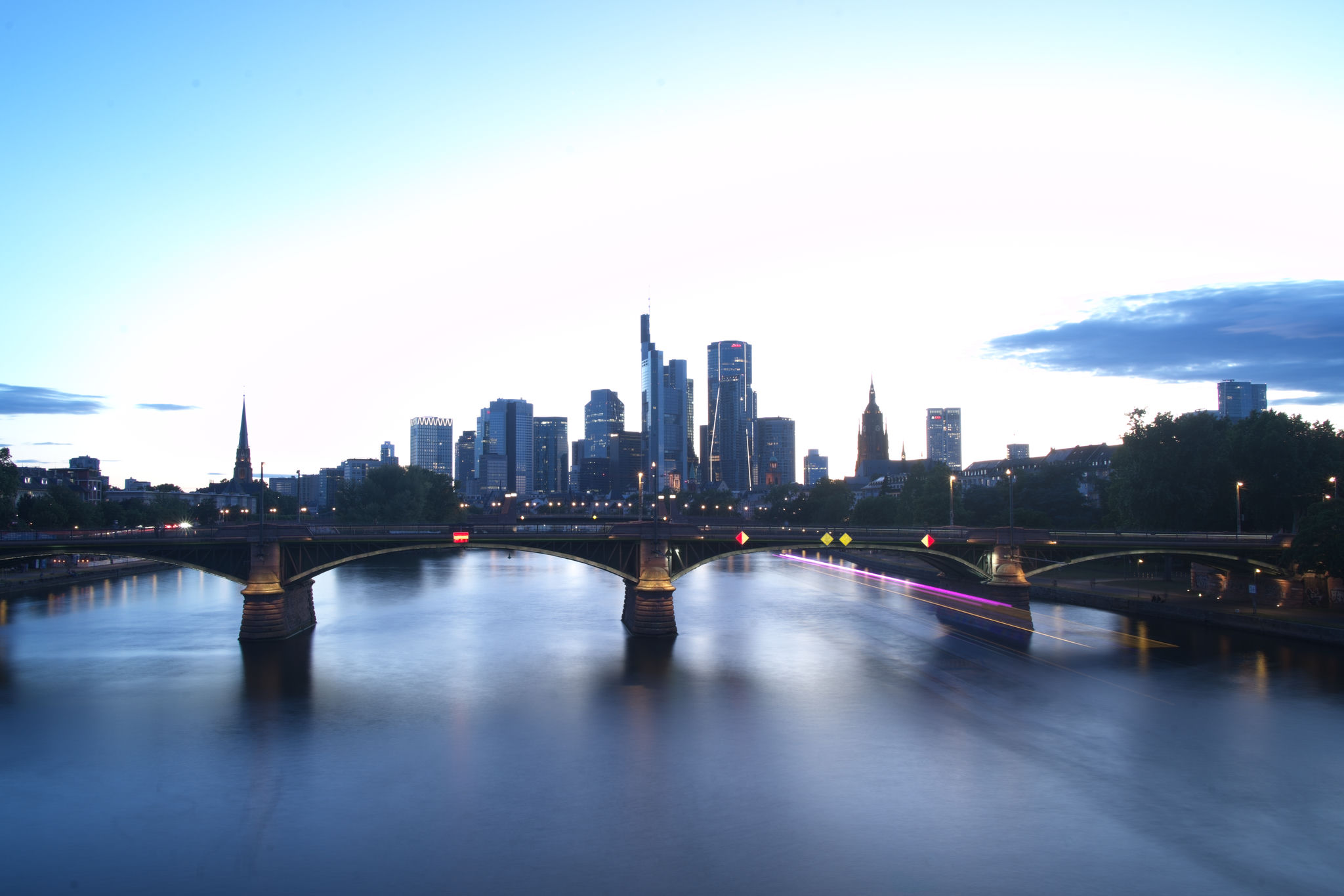
Explore example edits processed entirely within RapidRAW. You can download the .rrdata sidecar file for each image to inspect or apply the exact adjustment parameters.
Before & After Edits
| Edits & Sidecar File | Before | After |
|---|---|---|
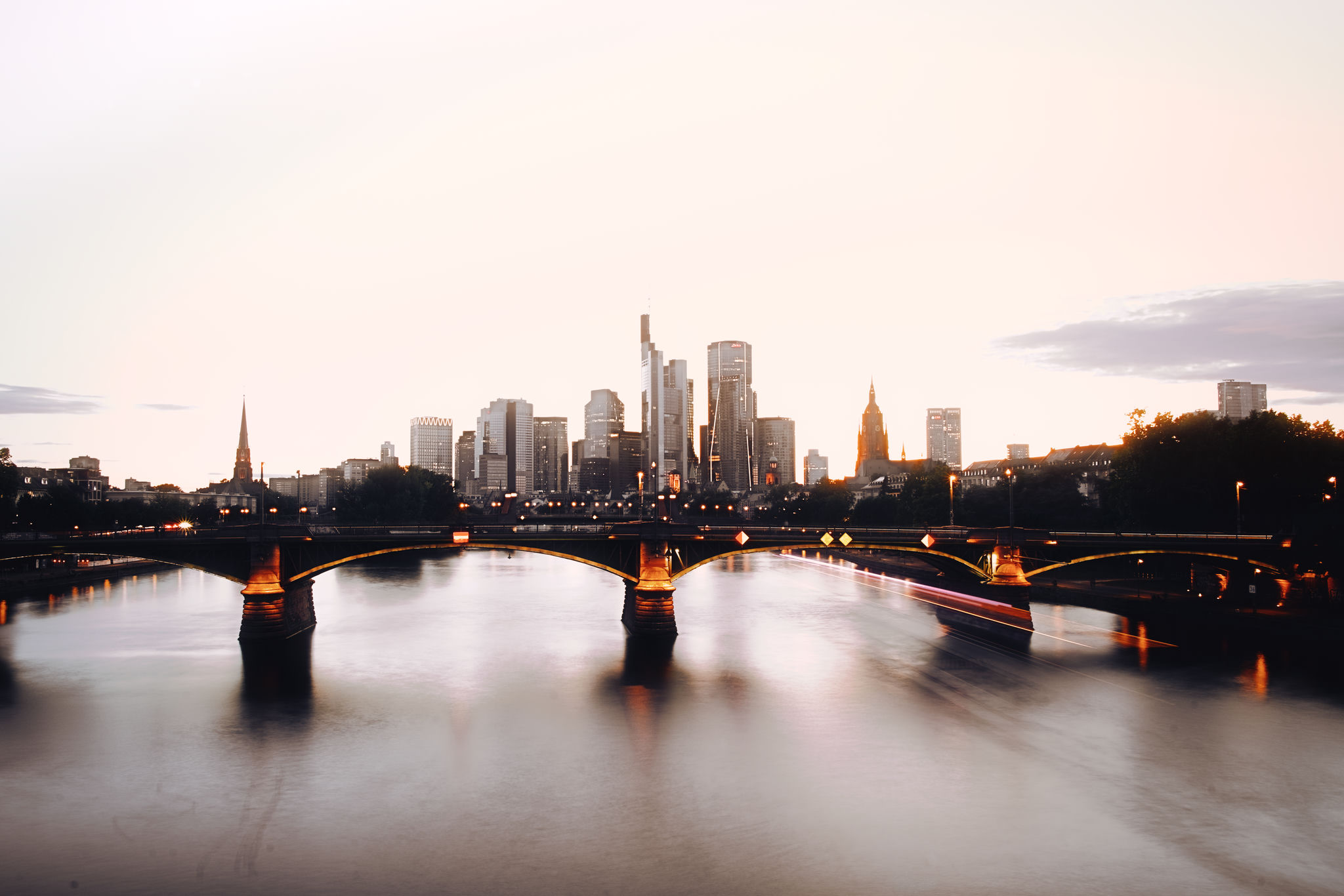
1. Frankfurt SkylineSunset color grading, bridge and shadow recovery, tone curve adjustment, and urban warmth enhancement. Download Frankfurt.rrdata |
|
|
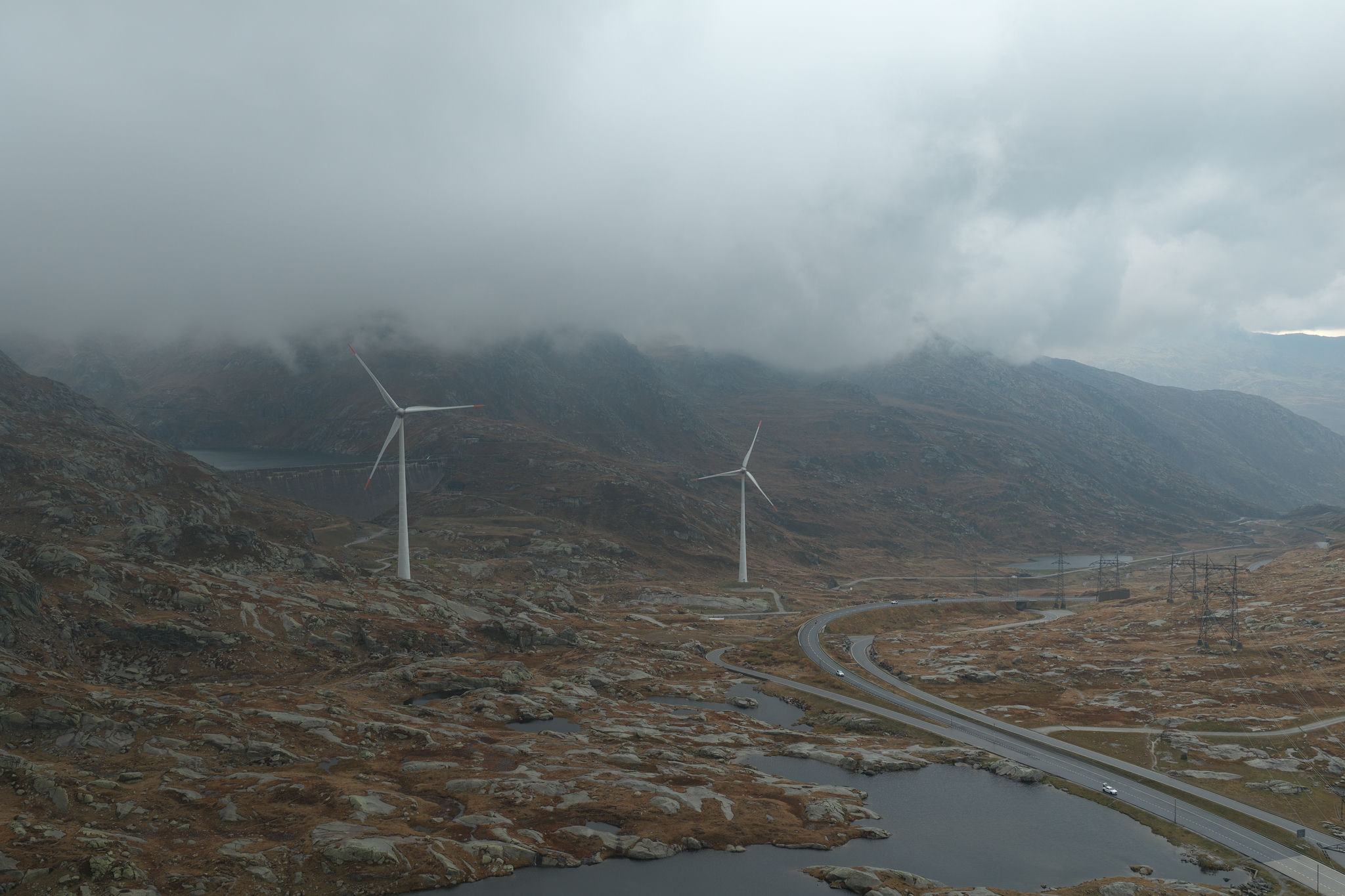
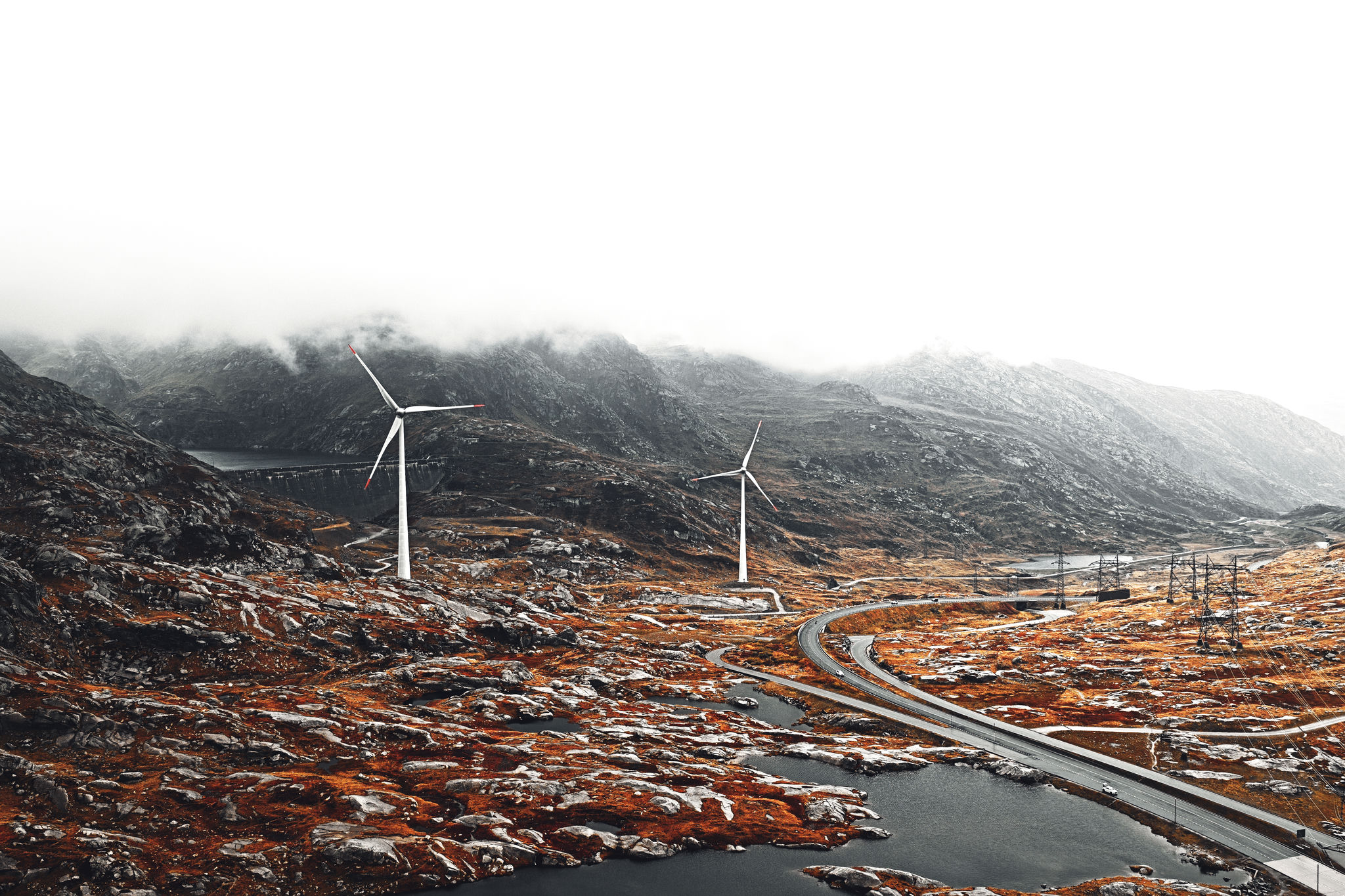
2. Gotthard PassAtmospheric contrast, cloud dehaze, highlight compression, and selective warm split-toning on the terrain. Download Gotthard.rrdata |
|
|
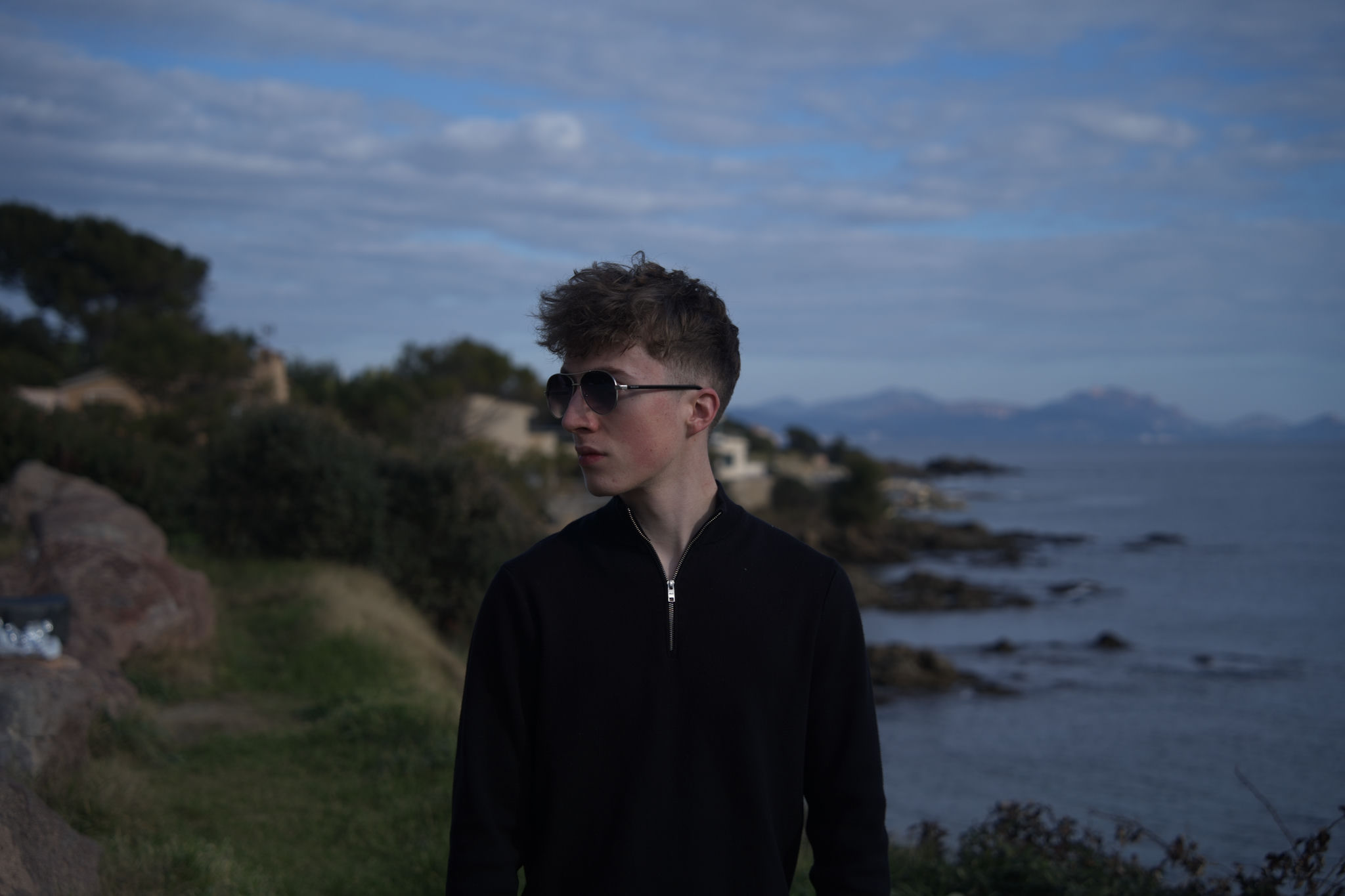
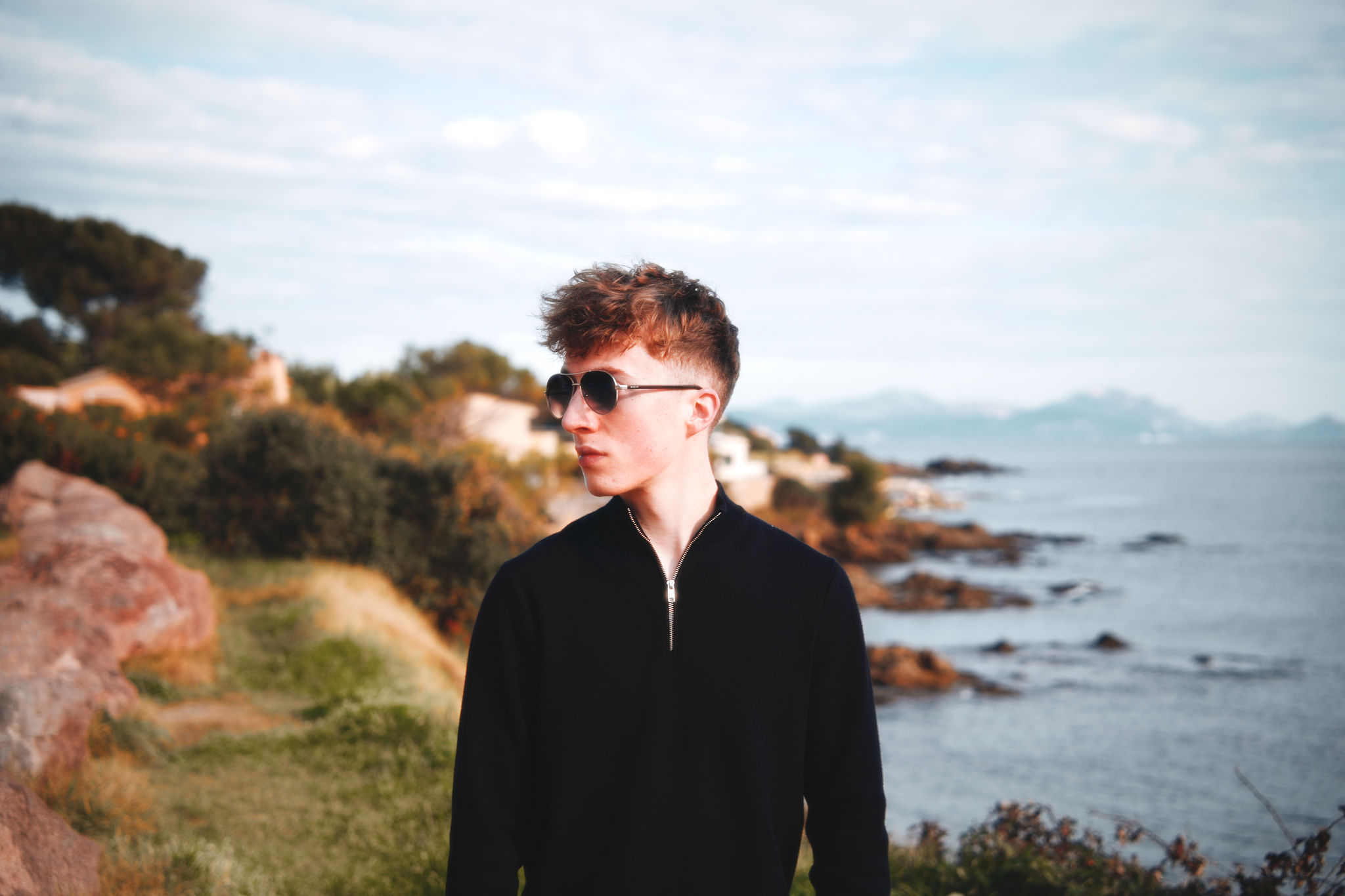
3. Saint Tropez PortraitAI Subject Masking for targeted portrait exposure lift, skin tone calibration, and golden hour coastal warmth. Download Saint_Tropez.rrdata |
|
|
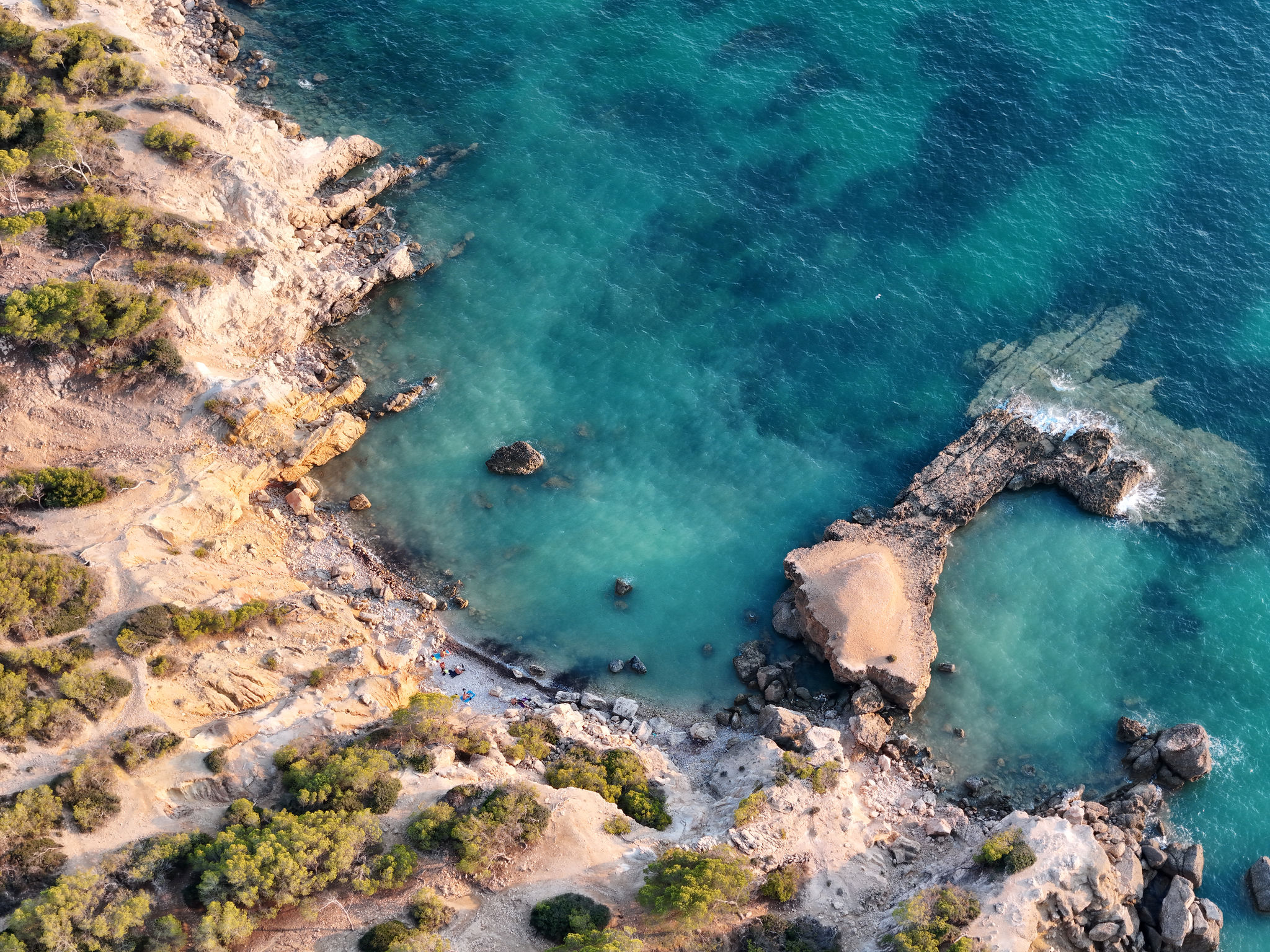
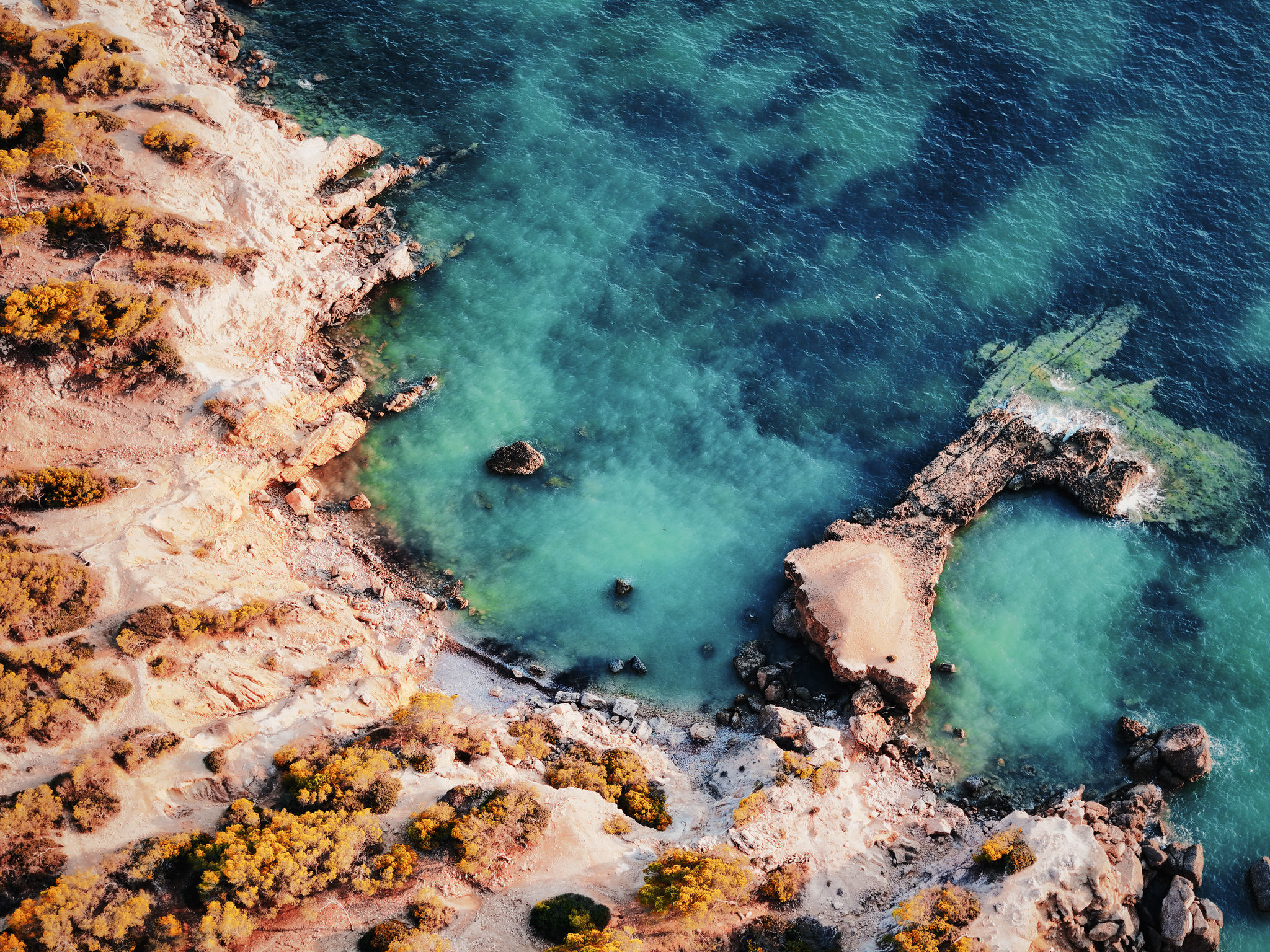
4. Mallorca CoastHSL color mixer adjustments for rich ocean teals, local clarity boost on coastal rocks, and subtle exposure lift. Download Mallorca.rrdata |
|
|
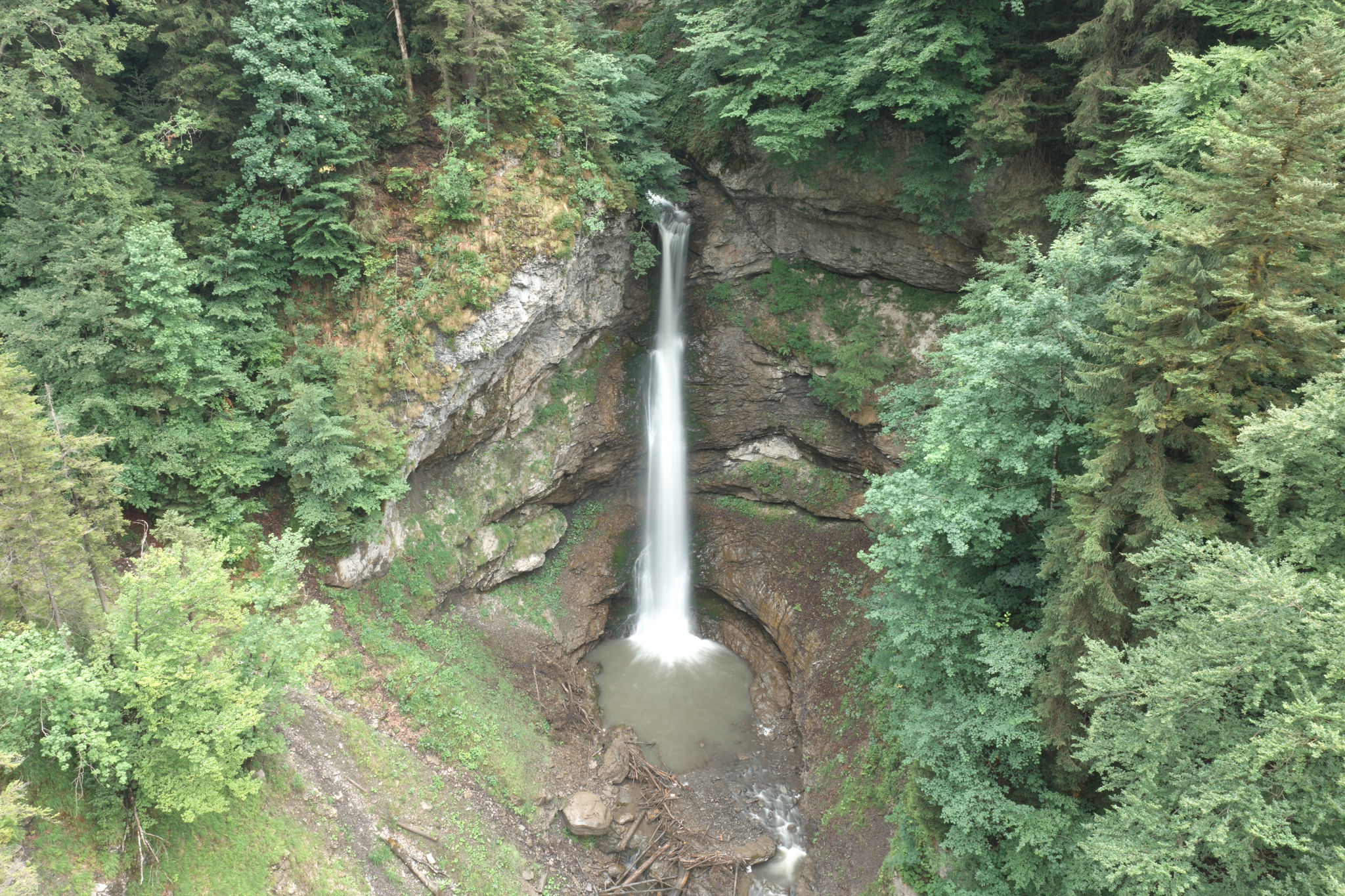
5. Moutathal WaterfallMoody forest grade with desaturated harsh greens, localized waterfall mask pop, and overall exposure reduction. Download Moutathal.rrdata |
|
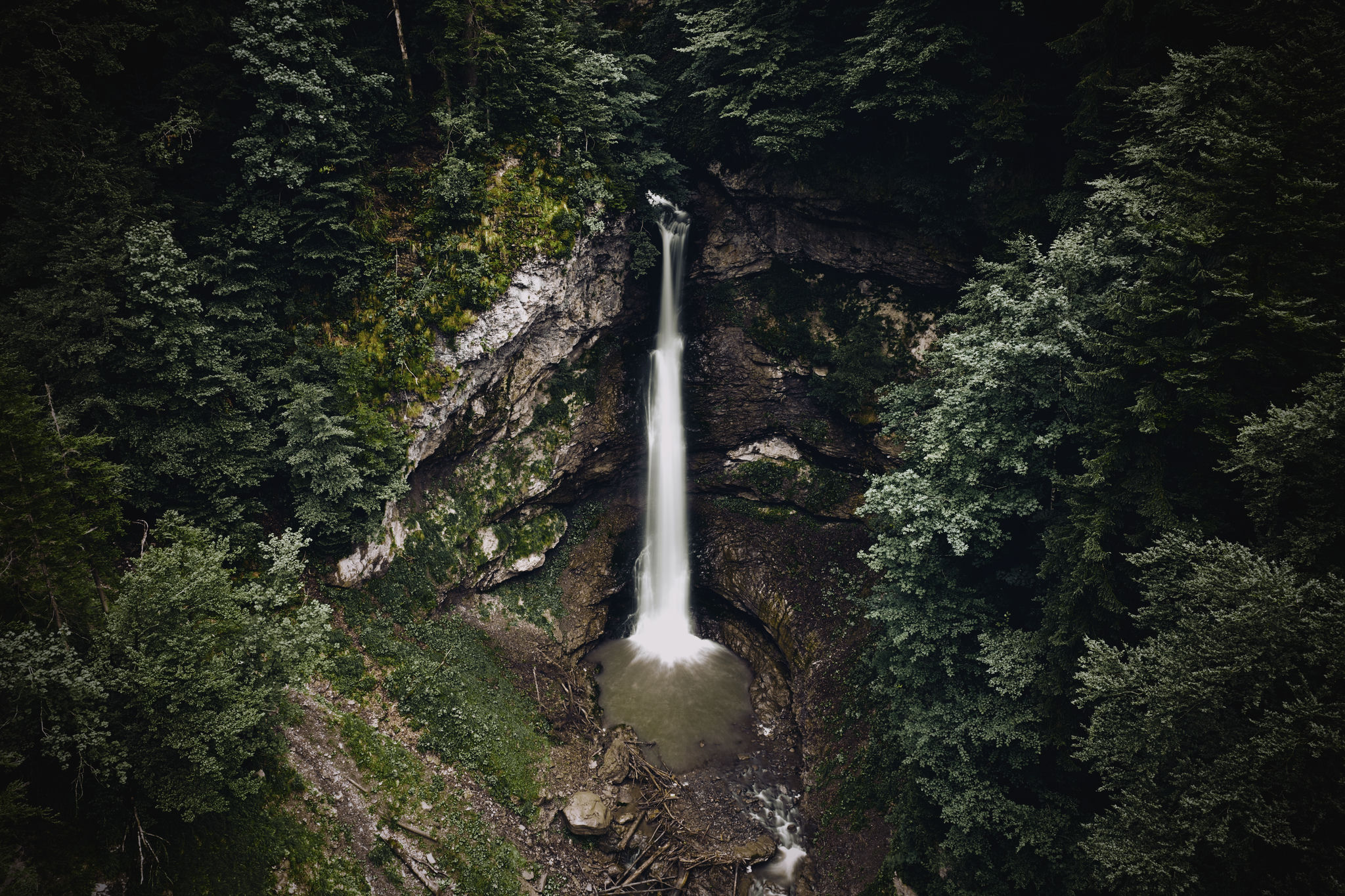
|
6. Nufenen PassAgX tone mapping to recover sky highlights, shadow recovery on the car and road, and sunset peak illumination. Download Nufenen.rrdata |
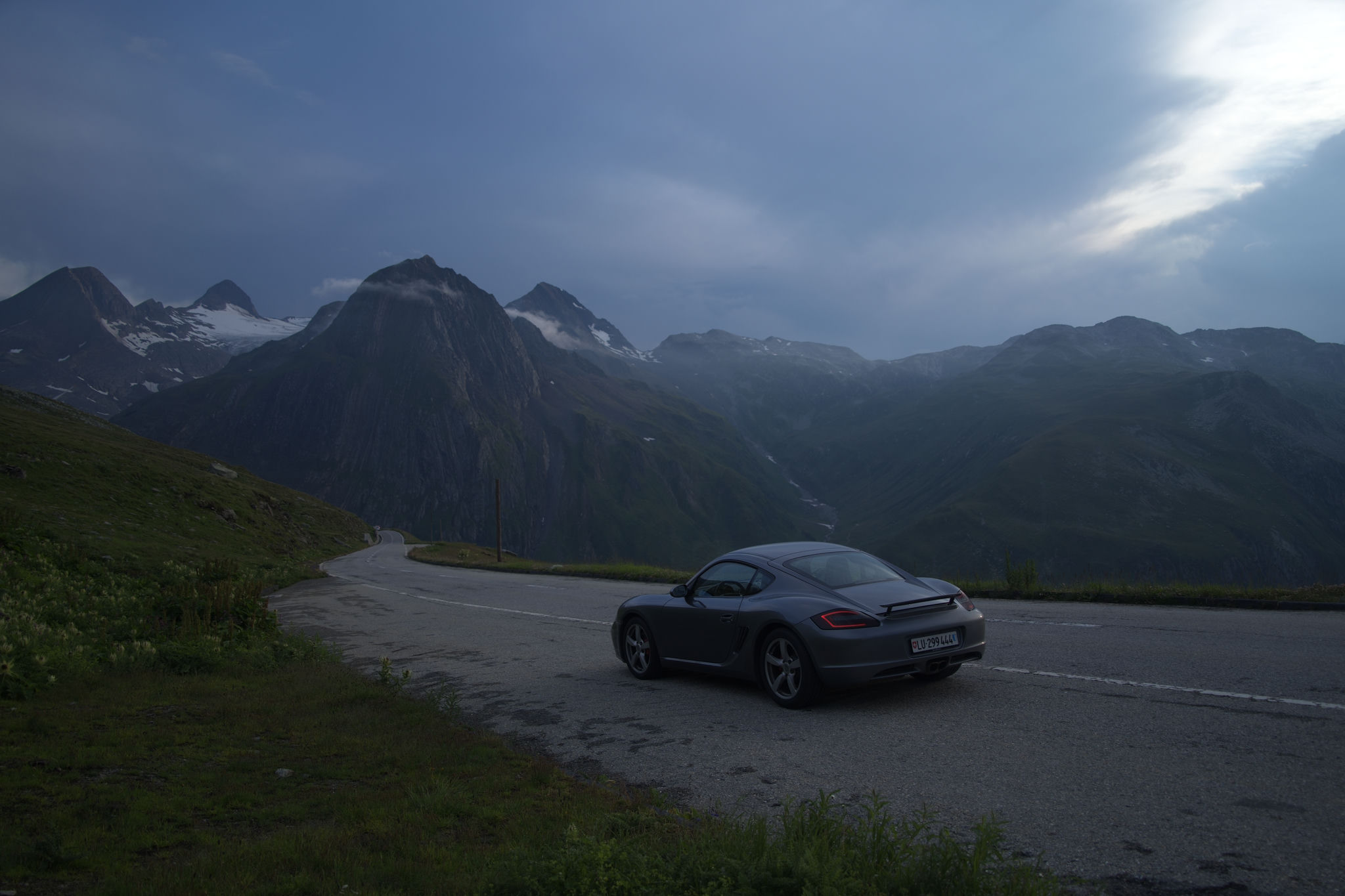
|
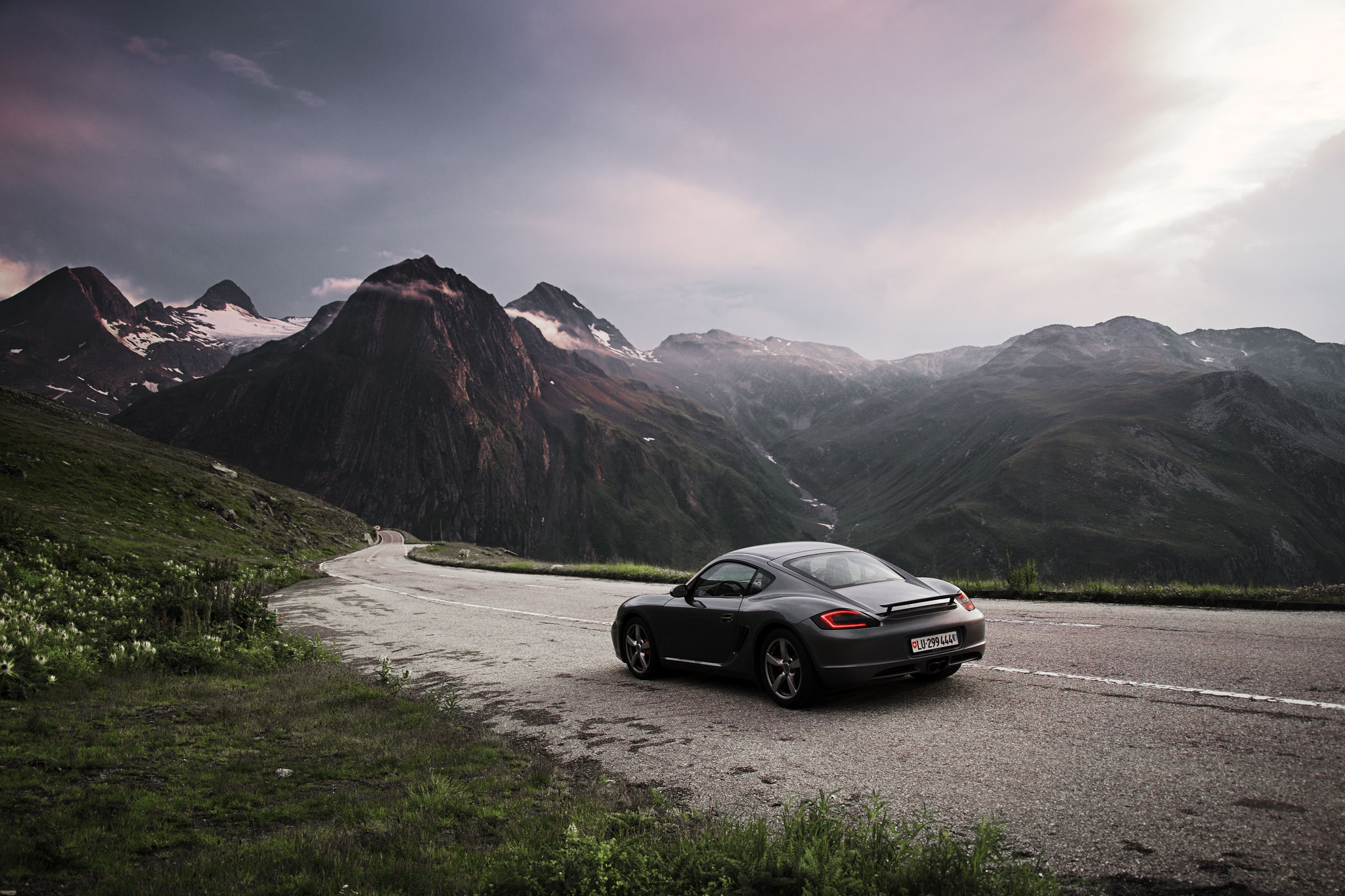
|
If you like the showcased images and want to see more of my own photography, check out my Instagram: @timonkaech.photography
The Idea
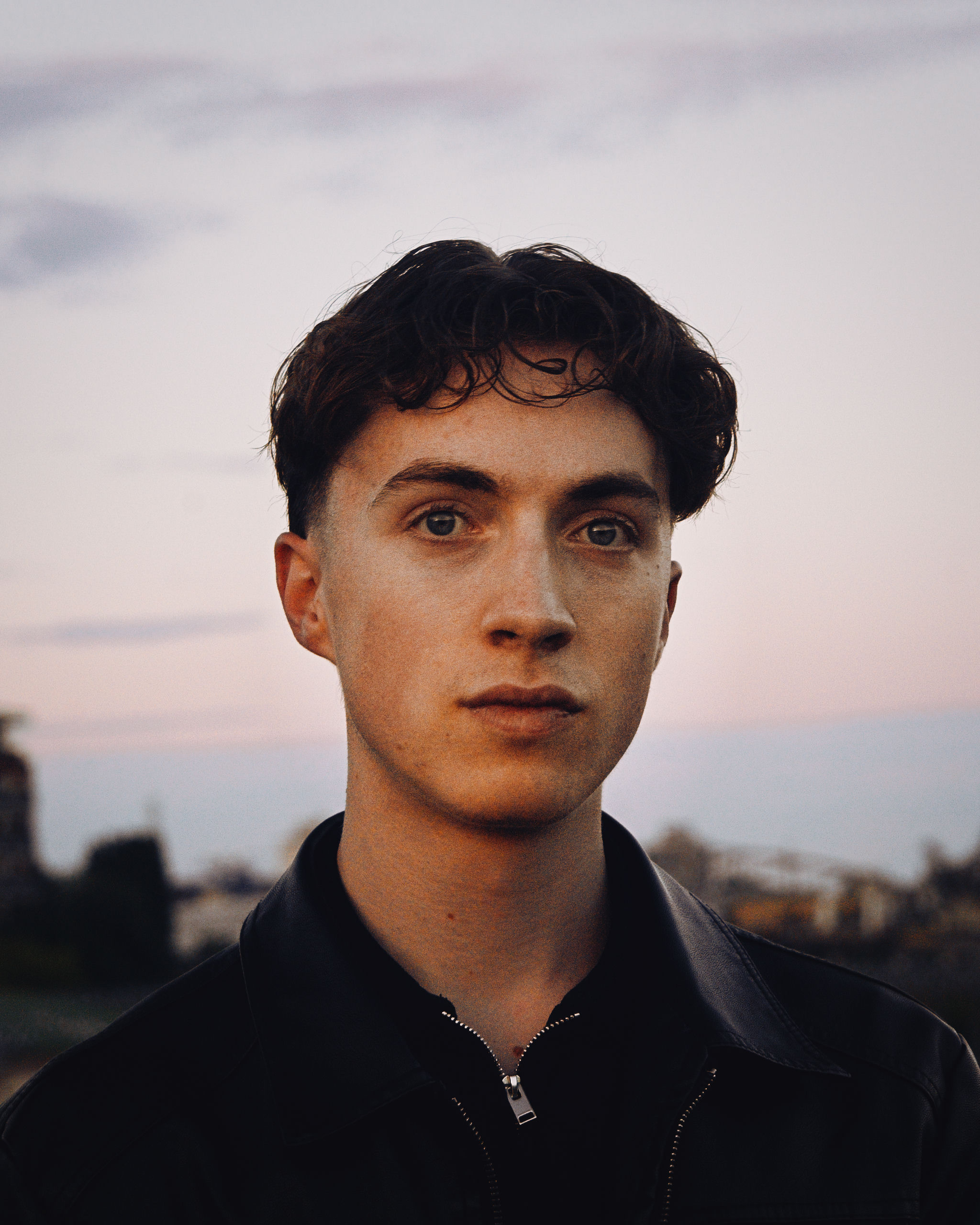
Timon Käch Lucerne, Switzerland Developer & Photographer |
As a photography enthusiast, I often found existing software to be sluggish and resource-heavy on my machine. I wanted a faster, simpler photo editing experience, so I decided to build my own. The goal was to create a tool that was not only fast but also helped me learn the details of digital image processing and camera technology. I set an ambitious goal to rapidly build a functional, feature-rich application from an empty folder. This personal challenge pushed me to learn quickly and focus intensely on the core architecture and user experience. The foundation is built on Rust for its safety and performance, and Tauri for its ability to create lightweight, cross-platform desktop apps with a web frontend. The entire image processing pipeline is offloaded to the GPU via WGPU and a custom WGSL shader, ensuring that even on complex edits with multiple masks, the UI remains fluid. Curious how it works under the hood? The Technical Reference explains the whole pipeline and the math behind it, from RAW decoding, demosaicing and highlight reconstruction to every slider, the AI models and the depth effects, with formulas and example images. |
Key Features
Core Editing Engine
|
Library & Workflow
|
Professional Grade Adjustments
|
Productivity & UI
|
Supported Formats, Lenses & Languages
RapidRAW supports a wide array of camera RAW formats, non-RAW image files, and automatic lens corrections.
Supported Camera RAW Formats
RapidRAW relies on dnglab / rawler for RAW file decoding. You can check out the full list of specific camera models on the dnglab Supported Cameras List.
| Brand / Manufacturer | Supported Extensions | Description |
|---|---|---|
| Adobe | .dng |
Digital Negative |
| Apple | .pro |
Apple ProRAW |
| ARRI | .ari |
ARRI Raw |
| Canon | .crw, .cr2, .cr3 |
Canon Raw 1, 2, 3 |
| Casio | .bay |
Casio Raw |
| Contax | .raw |
Contax Raw |
| Epson | .erf |
Epson Raw |
| Fujifilm | .raf |
Fuji Raw (X-Trans & Bayer) |
| Hasselblad | .3fr, .fff |
Hasselblad Raw |
| Kodak | .kdc, .k25, .dcs, .dcr |
Kodak Raw formats |
| Leaf / Imacon | .mos, .iiq |
Leaf / Imacon Raw |
| Leica | .rwl |
Leica Raw |
| Mamiya | .mef |
Mamiya Raw |
| Minolta | .mrw |
Minolta Raw |
| Nikon | .nef, .nrw |
Nikon Electronic Format |
| Olympus | .orf |
Olympus Raw |
| Panasonic / Leica | .rw2, .raw |
Panasonic / Leica Raw |
| Pentax / Ricoh | .pef, .ptx |
Pentax Electronic File |
| Phase One | .iiq |
Phase One Raw |
| Samsung | .srw |
Samsung Raw |
| Sigma | .x3f |
Sigma Foveon Raw |
| Sony | .arw, .srf, .sr2 |
Sony Alpha Raw formats |
Note: Is your camera's RAW file unsupported? Please open an issue directly with dnglab to request RAW decoding support for your camera model and upload a CC-0 licensed sample set to RawDB (see Contributing RAW samples). Once added there, support will be updated in RapidRAW.
Supported Non-RAW Formats
RapidRAW isn't just for RAW files! You can also import, edit, and convert standard image formats:
- Standard Formats:
.jpg,.jpeg,.png,.webp,.jxl,.tiff,.tif,.bmp,.gif - High Dynamic Range (HDR) / Wide Gamut:
.exr,.hdr - Graphics & Textures:
.tga,.ico,.dds - Specialist Formats:
.qoi,.ff - Netpbm Bitmaps:
.pnm,.pbm,.pgm,.ppm,.pam
Lens Correction Support
RapidRAW supports automatic lens profile detection, distortion, transverse chromatic aberration (TCA), and vignetting correction powered by Lensfun.
Note: If your lens profile is missing, please open an issue directly on the Lensfun repository to request profile addition.
Supported Languages
RapidRAW is fully translated into the following 15 languages:
- 🇬🇧 English
- 🇪🇸 Català
- 🇨🇿 Čeština
- 🇩🇪 Deutsch
- 🇪🇸 Español
- 🇫🇷 Français
- 🇮🇹 Italiano
- 🇳🇱 Nederlands
- 🇵🇱 Polski
- 🇵🇹 Português
- 🇷🇺 Русский
- 🇯🇵 日本語
- 🇰🇷 한국어
- 🇨🇳 简体中文
- 🇹🇼 繁體中文
Current Priorities
Here is an outlook on what is actively being developed and planned for the coming months:
- Astrophotography Stacking: Implementing GPU-accelerated star alignment and stacking (mean, median, sigma-clipping) to merge multi-exposure night sky sequences into 32-bit linear composites.
- Bug Fixes & Stability: Continuous memory optimization, resolving OS-specific crashes (such as Linux Wayland/WebKit edge cases), and refining GPU processing backend auto-selection for seamless performance across all platforms.
- RapidRAW Cloud: Refining the newly launched cloud inpainting service based on early feedback, with a focus on speed and quality for large removals.
- Performance & Algorithm Refinements: Further optimizing processing speed on older GPU architectures, refining Fujifilm X-Trans sensor demosaicing algorithms, and expanding UI responsiveness on mobile/Android devices.
AI Strategy
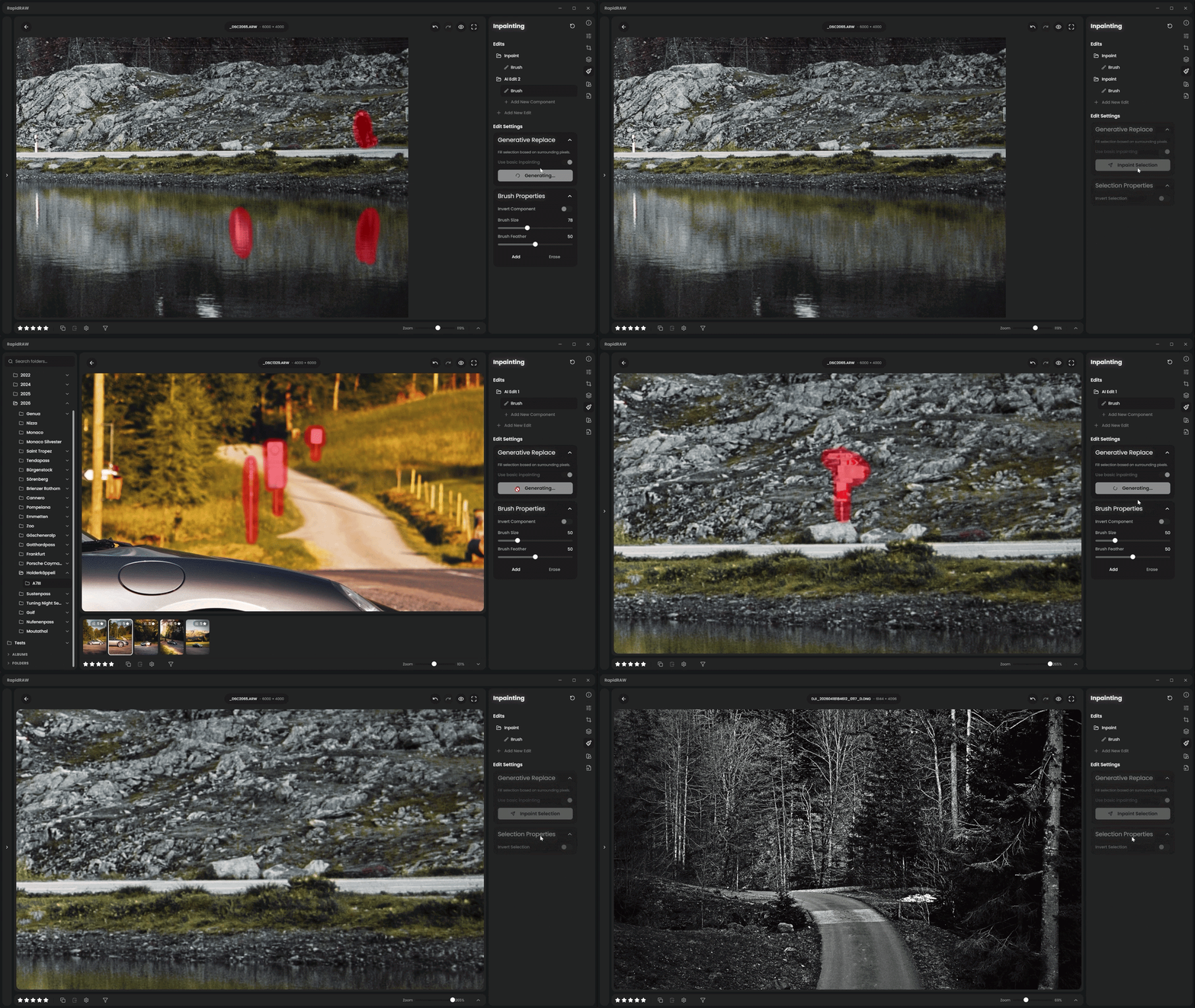
I've designed RapidRAW's AI architecture with absolute flexibility, privacy, and user choice in mind. Whether you want a purely traditional RAW workflow without any neural networks, fast local automation, powerful self-hosting, or simple cloud convenience, you have four distinct ways to use RapidRAW:
1. Built-in AI Tools (Local & Free)
These features are integrated directly into RapidRAW and run entirely on your local machine, accelerated by your GPU on Windows (DirectML) and macOS (CoreML) with an automatic CPU fallback. They are fast, completely private, free, and require zero setup:
- AI Masking: Instantly detect and mask subjects, skies, foregrounds, and depth (powered by SAM, EfficientSAM3, BiRefNet, and Depth Anything V2).
- AI Text & Face Masks: Select anything by typing what you want, like "car" or "water", or pick individual face and body parts like skin, hair, eyes, or teeth (powered by EfficientSAM3 and MediaPipe).
- AI Denoise: Non-destructive noise reduction for RAW files using the NIND model.
- Spatial Effects: Depth and surface normal estimation for Lens Blur, Relight, and Fog (powered by Depth Anything V2 and MoGe-2).
- Automatic Tagging: The image library is automatically indexed with keywords using a local CLIP model for effortless search.
- Simple Generative Replace: A lightweight inpainting tool (via LaMa) for removing sensor dust, blemishes, and small distractions.
2. Self-Hosted Integration with ComfyUI (Local & Free)
For users with a capable GPU who want maximum control over generative features, RapidRAW connects directly to your local ComfyUI server through the RapidRAW-AI-Connector.
Why this approach? The AI Connector acts as a high-performance middleware that handles image caching, workflow injection, and coordination. Instead of transferring the entire high-resolution image for every edit, the full image is cached once; subsequent generative tweaks transfer only the tiny mask and prompt.
- Full Control: Use your own local hardware and any custom Diffusion model or checkpoint.
- Cost-Free Power: Utilize your existing GPU for heavy generative edits without subscriptions.
- Custom Workflow Selection: Import your own ComfyUI node graphs and workflows into RapidRAW-AI-Connector.
3. Optional Cloud Service (Subscription)
To be clear: core software functionality is never locked behind a paywall. All features remain free if you use built-in tools or choose to self-host.
However, not everyone has access to a powerful GPU or wants the technical overhead of configuring and maintaining a local ComfyUI server. For users who prefer seamless convenience, RapidRAW offers an optional RapidRAW Cloud subscription for $14/month:
- Turnkey Setup: No local server or model weights to download. Just log in and run high-end inpainting/generative tools immediately.
- Support Indie Development: Subscribing is the best way to directly fund continuous development, updates, and maintenance.
4. AI-Free Mode (Local & Distraction-Free)
For purists, contest photographers, or those with ethical or privacy-related objections to AI tools, RapidRAW can function as a purely traditional, non-AI RAW editor with a single toggle in Settings → General:
- Decluttered UI: All AI-related buttons, generative patch menus, AI selection tabs, and AI-driven lens blur tools are hidden from the interface.
- Algorithmic Fallbacks: Features like Denoise automatically fall back to classic algorithmic filters (such as BM3D) and disable neural-based models.
- Non-Destructive Compatibility: Any existing AI masks or edits in previously edited sidecar files (
.rrdata) will still render faithfully without breaking your library.
Strategy Comparison
| Feature | Built-in AI (Free) | Self-Hosted (ComfyUI) | Optional Cloud Service | AI-Free Mode |
|---|---|---|---|---|
| Cost | Free, included | Free (requires your own GPU) | $14 / month | Free, included |
| Setup | None | Manual ComfyUI / AI Connector setup | None (Just log in) | Single switch in Settings |
| Privacy | 100% Local execution | 100% Local / Self-hosted | Processed via Cloud API | 100% Local (Zero AI execution) |
| Use Case | Everyday workflow acceleration | Maximum control for power users | Maximum convenience | Traditional editing & contest workflows |
Initial Development Log
This project began as an intensive sprint to build the core functionality. Here's a summary of the initial progress and key milestones:
Click to expand the day-by-day development log
- Day 1: June 13th, 2025 - Project inception, basic Tauri setup, and initial brightness/contrast shader implementation.
- Day 2: June 14th - Core architecture refactor, full library support (folder tree, image list), and optimized image loading. Implemented histogram and curve editor support. Added UI themes.
- Day 3: June 15th - Implemented a working crop tool, preset system, and context menus. Enabled auto-saving of edits to sidecar files and auto-thumbnail generation. Refined color adjustments.
- Day 4: June 16th - Initial prototype for local adjustments with masking. Added mask support to presets. Bug-free image preview switching.
- Day 5: June 17th - Major UI overhaul. Created the filmstrip and resizable panel layout. Fixed mask scaling issues and improved the library/welcome screen.
- Day 6: June 18th - Performance tuning. Reduced GPU calls for adjustments, leading to a much smoother cropping and editing experience. Implemented saving of panel UI state.
- Day 7: June 19th - Enhanced library functionality. Added multi-selection and the ability to copy/paste adjustments across multiple images.
- Day 8: June 20th - Implemented initial RAW file support and an EXIF metadata viewer.
- Day 9: June 21st - Added advanced detail adjustments (Clarity, Sharpening, Dehaze, etc.) and film grain. Developed a linear RAW processing pipeline.
- Day 10: June 22nd - Implemented layer stacking for smooth preview transitions. Built a robust export panel with batch export capabilities. Added import/export for presets.
- Day 11: June 23rd - Added full undo/redo functionality integrated with a custom history hook. Improved context menus and completed the settings panel.
- Day 12: June 24th - Implemented image rotation and fixed all mask scaling/alignment issues related to cropping and rotation.
- Day 13: June 25th - Rewrote the mask system to be bitmap-based. Implemented brush and linear gradient tools, with semi-transparent visualization.
- Day 14: June 26th-27th - Final polish. Added universal keyboard shortcuts, full adjustment support for masks, theme management, and final UI/UX improvements. This ReadMe.
Getting Started
You have two options to run RapidRAW:
1. Download the Latest Release (Recommended)
The download page picks the right file for your system. All builds are also on the Releases page.
Windows & macOS:
- Grab the installer or application bundle for your operating system from the download page.
Linux:
- The official Flatpak package supports all Linux distributions and is available on Flathub.
- On Debian-based distributions, install the
.debpackage from the download page. - On Arch-based distributions, use the
rapidraw-binpackage from the AUR.
Android:
- Install the
.apkfrom the download page. Requires a 64-bit ARM device with Android 7.0 or newer.
2. Build from Source
If you want to build the project yourself, you'll need to have Rust and Node.js installed.
# 1. Clone the repository
git clone https://github.com/CyberTimon/RapidRAW.git
cd RapidRAW

# 2. Install frontend dependencies
npm install

# 3. Build and run the application
npm start
To build the release build:
# 1. Make the release build
npm run tauri build

# 2. Run the release build
./src-tauri/target/release/RapidRAW
Camera Tethering Build (macOS & Linux)
To build with camera tethering support, install the system dependencies first:
# macOS (Homebrew)
brew install libgphoto2 pkg-config

# Linux (Ubuntu / Debian)
sudo apt-get install -y libgphoto2-dev pkg-config
Then run or build using the tethering feature flag:
# Development mode with Tethering
npm run start:tethering
# or: npm start -- -- --features tethering

# Release build with Tethering
npm run tauri build -- --features tethering
Camera Tethering
RapidRAW includes camera tethering for studio, portrait, and product photography workflows. Connect your camera via USB to control exposure settings, monitor your shot in real time, and automatically ingest files directly into your workspace.
Key Capabilities
|
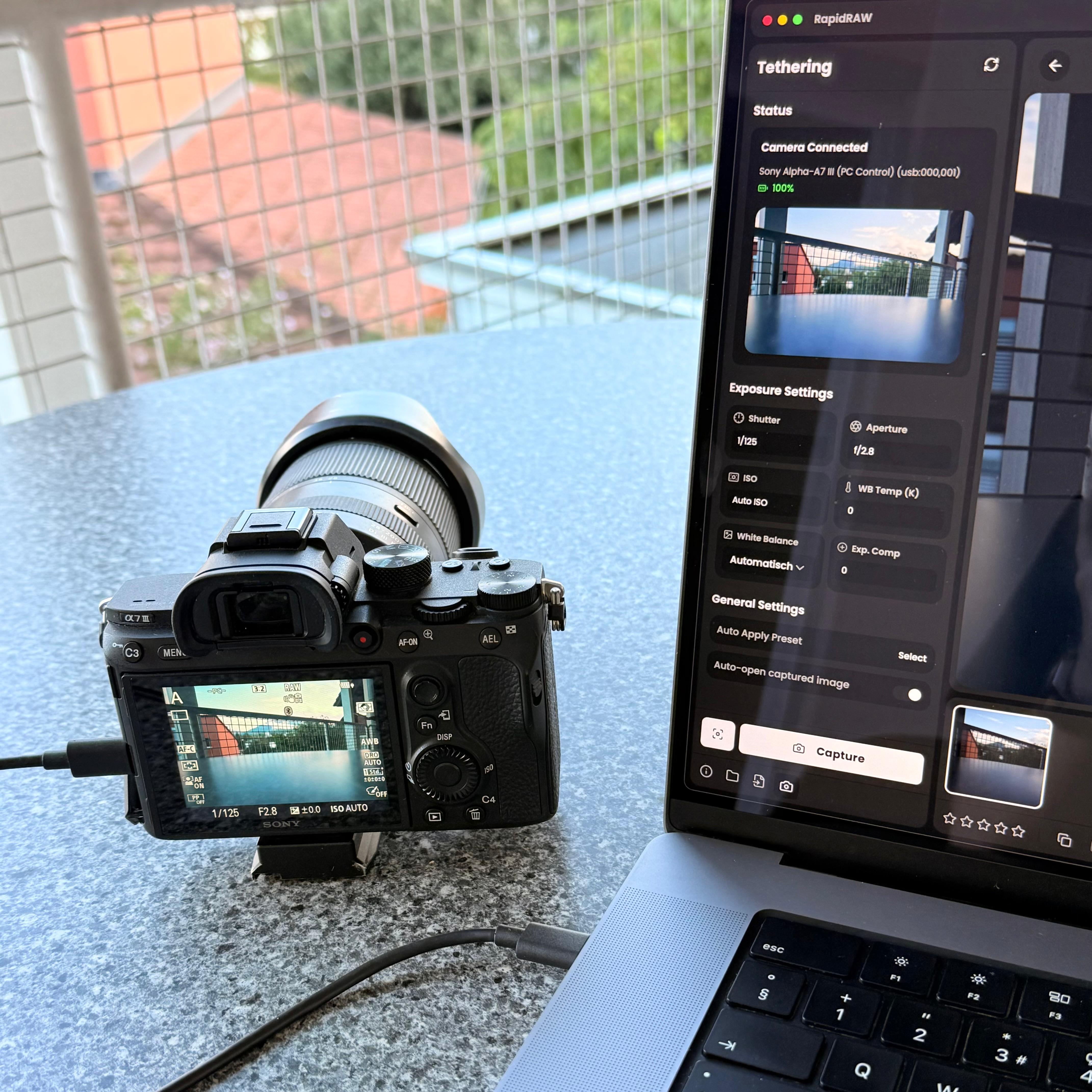
Live Camera Tethering Sony α7 III connected with real-time Live View |
Supported Cameras
Tethering is powered by libgphoto2 and supports over 2,500+ camera models across Canon, Nikon, Sony, Fujifilm, Olympus, Panasonic, and other manufacturers.
Note: Ensure your camera's USB connection mode is set to PC Remote, Tether Shooting, or PTP in the camera settings.
Platform Support & Installation
Tethering is supported on macOS and Linux. Windows and Android are not supported.
Why is Tethering a Separate Build?
The tethering build dynamically links directly against libgphoto2. If these system libraries are not present on a machine, an executable linked against them will fail to launch entirely. To ensure standard RapidRAW builds remain dependency-free and start on any system without extra installation steps, tethering is distributed as a dedicated _tethering release.
Why is Windows Unsupported?
libgphoto2 is designed for POSIX environments and requires direct low-level access via libusb. On Windows, connected cameras are claimed by the operating system's native Windows Portable Device (WPD) drivers. Interfacing with libgphoto2 on Windows requires overriding OEM drivers with WinUSB (using tools like Zadig), which breaks standard file transfer and camera utilities. Because of these driver conflicts and platform limitations, Windows is fully unsupported.
Setting up the Tethering Build
To run the _tethering release binaries (or build from source), you must install libgphoto2 on your machine first.
How to install libgphoto2 dependencies
macOS (via Homebrew):
brew install libgphoto2 pkg-config
Linux (Ubuntu / Debian):
sudo apt-get update
sudo apt-get install -y libgphoto2-dev pkg-config
Linux (Arch Linux):
sudo pacman -S libgphoto2 pkgconf
Linux (Fedora):
sudo dnf install libgphoto2-devel pkgconf-pkg-config
After installing the system dependencies, download the corresponding tethering build from the download page, or run/build from source using the tethering feature flag.
Command Line Interface (CLI)
RapidRAW includes a headless export tool for batch processing photos in automated scripts, terminal pipelines, or server environments without opening the GUI:
# Export an entire folder using edits found in .rrdata sidecar files
rapidraw export /path/to/photos --output /path/to/output_dir --format jpeg --quality 90

# Export a single image directly to a specific target file
rapidraw export /path/to/photo.raw --output /path/to/output.png --format png

# Export a true 16-bit TIFF (the TIFF default; use 8 for an RGB8 TIFF)
rapidraw export /path/to/photo.raw --output /path/to/output.tiff --format tiff --tiff-bit-depth 16

# Batch export a folder using a custom adjustments JSON file to override sidecars
rapidraw export /path/to/photos --output /path/to/output_dir --adjustments /path/to/preset.json
Note: By default, headless export automatically detects and applies edits stored in
.rrdatasidecar files located alongside your source images. You can override sidecars for all exported images by passing a custom JSON file using the--adjustmentsflag.
| Option | Description | Default |
|---|---|---|
| `` | Path to an image file or directory containing images | (Required) |
--output |
Target directory or specific output file path | (Required) |
--format |
Output format (jpeg, png, webp, avif, tiff, jxl, cube) |
jpeg |
--quality |
Image export quality | 90 |
--tiff-bit-depth |
TIFF channel depth (8 or 16) |
16 |
--keep-metadata |
Retain EXIF/capture metadata in exported files | false |
--adjustments |
Path to a custom JSON file containing adjustments to override sidecars | (Auto-detected) |
Companion Apps & Ecosystem
The community has created dedicated standalone companion tools designed to integrate directly with RapidRAW's non-destructive editing workflow and .rrdata sidecars:
- Immich: A self-hosted photo and video library. RapidRAW connects directly to your Immich server (2.5 or newer) to browse your albums and timeline, edit photos, and export back to Immich. Your edits are stored with each photo on the server, so they stay in sync across all your computers.
- RapidTimelapse by @crispin81: An LRTimelapse-style keyframe ramping and deflicker utility. Edit key turning-point frames in RapidRAW, mark them with 5 stars, and RapidTimelapse will smoothly calculate and write interpolated adjustments straight to intermediate
.rrdatasidecars. - RapidReady by @on370 (Website): A high-speed digital asset manager (DAM), ingest, and culling tool. It offers zero-latency browsing through instant embedded preview extraction, Difference-of-Gradients focus peaking, GPS geotagging, virtual albums, and bidirectional rating and metadata synchronization with RapidRAW.
Developed a tool, script, or workflow integration for RapidRAW? Please open a pull request to have it listed here!
System Requirements
RapidRAW is built to be lightweight and cross-platform. The minimum (tested) requirements are:
Operating System:
- Windows: Windows 10 or newer
- macOS: macOS 13 (Ventura) or newer
- Linux: Ubuntu 22.04+ or a compatible modern distribution
Hardware Recommendations:
- RAM: 16GB or more is highly recommended. While the application may run on systems with less memory, performance is best with 16GB+ to handle high-resolution RAW files, undo history, and complex layer masking without slowdowns.
- GPU: A dedicated GPU is recommended. RapidRAW relies heavily on GPU acceleration for its processing pipeline. Very old GPU architectures (generally pre-2015) or older integrated graphics may struggle, leading to instability or graphical artifacts.
Common Problems
App crashes when opening an image / entering edit mode
If the application crashes immediately when you try to start editing a picture, it is often due to the automatic selection of the GPU backend.
- Open Settings on the Home Screen (Gear icon).
- Navigate to the Processing tab.
- Locate the Processing Backend setting.
- Change it from Auto to a specific backend supported by your OS (e.g., Vulkan, DirectX12, OpenGL, or Metal).
- Restart the application and try opening the image again. Experiment with different backends if the first one doesn't work.
Linux Wayland/WebKit Crash
If RapidRAW crashes on Wayland (e.g. GNOME + NVIDIA), try launching it with:
WEBKIT_DISABLE_DMABUF_RENDERER=1 RapidRAW
or
WEBKIT_DISABLE_COMPOSITING_MODE=1 RapidRAW
This issue is related to WebKit and NVIDIA drivers, not RapidRAW directly. Switching to X11 or using AMD / Intel GPUs may also help.
See #306 for more information.
Contributing
I’m really grateful for any contributions you make to RapidRAW! Whether you’re reporting a bug, suggesting a new feature, or submitting a pull request - your input helps shape the project and makes it better for everyone. Don’t hesitate to open an issue or share your ideas.
Before diving into the code, the Technical Reference is a good starting point. It describes every stage of the processing pipeline, which source files implement it, and how the individual algorithms work.
Image format issues
If your camera’s RAW files aren’t supported, please open an issue here first: rawler issues. Once support is added in rawler, create an issue for RapidRAW so I can update the packages and keep everything in sync.
Contributing RAW samples
New cameras and RAW formats can only be added to rawler when a full set of CC-0 licensed sample files exists. Without samples there is no test case, and without a test case support can't be merged. Files shared via Google Drive or similar services can't be used.
If you want support for your camera or smartphone, please help by uploading a sample set to RawDB as early as possible:
- Shoot a properly exposed daylight scene with many colors (landscape with trees, fruit basket, colorful houses). No people, cars or other private property, and no color checker cards.
- Cover the modes your camera supports (e.g. ISO levels, compression, bit depth, crop and RAW sizes). The required set differs per manufacturer.
- Give your files descriptive names like
CANON_5DMK3_ISO_100_SRAW.CR2instead ofIMG_0001.CR2. - By uploading, you confirm that you are the copyright owner and license the samples under CC-0.
Please read the full sample guidelines before shooting, and link your RawDB upload in the dnglab issue.
Special Thanks
A huge thank you to the following projects and tools that were very important in the development of RapidRAW:
- Google AI Studio: For providing amazing assistance in researching, implementing image processing algorithms and giving an overall speed boost.
- rawler: For the excellent Rust crate that provides the foundation for RAW file processing in this project.
- lensfun: For its invaluable open-source library and comprehensive database for automatic lens correction.
- LaMa: For the powerful & simple image inpainting model, which enables content-aware fill and object removal.
- Segment Anything: For providing the foundation model used for the AI subject detection capabilities.
- EfficientSAM3: For the efficient promptable segmentation model distilled from SAM 3 that powers the AI sky and text masks.
- BiRefNet: For the high-resolution segmentation model that powers the AI foreground detection.
- MediaPipe: For the fast face landmark and segmentation models that power the AI face masks.
- Depth Anything V2: For the powerful monocular depth estimation model that enables the AI depth masking capabilities.
- MoGe-2: For the surface normal estimation model that powers the Relight effect.
- nind-denoise: For providing AI models that power the AI noise reduction capabilities in RapidRAW.
- NegPy: For the inspiration behind the negative conversion logic, particularly the mathematical approach to film inversion using characteristic curves.
- pixls.us: For being an incredible community full of knowledgeable people who offered inspiration, advice, and ideas.
- darktable & co.: For some reference implementations that guided parts of this work.
- libgphoto2: For the comprehensive camera communication library powering RapidRAW's tethering and remote capture subsystem.
- spektrafilm: For the spectrally-based film emulation LUTs by Andrea Volpato, used to power RapidRAW's built-in film emulations.
- You: For using and supporting RapidRAW. Your interest keeps this project alive and evolving.
Support the Project
As a young developer balancing this project with an apprenticeship, your support means the world. If RapidRAW has a place in your workflow, a donation buys me more time to work on it, new gear to test it with, and days outdoors with my camera, which is where most new ideas for RapidRAW start.
- Ko-fi: Donate on Ko-fi
- Crypto:
- BTC:
36yHjo2dkBwQ63p3YwtqoYAohoZhhUTkCJ(min. 0.0001) - ETH:
0x597e6bdb97f3d0f1602b5efc8f3b7beb21eaf74a(min. 0.005) - SOL:
CkXM3C777S8iJX9h3MGSfwGxb85Yx7GHmynQUFSbZXUL(min. 0.01)
- BTC:
License & Philosophy
This project is licensed under the GNU Affero General Public License v3.0 (AGPL-3.0). I chose this license to ensure that RapidRAW and any of its derivatives will always remain open-source and free for the community. It protects the project from being used in closed-source commercial software, ensuring that improvements benefit everyone.
See the LICENSE file for more details.