What it is
Pulsarr is TypeScript, AGPL-3.0 project for Plex watchlist monitoring and content acquisition. It bridges Plex watchlists with Sonarr and Radarr, so Plex items become media library requests without extra logins. It runs in self-hosted media server ecosystem, with web interface at port 3003. Docs site covers quick start, native installation, configuration, Discord setup, features, API. Docs are at jamcalli.github.io/Pulsarr.
Tool solves automation problem: Plex watchlists do not by themselves add matching movies or TV episodes to Sonarr or Radarr. Pulsarr reads watchlist changes in real time, routes items to right arr instance, lets users approve or notify through Discord, Plex mobile push, Apprise. It targets home-server, media-library management workflows.
Key capabilities
- Syncs multi-user Plex watchlists with Sonarr and Radarr.
- Applies intelligent predicated content routing to send items to suitable arr instances.
- Supports approval workflows with quotas for controlled media acquisition.
- Sends notifications through Discord, Plex mobile push, Apprise.
- Supports multiple arr instances and web UI for setup, monitoring.
- Provides REST API with public docs and built-in Scalar docs at localhost:3003/api/docs.
- Runs through Docker, docker compose, native installation paths listed in docs.
Who uses it and how
- Home-server Plex administrators use Pulsarr to turn family watchlist items into Sonarr or Radarr requests.
- Media library managers use approval workflows and quotas before acquisition happens.
- Discord bot users configure Discord setup and commands for notifications.
- Self-hosters deploy Docker image on NAS or Linux host, expose port 3003, finish setup in web UI.
- Integrators use REST API and Scalar docs to connect external tools or scripts.
Getting started
Typical install is Docker with image lakker/pulsarr:latest, .env file, docker-compose.yml file, port mapping 3003:3003, ./data volume. docker compose pull and docker compose up -d start service. Native installation, configuration guides are listed, and web UI at your-server:3003 completes setup.
When to use it — and when not to
Use Pulsarr when you already run Plex, Sonarr, Radarr and want watchlist-driven acquisition without extra logins. Do not choose it if you need hosted service, because README lists Docker and native installation, not hosted option. Project carries early-release status badge, and metadata shows 4 open issues, blank contributors field, so expect configuration work and limited project visibility.
project readme (upstream, from github) — read inline

Pulsarr
Real-time Plex watchlist monitoring, routing, and notification center







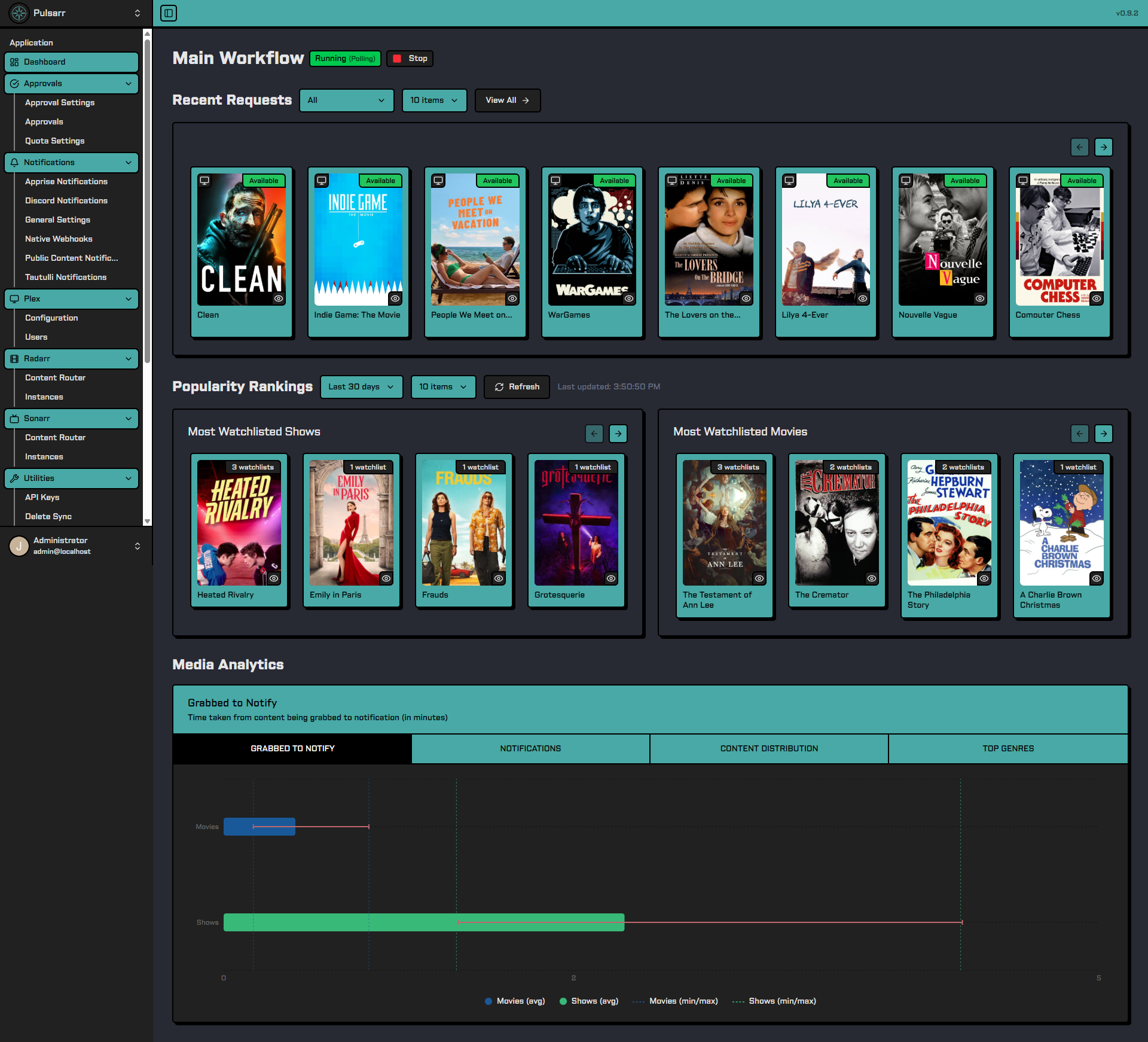
Pulsarr bridges Plex watchlists with Sonarr and Radarr for real-time media monitoring and automated content acquisition, all from within the Plex app, no extra logins required.
Features include multi-user watchlist sync, intelligent content routing, approval workflows with quotas, and notifications via Discord, Plex mobile push, and Apprise.
📚 Documentation
Full documentation is available at: https://jamcalli.github.io/Pulsarr/
API Documentation
Our REST API is fully documented and accessible in two ways:
🚀 Quick Start
Docker Installation (Recommended)
- Create a
.env file:
# Your timezone
TZ=America/Los_Angeles
- Create
docker-compose.yml:
services:
  pulsarr:
    image: lakker/pulsarr:latest
    container_name: pulsarr
    ports:
      - "3003:3003"
    volumes:
      - ./data:/app/data
    environment:
      - PUID=1000
      - PGID=1000
    restart: unless-stopped
    env_file:
      - .env
- Pull and start the service:
docker compose pull && docker compose up -d
- Access the web UI at
http://your-server:3003 to complete setup.
Synology NAS / Legacy Systems: If you're running on a Synology NAS or a system with Linux kernel
Contributors

Built with ❤️ for the self-hosted community