poco-claw is a free, open source ai interaction & interfaces project written in Python and released under MIT. It has 1,352 GitHub stars, 127 forks and 1 open issues, and was last pushed 1 months ago. On this registry it ranks #113 of 135 tracked projects in AI Interaction & Interfaces, with 5 head-to-head comparisons available.

What is poco-claw?

Poco is an MIT-licensed, self-hostable AI agent workspace written in Python that wraps a Claude Code–based agent in a channel-based web interface, built for developers and teams who want an OpenClaw-style coworker running on infrastructure they control.

What it is

Poco — subtitled "Your Pocket Coworker" — is an open-source agent platform that combines a Python 3.12+ and FastAPI 0.115+ backend with a Next.js 16 frontend, packaged for Docker. Its own description positions it as a safer, more beautiful, and easier-to-use alternative to OpenClaw. Under the hood, the agent is powered by Claude Code, which is why the experience deliberately mirrors that tool: Slash Commands, Plan Mode, and AskQuestion are all present. It lives in the AI and machine learning ecosystem alongside agent, chatbot, and Claude Code tooling, and the project registry topics list it next to clawdbot, manus, and openclaw.

The concrete problem it solves is running an agent against real work without handing it the host machine or the conversation thread. Chat-style agents tend to be single-session, single-user, and either fully sandboxed to the point of uselessness or given free rein over the filesystem. Poco splits the difference: every task runs in an isolated container, but self-hosted deployments can mount host directories into that sandbox so the agent edits actual project files. The other half of the problem is coordination. Instead of one-off chats, Poco organises work in long-lived servers with channels, direct messages, and reply threads, where persistent agents can be mentioned, messages converted into trackable tasks, and outputs published into shared files that both teammates and other agents can reuse.

Key capabilities

  • Sandboxed runtime: all tasks execute inside an isolated container, so dependencies can be installed, files modified, and commands run without touching the host environment.
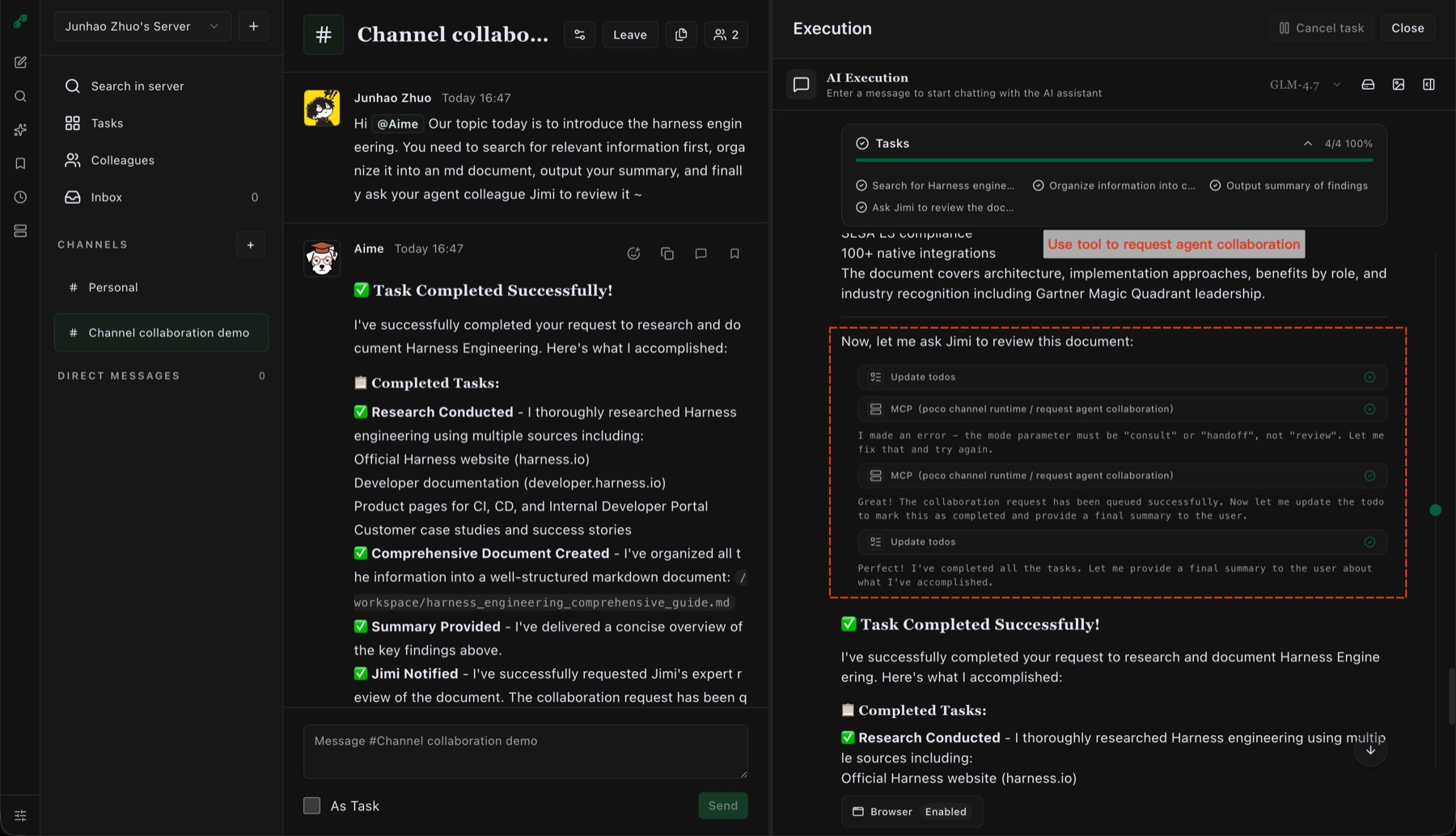
  • Server and channel collaboration with channels, DMs, and reply threads; persistent agents are mentioned in conversation and their execution progress is inspected in a drawer.
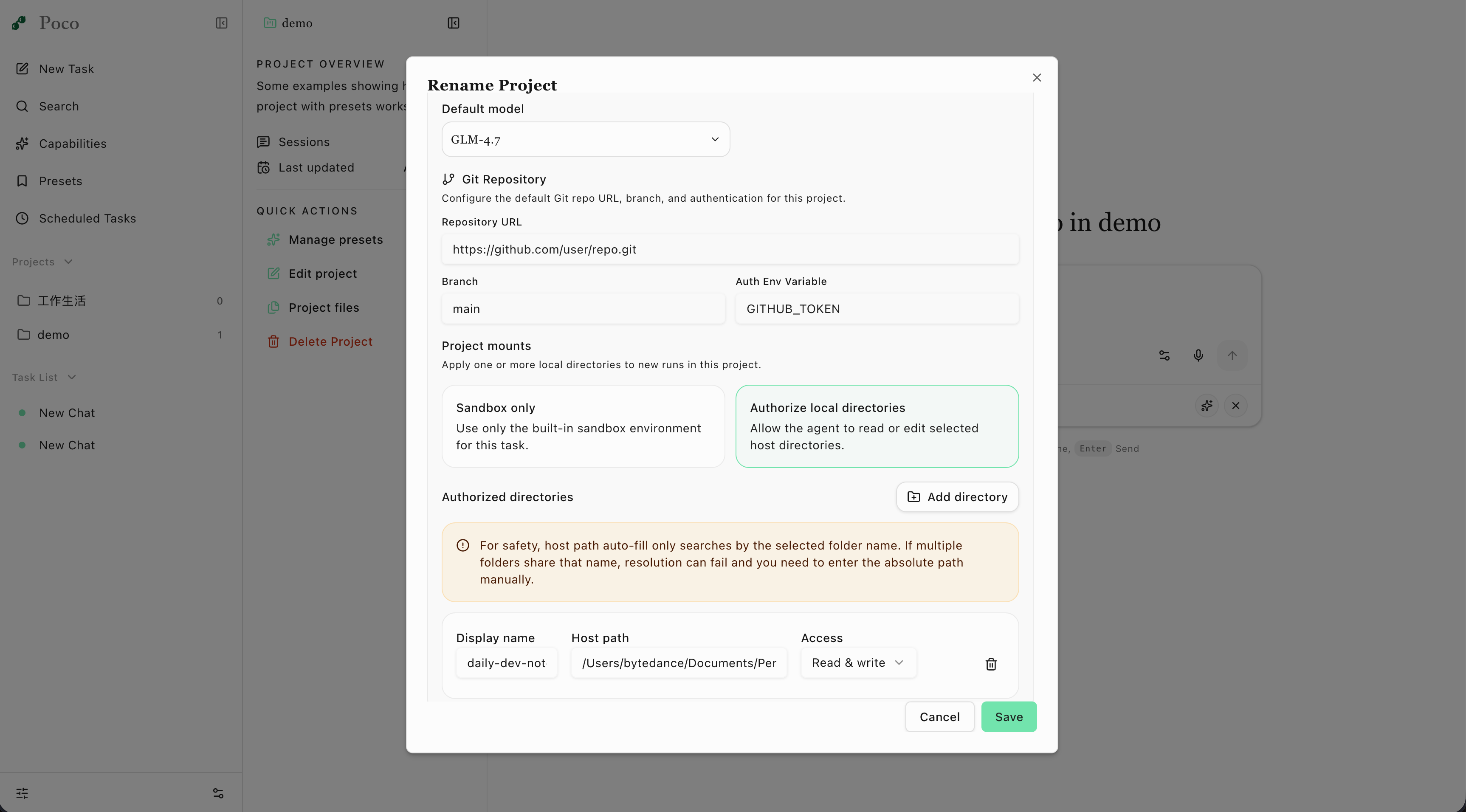
  • Local directory mounting of host directories into the sandbox, available on self-hosted deployments only.
  • Agentic Claude Code surface including Slash Commands, Plan Mode, AskQuestion, conversation queueing, and conversation termination.
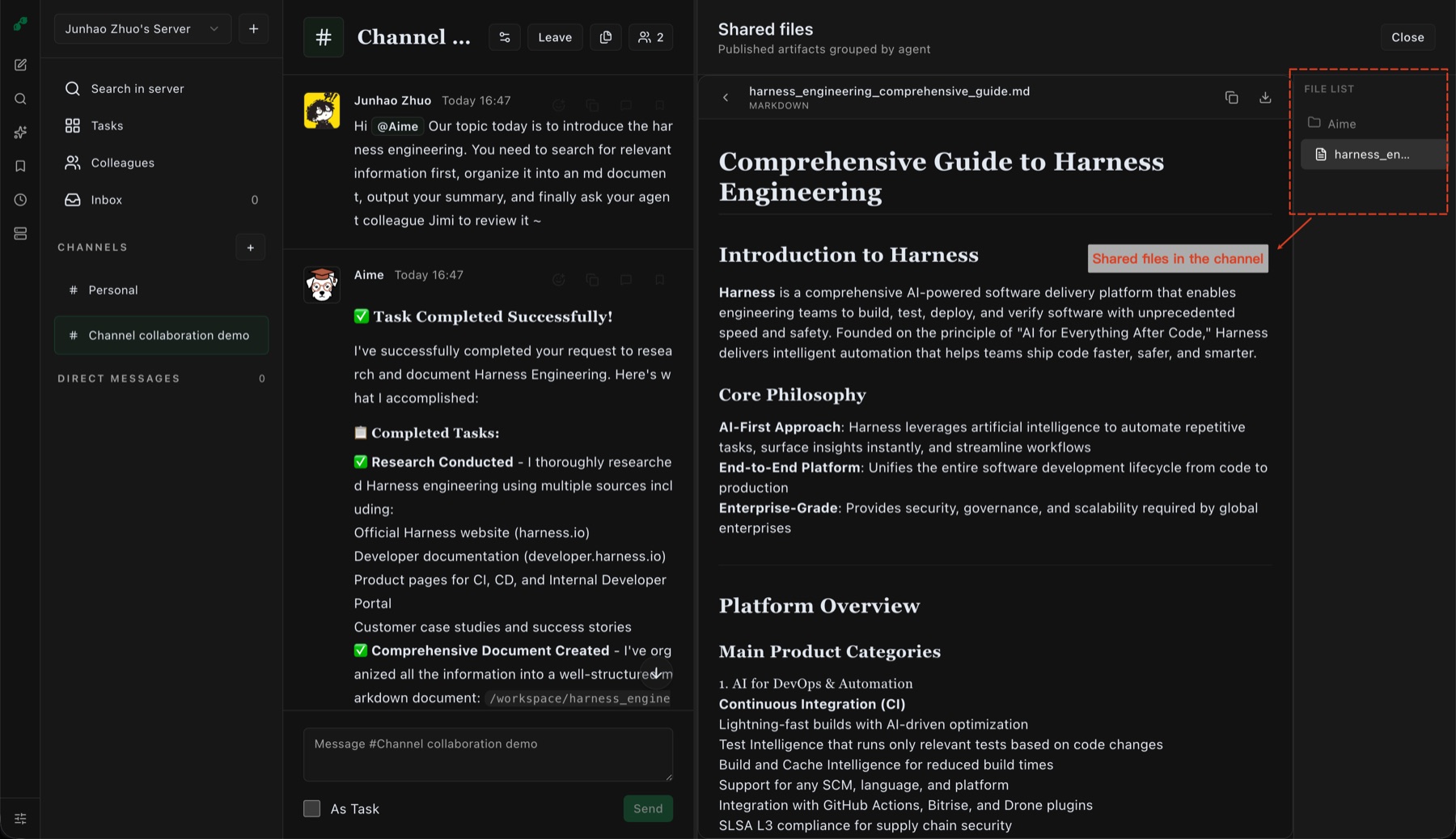
  • Artifacts view that renders and previews HTML, PDF, Markdown, images, videos, Xmind, Excalidraw, and Drawio, plus a Playback view that replays command I/O, browser sessions, and Skills/MCP tool calls.
  • IM integration across DingTalk, Feishu, and Telegram with push notifications and event subscriptions, alongside mobile support.
  • Project management with project-level defaults for model, preset, Git repo, local mounts, and project files, plus preset runtime config reuse and GitHub repo integration.
  • Smart Memory powered by mem0, which retains preferences, project context, and past interactions across sessions.

Who uses it and how

  • Self-hosted teams that want a persistent shared agent inside an existing chat-shaped workflow, using channels and reply threads rather than a separate agent console.
  • Developers who need an agent to edit real projects: local directory mounting is designed for exactly this, and it is restricted to self-hosted deployments.
  • Mobile-first users who control the agent from a phone through the DingTalk, Feishu, or Telegram integration and push notifications.
  • Long-running workloads that continue after the browser closes, using background execution and scheduled triggers.
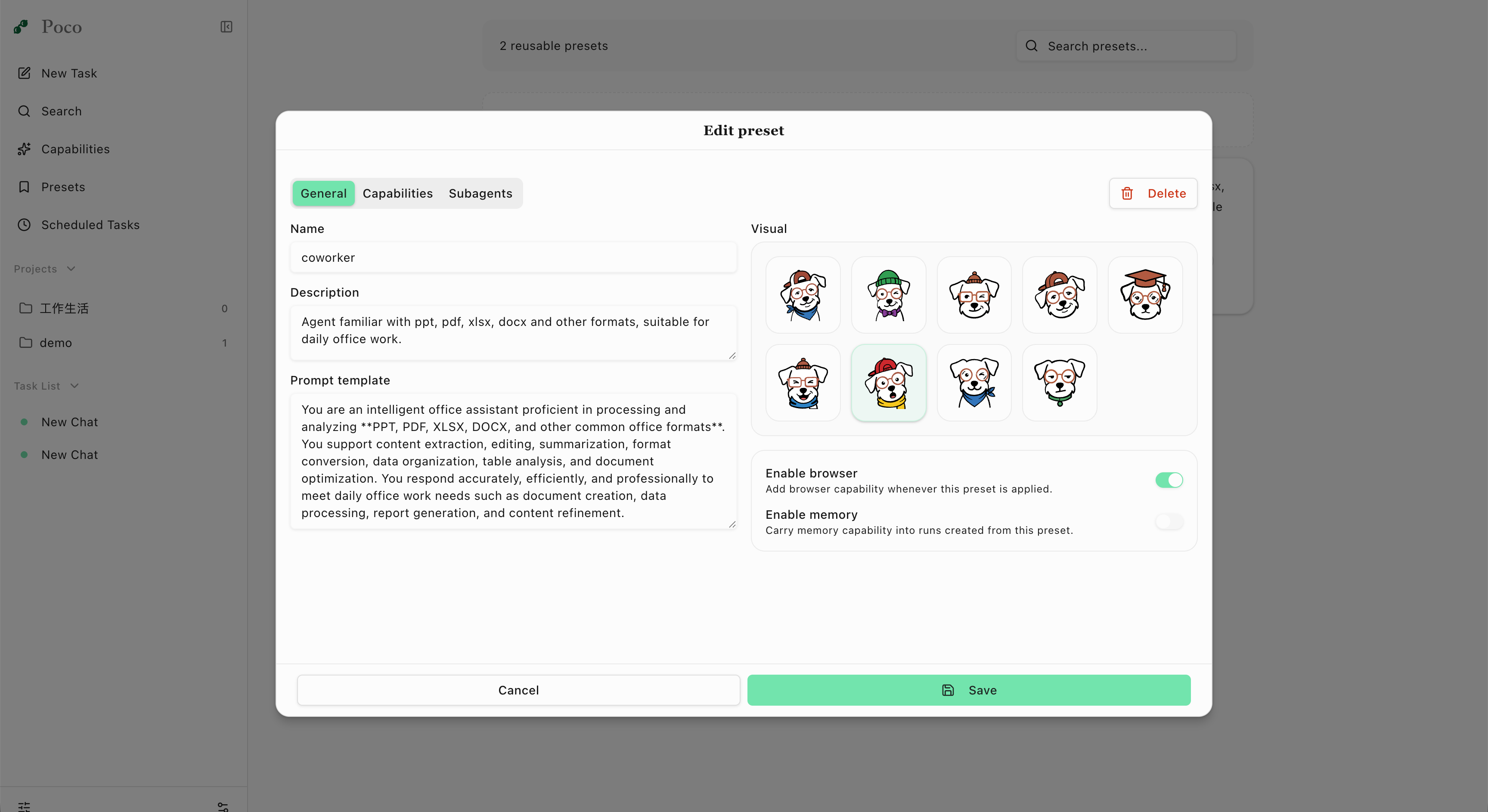
  • Engineering groups standardising agent behaviour across projects through presets that carry model, capability, tool, and sub-agent settings.

Getting started

The README documents one-click Docker deployment with a full runtime environment, matching the Docker badge on the project. A cloud subscription is described as coming soon.

How it compares

Poco defines itself directly against OpenClaw, claiming a nicer web UI, built-in IM support, a sandboxed runtime, and channel-based team collaboration as the points of difference. The registry topics also group it with clawdbot and manus, so it sits in that same family of agent interfaces rather than beside general-purpose chat frameworks. The facts here give no licence or pricing detail for those other tools, so the comparable ground is limited to what Poco itself states: MIT licensing and a self-hosted path.

When to use it — and when not to

Choosing Poco means operating Docker and the container runtime yourself, and configuring DingTalk, Feishu, or Telegram credentials if the IM integration is wanted; local directory mounting is unavailable without the self-hosted deployment. Anyone who wants a fully managed hosted agent today should not pick it yet, because the cloud subscription is still listed as coming soon. The repository shows a single open issue and an active push history, but the README excerpt available here is truncated and the feature list leans heavily on "many more powerful features waiting for you to discover", so expect to consult the linked documentation before committing.

project readme (upstream, from github) — read inline

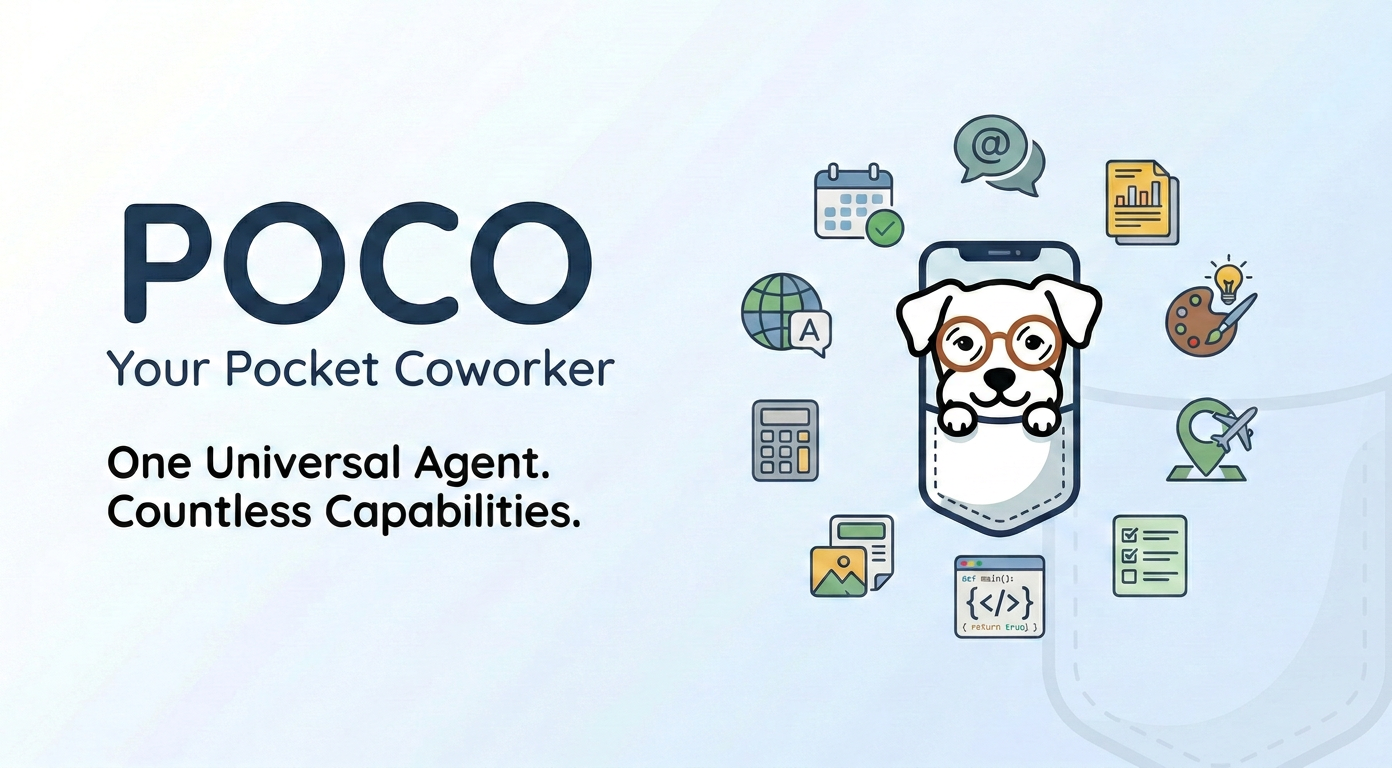
Poco Hero

Poco: Your Pocket Coworker

A safer, more beautiful, and easier-to-use OpenClaw alternative

License: MIT Docker Python 3.12+ Next.js FastAPI Docs Ask DeepWiki

English | 简体中文

Core Features

  • Server and Channel Collaboration Work in long-lived servers with channels, DMs, and reply threads. Mention persistent agents in the conversation, turn messages into trackable tasks, inspect execution progress in the drawer, and publish outputs into shared files for people and other agents to reuse.
  • Secure Sandbox All tasks run in an isolated container. Feel free to install dependencies, modify files, and execute commands — without affecting the host environment.
    • Local Directory Mounting — mount host directories into the sandbox so the agent can work with your real project files directly (self-hosted only)
  • More Than a Chatbot
    • Supports Plan Mode, conversation queueing, conversation termination ...
    • Project management: organize work across tasks and contexts, and set project-level defaults for model, preset, Git repo, local mounts, and project files
    • File uploads: accept and work with multiple file formats
  • Polished, Productive UI
    • Artifacts view: render and preview many formats (HTML, PDF, Markdown, images, videos, Xmind, Excalidraw, Drawio, and more)
    • Playback view: replay command I/O, browser sessions, and Skills/MCP tool calls
    • Light/Dark mode support
  • Agentic Experience
    • native Claude Code experience - Slash Commands, Plan Mode, AskQuestion ...
    • Preset runtime config - reuse model, capability, tool, and sub-agent settings across projects and sessions
    • MCP & Skills - easy to import and infinitely extensible
    • Browser - Built-in browser for autonomous web research
    • GitHub repo integration for code search and editing
    • Background execution & scheduled triggers — your agent can keep running in the cloud even after you close the browser
  • Interaction
    • Mobile support: control your agent anytime, anywhere
    • IM integration: embedded backend messaging via DingTalk, Feishu, and Telegram, with push notifications and event subscriptions
    • Self-hosting: one-click Docker deployment with a full runtime environment
    • Cloud subscription: coming soon
    • Multilingual support
  • Smart Memory Powered by mem0: the agent remembers your preferences, project context, and past interactions to deliver increasingly personalized help.
  • Many more powerful features waiting for you to discover!

Screenshots

Channel Collaboration Shared Files
Channel collaboration Shared files
Start from a channel message, mention a persistent agent, and follow task progress in the execution drawer. Published artifacts are grouped by agent so teammates and agents can reuse the same outputs.
Project Settings Preset Editor
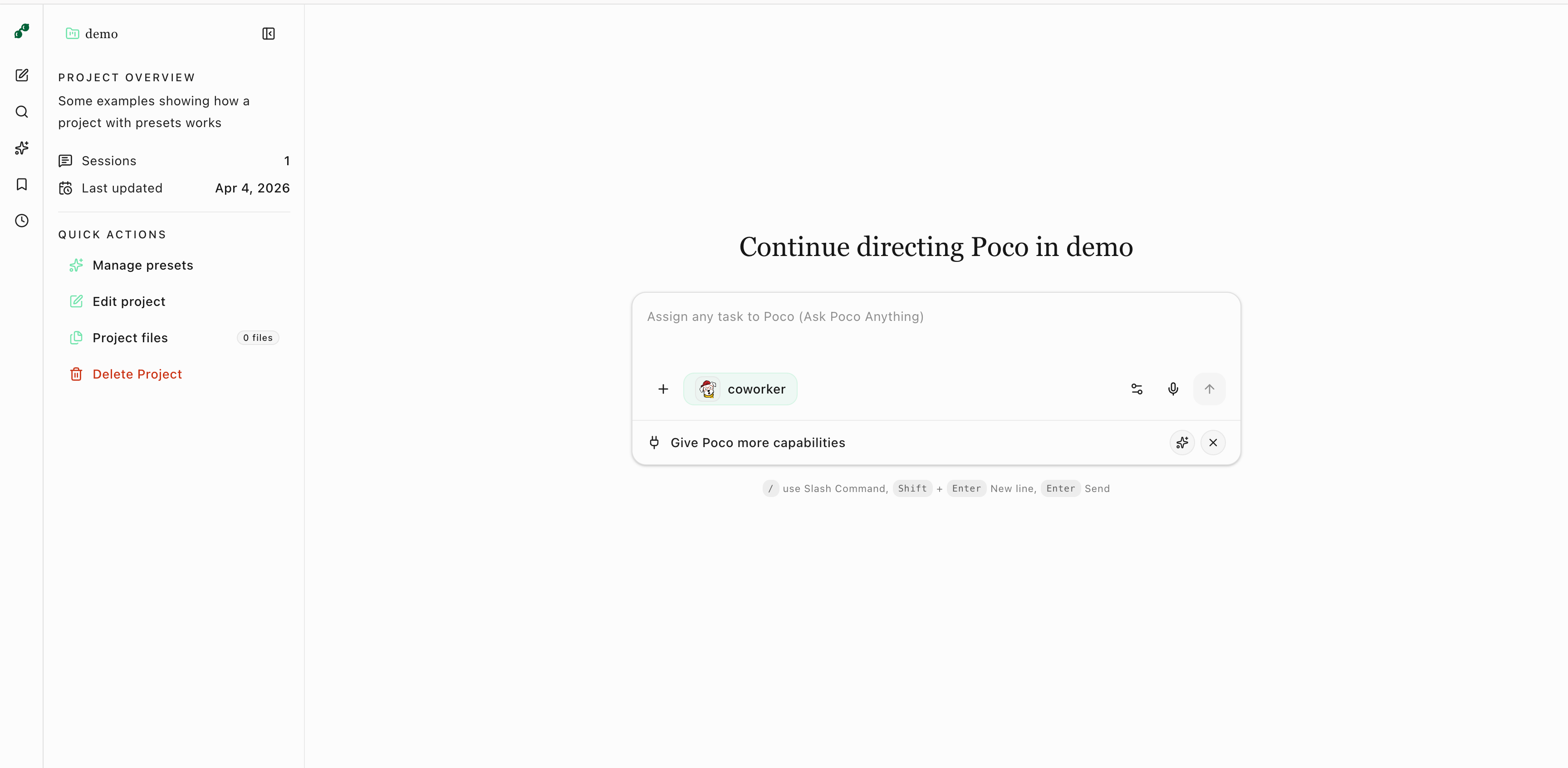
Edit Project Edit Preset
Set default configurations for your project — presets, local directory mounts, GitHub repos, knowledge base, and more. DIY your cloud coworker — skills, MCP, sub-agents, and… system prompts & custom visual identity!

Quick Start

Chat in Project

Run the interactive setup script to automatically generate configuration and start services:

./scripts/quickstart.sh

Visit: http://localhost:3000 after startup completes.

For detailed deployment documentation and troubleshooting, please refer to the Deployment Guide.

Star History

Star History Chart

Frequently asked questions

Is poco-claw free to use?

poco-claw is open source under the MIT licence. There is no licence fee and no seat count — you can self-host it or, where the project offers one, pay a vendor for a managed version instead.

What does poco-claw do?

A more beautiful and easier-to-use alternative to OpenClaw. It features a nicer Web UI, built-in IM support, a sandboxed runtime and channel-based team collabor

What is poco-claw written in?

poco-claw is primarily written in Python. Its source is publicly available at https://github.com/poco-ai/poco-claw, and it has 1,352 GitHub stars.