Pixelorama - pixelate your dreams!
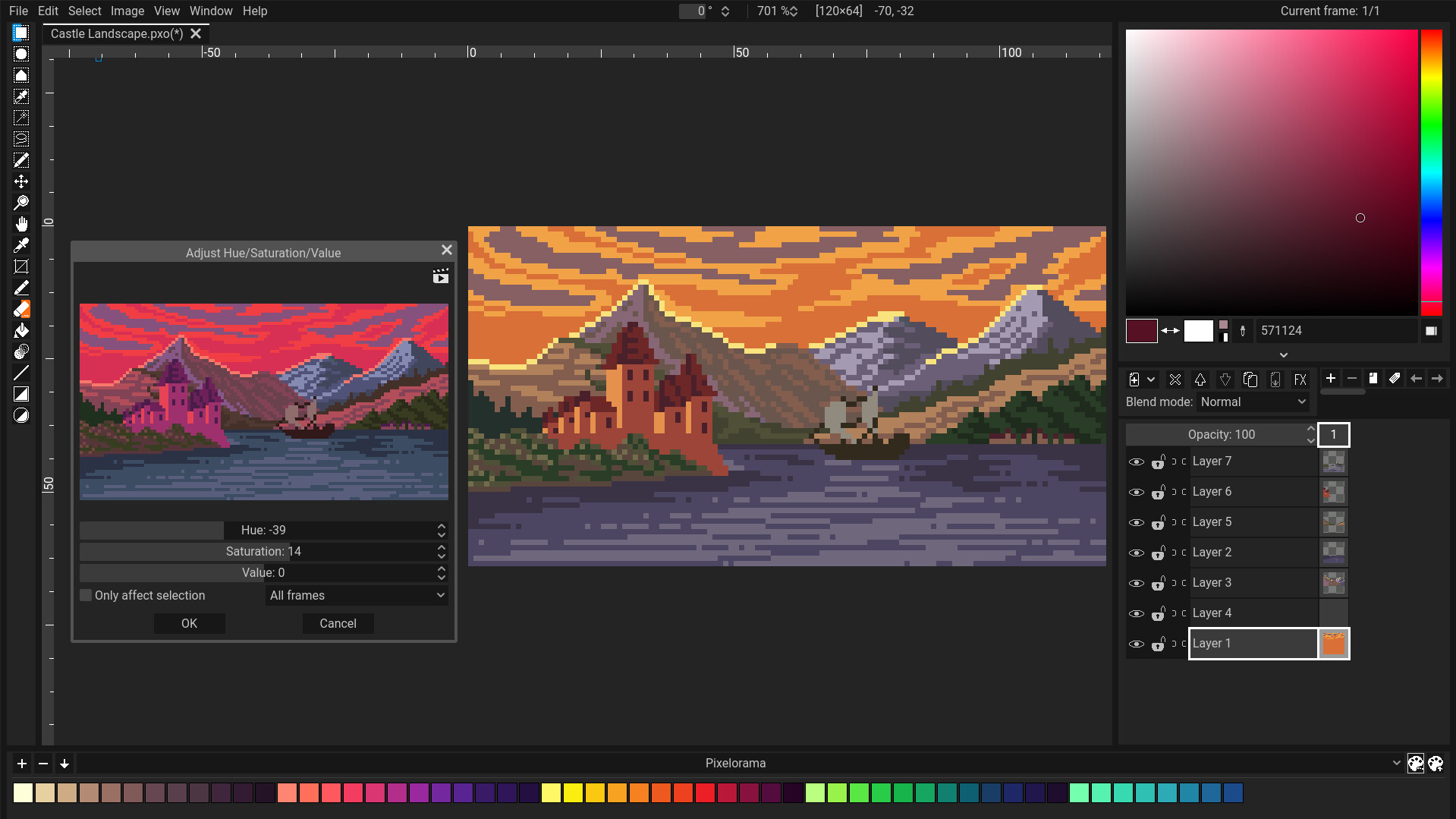
Unleash your creativity with Pixelorama, a powerful and accessible open-source pixel art multitool. Whether you want to create sprites, tiles, animations, or just express yourself in the language of pixel art, this software will realize your pixel-perfect dreams with a vast toolbox of features.









Join our Discord community server where we can discuss about Pixelorama and all our other projects! https://discord.gg/GTMtr8s
If you like, consider helping us by sponsoring this project! It would enable us to focus more on Pixelorama, and make more projects in the future!

Download
Stable versions:
- Steam (Windows & Linux)
- Itch.io (Windows, Linux, Mac & Web)
- GitHub Releases (Windows, Linux & Mac)
- GitHub Pages (Web)
- Flathub (Linux)
- WinGet (Windows) -
winget install pixelorama
You can also find early access builds in the GitHub Actions page. There's also a Web version available. Keep in mind that these versions will have bugs and are unstable. Unless you're interested in testing the main branch of Pixelorama, it's recommended that you stick to a stable version.
Documentation
You can find online Documentation for Pixelorama here: https://orama-interactive.github.io/Pixelorama-Docs
It's still a work in progress so there are some pages missing. If you want to contribute, you can do so in Pixelorama-Docs' GitHub Repository.
Cloning Instructions
Pixelorama uses Godot 4.7.2, so you will need to have it in order to run the project. Older versions will not work. As of right now, most of the code is written using GDScript, so the Mono version of Godot is not required, but Pixelorama should also work with it.
Features:
- Wide Range of Tools: Customize your workflow by dynamically mapping tools to the left and right mouse buttons, making your creation process faster and more intuitive.
- Advanced Animation Support: Create animations with a timeline composed of layers and frames, including features like onion skinning, audio synchronization, frame tags, and the ability to draw while the animation is playing.
- Pixel Art Focused: Perfect pixel lines, indexed mode, and rotation and scaling algorithms tailored specifically to pixel art, like cleanEdge, OmniScale, and rotxel.
- Seamless Tilemap Creation: Use Pixelorama's tilemap layers to create rectangular, isometric or hexagonal tiles for your games.
- Powerful Layer System: Utilize clipping masks and non-destructive visual effects like outlines, gradient maps, drop shadows, and more. Perfect for experimenting with styles and compositions, as changes can be applied without altering your original artwork.
- Palette Management: Bring color into your canvas by choosing from pre-made palettes, importing your own, or creating custom ones inside the software to suit your unique style.
- Visual Effects: Multiple image effects for fine-tuning your artwork.
- Advanced Canvas Options: Utilize guides, rectangular and isometric grids, and tile mode to ensure seamless and precise pattern creation.
- Automatic Backups: Stay safe with auto-saved backups to recover your work in case of unexpected software crashes.
- Highly Customizable UI: Tailor the interface to your needs for maximum efficiency and a smooth workflow.
- Export & Import: Support for various formats such as PNG, animated PNG, spritesheets, GIFs and even videos.
- 3D Layer Support: Break the barrier between dimensions by bringing 3D models and shapes into your 2D canvas for unlimited creative possibilities.
- Command Line Automation: Automate file exports using the command line interface for bulk exporting and streamlining workflows.
- Project Metadata: Attach custom user data to layers, frames, and cels, making it easy to integrate with game development and other creative processes.
- Extension Support: Benefit from free, community-made extensions, such as tools that convert your 2D pixels into 3D voxels.
- Fully Open-Source: Pixelorama is open-source, licensed under the MIT license, guaranteeing free updates forever!
- Multi-Language Support: With localization support across various languages, Pixelorama is accessible to users around the world. See our Crowdin page for more details.
Special thanks to
- All Godot contributors! Without Godot, Pixelorama would not exist.
- https://github.com/gilzoide/godot-dockable-container - the plugin Pixelorama's UI system uses for dockable containers.
- https://github.com/Orama-Interactive/Keychain - the plugin Pixelorama's shortcut system uses for extensive customizability.
- https://github.com/jegor377/godot-gdgifexporter - the gif exporter Pixelorama uses.
- https://github.com/Pukkah/HTML5-File-Exchange-for-Godot - responsible for file exchange in Pixelorama's HTML5 (Web) version.
- https://github.com/aBARICHELLO/godot-ci - for creating a Godot Docker image that lets us export Pixelorama automatically using GitHub Actions.
- The entire Pixelorama community! Contributors, donors, translators, users, you all have a special place in our hearts! <3