Bubble Lab
Open-core workflow engine powering Bubble Lab — and fully runnable, hostable, and extensible on its own.






Use Bubble Lab Platform • View Demos • Documentation
Editing Workflows
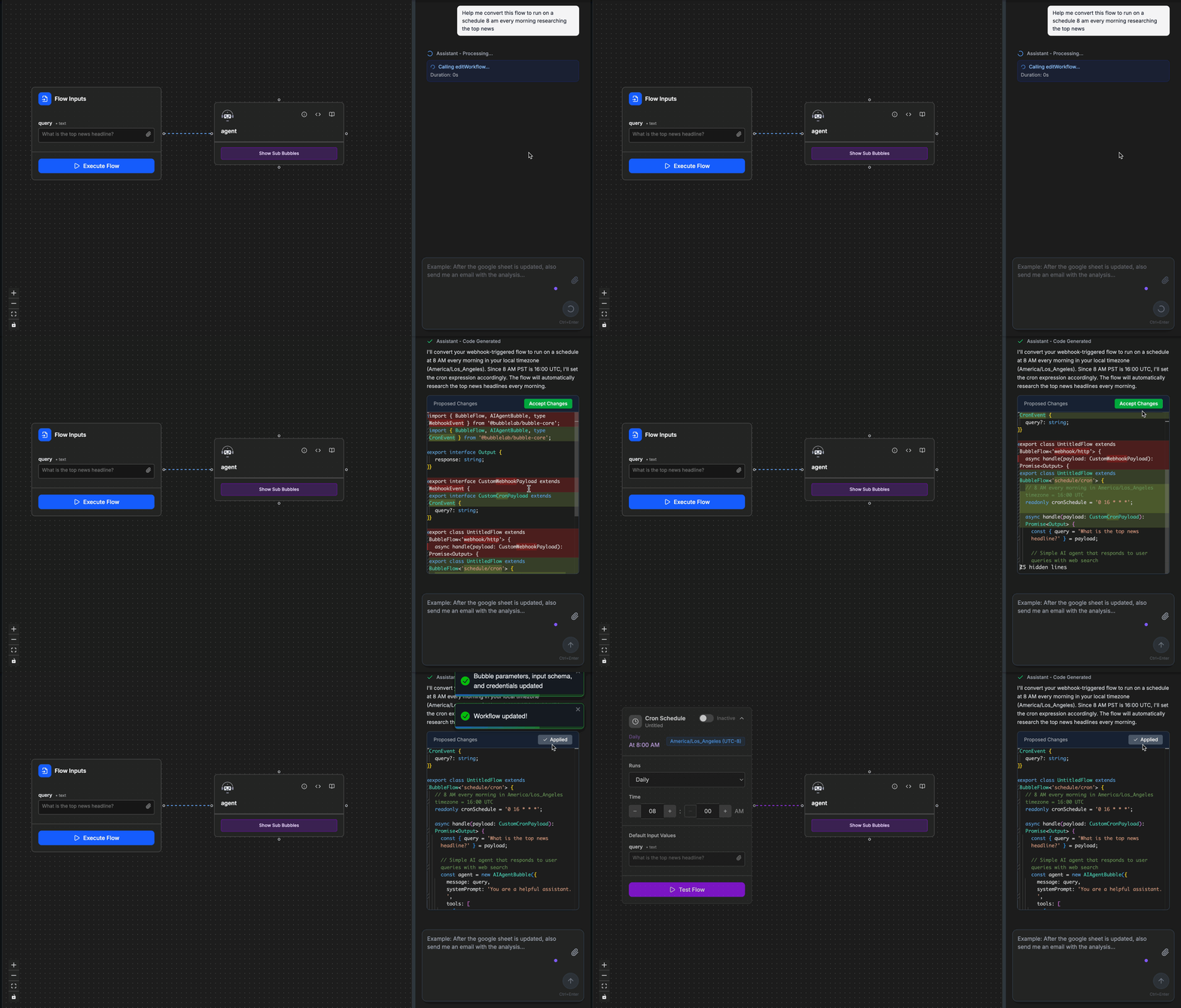
Running Workflows
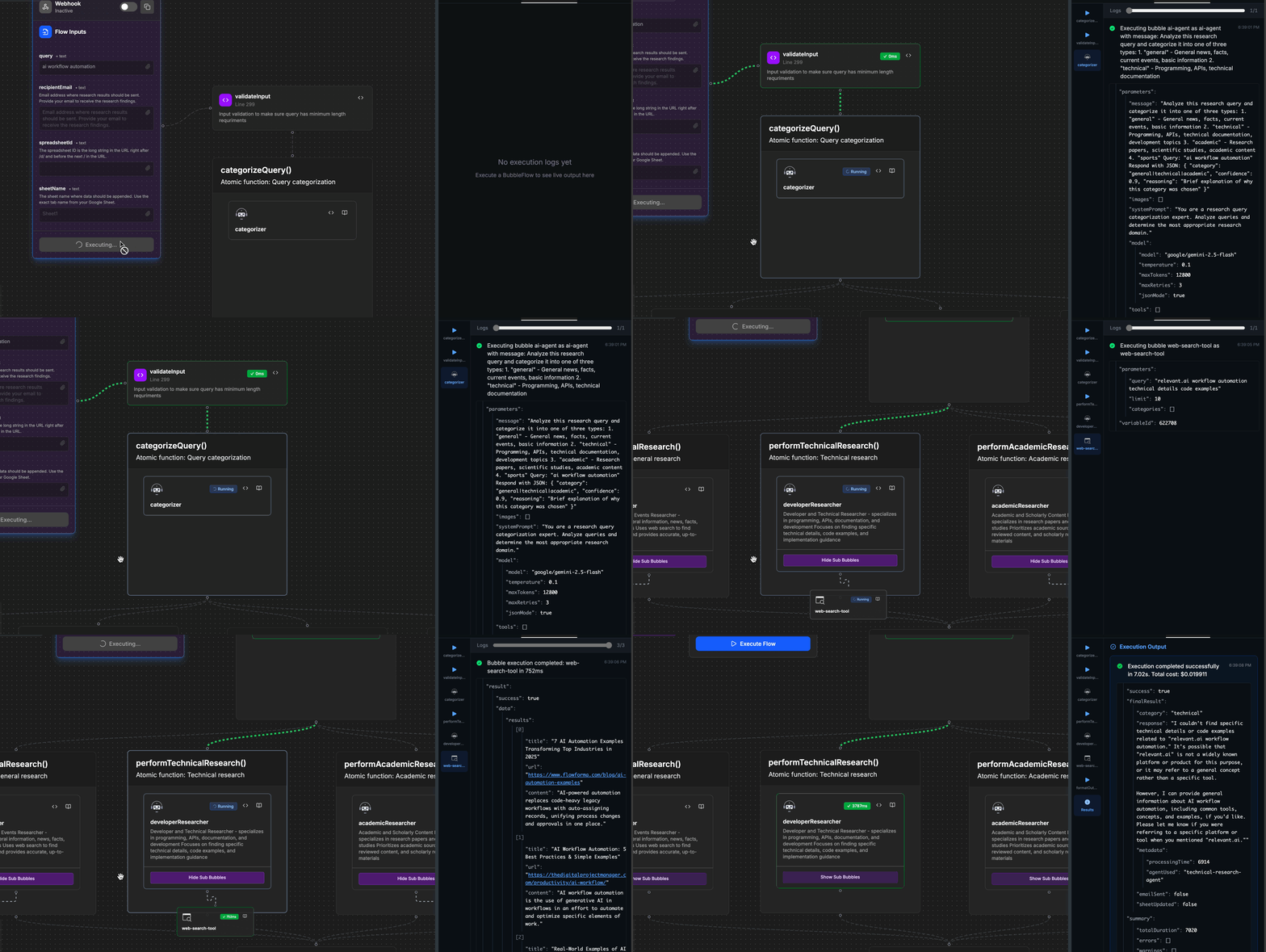
📋 Overview
Bubble Lab is a Slack-native AI operator platform that helps teams automate operational work directly inside Slack using Pearl, its AI assistant.
Instead of switching between tools, teams can ask Pearl to execute workflows, access systems, and perform tasks across their stack.
This repository contains the open-core workflow engine that powers the Bubble Lab platform.
It is the same execution engine used internally by Bubble Lab — and can also be run, hosted, and extended independently.
This makes it suitable for:
- Teams using the Bubble Lab platform
- Developers who want full control over workflow execution
- Organizations that need self-hosted automation infrastructure
- Engineers building custom agents or integrations
🧠 How this relates to Bubble Lab Platform
You can use Bubble Lab in two ways:
Option 1 — Use Bubble Lab Platform (recommended)
Use the fully managed platform with:
- Pearl, the Slack-native AI operator interface
- Managed integrations with Slack, SaaS tools, APIs, and databases
- Hosted workflow execution and orchestration
- Observability dashboards and execution history
- Team collaboration and deployment management
Option 2 — Run the Open-Core Engine Yourself
You can run and host the workflow engine independently.
This allows you to:
- Build and execute workflows locally
- Host the engine in your own infrastructure
- Create custom agents and integrations
- Extend the runtime for your own use cases
- Export workflows and deploy anywhere
- Embed Bubble Lab workflows inside your own products
Everything in this repository is fully functional and production-ready.
⚙️ What this repository provides
The open-core engine includes:
- Workflow execution runtime
- Agent and integration primitives ("Bubbles")
- Local workflow studio
- Execution tracing, logging, and observability
- CLI tooling
- Exportable workflows
This is the infrastructure layer that powers Bubble Lab and Pearl.
🚀 Quick Start
Option A — Use Bubble Lab Platform
No setup required:
Option B — Run locally
Run Bubble Studio locally in 2 commands:
# 1. Install dependencies
pnpm install

# 2. Start everything
pnpm run dev
Open http://localhost:3000 and you can now build, edit, and run workflows locally!
⚠️ Note: To create flow with pearl (our ai assistant), you'll need API keys (GOOGLE_API_KEY). By default gemini-3.0-pro is used for generation and code edits use fast find-and-replace. Weaker model is not well tested and can lead to degraded/inconsistent performance. See CONTRIBUTING.md for detailed setup instructions.
Option C — Create a new Bubble Lab project
Get started with BubbleLab in seconds using our CLI tool:
npx create-bubblelab-app
This will scaffold a new BubbleLab project with:
- Pre-configured TypeScript setup with core packages and run time installed
- Sample templates (basic, reddit-scraper, etc.) you can choose
- All necessary dependencies
- Ready-to-run example workflows you fully control, customize
Next steps after creation:
cd my-agent
npm install
npm run dev
What You'll Get: Real-World Example
Let's look at what BubbleFlow code actually looks like using the reddit-scraper template:
The Flow (reddit-news-flow.ts) - Just ~50 lines of clean TypeScript:
export class RedditNewsFlow extends BubbleFlow<'webhook/http'> {
  async handle(payload: RedditNewsPayload) {
    const subreddit = payload.subreddit || 'worldnews';
    const limit = payload.limit || 10;

    // Step 1: Scrape Reddit for posts
    const scrapeResult = await new RedditScrapeTool({
      subreddit: subreddit,
      sort: 'hot',
      limit: limit,
    }).action();

    const posts = scrapeResult.data.posts;

    // Step 2: AI analyzes and summarizes the posts
    const summaryResult = await new AIAgentBubble({
      message: `Analyze these top ${posts.length} posts from r/${subreddit}:
        ${postsText}

        Provide: 1) Summary of top news, 2) Key themes, 3) Executive summary`,
      model: { model: 'google/gemini-2.5-flash' },
    }).action();

    return {
      subreddit,
      postsScraped: posts.length,
      summary: summaryResult.data?.response,
      status: 'success',
    };
  }
}
What happens when you run it:
$ npm run dev

✅ Reddit scraper executed successfully
{
  "subreddit": "worldnews",
  "postsScraped": 10,
  "summary": "### Top 5 News Items:\n1. China Halts US Soybean Imports...\n2. Zelensky Firm on Ukraine's EU Membership...\n3. Hamas Demands Release of Oct 7 Attackers...\n[full AI-generated summary]",
  "timestamp": "2025-10-07T21:35:19.882Z",
  "status": "success"
}

Execution Summary:
  Total Duration: 13.8s
  Bubbles Executed: 3 (RedditScrapeTool → AIAgentBubble → Return)
  Token Usage: 1,524 tokens (835 input, 689 output)
  Memory Peak: 139.8 MB
What's happening under the hood:
- RedditScrapeTool scrapes 10 hot posts from r/worldnews
- AIAgentBubble (using Google Gemini) analyzes the posts
- Returns structured JSON with summary, themes, and metadata
- Detailed execution stats show performance and token usage
Key Features:
- Type-safe - Full TypeScript support with proper interfaces
- Simple - Just chain "Bubbles" (tools/nodes) together with
.action() - Observable - Built-in logging shows exactly what's executing
- Production-ready - Error handling, metrics, and performance tracking included
📚 Documentation
Learn how to use each bubble node and build powerful workflows:
👉 Visit BubbleLab Documentation
The documentation includes:
- Detailed guides for each node type
- Workflow building tutorials
- API references
- Best practices and examples
🤝 Community & Support
⚠️ UPDATE (January 20, 2026): We are no longer accepting code contributions or pull requests at this time. However, we still welcome and encourage:
- 🐛 Bug reports - Help us identify issues
- 💬 Feature requests - Share your ideas for improvements
- 🗨️ Community discussions - Join conversations in Discord
- 📖 Documentation feedback - Suggest improvements to our docs
Thank you to everyone who has contributed and shown interest in Bubble Lab!
Get involved:
- Join our Discord community for discussions and support
- Open issues for bugs or feature requests
- Check out CONTRIBUTING.md for project setup and architecture details
License
This repository contains the open-core components of Bubble Lab and is licensed under Apache 2.0. The Bubble Lab platform, Pearl, and hosted infrastructure include additional proprietary components not included in this repository.