What it is
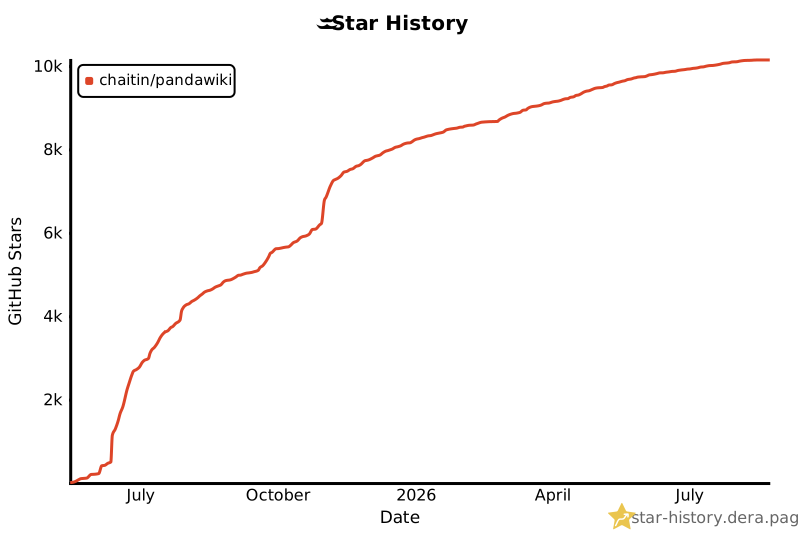
PandaWiki is an open-source knowledge base system driven by large language models, written in TypeScript and released under the AGPL-3.0 license. It lives in the self-hosted documentation and knowledge-base ecosystem, alongside the AI and LLM tooling that powers its features. The project is designed to build intelligent product documentation, technical documentation, FAQ pages, and blog systems, and it ships as a self-hosted application that runs on a Linux server through Docker. Its topic list places it squarely in the ai, docs, documentation, kb, llm, self-hosted, and wiki space, and the repository has accumulated more than ten thousand stars and over a thousand forks since it was created roughly a year ago.
The concrete problem it solves is that a traditional wiki stores documents but does not understand them. PandaWiki turns a collection of documents into a knowledge base that a language model can read, search, and answer questions from. Once documents are uploaded and learned, the system provides AI-assisted writing, AI-assisted question answering, and AI-assisted search over that content. It also removes the manual work of assembling a knowledge base by importing content from web URLs, website sitemaps, RSS feeds, and offline files, and it lets the resulting knowledge base be delivered through a hosted Wiki site, an embedded web widget, or chat bots on DingTalk, Feishu, and WeCom.
Key capabilities
- AI-assisted creation, question answering, and search, all driven by a configured large language model.
- Rich text editing that is compatible with both Markdown and HTML.
- Export of documents to Word, PDF, and Markdown formats.
- Embedding the knowledge base as a web widget on other websites.
- Delivery as chat bots for DingTalk, Feishu, and WeCom.
- Content import from a web URL, a website Sitemap, an RSS feed, or offline files.
- Separation of knowledge bases, where each knowledge base is a set of documents that generates its own Wiki site.
Who uses it and how
- Teams that need internal or public product documentation and want AI question answering layered on top of it.
- Support and community groups that publish an FAQ and let users query it through a chat bot on DingTalk, Feishu, or WeCom.
- Publishers who maintain a blog or documentation site and embed the knowledge base as a widget on an existing website.
- Operators migrating existing content by pointing the importer at a URL, a Sitemap, an RSS feed, or a set of offline files instead of retyping it.
- Self-hosters who want the whole stack on their own Linux server rather than on a vendor platform.
Getting started
Installation requires a Linux system with Docker 20.x or newer, and the README instructs running `bash -c "$(curl
project readme (upstream, from github) — read inline

📖 官方网站 |
🙋♂️ 微信交流群
👋 项目介绍
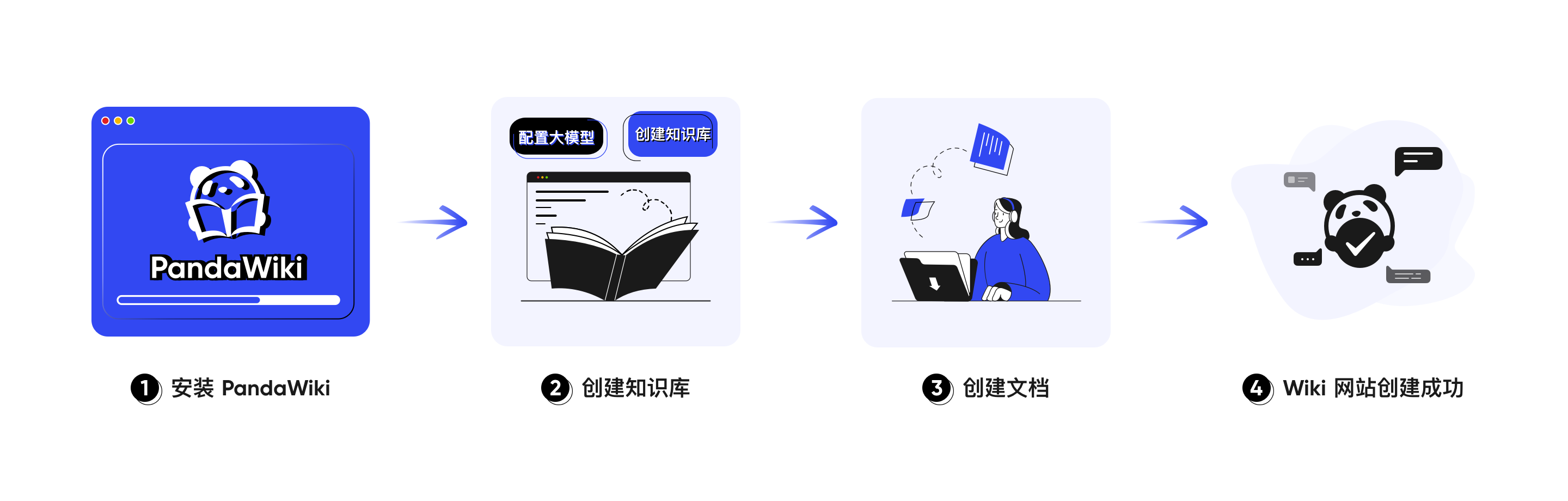
PandaWiki 是一款 AI 大模型驱动的开源知识库搭建系统,帮助你快速构建智能化的 产品文档、技术文档、FAQ、博客系统,借助大模型的力量为你提供 AI 创作、AI 问答、AI 搜索 等能力。
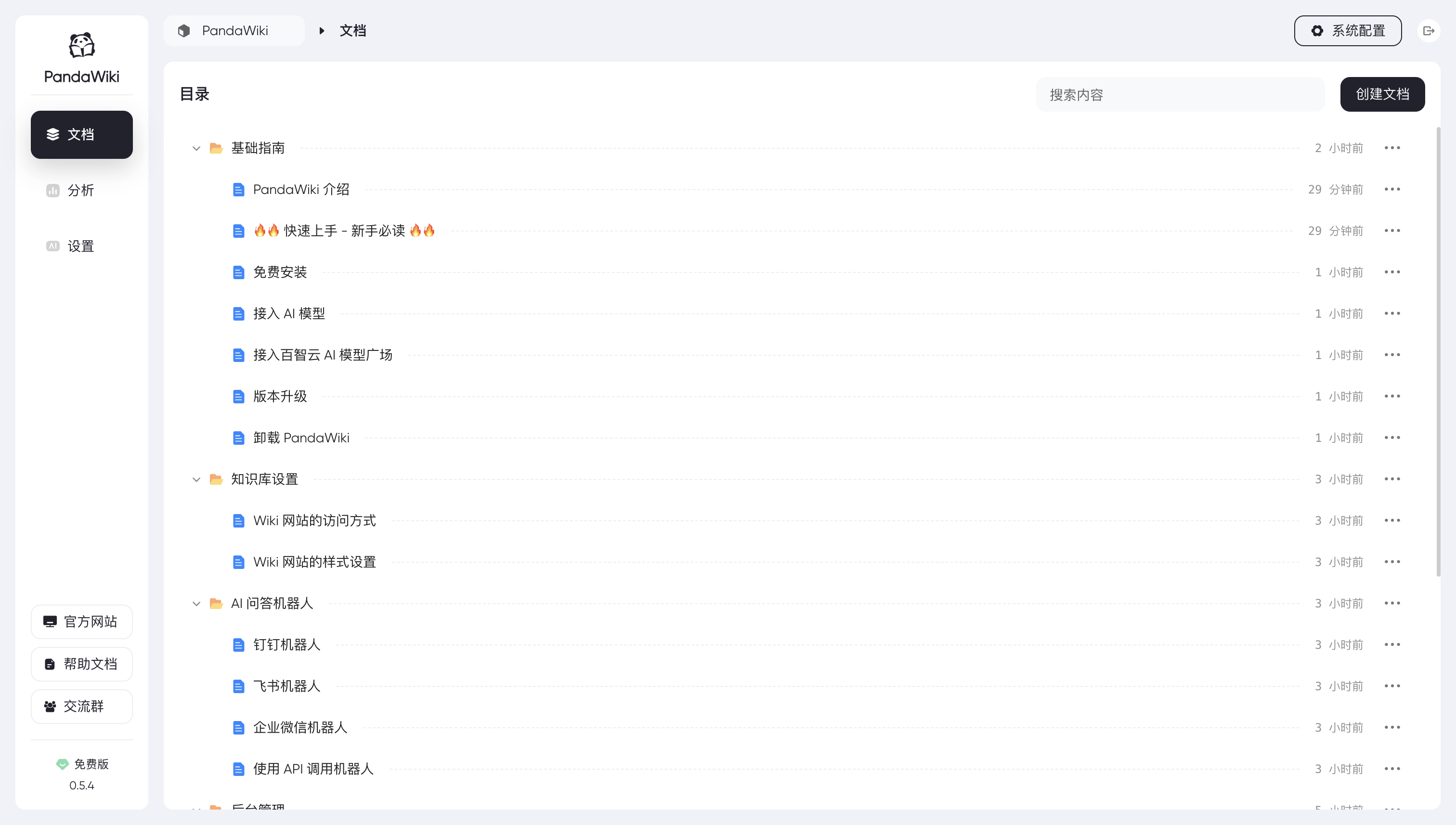
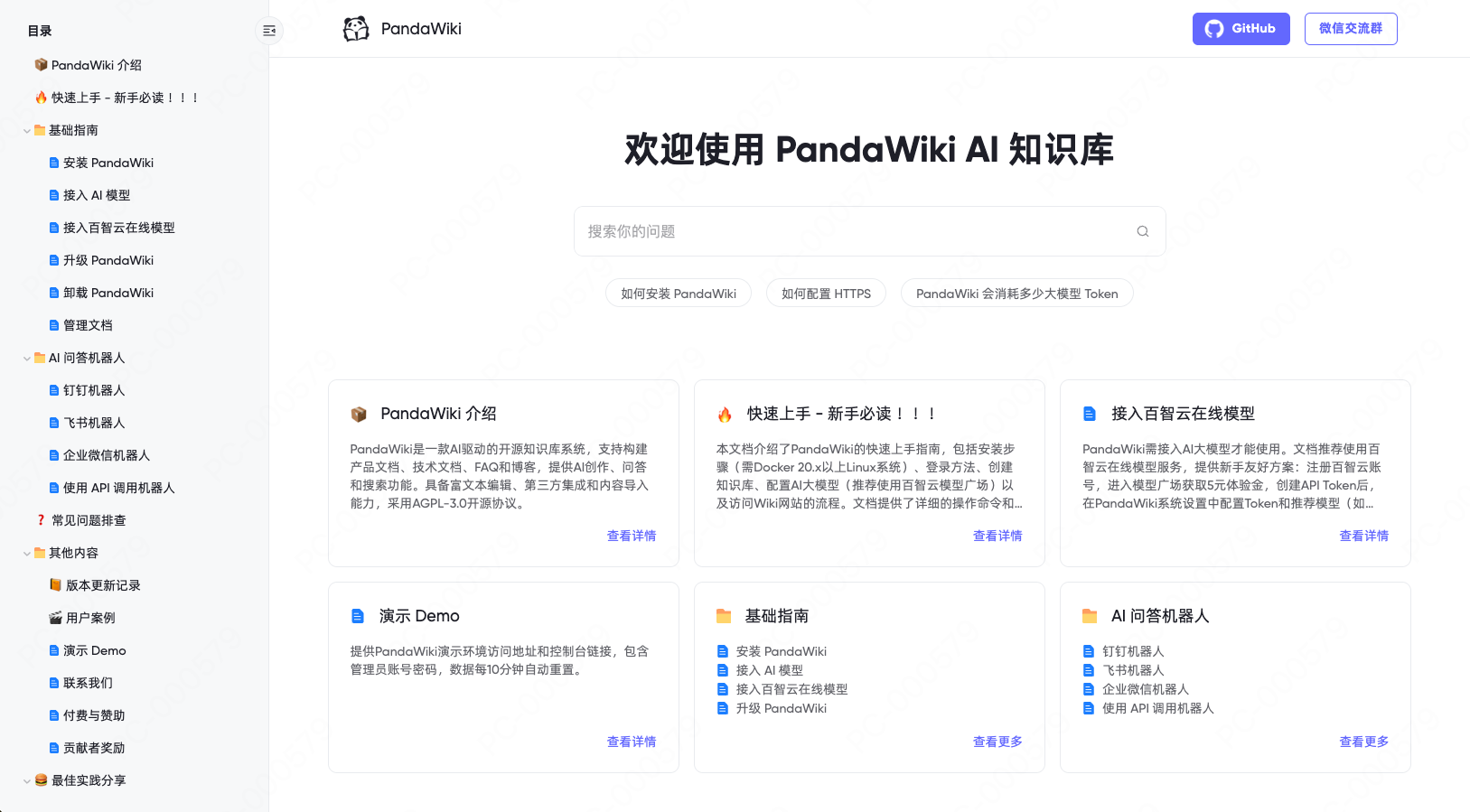
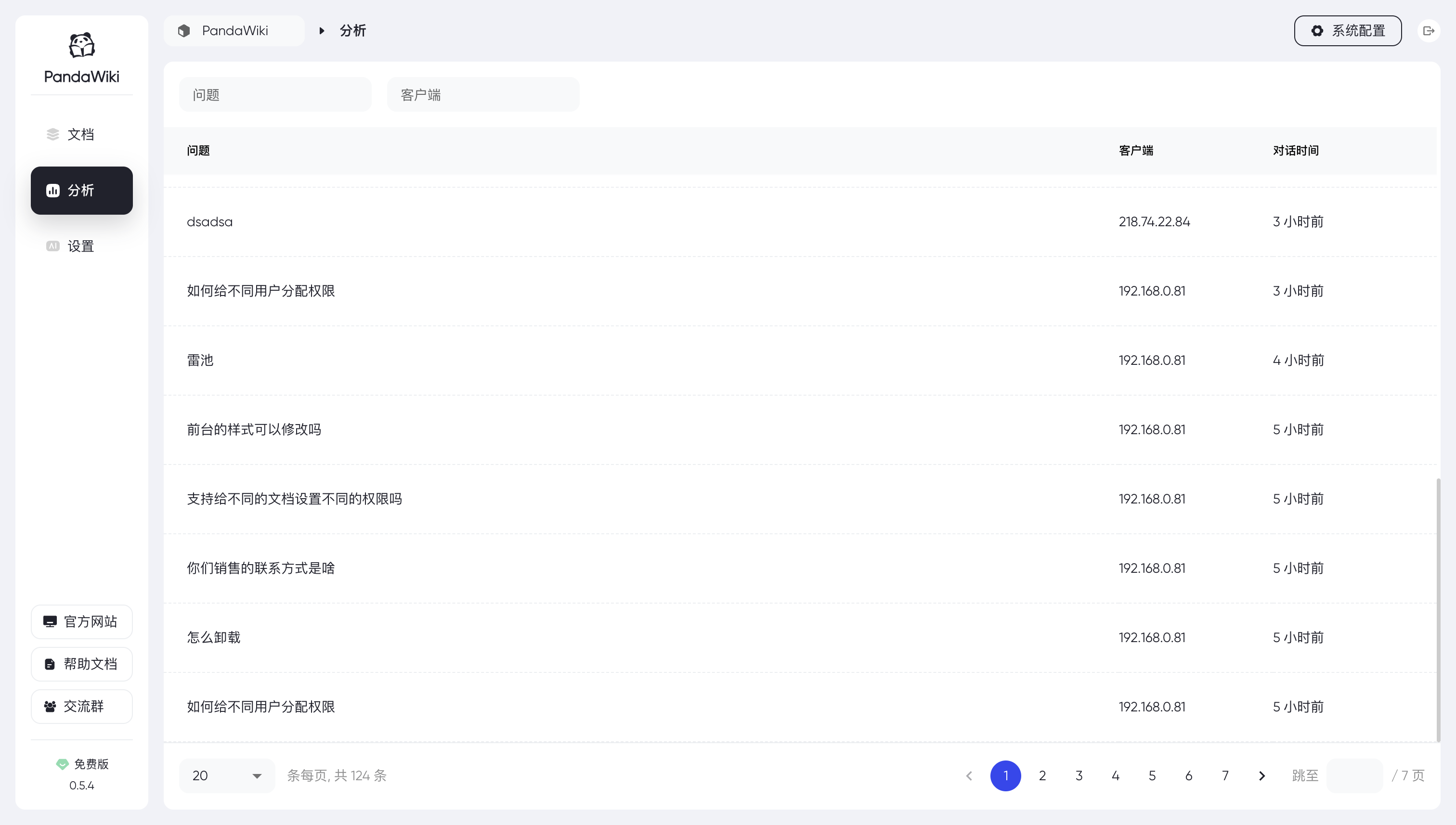
⚡️ 界面展示
🔥 功能与特色
- AI 驱动智能化:AI 辅助创作、AI 辅助问答、AI 辅助搜索。
- 强大的富文本编辑能力:兼容 Markdown 和 HTML,支持导出为 word、pdf、markdown 等多种格式。
- 轻松与第三方应用进行集成:支持做成网页挂件挂在其他网站上,支持做成钉钉、飞书、企业微信等聊天机器人。
- 通过第三方来源导入内容:根据网页 URL 导入、通过网站 Sitemap 导入、通过 RSS 订阅、通过离线文件导入等。
🚀 上手指南
安装 PandaWiki
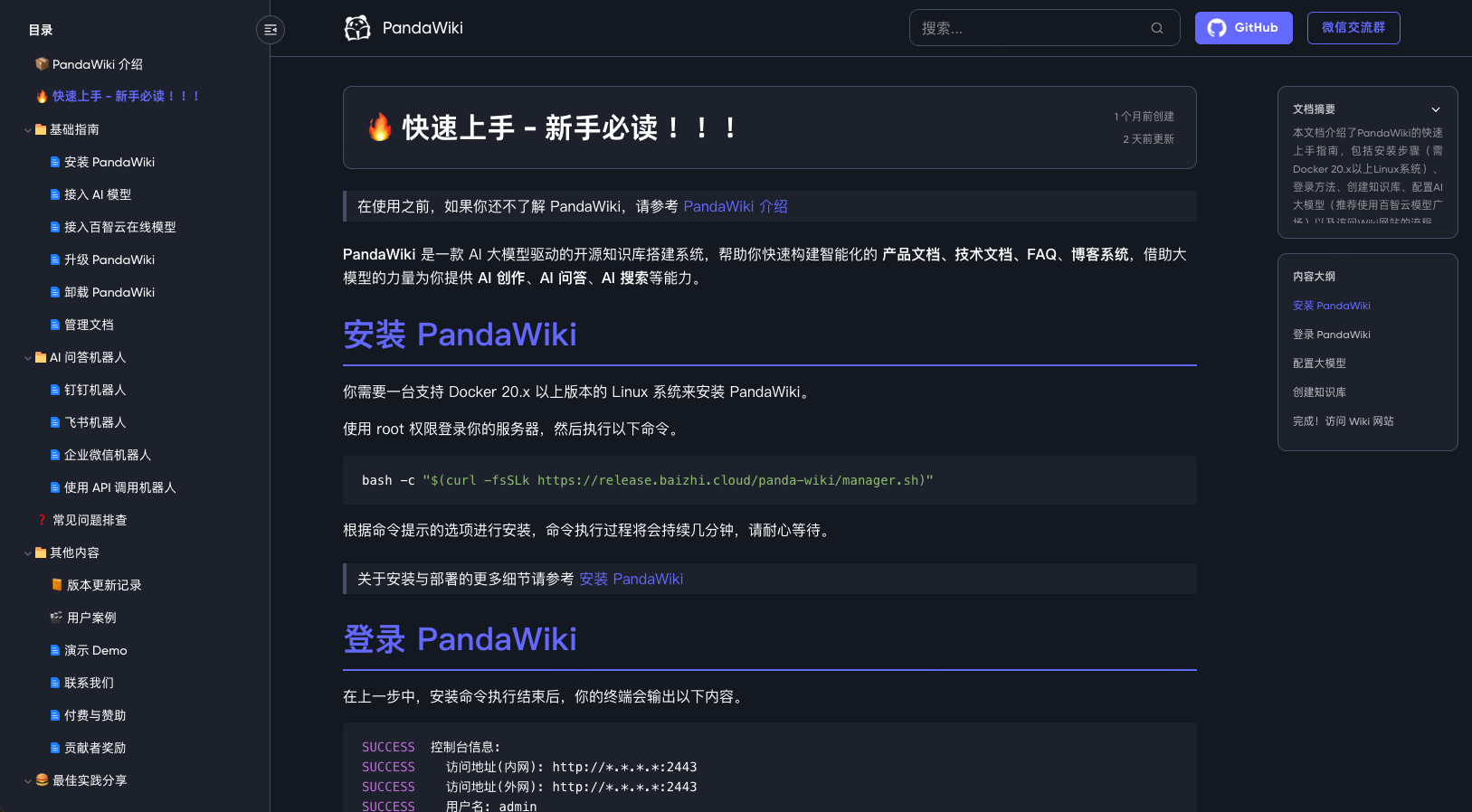
你需要一台支持 Docker 20.x 以上版本的 Linux 系统来安装 PandaWiki。
使用 root 权限登录你的服务器,然后执行以下命令。
bash -c "$(curl -fsSLk https://release.baizhi.cloud/panda-wiki/manager.sh)"
根据命令提示的选项进行安装,命令执行过程将会持续几分钟,请耐心等待。
关于安装与部署的更多细节请参考 安装 PandaWiki。
登录 PandaWiki
在上一步中,安装命令执行结束后,你的终端会输出以下内容。
SUCCESS  控制台信息:
SUCCESS    访问地址(内网): http://*.*.*.*:2443
SUCCESS    访问地址(外网): http://*.*.*.*:2443
SUCCESS    用户名: admin
SUCCESS    密码: **********************
使用浏览器打开上述内容中的 “访问地址”,你将看到 PandaWiki 的控制台登录入口,使用上述内容中的 “用户名” 和 “密码” 登录即可。
配置 AI 模型
PandaWiki 是由 AI 大模型驱动的 Wiki 系统,在未配置大模型的情况下 AI 创作、AI 问答、AI 搜索 等功能无法正常使用。
首次登录时会提示需要先配置 AI 模型,可自行选择一键配置或手动配置。
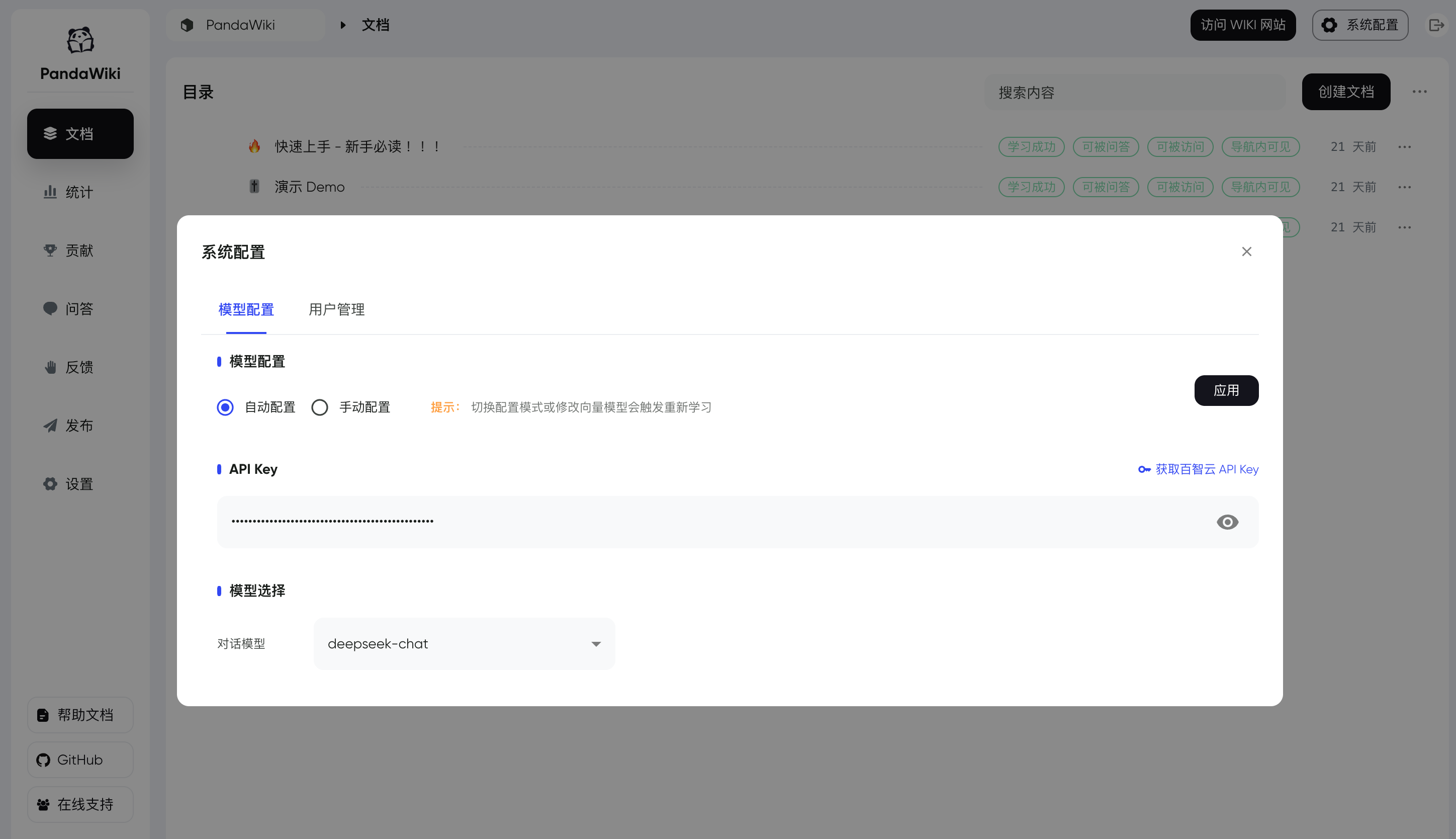
一键自动配置 AI 模型
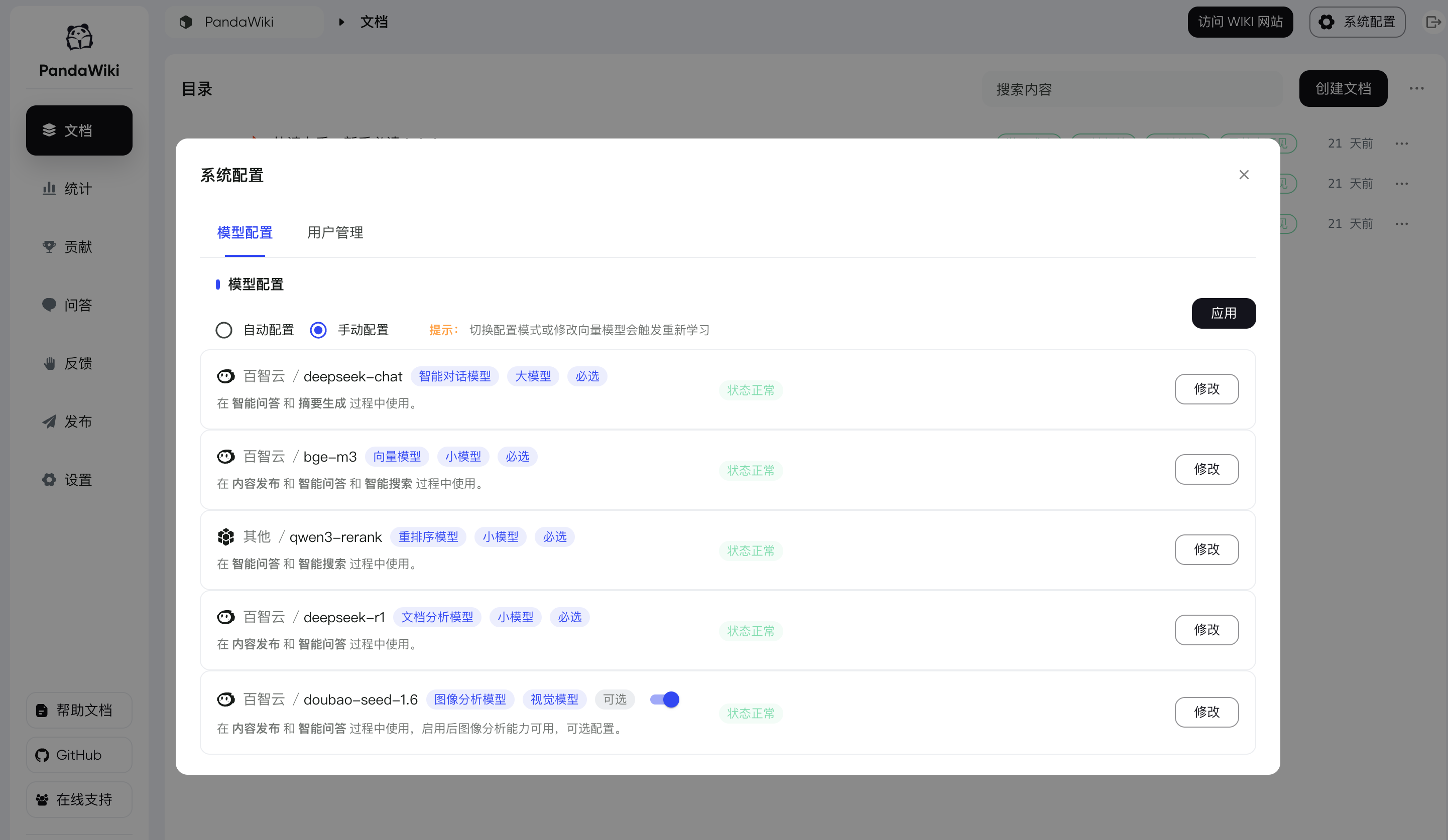
手动自定义配置 AI 模型
推荐使用 百智云模型广场 快速接入 AI 模型,注册即可获赠 5 元的模型使用额度。
关于大模型的更多配置细节请参考 接入 AI 模型。
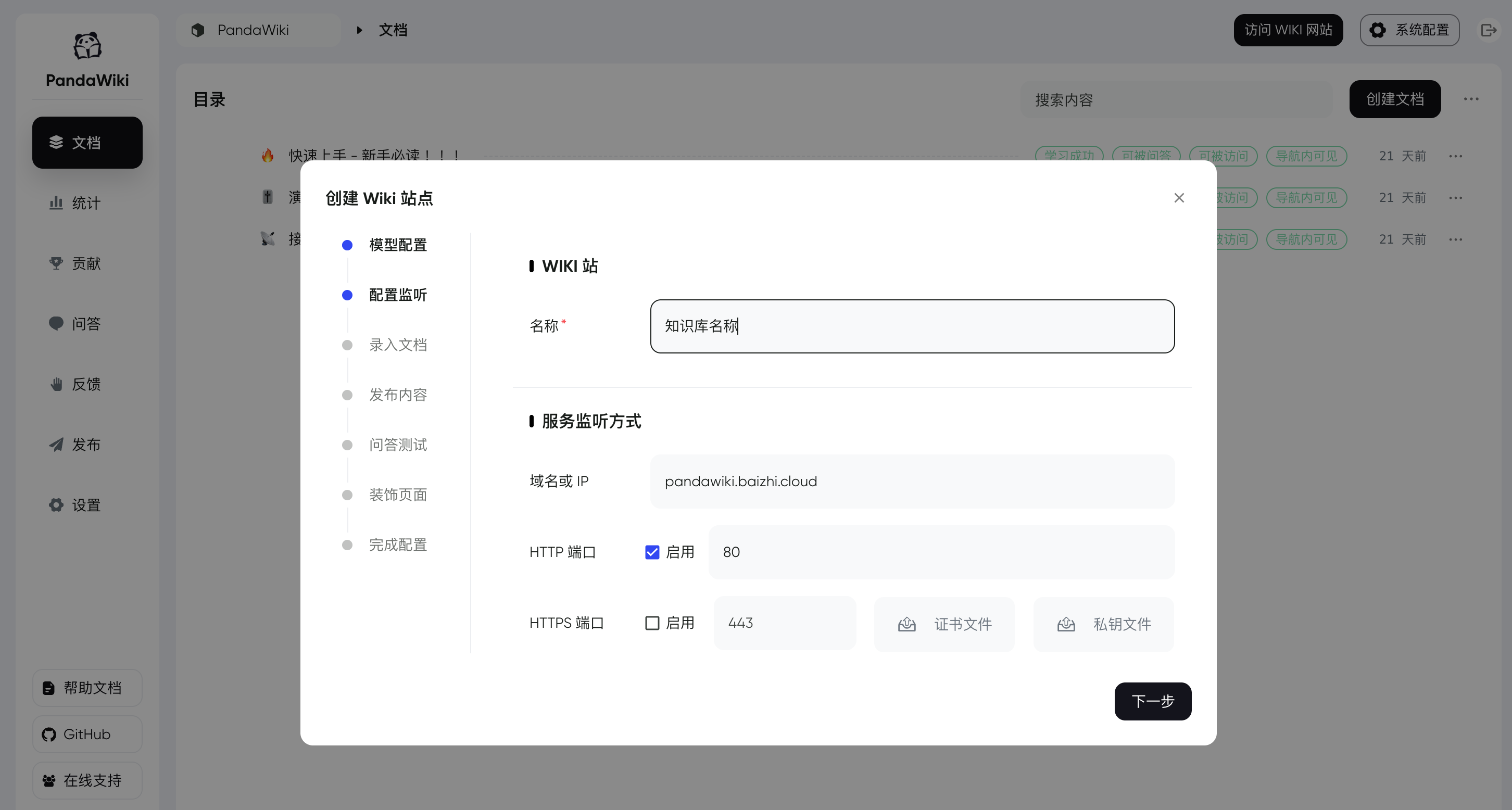
创建知识库
“知识库” 是一组文档的集合,PandaWiki 将会根据知识库中的文档,为不同的知识库分别创建 “Wiki 网站”。
💪 开始使用
如果你顺利完成了以上步骤,那么恭喜你,属于你的 PandaWiki 搭建成功,你可以:
- 访问 控制台 来管理你的知识库并上传文档等待学习成功
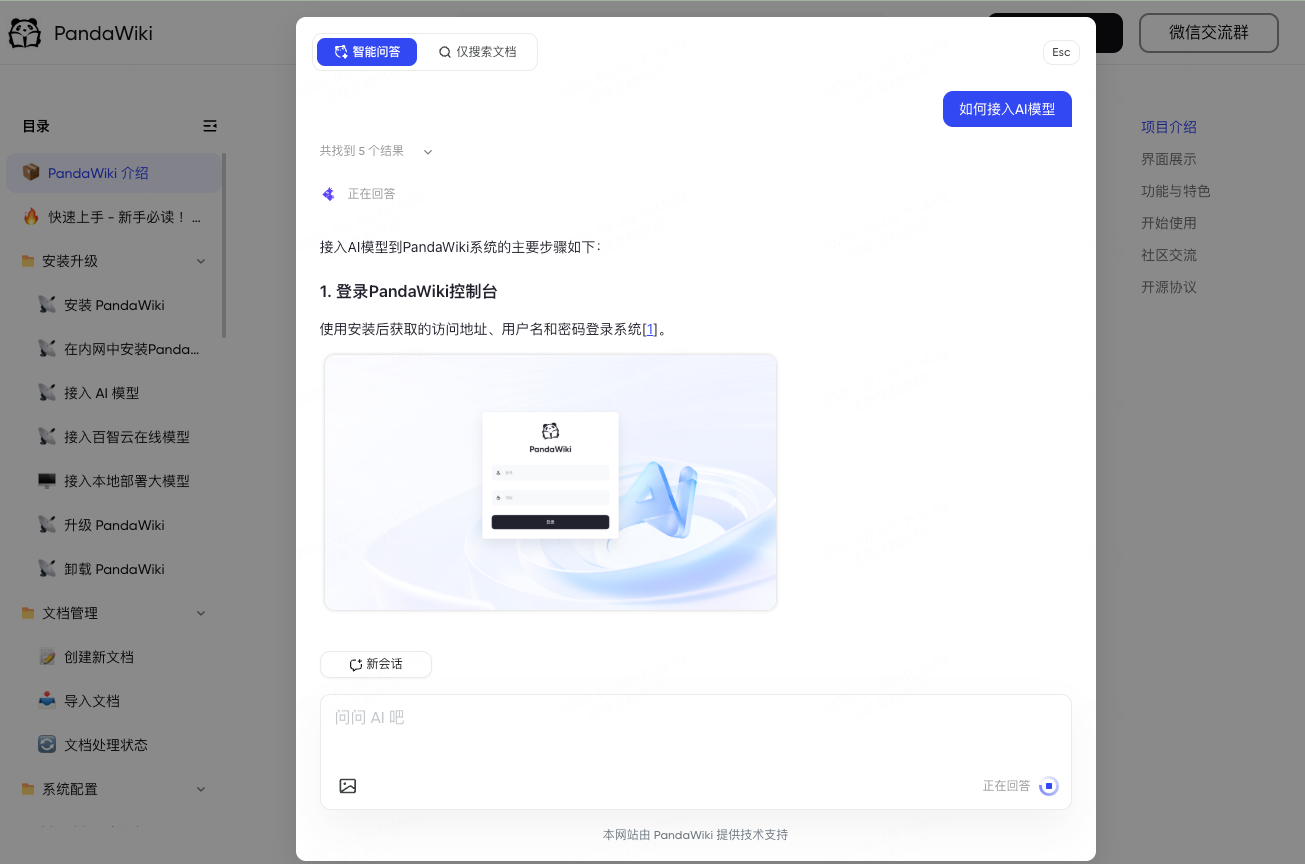
- 访问 Wiki 网站 使用知识库并测试AI问答效果
💬 遇到问题
如在使用产品过程中遇到问题,可通过以下方式获取帮助:
- 📘查阅官方文档:常见问题,更多内容请参考文档目录。
- 🤖不想翻文档?试试 AI 问答,快速获取答案。
- 🤝加入社区:扫码加入下方企业微信群,与更多用户及官方人员交流经验、获得帮助。
社区交流
欢迎加入我们的微信群进行交流。

🙋♂️ 贡献
欢迎提交 Pull Request 或创建 Issue 来帮助改进项目。
📝 许可证
本项目采用 GNU Affero General Public License v3.0 (AGPL-3.0) 许可证。这意味着:
- 你可以自由使用、修改和分发本软件
- 你必须以相同的许可证开源你的修改
- 如果你通过网络提供服务,也必须开源你的代码
- 商业使用需要遵守相同的开源要求
Star History