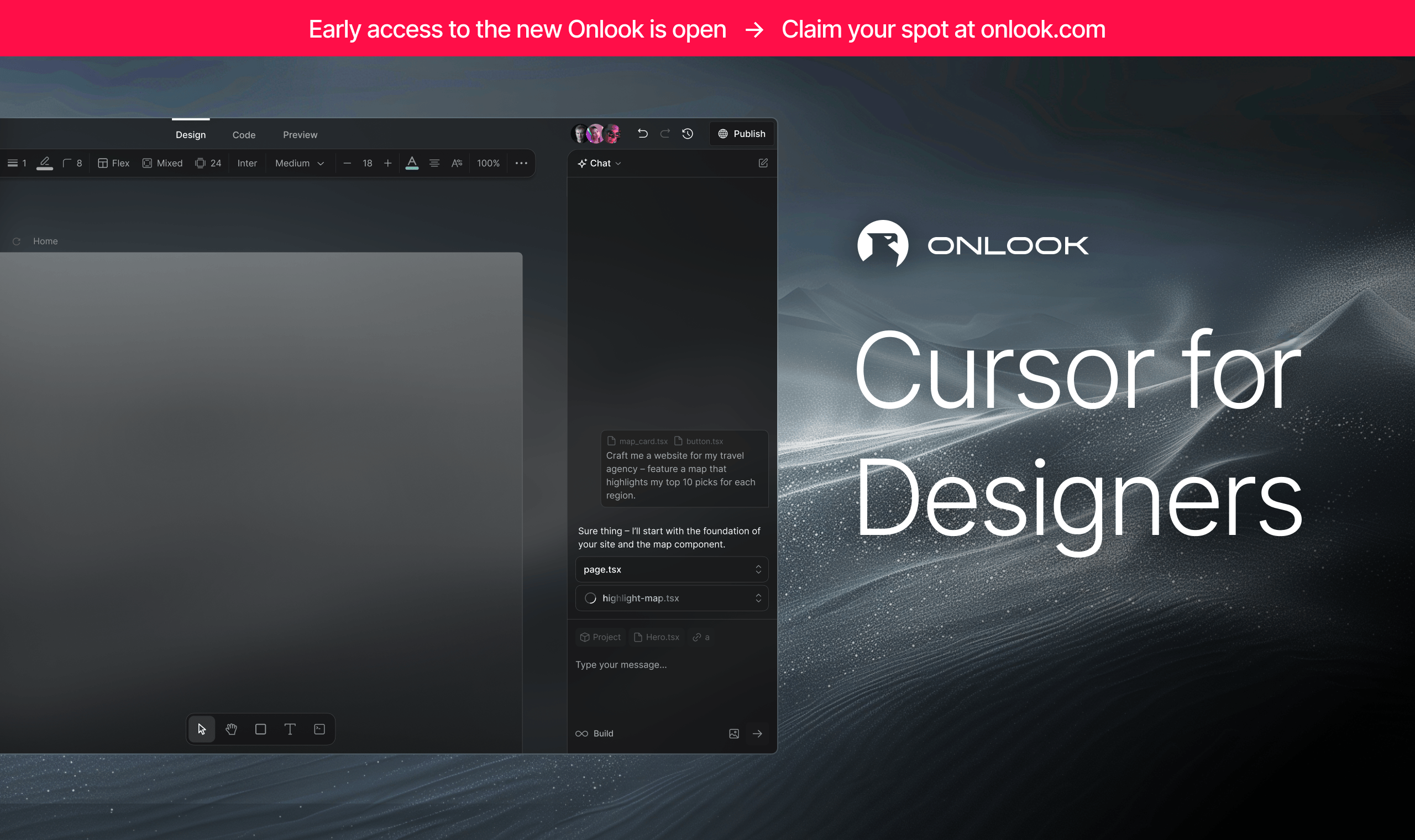
Onlook is a free, open source frameworks & platforms project written in TypeScript and released under Apache-2.0. It has 26,752 GitHub stars, 2,101 forks and 380 open issues, and was last pushed 24 days ago. On this registry it ranks #9 of 28 tracked projects in Frameworks & Platforms, with 5 head-to-head comparisons available. It gained 33 stars over the last 6 tracked days.

What is Onlook?

Onlook is an open-source, Apache-2.0 visual editor for Next.js and TailwindCSS projects that lets designers and developers edit a running React app in the browser while the underlying code changes in real time.

What it is

Onlook is a visual-first code editor that runs on top of an existing codebase rather than beside it. When a project is imported, the code loads into a web container, the container serves the app, and the editor displays that preview inside an iFrame. Onlook then reads and indexes the code from the container and instruments it so every rendered element maps back to its exact position in the source. Edits made visually are applied to the element in the iFrame first, then written through to the code, which keeps the design surface and the repository in sync instead of forcing a round trip through export and re-import.

The concrete problem it solves is the gap between design tools and the codebase they describe. Designers working in Figma-style UIs normally hand off static specifications that engineers rebuild by hand, and the two artifacts drift apart immediately. Onlook replaces that handoff by making the running Next.js application itself the design canvas. Right-clicking an element opens its exact location in code, and the AI chat has the same code access and tooling as the developer, so text prompts and direct manipulation produce real commits rather than mockups.

Key capabilities

  • Creates a Next.js application in seconds, starting from text, an image, or a prebuilt template.
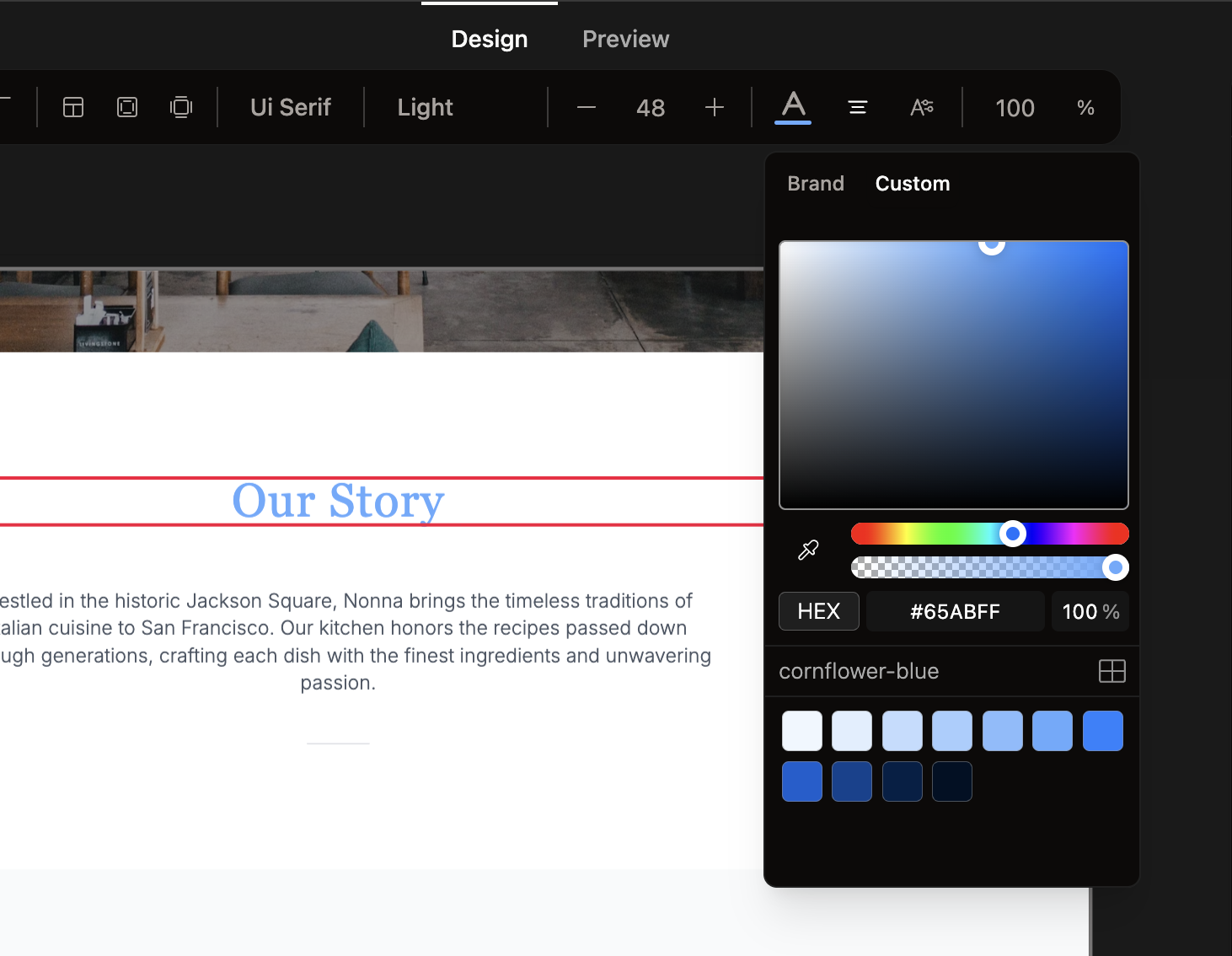
  • Provides a Figma-like visual editing surface over the live DOM, with a toolbar for adjusting Tailwind styles, manipulating objects, and experimenting with layouts.
  • Supports drawing in new divs and rearranging them inside their parent containers by drag-and-drop.
  • Maps elements to source: right-click any element to jump to its exact location in code.
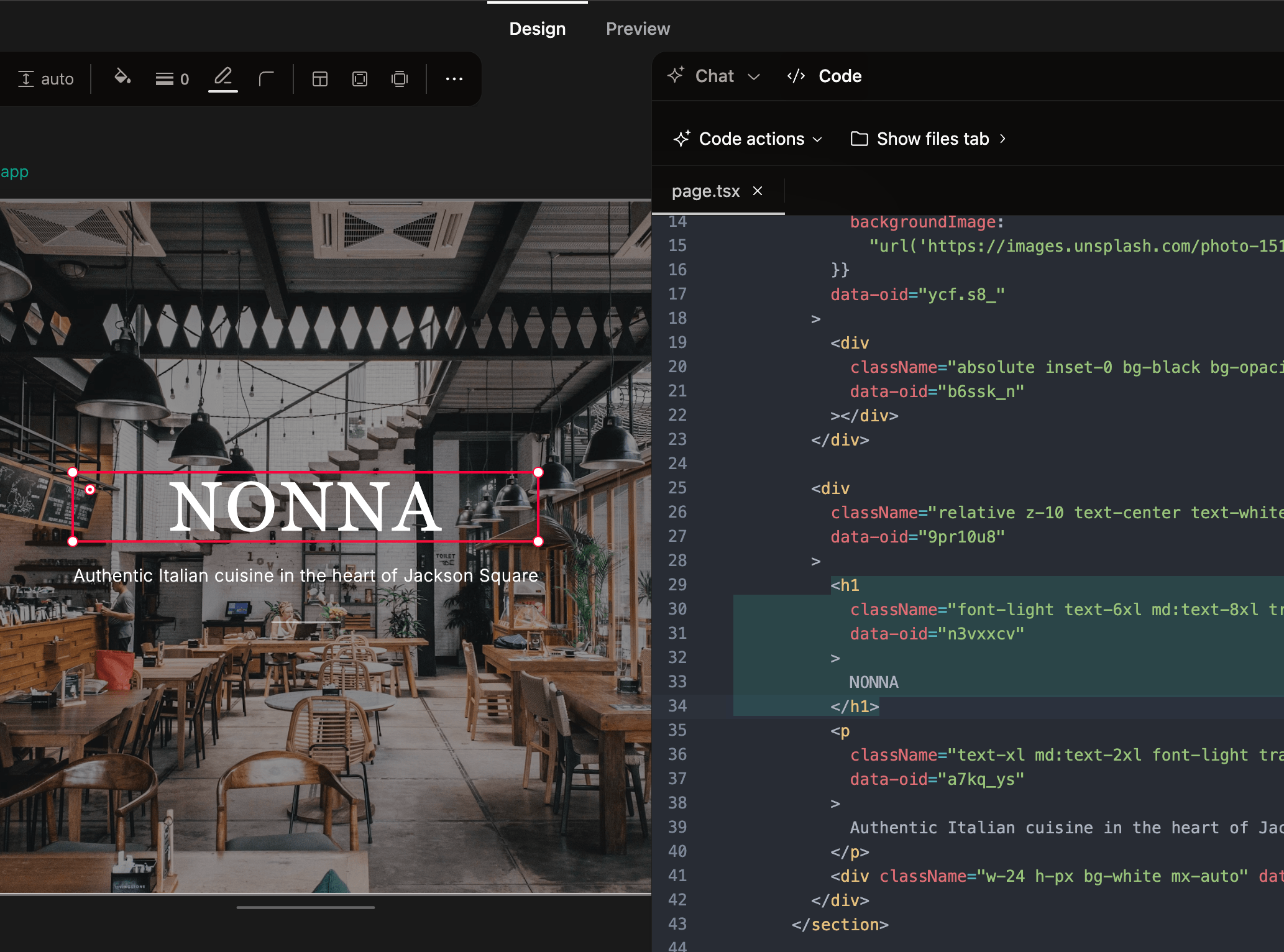
  • Runs a real-time code editor alongside the preview so design and code can be viewed side by side.
  • Saves and restores work from checkpoints, and uses branching to experiment with design directions.
  • Manages brand assets, tokens, project images, pages, and component detection, and browses the layer tree.
  • Runs commands through a CLI, connects to an app marketplace, deploys the app, generates shareable links, and links a custom domain.

Who uses it and how

  • AI-native designers who work directly against a codebase instead of producing static handoff files.
  • Frontend teams on Next.js and TailwindCSS that want visual iteration without abandoning the repository as the source of truth.
  • Prototypers who start from a text description or a reference image and need a working app rather than a mockup.
  • Developers who queue multiple AI chat messages at once while continuing to edit visually in the same session.
  • Teams experimenting with design variants through branching, then deploying and sharing a link or attaching a custom domain.

Getting started

Use the hosted app at onlook.com, or run it locally by following the instructions at docs.onlook.com/developers/running-locally.

How it compares

Onlook positions itself as an open-source alternative to Bolt.new, Lovable, V0, Replit Agent, Figma Make, and Webflow. Those products are hosted services, so the project files, the AI pipeline, and the deployment target sit with the vendor, while Onlook is Apache-2.0 licensed and can be run locally against code that stays in the developer's own repository. The trade-off is that the vendor-hosted offerings carry no operational burden, whereas a self-hosted Onlook instance is something the adopter maintains.

When to use it — and when not to

Self-hosting means operating the web container that builds and serves each project, plus whatever infrastructure the local development setup described in the docs requires. Do not pick Onlook for non-Next.js or non-Tailwind projects: both are listed as unsupported, and the README is explicit that it runs only on Next.js plus TailwindCSS. Team collaboration and comments are still unimplemented, MCP setup is not yet available, and images as references and assets are incomplete, so teams needing multi-user editing should wait. The hosted product for AI-native designers is in early access behind a waitlist, and the GitHub README is largely a feature checklist that defers real setup detail to the external docs.

project readme (upstream, from github) — read inline

Onlook

The design tool for AI-native designers — now in early access.
Onlook makes designing on top of your codebase effortless. Craft exceptional experiences with AI in code.

→ Join the waitlist

👨‍💻👩‍💻👨‍💻 We're hiring engineers in SF! 👩‍💻👨‍💻👩‍💻


View Demo · Report Bug · Request Feature

[![Discord][discord-shield]][discord-url] [![LinkedIn][linkedin-shield]][linkedin-url] [![Twitter][twitter-shield]][twitter-url]

中文 | Español | Deutsch | français | Português | Русский | 日本語 | 한국어

This is the open-source visual editor that started Onlook (Next.js + Tailwind). The hosted product we're building next, for AI-native designers, is in early access via the waitlist above.

An Open-Source, Visual-First Code Editor

Craft websites, prototypes, and designs with AI in Next.js + TailwindCSS. Make edits directly in the browser DOM with a visual editor. Design in realtime with code. An open-source alternative to Bolt.new, Lovable, V0, Replit Agent, Figma Make, Webflow, etc.

What you can do with Onlook:

  • Create Next.js app in seconds
    • Start from text or image
    • Use prebuilt templates
  • Visually edit your app
    • Use Figma-like UI
    • Preview your app in real-time
    • Manage brand assets and tokens
    • Create and navigate to Pages
    • Browse layers
    • Manage project Images
    • Detect and use Components – Previously in Onlook Desktop
    • Drag-and-drop Components Panel
    • Use Branching to experiment with designs
  • Development Tools
    • Real-time code editor
    • Save and restore from checkpoints
    • Run commands via CLI
    • Connect with app marketplace
  • Deploy your app in seconds
    • Generate sharable links
    • Link your custom domain
  • Collaborate with your team
    • Real-time editing
    • Leave comments
  • Advanced AI capabilities
    • Queue multiple messages at once
    • Use Images as references and as assets in a project
    • Setup and use MCPs in projects
    • Allow Onlook to use itself as a toolcall for branch creation and iteration
  • Advanced project support
    • Support non-NextJS projects
    • Support non-Tailwind projects

Onlook-GitHub-Example

Getting Started

Use our hosted app or run locally.

Usage

Onlook will run on any Next.js + TailwindCSS project, import your project into Onlook or start from scratch within the editor.

Use the AI chat to create or edit a project you're working on. At any time, you can always right-click an element to open up the exact location of the element in code.

image

Draw-in new divs and re-arrange them within their parent containers by dragging-and-dropping.


Preview the code side-by-side with your site design.

Use Onlook's editor toolbar to adjust Tailwind styles, directly manipulate objects, and experiment with layouts.
Documentation

For full documentation, visit docs.onlook.com

To see how to Contribute, visit Contributing to Onlook in our docs.

How it works
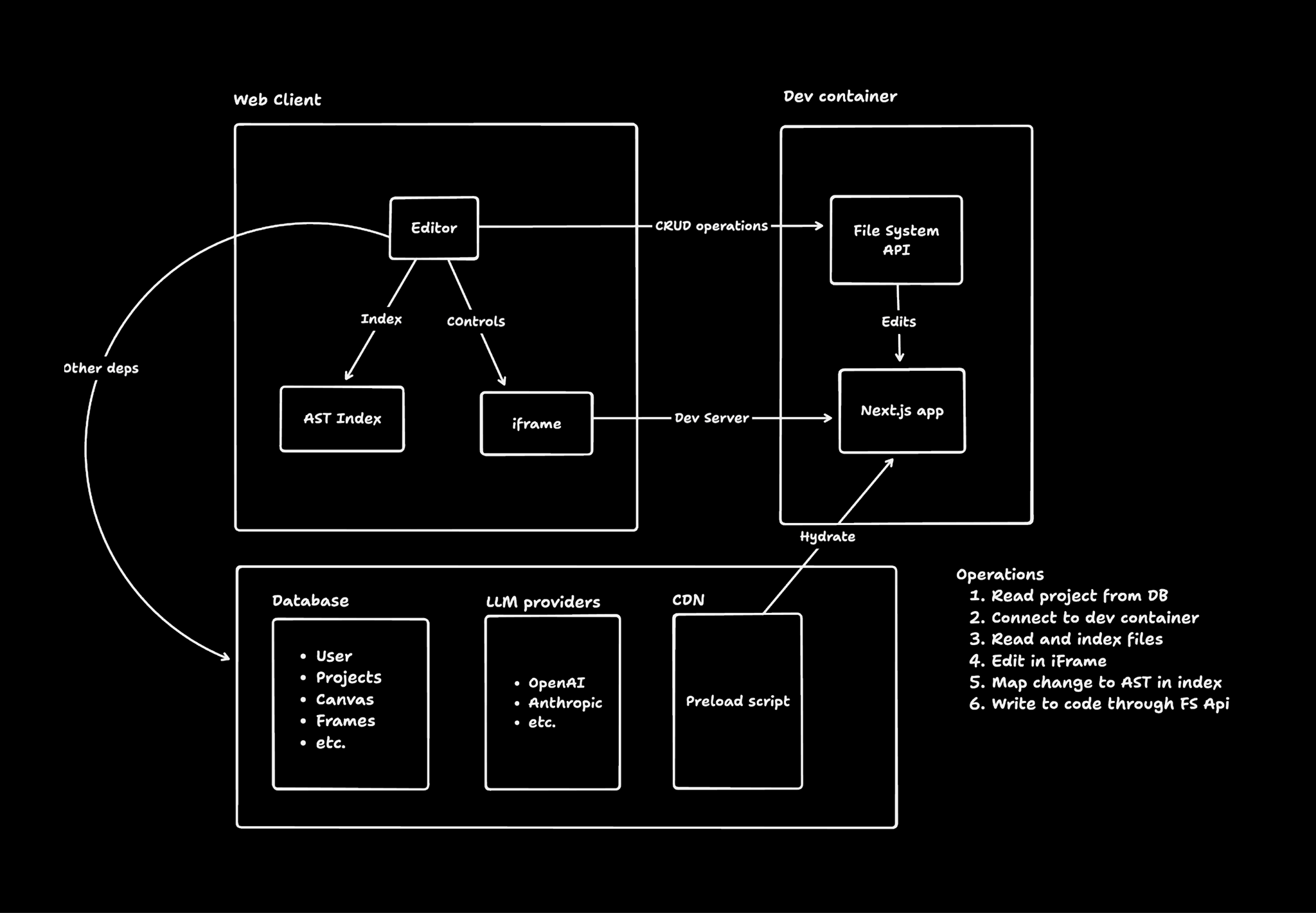
  1. When you create an app, we load the code into a web container
  2. The container runs and serves the code
  3. Our editor receives the preview link and displays it in an iFrame
  4. Our editor reads and indexes the code from the container
  5. We instrument the code in order to map elements to their place in code
  6. When the element is edited, we edit the element in our iFrame, then in code
  7. Our AI chat also has code access and tools to understand and edit the code

This architecture can theoretically scale to any language or framework that displays DOM elements declaratively (e.g. jsx/tsx/html). We are focused on making it work well with Next.js and TailwindCSS for now.

For a full walkthrough, check out our Architecture Docs.

Our Tech Stack

Front-end
Database
AI
Sandbox and hosting
Runtime
  • Bun - Monorepo, runtime, bundler
  • Docker - Container management

Contributing

image

If you have a suggestion that would make this better, please fork the repo and create a pull request. You can also open issues.

See the CONTRIBUTING.md for instructions and code of conduct.

Contributors

Contact

image

License

Distributed under the Apache 2.0 License. See LICENSE.md for more information.

[stars-shield]

readme truncated — read the full docs on github

Frequently asked questions

Is Onlook free to use?

Onlook is open source under the Apache-2.0 licence. There is no licence fee and no seat count — you can self-host it or, where the project offers one, pay a vendor for a managed version instead.

What does Onlook do?

Visual React editor with real-time code updates

What is Onlook written in?

Onlook is primarily written in TypeScript. Its source is publicly available at https://github.com/onlook-dev/studio, and it has 26,752 GitHub stars.