
One API
✨ 通过标准的 OpenAI API 格式访问所有的大模型,开箱即用 ✨




部署教程 · 使用方法 · 意见反馈 · 截图展示 · 在线演示 · 常见问题 · 相关项目 · 赞赏支持
[!NOTE] 本项目为开源项目,使用者必须在遵循 OpenAI 的使用条款以及法律法规的情况下使用,不得用于非法用途。
根据《生成式人工智能服务管理暂行办法》的要求,请勿对中国地区公众提供一切未经备案的生成式人工智能服务。
[!NOTE] 稳定版 / 预览版镜像地址:justsong/one-api 或者 ghcr.io/songquanpeng/one-api
alpha 版镜像地址:justsong/one-api-alpha 或者 ghcr.io/songquanpeng/one-api-alpha
[!WARNING] 使用 root 用户初次登录系统后,务必修改默认密码
123456!
功能
- 支持多种大模型:
- OpenAI ChatGPT 系列模型(支持 Azure OpenAI API)
- Anthropic Claude 系列模型 (支持 AWS Claude)
- Google PaLM2/Gemini 系列模型
- Mistral 系列模型
- 字节跳动豆包大模型(火山引擎)
- 百度文心一言系列模型
- 阿里通义千问系列模型
- 讯飞星火认知大模型
- 智谱 ChatGLM 系列模型
- 360 智脑
- 腾讯混元大模型
- Moonshot AI
- 百川大模型
- MINIMAX
- Groq
- Ollama
- 零一万物
- 阶跃星辰
- Coze
- Cohere
- DeepSeek
- Cloudflare Workers AI
- DeepL
- together.ai
- novita.ai
- 硅基流动 SiliconCloud
- xAI
- 支持配置镜像以及众多第三方代理服务。
- 支持通过负载均衡的方式访问多个渠道。
- 支持 stream 模式,可以通过流式传输实现打字机效果。
- 支持多机部署,详见此处。
- 支持令牌管理,设置令牌的过期时间、额度、允许的 IP 范围以及允许的模型访问。
- 支持兑换码管理,支持批量生成和导出兑换码,可使用兑换码为账户进行充值。
- 支持渠道管理,批量创建渠道。
- 支持用户分组以及渠道分组,支持为不同分组设置不同的倍率。
- 支持渠道设置模型列表。
- 支持查看额度明细。
- 支持用户邀请奖励。
- 支持以美元为单位显示额度。
- 支持发布公告,设置充值链接,设置新用户初始额度。
- 支持模型映射,重定向用户的请求模型,如无必要请不要设置,设置之后会导致请求体被重新构造而非直接透传,会导致部分还未正式支持的字段无法传递成功。
- 支持失败自动重试。
- 支持绘图接口。
- 支持 Cloudflare AI Gateway,渠道设置的代理部分填写
https://gateway.ai.cloudflare.com/v1/ACCOUNT_TAG/GATEWAY/openai即可。 - 支持丰富的自定义设置,
- 支持自定义系统名称,logo 以及页脚。
- 支持自定义首页和关于页面,可以选择使用 HTML & Markdown 代码进行自定义,或者使用一个单独的网页通过 iframe 嵌入。
- 支持通过系统访问令牌调用管理 API,进而在无需二开的情况下扩展和自定义 One API 的功能,详情请参考此处 API 文档。
- 支持 Cloudflare Turnstile 用户校验。
- 支持用户管理,支持多种用户登录注册方式:
- 邮箱登录注册(支持注册邮箱白名单)以及通过邮箱进行密码重置。
- 支持飞书授权登录(这里有 One API 的实现细节阐述供参考)。
- 支持 GitHub 授权登录。
- 微信公众号授权(需要额外部署 WeChat Server)。
- 支持主题切换,设置环境变量
THEME即可,默认为default,欢迎 PR 更多主题,具体参考此处。 - 配合 Message Pusher 可将报警信息推送到多种 App 上。
部署
基于 Docker 进行部署
# 使用 SQLite 的部署命令:
docker run --name one-api -d --restart always -p 3000:3000 -e TZ=Asia/Shanghai -v /home/ubuntu/data/one-api:/data justsong/one-api
# 使用 MySQL 的部署命令,在上面的基础上添加 `-e SQL_DSN="root:123456@tcp(localhost:3306)/oneapi"`,请自行修改数据库连接参数,不清楚如何修改请参见下面环境变量一节。
# 例如:
docker run --name one-api -d --restart always -p 3000:3000 -e SQL_DSN="root:123456@tcp(localhost:3306)/oneapi" -e TZ=Asia/Shanghai -v /home/ubuntu/data/one-api:/data justsong/one-api
其中,-p 3000:3000 中的第一个 3000 是宿主机的端口,可以根据需要进行修改。
数据和日志将会保存在宿主机的 /home/ubuntu/data/one-api 目录,请确保该目录存在且具有写入权限,或者更改为合适的目录。
如果启动失败,请添加 --privileged=true,具体参考 https://github.com/songquanpeng/one-api/issues/482 。
如果上面的镜像无法拉取,可以尝试使用 GitHub 的 Docker 镜像,将上面的 justsong/one-api 替换为 ghcr.io/songquanpeng/one-api 即可。
如果你的并发量较大,务必设置 SQL_DSN,详见下面环境变量一节。
更新命令:docker run --rm -v /var/run/docker.sock:/var/run/docker.sock containrrr/watchtower -cR
Nginx 的参考配置:
server{
   server_name openai.justsong.cn;  # 请根据实际情况修改你的域名

   location / {
          client_max_body_size  64m;
          proxy_http_version 1.1;
          proxy_pass http://localhost:3000;  # 请根据实际情况修改你的端口
          proxy_set_header Host $host;
          proxy_set_header X-Forwarded-For $remote_addr;
          proxy_cache_bypass $http_upgrade;
          proxy_set_header Accept-Encoding gzip;
          proxy_read_timeout 300s;  # GPT-4 需要较长的超时时间,请自行调整
   }
}
之后使用 Let's Encrypt 的 certbot 配置 HTTPS:
# Ubuntu 安装 certbot:
sudo snap install --classic certbot
sudo ln -s /snap/bin/certbot /usr/bin/certbot
# 生成证书 & 修改 Nginx 配置
sudo certbot --nginx
# 根据指示进行操作
# 重启 Nginx
sudo service nginx restart
初始账号用户名为 root,密码为 123456。
通过宝塔面板进行一键部署
- 安装宝塔面板9.2.0及以上版本,前往 宝塔面板 官网,选择正式版的脚本下载安装;
- 安装后登录宝塔面板,在左侧菜单栏中点击
Docker,首次进入会提示安装Docker服务,点击立即安装,按提示完成安装; - 安装完成后在应用商店中搜索
One-API,点击安装,配置域名等基本信息即可完成安装;
基于 Docker Compose 进行部署
仅启动方式不同,参数设置不变,请参考基于 Docker 部署部分
# 目前支持 MySQL 启动,数据存储在 ./data/mysql 文件夹内
docker-compose up -d

# 查看部署状态
docker-compose ps
手动部署
- 从 GitHub Releases 下载可执行文件或者从源码编译:
git clone https://github.com/songquanpeng/one-api.git # 构建前端 cd one-api/web/default npm install npm run build # 构建后端 cd ../.. go mod download go build -ldflags "-s -w" -o one-api - 运行:
chmod u+x one-api ./one-api --port 3000 --log-dir ./logs - 访问 http://localhost:3000/ 并登录。初始账号用户名为
root,密码为123456。
更加详细的部署教程参见此处。
多机部署
- 所有服务器
SESSION_SECRET设置一样的值。 - 必须设置
SQL_DSN,使用 MySQL 数据库而非 SQLite,所有服务器连接同一个数据库。 - 所有从服务器必须设置
NODE_TYPE为slave,不设置则默认为主服务器。 - 设置
SYNC_FREQUENCY后服务器将定期从数据库同步配置,在使用远程数据库的情况下,推荐设置该项并启用 Redis,无论主从。 - 从服务器可以选择设置
FRONTEND_BASE_URL,以重定向页面请求到主服务器。 - 从服务器上分别装好 Redis,设置好
REDIS_CONN_STRING,这样可以做到在缓存未过期的情况下数据库零访问,可以减少延迟(Redis 集群或者哨兵模式的支持请参考环境变量说明)。 - 如果主服务器访问数据库延迟也比较高,则也需要启用 Redis,并设置
SYNC_FREQUENCY,以定期从数据库同步配置。
环境变量的具体使用方法详见此处。
宝塔部署教程
详见 #175。
如果部署后访问出现空白页面,详见 #97。
部署第三方服务配合 One API 使用
欢迎 PR 添加更多示例。
ChatGPT Next Web
项目主页:https://github.com/Yidadaa/ChatGPT-Next-Web
docker run --name chat-next-web -d -p 3001:3000 yidadaa/chatgpt-next-web
注意修改端口号,之后在页面上设置接口地址(例如:https://openai.justsong.cn/ )和 API Key 即可。
ChatGPT Web
项目主页:https://github.com/Chanzhaoyu/chatgpt-web
docker run --name chatgpt-web -d -p 3002:3002 -e OPENAI_API_BASE_URL=https://openai.justsong.cn -e OPENAI_API_KEY=sk-xxx chenzhaoyu94/chatgpt-web
注意修改端口号、OPENAI_API_BASE_URL 和 OPENAI_API_KEY。
QChatGPT - QQ机器人
项目主页:https://github.com/RockChinQ/QChatGPT
根据文档完成部署后,在 data/provider.json设置requester.openai-chat-completions.base-url为 One API 实例地址,并填写 API Key 到 keys.openai 组中,设置 model 为要使用的模型名称。
运行期间可以通过!model命令查看、切换可用模型。
部署到第三方平台
部署到 Sealos
Sealos 的服务器在国外,不需要额外处理网络问题,支持高并发 & 动态伸缩。
点击以下按钮一键部署(部署后访问出现 404 请等待 3~5 分钟):

部署到 Zeabur
Zeabur 的服务器在国外,自动解决了网络的问题,同时免费的额度也足够个人使用

- 首先 fork 一份代码。
- 进入 Zeabur,登录,进入控制台。
- 新建一个 Project,在 Service -> Add Service 选择 Marketplace,选择 MySQL,并记下连接参数(用户名、密码、地址、端口)。
- 复制链接参数,运行
create database `one-api`创建数据库。 - 然后在 Service -> Add Service,选择 Git(第一次使用需要先授权),选择你 fork 的仓库。
- Deploy 会自动开始,先取消。进入下方 Variable,添加一个
PORT,值为3000,再添加一个SQL_DSN,值为:@tcp(:)/one-api,然后保存。 注意如果不填写SQL_DSN,数据将无法持久化,重新部署后数据会丢失。 - 选择 Redeploy。
- 进入下方 Domains,选择一个合适的域名前缀,如 "my-one-api",最终域名为 "my-one-api.zeabur.app",也可以 CNAME 自己的域名。
- 等待部署完成,点击生成的域名进入 One API。
部署到 Render
Render 提供免费额度,绑卡后可以进一步提升额度
Render 可以直接部署 docker 镜像,不需要 fork 仓库:https://dashboard.render.com
配置
系统本身开箱即用。
你可以通过设置环境变量或者命令行参数进行配置。
等到系统启动后,使用 root 用户登录系统并做进一步的配置。
Note:如果你不知道某个配置项的含义,可以临时删掉值以看到进一步的提示文字。
使用方法
在渠道页面中添加你的 API Key,之后在令牌页面中新增访问令牌。
之后就可以使用你的令牌访问 One API 了,使用方式与 OpenAI API 一致。
你需要在各种用到 OpenAI API 的地方设置 API Base 为你的 One API 的部署地址,例如:https://openai.justsong.cn,API Key 则为你在 One API 中生成的令牌。
注意,具体的 API Base 的格式取决于你所使用的客户端。
例如对于 OpenAI 的官方库:
OPENAI_API_KEY="sk-xxxxxx"
OPENAI_API_BASE="https://<HOST>:<PORT>/v1"
graph LR
    A(用户)
    A --->|使用 One API 分发的 key 进行请求| B(One API)
    B -->|中继请求| C(OpenAI)
    B -->|中继请求| D(Azure)
    B -->|中继请求| E(其他 OpenAI API 格式下游渠道)
    B -->|中继并修改请求体和返回体| F(非 OpenAI API 格式下游渠道)
可以通过在令牌后面添加渠道 ID 的方式指定使用哪一个渠道处理本次请求,例如:Authorization: Bearer ONE_API_KEY-CHANNEL_ID。
注意,需要是管理员用户创建的令牌才能指定渠道 ID。
不加的话将会使用负载均衡的方式使用多个渠道。
环境变量
One API 支持从
.env文件中读取环境变量,请参照.env.example文件,使用时请将其重命名为.env。
REDIS_CONN_STRING:设置之后将使用 Redis 作为缓存使用。- 例子:
REDIS_CONN_STRING=redis://default:redispw@localhost:49153 - 如果数据库访问延迟很低,没有必要启用 Redis,启用后反而会出现数据滞后的问题。
- 如果需要使用哨兵或者集群模式:
- 则需要把该环境变量设置为节点列表,例如:
localhost:49153,localhost:49154,localhost:49155。 - 除此之外还需要设置以下环境变量:
REDIS_PASSWORD:Redis 集群或者哨兵模式下的密码设置。REDIS_MASTER_NAME:Redis 哨兵模式下主节点的名称。
- 则需要把该环境变量设置为节点列表,例如:
- 例子:
SESSION_SECRET:设置之后将使用固定的会话密钥,这样系统重新启动后已登录用户的 cookie 将依旧有效。- 例子:
SESSION_SECRET=random_string
- 例子:
SQL_DSN:设置之后将使用指定数据库而非 SQLite,请使用 MySQL 或 PostgreSQL。- 例子:
- MySQL:
SQL_DSN=root:123456@tcp(localhost:3306)/oneapi - PostgreSQL:
SQL_DSN=postgres://postgres:123456@localhost:5432/oneapi(适配中,欢迎反馈)
- MySQL:
- 注意需要提前建立数据库
oneapi,无需手动建表,程序将自动建表。 - 如果使用本地数据库:部署命令可添加
--network="host"以使得容器内的程序可以访问到宿主机上的 MySQL。 - 如果使用云数据库:如果云服务器需要验证身份,需要在连接参数中添加
?tls=skip-verify。 - 请根据你的数据库配置修改下列参数(或者保持默认值):
SQL_MAX_IDLE_CONNS:最大空闲连接数,默认为100。SQL_MAX_OPEN_CONNS:最大打开连接数,默认为1000。- 如果报错
Error 1040: Too many connections,请适当减小该值。
- 如果报错
SQL_CONN_MAX_LIFETIME:连接的最大生命周期,默认为60,单位分钟。
- 例子:
LOG_SQL_DSN:设置之后将为logs表使用独立的数据库,请使用 MySQL 或 PostgreSQL。FRONTEND_BASE_URL:设置之后将重定向页面请求到指定的地址,仅限从服务器设置。- 例子:
FRONTEND_BASE_URL=https://openai.justsong.cn
- 例子:
MEMORY_CACHE_ENABLED:启用内存缓存,会导致用户额度的更新存在一定的延迟,可选值为true和false,未设置则默认为false。- 例子:
MEMORY_CACHE_ENABLED=true
- 例子:
SYNC_FREQUENCY:在启用缓存的情况下与数据库同步配置的频率,单位为秒,默认为600秒。- 例子:
SYNC_FREQUENCY=60
- 例子:
NODE_TYPE:设置之后将指定节点类型,可选值为master和slave,未设置则默认为master。- 例子:
NODE_TYPE=slave
- 例子:
CHANNEL_UPDATE_FREQUENCY:设置之后将定期更新渠道余额,单位为分钟,未设置则不进行更新。- 例子:
CHANNEL_UPDATE_FREQUENCY=1440
- 例子:
CHANNEL_TEST_FREQUENCY:设置之后将定期检查渠道,单位为分钟,未设置则不进行检查。 +例子:CHANNEL_TEST_FREQUENCY=1440POLLING_INTERVAL:批量更新渠道余额以及测试可用性时的请求间隔,单位为秒,默认无间隔。- 例子:
POLLING_INTERVAL=5
- 例子:
BATCH_UPDATE_ENABLED:启用数据库批量更新聚合,会导致用户额度的更新存在一定的延迟可选值为true和false,未设置则默认为false。- 例子:
BATCH_UPDATE_ENABLED=true - 如果你遇到了数据库连接数过多的问题,可以尝试启用该选项。
- 例子:
BATCH_UPDATE_INTERVAL=5:批量更新聚合的时间间隔,单位为秒,默认为5。- 例子:
BATCH_UPDATE_INTERVAL=5
- 例子:
- 请求频率限制:
GLOBAL_API_RATE_LIMIT:全局 API 速率限制(除中继请求外),单 ip 三分钟内的最大请求数,默认为180。GLOBAL_WEB_RATE_LIMIT:全局 Web 速率限制,单 ip 三分钟内的最大请求数,默认为60。
- 编码器缓存设置:
TIKTOKEN_CACHE_DIR:默认程序启动时会联网下载一些通用的词元的编码,如:gpt-3.5-turbo,在一些网络环境不稳定,或者离线情况,可能会导致启动有问题,可以配置此目录缓存数据,可迁移到离线环境。DATA_GYM_CACHE_DIR:目前该配置作用与TIKTOKEN_CACHE_DIR一致,但是优先级没有它高。
RELAY_TIMEOUT:中继超时设置,单位为秒,默认不设置超时时间。RELAY_PROXY:设置后使用该代理来请求 API。USER_CONTENT_REQUEST_TIMEOUT:用户上传内容下载超时时间,单位为秒。USER_CONTENT_REQUEST_PROXY:设置后使用该代理来请求用户上传的内容,例如图片。SQLITE_BUSY_TIMEOUT:SQLite 锁等待超时设置,单位为毫秒,默认3000。GEMINI_SAFETY_SETTING:Gemini 的安全设置,默认BLOCK_NONE。GEMINI_VERSION:One API 所使用的 Gemini 版本,默认为v1。THEME:系统的主题设置,默认为default,具体可选值参考此处。ENABLE_METRIC:是否根据请求成功率禁用渠道,默认不开启,可选值为true和false。METRIC_QUEUE_SIZE:请求成功率统计队列大小,默认为10。METRIC_SUCCESS_RATE_THRESHOLD:请求成功率阈值,默认为0.8。INITIAL_ROOT_TOKEN:如果设置了该值,则在系统首次启动时会自动创建一个值为该环境变量值的 root 用户令牌。INITIAL_ROOT_ACCESS_TOKEN:如果设置了该值,则在系统首次启动时会自动创建一个值为该环境变量的 root 用户创建系统管理令牌。ENFORCE_INCLUDE_USAGE:是否强制在 stream 模型下返回 usage,默认不开启,可选值为true和false。TEST_PROMPT:测试模型时的用户 prompt,默认为Print your model name exactly and do not output without any other text.。
命令行参数
--port: 指定服务器监听的端口号,默认为3000。- 例子:
--port 3000
- 例子:
--log-dir: 指定日志文件夹,如果没有设置,默认保存至工作目录的logs文件夹下。- 例子:
--log-dir ./logs
- 例子:
--version: 打印系统版本号并退出。--help: 查看命令的使用帮助和参数说明。
演示
在线演示
注意,该演示站不提供对外服务: https://openai.justsong.cn
截图展示
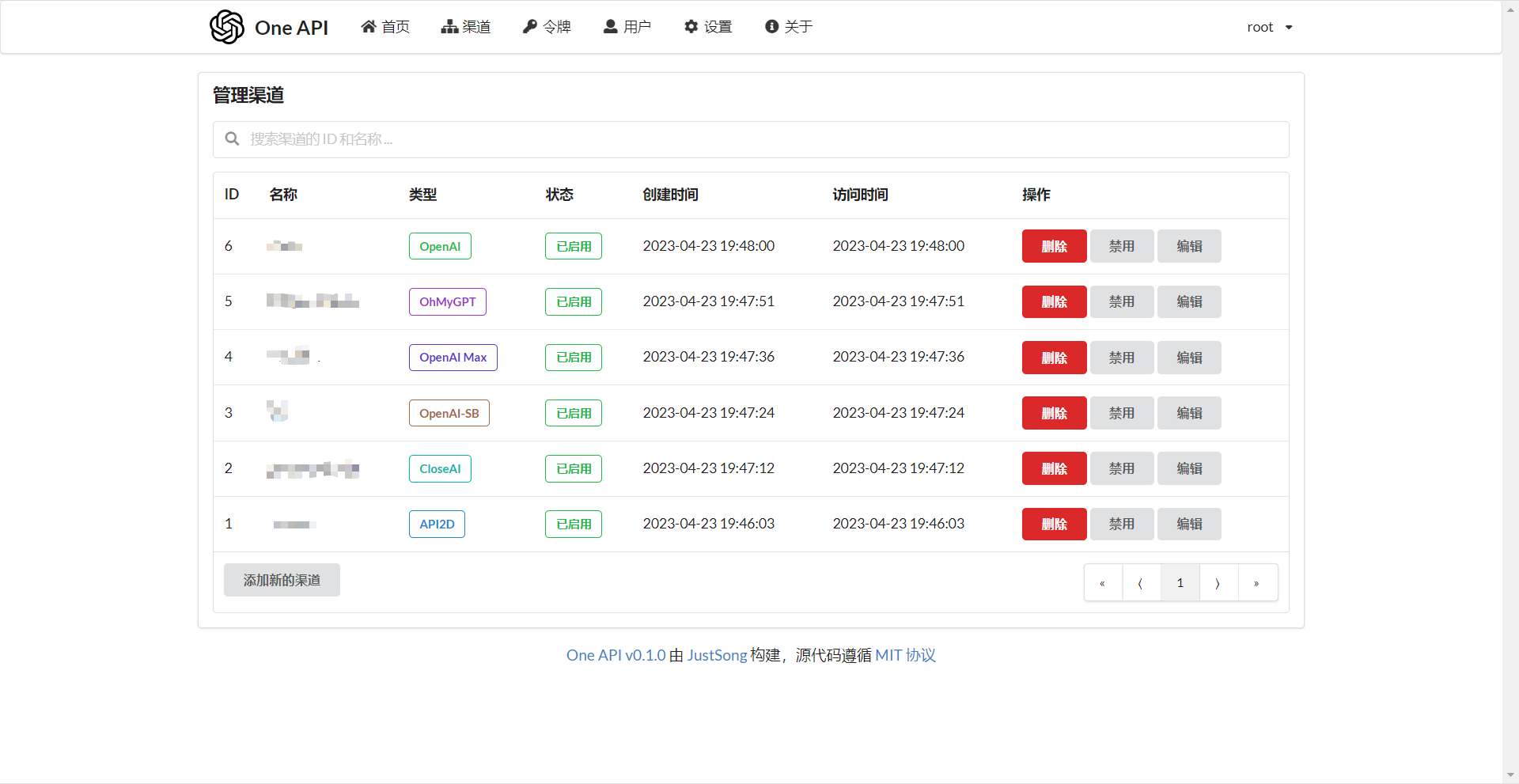
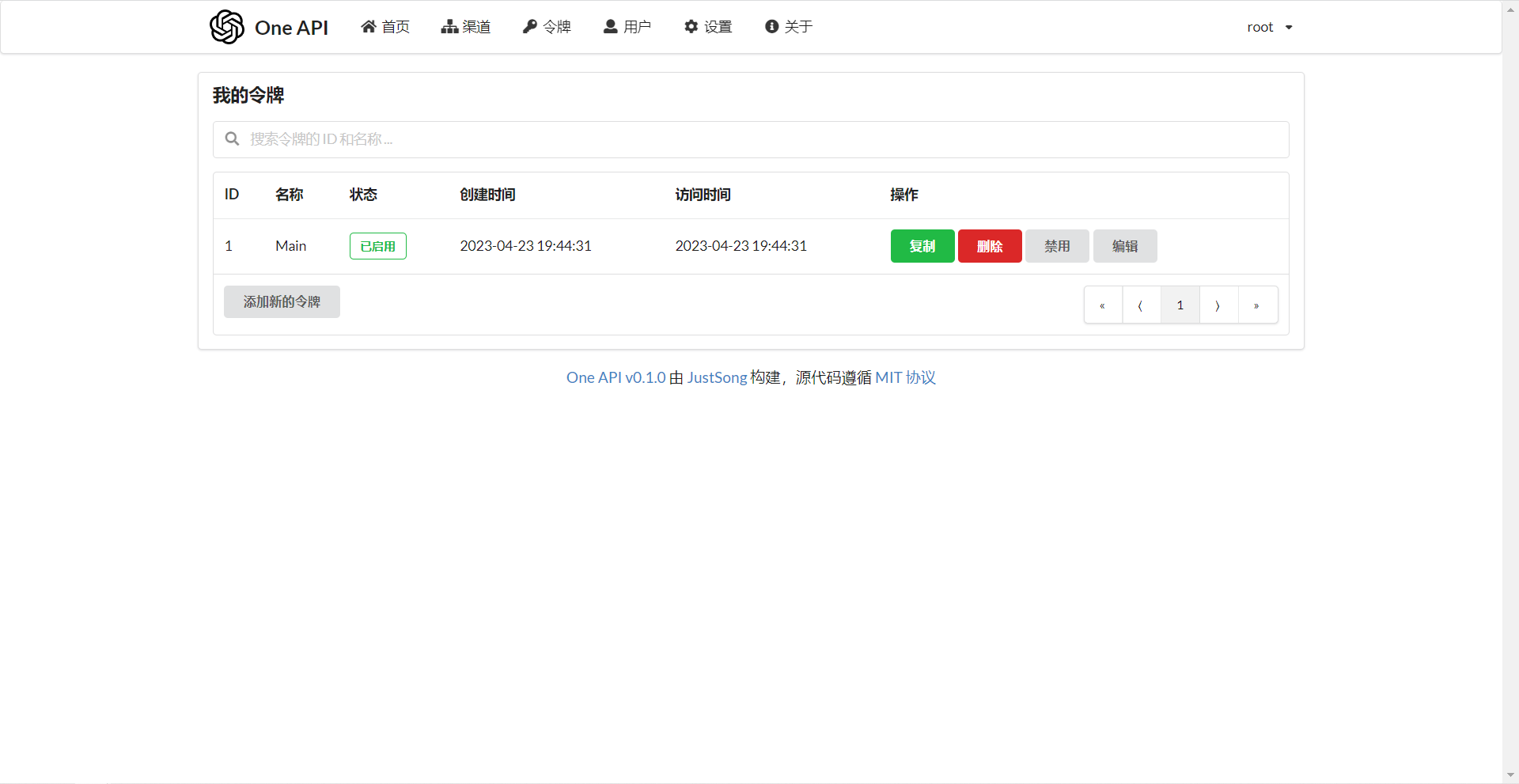
常见问题
- 额度是什么?怎么计算的?One API 的额度计算有问题?
- 额度 = 分组倍率 * 模型倍率 * (提示 token 数 + 补全 token 数 * 补全倍率)
- 其中补全倍率对于 GPT3.5 固定为 1.33,GPT4 为 2,与官方保持一致。
- 如果是非流模式,官方接口会返回消耗的总 token,但是你要注意提示和补全的消耗倍率不一样。
- 注意,One API 的默认倍率就是官方倍率,是已经调整过的。
- 账户额度足够为什么提示额度不足?
- 请检查你的令牌额度是否足够,这个和账户额度是分开的。
- 令牌额度仅供用户设置最大使用量,用户可自由设置。
- 提示无可用渠道?
- 请检查的用户分组和渠道分组设置。
- 以及渠道的模型设置。
- 渠道测试报错:
invalid character '<' looking for beginning of value- 这是因为返回值不是合法的 JSON,而是一个 HTML 页面。
- 大概率是你的部署站的 IP 或代理的节点被 CloudFlare 封禁了。
- ChatGPT Next Web 报错:
Failed to fetch- 部署的时候不要设置
BASE_URL。 - 检查你的接口地址和 API Key 有没有填对。
- 检查是否启用了 HTTPS,浏览器会拦截 HTTPS 域名下的 HTTP 请求。
- 部署的时候不要设置
- 报错:
当前分组负载已饱和,请稍后再试- 上游渠道 429 了。
- 升级之后我的数据会丢失吗?
- 如果使用 MySQL,不会。
- 如果使用 SQLite,需要按照我所给的部署命令挂载 volume 持久化 one-api.db 数据库文件,否则容器重启后数据会丢失。
- 升级之前数据库需要做变更吗?
- 一般情况下不需要,系统将在初始化的时候自动调整。
- 如果需要的话,我会在更新日志中说明,并给出脚本。
- 手动修改数据库后报错:
数据库一致性已被破坏,请联系管理员?- 这是检测到 ability 表里有些记录的渠道 id 是不存在的,这大概率是因为你删了 channel 表里的记录但是没有同步在 ability 表里清理无效的渠道。
- 对于每一个渠道,其所支持的模型都需要有一个专门的 ability 表的记录,表示该渠道支持该模型。
相关项目
- FastGPT: 基于 LLM 大语言模型的知识库问答系统
- ChatGPT Next Web: 一键拥有你自己的跨平台 ChatGPT 应用
- VChart: 不只是开箱即用的多端图表库,更是生动灵活的数据故事讲述者。
- VMind: 不仅自动,还很智能。开源智能可视化解决方案。
- CherryStudio: 全平台支持的AI客户端, 多服务商集成管理、本地知识库支持。
注意
本项目使用 MIT 协议进行开源,在此基础上,必须在页面底部保留署名以及指向本项目的链接。如果不想保留署名,必须首先获得授权。
同样适用于基于本项目的二开项目。
依据 MIT 协议,使用者需自行承担使用本项目的风险与责任,本开源项目开发者与此无关。