OctoBot - Free Open Source Crypto Trading Bot











OctoBot is a free open-source crypto trading bot with a visual user interface. Explore guides, features, and cloud options on octobot.cloud.
The new OctoBot beta is live
The latest release runs in node mode by default. Your node acts as the backend for the new OctoBot interface and mobile app, where you manage wallets, automations, and multiple strategies from a unified and secure dashboard.
From the node interface, you can also start a manual OctoBot instance for backtesting, Telegram, TradingView, and other classic OctoBot workflows.
Read the full beta announcement to learn more about the largest OctoBot update ever.
Please note that the new OctoBot beta is a work in progress. You may hit bugs or incomplete features.
Open source crypto trading bot with a visual user interface
OctoBot is an open source cryptocurrency trading robot designed for crypto investors who want to automate their investment strategies. The bot can automate strategies using built-in:
- Strategies such as grids, DCA strategies, crypto baskets and much more, which can all be configured
- AI connectors to trade using any OpenAI or Ollama model such as ChatGPT, llama or any custom model running on an Ollama server
- TradingView connectors to automate trades from TradingView indicators or strategies
- Social indicators to analyze social data such as Google trends or Reddit
- Technical analysis indicators such as RSI, Moving Averages or MACD
- 15+ exchange integrations including Binance, Coinbase, MEXC and Hyperliquid

The trading bot is written in Python and built as a free open source software since 2018. It can be installed on your system or executed on a cloud provider.
Control OctoBot from desktop, mobile, web, or Telegram
Are you looking for a bot you can set up from the peaceful environment of your home computer and that you can follow from anywhere using your phone?
OctoBot beta: node mode and the new interface
Install the latest release and run OctoBot on your computer or server. Connect to it from the new OctoBot interface in your browser, or from the mobile app.
From one node, run multiple automations (DCA, grids, crypto baskets, TradingView, and more) and monitor your full portfolio in one dashboard.
The new OctoBot's philosophy revolves around 3 pillars:
- Multi-portfolio analysis and automation
- Self custody: your keys never leave your devices
- Zero knowledge privacy: all your data is end-to-end encrypted, no one can read them except you
Web interface and Telegram
OctoBot is designed for crypto investors who want to automate their trading strategies in a simple way, using a graphic interface to:
- Configure the details of their strategy and its traded markets and exchange(s)
- Test and optimize the strategy using backtesting
- Live test it with paper money
- Execute it on a real exchange account, by automatically sending orders to the exchange
A manual OctoBot instance can still be configured and followed using its built-in web interface, making it reachable when running on a cloud server. OctoBot can also be connected to a Telegram bot, turning OctoBot into a Telegram trading bot.
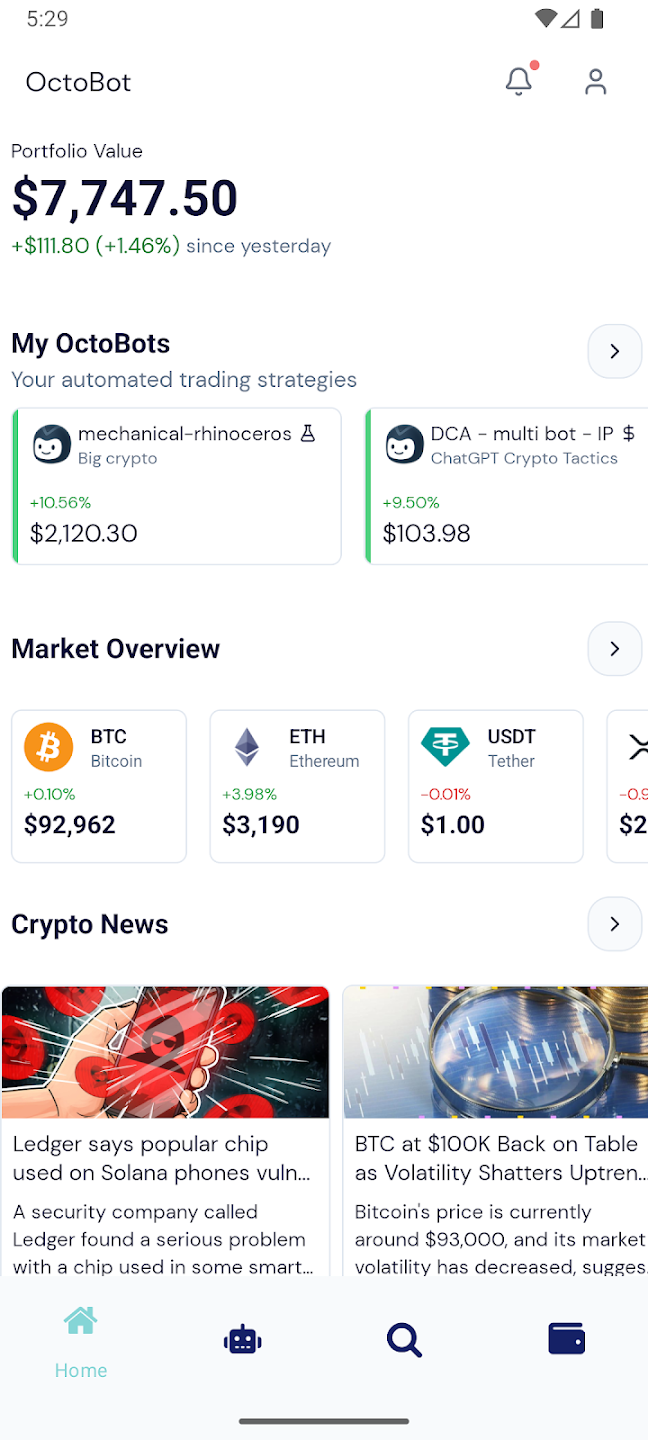
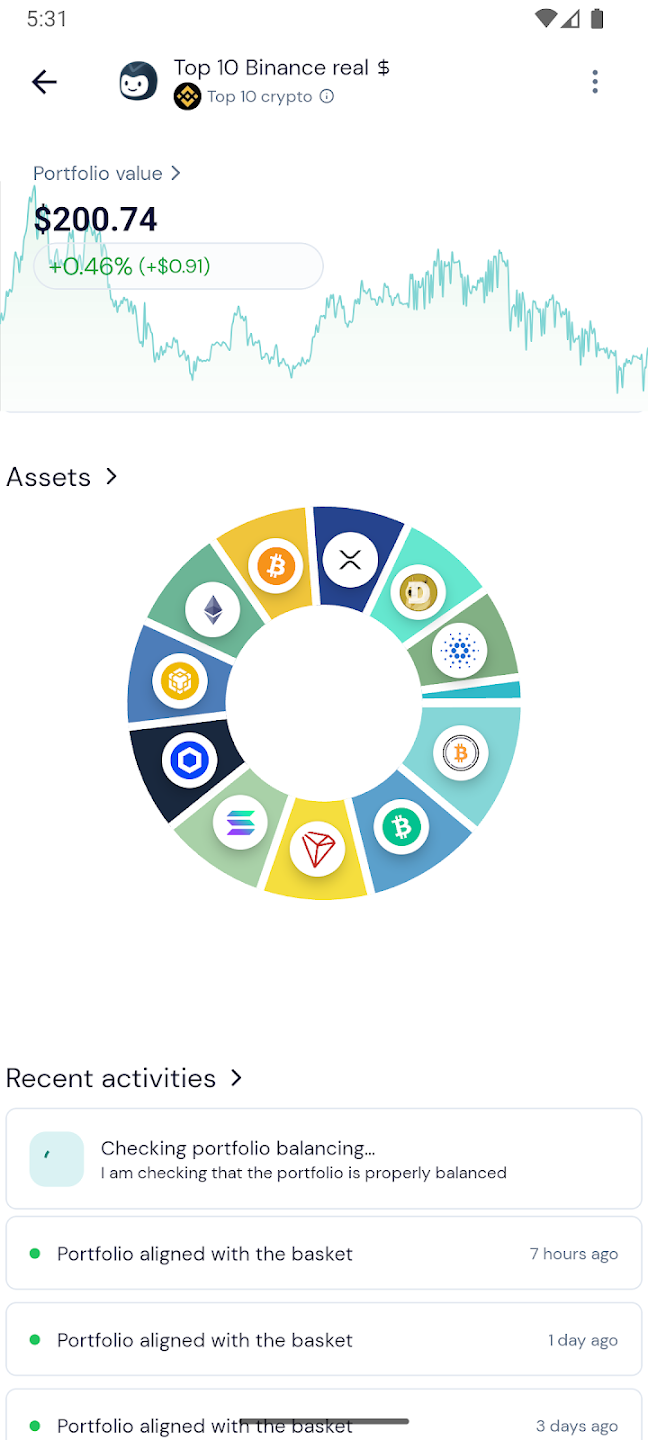
You can also follow your trading bot from the OctoBot mobile app, which is designed to automate octobot.cloud strategies. The app can also be used to follow your open source OctoBot's profits, portfolio, open orders and trades.
The public (non-beta) OctoBot mobile app is designed for octobot.cloud strategies. To manage your open source OctoBot in beta, use the new OctoBot interface or mobile beta app instead.


Live and backtesting trading strategies automation
OctoBot is more than just a strategy execution engine, it can also simulate investments using risk-free paper trading.
Even better, the trading robot comes with its built-in backtesting engine to help you test and optimize your strategy over a long period of time with a simulated portfolio and historical exchange data (only available in manual OctoBots).

Backtesting your trading strategy and portfolio will give you accurate insights on the past performance and behavior of your trading strategy starting from its initial portfolio. This analysis tool gives you all the metrics to create the best version of your strategy before automating it with your real funds, on your exchange account.
Your trading bot for Binance, Coinbase, Hyperliquid and 15+ other exchanges
OctoBot supports the vast majority of crypto exchanges thanks to the great CCXT library.

This wide range of supported exchanges makes it easy to create investment strategies on any crypto, from Bitcoin, Ethereum or Solana to altcoins from the darkest depths of the altcoin forest.
Supported exchanges notably include:
- Binance spot and futures trading using the REST and websocket APIs
- Coinbase spot trading using the REST and websocket APIs
- Bybit spot and futures trading using the REST and websocket APIs. Note: due to a recent update, the Bybit API will soon be available again on OctoBot
- Hyperliquid spot trading (with API Keys) using the REST and websocket APIs
- MEXC spot trading using the REST and websocket APIs
- Kucoin spot and futures trading using the REST and websocket APIs
- All HollaEx-Powered exchanges. Learn more on HollaEx, the open source white label exchange
- Many other such as OKX, Binance US, Crypto.com, HTX, Bitget, BingX, CoinEx, BitMart, Phemex, Gate.io, Ascendex and more on the full list of supported exchanges.
Automate your trading strategies
OctoBot is designed as a one-stop-shop for crypto trading strategies. If you think of a crypto trading strategy, it can most likely be automated by OctoBot, unless it requires very complex custom mechanisms.
AI trading bot
OctoBot can be an AI trading bot using OpenAI models such as ChatGPT. The ChatGPT trading mode is the dedicated OctoBot configuration to give market context to a LLM model, ask for its opinion and trade accordingly.
Local LLM models, such as Ollama llama or any custom model running on your Ollama server can also be used by the bot for deeper customization and cost management.
Grid trading bot
Grid trading is a strategy that extracts value from volatility. Unlike most strategies, it relies on pure math and no statistics. It will "simply" create and maintain many buy and sell orders at regular intervals and generate profits every time both buy and sell orders are executed. The OctoBot grid trading bot can be heavily customized and optimized to be perfectly adapted to your market and exchange.
DCA trading bot
Dollar Cost Averaging (DCA) is a well known investment strategy where you buy on a regular basis in order to profit from local price drops. It allows investors to reduce their overall buying costs. As a DCA trading bot, OctoBot can optimize your investment strategies for short or long term gains with heavy customization and backtesting capabilities.
TradingView trading bot
Use OctoBot as your TradingView trading bot and simply emit alerts from your TradingView indicators or strategies. Use these alerts to trade any crypto market, on any exchange from your TradingView native strategy.
Whether it's from a visual TradingView indicator or a heavily optimized Pine Script strategy, your trades can be automated.
Crypto basket trading bot
Crypto baskets are similar to stock indexes or ETFs. They enable you to invest into many cryptocurrencies, all at once, in a simple way. A crypto basket is a simple way to invest in the whole crypto market at once, or follow coin categories, such as AI or RWA coins.
OctoBot can be used as a crypto basket trading bot and make it simple to invest in customized crypto indexes or follow baskets from the wide range of OctoBot cloud's crypto baskets.
Market Making trading bot
OctoBot can also automate market making strategies to help token creators provide liquidity to their markets.
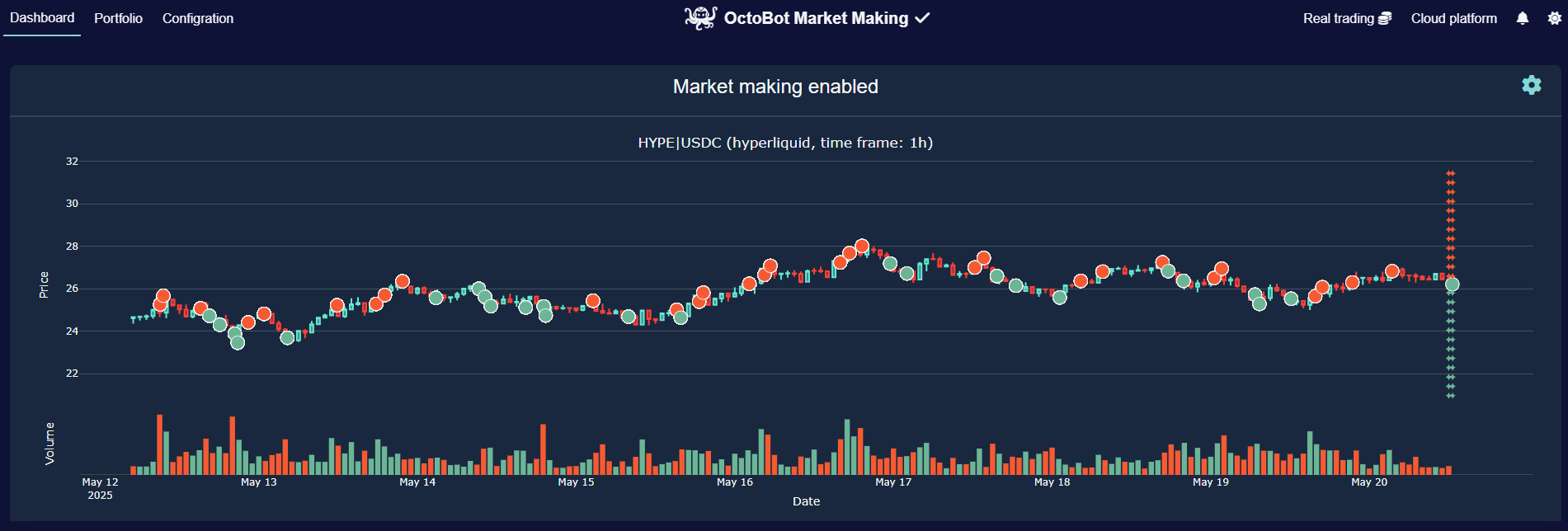
Advanced market making strategies can be automated on market-making.octobot.cloud, the self-service market making platform based on OctoBot. Feel free to contact us if you have any questions about it.
Institutional custom strategies
If you represent an institution that is interested in a commercial license or custom development to suit your specific needs or strategy, please contact us at contact@drakkar.software.
Installing OctoBot, open source crypto trading bot
Starting the latest release runs OctoBot in node mode. See the getting-started guide to connect the new OctoBot interface to your node.
OctoBot can be deployed on the cloud or for free on your computer, server or Raspberry Pi.
Deploying OctoBot with one click on DigitalOcean
OctoBot can be easily launched in the cloud from the DigitalOcean Marketplace.

Using the OctoBot Executable
This is the easiest way to download and install OctoBot on your computer or server. Here is our executable installation guide.
Note: The latest release executables for Windows, MacOS, Linux and Raspberry Pi are automatically built and pushed to the releases page.
Using the OctoBot Docker image
You can also install OctoBot using the OctoBot Docker image. Here is our using Docker installation guide.
Docker install in one-liner:
docker run -itd --name OctoBot -p 80:5001 -v $(pwd)/user:/octobot/user -v $(pwd)/tentacles:/octobot/tentacles -v $(pwd)/logs:/octobot/logs drakkarsoftware/octobot:stable
Installing OctoBot using Python
If you want to install OctoBot from Python, for example in order to edit the code or contribute, here is our Python installation guide.
You might also want to look at our contributing guide to quickly understand how OctoBot is architected.
Minimum hardware requirements
- CPU : 1 Core / 1GHz
- RAM : 250 MB
- Disk : 1 GB
How to contribute to OctoBot
Would you like to add or improve something in OctoBot? We welcome your pull requests!
Please have a look at our contributing guide to read our guidelines.
Contribute to OctoBot from a local IDE
We recommend using a VSCode-based IDE to contribute to OctoBot, however PyCharm can also be used.
As the OctoBot code is split into different repositories, we created a developer installation guide to help you set up a VSCode or PyCharm environment.
Contribute to OctoBot from Ona (formerly Gitpod)
Make changes and contribute to OctoBot in a single click with an already set up and ready to code developer environment using Ona.

Disclaimer
Do not risk money which you are afraid to lose. USE THE SOFTWARE AT YOUR OWN RISK. THE AUTHORS AND ALL AFFILIATES ASSUME NO RESPONSIBILITY FOR YOUR TRADING RESULTS.
Always start by running a trading bot in simulation mode and do not engage money before you understand how it works and what profit/loss you should expect.
Please feel free to read the source code and understand the mechanism of this bot.
Sponsors
| Special thanks to Chatwoot for helping us assist the users of OctoBot. |
|
| Huge thank you to Scaleway for hosting OctoBot's cloud services. |
|
| A big thank you to Sentry for helping us identify and understand errors in OctoBot to make it better. |
|



License
GNU General Public License v3.0 or later.
See GPL-3.0 LICENSE to see the full text.
Give a boost to OctoBot
Do you like what we are building with OctoBot? Consider giving us a star ⭐ to boost the project's visibility!
And join us on the OctoBot channels.