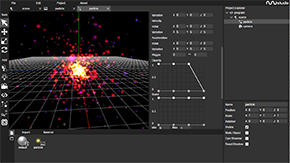
nunuStudio is a free, open source gaming project written in JavaScript and released under MIT. It has 2,243 GitHub stars, 346 forks and 207 open issues, and was last pushed 8 months ago. On this registry it ranks #58 of 76 tracked projects in Gaming, with 5 head-to-head comparisons available.

What is nunuStudio?

nunuStudio is an MIT-licensed, JavaScript-based 3D and WebXR game engine that runs in the browser and gives designers and web developers a visual editor for building interactive 3D experiences for the web.

What it is

nunuStudio is an open-source game engine for the web, built on the three.js rendering library with physics provided by cannon.js. It pairs a runtime with a fully featured visual editor, so a project can be assembled from scenes, materials, textures, shaders and scripts rather than from hand-written rendering code. The editor itself runs in the browser, and the project ships a hosted web version of it alongside the source. Applications produced with it run directly in the web or can be exported as desktop applications through NW.js.

The concrete problem it solves is the assembly work that otherwise sits between three.js and a finished interactive scene. Rather than wiring a scene graph, a physics world, an asset pipeline and a build step by hand, users work inside a single editor that manages project resources, edits materials and shaders, and produces minified builds for both the runtime and the editor through Webpack. It lives squarely in the JavaScript and WebGL ecosystem, and it targets the browser as its primary platform rather than treating the web as an export destination.

Key capabilities

  • A visual application editor with drag-and-drop import of files directly into the project, covering images, video and models.
  • Project resource management alongside editors for materials, textures, shaders and code.
  • Real-time lighting with shadow map support, rendered through three.js.
  • Physics simulation via cannon.js, integrated into the same scene the editor manipulates.
  • A wide range of supported model formats, including glTF, DAE, OBJ, FBX and 3DS.
  • Scripting in either JavaScript or Python through a scripting API intended for complex applications.
  • WebXR compatibility for virtual reality and augmented reality, plus NW.js and Cordova exports for desktop and mobile deployment.

Who uses it and how

  • Web developers and designers who want to build 3D experiences for the browser without assembling a rendering and physics stack from scratch.
  • Teams producing VR or AR content, using the WebXR support to target headsets and augmented reality devices from the same project.
  • Developers who need a desktop build of a web-authored application, exporting through NW.js rather than rewriting for a native target.
  • Mobile deployment scenarios handled through Cordova exports, with the web editor itself tested on Firefox, Chrome and Microsoft Edge, including mobile browsers.
  • Projects that want to pull existing three.js libraries into the editor, since those libraries can be imported and used alongside the built-in tooling.

Getting started

The quickest route is the fully featured web version of the editor hosted on the project page, which requires no installation. To build from source, install Node.js LTS and NPM, run npm install --legacy-peer-deps on Node 16 or newer, then npm run build to generate the minified editor and runtime builds; the package is also published to npm as nunu-studio.

How it compares

Among the tools named in its own documentation, nunuStudio sits above three.js and cannon.js rather than competing with them: those are libraries a developer wires together manually, while nunuStudio wraps them in an editor, an asset pipeline and a build system. It is closest in role to a general editor-plus-runtime, with NW.js and Cordova serving as the packaging layer for desktop and mobile rather than as alternatives to the engine itself.

When to use it — and when not to

Choose nunuStudio when a browser-first 3D or WebXR project benefits from a visual editor and a JavaScript or Python scripting path, and when the MIT licence and self-hosted tooling are what you want. Be prepared to operate a real build chain: the documented build requires Java (JDK 8) alongside Node.js and NPM, and Node 16 or newer needs the --legacy-peer-deps flag, so this is not a zero-dependency setup. Teams that want a managed hosted service, a native-first engine, or a project with no Node and Webpack tooling in the loop should look elsewhere; the repository also carries a substantial open issue count (207 at the time of writing), which is worth weighing before adopting it for a long-lived production title.

project readme (upstream, from github) — read inline

GitHub versionnpm versionGitHub issues GitHub stars FOSSA Status

  • nunuStudio is an open source game engine for the web it allows designers and web developers to easily develop 3D experiences for the web.
  • Powered by three.js can run directly in the web or be exported as desktop application trough nwjs.io.
  • Fully featured visual editor, supports a wide range of file formats, the tools are open source and completely free to use for both personal and commercial usage.
  • Visual scene editor, code editor, visual tools to edit textures, materials, particle emitters and a powerful scripting API that allows the creation of complex applications using JavaScript or Python.
  • Fully featured web version of the editor is available on the project page.
  • The web version is tested with Firefox, Chrome and Microsoft Edge, mobile browsers are supported as well.
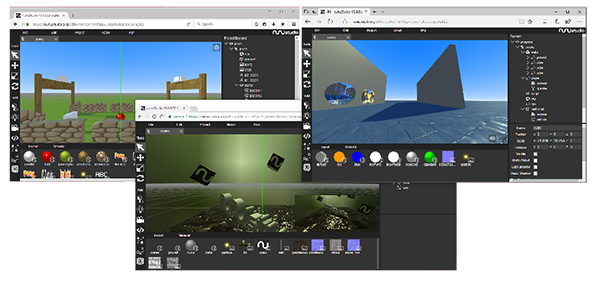
  • API Documentation with full details about the inner working of every module are available. These can also be generated from the project source code by running npm run docs.
  • Basic tutorials are available on the project page. The basic tutorials explain step-by-step how to use the editor.
  • To build the project first install Node.js LTS and NPM:
    • The building system generates minified builds for the runtime and for the editor
    • Documentation generation uses YuiDocs
    • Install dependencies from npm by running npm install --legacy-peer-deps
    • Build editor, runtime and documentation, run npm run build
  • Webpage of the project is built using Angular and is hosted on GitHub Pages

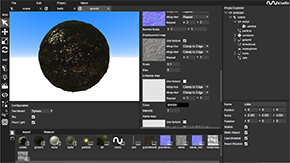
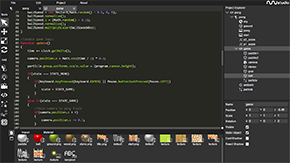
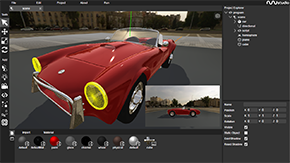
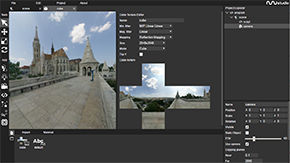
Screenshots
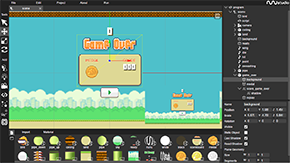
Features

  • Visual application editor
    • Drag and drop files directly into the project (images, video, models, ...)
    • Manage project resources.
    • Edit material, textures, shaders, code, ...
  • Built on three.js library w/ physics by cannon.js
    • Real time lighting and shadow map support
    • three.js libraries can be imported into the editor
    • Wide range of file formats supported (gltf, dae, obj, fbx, 3ds, ...)
  • NW.js and Cordova exports for desktop and mobile deployment
  • Compatible with WebXR for Virtual Reality and Augmented Reality

Build

The project uses Webpack to build and bundle its code base.

  • The building system generates minified builds for the runtime and for the editor
  • JavaScript is optimized and minified using Uglify
  • Documentation generation uses YuiDocs

Steps needed to build the project:

  1. To build the project first install Java, Node.js and NPM and ensure that java command is working properly.
  2. Install dependencies from npm by running npm install.
    1. If running on Node >=16 run npm install --legacy-peer-deps instead
  3. Install the dependencies for the project webpage running cd source/page && npm install
  4. Building/running
    1. Building: to build editor, runtime and documentation, run npm run build
    2. Running: To start the editor locally for development and testing run npm run start

Embedding Application

  • Application developed with can be embedded into already existing web pages, and are compatible with frameworks like Angular or React.
  • To embed applications in HTML pages the following code can be used, the application is bootstrapped using the loadApp(file, id) method.
<html>
    <head>
        <script src="nunu.min.js"></script>
    </head>
    <body onload="Nunu.App.loadApp('pong.nsp', 'canvas')">
        <canvas width="800" height="480" id="canvas"></canvas>
    </body>
</html>

Vue.js with Nuxtjs

  • Build nunu.min.js and place into static/js folder of your nuxt instance
  • Place canvas element into your template area where you want it, for example:
<template>
  <div>
    <canvas
      id="canvas"
      width="800"
      height="480"
    />
</div>
</template>
  • Add the script to your head function of the page you want the 3D integration on (or place is into your global head)
head() {
return {
      script: [
        {
          hid: 'Nunu',
          src: 'assets/js/nunu.min.js',
          defer: true,
          callback: () => {
            Nunu.App.loadApp('assets/file.nsp', 'canvas') //add file to load in here
          },
        },
      ],
    },
  }
  • You are now able to address Nunu as usual within the app.

License

  • The project is distributed under a MIT license that allow for commercial usage of the platform without any cost.
  • The license is available on the project GitHub page

FOSSA Status

Frequently asked questions

Is nunuStudio free to use?

nunuStudio is open source under the MIT licence. There is no licence fee and no seat count — you can self-host it or, where the project offers one, pay a vendor for a managed version instead.

What does nunuStudio do?

Web powered cross-platform 3D, WebXR game engine.

What is nunuStudio written in?

nunuStudio is primarily written in JavaScript. Its source is publicly available at https://github.com/tentone/nunuStudio, and it has 2,243 GitHub stars.