NooBox is a GPL-3.0 Chrome extension, written in TypeScript and React, that bundles reverse image search, bulk image extraction, timed page refresh and HTML5 video control into one toolbar download for people who want those utilities without installing several separate extensions.
What it is
NooBox — also written 二箱 — is a browser extension for Google Chrome, distributed through the Chrome Web Store and as a downloadable CRX file. Its stated purpose is to hold a set of small utility tools in a single package, and the README lists four: Search By Image, Extract Images, Auto Refresh, and HTML5 Video Control, the last marked "(Abort)". The project is written in TypeScript and uses React, and it is licensed under GPL-3.0. Development is current: last push 2025-11-21, 524 stars, 54 forks, 37 open issues.
The concrete problem it solves is stated most sharply for image search. The README quotes Life Hacker on the general difficulty of tracing where an image came from, then narrows the problem to one line: "The results from one search engine are limited." NooBox replaces the manual routine of saving an image, opening several reverse-image-search engines in separate tabs, and uploading the file to each one by hand. It grabs results from different engines in one action, and it extends the same grab-and-collect idea to images embedded in the current page, which the user can bulk download as a zip.
Key capabilities
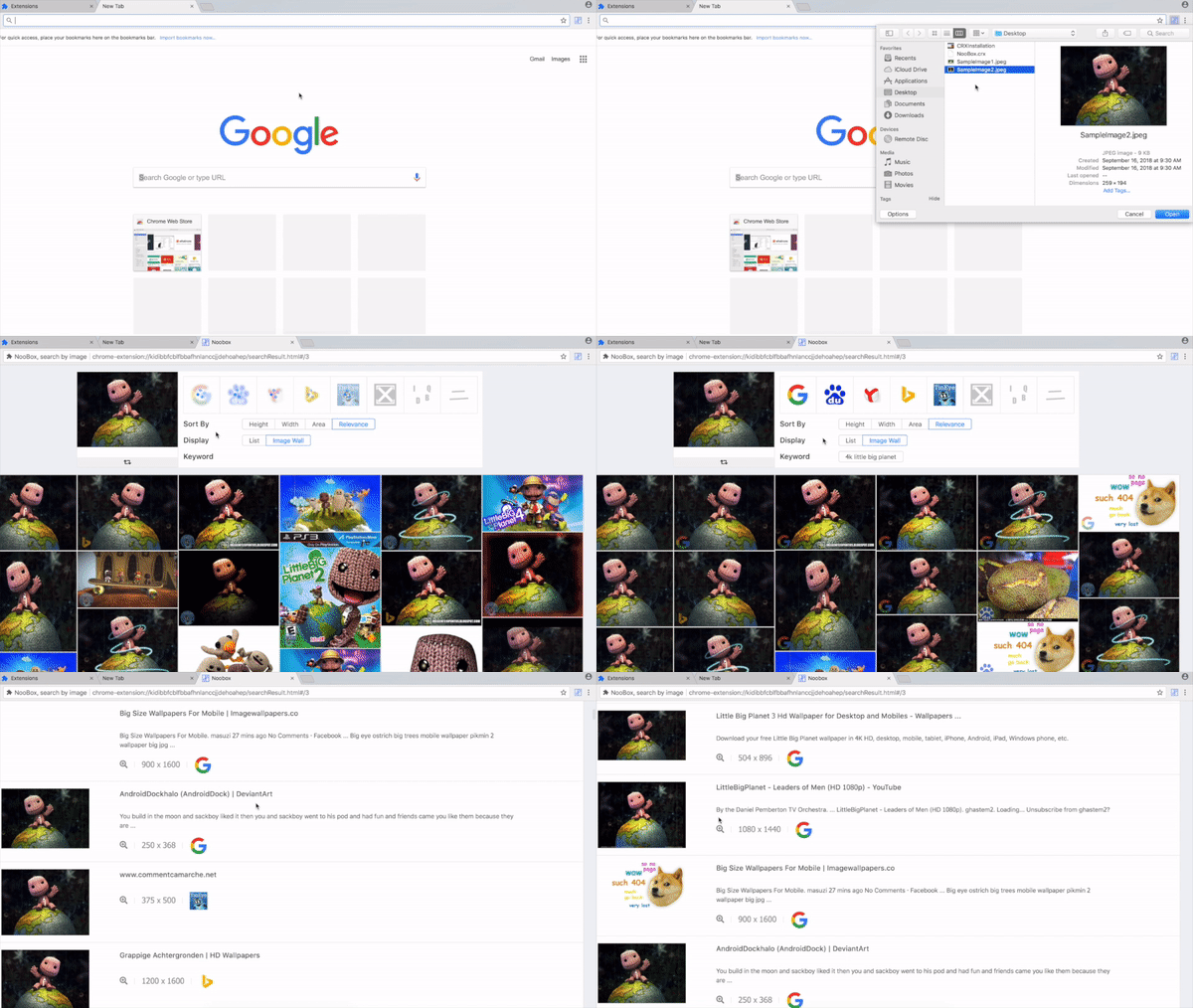
- Reverse image search across multiple engines in one pass, addressing the README's stated problem that "The results from one search engine are limited."
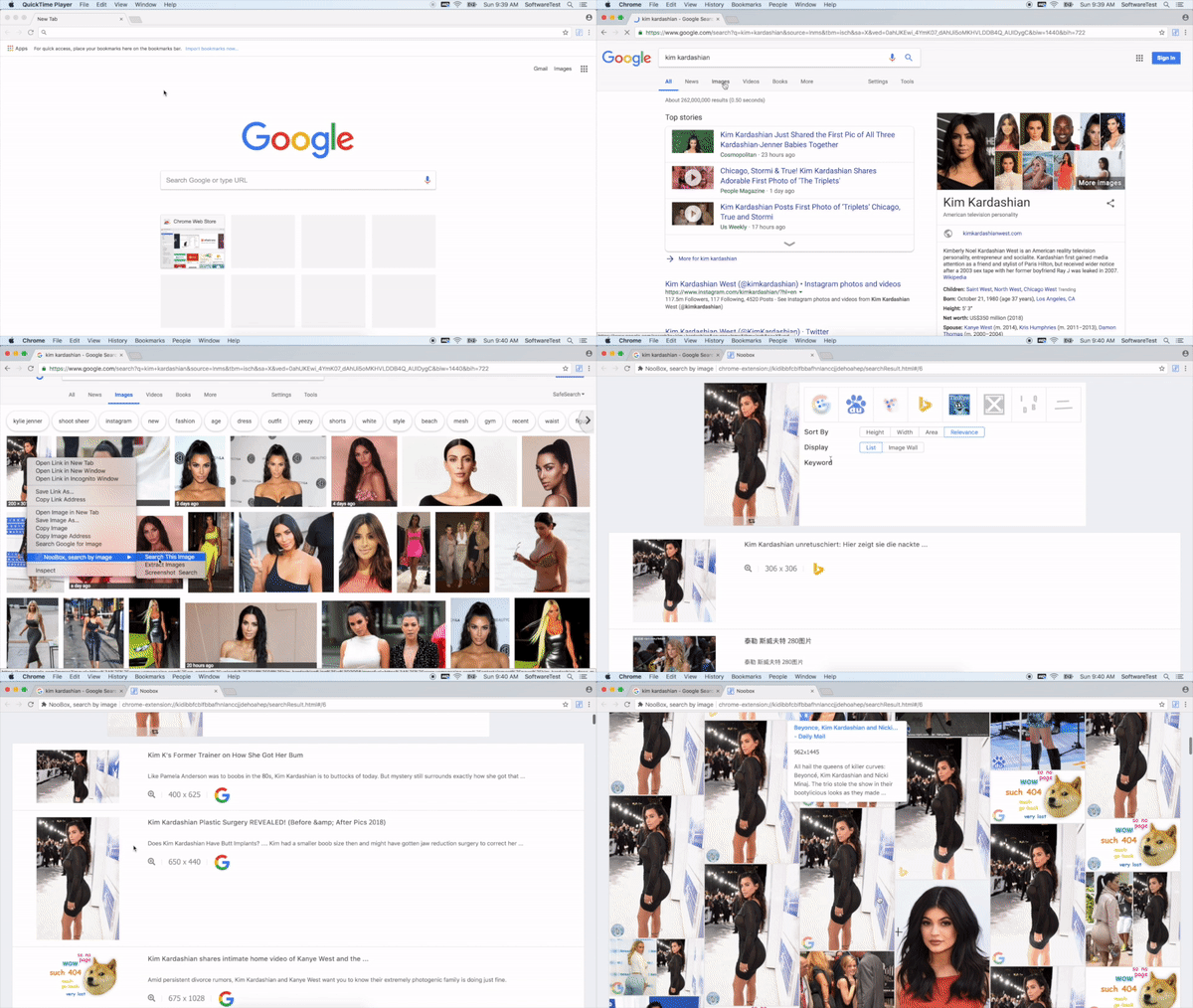
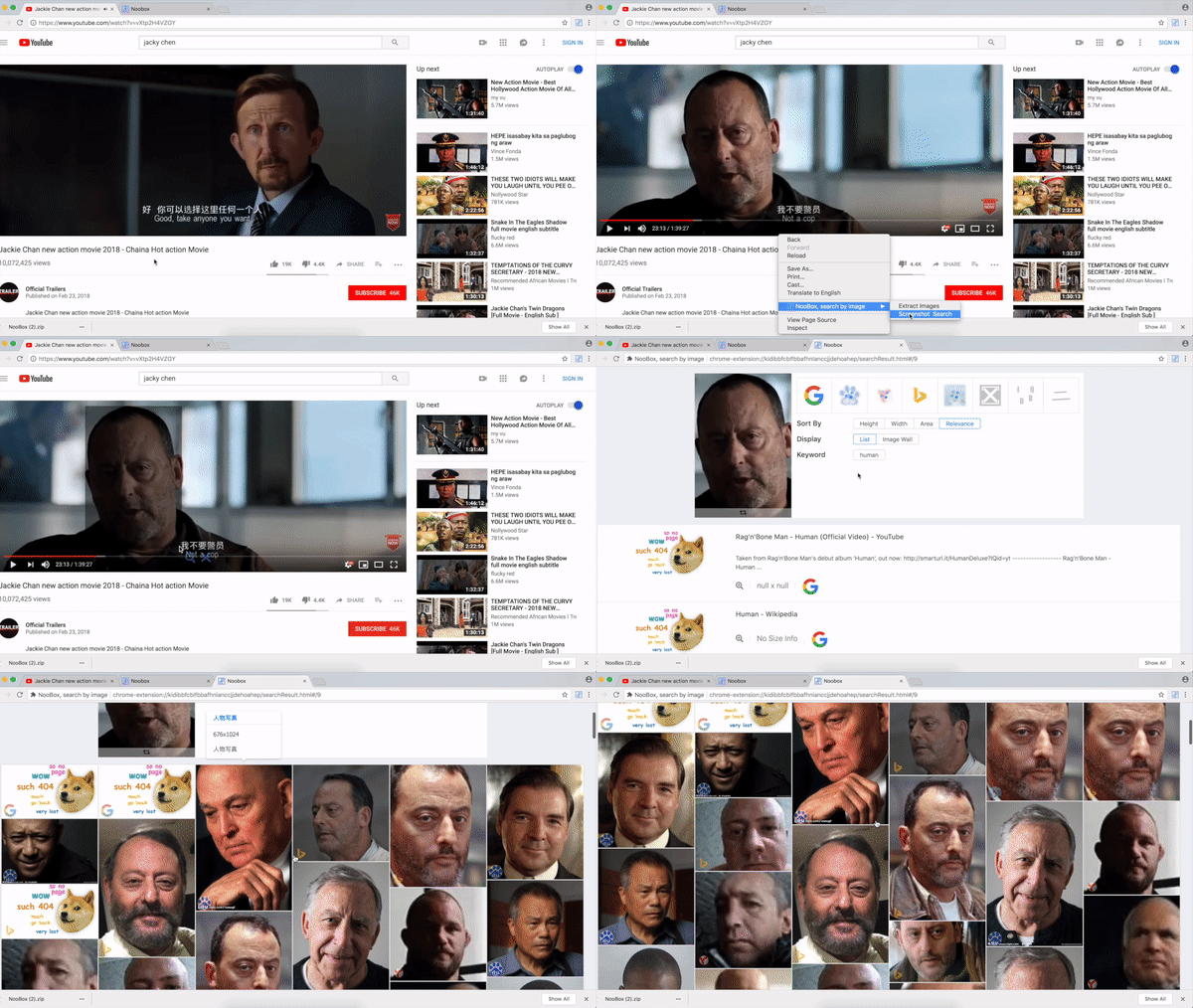
- Four input methods for image search: "Select to Search" (upload a local image), "Drag to Search" (drag a local image), "Right-Click Menu Search" (right-click any image on a page), and "Screen Shot Search" (screenshot an image, then search).
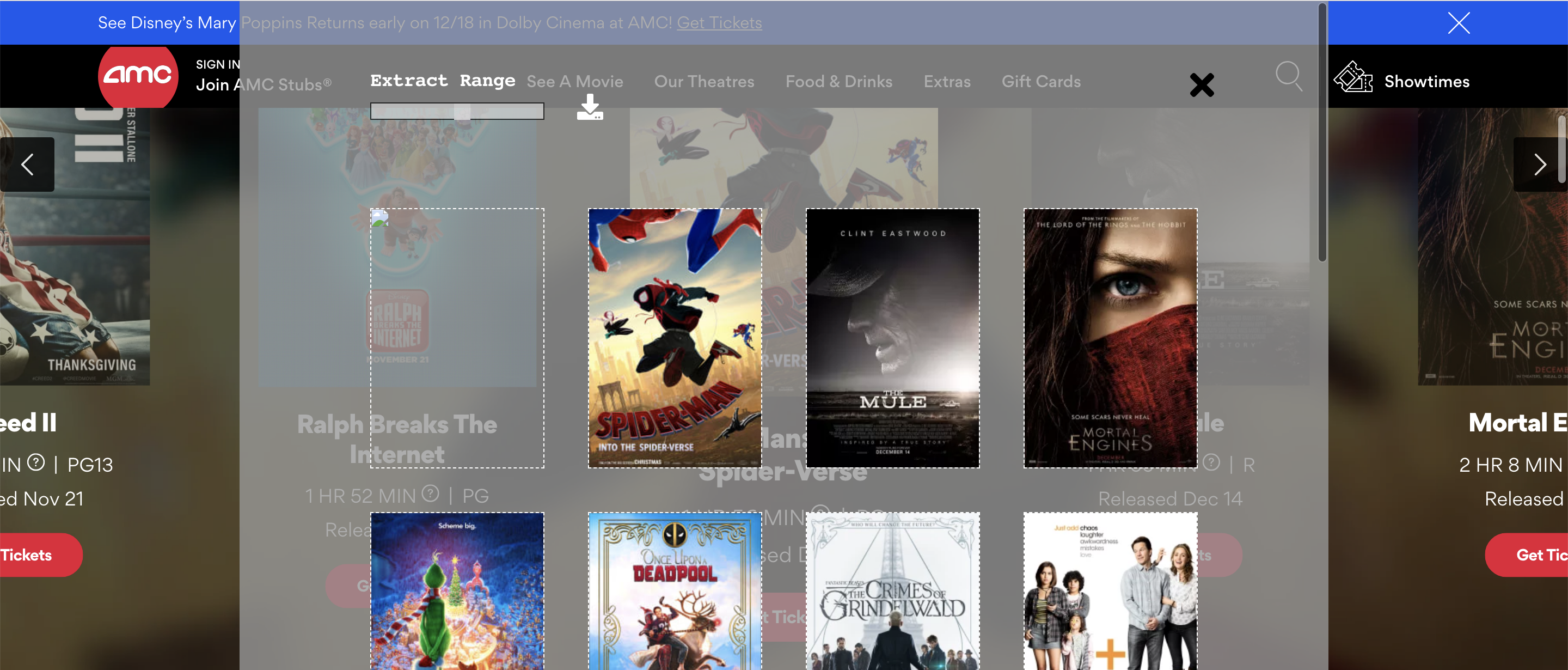
- "Extract Images": collects every image on the current webpage, with a "Download" button that zips them into a single archive.
- "Auto Refresh": set a timer, then click the refresh icon to start timed reloading of the current page.
- "HTML5 Video Control (Abort)", a video-control tool listed in the README's table of contents and marked aborted.
- Interface localisations listed as Chinese (simplified), Chinese (traditional), English, and Japanese.
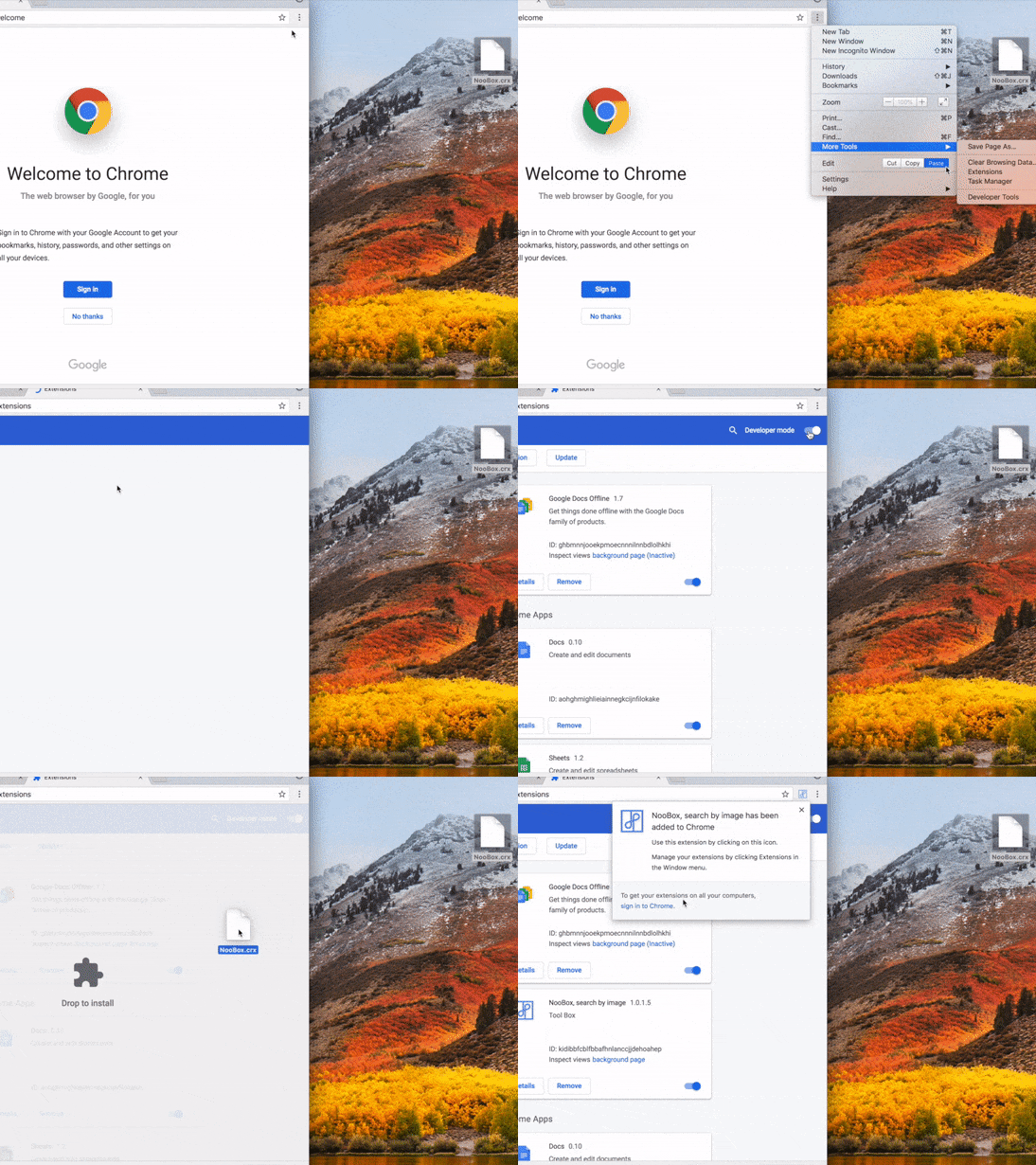
- Two installation paths: the Chrome Web Store listing, or a CRX download installed via Settings, More Tools, Extensions, Developer Mode, then dragging the CRX file.
Who uses it and how
- People who reverse-search images casually and do not want to visit each engine's site individually; the README frames this as do-it-yourself "detective work" on an image's origin.
- Users working from social media images, the case the README's quoted Life Hacker passage opens with.
- Anyone archiving a page's media: Extract Images plus the zip download turns a whole page of images into one file.
- Users who need a page reloading on a schedule, such as watching a listing or a status page, through Auto Refresh's timer.
- Non-English users: simplified Chinese, traditional Chinese, English and Japanese are the listed languages.
Getting started
Install from the Chrome Web Store, or download the CRX and load it by opening Settings, then More Tools, then Extensions, enabling Developer Mode, and dragging the CRX file into the page.
How it compares
The facts name no comparable tools, and no list of paid products that NooBox replaces is provided. On the record available here, it stands alone in this registry.
When to use it — and when not to
The extension runs in the browser, so there is no database, storage backend, or mail service for a self-hoster to operate, the GPL-3.0 licence is clear, and development is current as of the last push. It is Chrome-specific, and the README excerpt is thin — it documents installation and features but no build steps for the TypeScript and React source, so anyone wanting to compile or modify it works without guidance. The video tool is marked aborted and 37 open issues remain, so a user who needs dependable HTML5 video control, or a browser other than Chrome, should look elsewhere.