mix.core is a free, open source content management systems (cms) project written in C# and released under MIT. It has 888 GitHub stars, 224 forks and 2 open issues, and was last pushed 8 months ago. On this registry it ranks #34 of 47 tracked projects in Content Management Systems (CMS), with 5 head-to-head comparisons available.

What is mix.core?

Mix.core is an MIT-licensed, open-source enterprise web content management system built on ASP.NET Core / .NET Core that supports both headless and decoupled delivery, aimed at teams building multi-purpose web apps, mobile backends, and application services who want customizable APIs rather than a fixed product.

What it is

Mix.core is a content management system written in C# and running on ASP.NET Core / .NET Core. It has shipped since 2018 and lives in the .NET ecosystem, with its back-office admin portal built on Bootstrap 5 and a stated plan for a new portal in Angular and Svelte. The project maintains two branches: master tracks Mixcore v1.0.x LTS, while develop tracks Mixcore v2.0.0-alpha.x. It presents itself as a Firebase alternative in its topic list, alongside its CMS and ecommerce topics.

The concrete thing it replaces is the closed, plugin-metered CMS or the back-end-as-a-service that charges by usage and holds your data. Mix.core instead offers an API-first architecture where the admin UI, the content store, and the delivery layer are separable, so the same installation can serve rendered pages to a website, structured content to a decoupled front end, and application services to mobile clients. It also absorbs work that usually needs add-ons: SEO handling, Google Analytics integration, media management, and multilingual content migration are described as out-of-the-box rather than plugin-dependent.

Key capabilities

  • Runs against four database backends out of the box: MySQL, SQL Server, PostgreSQL, and SQLite.
  • API-first, modular architecture with module layers and attribute sets, letting developers extend the system plug-and-play rather than fork it.
  • Member roles and permissions for content and administrative access, plus data encryption for stored content.
  • Multilingual content with flexible migration between languages.
  • Media management covering multiple file formats for sites and applications.
  • Built-in SEO handling and Google Analytics integration without extra plugins.
  • One-step export for backup, and an in-browser coding environment described as having "Visual Studio Code's heart inside."

Who uses it and how

  • Teams building enterprise web apps plus companion mobile apps and application services from one content and API layer, rather than maintaining separate stacks.
  • Organizations that need a .NET-based CMS and will not adopt a PHP or Node alternative, since the whole stack is ASP.NET Core and runs cross-platform.
  • Agencies and product teams shipping many sites from one installation, using customizable APIs and modular attribute sets per project.
  • Smaller teams without deep technical knowledge, which the README explicitly targets by keeping setup and administration accessible.

Getting started

The README excerpt does not list a package name, Docker image, or compose file; it points to the project homepage at https://mixcore.org, and the repository carries master for v1.0.x LTS and develop for v2.0.0-alpha.x. Support channels include Gitter chat and OpenCollective.

How it compares

No list of paid products this project replaces was provided in the facts. Of the tools named in the facts, only Firebase appears, as a positioning label in the topic list rather than a documented comparison. Mix.core therefore stands alone in this registry.

When to use it β€” and when not to

A self-hoster must operate an ASP.NET Core / .NET Core application plus one of the four supported databases, and β€” if the built-in analytics and mail-dependent flows are used β€” accounts and credentials for those third-party services. Anyone without .NET operational experience, or wanting a managed CMS with no server to run, should not pick it. The honest weakness is documentation depth: this README excerpt gives feature lists and screenshots but no installation commands, and v2 lives on an alpha branch, so teams needing a fully documented release should treat v1.0.x LTS as the stable target.

project readme (upstream, from github) β€” read inline

Mixcore CMS Become a Backer

backer Donate Buy us a coffee

Fully Open Source UI Tools to create multi-purpose Enterprise Web Apps, Mobile Apps & Application Services

Branchs

  • master: Mixcore v1.0.x LTS
  • develop: Mixcore v2.0.0-alpha.x

UI Screenshots

Admin Portal

Mixcore CMS Back-office is built on top of the much awaited Bootstrap 5. This makes starting a new project very simple. It also provides benefits if you are already working on a Bootstrap 5 project.

(New Portal in Angular / Svelte will be coming soon)
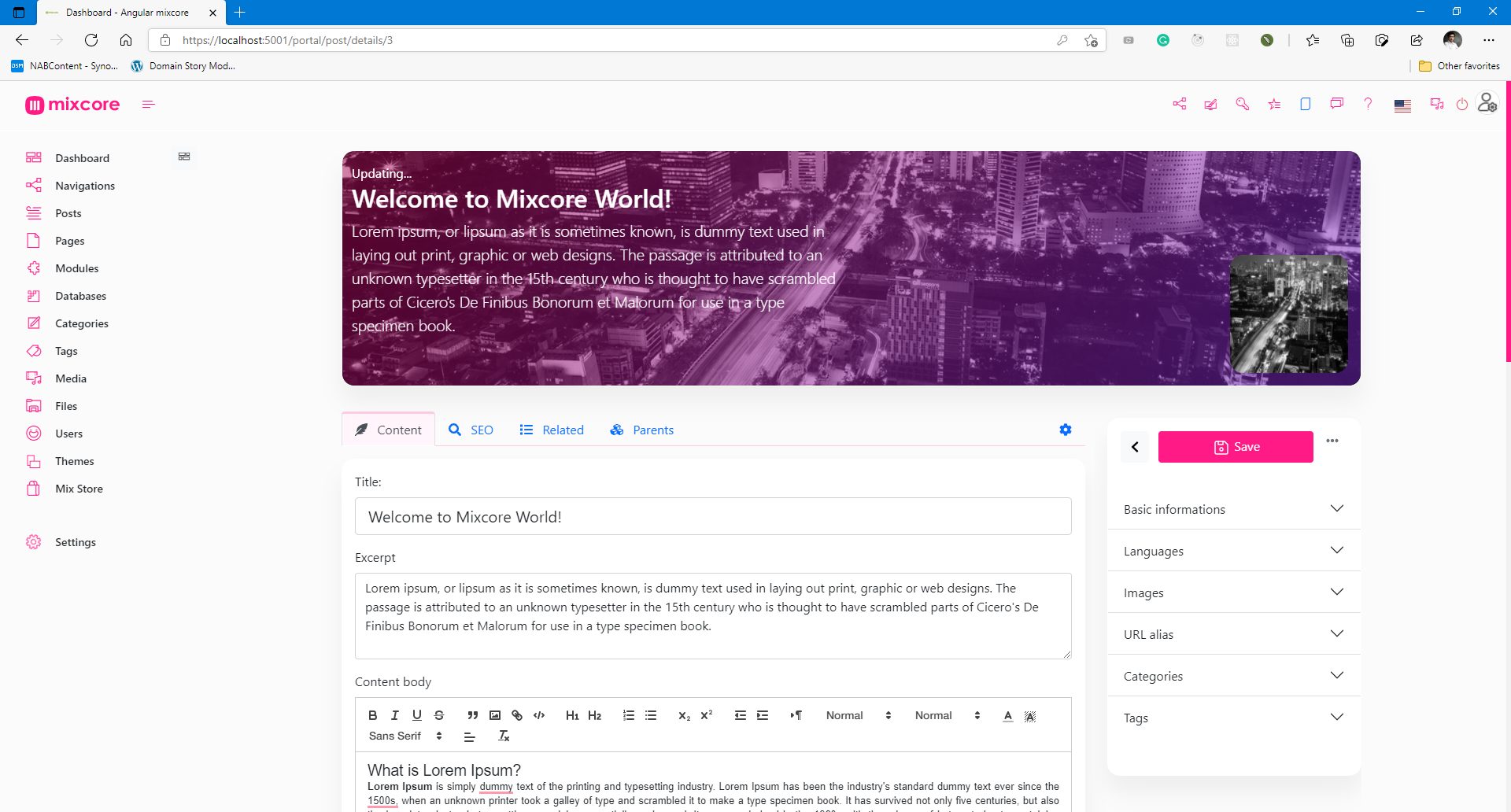
Mixcore Admin Portal Bootstrap 5.x

Mixcore Admin Portal Bootstrap 5.x

Special features (Out of the box)

  • Databases -MySQL, SQL Server, PostgreSQL, SQLite
  • Reliability - Member roles and permissions.
  • High Security - Strong Data Encryption and Security compliance.
  • Multilingual - Flexible multilingual content migration.
  • High Performance - Millisecond response time.
  • Cross Platforms - Powered by .NET Core and run everywhere.
  • Online Coding - Visual Studio Code's heart inside.
  • Customizable Designs - Build any kinds of website.
  • SEO Friendly - No extra plugin required.
  • Media Management - Multiple file formats for your website / application.
  • Manage On The Go - Manage and Code everywhere you want.
  • Easy and Accessible - Non deep tech knowledge required.
  • Analytics - Inside Google Analytics dashboard & no extra plugin required.
  • Dynamic Modular Architecture - Powerful module layers & Attribute sets feature.
  • Extensibility - API-first architecture for Plug & Play.
  • Easy Backup - Powerful 1 step export.
  • More Coffee time! - You can relax and explore more ton of features are not listed here...

Architecture

image

CMS and Dashboards built on top of ASP.Net Core / Dotnet Core, SignalR, Angular / Bootstrap / React / Vue / Svelte.

Services Result Services Result
Github workflow Build Status
Travis CI Build Status AppVeyor CI Build status
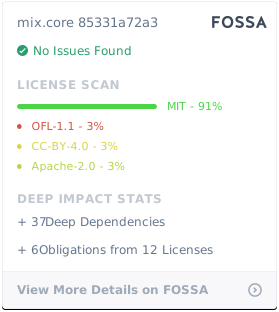
Gitter Join the chat at https://gitter.im/mix-core/Lobby Licenses status FOSSA Status
Codefactor CodeFactor Azure Build Status

References

Ref: How to install Mixcore CMS with Azure Docker Composer

Run with Docker

Latest Docker Image

docker pull ghcr.io/mixcore/mix.core:master
docker run -it --rm -p 5000:80 --name mixcore_cms mixcore/mix.core:latest

Or with Docker Compose

docker-compose build
docker-compose up

GITs clone

mkdir mixcore
cd mixcore

git clone https://github.com/mixcore/mix.core.git

Optional:

Optional steps as those packages are Nuget Library

git clone https://github.com/mixcore/mix.heart.git
git clone https://github.com/mixcore/mix.identity.git

Build & Run with Dotnet SDK

Build & Run Mixcore CMS

REM Make sure you already read and download Dotnet Core SDK here https://dotnet.microsoft.com/download

cd mix.core/src/Mix.Cms.Web

dotnet restore
dotnet build
dotnet run

Modify & Build Portal Front-End source (Optional)

This step is optional and only needed in case you would like to modify the portal front-end code

cd mix.core/src/portal-app

npm install
npm install --global gulp-cli
gulp build

Note: If you facing any System.Data.SqlClient.SqlException error, please replace all content inside "appsettings.json" file with "{}".

Thanks to

This project has been developed using:

License

Mixcore CMS is licensed under the MIT

Permissions Limitations Conditions
βœ” Commercial use βœ– Liability β„Ή License and copyright notice
βœ” Modification βœ– Warranty
βœ” Distribution
βœ” Private use

FOSSA Status

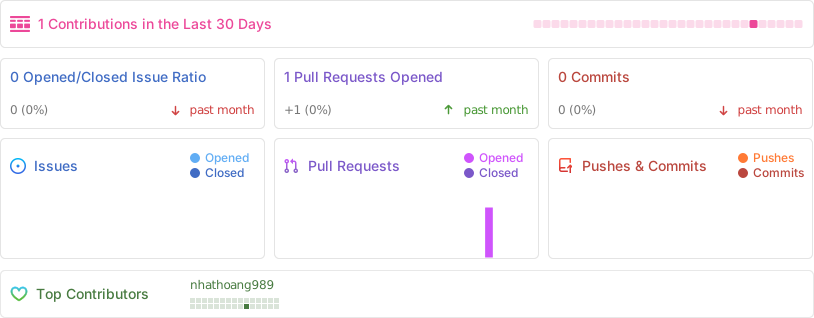
Activity

Alt

Star History

Star History Chart

Contributors Wall

How to contribute

Fork this repo to your GitHub account, clone it locally and try to follow the following simple guidelines.

  • Never write any code in the master branch
  • When writing code, do it in a specific feature branch
  • Send your pull request from that feature branch
  • After your pull request has been accepted, sync the changes into master from the upstream remote
  • Delete you feature branch
  • Again, NEVER write any code in the master branch ;)
  • Ref: https://datasift.github.io/gitflow/IntroducingGitFlow.html

Frequently asked questions

Is mix.core free to use?

mix.core is open source under the MIT licence. There is no licence fee and no seat count β€” you can self-host it or, where the project offers one, pay a vendor for a managed version instead.

What does mix.core do?

πŸš€ A future-proof enterprise web CMS supporting both headless and decoupled approaches. Build any type of app with customizable APIs on ASP.NET Core/.NET Core.

What is mix.core written in?

mix.core is primarily written in C#. Its source is publicly available at https://github.com/mixcore/mix.core, and it has 888 GitHub stars.