LoggiFly is a lightweight, MIT-licensed Python tool that watches Docker container logs for predefined keywords or regular expressions and sends alerts through Ntfy, Apprise, or a custom endpoint — built for self-hosters and small operations teams who need to know when a container starts misbehaving without sitting in front of a terminal.
What it is
LoggiFly is a log-monitoring and alerting agent that runs alongside your containers and continuously reads their log output. It matches that output against plain-text keywords, regular expressions, or multi-line patterns that you define, then dispatches a notification when something matches. Alert content is configurable: log lines can be filtered down to the relevant detail, and message bodies and notification titles can be shaped with templates. Configuration lives in a single config.yaml, which the program watches and reloads automatically when it detects a change.
It sits in the container-operations ecosystem, with first-class support for Docker, Docker Swarm, and Podman, and it can attach to multiple remote Docker hosts rather than only the local daemon. The concrete problem it solves is the gap between a container failing silently and a human finding out. Instead of tailing logs manually, grepping after the fact, or discovering a crash only when a dependent service breaks, LoggiFly turns log lines into proactive alerts and can escalate beyond notification: on specific critical keywords it can trigger a restart or a stop of the monitored container, which is aimed at breaking restart loops rather than feeding them.
Key capabilities
- Plain-text, regex, and multi-line log detection, including patterns that span several log entries.
- Alerts delivered to Ntfy directly, or through Apprise to more than 100 services such as Slack, Discord, and Telegram, or to a custom endpoint.
- Triggered stop or restart of the monitored container on specific critical keywords.
- Log attachments included automatically in notifications so the alert arrives with context.
- Automatic reload of
config.yaml when the file changes, without restarting LoggiFly itself.
- Configurable alert filtering and templating for both message bodies and notification titles.
- Remote host support for connecting to multiple Docker hosts, across Docker, Docker Swarm, and Podman.
Who uses it and how
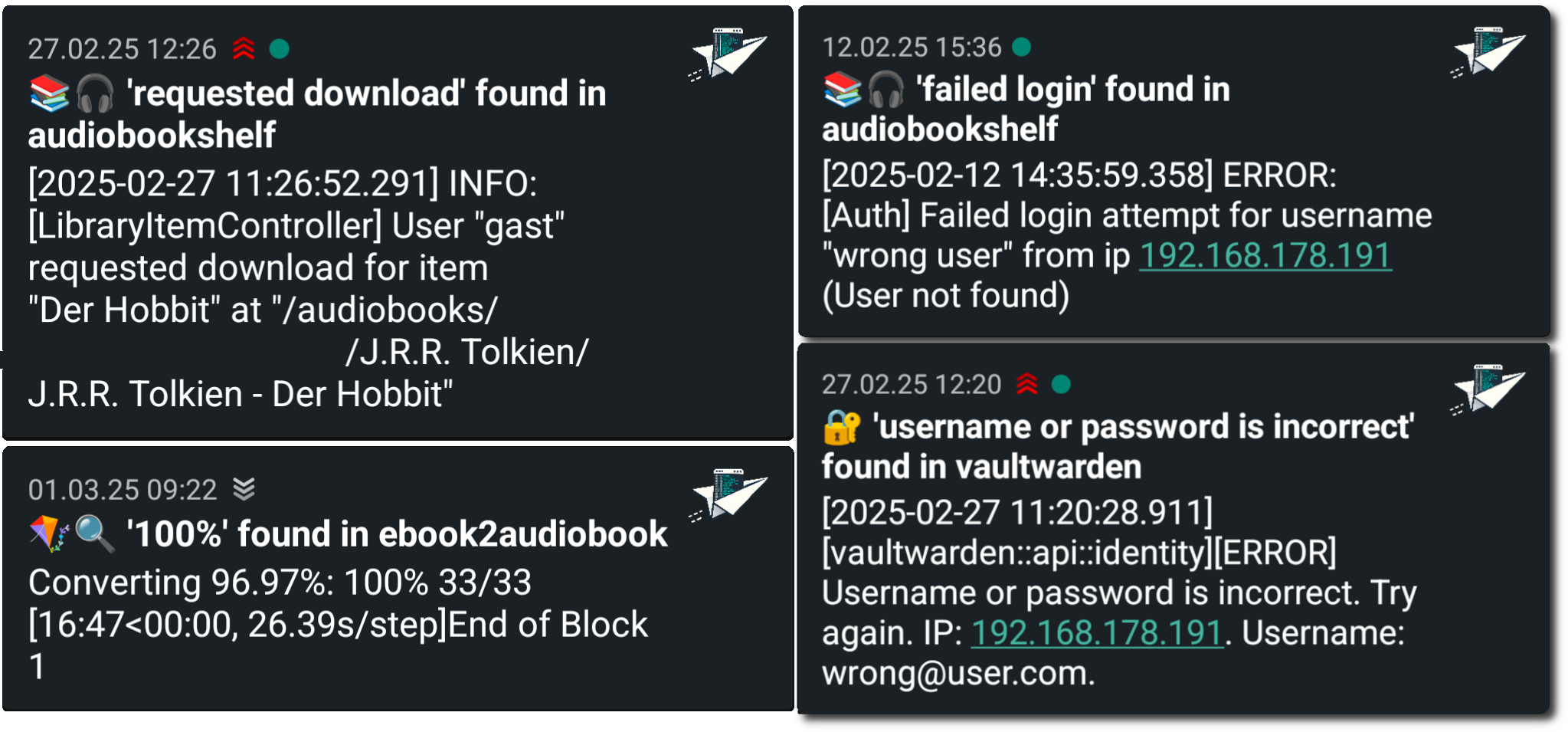
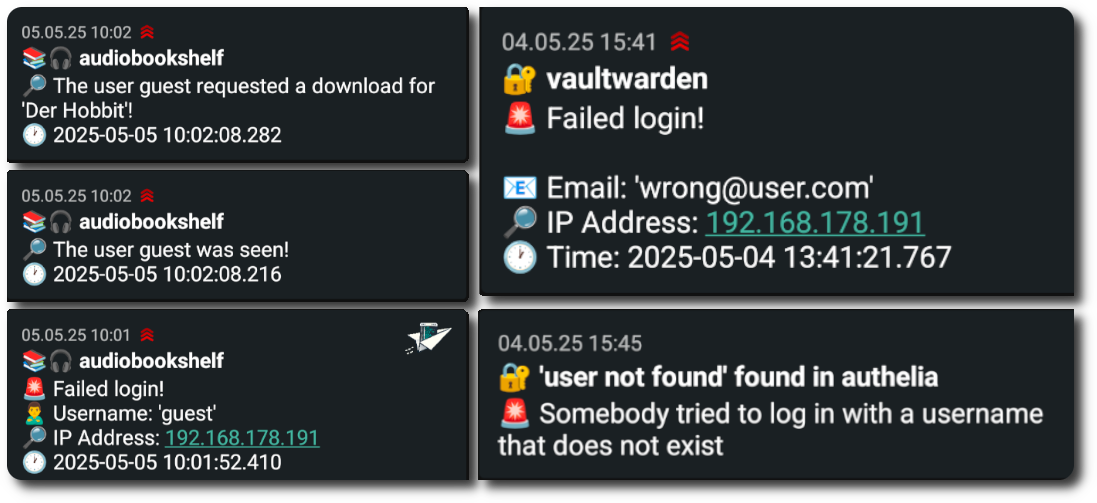
- Self-hosters watching for security breaches, such as failed login attempts against a Vaultwarden instance, where the signal is a log line rather than a metric.
- Operators debugging crashes who want the relevant log context attached to the alert instead of correlating timestamps by hand afterwards.
- Teams running services that can enter restart loops, using keyword-triggered stop or restart to contain a failing container automatically.
- People monitoring custom application behaviour, such as an Audiobookshelf server reporting that a user downloaded an audiobook.
- Environments spanning more than one Docker host, including Swarm clusters and Podman deployments.
The project has 1,777 stars, 50 forks, and 7 open issues, which indicates an active small-userbase tool rather than an enterprise platform.
Getting started
Setup instructions live in the project's Getting Started guide at https://clemcer.github.io/loggifly/guide/getting-started, with configuration documented at https://clemcer.github.io/loggifly/guide/config. The provided README excerpt names no specific package, image tag, or compose file, so the documentation is the authoritative source for the exact install method.
How it compares
The facts provided name no paid products that LoggiFly replaces, and no peer tools either — Apprise and Ntfy appear here as notification channels LoggiFly sends to, not as alternatives to it. On the evidence available, it stands alone in this registry.
When to use it — and when not to
A self-hoster has to operate a running LoggiFly instance with access to the Docker daemon (local or remote), maintain the config.yaml that defines every pattern and action, and run at least one notification channel such as Ntfy or an Apprise target. Anyone who wants a hosted service, a GUI-driven setup, or alerting they do not have to configure themselves should look elsewhere, because LoggiFly is configuration-file driven and supplies no hosted option. The main caveat visible in the facts is documentation depth: the README is a feature list that defers all operational detail to an external site, so evaluate the docs before committing, and note that the repository shows continuing commits as of 2026-09-07 but the facts list no tagged release cadence.