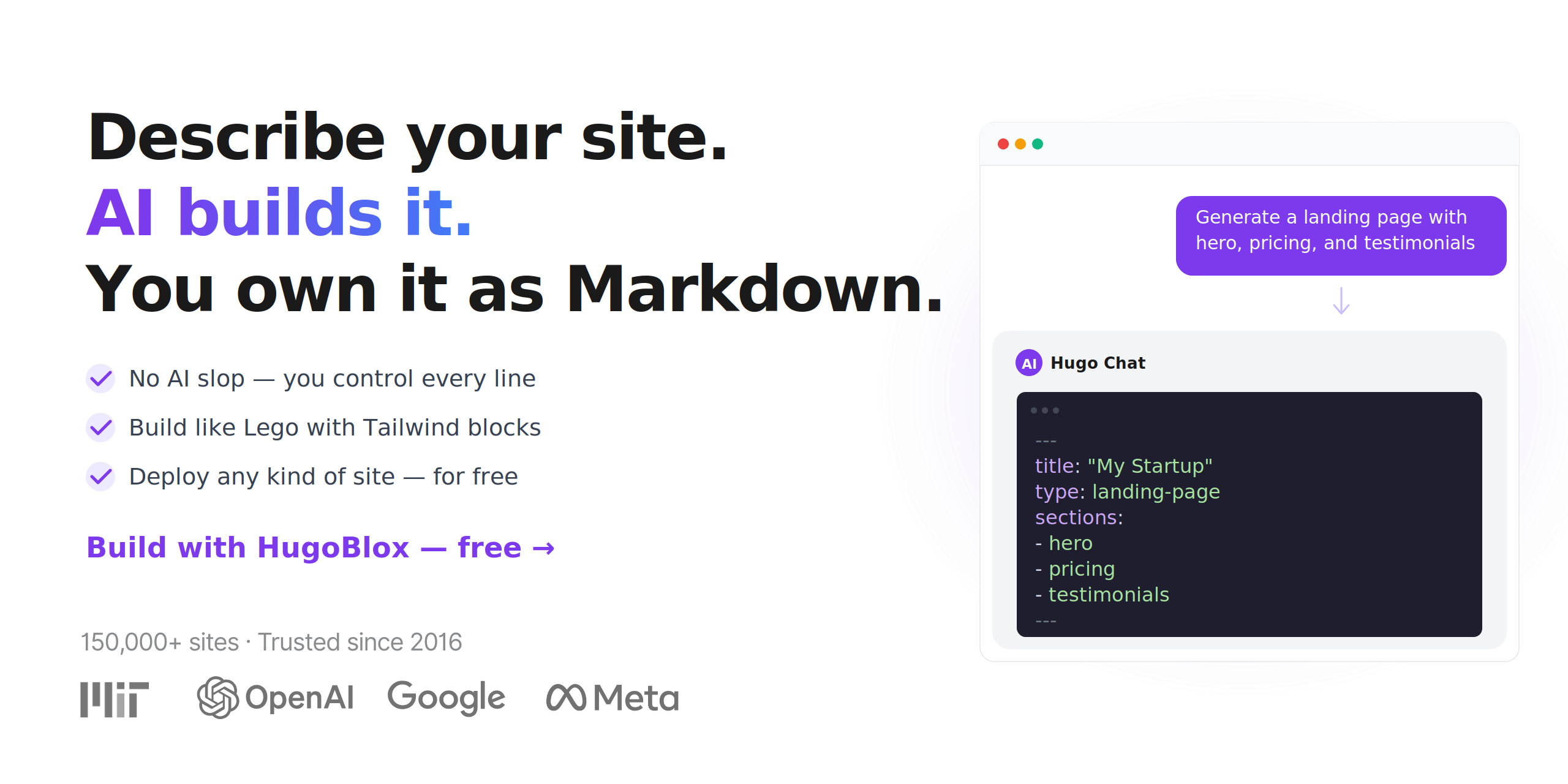
Describe your site. AI builds it. You own it as Markdown.
HugoBlox is the open-source framework for building professional sites from structured Markdown — landing pages, portfolios, blogs, publications, docs, and more.
Pick a template, let Hugo Chat AI generate your pages, and deploy anywhere. Every file is plain Markdown you can read, edit, and own forever.
Generate Pages with AI | Browse Templates | Ownable CMS for VS Code


Trusted since 2016 · 150,000+ sites (Meta, Stanford, NVIDIA) · Rated 4.9/5 by users (official survey) · Used by teams at NVIDIA Research, MIT, and King's College London · Featured by GitHub Release Radar
⚡ How it works
1. 🎨 Pick a template Choose a template or scaffold with the CLI. Landing pages, portfolios, blogs, research sites, docs — ready in seconds. |
2. ✨ Generate pages with AI Open Hugo Chat and describe what you need. "Create a landing page with hero, pricing, and testimonials" — done. |
3. 🚀 Deploy anywhere Push to GitHub. Deploy on Netlify, Vercel, Cloudflare — or any static host. No database. No runtime. Free hosting. |
🏆 Why HugoBlox
Every other tool makes you choose. HugoBlox doesn't.
| AI site builders (Lovable, v0, Bolt) | CMS platforms (WordPress, Webflow) | HugoBlox | |
|---|---|---|---|
| AI generates your pages | Yes | No | Yes |
| You own the output as readable files | No — React code | No — locked in a database | Yes — plain Markdown |
| Works without a runtime server | Sometimes | No | Yes — static HTML |
| Structured content types (publications, projects, team pages) | No | Partial | Yes — 20+ built-in types |
| Human-editable after AI generates it | Barely | Through the CMS only | Yes — it's Markdown |
| Free to host forever | No | No | Yes |
| Open source | No | No | Yes — MIT licensed |
[!IMPORTANT] The pitch: other tools generate code you can't maintain or lock your content in a database you can't leave. HugoBlox gives you AI-generated pages as plain Markdown on a Tailwind + Hugo stack — readable, portable, and yours.
🧱 What you can build
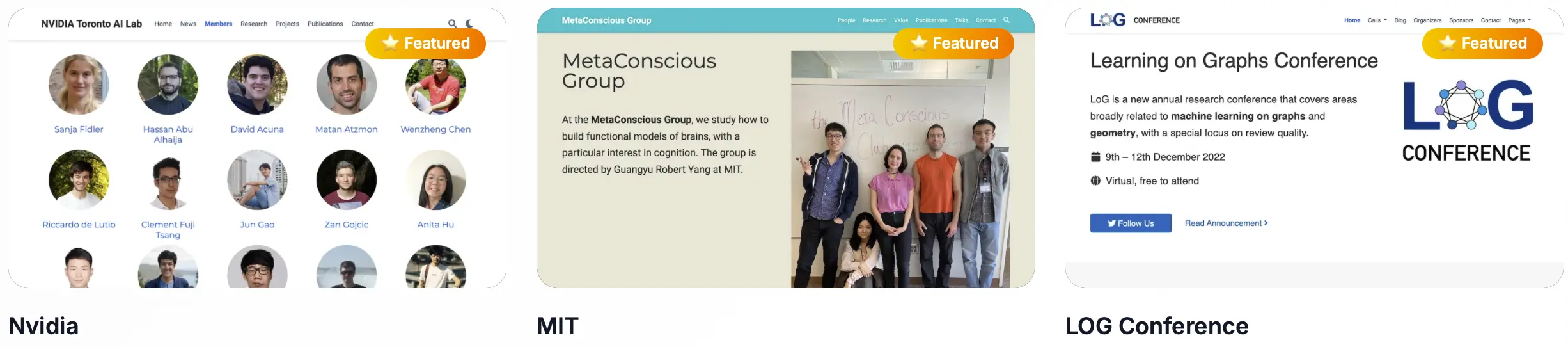
HugoBlox includes 20+ structured content types with proper front matter, metadata, and layouts. Tell Hugo Chat what you need and it generates the right one:
- 🚀 Landing pages — hero, features, pricing, testimonials, CTA sections via the block system
- 📝 Blogs & articles — posts with tags, categories, authors, and SEO metadata
- 💼 Portfolios & project pages — showcase your work with descriptions, tech stacks, and images
- 📚 Publication pages — academic papers with BibTeX/DOI citation workflows
- 📖 Documentation — searchable docs with sidebar navigation and versioning
- 👥 Team & author profiles — bio, avatar, social links, publication lists
- 🎤 Event & talk pages — conferences, workshops, presentations with slides
- 🎞️ Slide decks — Markdown-powered presentations using reveal.js
- 📄 Resumes & CVs — structured career pages, exportable to PDF
- 🔬 Jupyter notebooks & LaTeX — render
.ipynband math-heavy pages natively
🛠️ Get started
Step 1: Create your site
Option A: Start from a template (fastest)
[!TIP] Pick a template and launch in your browser in 60 seconds: Browse templates
Option B: Use the CLI (full control)
# Requires Hugo Extended & Node.js
npm install -g hugoblox
hugoblox create site
Step 2: Customize with AI + visual editing
Hugo Chat — AI page generation Describe what you need in plain English. Hugo Chat generates structured Hugo pages with correct front matter, shortcodes, and HugoBlox blocks.
|
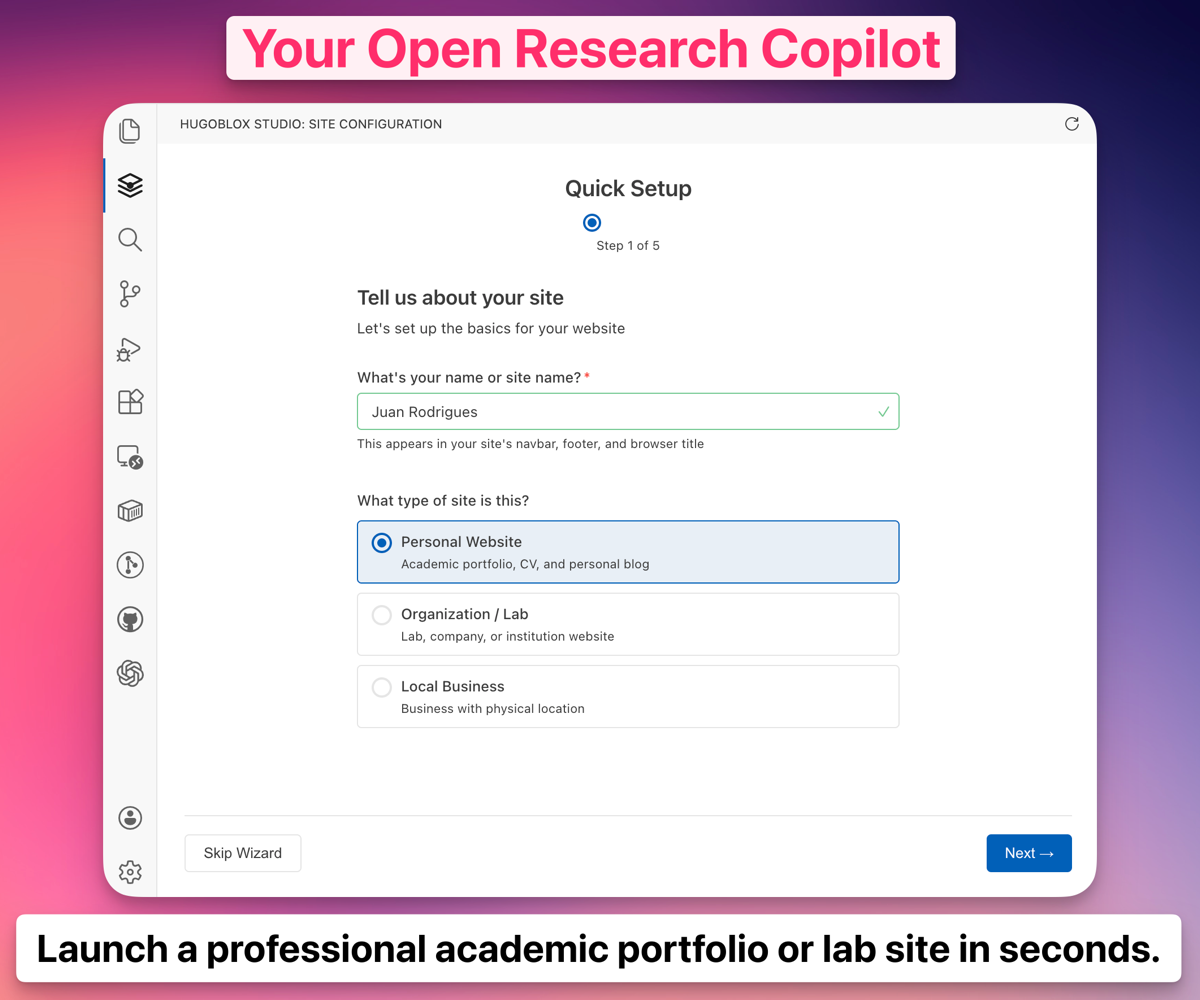
Ownable CMS — visual editing in VS Code Drag-and-drop blocks, live preview, and YAML validation without leaving your editor. The power of a visual website builder inside VS Code.
|
[!NOTE] Need docs? See docs.ownable.dev for guides, configuration reference, and best practices.
🔓 Open source. No lock-in. No catch.
- ✅ MIT licensed. The framework is and will always be open source.
- ✅ Plain Markdown files. Your content is never locked in a database or proprietary format. Take it anywhere.
- ✅ Static output. No server to maintain, no database to patch, no vendor to depend on.
- ✅ Free hosting. Deploy to Netlify, Vercel, GitHub Pages, Cloudflare Pages — all free tier.
- ✅ AI is free to start. Hugo Chat includes free messages every day. No credit card needed.
- ✅ Future-proof. Markdown has been readable since 2004. Your content will outlast any platform.
[!IMPORTANT] "Every AI website builder generates React code you'll throw away in six months. Every CMS locks your content in a database you'll never migrate. HugoBlox is the gap between them."
Want more? Upgrade to Pro for visual editing, AI automations, BibTeX import, and priority support. Compare plans →
🌍 Who uses HugoBlox
HugoBlox powers sites for researchers, consultants, founders, developer advocates, and teams at organizations including:
150,000+ sites created since 2016. Rated 4.9/5 by users.
"We tried Lovable and v0 first. They generated a landing page in minutes — but it was 400 lines of React we couldn't touch. Hugo Chat generated the same page as Markdown files our whole team could edit. We shipped that afternoon. Hosting: $0/month." — Priya Ramanathan, Co-founder & CTO
"I described our research areas to Hugo Chat and it generated 30 publication pages with correct BibTeX metadata, team profiles, and a news section. My postdocs were editing their own pages within an hour — it's just Markdown. No CMS training, no tickets to IT." — Dr. James Park, Principal Research Scientist, Applied AI Lab
"I've rebuilt my site four times — Jekyll, Gatsby, Next.js, Notion. HugoBlox is the first time I know I won't have to again. My content is plain Markdown. If something better exists in five years, I take my files and leave. Nothing has come close." — Marcus Oliveira, Senior Developer Advocate
🚀 Ready to build?
Pick a template, let AI generate your pages, and deploy for free.
Your content stays as Markdown you own forever.
Generate Pages with AI | Browse Templates | Read the Docs
Community & support
- Questions? Join the Discord or search the Docs
- Bug? Open an Issue
- Want to contribute? Read the Contributing Guide
- Love it? Star this repo — it helps others find it
Sponsors
❤️ Sponsor on GitHub | 🏢 Become a Partner
License
Copyright 2016-present Lore Labs. Released under the MIT License.
HugoBlox is a trademark of Lore Labs.