karma
Alert dashboard for Prometheus Alertmanager.
Alertmanager >=0.22.0 is required.
See GitHub Releases for release changelog.
Feature overview
Alertmanager UI is useful for browsing alerts and managing silences, but it's lacking as a dashboard tool - karma aims to fill this gap.
Alert aggregation and deduplication
Starting with the 0.7.0 release it can aggregate alerts from multiple
Alertmanager instances, running either in HA mode or separate. Unique alerts are
displayed by filtering duplicates. Each alert is tagged with the names of all
Alertmanager instances it was found at and can be filtered based on those tags
(@alertmanager). Note that @alertmanager tags will be visible only if karma
is configured with multiple Alertmanager instances.
If alertmanger is configured to use
HA clusters
then @cluster will be available as well, to set a custom name for each cluster
see CONFIGURATION.md.
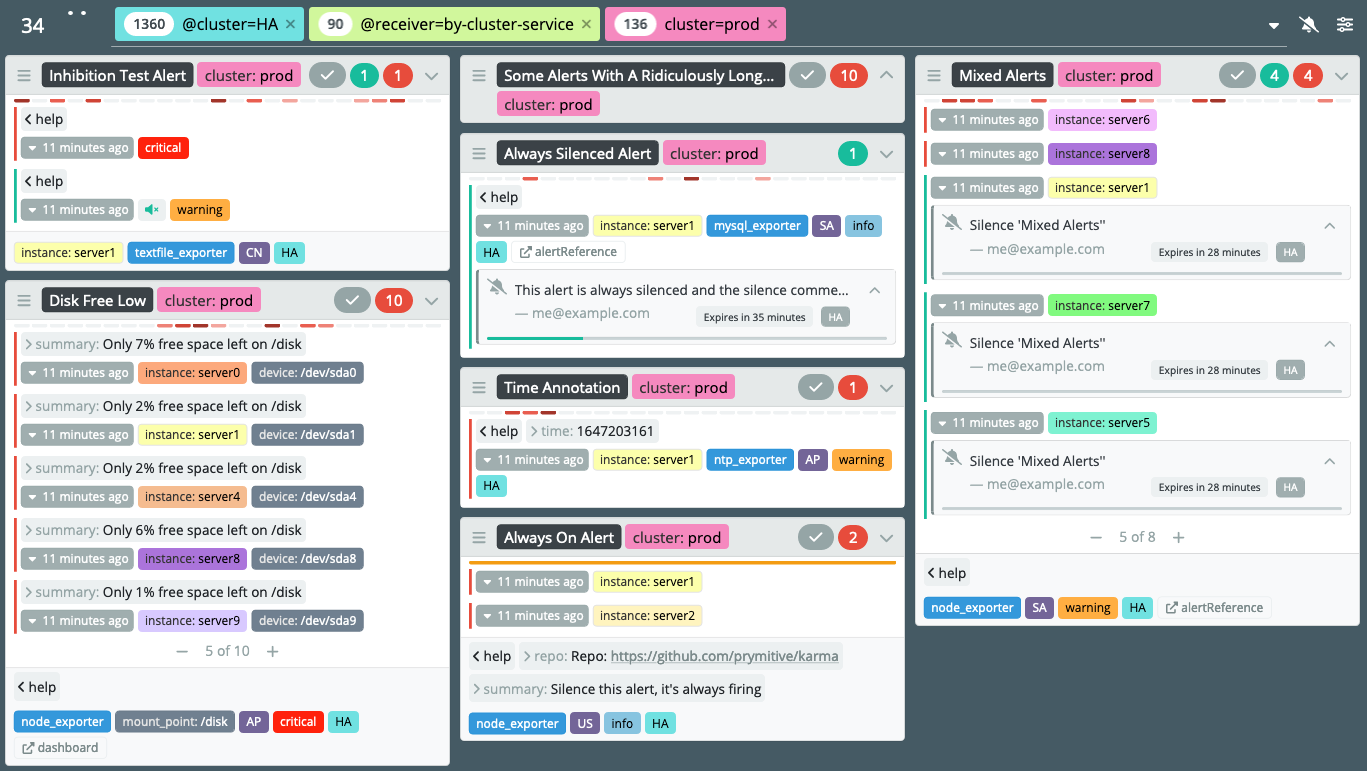
Alert visualization
Alert groups
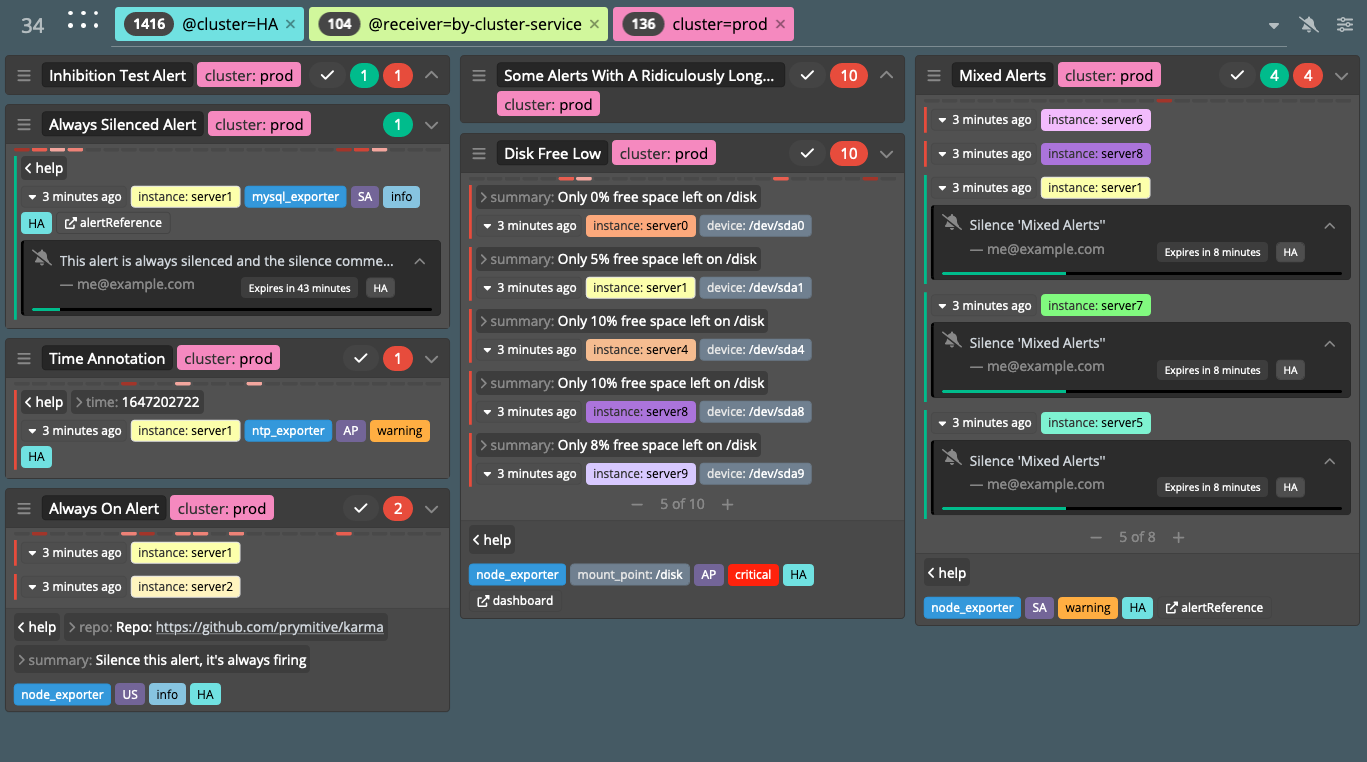
Alerts are displayed grouped preserving
group_by
configuration option in Alertmanager.
Note that a unique alert group will be created for each receiver it uses in
alertmanager as they can have different group_by settings.
If a group contains multiple alerts only
the first few alerts will be presented. Alerts are expanded or hidden
using - / + buttons. The default number of alerts can be configured in the UI
settings module.
Each group can be collapsed to only show the title bar using top right toggle
icon.
Each individual alert will show unique labels and annotations. Labels
and annotations that are shared between all alerts are moved to the footer.
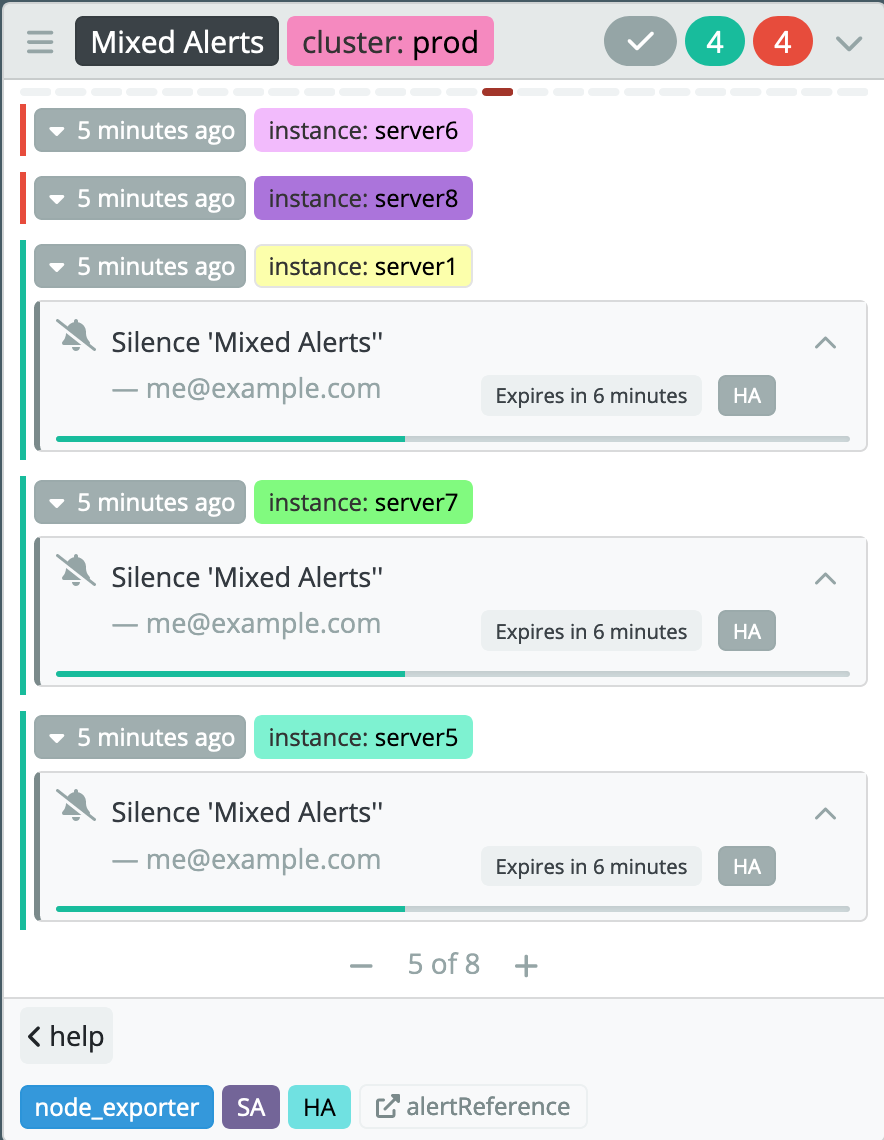
Active alerts will show recently expired silences, to allow re-silincing
if needed.
This is controlled via silences:expired setting. 10m value would show
silences expired in the last 10 minutes but only for alerts that started firing
more than 10 minutes ago.
Alert history
Alertmanager doesn't currently provide any long term storage of alert events
or a way to query for historical alerts, but each Prometheus server sending
alerts stores metrics related to triggered alerts.
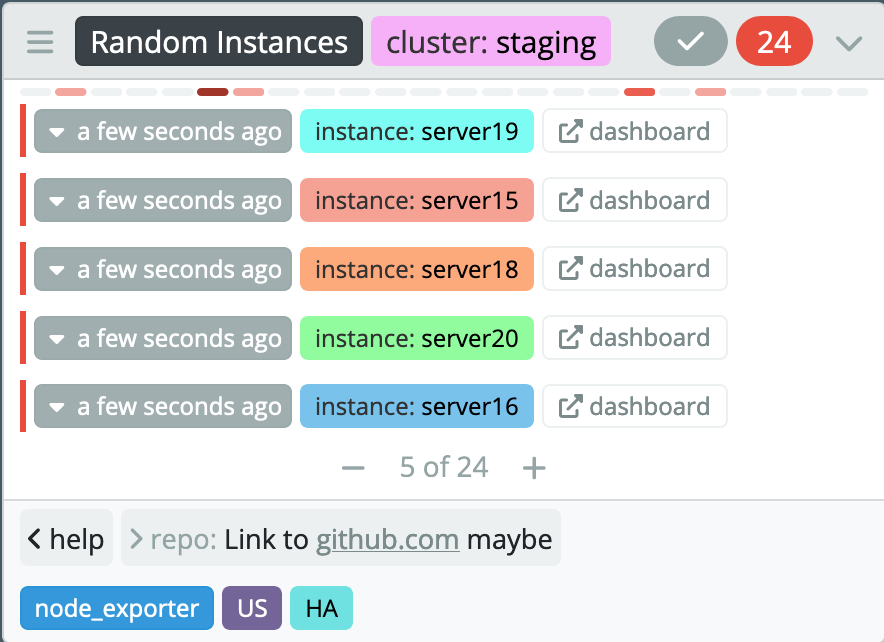
When history:enabled is true karma will use source fields from each alert
to try querying alert related metrics on remote Prometheus servers.
The result is the number of times given alert group triggered an alert per hour
in the last 24h, displayed as 24 blocks. The darker the color the more alerts
were triggered in that hour, as compared by all other hours.
For this feature to work karma must be able to connect to all Prometheus servers
sending alerts. Be sure to set --web.external-url Prometheus flag to a publicly
reachable URL of each server.
Inhibited alerts
Inhibited alerts (suppressed by other alerts, see Alertmanager docs) will have a "muted" button.
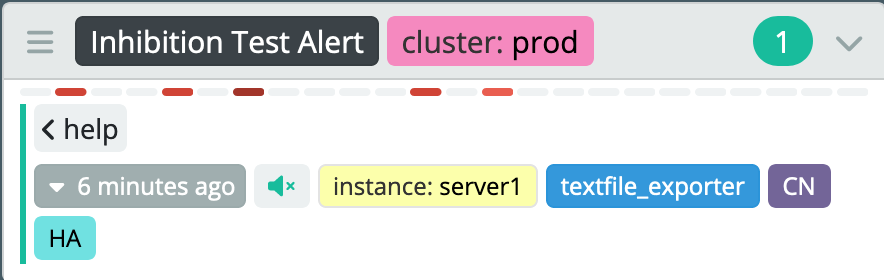
Clicking on that button will bring a modal with a list of inhibiting alerts.

Silence deduplication
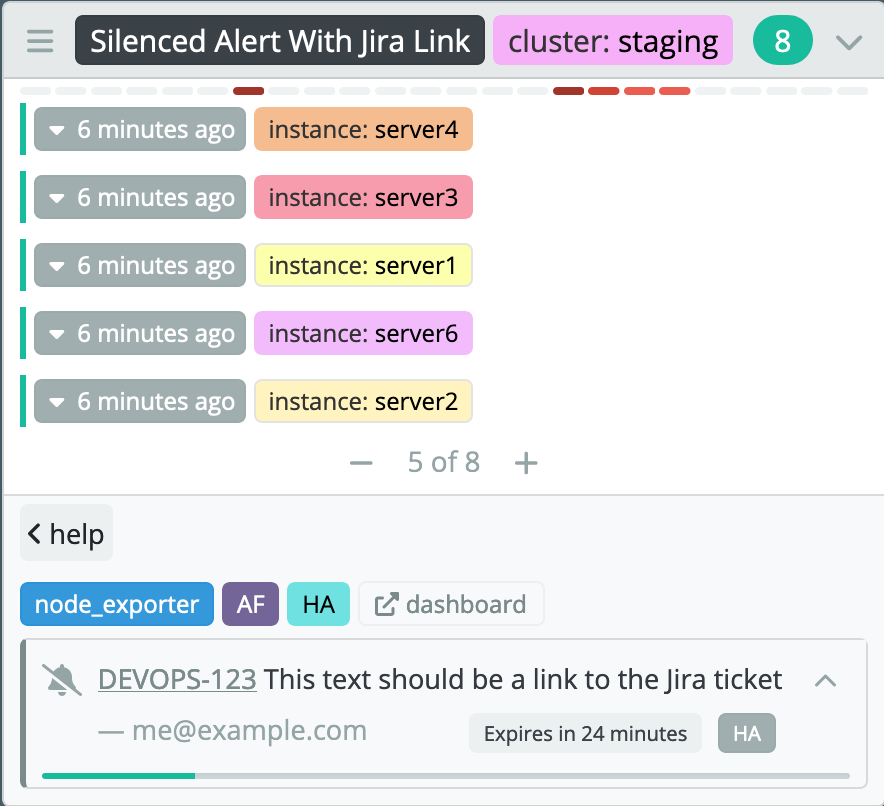
If all alerts in a group were suppressed by the same silence then, to save screen space, the silence will also be moved to the footer.
Label based multi-grid
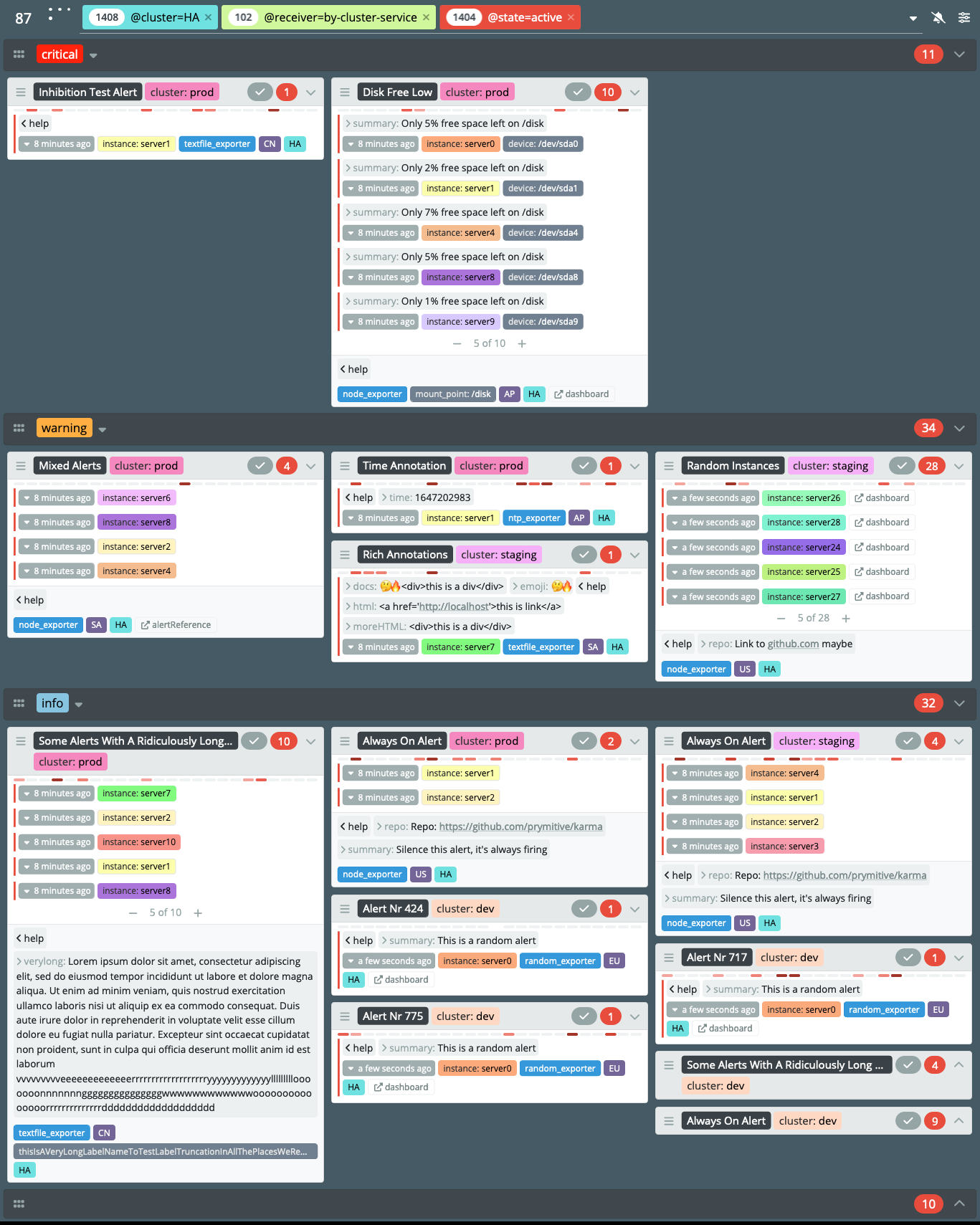
To help separate alerts from different environments or with different level of severity multi-grid mode can be enabled, which adds another layer of visually grouping alert groups. To enable this mode go to the configuration modal and select a label name, all alerts will be grouped by that label, each label value will have a dedicated grid, including an extra grid for alerts without that label present.
Silence management
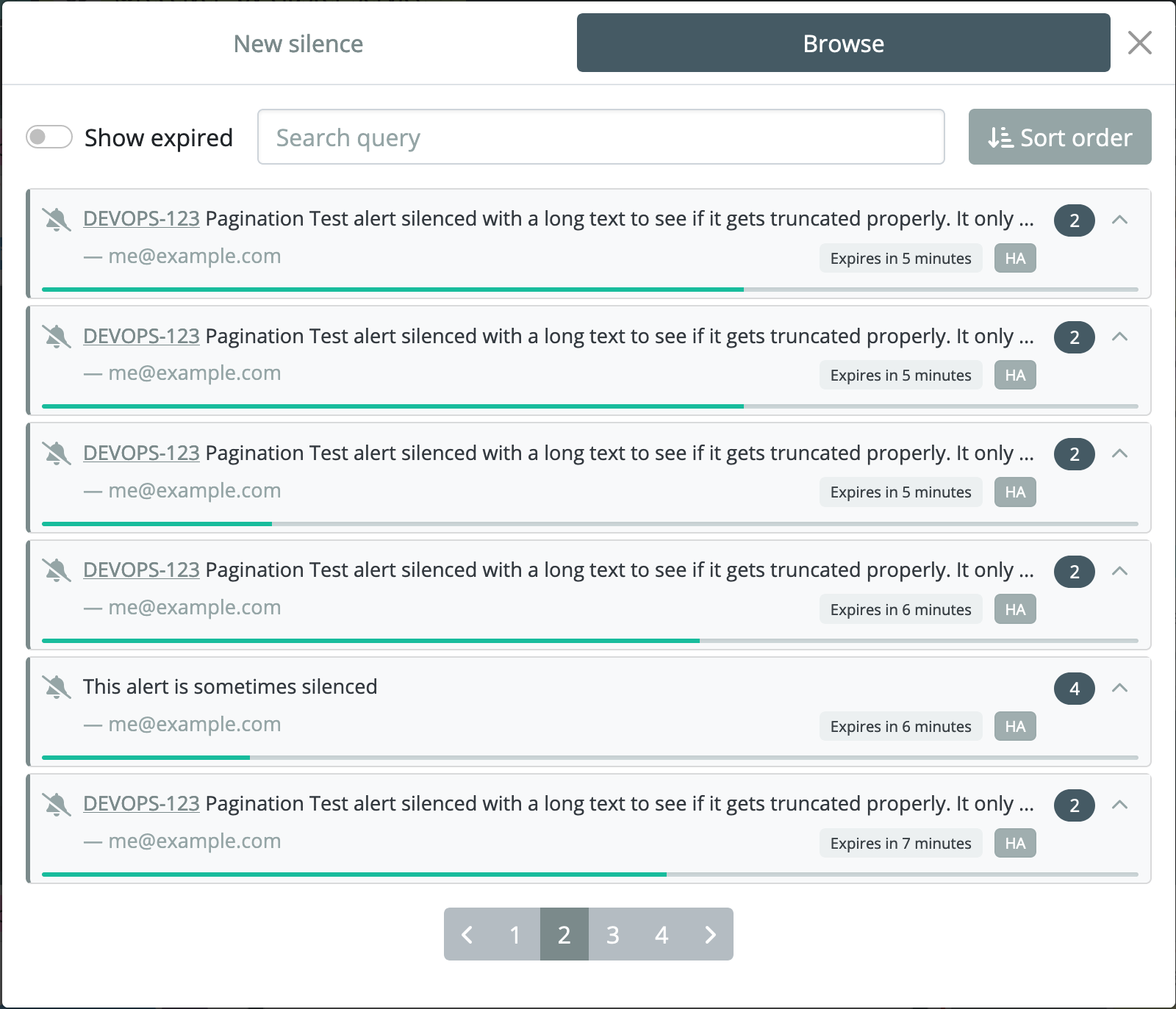
Silence modal allows to create new silences and manage all silences already present in Alertmanager. Silence ACL rules can be used to control silence creation and editing, see ACLs docs for more details.
Alert overview
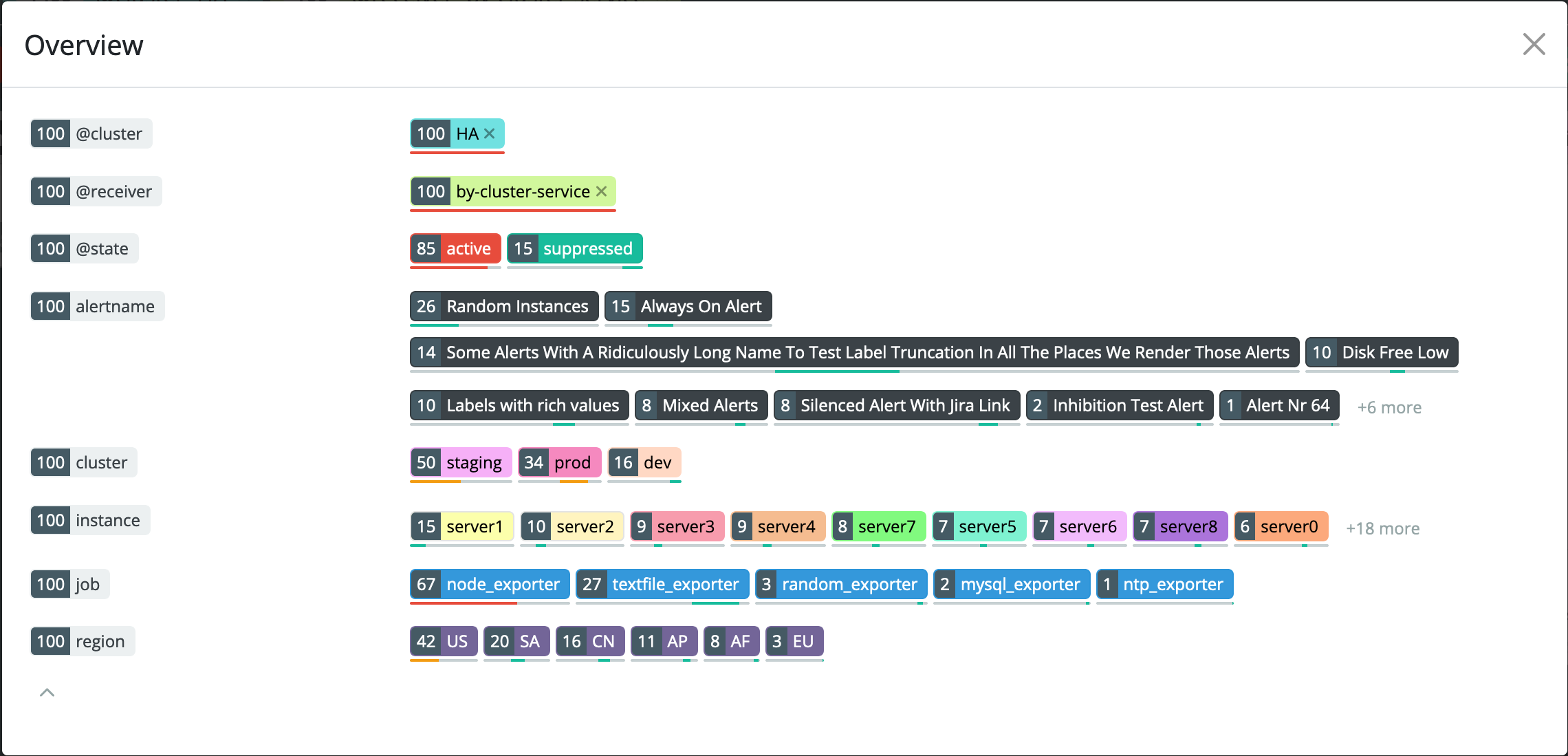
Clicking on the alert counter in the top left corner will open the overview modal, which allows to quickly get an overview of the top label values for all current alerts.
Alert acknowledgement
Starting with v0.50 karma can create short lived silences to acknowledge
alerts with a single button click. To create silences that will resolve itself
only after all alerts are resolved you can use
kthxbye.
See configuration docs for
details.
Dead Man’s Switch support
Starting with v0.78 karma can be configured to check for
Dead Man’s Switch
style alerts (alert that is always firing). If no alert is found in given
alertmanager karma will show an error in the UI.
See healthcheck:filters option on configuration docs
for details.
Dark mode
Starting with v0.52 release karma includes both light and dark themes.
By default it will follow browser preference using
prefers-color-scheme
media queries.
Demo
Online demo is running latest main branch. It might include features that are experimental and not yet ready to be included.
Release notes
Release notes can be found on GitHub Release Page.
To get notifications about new karma releases go to
GitHub karma page, click Watch and
select Releases only. This requires GitHub user account.
To subscribe to email notifications without GitHub account you can subscribe to
the RSS feed that
GitHub provides.
To get email notifications from those feeds use one of the free services
providing RSS to email notifications, like
Blogtrottr.
History
I created karma while working for Cloudflare, originally it was called unsee. This project is based on that code but the UI part was rewritten from scratch using React. New UI required changes to the backend so the API is also incompatible. Given that the React rewrite resulted in roughly 50% of new code and to avoid confusion for user I've decided to rename it to karma, especially that the original project wasn't being maintained anymore.
Supported Alertmanager versions
Alertmanager's API isn't stable yet and can change between releases, see
VERSIONS in internal/mock/Makefile for list of all
Alertmanager releases that are tested and supported by karma.
Due to API differences between those releases some features will work
differently or be missing, it's recommended to use the latest supported
Alertmanager version.
Security
karma doesn't in any way alter alerts in any Alertmanager instance it collects
data from. This is true for both the backend and the web UI.
The web UI allows to manage silences by sending requests to Alertmanager
instances, this can be done directly (browser to Alertmanager API) or by
proxying such requests via karma backend (browser to karma backend to
Alertmanager API) if proxy mode is enabled in karma config.
If you wish to deploy karma as a read-only tool without giving users any ability to modify data in Alertmanager instance, then please ensure that:
- the karma process is able to connect to the Alertmanager API
- read-only users are able to connect to the karma web interface
- read-only users are NOT able to connect to the Alertmanager API
readonlyis set totruein alertmanager:servers config section for all alertmanager instances, this options will disable any UI elements that could trigger updates (like silence management)
To restrict some users from creating silences or enforce some matcher rules use
silence ACL rules. This feature requires proxy to be enabled.
Metrics
karma process metrics are accessible under /metrics path by default.
If you set the --listen.prefix option a path relative to it will be
used.
Building and running
Building from source
To clone git repo and build the binary yourself run:
git clone https://github.com/prymitive/karma $GOPATH/src/github.com/prymitive/karma
cd $GOPATH/src/github.com/prymitive/karma
To finally compile karma the binary run:
make
Note that building locally from sources requires Go, nodejs and yarn. See Docker build options below for instructions on building from within docker container.
Running
karma can be configured using config file, command line flags or environment
variables. Config file is the recommended method, it's also the only way to
configure karma to use multiple Alertmanager servers for collecting alerts.
To run karma with a single Alertmanager server set ALERTMANAGER_URI
environment variable or pass --alertmanger.uri flag on the command line, with
Alertmanager URI as argument, example:
ALERTMANAGER_URI=https://alertmanager.example.com karma
karma --alertmanager.uri https://alertmanager.example.com
There is a make target which will compile and run a demo karma docker image:
make run-demo
By default it will listen on port 8080 and will have mock alerts.
Docker
Running pre-build docker image
Official docker images are built and hosted on Github.
Images are built automatically for:
- release tags in git -
ghcr.io/prymitive/karma:vX.Y.Z - main branch commits -
ghcr.io/prymitive/karma:latest
Examples
To start a release image run:
docker run -e ALERTMANAGER_URI=https://alertmanager.example.com ghcr.io/prymitive/karma:vX.Y.Z
Latest release details can be found on GitHub.
To start docker image build from lastet main branch run:
docker run -e ALERTMANAGER_URI=https://alertmanager.example.com ghcr.io/prymitive/karma:latest
Note that latest main branch might have bugs or breaking changes. Using release images is strongly recommended for any production use.
Building a Docker image
make docker-image
This will build a Docker image locally from sources.
Health checks
/health endpoint can be used for health check probes, it always responds with
200 OK code and Pong response body.
Configuration
Please see CONFIGURATION for full list of available configuration options and example.yaml for a config file example.
Contributing
Please see CONTRIBUTING for details.
License
Apache License 2.0, please see LICENSE.